Flexi PDF

Flexi PDF

다운로드: App Store
로고: Flexi PDF

Flexi PDF: 모바일 라이프스타일을 위한 전문가 수준의 PDF 관리 간소화

이동 중에도 PDF를 분할, 병합 및 자를 수 있는 빠르고 가벼운 도구입니다. 워크플로우를 간소화하고 계약서, 메모 및 보고서를 몇 초 만에 처리하세요.

개발사

JOIN SHIP TECH LIMITED

카테고리

Business

다운로드

1M+

사용자 평점

3.7/5

총 평가 수

400

지원 언어

1

실행 중인 효율성

이 인터페이스를 사용하는 1M+ 명의 사용자.

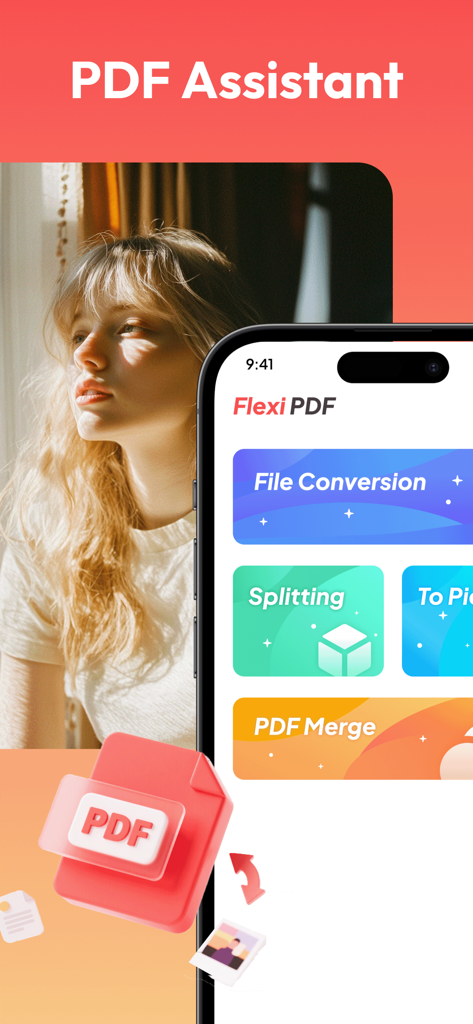
Flexi PDF 앱 인터페이스가 스마트폰 화면에 표시되며 파일 변환, 분할 및 병합 옵션을 보여줍니다.

Flexi PDF 앱 인터페이스가 스마트폰 화면에 표시되며 파일 변환, 분할 및 병합 옵션을 보여줍니다.

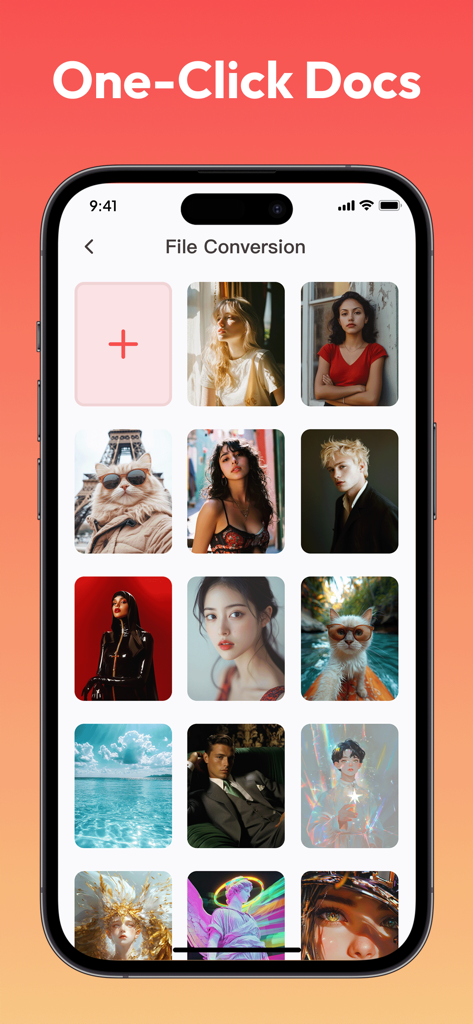
문서 생성을 위한 이미지 갤러리를 보여주는 Flexi PDF 앱 파일 변환 화면

문서 생성을 위한 이미지 갤러리를 보여주는 Flexi PDF 앱 파일 변환 화면

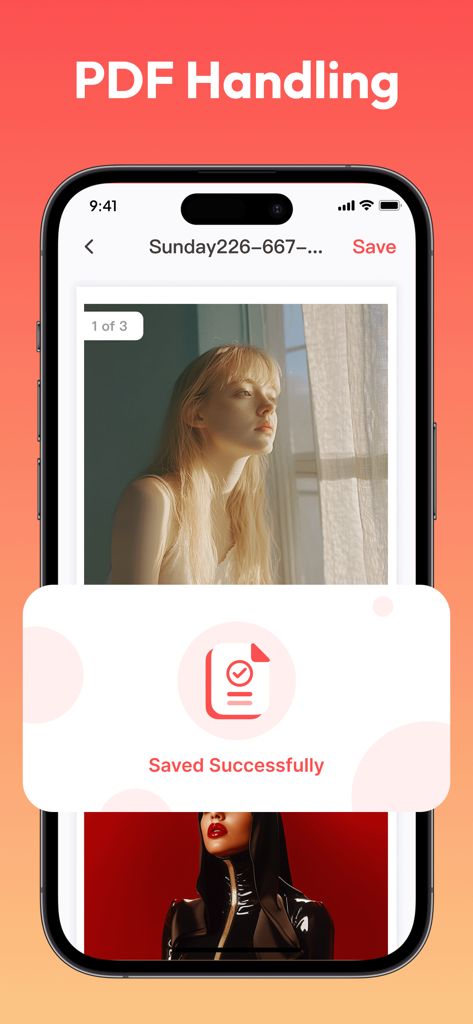
저장 완료 확인 메시지와 함께 Flexi PDF 앱 인터페이스를 보여주는 iPhone 화면

저장 완료 확인 메시지와 함께 Flexi PDF 앱 인터페이스를 보여주는 iPhone 화면

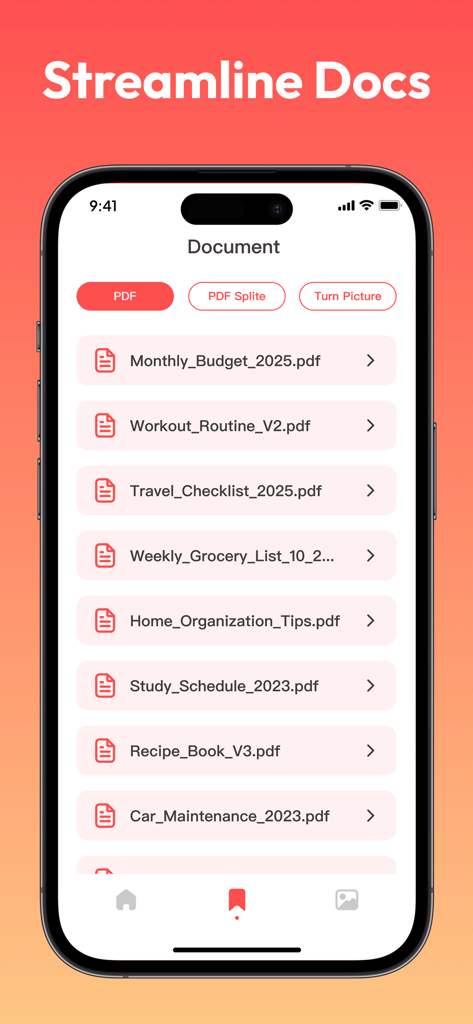
예산 및 운동 루틴과 같은 문서 목록을 보여주는 Flexi PDF 앱 인터페이스

예산 및 운동 루틴과 같은 문서 목록을 보여주는 Flexi PDF 앱 인터페이스

주머니 속 전문가 수준의 PDF 파워

이 앱을 돋보이게 하는 도구, 1M+ 명의 사용자가 선택.

🔗

원활한 문서 병합

흩어진 파일이나 모바일 스캔을 몇 초 만에 하나의 응집력 있는 PDF로 결합하세요. 보고서, 계약서 또는 학습 노트를 컴파일하는 데 완벽합니다.

✂️

전문가급 정밀 자르기

빈 여백과 불필요한 머리글을 제거하여 지저분한 스캔을 정리하세요. 간단한 상자 선택 도구로 가장 중요한 내용에 집중하세요.

📂

스마트 PDF 분할

대용량 파일에서 특정 챕터나 페이지를 즉시 추출하세요. 대형 문서를 쉽게 관리하고 필요한 섹션만 공유하세요.

리뷰 분석

사용자 리뷰 인사이트.

감정 점수

20%
부정적

요약

This app receives overwhelmingly negative feedback, with users consistently reporting it as a scam due to misleading advertisements and a complete failure to deliver on its promise of free video content. Users are frustrated by constant, excessive ads and the inability to find or watch any movies or series, often being redirected to other app installations or irrelevant PDF files instead. The general consensus is that the app is fake, useless, and should not be downloaded, leading to a very low overall sentiment.

주요 테마

Poor User Experience(25)
Misleading Advertisements/Scam(23)
Excessive Advertisements(20)
Lack of Accessible Content(18)
Data Access Concerns(1)

앱 소개

에 대해 알아야 할 모든 것 Flexi PDF.

설명

Do you often find it difficult to handle PDF files? Flexi PDF can provide you with efficient solutions. This tool has comprehensive functions, easy operation, and can easily meet various PDF processing needs. 1. PDF Splitting: Accurately Extracting Content When faced with lengthy PDF files and the need to locate specific chapters or content, the splitting function of Flexi PDF can divide the file into independent parts according to requirements, making it easy to quickly obtain the required content and effectively improving file management efficiency. 2. PDF synthesis: Integrating multiple files In work and study, it is often necessary to summarize multiple PDF files. With the help of this tool, scattered files can be easily merged into a complete document in the specified order, achieving efficient integration of information. 3. Local PDF cropping: Remove excess parts When there are excess blank margins, headers, footers, or unnecessary content in a PDF file, use the cropping function to customize the cropping area through simple box selection operations, making the file page concise and highlighting key points. 4. Quick save and export: convenient for sharing and use After completing the above operations, Flexi PDF supports quick saving and exporting of processed files, and is compatible with multiple common formats, making it easy to transfer and use between different devices and platforms, seamlessly connecting work and learning processes. Choose Flexi PDF to experience efficient and convenient PDF processing services, easily handling various PDF processing tasks.

최신 버전

1.0.6

크기

51.6 MB

출시일

2025년 4월 23일

이동 중에도 PDF를 마스터할 준비가 되셨나요?

100만 명이 넘는 전문가와 학생들과 함께 Flexi PDF를 사용하여 문서를 쉽게 분할, 병합 및 자르세요. 지금 모바일 오피스를 위한 가볍고 데스크탑 수준의 도구를 다운로드하세요.

다운로드: App Store
FAQ

자주 묻는 질문

에 대해 알아야 할 모든 것 Flexi PDF

Flexi PDF의 주요 기능은 무엇인가요?

Flexi PDF는 포괄적인 PDF 처리 기능을 제공합니다. PDF 분할, 병합(합성), 로컬 자르기, 효율적인 파일 관리를 위한 여러 일반 형식으로의 빠른 저장 및 내보내기를 지원합니다.

Flexi PDF를 사용하여 PDF 문서를 분할할 수 있나요?

네, Flexi PDF에는 분할 기능이 포함되어 있습니다. 긴 PDF 파일을 독립적인 부분으로 정확하게 나누어 사용자가 특정 콘텐츠나 챕터를 추출하여 관리 효율성을 높일 수 있습니다.

Flexi PDF로 여러 PDF 파일을 어떻게 결합할 수 있나요?

Flexi PDF는 PDF 합성(병합) 기능을 제공합니다. 사용자는 흩어져 있는 PDF 파일을 지정된 순서대로 쉽게 하나의 완전한 문서로 결합하여 정보를 효율적으로 통합할 수 있습니다.

Flexi PDF를 사용하여 PDF 페이지에서 원하지 않는 부분을 제거할 수 있나요?

네, Flexi PDF는 로컬 PDF 자르기를 지원합니다. 사용자는 간단한 상자 선택 작업을 통해 자르기 영역을 사용자 정의하여 여분의 빈 여백, 머리글, 바닥글 또는 기타 불필요한 콘텐츠를 제거할 수 있습니다.

Flexi PDF는 어떤 파일 형식으로 내보내기를 지원하나요?

Flexi PDF는 처리된 파일의 빠른 저장 및 내보내기를 지원합니다. 다양한 장치 및 플랫폼에서 쉽게 전송하고 사용할 수 있도록 여러 일반 형식과 호환됩니다.

Flexi PDF는 파일을 이미지로 변환하나요?

네, Flexi PDF는 파일 변환을 위한 "To Pic" 기능을 제공합니다. 이 기능을 통해 사용자는 PDF 콘텐츠를 이미지로 변환하여 다양한 사용 사례 및 호환성 요구 사항을 충족할 수 있습니다.

App information, icons, screenshots, and descriptions displayed on this page are sourced from the Apple App Store and are the property of their respective developers. Download estimates and rankings are based on MWM's proprietary models and may not reflect actual figures. This page is provided for informational and analytical purposes only.

Believe this page infringes your intellectual property? File a dispute