
이 페이지는 앱이나 개발자의 공식 페이지가 아니며, 정보 제공 및 논평을 목적으로 작성된 독립 편집 간행물입니다. 명시적으로 달리 언급되지 않는 한, 해당 앱이나 개발자는 MWM, Apple, Google Play, 앱 퍼블리셔 또는 앱 개발자와 제휴, 보증, 후원, 승인 또는 공식적으로 연결되어 있지 않으며, 이 페이지의 어떤 내용도 해당 앱이 MWM의 서비스를 사용하여 개발되었음을 의미하지 않습니다. 모든 상표, 로고, 스크린샷 및 기타 콘텐츠는 해당 소유자의 자산입니다.


Focos
당신이 찍은 모든 사진은 이제 단지 시작점일 뿐입니다. Focos는 촬영 후에도 피사계 심도를 통제하는 절대적 권한을 부여하며, 사용자는 낡은 편집의 한계가 무너지는 것을 경험합니다.
다운로드
25M+사용자 평점
총 평가 수
297.5K개발사
카테고리
Photo & Video지원 언어
34최신 버전
2.11.38크기
332.3 MB출시일
2017년 10월 31일Focos 앱 핵심 기능 분석
DSLR급 보케 효과와 정교한 모바일 사진 편집을 가능하게 하는 주요 기능
DSLR급 보케 효과 구현
이 앱은 고가의 DSLR 카메라나 전문 장비 없이도 아이폰 및 아이패드로 전문가 수준의 아름다운 배경 흐림 효과를 구현할 수 있게 해줍니다.
촬영 후 초점 및 조리개 조절
이 도구는 이미 촬영된 사진의 초점을 변경하고, 조리개 값을 무한히 조절하여 다양한 심도 효과를 자유롭게 연출할 수 있는 기능을 갖추고 있습니다.
AI 기반 자동 심도 계산
이 앱은 인공지능 엔진이 모든 사진에 대해 자동으로 심도 정보를 계산하여 사용자가 복잡한 수동 작업을 거치지 않고도 심도 효과를 적용할 수 있도록 돕습니다.
3D 공간 다중 조명 편집
이 앱은 사진의 3D 공간에 여러 개의 조명을 추가하고, 각 조명의 색상, 밝기, 위치 등을 정교하게 조절하여 사진에 깊이와 예술성을 더할 수 있게 해줍니다.
기존 사진 보케 효과 적용 및 맞춤 설정
이 도구는 아이폰/아이패드로 촬영된 모든 기존 사진을 가져와 보케 효과를 적용하고 세밀하게 맞춤 설정하여 새로운 느낌을 줄 수 있는 기능을 제공합니다.
전문 렌즈 특성 및 보케 스타일 시뮬레이션
이 앱은 크리미, 소용돌이, 반사 효과 등 전문 렌즈의 특성과 다양한 형태의 조리개 다이어프램을 시뮬레이션하여 독특하고 예술적인 보케 스팟 효과를 만들어낼 수 있게 합니다.
직관적 UI 및 내장 튜토리얼
이 앱은 내장된 비디오 튜토리얼과 사용자 친화적인 인터페이스를 통해 초보자도 쉽게 앱의 강력한 기능을 학습하고 활용할 수 있도록 돕습니다.
Apple Pencil을 이용한 정밀 심도 편집
iPad 사용자는 Apple Pencil을 이용하여 심도 맵을 정밀하게 수정하고 보정하여 더욱 완벽하고 자연스러운 편집 결과를 얻을 수 있습니다.
자주 묻는 질문
에 대해 알아야 할 모든 것 Focos
What is Focos?
Focos is a computational photography app bringing DSLR-like photography to iPhone and iPad Pro. It enables beautiful bokeh effects, focus adjustment after the fact, and multi-light 3D space editing. The app offers unlimited changes to photos.
Can Focos adjust focus on photos already taken?
Yes, Focos allows users to re-focus portrait photos that have already been taken with a simple tap. It provides the capability to adjust focus after the fact, exceeding traditional editing limits.
Does Focos automatically calculate depth of field?
Yes, Focos's AI engine automatically calculates depth of field for all photos. This feature enables users to achieve shallow depth of field without manual painting or selections.
Can Focos simulate different aperture shapes?
Yes, Focos allows users to choose from various simulated aperture diaphragms to generate different bokeh spot effects. The app features multiple aperture shapes for creative control.
Does Focos support 3D lighting effects?
Yes, Focos enables users to add multiple lights in a 3D space. Users can intuitively adjust the color, brightness, and other properties for each individual light source.
Is Focos compatible with iPad Pro and Apple Pencil?
Yes, Focos is compatible with iPad Pro. It is possible to precisely patch the depth map on iPad using an Apple Pencil, enhancing editing capabilities and workflow.
Can Focos simulate real camera lens characteristics?
Yes, Focos offers professional options to simulate real lens characteristics. These include creamy, bilinear, swirly, and reflex effects, replicating qualities found in expensive lenses like Olympus Zuiko or Helios 44.
Is Focos an essential tool for all iOS devices?
Yes, Focos is designed as an essential tool for all iPhones and iPads. It extends powerful computational photography and editing features across these Apple mobile devices.
다음 스크린샷과 설명은 앱의 공식 스토어 목록에서 직접 가져온 것이며 앱 개발자의 자산입니다.
앱 스토어
스크린샷
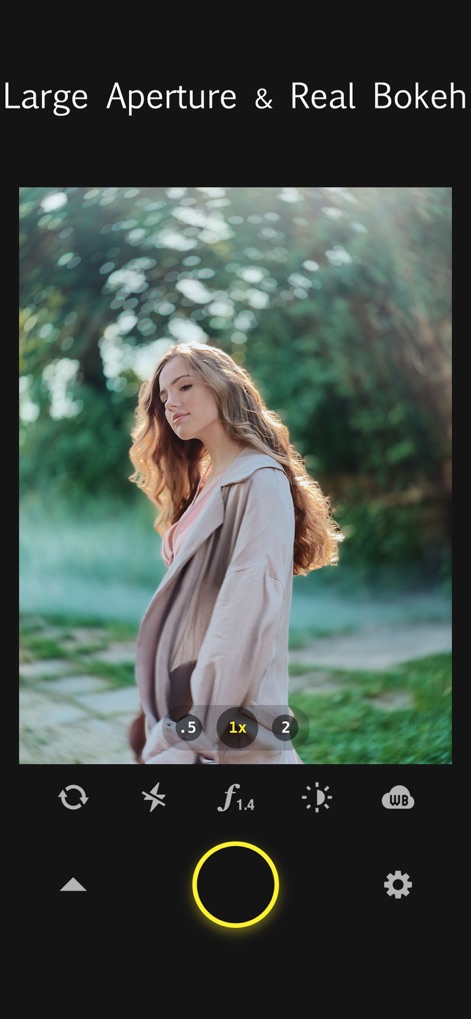
깊이감 있는 보케
이 앱은 f/1.4와 같은 대구경을 시뮬레이션하여 배경 흐림 효과와 부드러운 보케를 구현합니다.
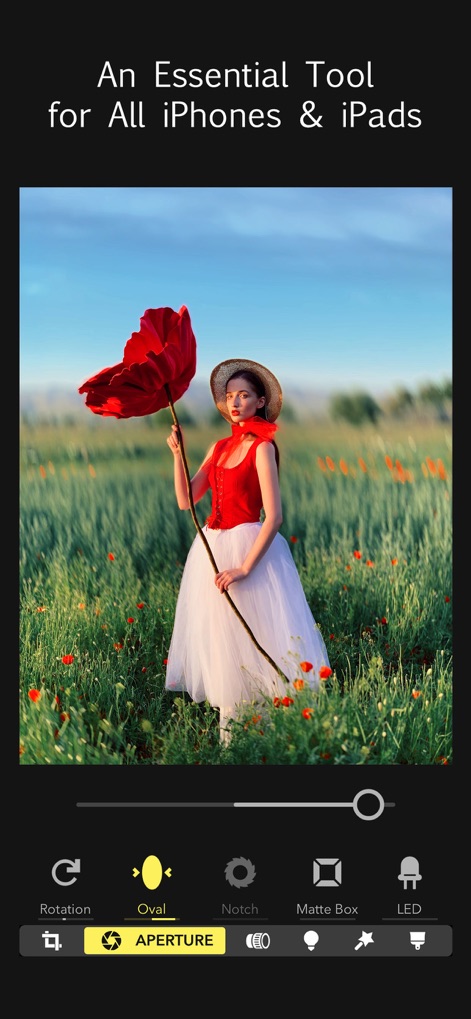
아이폰/아이패드 필수
사용자는 'Oval'을 포함한 다양한 조리개 모양을 선택하여 특별한 보케 효과를 연출하고, 사진의 예술성을 한층 높일 수 있습니다.

촬영 후 초점 재조정
이 도구는 촬영 후에 사용자가 원하는 특정 지점에 초점 상자를 이동시켜 사진의 초점 영역을 손쉽게 변경하고, 'Size' 옵션으로 효과의 강도를 조절할 수 있습니다.

다채로운 조리개 모양
육각형 보케와 같이 다양한 조리개 모양을 선택하여 독특하고 예술적인 빛망울 효과를 생성함으로써, 사용자의 사진에 시각적인 흥미를 더할 수 있습니다.

혁신적인 3D 조명
이 앱은 사진 속 3D 공간에 여러 개의 조명 구를 추가하여 피사체의 색상과 밝기를 자유롭게 조절하며, 입체적인 깊이감을 부여할 수 있습니다.

실제 렌즈 효과 구현
'Helios 44'와 같은 클래식 렌즈 특성을 시뮬레이션하여 특유의 회오리 보케와 부드러운 배경 흐림 효과를 사진에 적용할 수 있습니다.
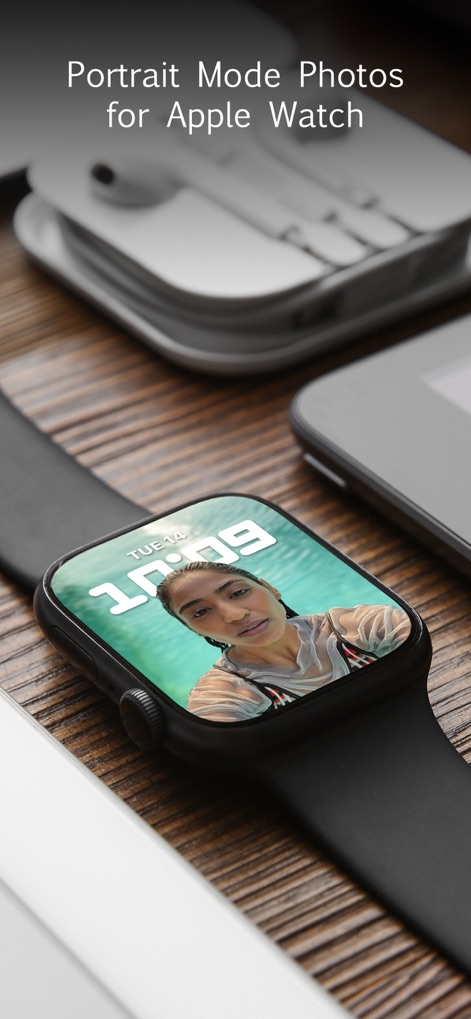
애플워치 인물 사진
이 앱으로 편집된 인물 모드 사진을 애플워치에서 직접 확인할 수 있으며, 사용자에게 편리하고 확장된 사용 경험을 제공합니다.
설명
Download
비슷한 앱
유사한 기능과 사용자 경험을 가진 앱

Evoto-AI Photo Editor&Retouch
TRUESIGHT PTE. LTD.

Darkroom: Photo & Video Editor
Bergen Co.

LD - Photo & Video Finishing
Lens Distortions, LLC

SKRWT
Mathaeus Jagielski

Polarr Pro Photo Editor
Polarr Inc

Photomator – Photo Editor
Apple Inc.

Canon DPP Express
Canon Inc.

Snapseed: Photo Editor
Google LLC

原片
Beijing Kwai Technology Co., Ltd.
이 페이지는 앱이나 개발자의 공식 페이지가 아니며, 정보 제공 및 논평을 목적으로 작성된 독립 편집 간행물입니다. 명시적으로 달리 언급되지 않는 한, 해당 앱이나 개발자는 MWM, Apple, Google Play, 앱 퍼블리셔 또는 앱 개발자와 제휴, 보증, 후원, 승인 또는 공식적으로 연결되어 있지 않으며, 이 페이지의 어떤 내용도 해당 앱이 MWM의 서비스를 사용하여 개발되었음을 의미하지 않습니다. 모든 상표, 로고, 스크린샷 및 기타 콘텐츠는 해당 소유자의 자산입니다.