Photomator – Photo Editor
다운로드: App Store

이 페이지는 앱이나 개발자의 공식 페이지가 아니며, 정보 제공 및 논평을 목적으로 작성된 독립 편집 간행물입니다. 명시적으로 달리 언급되지 않는 한, 해당 앱이나 개발자는 MWM, Apple, Google Play, 앱 퍼블리셔 또는 앱 개발자와 제휴, 보증, 후원, 승인 또는 공식적으로 연결되어 있지 않으며, 이 페이지의 어떤 내용도 해당 앱이 MWM의 서비스를 사용하여 개발되었음을 의미하지 않습니다. 모든 상표, 로고, 스크린샷 및 기타 콘텐츠는 해당 소유자의 자산입니다.

로고: Photomator – Photo Editor
다운로드: App Store

Photomator – Photo Editor

iPhone, iPad, Mac에서 데스크톱 수준의 RAW 편집을 경험하세요. 인텔리전트 도구, 원활한 iCloud 동기화, 현대적인 크리에이터를 위한 강력한 AI 기능으로 사진을 향상시키세요.

주요 수치

다운로드

1M+

사용자 평점

4.5/5

총 평가 수

8K+

개발사

Apple Inc.

카테고리

Photo & Video

지원 언어

11

최신 버전

3.4.12

크기

793.4 MB

출시일

2019년 4월 9일
기능

손끝에서 펼쳐지는 전문가의 힘

Apple 기기를 위해 특별히 설계된 AI 기반 도구와 데스크톱급 성능으로 사진 편집의 미래를 경험하세요.

지능형 AI 향상

2천만 장의 전문가 사진으로 훈련된 머신러닝을 통해 해상도를 즉시 높이고, 노이즈를 제거하며, 피사체를 선택하세요.

진정한 RAW 편집

Apple ProRAW를 포함한 750개 이상의 RAW 형식 완벽 지원으로 모든 픽셀을 비파괴적으로 완벽하게 제어할 수 있습니다.

FAQ

자주 묻는 질문

에 대해 알아야 할 모든 것 Photomator – Photo Editor

포토메이터는 무엇인가요?

포토메이터는 모바일 장치용으로 설계된 강력한 사진 편집 앱입니다. 최첨단 색상 조정, AI 기반 선택, 750개 이상의 RAW 이미지 형식 지원, 개체 제거 및 사진 품질 향상 도구를 포함합니다.

포토메이터는 사진 편집 작업에 AI를 사용하나요?

예, 포토메이터는 자동 개체, 하늘 및 배경 선택, 노이즈 감소(Denoise), 해상도 증가(Super Resolution), 색상 밴딩 제거(Smart Deband), 지능형 자동 자르기에 AI를 활용합니다.

포토메이터는 RAW 이미지 형식을 지원하나요?

예, 포토메이터는 Apple ProRAW 및 압축된 Fujifilm RAW를 포함하여 750개 이상의 RAW 이미지 형식을 열고 편집할 수 있도록 지원하므로 포괄적인 전문 조정을 할 수 있습니다.

다음 스크린샷과 설명은 앱의 공식 스토어 목록에서 직접 가져온 것이며 앱 개발자의 자산입니다.

앱 스토어

스크린샷
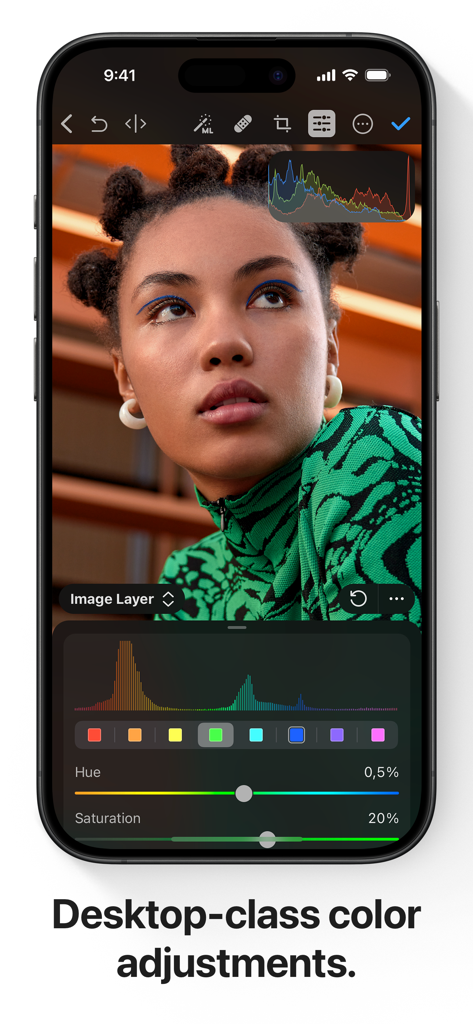
Photomator – Photo Editor - iPhone 화면에 Photomator에서 전문가 수준의 색상 조정 도구와 인물 사진이 표시됩니다.
iPhone 화면에 Photomator에서 전문가 수준의 색상 조정 도구와 인물 사진이 표시됩니다.

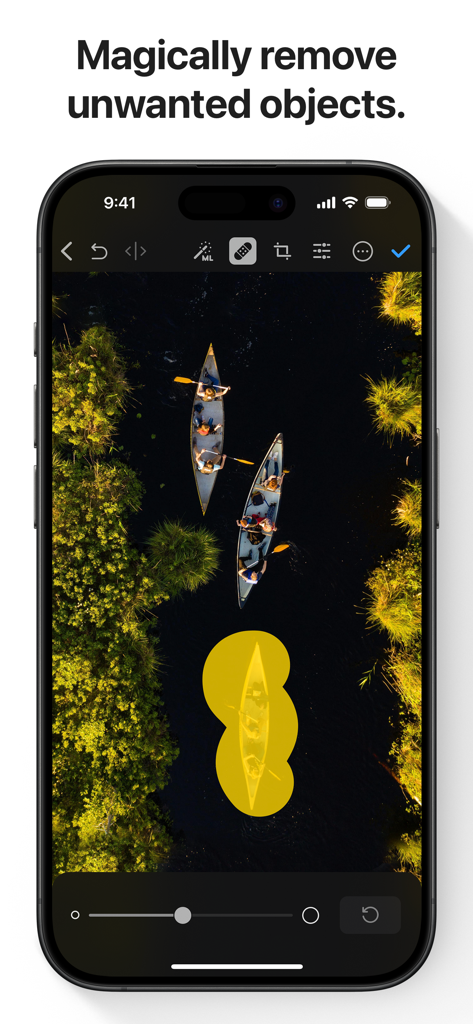
Photomator – Photo Editor - Photomator 앱의 스크린샷으로, 항공 사진에서 AI 기반 객체 제거 도구를 사용하는 모습입니다.
Photomator 앱의 스크린샷으로, 항공 사진에서 AI 기반 객체 제거 도구를 사용하는 모습입니다.

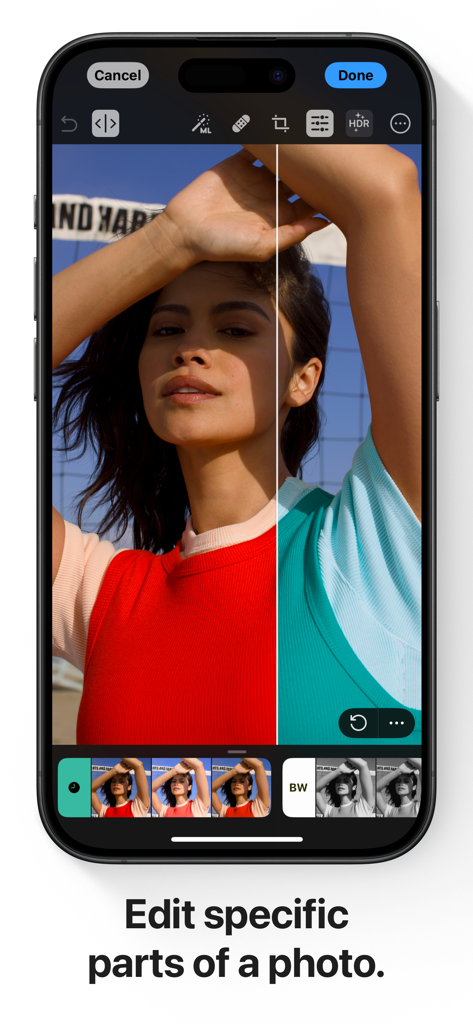
Photomator – Photo Editor - iPhone 화면에 Photomator 앱에서 선택 색상 편집을 보여주는 분할 보기 데모가 표시됩니다.
iPhone 화면에 Photomator 앱에서 선택 색상 편집을 보여주는 분할 보기 데모가 표시됩니다.

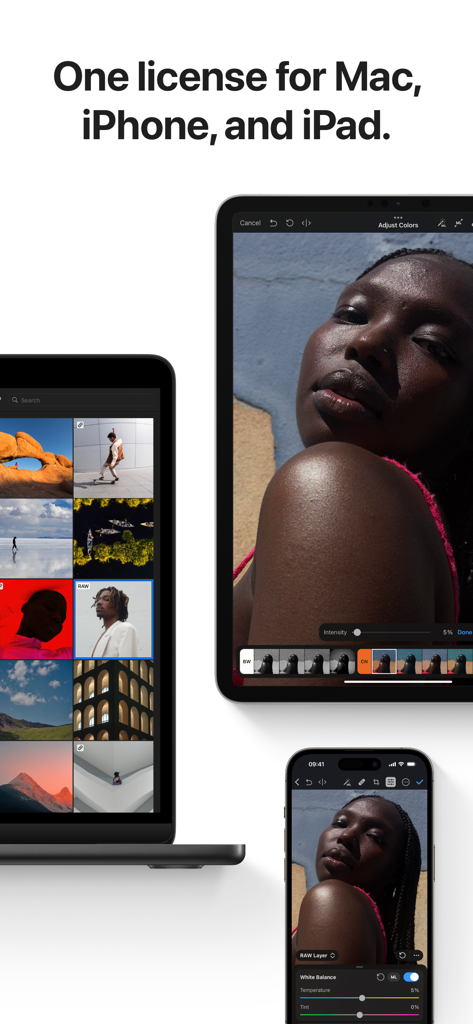
Photomator – Photo Editor - Photomator 앱 인터페이스가 MacBook, iPad, iPhone에서 표시됩니다.
Photomator 앱 인터페이스가 MacBook, iPad, iPhone에서 표시됩니다.

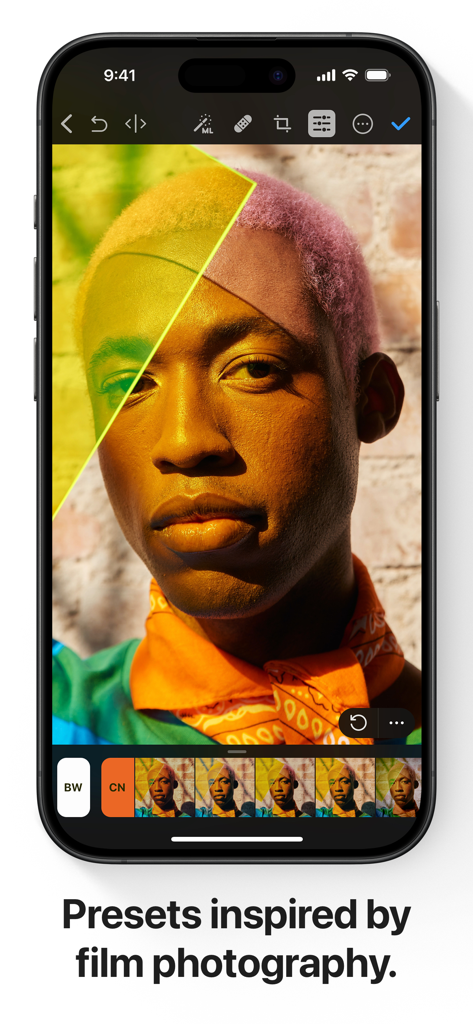
Photomator – Photo Editor - iPhone의 Photomator 앱 인터페이스에 인물 사진 편집을 위한 전문적인 필름 기반 사전 설정이 표시됩니다.
iPhone의 Photomator 앱 인터페이스에 인물 사진 편집을 위한 전문적인 필름 기반 사전 설정이 표시됩니다.

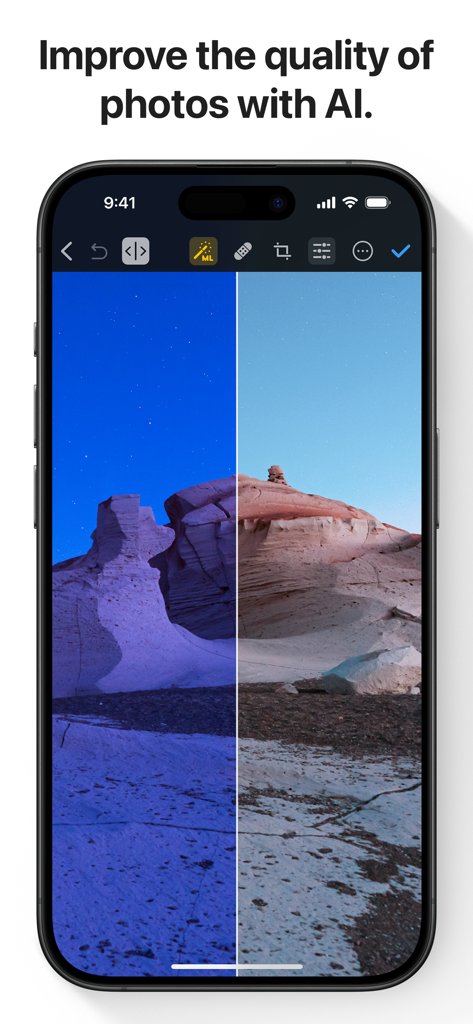
Photomator – Photo Editor - Photomator 앱에서 AI를 사용하여 개선되는 사막 풍경의 이전 및 이후 비교.
Photomator 앱에서 AI를 사용하여 개선되는 사막 풍경의 이전 및 이후 비교.

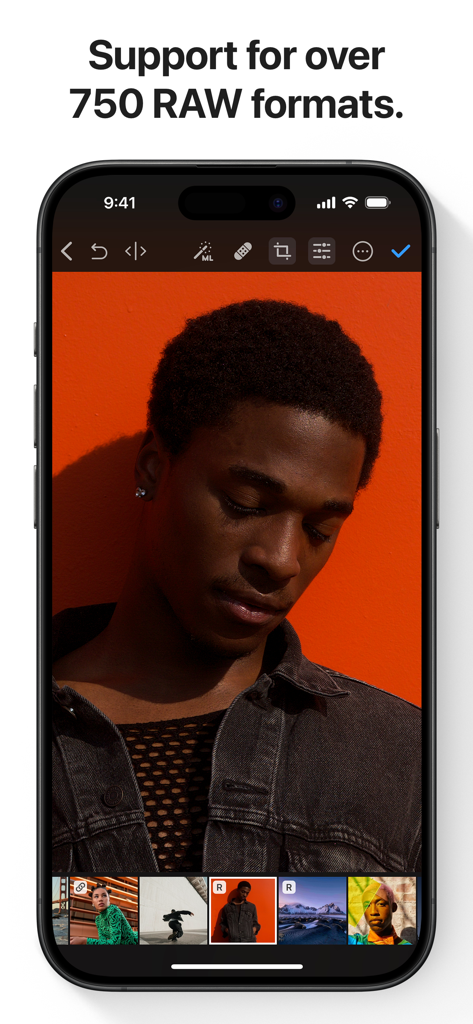
Photomator – Photo Editor - 주황색 배경의 인물 사진 RAW 사진 편집을 표시하는 iPhone의 Photomator 앱.
주황색 배경의 인물 사진 RAW 사진 편집을 표시하는 iPhone의 Photomator 앱.

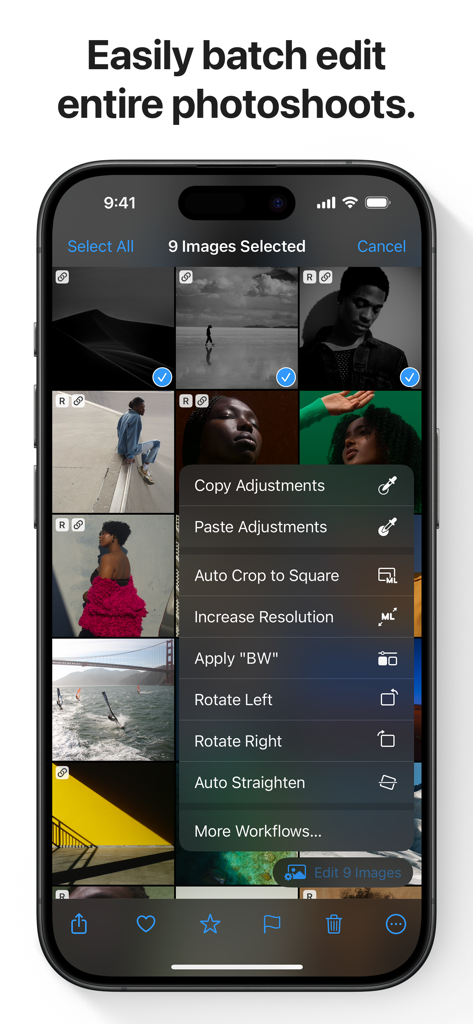
Photomator – Photo Editor - iPhone의 Photomator 앱 인터페이스에 여러 선택된 이미지에 대한 일괄 사진 편집 옵션이 표시됩니다.
iPhone의 Photomator 앱 인터페이스에 여러 선택된 이미지에 대한 일괄 사진 편집 옵션이 표시됩니다.

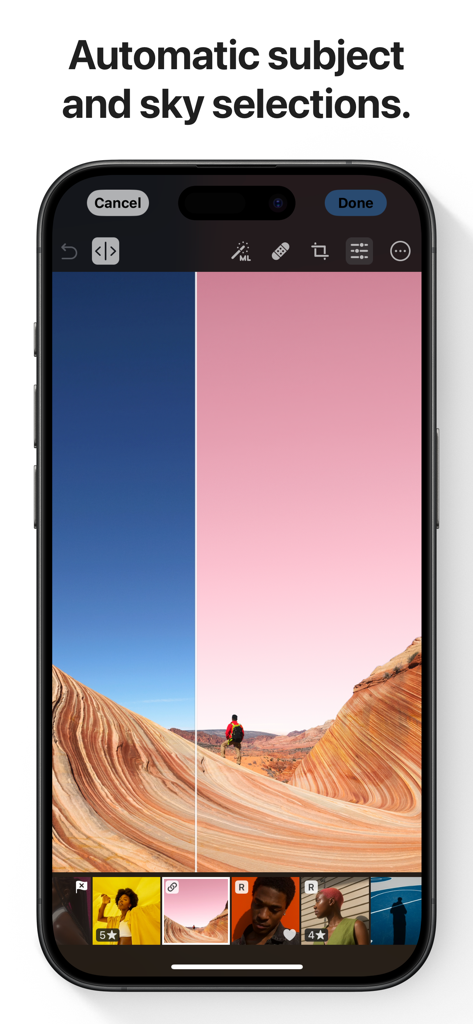
Photomator – Photo Editor - 풍경 사진에 대한 자동 AI 하늘 및 피사체 선택 기능이 있는 Photomator 앱을 보여주는 스마트폰.
풍경 사진에 대한 자동 AI 하늘 및 피사체 선택 기능이 있는 Photomator 앱을 보여주는 스마트폰.

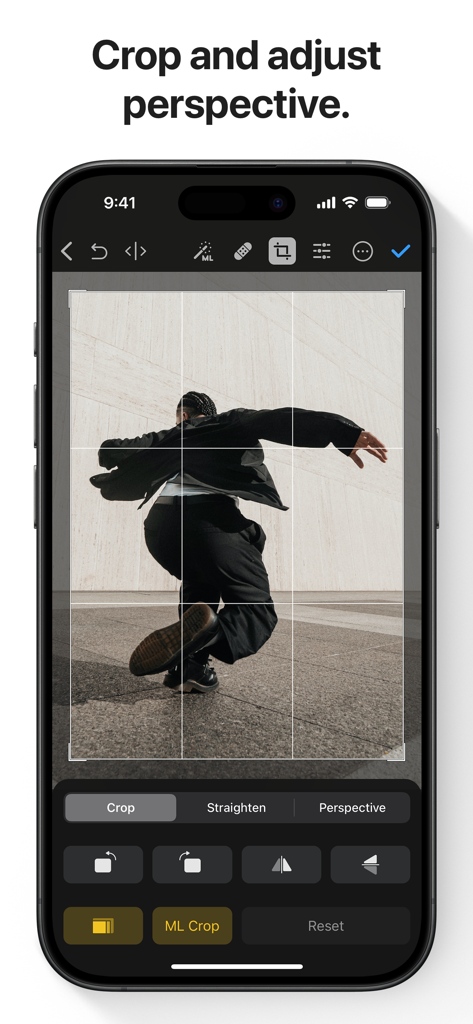
Photomator – Photo Editor - Photomator 앱 인터페이스에 iPhone에서 자르기 및 원근 조정 도구가 표시됩니다.

Photomator 앱 인터페이스에 iPhone에서 자르기 및 원근 조정 도구가 표시됩니다.

설명

Photomator is the most powerful photo editing app ever designed for a mobile device. It includes an extensive collection of cutting-edge color adjustments, automatic selections powered by AI, support for over 750 RAW image formats, a magical Repair tool for removing unwanted objects, and many more powerful features, letting you enjoy pro photo editing anyplace, anytime. Everything you need to make your photos look incredible • Edit photos using a wide collection of powerful, nondestructive color adjustments • Quickly make precise subject, sky, and background selections in photos using AI, add gradient masks, and easily make selections using a brush • Effortlessly remove unwanted objects using an incredible object removal tool • Crop, straighten, rotate, and adjust the perspective of photos with an easy-to-use Crop tool • Instantly increase the resolution of photos using AI • Remove camera noise and image compression artifacts with the powerful Denoise feature • Magically remove color banding and increase color depth in photos with the AI-powered Smart Deband feature • Make your photos stand out with photographer-designed presets for landscape, black and white, and other photography styles • Easily copy and paste edits between photos or batch edit even hundreds of photographs at a time • Open and edit over 750 RAW image formats, including Apple ProRAW and compressed Fujifilm RAWs • Follow all the changes you make in the beautiful live histogram Tools powered by AI • Select the subject, sky, or background in a photo with just a tap • Improve the quality of photos by reducing camera noise with the AI-powered Denoise feature, intelligently upscale photos with Super Resolution, or magically remove color banding and increase color depth using Smart Deband • Automatically enhance shots using a machine learning algorithm trained on 20 million pro photos, or fine-tune individual adjustments, like White Balance, Selective Color, or Color Balance with a single tap • Intelligently crop photos using the AI-powered auto-cropping • Copy the look of any photo to another using the incredible Match Colors feature State-of-the-art color adjustments • Enjoy powerful tools for effortlessly adjusting the temperature, tint, exposure, contrast, brightness, hue, saturation, and vibrance in your photos • Recover incredible amounts of detail in the highlights and shadows of photos • Magically enhance fine details and structure in photos using powerful Clarity and Texture adjustments, or adjust textures in the highlights, midtones, and shadows separately • Selectively edit individual color ranges with Selective Color, or improve the balance of colors in the shadows, midtones, and highlights with Color Balance • Adjust lighting and colors with full precision using Levels and Curves adjustments • Mix the balance of the red, green, and blue color channels to create intense color effects in your images • Replace any color with any other using the Replace Color adjustment • Create beautiful black and whites even from your color photos • Use a range of additional adjustments, like Sharpen, Fade, Grain, Color Monochrome, Sepia, and Invert to make your photos stand out • Instantly change the look of photos with LUTs or export custom LUTs to use in other apps Compatibility • Automatically sync every change back to your Photos or Files browser • With the support for iCloud Drive, enjoy seamless edit syncing across Mac, iPhone, and iPad • Photomator is built from the ground up for iPhone and iPad with a native design that blends seamlessly with the sleek and modern look of iOS and iPadOS 18 • Photomator uses powerful Apple technologies like Metal, Core ML, and Core Image to deliver staggeringly fast performance, even when editing large RAW photos or batch editing multiple images at a time • Privacy policy: https://www.apple.com/legal/privacy/en-ww/

Download

다운로드: App Store

이 페이지는 앱이나 개발자의 공식 페이지가 아니며, 정보 제공 및 논평을 목적으로 작성된 독립 편집 간행물입니다. 명시적으로 달리 언급되지 않는 한, 해당 앱이나 개발자는 MWM, Apple, Google Play, 앱 퍼블리셔 또는 앱 개발자와 제휴, 보증, 후원, 승인 또는 공식적으로 연결되어 있지 않으며, 이 페이지의 어떤 내용도 해당 앱이 MWM의 서비스를 사용하여 개발되었음을 의미하지 않습니다. 모든 상표, 로고, 스크린샷 및 기타 콘텐츠는 해당 소유자의 자산입니다.







