Fontself - Make your own fonts

Fontself - Make your own fonts

다운로드: App Store
로고: Fontself - Make your own fonts

Fontself - 손글씨를 전문 폰트로 변환

복잡한 소프트웨어는 이제 그만, Typocracy를 받아들이세요. Apple Pencil로 그리고 즉시 Procreate, Canva 또는 Mac 및 PC로 실제 벡터 폰트를 내보내세요.

개발사

Fontself

카테고리

Graphics & Design

다운로드

222K+

사용자 평점

4.7/5

총 평가 수

3K+

지원 언어

3

시각적인 타이포그래피

이 인터페이스를 사용하는 222K+ 명의 사용자.

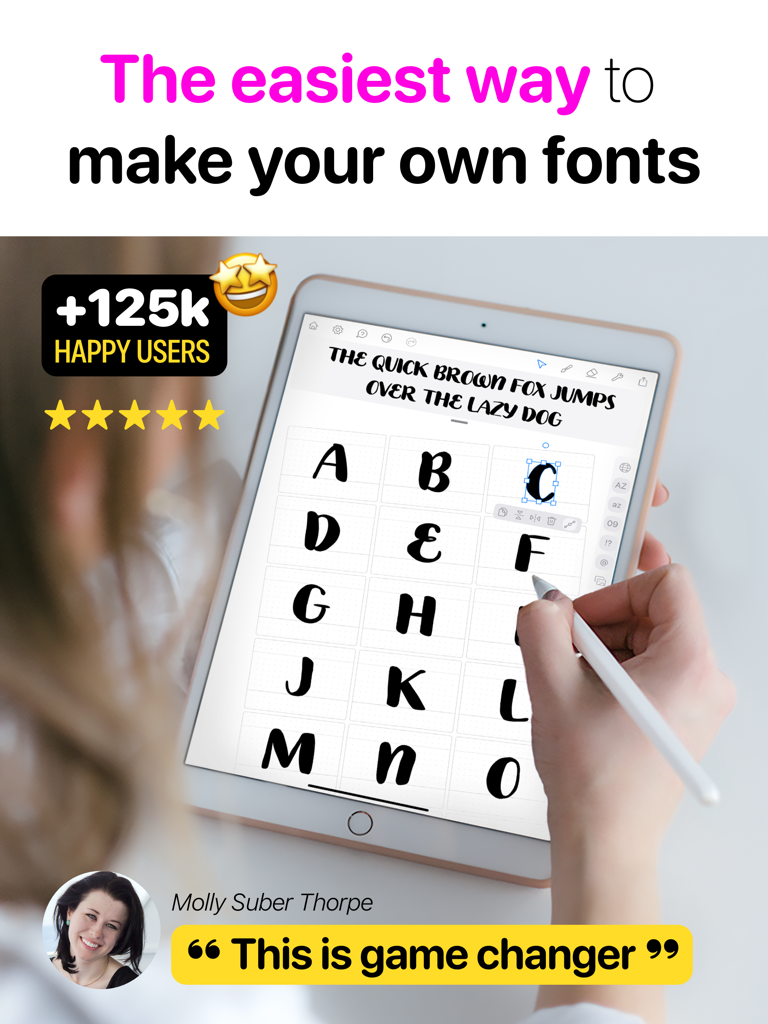
iPad의 Fontself 앱에서 커스텀 손글씨 글자를 디자인하기 위해 Apple Pencil을 사용하는 사람
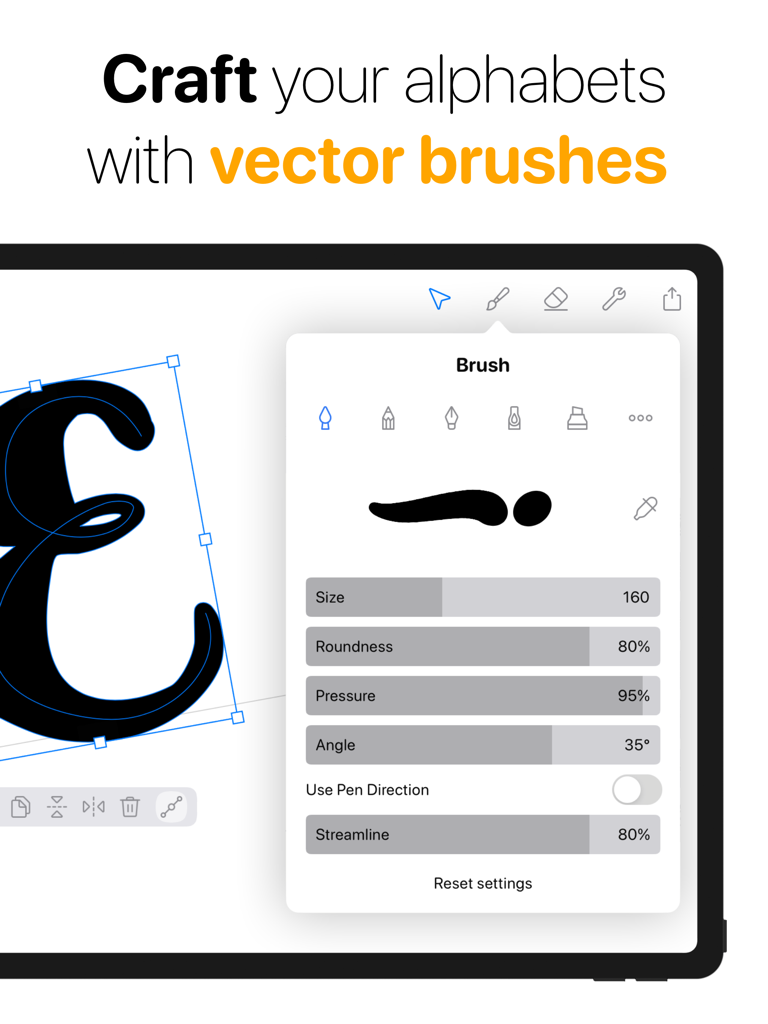
iPad의 Fontself 앱에서 커스텀 손글씨 글자를 디자인하기 위해 Apple Pencil을 사용하는 사람

커스텀 폰트 제작을 위한 벡터 브러시 설정을 보여주는 iPad의 Fontself 앱 인터페이스
커스텀 폰트 제작을 위한 벡터 브러시 설정을 보여주는 iPad의 Fontself 앱 인터페이스

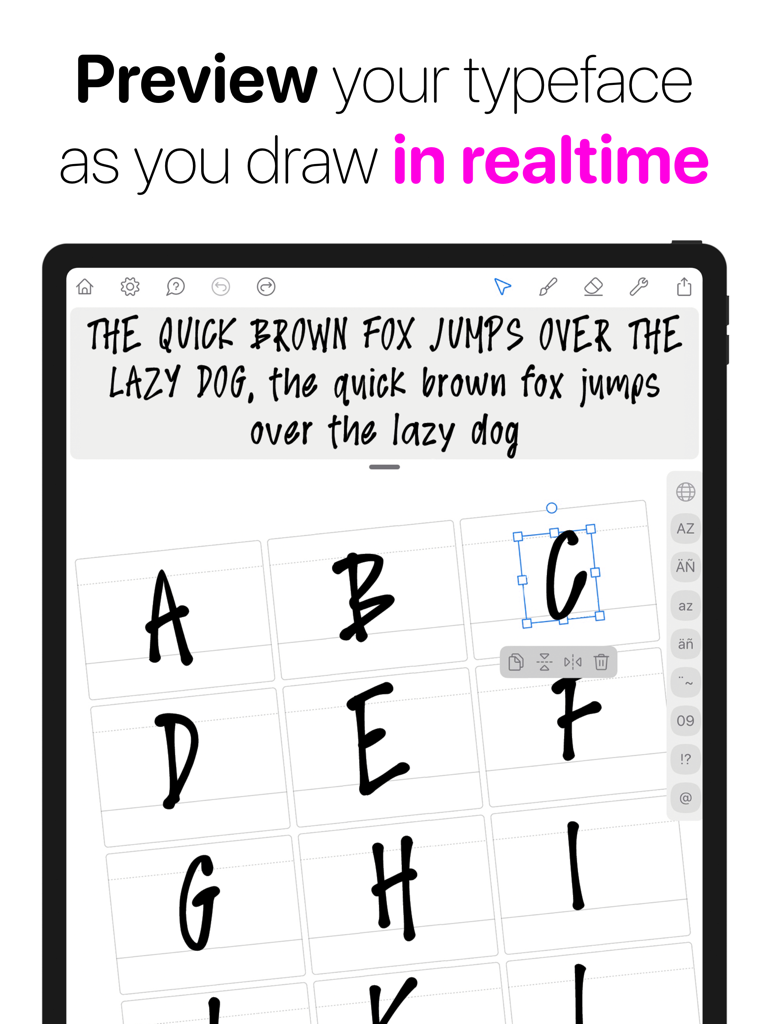
iPad의 Fontself 앱에서 커스텀 손글씨 글꼴의 실시간 미리보기
iPad의 Fontself 앱에서 커스텀 손글씨 글꼴의 실시간 미리보기

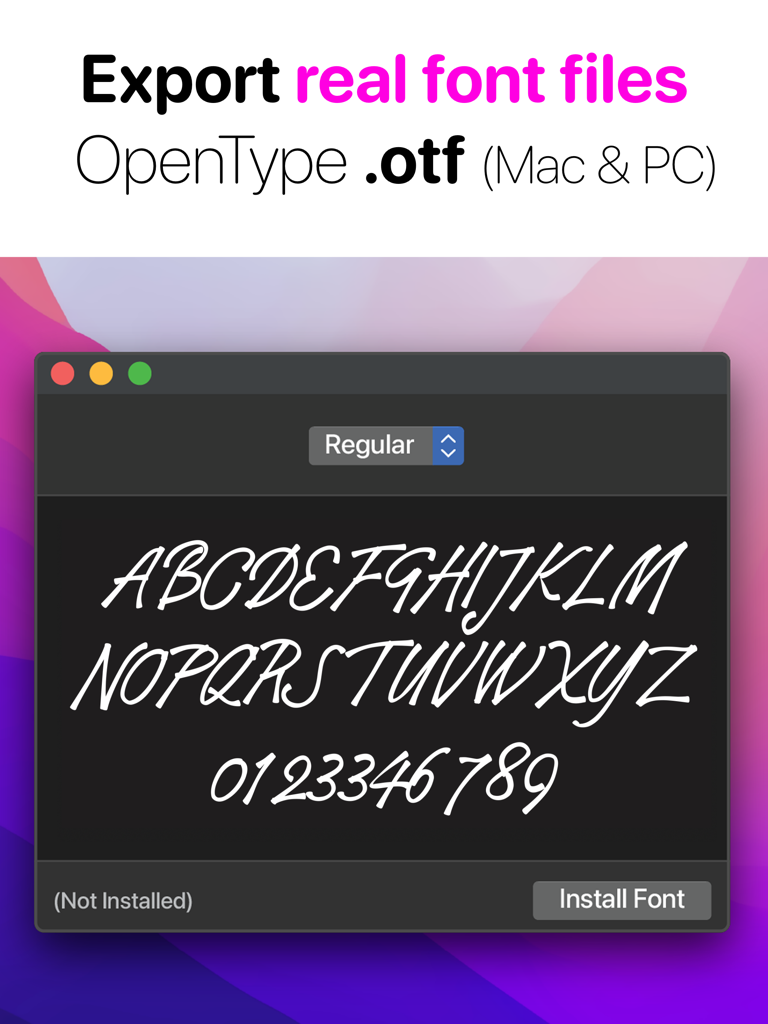
컴퓨터에 OpenType otf 파일로 설치되는 커스텀 손글씨 글꼴을 보여주는 미리보기 창
컴퓨터에 OpenType otf 파일로 설치되는 커스텀 손글씨 글꼴을 보여주는 미리보기 창

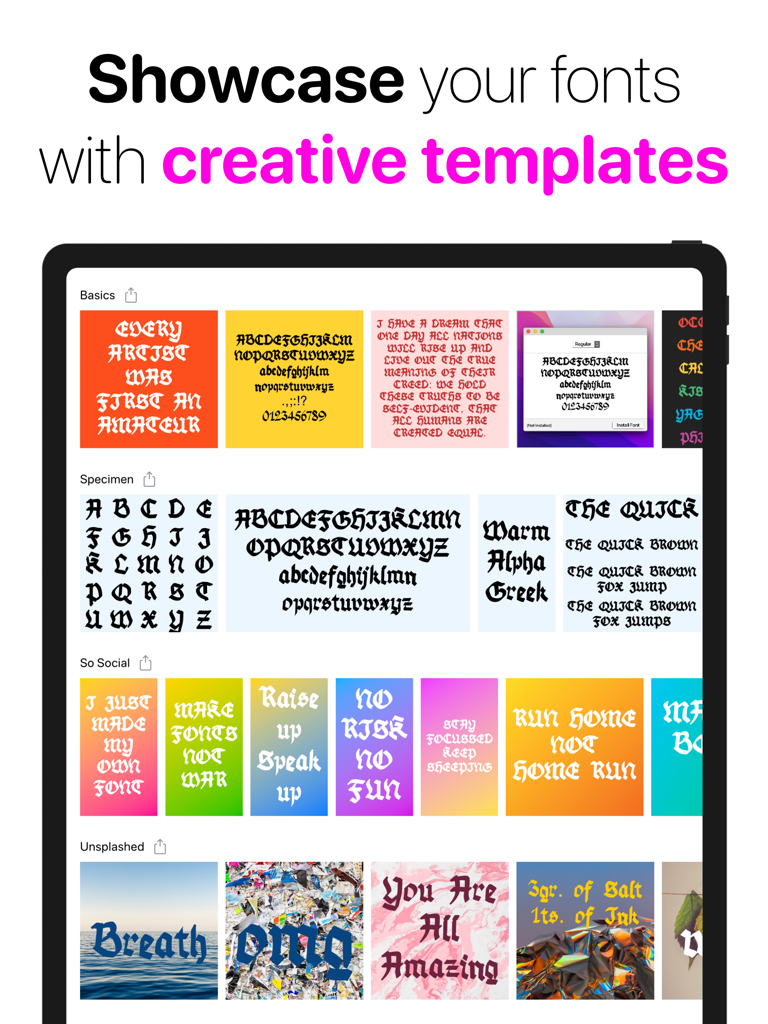
Fontself 앱 내 iPad 화면에 표시된 창의적인 폰트 템플릿 및 타이포그래피 견본 컬렉션
Fontself 앱 내 iPad 화면에 표시된 창의적인 폰트 템플릿 및 타이포그래피 견본 컬렉션

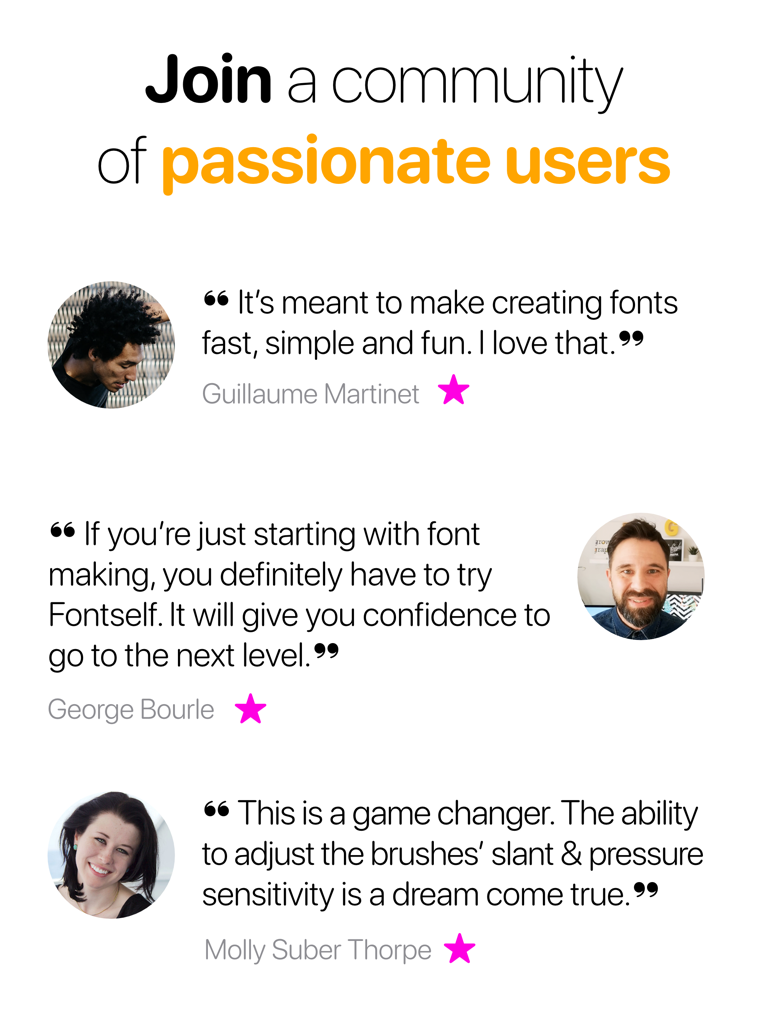
앱의 사용 편의성과 브러시 기능에 대한 열정적인 Fontself 사용자들의 후기
앱의 사용 편의성과 브러시 기능에 대한 열정적인 Fontself 사용자들의 후기

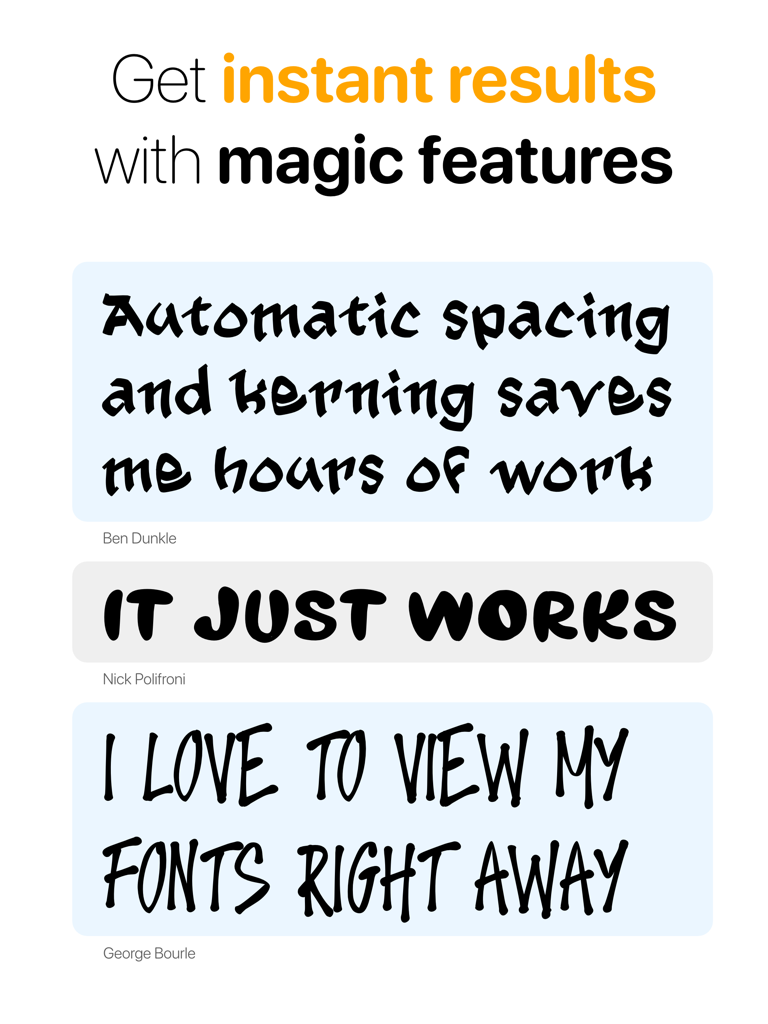
자동 폰트 간격 및 커닝을 강조하는 Fontself 앱 사용자 후기
자동 폰트 간격 및 커닝을 강조하는 Fontself 앱 사용자 후기

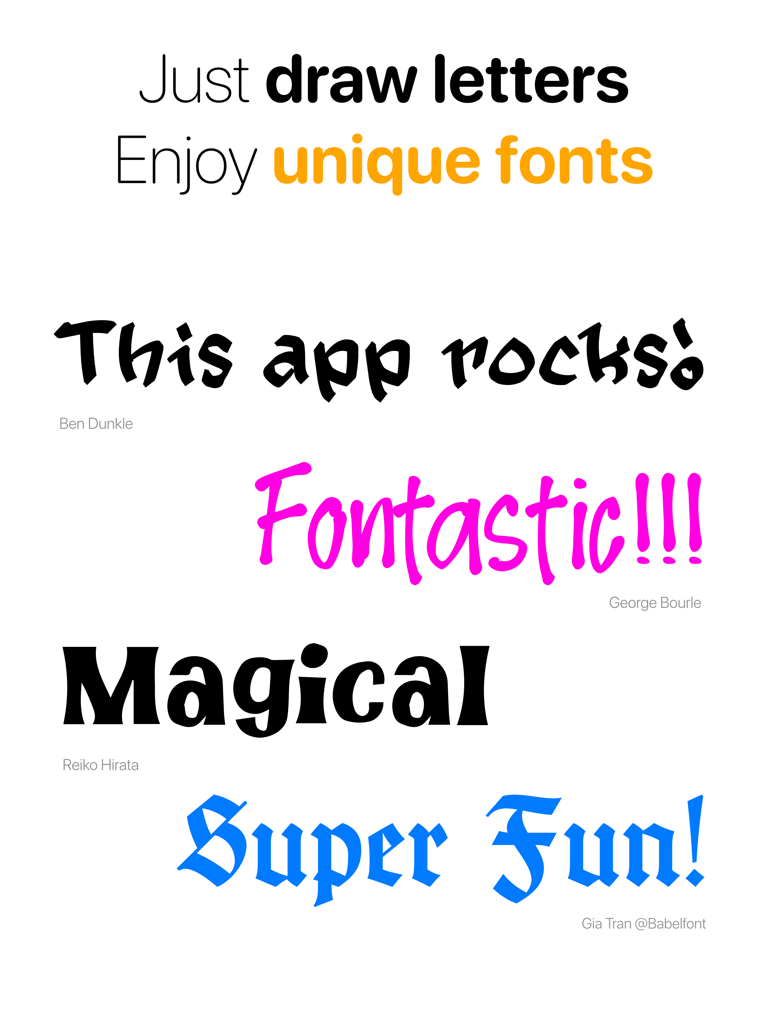
Fontself 사용자들의 독특한 손글씨 폰트와 긍정적인 후기를 선보이는 쇼케이스.

Fontself 사용자들의 독특한 손글씨 폰트와 긍정적인 후기를 선보이는 쇼케이스.

창의적인 비전을 전문 폰트로 변환하세요

이 앱을 돋보이게 하는 도구, 222K+ 명의 사용자가 선택.

✏️

직관적인 그리기 엔진

압력 감지 브러시의 강력한 기능을 활용하세요. Apple Pencil로 자연스럽게 그려 필기체나 레터링의 진정한 느낌을 포착하세요.

자동 간격 및 커닝

14세기 수도승처럼 굴지 마세요. 스마트 엔진이 까다로운 기술 작업을 자동으로 처리하여 첫 클릭부터 폰트가 균형 있게 보이도록 합니다.

🎨

원활한 창의적 워크플로우

몇 초 만에 실제 .otf 벡터 파일을 내보내세요. Procreate, Canva 또는 Adobe CC에서 커스텀 폰트를 즉시 사용하여 진정으로 독특한 개인 브랜드를 구축하세요.

앱 소개

에 대해 알아야 할 모든 것 Fontself - Make your own fonts.

설명

Create fonts in seconds, and use them as real vector font files anywhere (Procreate, Photoshop, Mac or PC) It’s really easy: just draw letters & enjoy typing with your custom typefaces. Fontself turns your alphabet into a font file you can install on any computer. Fontself is a font creation app that allows you to draw handmade fonts, export them as OpenType files. Key superpowers: - Vector brushes (Brush, Pencil, Pen, Qalam reed pen & Marker) - Pressure-sensitive brushes (via Apple Pencil) - Export OpenType font files (.otf) to use on any Mac or Windows PC - Preview in real-time sample texts as you draw - Showcase your fonts by viewing or sharing customizable layout templates - Save hours of tedious work with automated spacing & kerning Streamlined workflow: - Draw & generate vector fonts in a single app - Export your fonts straight into Procreate to use them on your designs - Manually upload fonts for instant use on Canva, Photoshop, Illustrator or else Yes, it’s the hard truth: making actual fonts is usually a painful process which requires countless hours learning complex software, outstanding eagle-eye type design expertise, and working forever as a 14th century monk on arduous tasks like spacing and kerning your glyphs. But at Fontself we aim to bring easy font creation to all, and thus provide you with an enjoyable app so anyone can embrace this cool medium: typography. Fontself is powered by our advanced vector-brush engine developed from scratch and crafted with passionate indy designers & developers to match calligraphers and letterers demands. You will also benefit from over 20 years of expertise in this field, because our goal has always been to truly democratize type-making. We call this #Typocracy :) The Fontself app on iPad is still a young work-in-progress so we will improve its features based on your feedback. And we plan a lot more typographic fun in the months & years to come. Yeah! We hope you enjoy this app: if so, please leave a review, and in any case we are eager to see what you will create, and to learn how it can better suit your needs. ... and Welcome to Typocracy ;)

최신 버전

2.3

크기

237.8 MB

출시일

2022년 2월 18일

나만의 스타일을 전문 폰트로 변환하세요

지금 #Typocracy에 참여하세요. iPad에서 Fontself를 다운로드하고 손글씨를 몇 초 안에 설치 가능한 .otf 파일로 변환하세요.

다운로드: App Store

App information, icons, screenshots, and descriptions displayed on this page are sourced from the Apple App Store and are the property of their respective developers. Download estimates and rankings are based on MWM's proprietary models and may not reflect actual figures. This page is provided for informational and analytical purposes only.

Believe this page infringes your intellectual property? File a dispute