
이 페이지는 앱이나 개발자의 공식 페이지가 아니며, 정보 제공 및 논평을 목적으로 작성된 독립 편집 간행물입니다. 명시적으로 달리 언급되지 않는 한, 해당 앱이나 개발자는 MWM, Apple, Google Play, 앱 퍼블리셔 또는 앱 개발자와 제휴, 보증, 후원, 승인 또는 공식적으로 연결되어 있지 않으며, 이 페이지의 어떤 내용도 해당 앱이 MWM의 서비스를 사용하여 개발되었음을 의미하지 않습니다. 모든 상표, 로고, 스크린샷 및 기타 콘텐츠는 해당 소유자의 자산입니다.

Forms for Google Doc
Google Docs용 Forms는 데이터 수집을 '스마트하고 빠르며 편리하게' 만들겠다고 주장합니다. 앱의 실제 가치를 확인해봅시다.
다운로드
250k+사용자 평점
총 평가 수
602개발사
카테고리
Productivity지원 언어
30최신 버전
1.3.1크기
30.8 MB출시일
2024년 9월 30일Google Workspace 사용자 및 비즈니스 요구에 최적화된 양식 관리 솔루션 평가
Forms for Google Doc: 심층 기능 분석
설문조사, 퀴즈 및 설문 생성
이 앱은 다양한 유형의 설문조사, 퀴즈 및 설문을 손쉽게 생성할 수 있게 해줍니다.
강력한 분석 및 즉각적인 응답 분석
이 도구는 강력한 분석 기능을 갖추고 있어 사용자가 응답을 즉시 분석하고 데이터 기반의 의사결정을 내릴 수 있도록 지원합니다.
실시간 응답 관리 및 편집
이 앱은 사용자가 실시간으로 응답을 관리하고 양식을 편집하여 최신 정보에 따라 유연하게 조정할 수 있게 해줍니다.
원활한 협업 기능
이 앱은 여러 사용자가 동시에 양식 작업에 참여하여 효율적인 팀워크를 가능하게 하는 원활한 협업 기능을 제공합니다.
데이터 내보내기 및 양식 공유
이 도구는 수집된 데이터를 신속하게 내보내고 이메일이나 소셜 미디어를 통해 양식을 쉽게 공유할 수 있는 기능을 갖추고 있습니다.
내장 템플릿 활용
이 앱은 사전 제작된 템플릿을 제공하여 사용자가 양식 생성 시간을 단축하고 전문적인 디자인을 보장할 수 있도록 돕습니다.
질문 개인화 기능
이 앱은 사용자가 질문을 개인화하여 특정 목적에 맞는 맞춤형 데이터를 효율적으로 수집할 수 있게 해줍니다.
오프라인 작업 모드
이 앱은 인터넷 연결 없이도 작업을 수행할 수 있는 오프라인 모드를 지원하여 사용자의 작업 유연성을 높여줍니다.
자주 묻는 질문
에 대해 알아야 할 모든 것 Forms for Google Doc
What is Forms for Google Docs?
Forms for Google Docs simplifies form creation, enabling users to create surveys, quizzes, and polls. It allows customization, real-time response management, offline work, and collaboration for efficient data collection.
Can Forms for Google Docs be used offline?
Yes, Forms for Google Docs supports an offline mode. Users can work offline to create, edit, and manage forms without an active internet connection.
Does Forms for Google Docs provide pre-built templates?
Yes, Forms for Google Docs offers built-in templates. Users can utilize these pre-built templates to expedite form creation for various purposes like event registration or feedback.
How can I share forms created with Forms for Google Docs?
Forms for Google Docs allows sharing forms via email, social media, links, or QR codes. This ensures wide distribution for data collection, event invitations, or feedback surveys.
What data export options are available in Forms for Google Docs?
Forms for Google Docs supports exporting responses to Google Sheets, XLS, and CSV formats. This facilitates quick data analysis and integration with other tools.
Does Forms for Google Docs provide response analytics?
Yes, Forms for Google Docs includes robust analytics. Users can analyze responses instantly with visual charts and graphs to understand collected data patterns.
How do I cancel my Forms for Google Docs subscription?
Users can cancel their Forms for Google Docs subscription or free trial through their iTunes account settings. Cancellation must occur at least 24 hours before the renewal date to avoid charges.
Will a free trial automatically convert to a paid subscription for Forms for Google Docs?
Yes, a subscription with a free trial period for Forms for Google Docs automatically renews to a paid subscription. Users must cancel 24 hours prior to avoid charges.
Does Forms for Google Docs notify users about new responses?
Yes, Forms for Google Docs provides response notifications. Users receive alerts for new form submissions, ensuring they stay informed about data collection in real-time.
다음 스크린샷과 설명은 앱의 공식 스토어 목록에서 직접 가져온 것이며 앱 개발자의 자산입니다.
앱 스토어
스크린샷
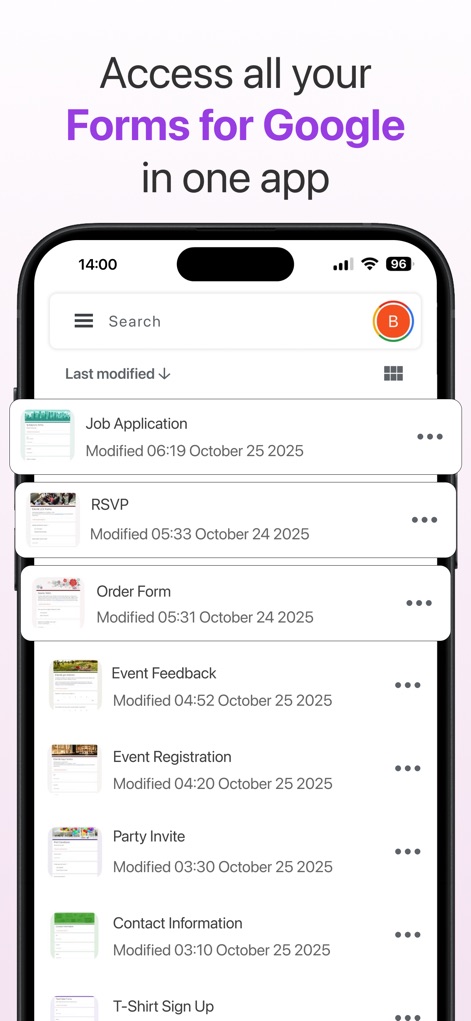
이 앱은 사용자의 모든 Google 양식 목록을 중앙에서 관리하며, '작업 지원' 및 '이벤트 피드백'과 같은 양식 제목을 명확하게 표시합니다.
모든 양식 한 곳에
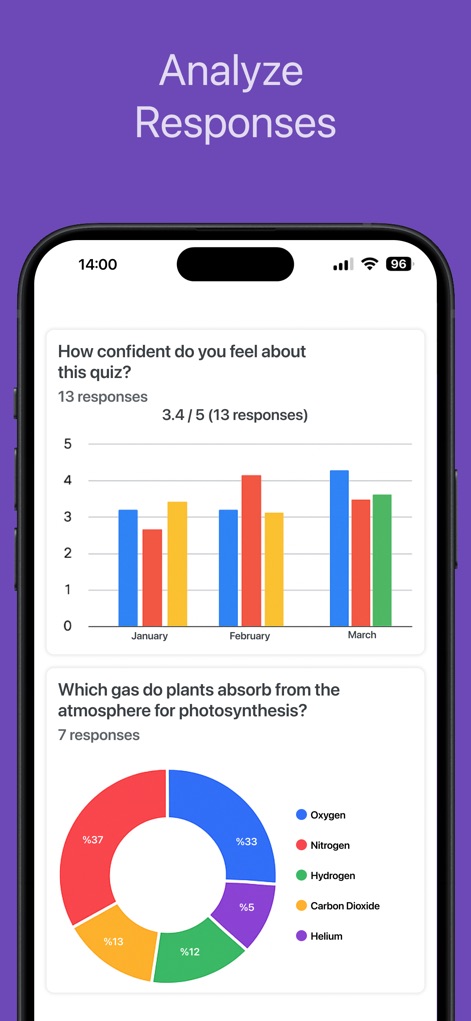
이 도구는 수집된 응답 데이터를 시각적으로 분석하여, 막대 차트로 시간 경과에 따른 응답 변화를 보여주고 파이 차트로 질문에 대한 다양한 답변 분포를 제시합니다.
응답 시각화 분석
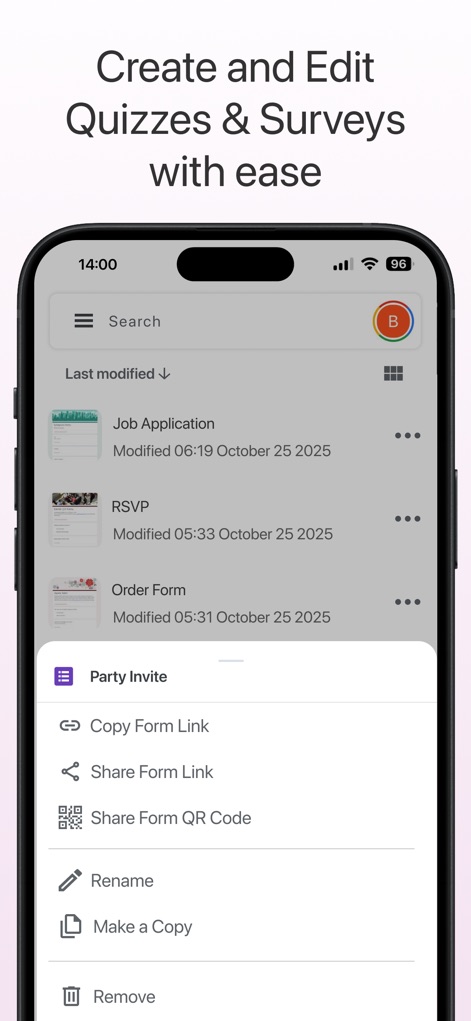
사용자는 '파티 초대'와 같은 특정 양식을 선택한 후, 링크 복사 및 QR 코드 공유 옵션을 통해 양식을 쉽게 공유하고 관리할 수 있습니다.
간편한 양식 관리
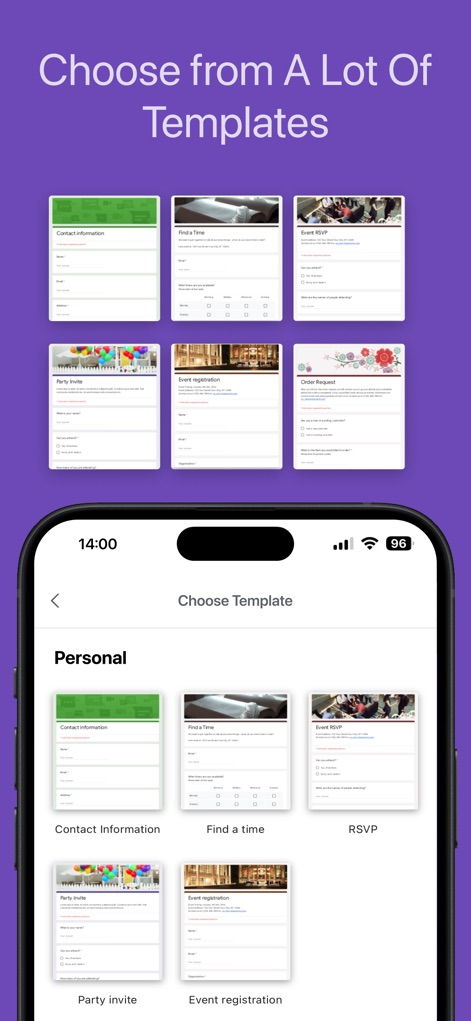
이 앱은 '연락처 정보' 및 '이벤트 등록'과 같은 다양한 기성 템플릿을 제공하여 사용자가 신속하게 새로운 양식을 시작할 수 있도록 돕습니다.
다양한 템플릿 선택
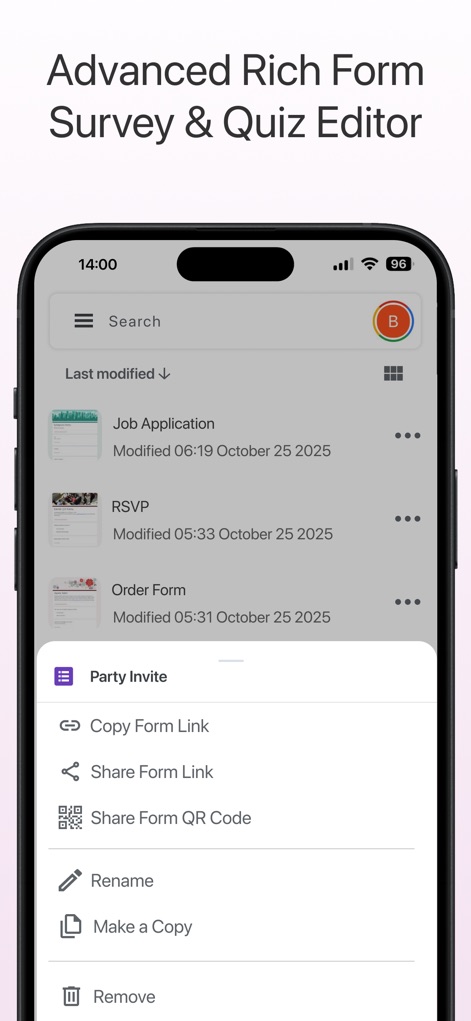
이 도구는 '작업 지원' 양식 목록과 더불어, 개별 양식에 대한 이름 변경 및 복사 기능 등 고급 관리 옵션을 제공합니다.
고급 양식 편집 및 관리
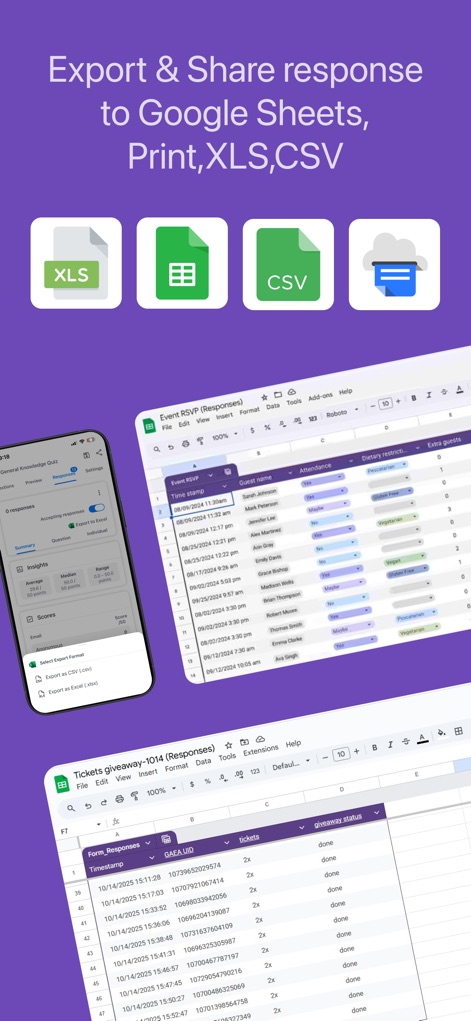
사용자는 응답 데이터를 Google Sheets, XLS, CSV와 같은 여러 형식으로 내보내어, '이벤트 응답 (Responses)' 시트를 통해 데이터를 효율적으로 관리할 수 있습니다.
다양한 형식으로 내보내기
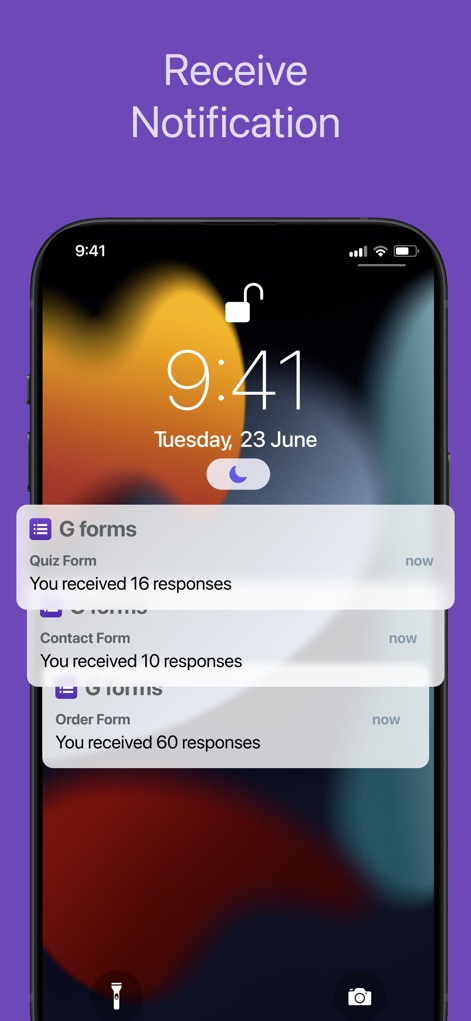
이 앱은 사용자의 잠금 화면에 '퀴즈 양식' 및 '주문 양식'과 같은 각 양식의 응답 수를 포함한 실시간 알림을 제공합니다.
실시간 알림 수신
설명
Download






이 페이지는 앱이나 개발자의 공식 페이지가 아니며, 정보 제공 및 논평을 목적으로 작성된 독립 편집 간행물입니다. 명시적으로 달리 언급되지 않는 한, 해당 앱이나 개발자는 MWM, Apple, Google Play, 앱 퍼블리셔 또는 앱 개발자와 제휴, 보증, 후원, 승인 또는 공식적으로 연결되어 있지 않으며, 이 페이지의 어떤 내용도 해당 앱이 MWM의 서비스를 사용하여 개발되었음을 의미하지 않습니다. 모든 상표, 로고, 스크린샷 및 기타 콘텐츠는 해당 소유자의 자산입니다.