이 페이지는 앱이나 개발자의 공식 페이지가 아니며, 정보 제공 및 논평을 목적으로 작성된 독립 편집 간행물입니다. 명시적으로 달리 언급되지 않는 한, 해당 앱이나 개발자는 MWM, Apple, Google Play, 앱 퍼블리셔 또는 앱 개발자와 제휴, 보증, 후원, 승인 또는 공식적으로 연결되어 있지 않으며, 이 페이지의 어떤 내용도 해당 앱이 MWM의 서비스를 사용하여 개발되었음을 의미하지 않습니다. 모든 상표, 로고, 스크린샷 및 기타 콘텐츠는 해당 소유자의 자산입니다.
Jotform Health - Medical Forms
노코드 양식 작성기로 진료를 현대화하세요. 환자 등록을 간소화하고, 전자 서명을 받고, HIPAA 규정을 완벽하게 준수하고 서명된 BAA와 함께 결제를 받으세요.
기술 없이도 의료 업무 흐름을 자동화하세요. 등록, 예약, 결제를 처리하는 안전한 양식으로 워크플로우를 간소화하세요.
HIPAA 규정 준수 보장
민감한 환자 건강 정보를 안전하게 보호하기 위해 256비트 SSL 암호화 및 서명된 BAA로 보호하세요.
손쉬운 예약 관리
캘린더와 동기화하고 환자가 방문 예약, 디지털 동의서 서명, 청구서 결제를 단일 전문 링크를 통해 처리하도록 하세요.
다음 스크린샷과 설명은 앱의 공식 스토어 목록에서 직접 가져온 것이며 앱 개발자의 자산입니다.
앱 스토어
스크린샷
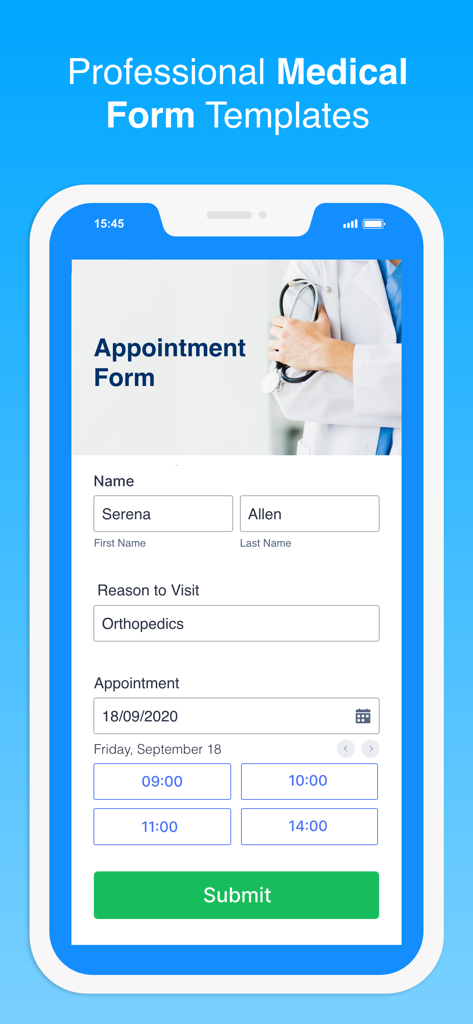
모바일 장치에서 전문적인 의료 예약 양식 템플릿
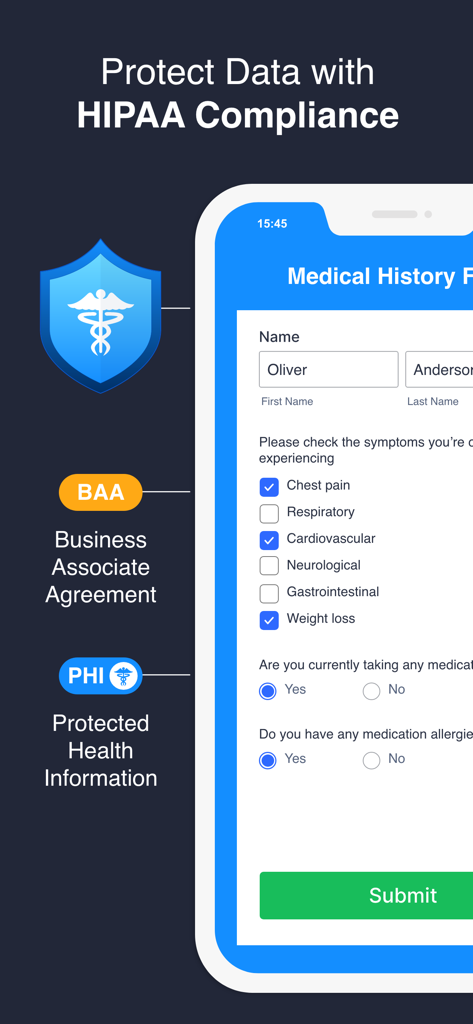
HIPAA 규정 준수 기능 및 BAA 보호 기능이 있는 안전한 의료 기록 양식을 보여주는 Jotform Health 앱 화면
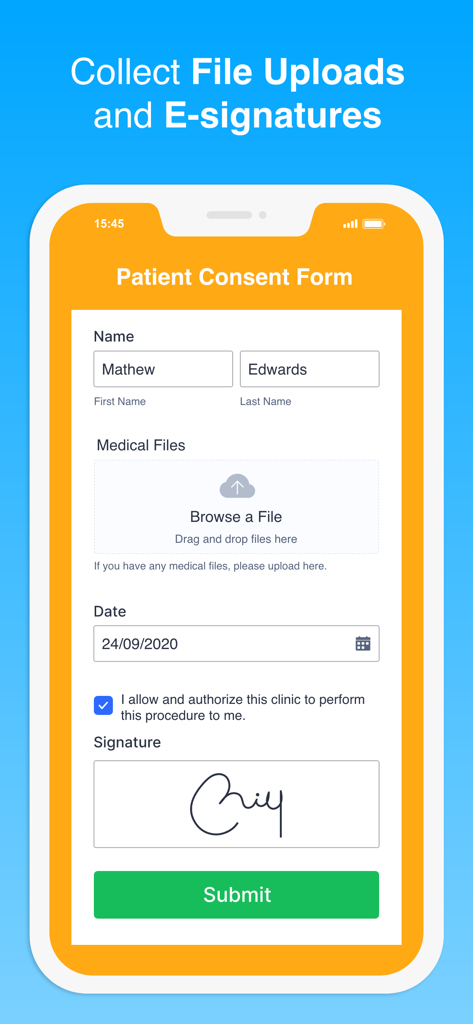
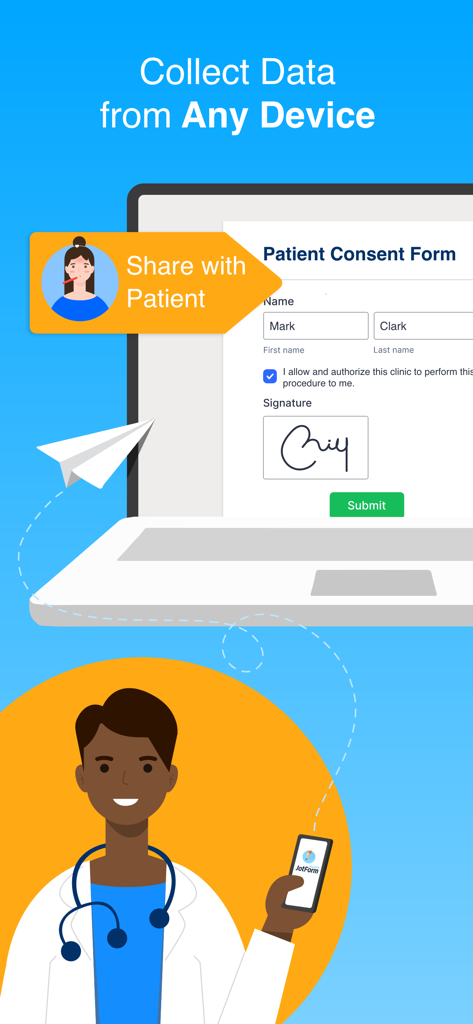
전자 서명 및 의료 파일 업로드 필드를 보여주는 디지털 환자 동의서
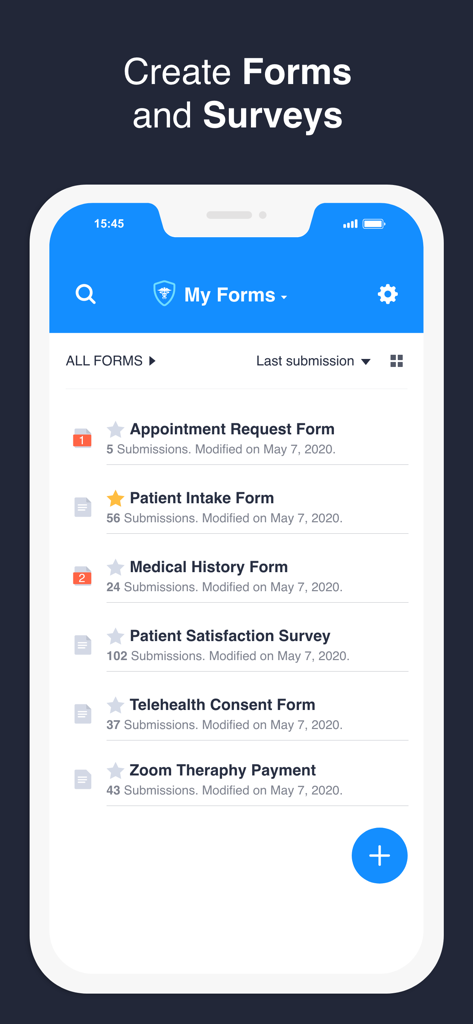
환자 등록 및 의료 기록과 같은 의료 양식 목록을 보여주는 Jotform Health 앱 화면
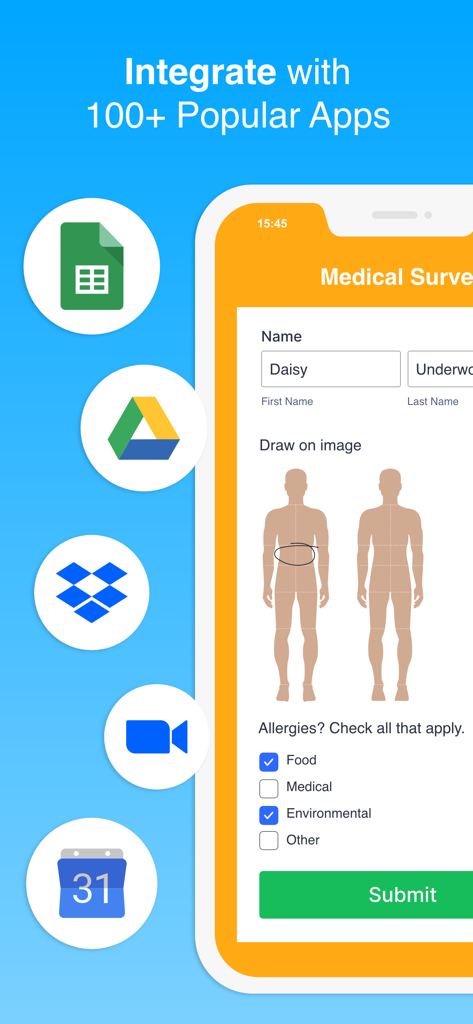
의료 설문 조사 양식과 Google Drive, Dropbox, Zoom과의 통합 아이콘을 보여주는 Jotform Health 앱
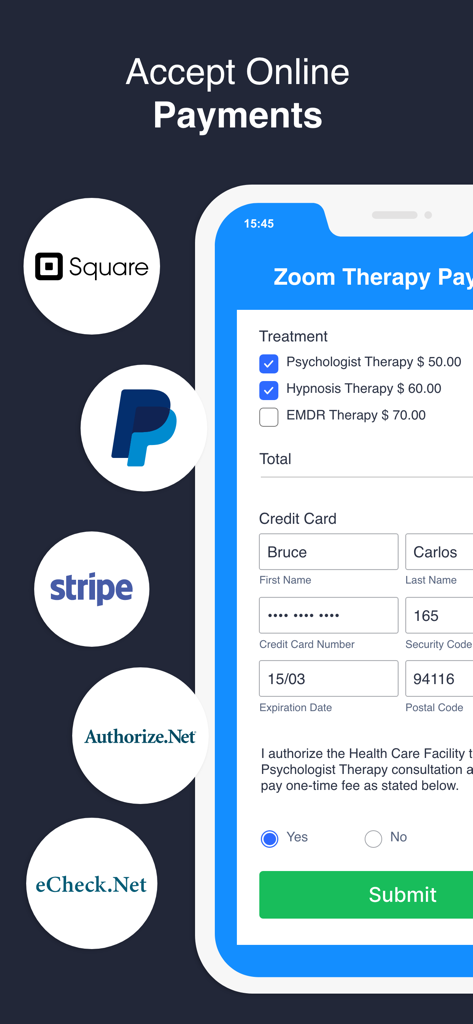
Square 및 PayPal과 같은 통합 결제 프로세서를 사용하여 온라인 의료 결제를 수락하는 인터페이스
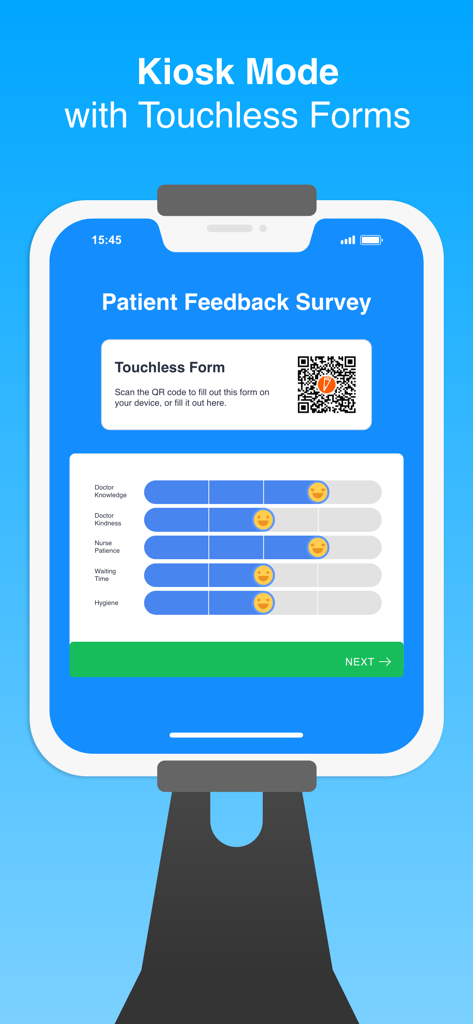
환자 피드백 설문 조사와 kiosk 모드의 터치리스 QR 코드 양식을 표시하는 스탠드형 태블릿
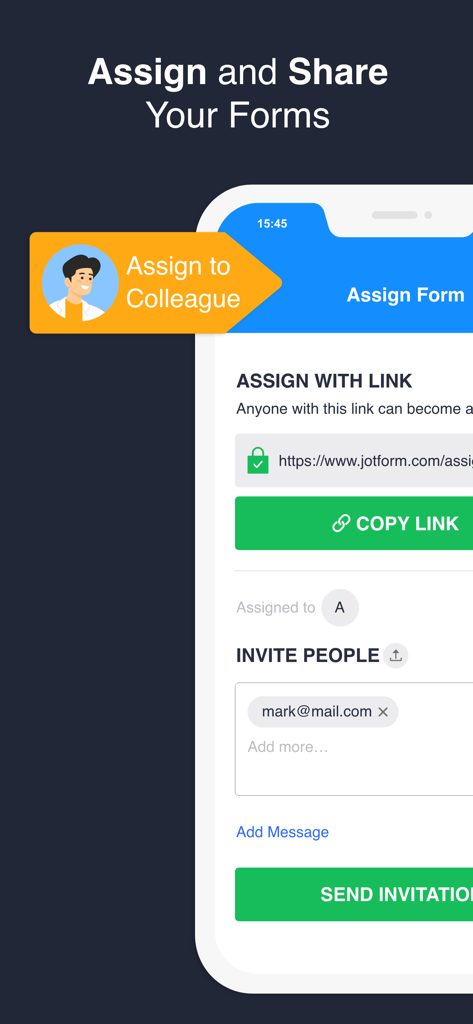
링크 또는 이메일 초대를 통해 의료 양식을 동료에게 할당하고 공유하는 방법을 보여주는 인터페이스
의료 전문가가 모바일 및 노트북 장치에서 전자 서명을 위해 디지털 환자 동의서를 공유하고 있음
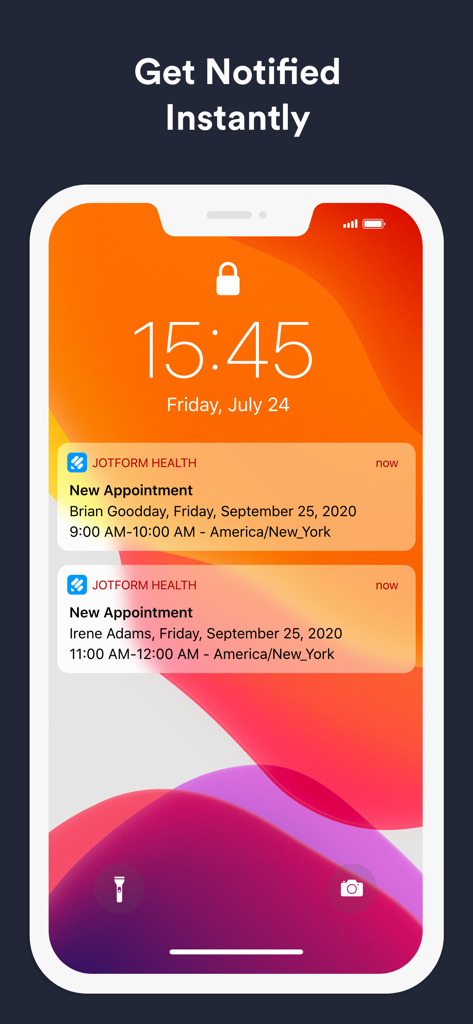
Jotform Health 앱의 새 환자 예약에 대한 푸시 알림을 보여주는 스마트폰 잠금 화면
설명
Jotform Health is a secure medical form builder that lets healthcare organizations collect patient information, file uploads, e-signatures, fee payments, and more. Build custom HIPAA-friendly medical forms in minutes, complete with a Business Associate Agreement (BAA) to keep patient medical data safe. Healthcare organizations, doctors, and specialists no longer need to use messy paper forms — with Jotform Health, you can seamlessly collect the information you need from any device, online or offline, and store it in a secure Jotform account.
** Create Forms Without Coding
Building a HIPAA-friendly form with Jotform takes just a couple of minutes and zero technical skills. You can make your own form or use our professional healthcare form templates.
** Follow HIPAA Regulations
Our HIPAA compliance features encrypt form submission data automatically, guaranteeing the privacy of your patients'’ health information. You can also receive a signed Business Associate Agreement (BAA) that creates binding liability and keeps your business protected.
** Schedule Appointments
Arrange medical appointments, schedule voice or video calls, receive meeting requests, and more. Patients can easily book appointments by selecting a date and time on your form. With our Google Calendar integration, appointments booked through your form will automatically become events in your calendar.
** Obtain Informed Consent
Customize your medical form to describe your patients’ treatment, any possible risks, and their right to refuse treatment. Patients can sign your consent form with their electronic signature. You can even convert each submission into a downloadable, printable PDF!
** Accept Medical Bill Payments
Let patients pay appointment fees or medical bills directly through your forms. Connect your medical form to dozens of secure payment processors, including PayPal, Square, Stripe, and Authorize.net. You won’t have to pay any additional transaction fees.
** Collect Patient Signatures and Files
Patients can easily sign their forms with electronic signatures and attach important medical documents, images, and other files.
** Integrate with 100+ Apps
Connect your forms and surveys to other software like G Suite and Dropboxother software to sync submissions automatically and make patient data more organized and accessible for your team.
** Enable Mobile Responses
All forms are mobile-responsive and can be filled out on any smartphone, tablet, or computer with ease. Patients can check in for their appointments, register as new patients, or update their medical history directly on your office’s device.
** Streamline Your Workflow
Organize your patients’ data. You can export form data as PDFs and automatically email them to your patients — or seamlessly integrate with other software.
*** KEY FEATURES ***
** Automate Your Workflow
- Create and manage patient registration forms, consent forms, intake forms, self-assessment forms, screening forms, emergency forms, surveys, and more!
- Add conditional logic, calculations, and widgets
- Set up autoresponders to send confirmation emails and reminders
- Get notified of submissions instantly with push notifications
- Collect multiple submissions at once with kiosk mode
- Provide a touchless form-filling experience for your patients with QR codes
** Collaborate with your team
- Share forms via email, text, and other mobile apps (Facebook, Slack, LinkedIn, WhatsApp, etc.)
- Assign forms to patients or colleagues and view their responses
** Advanced Form Fields
- Appointment calendar
- GPS location capture
- QR code and barcode scanner
- Voice recorder
- Signature capture (24/-7 mobile sign)
- File upload
- Take photo
** Keep Patient Data Safe
- 256-bit SSL encryption
- PCI DSS Level 1 certification
- GDPR compliance features
- HIPAA compliance features
Privacy Policy: https://www.jotform.com/privacy/
Terms of Service: https://www.jotform.com/terms/
이 페이지는 앱이나 개발자의 공식 페이지가 아니며, 정보 제공 및 논평을 목적으로 작성된 독립 편집 간행물입니다. 명시적으로 달리 언급되지 않는 한, 해당 앱이나 개발자는 MWM, Apple, Google Play, 앱 퍼블리셔 또는 앱 개발자와 제휴, 보증, 후원, 승인 또는 공식적으로 연결되어 있지 않으며, 이 페이지의 어떤 내용도 해당 앱이 MWM의 서비스를 사용하여 개발되었음을 의미하지 않습니다. 모든 상표, 로고, 스크린샷 및 기타 콘텐츠는 해당 소유자의 자산입니다.