
이 페이지는 앱이나 개발자의 공식 페이지가 아니며, 정보 제공 및 논평을 목적으로 작성된 독립 편집 간행물입니다. 명시적으로 달리 언급되지 않는 한, 해당 앱이나 개발자는 MWM, Apple, Google Play, 앱 퍼블리셔 또는 앱 개발자와 제휴, 보증, 후원, 승인 또는 공식적으로 연결되어 있지 않으며, 이 페이지의 어떤 내용도 해당 앱이 MWM의 서비스를 사용하여 개발되었음을 의미하지 않습니다. 모든 상표, 로고, 스크린샷 및 기타 콘텐츠는 해당 소유자의 자산입니다.


FUJIFILM Camera Remote
당신의 후지필름 카메라를 손 안의 통신기로 탈바꿈시킵니다. 이제 당신의 폰이 카메라의 두뇌가 됩니다.
다운로드
5M+사용자 평점
총 평가 수
10.4K개발사
카테고리
Photo & Video지원 언어
12최신 버전
4.9.6크기
55.1 MB출시일
2014년 1월 23일후지필름 카메라 사용자들을 위한 핵심 기능과 그 영향력
FUJIFILM Camera Remote 앱 주요 기능 분석
이미지 및 동영상 스마트폰 전송
이 앱은 촬영된 사진과 동영상을 스마트폰이나 태블릿으로 빠르게 전송하여 즉시 공유하거나 편집할 수 있도록 돕습니다.
원격 촬영 제어
이 도구는 사용자가 스마트폰이나 태블릿을 통해 카메라의 셔터를 원격으로 제어할 수 있게 하여, 그룹 사진, 장노출 또는 삼각대 촬영 시 카메라 흔들림을 방지하는 데 유용합니다.
블루투스 간편 전송
이 앱은 블루투스 연결을 통해 촬영한 사진을 스마트폰으로 빠르고 쉽게 전송할 수 있게 하며, Wi-Fi 연결 절차 없이 효율적인 워크플로우를 지원합니다.
위치 정보 및 시간 동기화
이 앱은 블루투스 기능을 통해 카메라와 스마트폰의 날짜, 시간 및 위치 정보를 동기화하여 사진에 정확한 지오태그 데이터를 기록할 수 있게 합니다.
펌웨어 업데이트 지원
이 앱은 SD 카드 없이 스마트폰이나 태블릿을 통해 카메라 펌웨어를 최신 상태로 유지할 수 있게 하여, 사용자가 항상 최적의 카메라 성능과 최신 기능을 이용할 수 있도록 돕습니다.
블루투스 무선 셔터 릴리즈
이 앱은 블루투스를 사용하여 무선으로 카메라 셔터를 작동시킬 수 있게 하여, 유선 릴리즈의 제약 없이 안정적인 원격 촬영 환경을 제공합니다.
자주 묻는 질문
에 대해 알아야 할 모든 것 FUJIFILM Camera Remote
What is the FUJIFILM Camera Remote app?
The FUJIFILM Camera Remote app allows users to operate wireless-equipped FUJIFILM digital cameras remotely, view and transfer images/movies, and update firmware from smartphones or tablets.
Can I remotely control my FUJIFILM camera with the FUJIFILM Camera Remote app?
Yes, the FUJIFILM Camera Remote app enables shooting images by remote control, including live view shooting and Bluetooth wireless remote shutter release, for compatible cameras.
How do I transfer images from my FUJIFILM camera to my smartphone?
The FUJIFILM Camera Remote app allows transferring images and movies to a smartphone. It supports easy transfer for Bluetooth-capable cameras and automatic import when 'Auto-Transfer' is on.
Does the FUJIFILM Camera Remote app support camera firmware updates?
Yes, the FUJIFILM Camera Remote app supports firmware updates via a smartphone or tablet for cameras with Bluetooth capability, eliminating the need for an SD memory card.
What FUJIFILM cameras are compatible with the FUJIFILM Camera Remote app?
The FUJIFILM Camera Remote app supports a wide range of cameras, including models from the GFX, X-H, X-Pro, X-T, X-S, X-E, X-M, X-A, X100 series, and FinePix series.
Can the FUJIFILM Camera Remote app synchronize time and location data?
Yes, the FUJIFILM Camera Remote app synchronizes "date and time" and/or "location information" from your smartphone or tablet with cameras that offer Bluetooth capability.
What are the iOS system requirements for the FUJIFILM Camera Remote app?
The FUJIFILM Camera Remote app requires iOS 11.0 to 17.1 for iPhone, iPad, and iPod touch. iPad WiFi and iPod touch models cannot use Geotagging functionality.
Does the FUJIFILM Camera Remote app offer a live view for remote shooting?
Yes, the FUJIFILM Camera Remote app provides live view shooting, allowing users to remotely capture images while viewing a real-time feed from the camera on their device.
다음 스크린샷과 설명은 앱의 공식 스토어 목록에서 직접 가져온 것이며 앱 개발자의 자산입니다.
앱 스토어
스크린샷
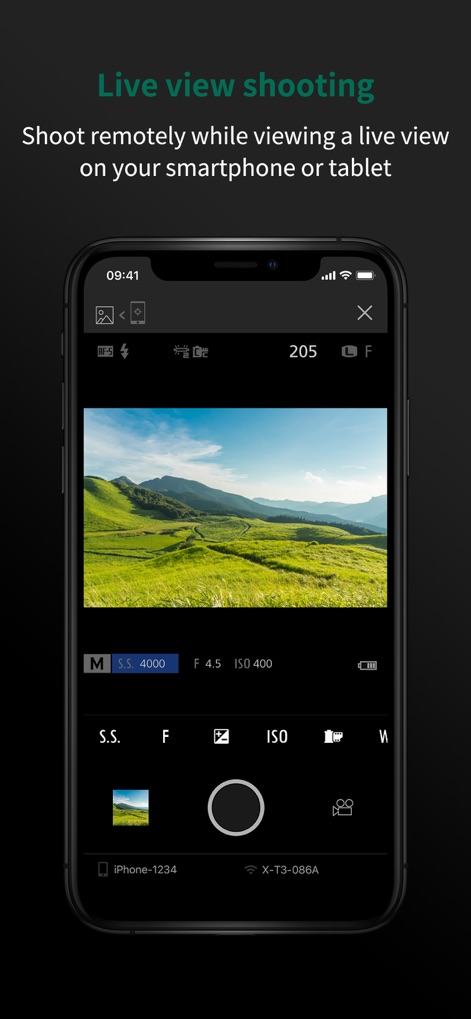
이 앱은 사용자가 스마트폰이나 태블릿에서 실시간 라이브 뷰를 보며 원격으로 촬영할 수 있도록 합니다. 사용자는 화면에서 라이브 뷰 피드와 세부적인 카메라 설정을 확인할 수 있습니다.
실시간 원격 촬영

사용자는 이 기능을 통해 원격으로 카메라 셔터를 제어할 수 있습니다. 스크린샷은 큼지막한 홀드 버튼과 카메라와 스마트폰 간의 블루투스 연결 상태를 명확하게 보여줍니다.
간편한 원격 셔터
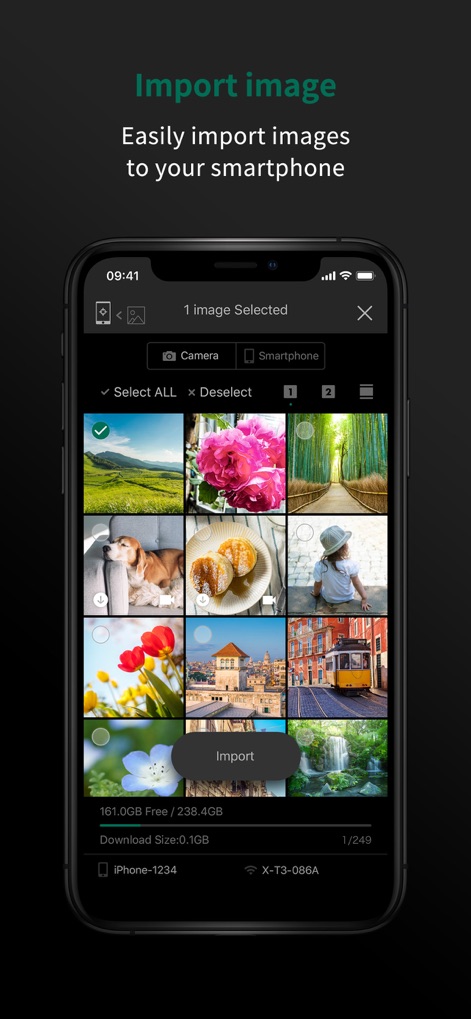
이 앱을 사용하면 카메라에 있는 이미지를 스마트폰으로 쉽게 가져올 수 있습니다. 이미지 미리 보기 갤러리와 선택된 이미지를 위한 '가져오기' 버튼이 직관적인 전송 과정을 보여줍니다.
이미지 손쉽게 가져오기
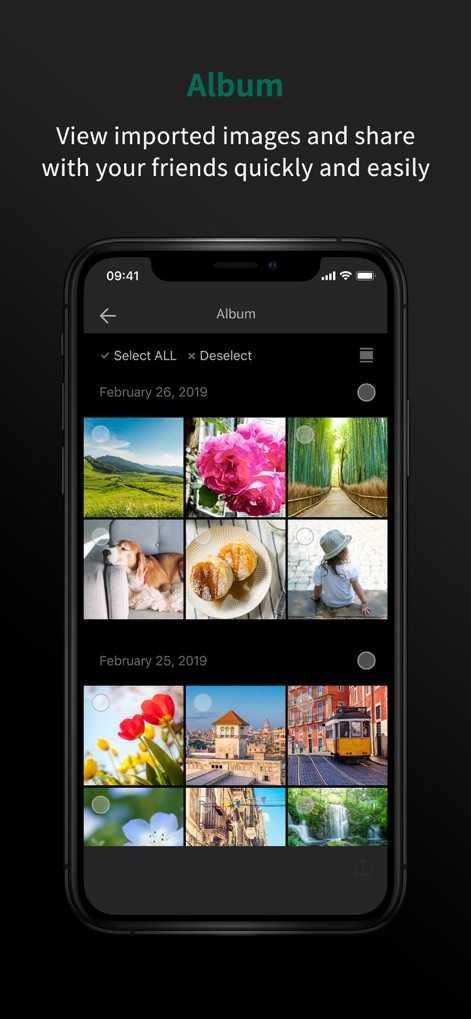
가져온 이미지는 앱 내 앨범에서 체계적으로 관리됩니다. 스크린샷에는 날짜별로 정렬된 이미지들과 편리한 공유 아이콘이 표시되어 있습니다.
스마트한 갤러리 관리
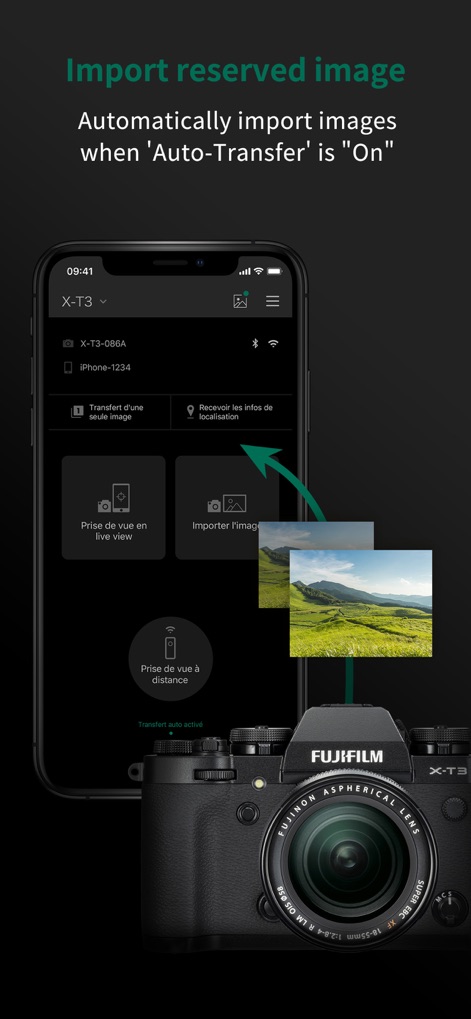
이 도구는 '자동 전송' 기능이 활성화될 때 카메라에서 스마트폰으로 이미지를 자동으로 가져옵니다. '자동 전송 활성화' 표시와 카메라에서 스마트폰으로의 이미지 전송 흐름이 시각적으로 명확하게 나타납니다.
자동 이미지 전송
설명
Download
비슷한 앱
유사한 기능과 사용자 경험을 가진 앱

DJI Mimo
SZ DJI TECHNOLOGY CO., LTD

DJI Ronin
SZ DJI TECHNOLOGY CO., LTD

Roku TV Remote Control & Cast
Aleh Piashkou

Remote for Hisense TV.
Duscov Stepan

Alpha Linker - Camera Transfer
恒茂 刘

MyCentsys Pro
Centurion Systems (Pty) Ltd

Roku TV Remote Control・
Artur Belov

Luminair
Synthe FX, LLC

FUJIFILM XApp
FUJIFILM Corporation
이 페이지는 앱이나 개발자의 공식 페이지가 아니며, 정보 제공 및 논평을 목적으로 작성된 독립 편집 간행물입니다. 명시적으로 달리 언급되지 않는 한, 해당 앱이나 개발자는 MWM, Apple, Google Play, 앱 퍼블리셔 또는 앱 개발자와 제휴, 보증, 후원, 승인 또는 공식적으로 연결되어 있지 않으며, 이 페이지의 어떤 내용도 해당 앱이 MWM의 서비스를 사용하여 개발되었음을 의미하지 않습니다. 모든 상표, 로고, 스크린샷 및 기타 콘텐츠는 해당 소유자의 자산입니다.