
이 페이지는 앱이나 개발자의 공식 페이지가 아니며, 정보 제공 및 논평을 목적으로 작성된 독립 편집 간행물입니다. 명시적으로 달리 언급되지 않는 한, 해당 앱이나 개발자는 MWM, Apple, Google Play, 앱 퍼블리셔 또는 앱 개발자와 제휴, 보증, 후원, 승인 또는 공식적으로 연결되어 있지 않으며, 이 페이지의 어떤 내용도 해당 앱이 MWM의 서비스를 사용하여 개발되었음을 의미하지 않습니다. 모든 상표, 로고, 스크린샷 및 기타 콘텐츠는 해당 소유자의 자산입니다.


Fun Print
이 앱은 당신의 손에 인쇄소를 선사합니다. 아이디어를 현실로 뽑아내는 것, 그것이 이 앱의 핵심입니다.
다운로드
5M+사용자 평점
총 평가 수
8.3K개발사
카테고리
Utilities지원 언어
5최신 버전
8.03.26크기
313.8 MB출시일
2021년 11월 1일사용자 경험과 창의성을 향상시키는 핵심 기능 탐색
'Fun Print' 앱 주요 기능 분석
고품질 사진 인쇄
이 앱은 사용자가 추억과 특별한 순간을 고품질 사진으로 인쇄하여 간직할 수 있게 해줍니다.
라벨 및 스티커 인쇄
이 앱은 사용자가 개인화된 라벨과 스티커를 디자인하고 인쇄하여 물건 정리, DIY 프로젝트 또는 소규모 사업 운영에 활용할 수 있도록 합니다.
맞춤형 템플릿
이 도구는 다양한 상황에 맞는 편집 가능한 템플릿을 제공하여 사용자가 쉽고 빠르게 라벨, 목록, 메모 등을 제작할 수 있도록 지원합니다.
자유로운 DIY 콘텐츠 제작
이 앱은 사용자가 직접 디자인 요소와 텍스트를 조합하여 개성 있는 인쇄물을 제작하고 창의력을 발휘할 수 있도록 합니다.
학습 자료 및 시험지 인쇄
이 앱은 학생 사용자가 시험 문제와 학습 자료를 간편하게 인쇄하여 학습 효율을 높일 수 있도록 돕습니다.
문서 및 텍스트 인쇄
이 도구는 사용자가 문서, 메모, 영수증 등 다양한 형태의 텍스트 기반 자료를 빠르고 효율적으로 인쇄할 수 있도록 지원합니다.
자주 묻는 질문
에 대해 알아야 할 모든 것 Fun Print
What are the main functions of the Fun Print app?
The Fun Print app allows users to print pictures, test questions, and labels. It features tools for text scanning, notes, to-do lists, and offers AI-powered drawing and translation capabilities.
Can I print test questions using the Fun Print app?
Yes, the Fun Print app enables users to print questions on test papers directly. This functionality supports educational activities and convenient test preparation.
How does the Fun Print app support label printing?
Fun Print offers a dedicated 'Label' feature for organizing items. Users can access a 'Template Hub' with various label categories such as gift boxes, cosmetics, and food, alongside customization options.
What AI capabilities are available in the Fun Print app?
The Fun Print app incorporates several AI features including AI Drawing, AI Robot, Animated Picture, Picture Filter, Line Drawing, AI Graffiti Drawing, and AI Translate, enhancing creative and functional tasks.
Does Fun Print offer printing templates?
Yes, the Fun Print app provides rich templates under its 'Material' section. Categories include Puzzles, Simple Drawings, Holidays (e.g., Thanksgiving Day, Christmas), and Basics, catering to diverse printing needs.
How do I change the language setting in Fun Print?
To change the language in the Fun Print app, navigate to the 'Me' section. From there, select the 'Switch Language' option to modify the app's display language.
Where can I find user manuals or operating instructions for Fun Print?
Operating instructions for the Fun Print app are located in the 'Me' section. Users can find detailed guidance by selecting 'Operating Instructions' or the 'A4 PC User Manual' from this menu.
다음 스크린샷과 설명은 앱의 공식 스토어 목록에서 직접 가져온 것이며 앱 개발자의 자산입니다.
앱 스토어
스크린샷
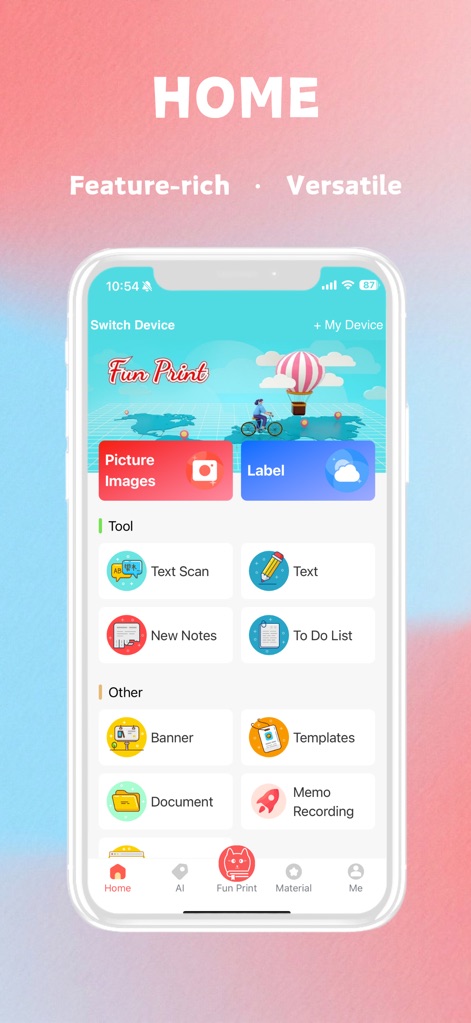
이 앱은 사용자가 사진 인쇄, 라벨 생성과 같은 핵심 기능에 쉽게 접근할 수 있도록 하는 직관적인 홈 화면과 텍스트 스캔 및 다양한 생산성 도구('To Do List', 'New Notes')를 제공합니다.
다양한 기능, 시작점
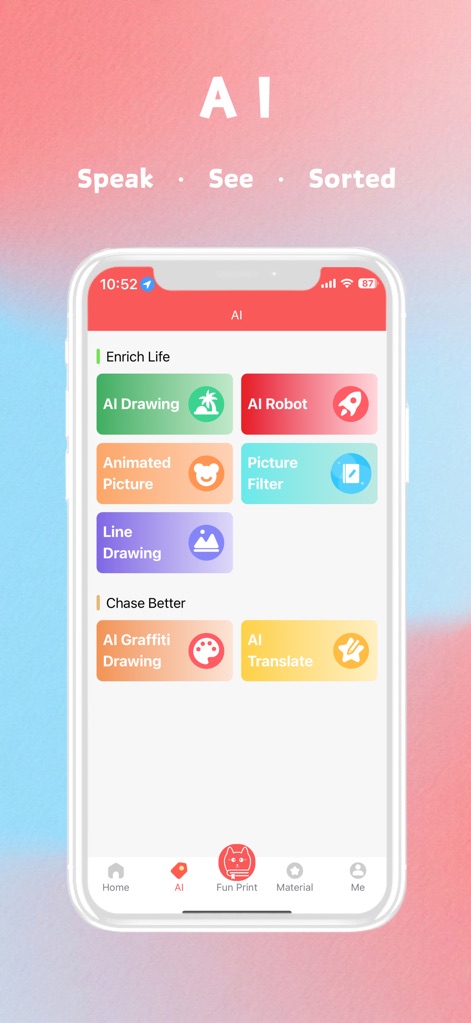
사용자는 AI 드로잉 및 AI 번역을 통해 창의적인 작업을 수행하고 콘텐츠를 즉시 변환할 수 있으며, 이미지 필터 및 애니메이션 그림('AI Drawing', 'AI Translate')과 같은 다양한 AI 기반 도구를 탐색할 수 있습니다.
스마트한 AI 기능
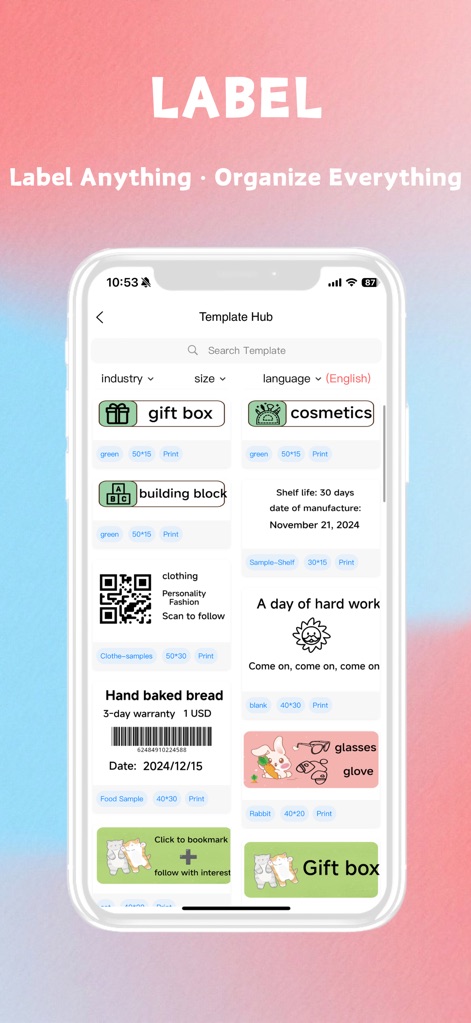
이 도구는 사용자가 'gift box' 및 'hand baked bread'와 같은 다양한 카테고리의 라벨 템플릿을 탐색하고, 산업별 필터 및 언어 선택('Template Hub', 'industry' filter) 옵션을 활용하여 개인화된 라벨을 신속하게 디자인할 수 있도록 지원합니다.
맞춤형 라벨 생성

사용자는 퍼즐, 간단한 그림 및 휴일 테마를 포함한 광범위한 템플릿 라이브러리를 통해 영감을 얻을 수 있으며, 추수감사절 및 크리스마스와 같은 특정 휴일에 대한 다양한 그래픽 및 레이아웃('Holidays' category, Thanksgiving images)을 찾아 창의적인 프로젝트에 활용할 수 있습니다.
풍부한 템플릿 라이브러리
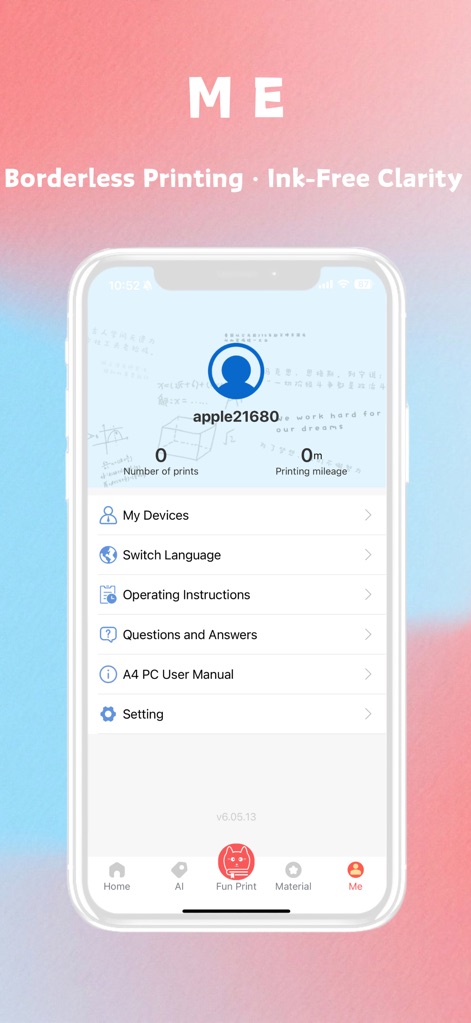
이 섹션은 사용자의 총 인쇄 횟수와 인쇄 마일리지('Number of prints', 'Printing mileage')를 표시하여 활동을 추적할 수 있도록 하며, 장치 관리, 언어 변경 및 사용 설명서 접근('My Devices', 'Switch Language')과 같은 중요한 설정 및 지원 기능에 대한 중앙 집중식 허브를 제공합니다.
개인 설정 및 관리
설명
Download
비슷한 앱
유사한 기능과 사용자 경험을 가진 앱

Docuslice - Poster Printing
Jeremiah Lachica

Printer Pro: Smart Printer App
Ivan Spyrydonov

HP
HP Inc.

Canon PRINT
Canon Inc.

Epson Smart Panel
Seiko Epson Corporation

Brother Mobile Connect
Brother Industries, LTD.

Epson iPrint
Seiko Epson Corporation

Printer App: Smart Print
Netpeak EOOD

Smart Printer App: iPrint
AppFusion OU
이 페이지는 앱이나 개발자의 공식 페이지가 아니며, 정보 제공 및 논평을 목적으로 작성된 독립 편집 간행물입니다. 명시적으로 달리 언급되지 않는 한, 해당 앱이나 개발자는 MWM, Apple, Google Play, 앱 퍼블리셔 또는 앱 개발자와 제휴, 보증, 후원, 승인 또는 공식적으로 연결되어 있지 않으며, 이 페이지의 어떤 내용도 해당 앱이 MWM의 서비스를 사용하여 개발되었음을 의미하지 않습니다. 모든 상표, 로고, 스크린샷 및 기타 콘텐츠는 해당 소유자의 자산입니다.