GoodTask - To Do List, Tasks

GoodTask - To Do List, Tasks

다운로드: App Store
로고: GoodTask - To Do List, Tasks

GoodTask: Apple 미리 알림 및 캘린더의 기능을 극대화하세요

파워 유저와 전문가를 위한 수상 경력에 빛나는 작업 관리자입니다. 단순한 체크리스트를 칸반 보드, 고급 스마트 리스트, 원활한 iCloud 동기화를 갖춘 전문적인 프로젝트 관리 시스템으로 변환하세요.

개발사

haha Interactive

카테고리

Productivity

다운로드

467K+

사용자 평점

4.5/5

총 평가 수

5K+

지원 언어

14

워크플로우를 완벽하게 관리하세요

이 인터페이스를 사용하는 467K+ 명의 사용자.

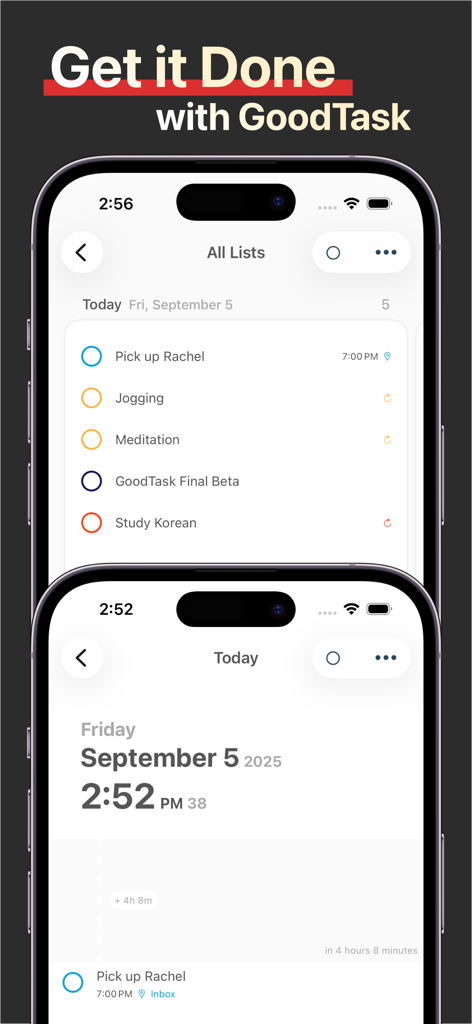
두 대의 iPhone에서 작업 목록과 일일 일정을 보여주는 GoodTask 앱 인터페이스
두 대의 iPhone에서 작업 목록과 일일 일정을 보여주는 GoodTask 앱 인터페이스

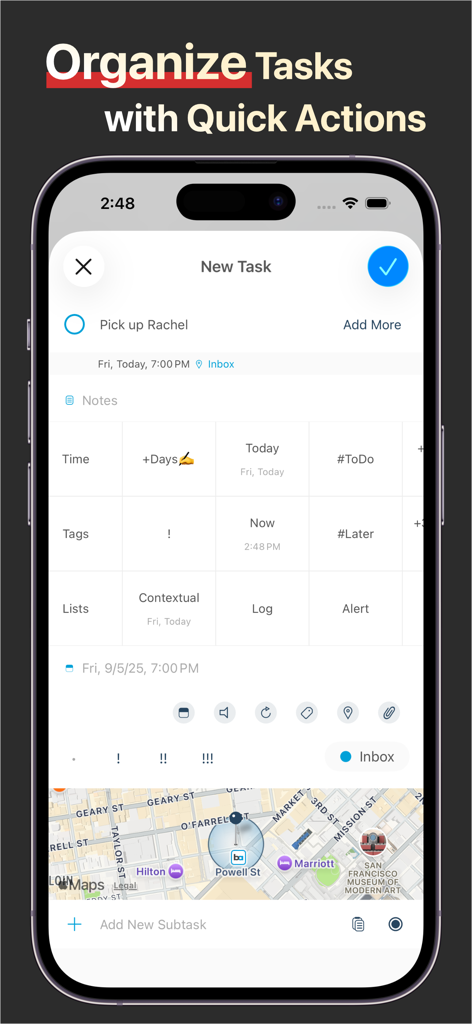
빠른 동작과 위치 기능을 사용하여 작업을 정리하는 GoodTask 앱 화면
빠른 동작과 위치 기능을 사용하여 작업을 정리하는 GoodTask 앱 화면

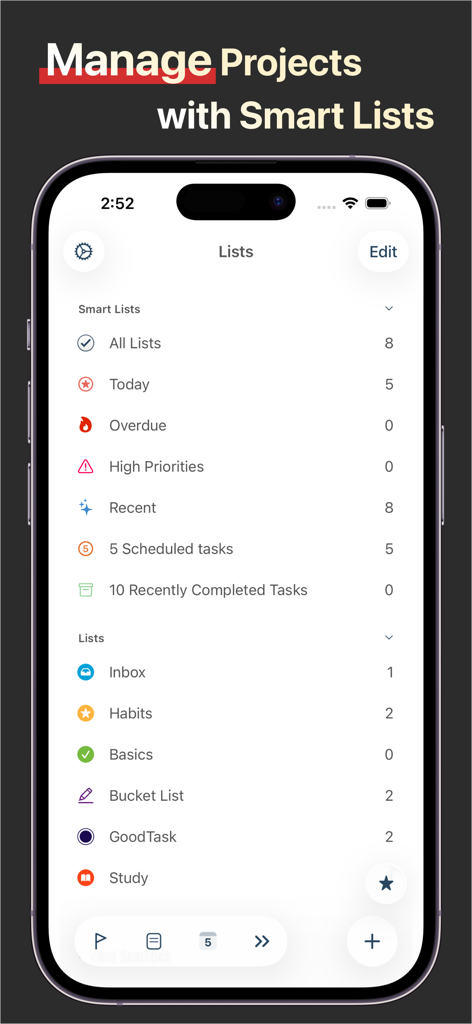
iPhone에서 스마트 리스트와 프로젝트 관리 폴더를 표시하는 GoodTask 앱 인터페이스
iPhone에서 스마트 리스트와 프로젝트 관리 폴더를 표시하는 GoodTask 앱 인터페이스

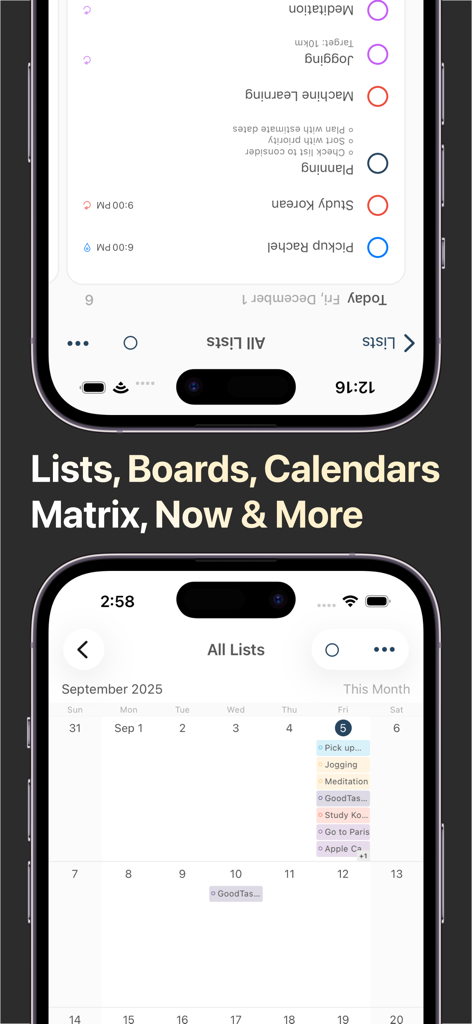
작업 관리를 위한 목록 및 캘린더 보기를 보여주는 GoodTask 앱
작업 관리를 위한 목록 및 캘린더 보기를 보여주는 GoodTask 앱

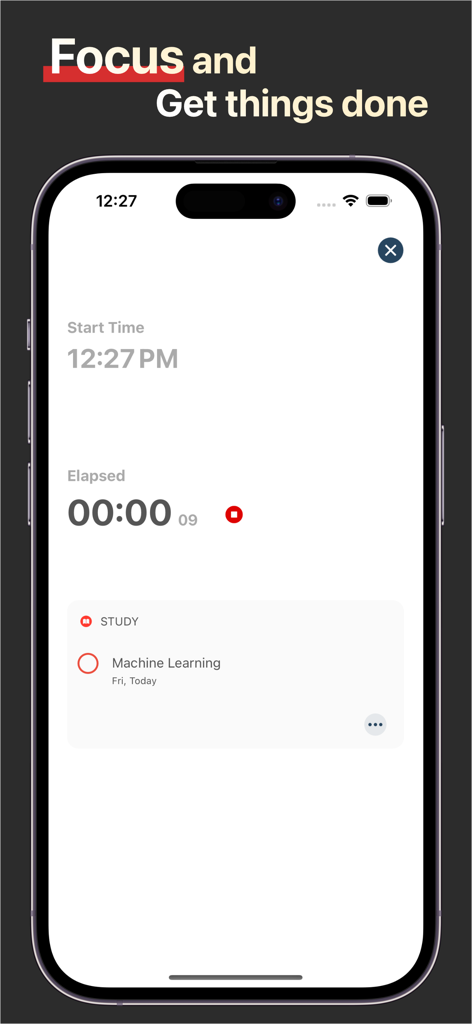
iPhone에서 생산성 타이머와 학습 작업을 보여주는 GoodTask 집중 모드 인터페이스
iPhone에서 생산성 타이머와 학습 작업을 보여주는 GoodTask 집중 모드 인터페이스

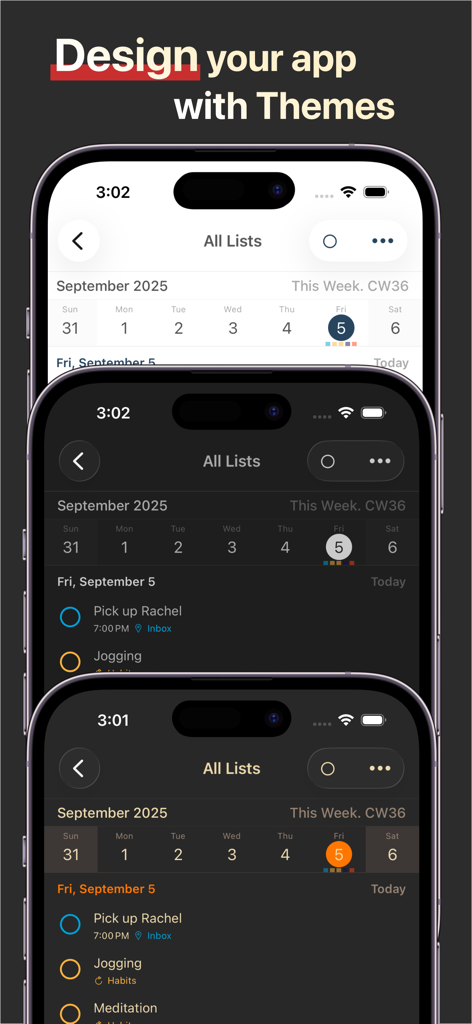
iPhone 화면에서 세 가지 다른 UI 테마를 보여주는 GoodTask 앱
iPhone 화면에서 세 가지 다른 UI 테마를 보여주는 GoodTask 앱

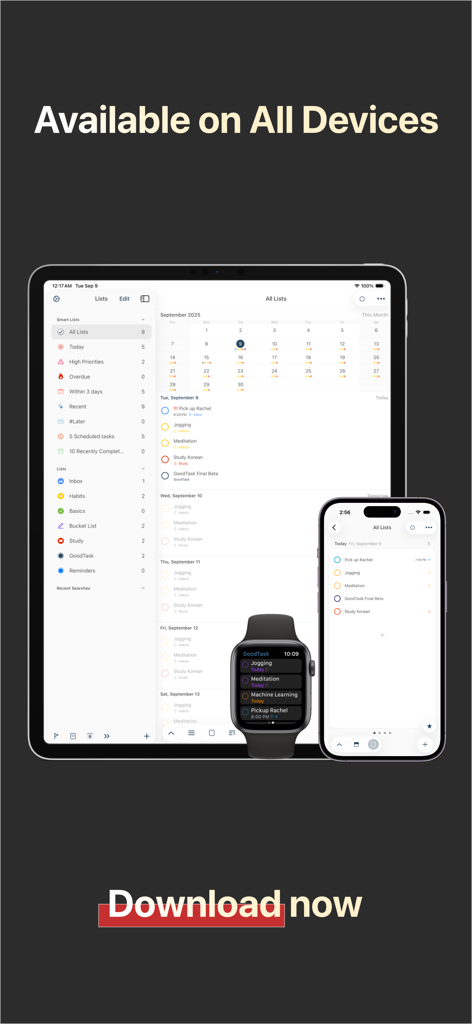
iPad, iPhone 및 Apple Watch에서의 GoodTask 생산성 앱 인터페이스

iPad, iPhone 및 Apple Watch에서의 GoodTask 생산성 앱 인터페이스

전문적인 기능으로 업무 일과를 완벽하게 관리하세요

이 앱을 돋보이게 하는 도구, 467K+ 명의 사용자가 선택.

🎯

지능형 스마트 리스트

고급 필터로 복잡한 생각을 정리하세요. 태그, 우선순위, 위치별로 작업을 정리하여 지금 당장 중요한 일에 정확히 집중할 수 있습니다.

📋

시각적 보드 보기

개인 작업에 칸반 스타일의 프로젝트 관리를 도입하세요. 워크플로우를 시각화하고 여러 단계에 걸친 진행 상황을 쉽게 추적할 수 있습니다.

대규모 작업의 효율성

수동 입력에 시간을 낭비하지 마세요. 일괄 작업, 텍스트 스니펫, 사용자 지정 빠른 동작을 사용하여 수백 개의 작업을 몇 초 만에 관리할 수 있습니다.

앱 소개

에 대해 알아야 할 모든 것 GoodTask - To Do List, Tasks.

설명

--[ Winner of MacStories Selects. Must-Have iOS Apps, App of the Year ]-- --[ Featured as 'Apps We Love Right Now', 'Be More Productive' and 'Get Stuff Done' ]-- "GoodTask is all you need to organize your day and get things done for real" If you're using iCloud or Outlook with Reminders and Calendars, it's for you. GoodTask is a Powerful Task/Project Manager based on iOS Reminders & Calendars. You can use it as simple checklist to focus or as complex project management tool to get big things done. GoodTask provides various viewpoints to the things that you care and need to be done. Manage your tasks, projects and even your life better with GoodTask. General - Syncs with iOS Reminders & Calendars - Supports fully customizable recurring tasks - Manage Reminders Lists and Calendars easily - List, Day, Week, Month view on each lists - Board view with Date, Priority, List, Tag type - Add Quickly and Smartly with Presets and Text Snippets Smart Lists - List with selective Reminders Lists and Calendars - Filter by including or excluding text/tags - Filter by Priorities - Overdue tasks, Location-based tasks, Recent tasks, etc. Quick Actions - Quickly edit tasks on the fly - Bulk actions to edit/check/delete multiple tasks at once - Duplicate, Change due dates, add/switch tags/lists, etc. Other Key Features - App Icon Badge & Notifications - Various Themes including custom fonts - Long tap to move lists and tasks - Supports portrait/landscape mode on all devices - Supports iPad Pro and multi-tasking for all iPads - Apple Watch with complications support - Today Widget support - Time Zone support - Subtasks, Automatic Repeat after Completion & Manual sort (GoodTask 3 only) Visit our website for more information (http://goodtaskapp.com) ! If you have questions, mention @goodtaskapp on twitter or send an email to contact@hahaint.com = About Subscriptions = Subscriptions in GoodTask is OPTIONAL and solely in purpose of supporting the continuous development of the app. In case you choose to subscribe without unlocking everything, it'll be unlocked automatically to fully use the app. - Supporter is an auto-renewing subscription and is available for yearly periods. - Payment will be charged to your iTunes account at confirmation of purchase. - Your subscription will automatically renew unless auto-renew is turned off at least 24-hours before the end of the current subscription period. - Your account will be charged for renewal within 24-hours prior to the end of the current subscription period. Automatic renewals will cost the same price you were originally charged for the subscription. - You can manage your subscriptions and turn off auto-renewal by going to your Account Settings on the App Store after purchase. = Terms of Use & Privacy Policy = Terms of Use : http://hahaint.com/terms Privacy Policy : http://hahaint.com/privacy If you need support, e-mail us at contact@hahaint.com We'll get to you right away. :)

최신 버전

8.1.6

크기

138.0 MB

출시일

2016년 3월 24일

iOS 미리 알림을 생산성의 핵심으로 바꾸세요

단순한 체크리스트에 안주하지 마세요. 수만 명의 성과 창출자들과 함께하고 iPhone, iPad, Apple Watch에서 MacStories '올해의 앱'을 경험해 보세요.

다운로드: App Store

App information, icons, screenshots, and descriptions displayed on this page are sourced from the Apple App Store and are the property of their respective developers. Download estimates and rankings are based on MWM's proprietary models and may not reflect actual figures. This page is provided for informational and analytical purposes only.

Believe this page infringes your intellectual property? File a dispute