
이 페이지는 앱이나 개발자의 공식 페이지가 아니며, 정보 제공 및 논평을 목적으로 작성된 독립 편집 간행물입니다. 명시적으로 달리 언급되지 않는 한, 해당 앱이나 개발자는 MWM, Apple, Google Play, 앱 퍼블리셔 또는 앱 개발자와 제휴, 보증, 후원, 승인 또는 공식적으로 연결되어 있지 않으며, 이 페이지의 어떤 내용도 해당 앱이 MWM의 서비스를 사용하여 개발되었음을 의미하지 않습니다. 모든 상표, 로고, 스크린샷 및 기타 콘텐츠는 해당 소유자의 자산입니다.


Toki: AI Scheduling & Tasks
일정 지옥에서 벗어나세요. Toki는 당신의 시간을 되찾아 줄 살인적인 AI입니다.
다운로드
250k+사용자 평점
총 평가 수
6.8K개발사
카테고리
Productivity지원 언어
9최신 버전
2.1크기
296.9 MB출시일
2024년 11월 13일바쁜 현대인을 위한 지능형 AI 기반 일정 관리 및 작업 도구의 핵심 기능
Toki: AI Scheduling & Tasks 앱 분석 보고서
자동 충돌 해결 및 최적화
이 도구는 일정 충돌을 자동으로 감지하고, 더 나은 시간을 제안하여 사용자의 일정을 최적화된 상태로 유지합니다.
사용자 일정 습관 학습
이 앱은 시간 경과에 따라 사용자의 습관, 선호도 및 루틴을 학습하여 개인화된 경험을 제공합니다.
지능형 일정 관리
아이디어와 할 일을 구조화된 계획으로 전환하며, 시간, 사람, 세부 사항을 자동으로 파악합니다.
다양한 입력 방식의 빠른 이벤트 생성
텍스트, 음성, 스크린샷, 포스터 또는 이메일을 사용하여 몇 초 만에 캘린더 이벤트를 생성할 수 있게 해줍니다.
통합 캘린더 보기
여러 캘린더를 하나의 보기로 통합하여 사용자가 여유 시간을 더 빠르고 쉽게 찾을 수 있도록 돕습니다.
중요 이벤트 모니터링 및 알림
사용자가 중요하다고 설정한 조건에 따라 이벤트를 모니터링하고, 해당 이벤트가 발생하면 업데이트를 제공합니다.
나중에 할 일 저장 및 적절한 시기 알림
지금 당장 할 필요는 없지만 나중에 처리해야 할 일을 저장하고, 적절한 시기에 알림을 제공하여 놓치지 않도록 돕습니다.
전화 알림
알림 및 전화 통화 경고를 통해 중요한 내용이 누락되지 않도록 도와줍니다.
자주 묻는 질문
에 대해 알아야 할 모든 것 Toki: AI Scheduling & Tasks
What is Toki - The AI Calendar?
Toki AI is an AI calendar and smart assistant designed for effortless scheduling. It enables users to create and manage events up to 10 times faster using artificial intelligence.
Which calendars can Toki sync with?
Toki syncs with and manages Google, Apple, and Outlook calendars. Users can connect all these accounts in one place for comprehensive schedule management.
How do users create events in Toki?
Users create events in Toki using voice commands, text input, or by importing images like posters or screenshots. This flexible input allows for quick event creation.
Does Toki AI provide call reminders for events?
Yes, Toki AI offers a "Call Me" feature. This functionality allows the app to call users directly to remind them of important events, ensuring nothing is missed.
Are there privacy policies for Toki - The AI Calendar?
Yes, Toki - The AI Calendar provides a privacy policy. Users can review the full policy details at the provided URL: https://yestoki.com/privacy.
Does Toki AI support recurring events?
Yes, Toki AI supports recurring events. This feature allows users to easily set up and manage events that happen on a regular basis.
Can Toki AI detect scheduling conflicts?
Yes, Toki detects instant conflict detection. This smart personalization feature helps users avoid overlapping appointments and manage their schedule efficiently.
Does Toki - The AI Calendar offer home screen widgets?
Yes, Toki provides widgets built for your day. These widgets offer a quick overview of upcoming events directly from the user's home screen.
다음 스크린샷과 설명은 앱의 공식 스토어 목록에서 직접 가져온 것이며 앱 개발자의 자산입니다.
앱 스토어
스크린샷
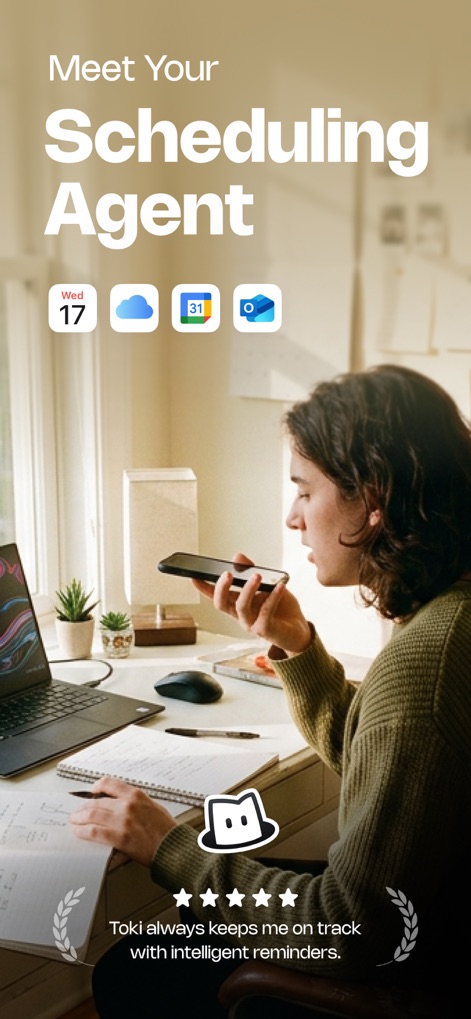
이 앱은 사용자의 음성을 통해 일정을 관리하는 모습을 보여주며, 여러 캘린더 서비스 아이콘과 연동 가능성을 명확히 나타냅니다.
AI 비서의 시작
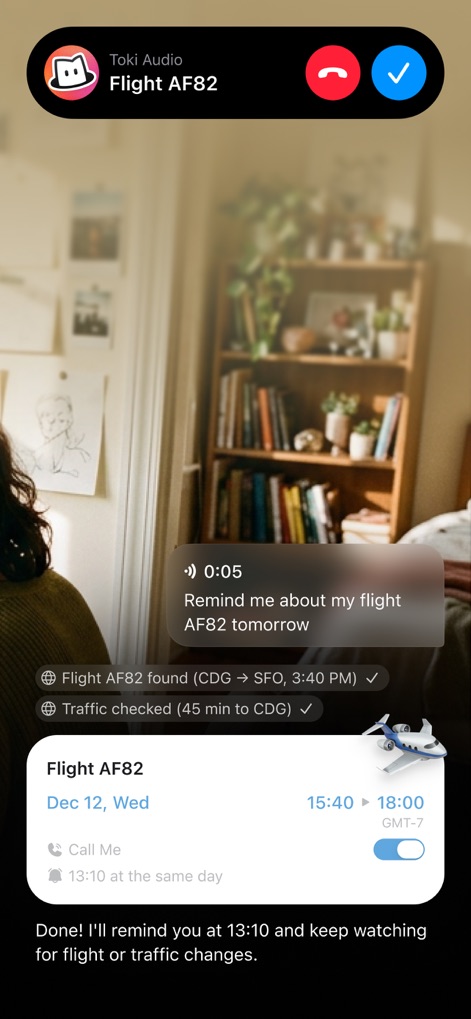
토키는 예정된 항공편 알림을 위한 전화 통화 화면을 표시하여, 비행 정보와 교통 상황 확인 기능을 통해 사용자에게 미리 상기시켜 줍니다.
스마트 알림 전화
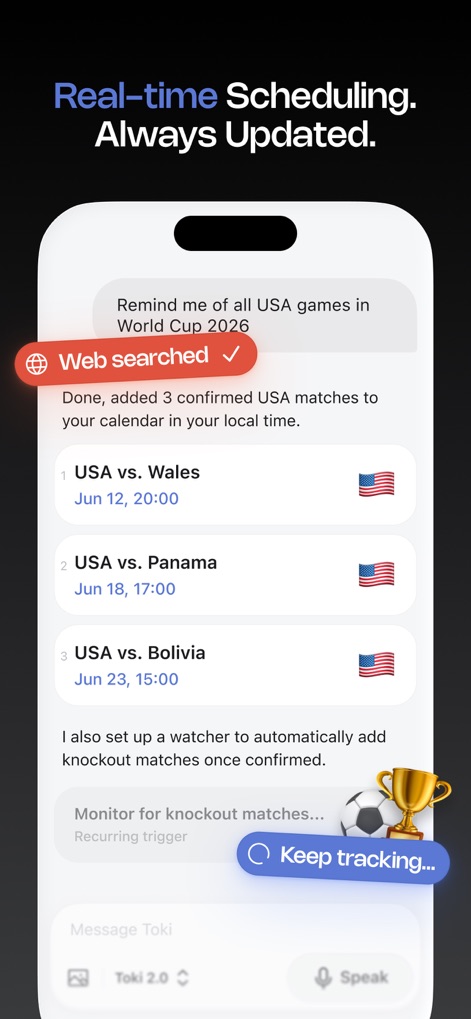
이 앱은 사용자의 요청에 따라 웹 검색을 통해 스포츠 경기 일정을 찾아 캘린더에 추가하며, 토너먼트 진행 상황을 자동으로 추적하는 기능을 제공합니다.
웹 검색 일정 추가
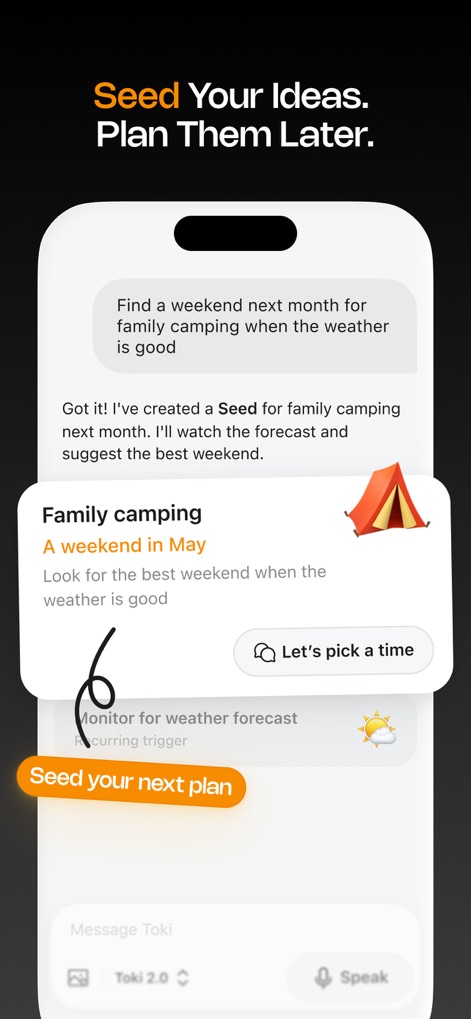
사용자는 앱에 아이디어를 입력하여 가족 캠핑과 같이 날씨에 기반한 계획을 세울 수 있으며, 앱은 최적의 시기를 위해 날씨 예보를 지속적으로 모니터링합니다.
아이디어 씨앗 심기
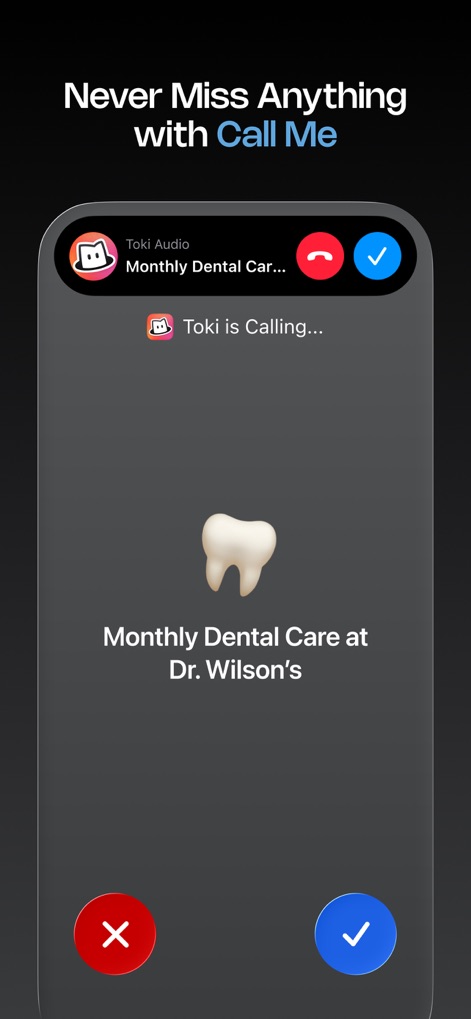
토키는 사용자에게 중요한 약속을 상기시키기 위해 '콜 미' 기능을 활용하여, 치과 진료와 같은 월별 일정을 전화 알림 형태로 제공합니다.
놓치지 않는 전화
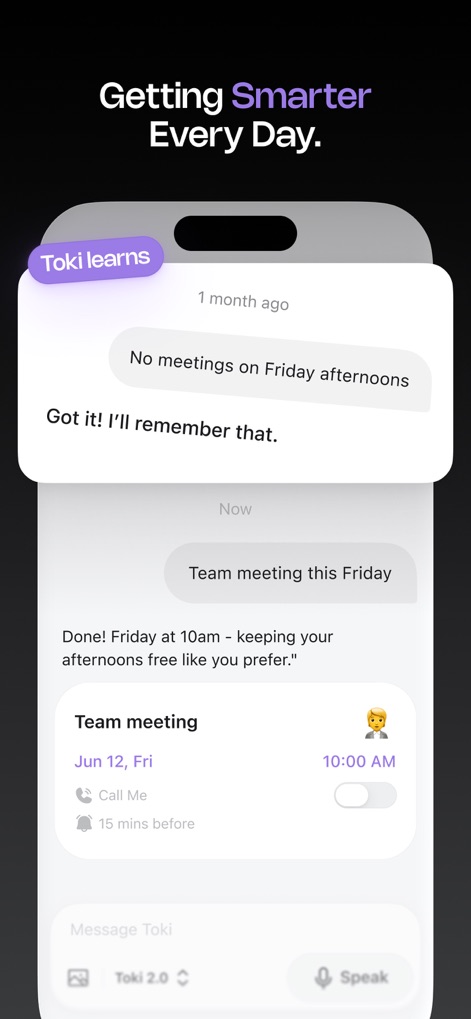
이 앱은 사용자의 선호 사항을 학습하여 금요일 오후에는 회의가 없도록 일정을 조정하며, 개인적인 루틴을 반영하여 자동으로 최적화된 시간을 제안합니다.
학습하는 스마트 비서
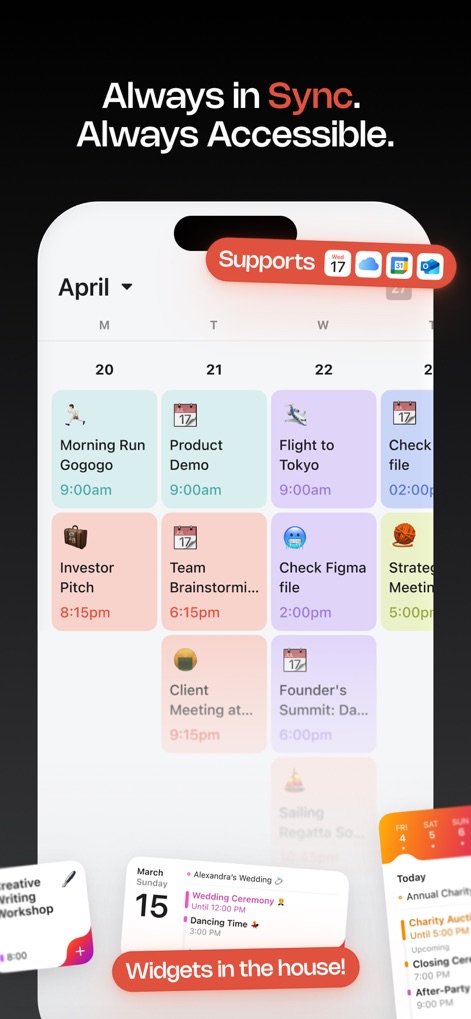
토키는 다양한 외부 캘린더 서비스(예: 구글 캘린더, 아웃룩)와의 연동을 지원하여 사용자의 모든 일정을 한눈에 볼 수 있게 하며, 편리한 위젯 기능을 통해 접근성을 높입니다.
완벽한 동기화 지원
설명
Download
비슷한 앱
유사한 기능과 사용자 경험을 가진 앱

CalendarTask - Efficient life
Beijing Xiaowei Cloud Service Technology Co., Ltd.
Across: Modern Calendar
DayMore Corp.
Calendar ·
Luni
BusyCal: Calendar & Tasks
Busy Apps FZE
iCalendar
Symfonies, Inc.
Calendar,Schedule & to do list
陈 彭
FirstSeed Calendar for iPad
FirstSeed Inc
Timepage: Calendar Planner
Bonobo Pte Ltd
GoodTask - To Do List, Tasks
haha Interactive
이 페이지는 앱이나 개발자의 공식 페이지가 아니며, 정보 제공 및 논평을 목적으로 작성된 독립 편집 간행물입니다. 명시적으로 달리 언급되지 않는 한, 해당 앱이나 개발자는 MWM, Apple, Google Play, 앱 퍼블리셔 또는 앱 개발자와 제휴, 보증, 후원, 승인 또는 공식적으로 연결되어 있지 않으며, 이 페이지의 어떤 내용도 해당 앱이 MWM의 서비스를 사용하여 개발되었음을 의미하지 않습니다. 모든 상표, 로고, 스크린샷 및 기타 콘텐츠는 해당 소유자의 자산입니다.