GrafanaUI
GrafanaUI
다운로드: App Store

이 페이지는 앱이나 개발자의 공식 페이지가 아니며, 정보 제공 및 논평을 목적으로 작성된 독립 편집 간행물입니다. 명시적으로 달리 언급되지 않는 한, 해당 앱이나 개발자는 MWM, Apple, Google Play, 앱 퍼블리셔 또는 앱 개발자와 제휴, 보증, 후원, 승인 또는 공식적으로 연결되어 있지 않으며, 이 페이지의 어떤 내용도 해당 앱이 MWM의 서비스를 사용하여 개발되었음을 의미하지 않습니다. 모든 상표, 로고, 스크린샷 및 기타 콘텐츠는 해당 소유자의 자산입니다.

로고: GrafanaUI
다운로드: App Store

GrafanaUI

안전한 네이티브 iOS 경험으로 대시보드를 어디든 가져가세요. FaceID 보호 및 제로 마찰로 중요한 메트릭을 모니터링하고, 여러 환경을 관리하며, 사고에 더 빠르게 대응하세요.

주요 수치

다운로드

1K+

사용자 평점

1.0/5

총 평가 수

0

개발사

Roman Senchuk

카테고리

Utilities

지원 언어

9

최신 버전

1.3.0

크기

3.5 MB

출시일

2025년 11월 7일
기능

이동 중에도 인프라 마스터하기

GrafanaUI는 데스크에 묶이지 않고 안정적인 실시간 가시성이 필요한 DevOps 전문가를 위해 고성능 네이티브 iOS 경험을 제공합니다.

엔터프라이즈급 보안

업계 표준 iOS Keychain 암호화로 민감한 액세스 토큰을 보호하고 FaceID 또는 TouchID 뒤에 대시보드를 안전하게 보호하세요.

통합된 다중 서버 액세스

단일 앱에서 프로덕션, 스테이징 및 개발 환경에 걸쳐 클라우드 호스팅 및 자체 호스팅 인스턴스 간을 쉽게 전환하세요.

다음 스크린샷과 설명은 앱의 공식 스토어 목록에서 직접 가져온 것이며 앱 개발자의 자산입니다.

앱 스토어

스크린샷
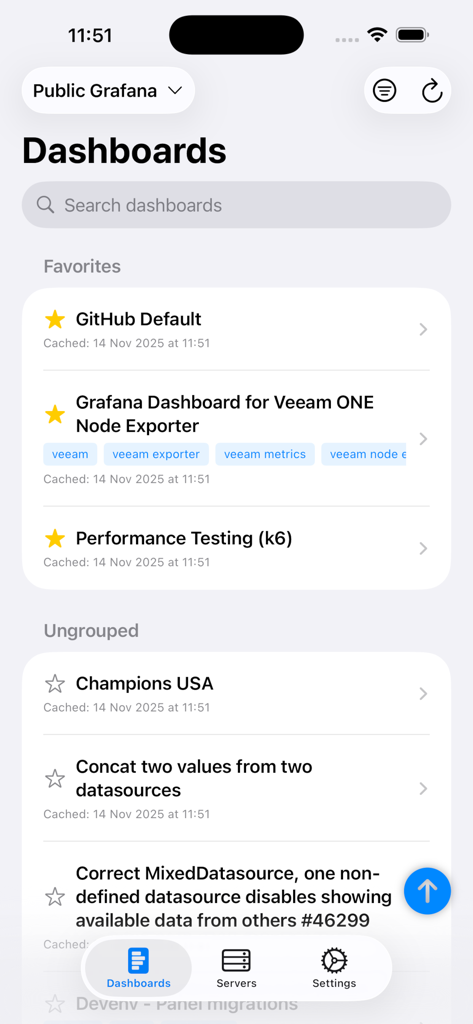
GrafanaUI - GrafanaUI 모바일 앱 인터페이스가 iPhone에서 즐겨찾기 및 그룹화되지 않은 모니터링 대시보드 목록을 보여줌
GrafanaUI 모바일 앱 인터페이스가 iPhone에서 즐겨찾기 및 그룹화되지 않은 모니터링 대시보드 목록을 보여줌

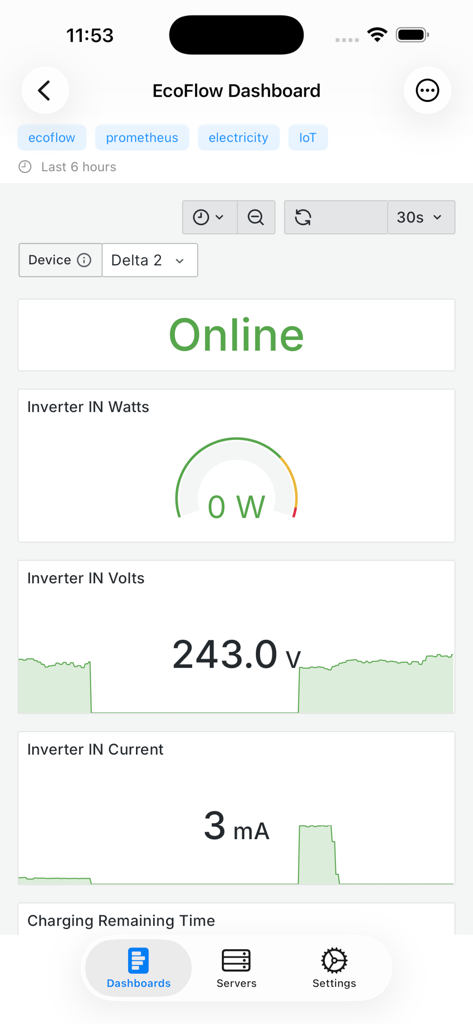
GrafanaUI - GrafanaUI 모바일 앱이 전기 및 IoT 메트릭이 포함된 실시간 모니터링 대시보드를 보여줌
GrafanaUI 모바일 앱이 전기 및 IoT 메트릭이 포함된 실시간 모니터링 대시보드를 보여줌

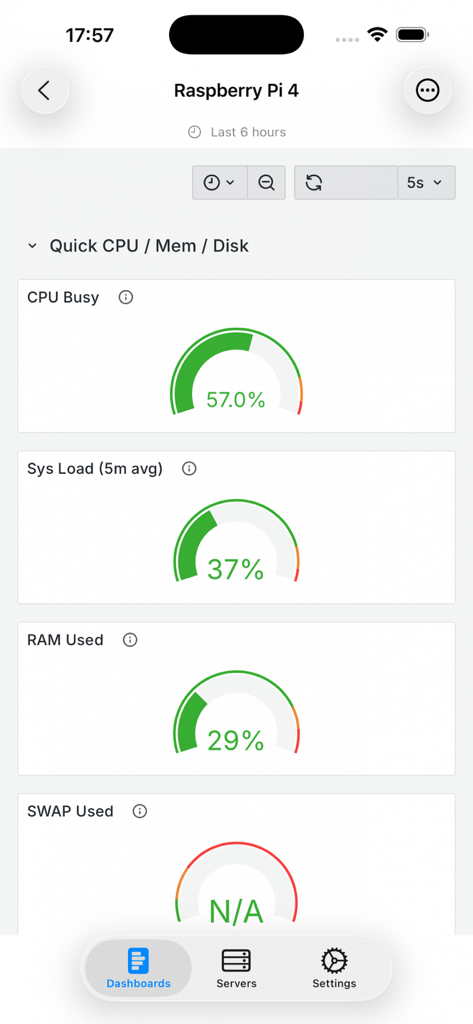
GrafanaUI - GrafanaUI 모바일 앱이 CPU 및 RAM 사용량을 포함한 Raspberry Pi 4 시스템 성능 메트릭을 보여줌
GrafanaUI 모바일 앱이 CPU 및 RAM 사용량을 포함한 Raspberry Pi 4 시스템 성능 메트릭을 보여줌

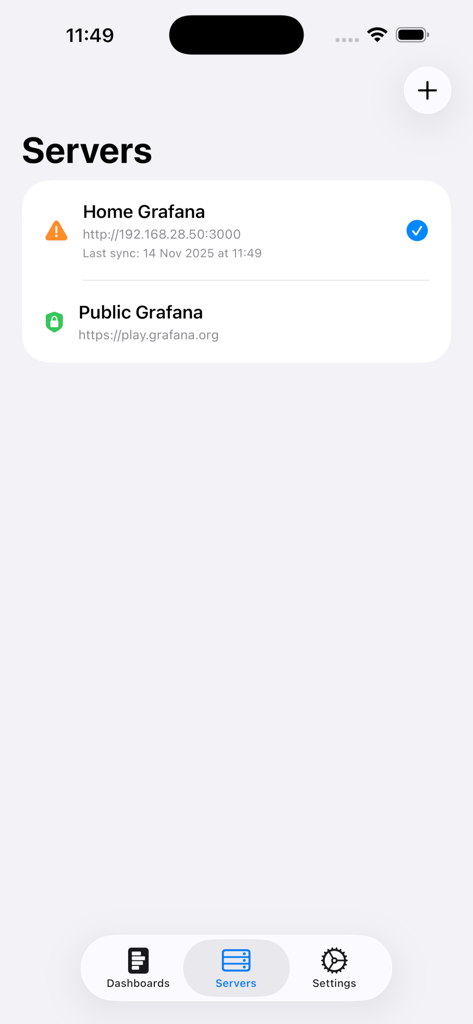
GrafanaUI - GrafanaUI 모바일 앱 화면이 연결된 Grafana 서버 목록을 보여줌
GrafanaUI 모바일 앱 화면이 연결된 Grafana 서버 목록을 보여줌

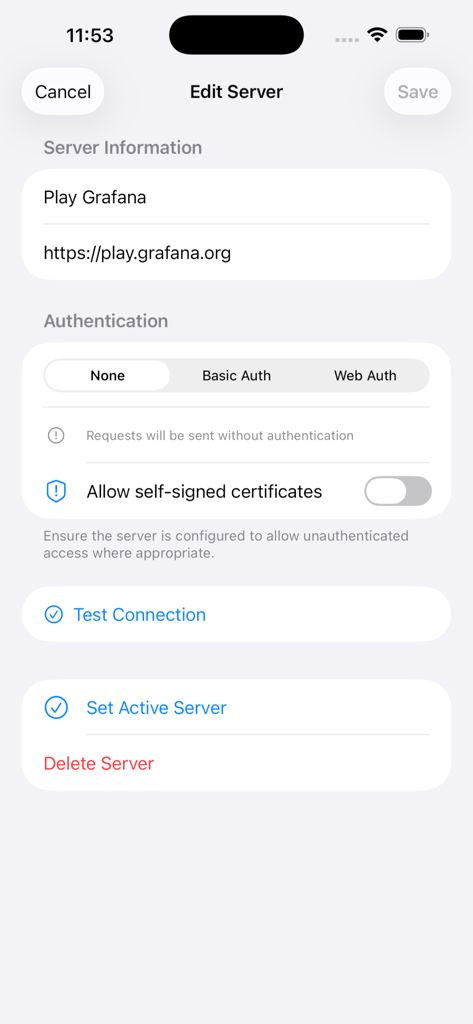
GrafanaUI - GrafanaUI 모바일 앱에서 URL 및 인증 방법과 같은 Grafana 서버 세부 정보 편집 인터페이스

GrafanaUI 모바일 앱에서 URL 및 인증 방법과 같은 Grafana 서버 세부 정보 편집 인터페이스

설명

Access Your Grafana Dashboards Anywhere, Anytime GrafanaUI brings Grafana monitoring to your iPhone and iPad. Stay connected to your critical metrics whether you're on-call, commuting, or away from your desk. KEY FEATURES Multiple Server Management • Connect to unlimited Grafana servers • Switch between different environments seamlessly • Support for cloud-hosted and self-hosted instances • Automatic connection and credential verification Flexible Authentication • Web Authentication with support for OAuth, SAML, and third-party services • Basic Auth (username/password) support • Automatic subpath detection for Grafana installations • Secure credential storage in iOS Keychain • Different auth methods per server • Optional self-signed certificate trust Dashboard Browsing & Viewing • Browse all dashboards in one place • Pull-to-refresh to update dashboard list • Search by name or tags, organize by folders • Collapse/expand all folders with dedicated buttons • Favorite dashboards in dedicated section • Full-featured viewing with WebView integration • Support for all panel types with real-time updates • Efficient pagination for large dashboard lists Security & Privacy • PIN code and biometric authentication (Face ID/Touch ID) • All credentials encrypted in iOS Keychain • No plain text storage, no third-party tracking Smart Caching & Design • Offline dashboard viewing with automatic cache management • Native iOS interface with dark/light mode support • Optimized for iPhone and iPad • Available in 9 languages PERFECT FOR DevOps Engineers, SREs, System Administrators, Data Analysts, IT Teams, and anyone using Grafana for monitoring and observability. USE CASES On-Call Monitoring: Get instant alerts and check metrics when away from your computer. Perfect for incident response. Remote Work: Access company dashboards from anywhere with secure direct connections—no VPN needed. Quick Status Checks: Monitor metrics during meetings, commutes, or breaks without being tied to your desk. Multi-Environment Management: Switch between production, staging, and development instances in one app. SECURITY FIRST Your security is our top priority. All credentials are encrypted in iOS Keychain. Biometric authentication adds extra protection. The app never stores passwords in plain text or sends data to third-party services. OPTIMIZED EXPERIENCE Built with SwiftUI for iOS, the app feels natural and responsive. The interface adapts perfectly to iPhone and iPad screen sizes. Split-screen multitasking on iPad lets you monitor dashboards while working in other apps. CONTINUOUS UPDATES We constantly improve based on user feedback. Regular updates bring new features, performance improvements, and bug fixes. The latest version includes critical stability fixes for authentication flows and enhanced error handling. REQUIREMENTS • iPhone and iPad compatible • iOS 15.0 or later • Access to Grafana server (cloud or self-hosted) • Web Authentication, Basic Auth (username/password), or unauthenticated access IMPORTANT NOTE This is an unofficial Grafana client. While it provides full API compatibility, it is not affiliated with, endorsed by, or sponsored by Grafana Labs. For the official Grafana experience, visit grafana.com. SUPPORT Having issues or suggestions? Follow us on Instagram @freshlab.app for updates and support. GETTING STARTED 1. Download the app 2. Add your Grafana server URL 3. Choose authentication method: • Web Auth: Login via web interface (supports OAuth, SAML, LDAP, etc.) • Basic Auth: Enter username and password • None: For public/unauthorized servers 4. Browse and view dashboards 5. Set up PIN or biometric authentication for app security Start monitoring your Grafana dashboards on the go today!

Download

다운로드: App Store

이 페이지는 앱이나 개발자의 공식 페이지가 아니며, 정보 제공 및 논평을 목적으로 작성된 독립 편집 간행물입니다. 명시적으로 달리 언급되지 않는 한, 해당 앱이나 개발자는 MWM, Apple, Google Play, 앱 퍼블리셔 또는 앱 개발자와 제휴, 보증, 후원, 승인 또는 공식적으로 연결되어 있지 않으며, 이 페이지의 어떤 내용도 해당 앱이 MWM의 서비스를 사용하여 개발되었음을 의미하지 않습니다. 모든 상표, 로고, 스크린샷 및 기타 콘텐츠는 해당 소유자의 자산입니다.








