HealthFace
HealthFace
다운로드: App Store

이 페이지는 앱이나 개발자의 공식 페이지가 아니며, 정보 제공 및 논평을 목적으로 작성된 독립 편집 간행물입니다. 명시적으로 달리 언급되지 않는 한, 해당 앱이나 개발자는 MWM, Apple, Google Play, 앱 퍼블리셔 또는 앱 개발자와 제휴, 보증, 후원, 승인 또는 공식적으로 연결되어 있지 않으며, 이 페이지의 어떤 내용도 해당 앱이 MWM의 서비스를 사용하여 개발되었음을 의미하지 않습니다. 모든 상표, 로고, 스크린샷 및 기타 콘텐츠는 해당 소유자의 자산입니다.


로고: HealthFace
다운로드: App Store

HealthFace

Apple Watch와 iPhone을 강력한 건강 대시보드로 변환하세요. 단 한 번의 탭으로 80가지 이상의 지표를 기록하고, 개인 목표를 추적하며, 데이터를 비공개로 안전하게 유지하세요.

주요 수치

다운로드

234K+

사용자 평점

4.3/5

총 평가 수

2K+

개발사

Crunchy Bagel Pty Ltd

카테고리

Health & Fitness

지원 언어

24

최신 버전

3.3.2

크기

41.3 MB

출시일

2016년 12월 20일
기능

새롭게 재탄생한 건강 대시보드

iPhone과 Apple Watch에서 Apple 건강 데이터를 기록하고 시각화하는 가장 강력한 방법으로 웰빙 여정을 효율화하세요.

번개처럼 빠른 기록

메뉴를 거칠 필요가 없습니다. 손목이나 홈 화면 위젯에서 단 두 번의 탭만으로 카페인부터 혈압까지 무엇이든 기록하세요.

프로급 워치 컴플리케이션

Apple Watch를 개인화된 컨트롤 센터로 변환하세요. 82가지 데이터 유형 중에서 선택하여 실시간으로 목표를 추적하세요.

다음 스크린샷과 설명은 앱의 공식 스토어 목록에서 직접 가져온 것이며 앱 개발자의 자산입니다.

앱 스토어

스크린샷
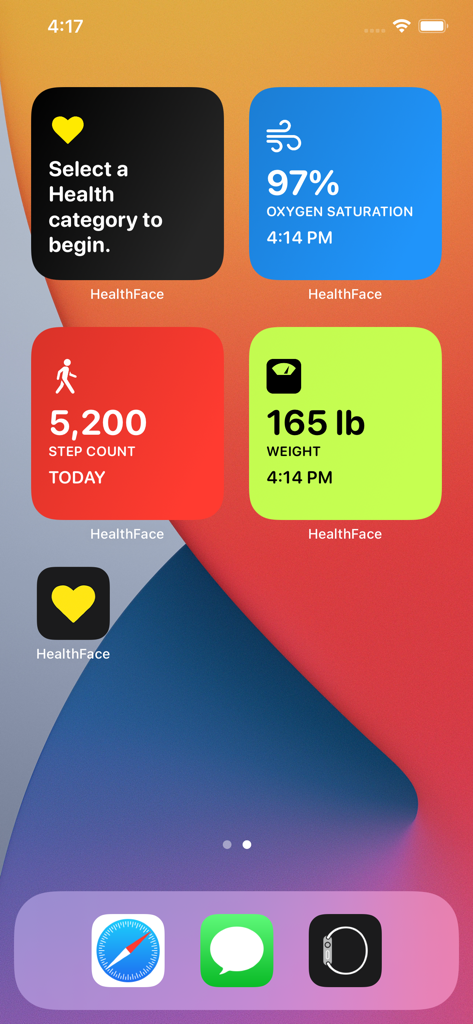
HealthFace - 걸음 수, 체중, 산소 포화도 건강 추적 위젯이 포함된 iPhone 홈 화면
걸음 수, 체중, 산소 포화도 건강 추적 위젯이 포함된 iPhone 홈 화면

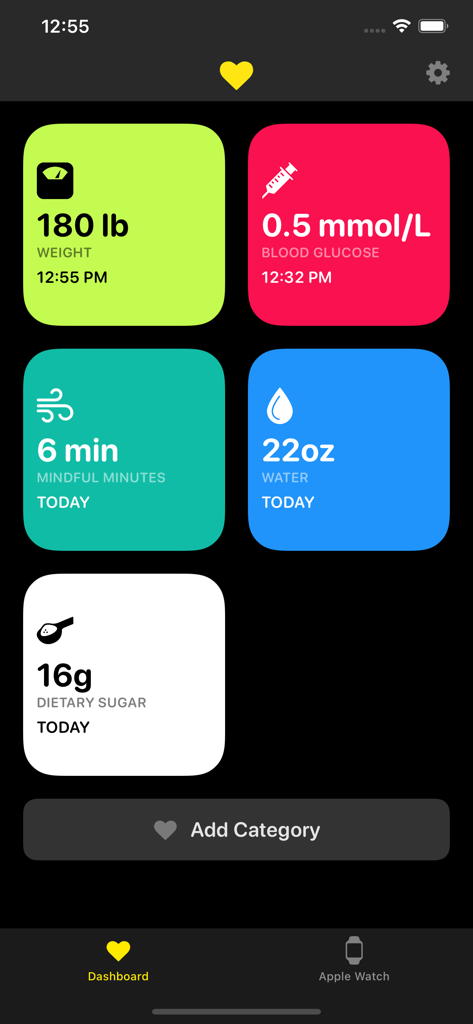
HealthFace - 체중 및 혈당과 같은 건강 지표를 추적하기 위한 다채로운 타일이 표시된 HealthFace 모바일 앱 대시보드
체중 및 혈당과 같은 건강 지표를 추적하기 위한 다채로운 타일이 표시된 HealthFace 모바일 앱 대시보드

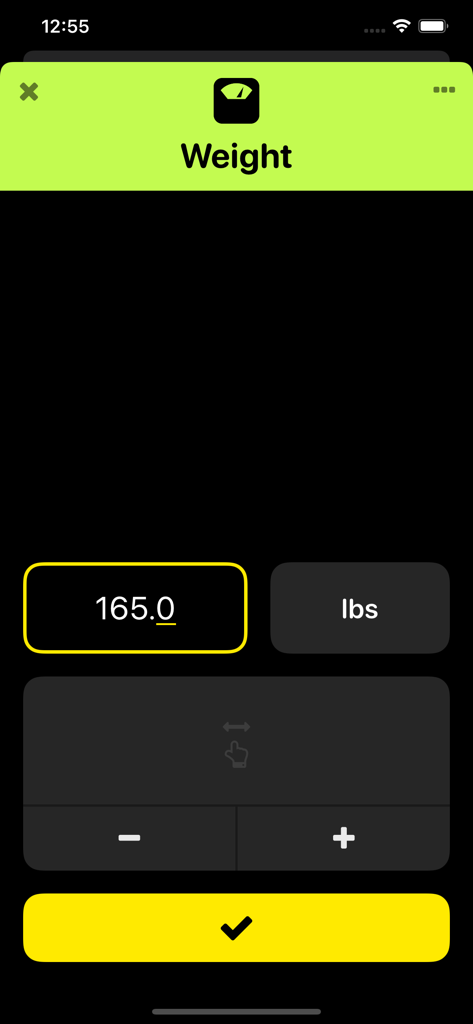
HealthFace - 숫자 입력 필드와 확인 버튼이 있는 체중 기록용 HealthFace 앱 화면
숫자 입력 필드와 확인 버튼이 있는 체중 기록용 HealthFace 앱 화면

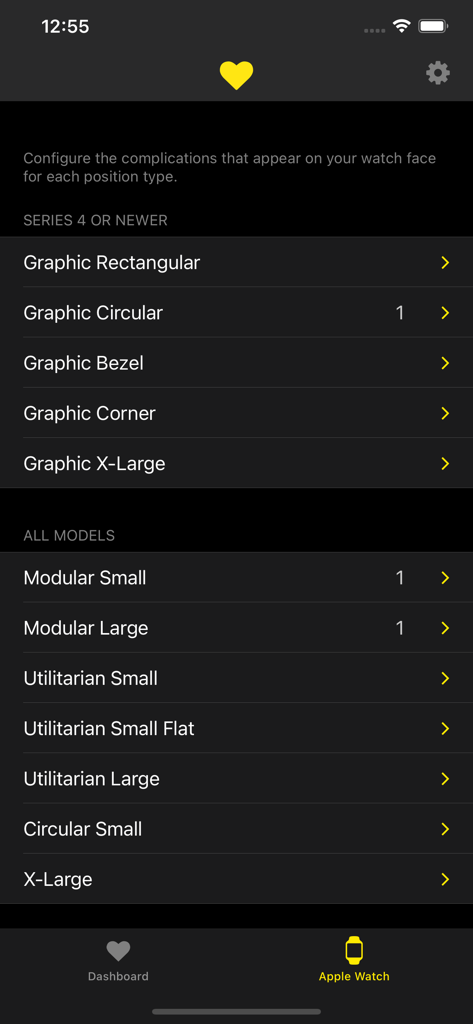
HealthFace - HealthFace 앱에서 Apple Watch 컴플리케이션을 구성하기 위한 메뉴
HealthFace 앱에서 Apple Watch 컴플리케이션을 구성하기 위한 메뉴

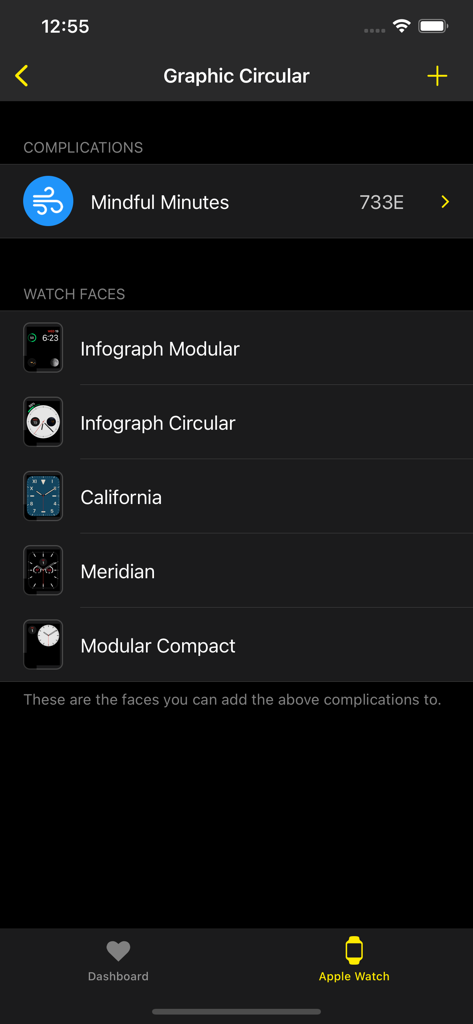
HealthFace - 인포그래프 모듈 및 캘리포니아 페이스를 포함하여 건강 컴플리케이션과 호환되는 Apple Watch 페이스 목록을 보여주는 iPhone 앱 화면
인포그래프 모듈 및 캘리포니아 페이스를 포함하여 건강 컴플리케이션과 호환되는 Apple Watch 페이스 목록을 보여주는 iPhone 앱 화면

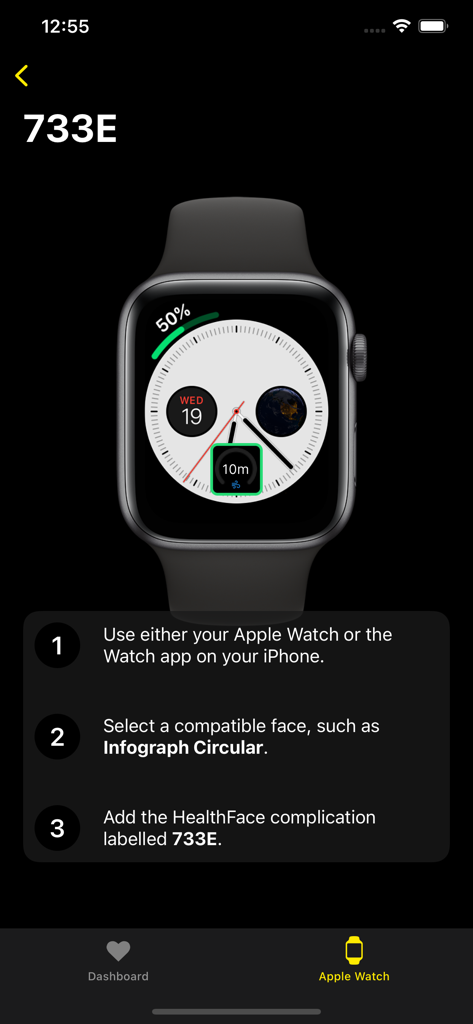
HealthFace - Apple Watch 페이스에 건강 컴플리케이션을 추가하는 방법을 설명하는 HealthFace 앱의 튜토리얼 화면
Apple Watch 페이스에 건강 컴플리케이션을 추가하는 방법을 설명하는 HealthFace 앱의 튜토리얼 화면

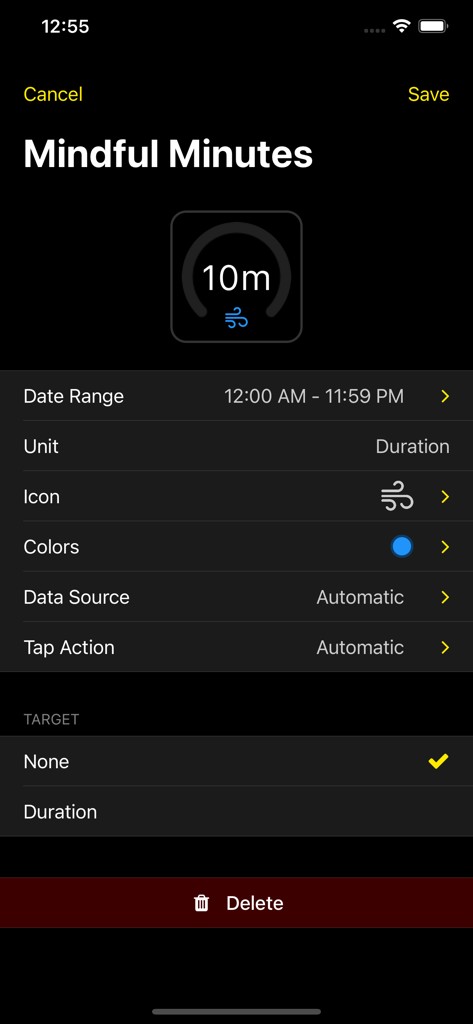
HealthFace - HealthFace 앱에서 마음 챙기기 시간 Apple Watch 컴플리케이션을 사용자 지정하기 위한 인터페이스

HealthFace 앱에서 마음 챙기기 시간 Apple Watch 컴플리케이션을 사용자 지정하기 위한 인터페이스

설명

HealthFace is the best app for recording any Health data on iPhone. And if you have an Apple Watch, the app gets even better! * Record data quickly via the iPhone app or Apple Watch app * Show your Health data in the widget * Display any Health data on the Apple Watch clock face * Customize the types of data you want to record so you can input data in only a couple of taps. * Tap on any complication to quickly record data * Supports all types of data from the Health app For example: * Quickly record your weight after standing on your scales in the morning * If you're diabetic you can quickly record your blood glucose or insulin intake * Quickly record your blood pressure * Quickly record your caffeine, water or sugar intake, or any of the other dietary categories HealthFace is the easiest way to display any data from the Health app on your Apple Watch. Data is displayed using watch face complications. * Ability to display a goal (e.g. show your progress towards 10,000 steps) * Real-time preview on your iPhone before saving to your Apple Watch * 17 different watch faces that support complications * 82 data types from the Health app * Display multiple data types (on certain watch faces) * Hundreds of high quality icons to choose from If you have any questions, suggestions or other feedback, please email support@healthface.app, or tweet us @HealthFaceApp. An Apple Watch is not required to make use of HealthFace. Note: Some complication positions requires Apple Watch Series 4. ABOUT HEALTH DATA: We take your privacy very seriously. Although HealthFace needs to access your Health data in order to function as advertised, your Health data remains on your iPhone and Apple Watch at all times and is never transmitted anywhere. All data is accessed in full accordance with the iOS app review rules set by Apple. Please read our privacy policy at https://healthface.app/privacy.html for more information on our use of data. You can contact us at support@healthfaceapp.com if you have any questions or concerns.

Download

다운로드: App Store

이 페이지는 앱이나 개발자의 공식 페이지가 아니며, 정보 제공 및 논평을 목적으로 작성된 독립 편집 간행물입니다. 명시적으로 달리 언급되지 않는 한, 해당 앱이나 개발자는 MWM, Apple, Google Play, 앱 퍼블리셔 또는 앱 개발자와 제휴, 보증, 후원, 승인 또는 공식적으로 연결되어 있지 않으며, 이 페이지의 어떤 내용도 해당 앱이 MWM의 서비스를 사용하여 개발되었음을 의미하지 않습니다. 모든 상표, 로고, 스크린샷 및 기타 콘텐츠는 해당 소유자의 자산입니다.








