iBunkoHD
iBunkoHD
다운로드: App Store

이 페이지는 앱이나 개발자의 공식 페이지가 아니며, 정보 제공 및 논평을 목적으로 작성된 독립 편집 간행물입니다. 명시적으로 달리 언급되지 않는 한, 해당 앱이나 개발자는 MWM, Apple, Google Play, 앱 퍼블리셔 또는 앱 개발자와 제휴, 보증, 후원, 승인 또는 공식적으로 연결되어 있지 않으며, 이 페이지의 어떤 내용도 해당 앱이 MWM의 서비스를 사용하여 개발되었음을 의미하지 않습니다. 모든 상표, 로고, 스크린샷 및 기타 콘텐츠는 해당 소유자의 자산입니다.


로고: iBunkoHD
다운로드: App Store

iBunkoHD

현실감 넘치는 수상 경력에 빛나는 인터페이스로 책, 만화, 문서 컬렉션을 생생하게 구현하세요. PDF, CBZ, 아오조라 문고 라이브러리에 대한 완전한 제어를 원하는 파워 리더와 수집가를 위해 설계되었습니다.

주요 수치

다운로드

142K+

사용자 평점

3.9/5

총 평가 수

3K+

개발사

Dwango Co., Ltd.

카테고리

Books

지원 언어

3

최신 버전

3.4.42

크기

34.7 MB

출시일

2010년 5월 9일
기능

디지털 컬렉션을 위한 골드 스탠다드

더 많은 것을 원하는 파워 리더를 위해 설계된 iBunkoHD는 iPad를 고화질 만화, 학술 PDF, 고전 문학을 위한 프리미엄 라이브러리로 바꿔줍니다.

만화 컬렉션 마스터하기

자동 오른쪽에서 왼쪽으로 바인딩과 놀라운 두 페이지 스프레드로 만화책(.cbz, .cbr)을 의도된 대로 읽으세요.

전문적인 파일 관리

독점 스토어에서 벗어나세요. DRM 없는 파일에 대한 전체 지원으로 Dropbox, FTP 또는 WebDAV를 통해 개인 라이브러리에 연결하세요.

다음 스크린샷과 설명은 앱의 공식 스토어 목록에서 직접 가져온 것이며 앱 개발자의 자산입니다.

앱 스토어

스크린샷
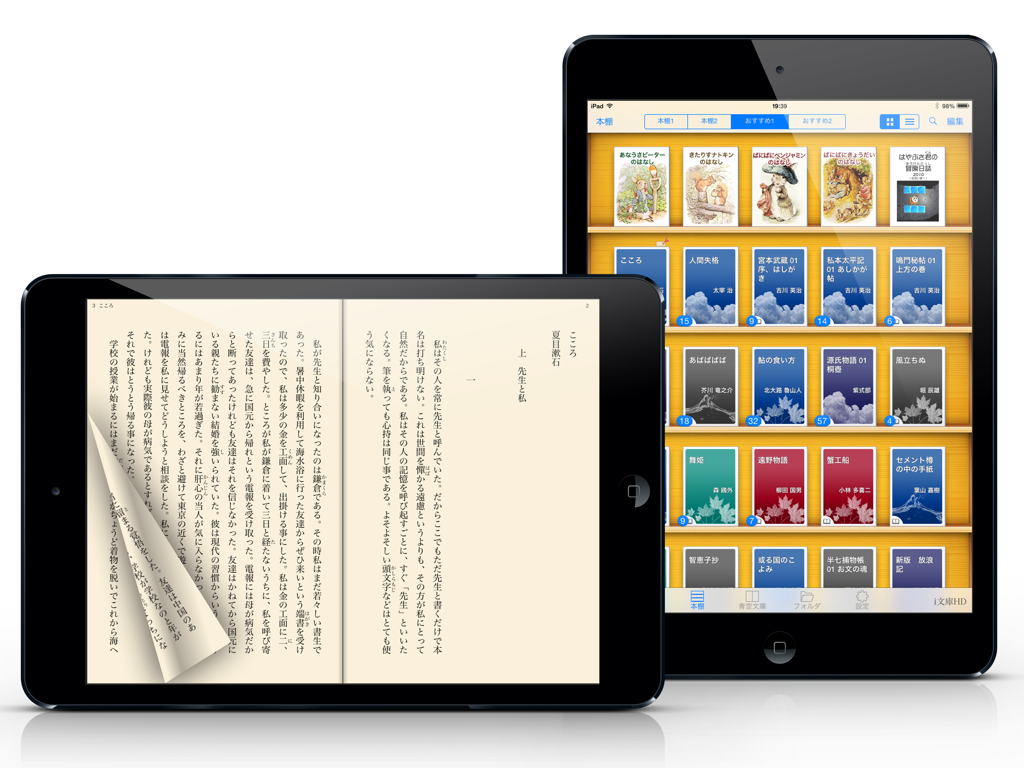
iBunkoHD - iBunkoHD 앱의 디지털 책장 및 일본어 읽기 화면.

iBunkoHD 앱의 디지털 책장 및 일본어 읽기 화면.

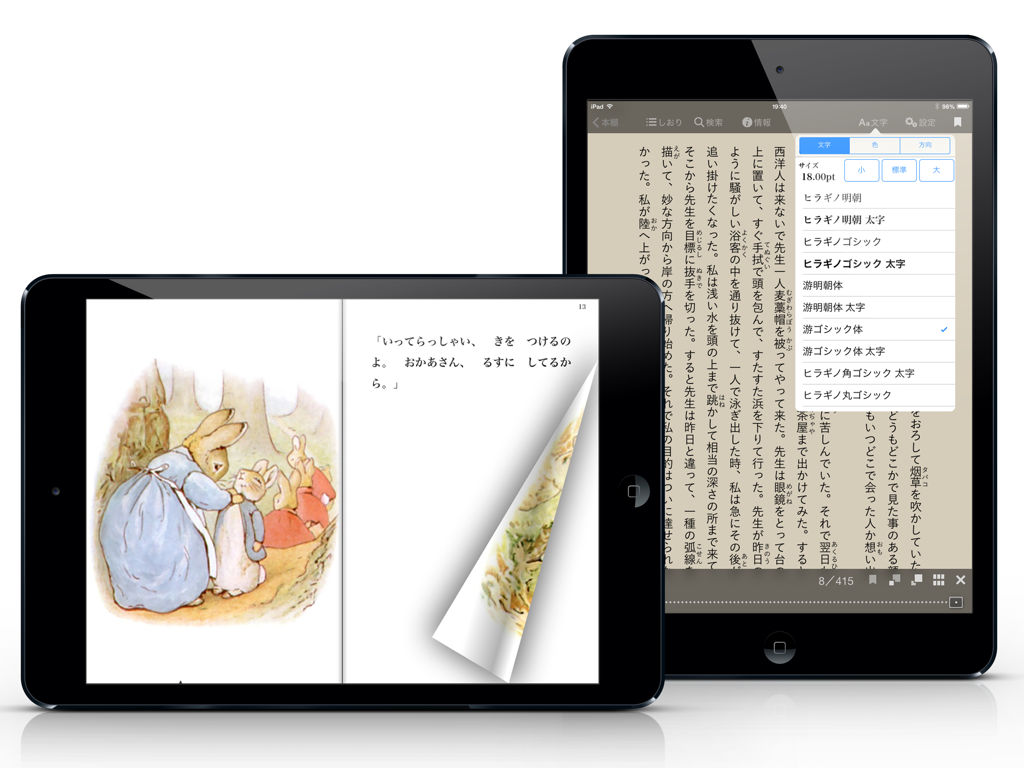
iBunkoHD - iPad에서 iBunkoHD 앱이 현실적인 페이지 넘김 애니메이션과 일본어 글꼴 설정 메뉴를 보여줍니다.
iPad에서 iBunkoHD 앱이 현실적인 페이지 넘김 애니메이션과 일본어 글꼴 설정 메뉴를 보여줍니다.

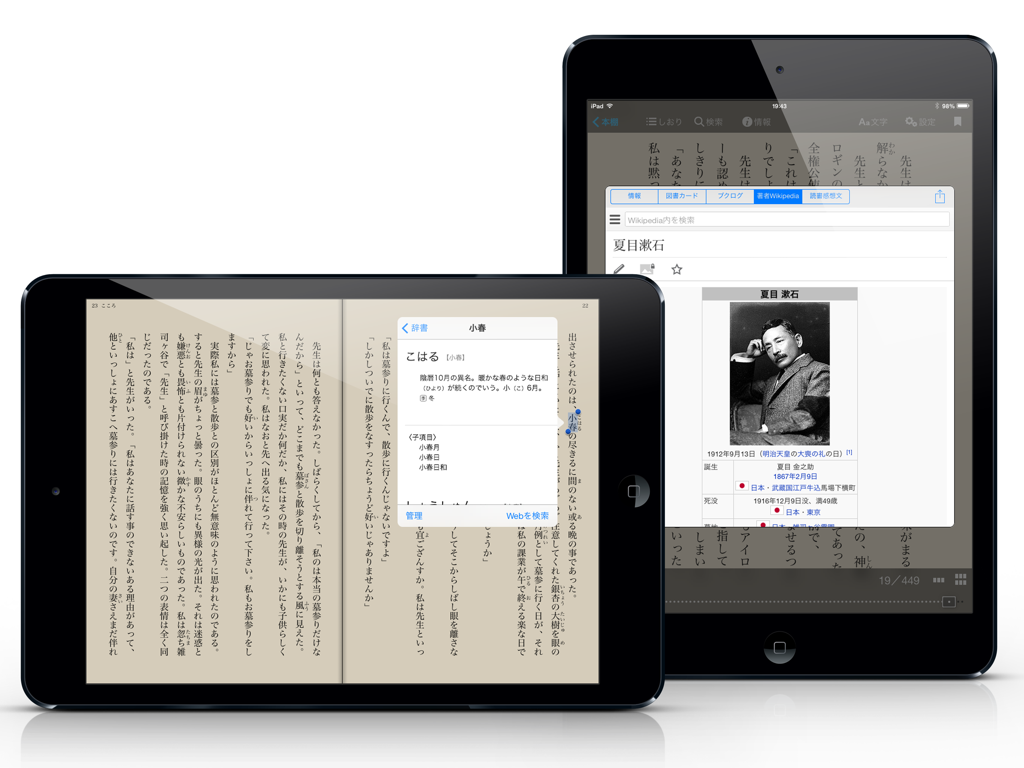
iBunkoHD - 두 개의 iPad에서 iBunkoHD 앱이 사전 팝업 및 작가 정보 창과 함께 일본어 텍스트를 보여줍니다.
두 개의 iPad에서 iBunkoHD 앱이 사전 팝업 및 작가 정보 창과 함께 일본어 텍스트를 보여줍니다.

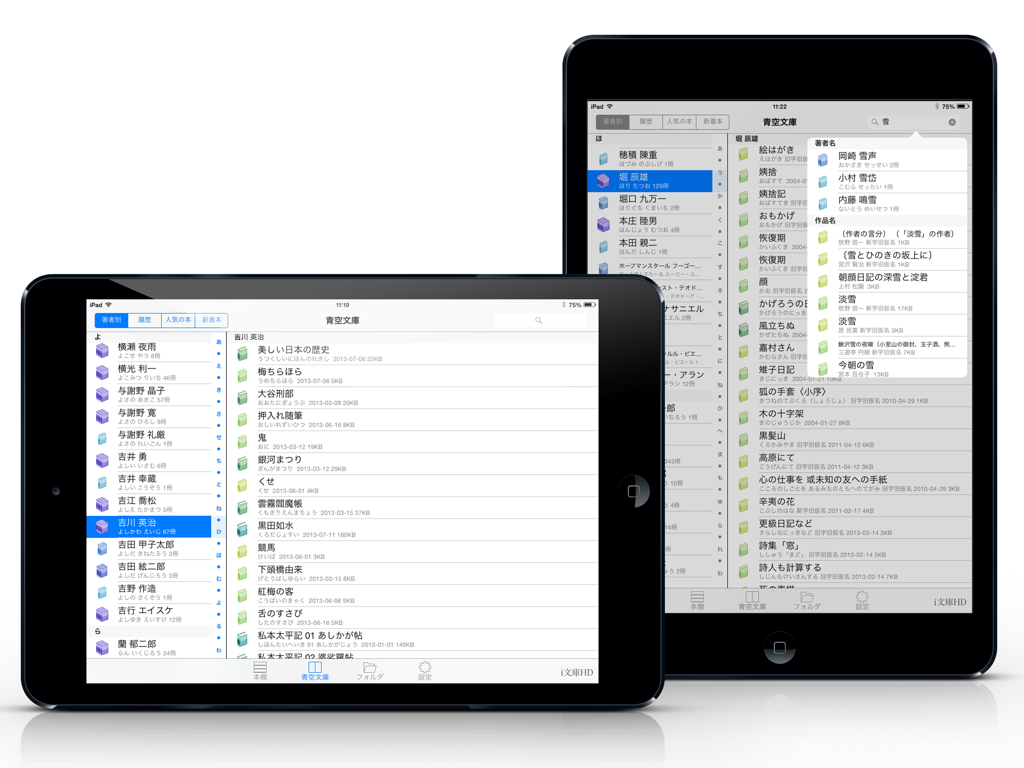
iBunkoHD - 두 개의 iPad에서 iBunkoHD 앱 인터페이스가 아오조라 문고 라이브러리의 포괄적인 일본 문학 목록을 보여줍니다.
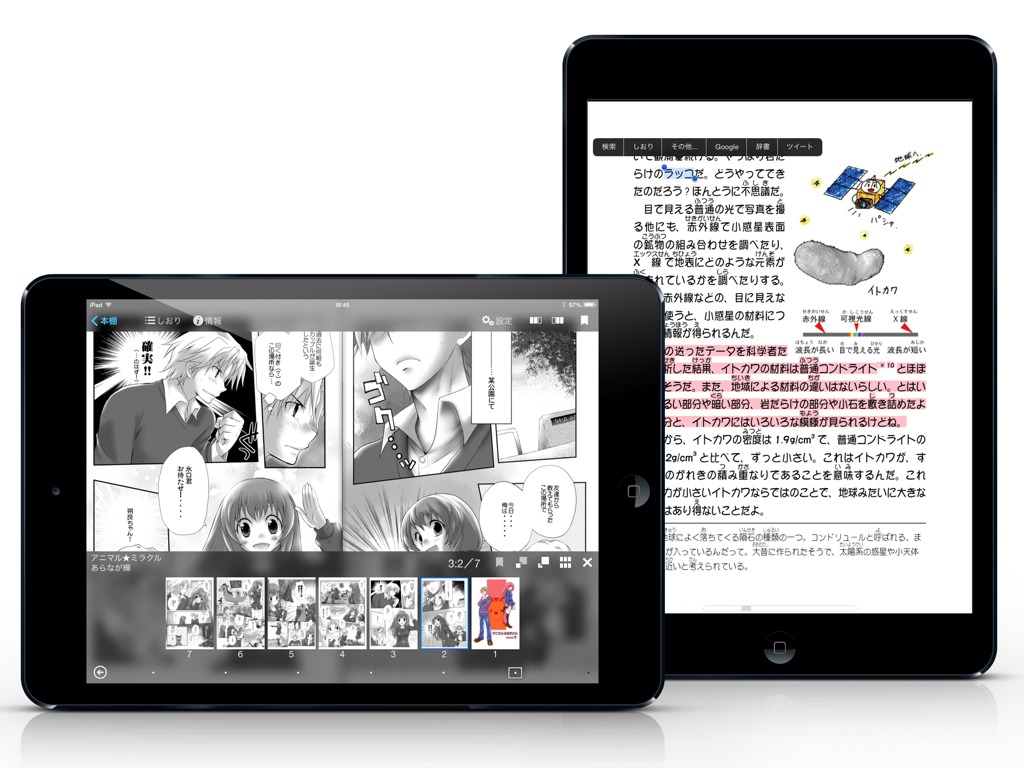
두 개의 iPad에서 iBunkoHD 앱 인터페이스가 아오조라 문고 라이브러리의 포괄적인 일본 문학 목록을 보여줍니다.

iBunkoHD - iPad에서 iBunkoHD 앱이 만화 및 일본어 텍스트 읽기 인터페이스를 보여줍니다.

iPad에서 iBunkoHD 앱이 만화 및 일본어 텍스트 읽기 인터페이스를 보여줍니다.

설명

iBunkoHD provides you the best way to read novels, documents and comic books on iPad. Thanks to a realistic interface, you can enjoy reading as you would with a real paper book. Reading on your iPad is now easier than ever! This is a great iPad app for all the book lovers! Won Good Design Award 2010 Ranked #1 in the Japanese App Store in 2010 Read books and comics in vertical setting with comfort ・Support both horizontal (left open) and vertical (right open) writings. ・The app automatically detects the binding direction of a PDF document. Double page spread and page effect ・When viewed landscape mode, the pages switch to the double page spread. The pages containing landscape format images are automatically treated as a double page spread. ・You can "flip" pages just like reading a real paper book. Feature about 230 built-in books and "Aozora Bunko" ・ You can download a book with simple controls from "Aozora Bunko", the Japanese digital library that provides copyright-free Japanese literary works. ・ The app comes with the well-known books from "Aozora Bunko". "Bookshelf" function ・Create a bookshelf as you need. ・You can easily choose a book you'd like to read by browsing the book covers displayed on the shelf. "Bookmark" function ・You can place as many bookmarks as you want and add notes on it. ・Select text as a bookmark in order to highlight the sentence. Supported file formats. iBunkoHD supports the following file formats as books: - .txt .pdf - .zip .rar (containing .txt or .jpg/.png files) - .cbz .cbr Transfer files ・Transfer the files using iTunes 'File Sharing' via the USB cable as well as via Dropbox, SkyDrive, pogoplug, Box, SugarSync. The app also supports both the WebDAV and the FTP servers. Utilize data from PDF ・Support the table of contents or hyperlinks on the file. ・Select and search words (when the data contains text). ・Using our own processing technology, app can select a Japanese words smoothly. Smart screen design removing the white space ・Eliminate unnecessary white space for better readability on the screen. Thumbnails of pages show quick reference for where you'd like to read ・List the page thumbnails at the bottom of the screen or in the full screen. ・The page with bookmarks will be attached a mark. You can also display only the page thumbnails which contain bookmarks. History back pages ・Viewed pages are saved in history so you can easily go back to the previous page. Look up words in the dictionary ・You can use the iPad's built-in dictionary as well as other dictionary apps that support custom URL schemes. ・Just select text and tap the button to look up the word. Support Bluetooth keyboards ・You can read without touching the screen by using the compatible device. Passcode lock ・You can set passcode lock on specific bookshelves or the "folder" screen that stored transferred files. Various page settings ・Available various settings such as enable/disable the flipping effect or change the position of the tap control. ・Customize your iBunkoHD to suit your own preferences! You will find many more convenient functions and settings.

Download

다운로드: App Store

이 페이지는 앱이나 개발자의 공식 페이지가 아니며, 정보 제공 및 논평을 목적으로 작성된 독립 편집 간행물입니다. 명시적으로 달리 언급되지 않는 한, 해당 앱이나 개발자는 MWM, Apple, Google Play, 앱 퍼블리셔 또는 앱 개발자와 제휴, 보증, 후원, 승인 또는 공식적으로 연결되어 있지 않으며, 이 페이지의 어떤 내용도 해당 앱이 MWM의 서비스를 사용하여 개발되었음을 의미하지 않습니다. 모든 상표, 로고, 스크린샷 및 기타 콘텐츠는 해당 소유자의 자산입니다.