iPastels
iPastels
다운로드: App Store

이 페이지는 앱이나 개발자의 공식 페이지가 아니며, 정보 제공 및 논평을 목적으로 작성된 독립 편집 간행물입니다. 명시적으로 달리 언급되지 않는 한, 해당 앱이나 개발자는 MWM, Apple, Google Play, 앱 퍼블리셔 또는 앱 개발자와 제휴, 보증, 후원, 승인 또는 공식적으로 연결되어 있지 않으며, 이 페이지의 어떤 내용도 해당 앱이 MWM의 서비스를 사용하여 개발되었음을 의미하지 않습니다. 모든 상표, 로고, 스크린샷 및 기타 콘텐츠는 해당 소유자의 자산입니다.

로고: iPastels
다운로드: App Store

iPastels

번거로움과 재료 비용 없이 소프트 파스텔과 유화의 촉각적인 아름다움을 경험해 보세요. 사실적인 번짐 효과부터 실제 같은 종이 질감까지, Apple Pencil과 손가락을 위해 디자인된 전문 도구로 모든 영감의 순간을 포착하세요.

주요 수치

다운로드

567K+

사용자 평점

4.6/5

총 평가 수

2K+

개발사

Norbyte

카테고리

Graphics & Design

지원 언어

1

최신 버전

5.6.3

크기

24.2 MB

출시일

2011년 12월 17일
기능

어디서든 파스텔의 예술을 마스터하세요

iPastels는 사실감과 편리함을 중요하게 생각하는 아티스트를 위해 특별히 디자인된 전통 매체의 촉각적인 아름다움과 디지털 혁신의 힘을 결합했습니다.

사실적인 미술 재료 시뮬레이션

Metal 기반 엔진은 놀라운 정확도로 소프트 파스텔과 오일 스틱을 모방하는 실시간 계산 브러시를 제공합니다.

자연스러운 번짐 및 혼합

Apple Pencil로 정밀하게 작업하고 손가락으로 실제 종이나 캔버스에서처럼 색상을 혼합해 보세요.

다음 스크린샷과 설명은 앱의 공식 스토어 목록에서 직접 가져온 것이며 앱 개발자의 자산입니다.

앱 스토어

스크린샷
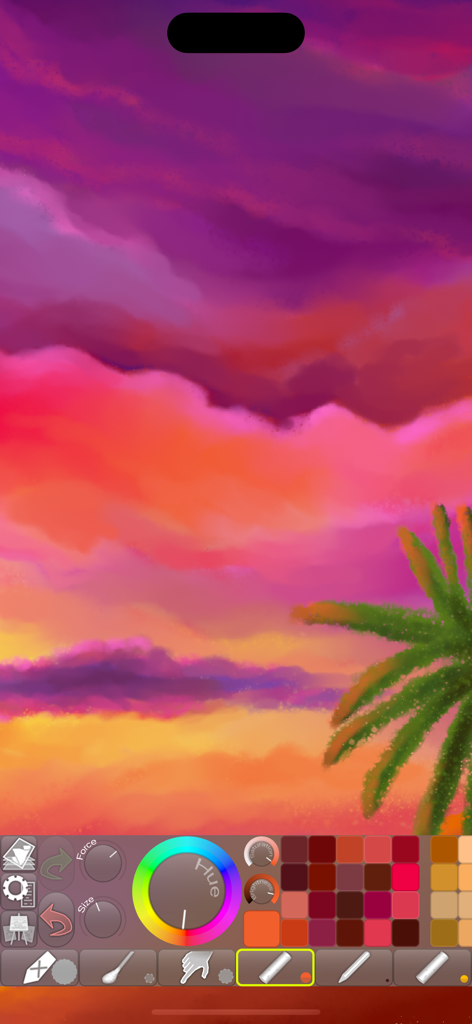
iPastels - iPastels 앱 드로잉 도구와 색상 팔레트를 사용하여 노을과 야자수를 그린 디지털 파스텔 그림.
iPastels 앱 드로잉 도구와 색상 팔레트를 사용하여 노을과 야자수를 그린 디지털 파스텔 그림.

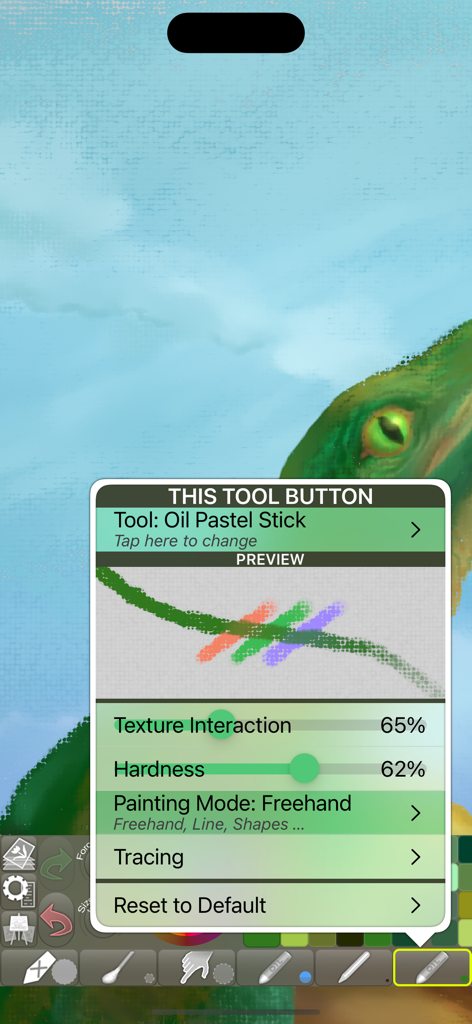
iPastels - iPastels 앱의 유화 스틱 도구 설정 인터페이스. 질감과 경도 조절 기능이 표시됩니다.
iPastels 앱의 유화 스틱 도구 설정 인터페이스. 질감과 경도 조절 기능이 표시됩니다.

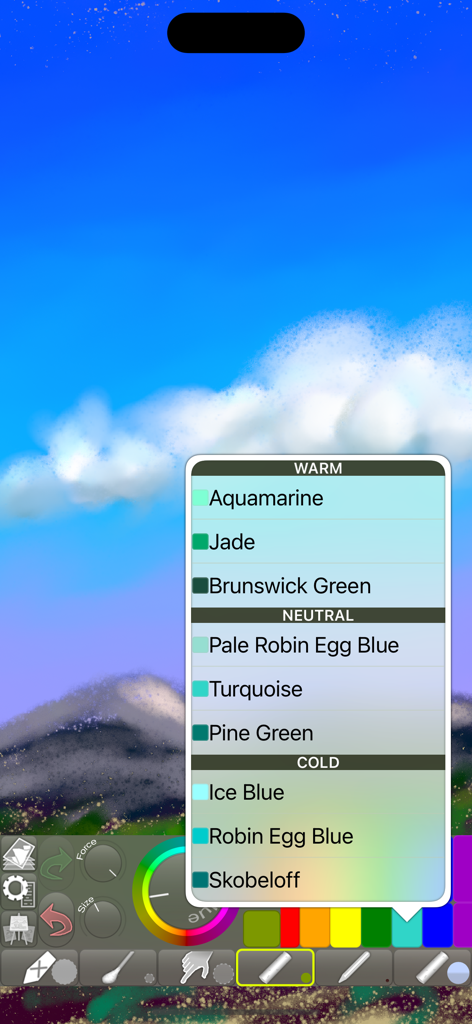
iPastels - iPastels 디지털 페인팅 인터페이스. 하늘과 산이 있는 풍경 스케치 위에 색상 선택 메뉴가 표시됩니다.
iPastels 디지털 페인팅 인터페이스. 하늘과 산이 있는 풍경 스케치 위에 색상 선택 메뉴가 표시됩니다.

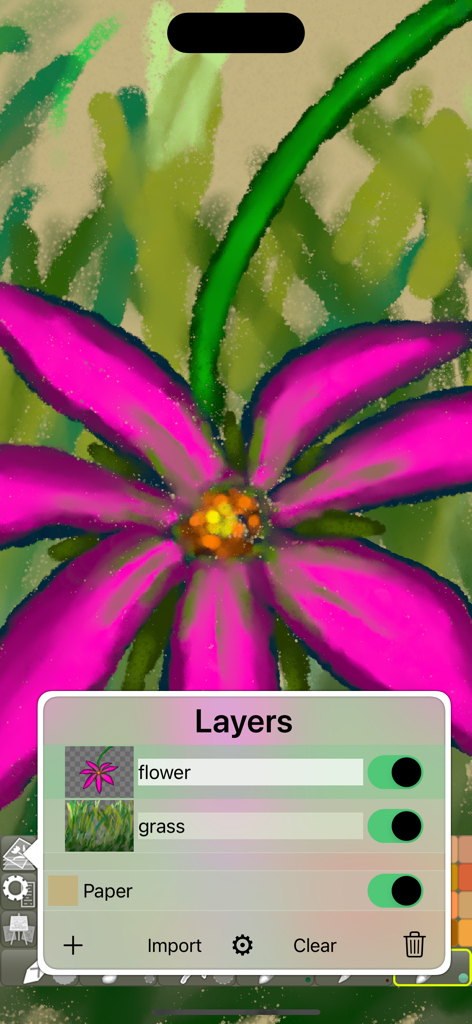
iPastels - iPastels 앱 인터페이스. 레이어 메뉴가 열린 꽃 디지털 파스텔 그림이 표시됩니다.
iPastels 앱 인터페이스. 레이어 메뉴가 열린 꽃 디지털 파스텔 그림이 표시됩니다.

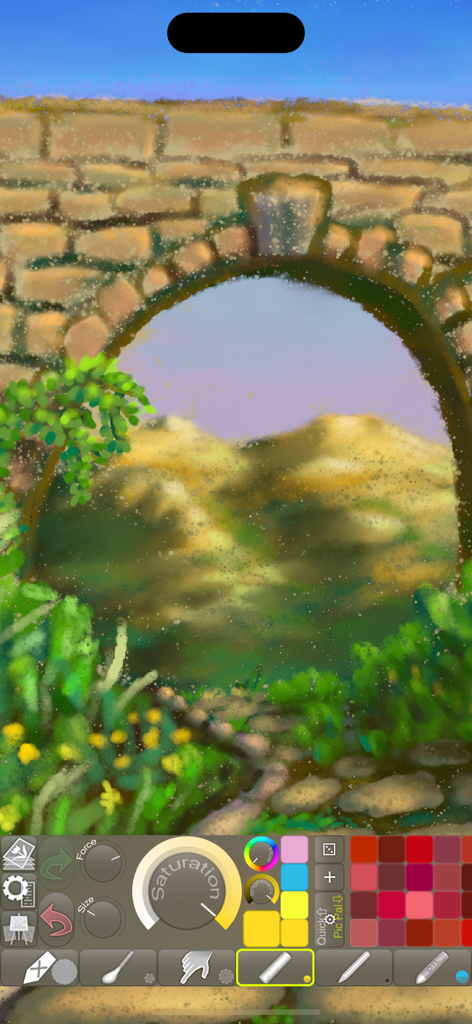
iPastels - iPastels 앱 인터페이스 내 돌 아치와 산의 디지털 파스텔 풍경 스케치.
iPastels 앱 인터페이스 내 돌 아치와 산의 디지털 파스텔 풍경 스케치.

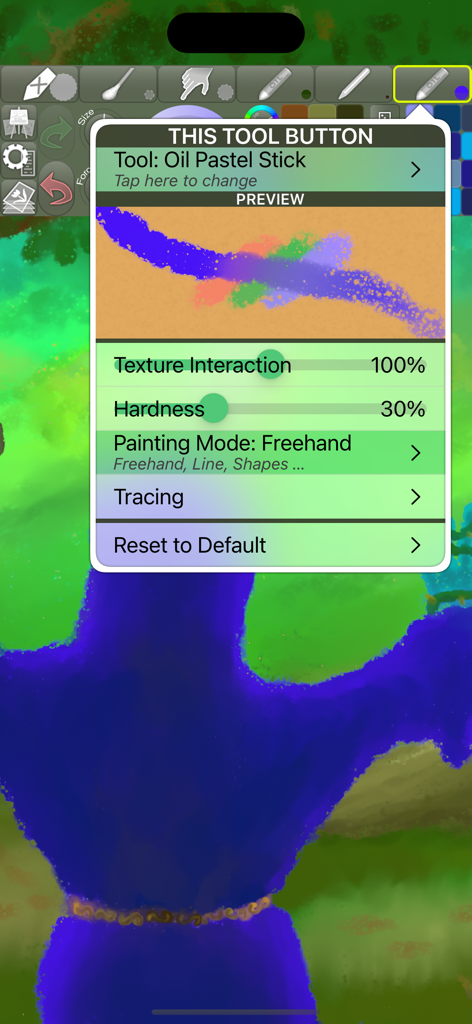
iPastels - iPastels 앱의 유화 스틱 도구 설정 메뉴. 질감과 경도 조절 기능이 표시됩니다.
iPastels 앱의 유화 스틱 도구 설정 메뉴. 질감과 경도 조절 기능이 표시됩니다.

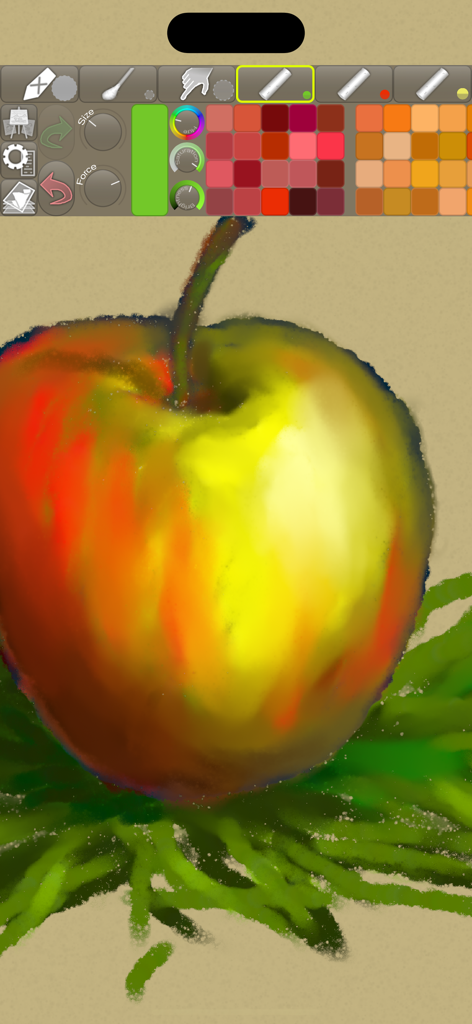
iPastels - iPastels 앱 툴바에 다양한 드로잉 도구와 색상 팔레트가 표시된 사과 디지털 파스텔 그림.
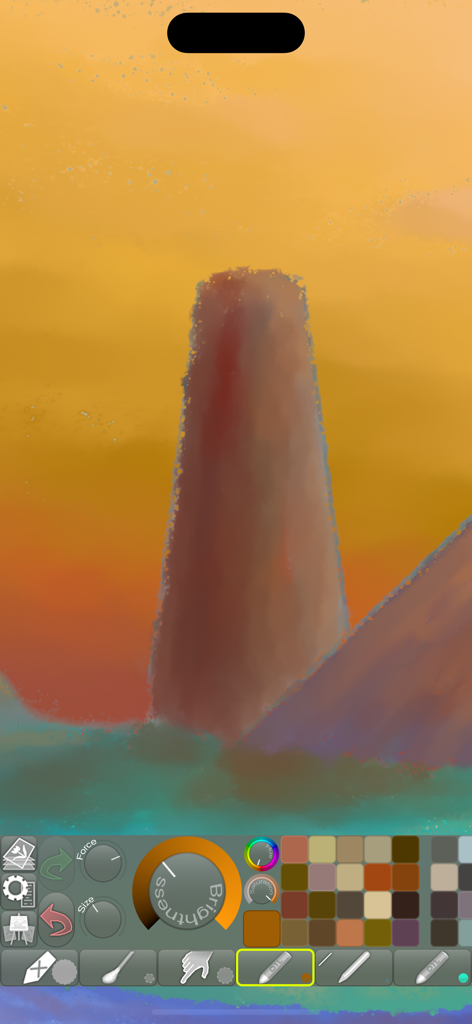
iPastels 앱 툴바에 다양한 드로잉 도구와 색상 팔레트가 표시된 사과 디지털 파스텔 그림.

iPastels - iPastels 앱 인터페이스의 디지털 풍경 그림 및 아티스트 도구
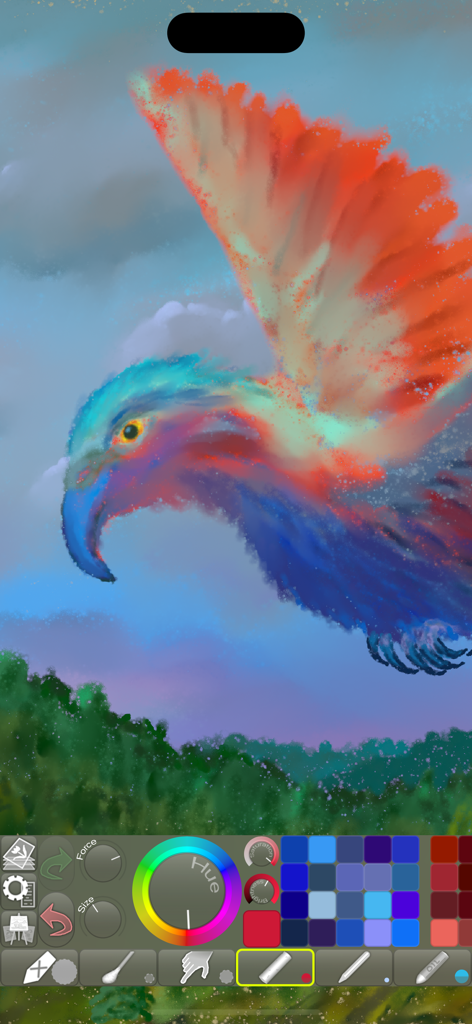
iPastels 앱 인터페이스의 디지털 풍경 그림 및 아티스트 도구

iPastels - iPastels 디지털 아트 도구와 색상 팔레트로 만든 다채로운 새 그림.
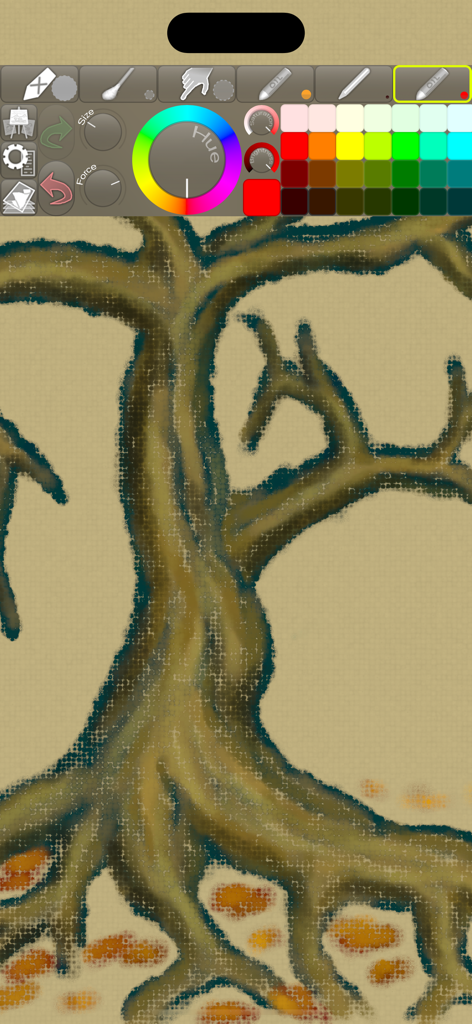
iPastels 디지털 아트 도구와 색상 팔레트로 만든 다채로운 새 그림.

iPastels - iPastels 앱 인터페이스. 파스텔 드로잉 도구와 색상환이 있는 질감 있는 나무 디지털 그림이 특징입니다.

iPastels 앱 인터페이스. 파스텔 드로잉 도구와 색상환이 있는 질감 있는 나무 디지털 그림이 특징입니다.

설명

A painting app for all artists, whether you’re experienced or just starting out. Perfect for creating beautiful works of art or a quick sketch whenever and wherever you have a burst of inspiration. You can also try out ideas and compositions before starting on a new painting in real life, or practise and refine your skills, all without the added cost of art supplies. • LIFELIKE PASTEL SIMULATION • The app features live-calculated brushes and strokes, making a realistic pastel simulation possible. Painting tools include soft pastels, oil pastels, pastel pencils, smudge tool, and more. • REALISTIC PAPER/CANVAS TEXTURES • When creating a new picture, a unique, non-repeating paper texture is generated that will interact in real-time with the live-calculated strokes you paint. You can change the default-generated texture to, for example, canvas, which goes great with oil pastels! • PRECISE COLOR BLENDING • When painting, especially with soft pastels, use Smudge or the Cotton Swab to blend and smoothen the colors right on the paper, as you would in real life. With oil pastels, in addition to smudging, the blending is often done by the pastel sticks themselves (for best results, reduce the force or use a similar or lighter color). If you use an Apple Pencil, it will feel incredibly realistic if you use the stylus to draw and use your finger to Smudge (assigned as a 2nd tool)! • FINGERTIP = STROKE SIZE • When you paint, the app measures how much of your finger is touching the screen and changes the stroke size accordingly. Apply just the corner of your fingertip for a thin line, or the whole fingerprint area for a broad stroke. A 2nd tool assigned to your finger will still use this feature, so don’t ignore it just because you have an Apple Pencil! • LEFT-HANDED? • Just swipe the toolbar over to the other side! • PARAMETERS CAN BE CHANGED LIVE • Use any buttons or controls to change/adjust color, size, force, simultaneously while painting. • UNIVERSAL PURCHASE • If you choose to buy the Pro upgrade, this one-time in-app purchase will unlock all Pro features in the app on all available platforms (iPad-iPhone-Mac)! • METAL • The engine is based on Metal, with 128-bit color and floating-point arithmetic. • SWIFT • The app was developed entirely using Swift (earlier versions used C++). • APPLE PENCIL SUPPORT • FULL SCREEN PAINTING • SEAMLESS PATTERN EDITING MODE • • DARK MODE • LANDSCAPE • PORTRAIT • WIDE COLOR • • MULTIPLE LAYERS • PHOTO TRACING MODE (Pro feature) •

Download

다운로드: App Store

이 페이지는 앱이나 개발자의 공식 페이지가 아니며, 정보 제공 및 논평을 목적으로 작성된 독립 편집 간행물입니다. 명시적으로 달리 언급되지 않는 한, 해당 앱이나 개발자는 MWM, Apple, Google Play, 앱 퍼블리셔 또는 앱 개발자와 제휴, 보증, 후원, 승인 또는 공식적으로 연결되어 있지 않으며, 이 페이지의 어떤 내용도 해당 앱이 MWM의 서비스를 사용하여 개발되었음을 의미하지 않습니다. 모든 상표, 로고, 스크린샷 및 기타 콘텐츠는 해당 소유자의 자산입니다.







