iPGMail
iPGMail
다운로드: App Store

이 페이지는 앱이나 개발자의 공식 페이지가 아니며, 정보 제공 및 논평을 목적으로 작성된 독립 편집 간행물입니다. 명시적으로 달리 언급되지 않는 한, 해당 앱이나 개발자는 MWM, Apple, Google Play, 앱 퍼블리셔 또는 앱 개발자와 제휴, 보증, 후원, 승인 또는 공식적으로 연결되어 있지 않으며, 이 페이지의 어떤 내용도 해당 앱이 MWM의 서비스를 사용하여 개발되었음을 의미하지 않습니다. 모든 상표, 로고, 스크린샷 및 기타 콘텐츠는 해당 소유자의 자산입니다.

로고: iPGMail
다운로드: App Store

iPGMail

전문가 수준의 암호화로 디지털 주권을 보호하세요. 메시지에 안전하게 서명하고, 개인 키를 관리하고, iPhone 및 iPad에서 파일을 보호하세요.

주요 수치

다운로드

314K+

사용자 평점

4.2/5

총 평가 수

1K+

개발사

Wyllys Ingersoll

카테고리

Utilities

지원 언어

3

최신 버전

2025.52.1

크기

22.7 MB

출시일

2011년 4월 15일
기능

모바일 통신 강화

iPGMail은 iPhone 및 iPad에 전문가 수준의 OpenPGP 암호화를 제공합니다. 키를 관리하고, 이메일을 보호하고, 디지털 개인 정보 보호를 위한 업계 표준으로 파일을 보호하세요.

통합 키 관리

AirDrop, Finder 또는 Keybase.io를 통해 새 키를 생성하거나 기존 데스크톱 키링을 가져와 디지털 주권을 유지하세요.

통합 보안 이메일

iOS Mail 앱에서 PGP 첨부 파일을 원활하게 처리하세요. 번거로운 복사-붙여넣기 없이 암호화된 스레드를 읽고 답장하세요.

다음 스크린샷과 설명은 앱의 공식 스토어 목록에서 직접 가져온 것이며 앱 개발자의 자산입니다.

앱 스토어

스크린샷
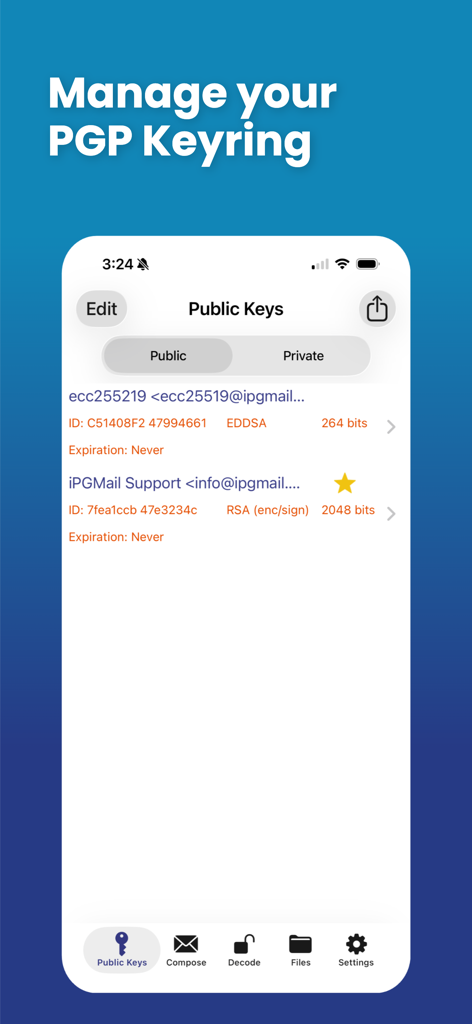
iPGMail - PGP 키링 관리 화면을 보여주는 iPGMail 인터페이스, 공개 키 목록이 표시됩니다.
PGP 키링 관리 화면을 보여주는 iPGMail 인터페이스, 공개 키 목록이 표시됩니다.

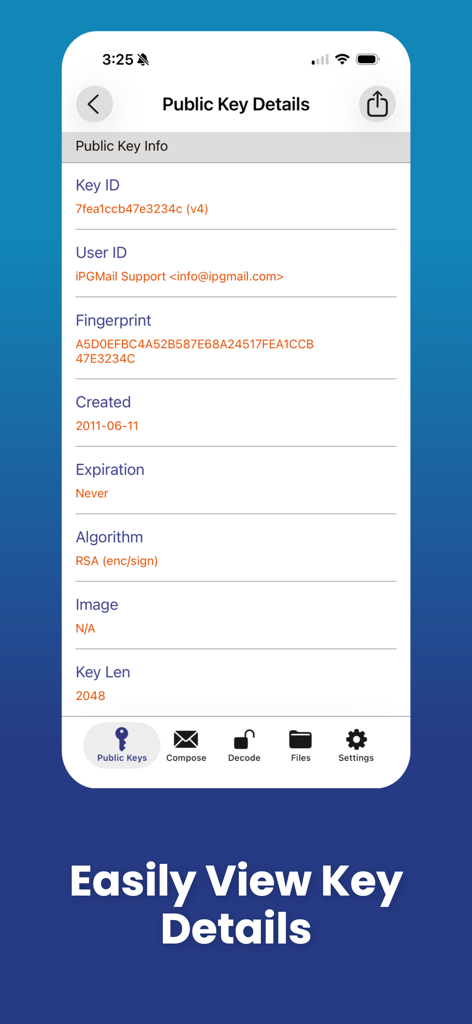
iPGMail - 키 ID, 지문, RSA 알고리즘 세부 정보 등 공개 키 정보를 보여주는 iPGMail 모바일 앱 화면
키 ID, 지문, RSA 알고리즘 세부 정보 등 공개 키 정보를 보여주는 iPGMail 모바일 앱 화면

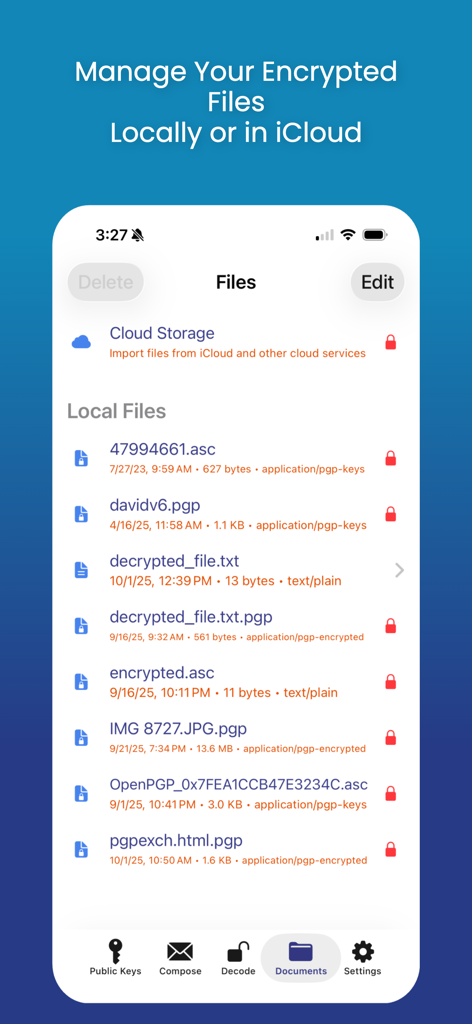
iPGMail - 암호화된 PGP 파일에 대한 로컬 및 클라우드 저장소 파일 관리를 보여주는 iPGMail 인터페이스
암호화된 PGP 파일에 대한 로컬 및 클라우드 저장소 파일 관리를 보여주는 iPGMail 인터페이스

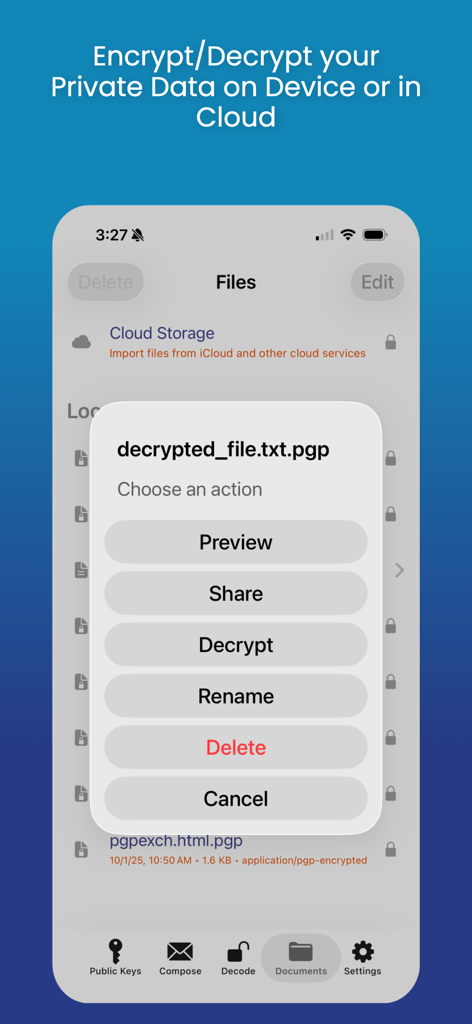
iPGMail - 모바일 장치에서 암호화된 PGP 파일 관리, 공유, 복호화 옵션이 있는 동작 메뉴를 보여주는 iPGMail 앱 인터페이스
모바일 장치에서 암호화된 PGP 파일 관리, 공유, 복호화 옵션이 있는 동작 메뉴를 보여주는 iPGMail 앱 인터페이스

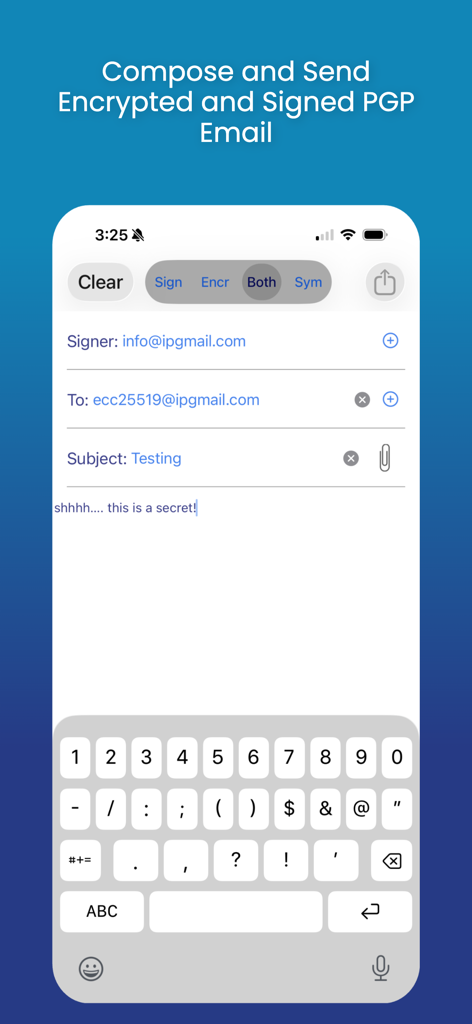
iPGMail - iPGMail에서 암호화 및 서명된 PGP 이메일을 작성하고 보내는 인터페이스
iPGMail에서 암호화 및 서명된 PGP 이메일을 작성하고 보내는 인터페이스

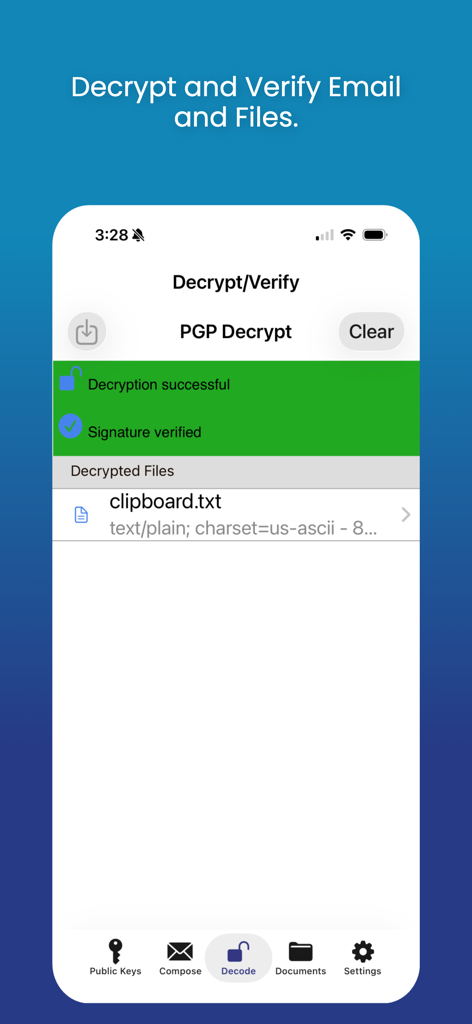
iPGMail - 파일에 대한 성공적인 PGP 복호화 및 디지털 서명 확인 메시지를 표시하는 iPGMail 앱 인터페이스
파일에 대한 성공적인 PGP 복호화 및 디지털 서명 확인 메시지를 표시하는 iPGMail 앱 인터페이스

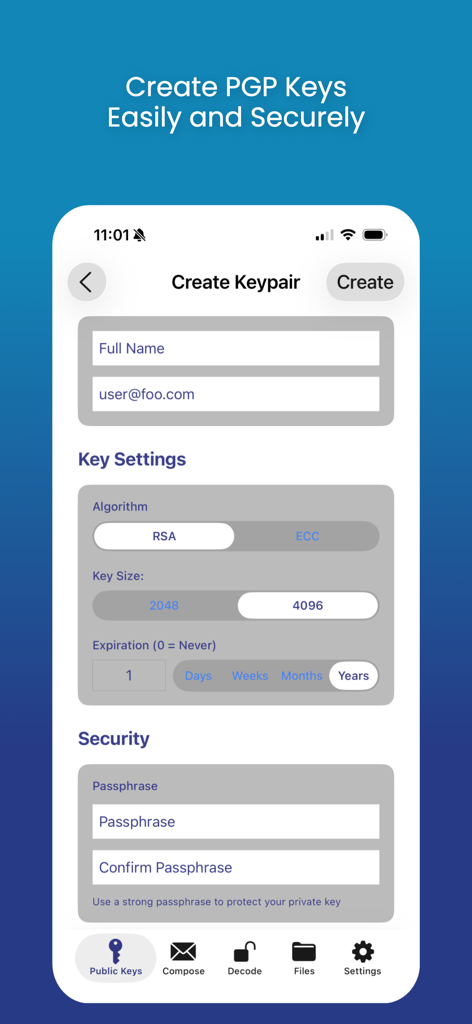
iPGMail - 알고리즘, 키 크기 및 암호 구문에 대한 설정으로 새 PGP 키 쌍을 만드는 인터페이스를 보여주는 iPGMail 앱 스크린샷
알고리즘, 키 크기 및 암호 구문에 대한 설정으로 새 PGP 키 쌍을 만드는 인터페이스를 보여주는 iPGMail 앱 스크린샷

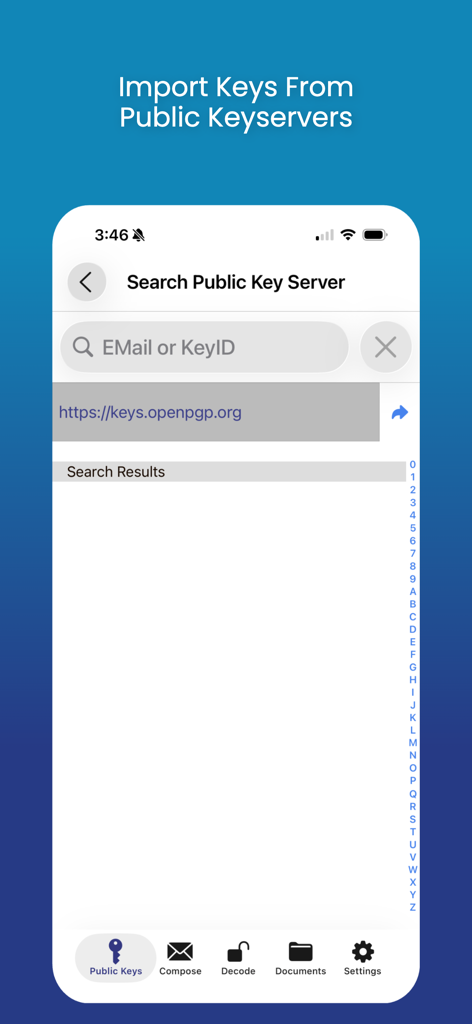
iPGMail - 공개 키 서버에서 PGP 키를 가져오기 위한 검색 화면을 보여주는 iPGMail 앱 인터페이스

공개 키 서버에서 PGP 키를 가져오기 위한 검색 화면을 보여주는 iPGMail 앱 인터페이스

설명

iPGMail makes PGP encryption easy for iOS users. It offers an intuitive interface that enables users to easily send and receive private PGP encrypted messages via email. The app also allows you to encrypt and decrypt files both locally or cloud based. It supports the OpenPGP standard (RFC 9580, RFC 6637) and allows the user to create and manage both public and private (RSA, DSA, ECDSA, EDDSA, ECDH) PGP keys and send and receive PGP encrypted messages. PGP Keys and Messages can be passed to iPGMail several ways: * From the iOS Mail.app - The iOS mail application will pass PGP attachments to iPGMail directly, eliminating the need to do an awkward copy-and-paste. NOTE: PGP messages that are part of the main body of an email will still have to be copy-and-pasted, only properly tagged attachments can be passed automatically. * Directly from the system clipboard. Copy-and-paste the PGP message text from any file, webpage, or message, and it can be imported and decrypted by the app. * Finder App - Connect your device to a Mac and open up the standard Finder app. Select the device on the left and then you can copy files to and from the app using standard Finder actions. * AirDrop - Transfer key files from your Mac OS/X system (10.10 or later) to your iPhone/iPad (iOS 7+) using AirDrop feature. * DropBox - You can link iPGMail to a dropbox account and transfer files to and from your dropbox file space. This means you can encrypt and protect your dropbox files or share files with others through your existing dropbox Public interface. * Keybase.IO - You can import public keys from http://keybase.io by using the "+" button on the public key listing and then searching for users registered in keybase.io. iPGMail now allows you to easily reply to encrypted text-based messages and includes the original text with "> " prefixed to the lines. This allows for more email like conversational exchanges, all with strong OpenPGP cryptographic protection. iPGMail supports PGP key generation or import. The key database is secured using the highest level of iOS file protection and are only accessible when in use by the app. Using your own private PGP keys, you can encrypt and/or digitally sign any messages. Optionally, your public key can be attached to any message you send from the app so that the recipient can then import it into their own keychain, either on the phone or on any computer with PGP support. iPGMail will import your private keys so you can reuse your existing PGP identity and keys on your iPhone or iPad. Both public and private keys can be imported through the interfaces listed above. iPGMail allows the user to search public SKS PGP keyservers to find registered public keys for other people with whom the user can then send email that is digitally signed and/or encrypted encoded in OpenPGP ASCII Armor. This app is ideal for securing your files or for sending secure email messages to specific parties without worrying about it being viewed by anyone other than the designated recipient. The OpenPGP standard is described here: http://en.wikipedia.org/wiki/Pretty_Good_Privacy

Download

다운로드: App Store

이 페이지는 앱이나 개발자의 공식 페이지가 아니며, 정보 제공 및 논평을 목적으로 작성된 독립 편집 간행물입니다. 명시적으로 달리 언급되지 않는 한, 해당 앱이나 개발자는 MWM, Apple, Google Play, 앱 퍼블리셔 또는 앱 개발자와 제휴, 보증, 후원, 승인 또는 공식적으로 연결되어 있지 않으며, 이 페이지의 어떤 내용도 해당 앱이 MWM의 서비스를 사용하여 개발되었음을 의미하지 않습니다. 모든 상표, 로고, 스크린샷 및 기타 콘텐츠는 해당 소유자의 자산입니다.








