iSetting-Lock App & Hide App
다운로드: App Store

이 페이지는 앱이나 개발자의 공식 페이지가 아니며, 정보 제공 및 논평을 목적으로 작성된 독립 편집 간행물입니다. 명시적으로 달리 언급되지 않는 한, 해당 앱이나 개발자는 MWM, Apple, Google Play, 앱 퍼블리셔 또는 앱 개발자와 제휴, 보증, 후원, 승인 또는 공식적으로 연결되어 있지 않으며, 이 페이지의 어떤 내용도 해당 앱이 MWM의 서비스를 사용하여 개발되었음을 의미하지 않습니다. 모든 상표, 로고, 스크린샷 및 기타 콘텐츠는 해당 소유자의 자산입니다.


로고: iSetting-Lock App & Hide App
다운로드: App Store

iSetting-Lock App & Hide App

스마트 지오펜싱, 앱 위장 및 고급 제한 기능으로 기기를 완벽하게 제어하세요. 학교에서 자녀의 집중력을 확보하거나 개인 정보 보호를 강화하려는 경우, iSetting은 최고의 보안 및 디지털 웰빙 기능을 제공합니다.

주요 수치

다운로드

5K+

사용자 평점

4.5/5

총 평가 수

200

개발사

巨 林

카테고리

Utilities

지원 언어

2

최신 버전

1.0.0

크기

6.3 MB

출시일

2024년 12월 16일
기능

디지털 환경을 완벽하게 제어하세요

iSetting은 자동 앱 제한, 개인 정보 보호 강화, 무단 기기 변경 방지를 위한 정밀 도구를 부모와 전문가에게 제공합니다.

스마트 위치 및 시간 자동화

고급 지오펜싱 및 사용자 지정 예약을 사용하여 학교 구역에 진입하거나 취침 시간에 방해가 되는 앱을 자동으로 비활성화합니다.

스텔스 모드 및 앱 위장

홈 화면에서 민감한 앱을 숨기거나 계산기 스타일 아이콘을 사용하여 개인 생활을 안전하게 보호하고 호기심 많은 눈으로부터 완전히 보이지 않게 합니다.

다음 스크린샷과 설명은 앱의 공식 스토어 목록에서 직접 가져온 것이며 앱 개발자의 자산입니다.

앱 스토어

스크린샷
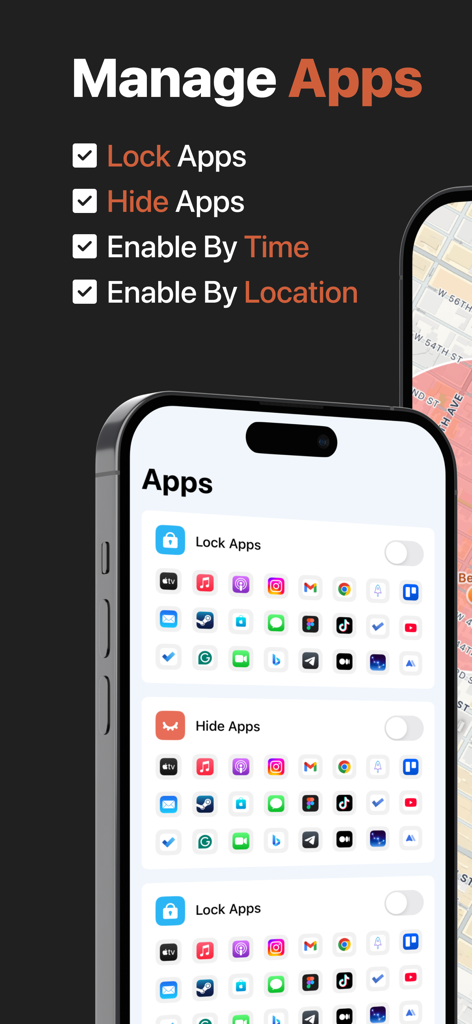
iSetting-Lock App & Hide App - 시간 및 위치 설정을 사용하여 모바일 애플리케이션을 잠그고 숨기는 옵션을 보여주는 앱 인터페이스
시간 및 위치 설정을 사용하여 모바일 애플리케이션을 잠그고 숨기는 옵션을 보여주는 앱 인터페이스

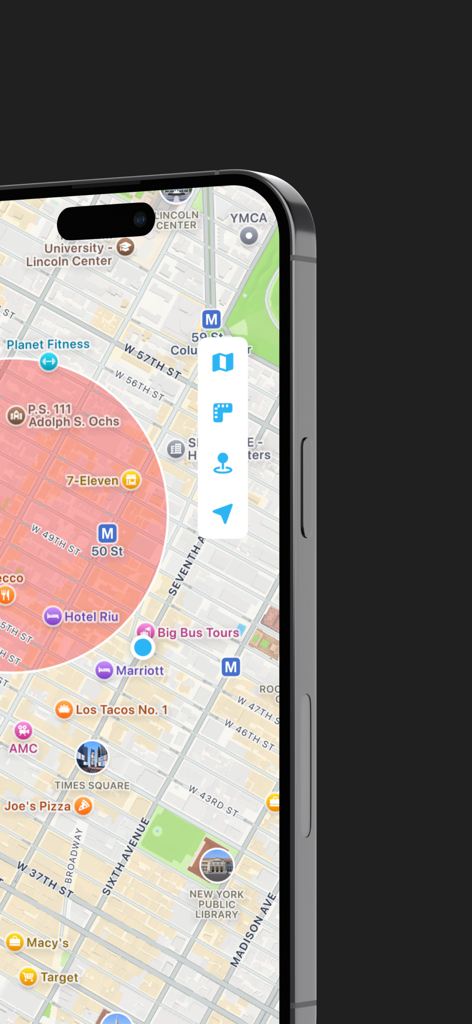
iSetting-Lock App & Hide App - 자동 앱 잠금 및 자녀 보호 기능을 위한 빨간색 지오펜스 원을 보여주는 스마트폰 지도 표시
자동 앱 잠금 및 자녀 보호 기능을 위한 빨간색 지오펜스 원을 보여주는 스마트폰 지도 표시

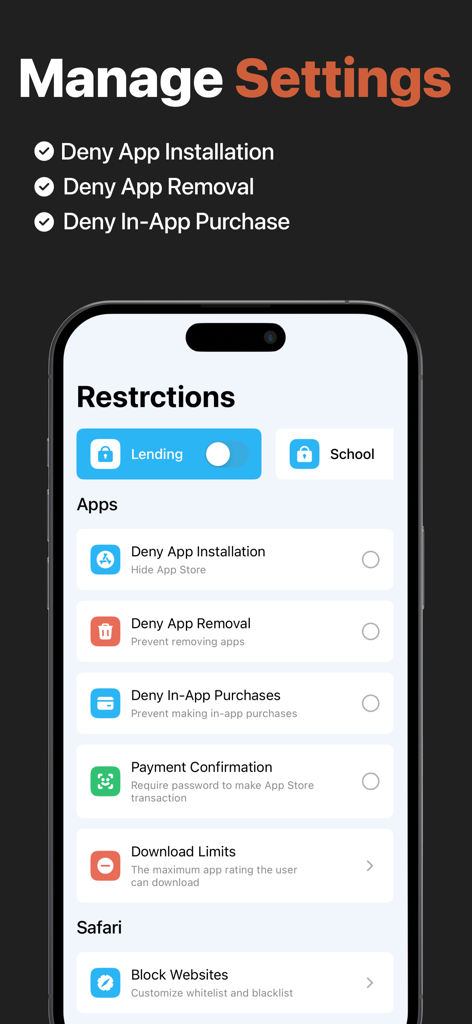
iSetting-Lock App & Hide App - 앱 설치 제거 및 인앱 구매에 대한 제한 사항을 보여주는 모바일 앱 인터페이스
앱 설치 제거 및 인앱 구매에 대한 제한 사항을 보여주는 모바일 앱 인터페이스

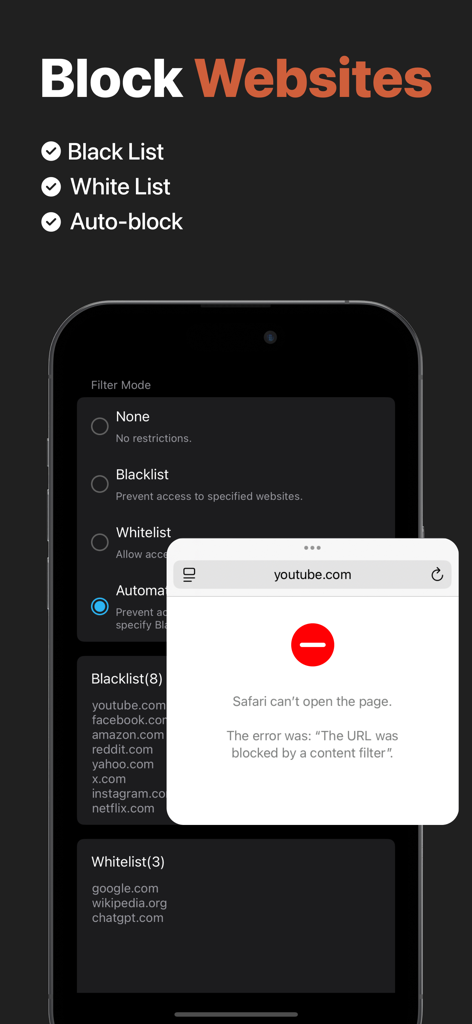
iSetting-Lock App & Hide App - 웹사이트 차단 설정과 Safari에서 차단된 URL 알림을 보여주는 인터페이스
웹사이트 차단 설정과 Safari에서 차단된 URL 알림을 보여주는 인터페이스

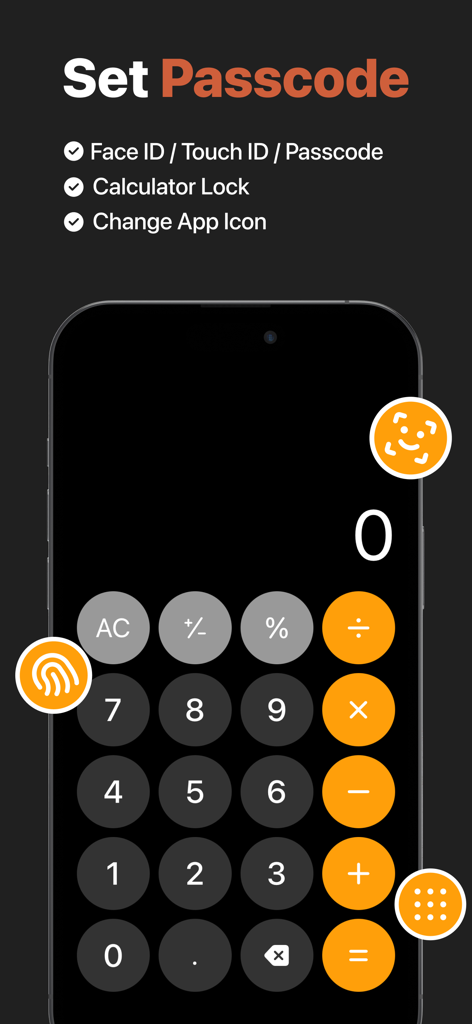
iSetting-Lock App & Hide App - 앱 잠금 및 보안 설정용 계산기 위장 인터페이스

앱 잠금 및 보안 설정용 계산기 위장 인터페이스

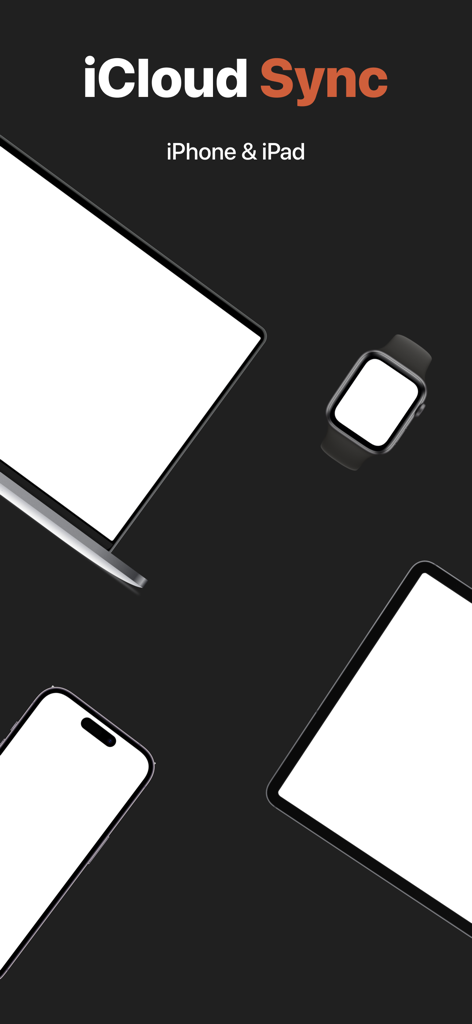
iSetting-Lock App & Hide App - iPhone, iPad 및 기타 Apple 장치 간의 호환성을 보여주는 iCloud 동기화 기능 일러스트

iPhone, iPad 및 기타 Apple 장치 간의 호환성을 보여주는 iCloud 동기화 기능 일러스트

설명

iSetting is an app management and permission setting tool, suitable for individuals and parents to manage device usage and protect personal privacy and security. 【App Management】 Supports adding multiple configurations, which can be enabled with one click when needed. Main features: - Lock Apps: Prevent the use of specific apps or all apps. - Hide Apps: Hide specific apps from the device. 【Geofencing】 Automatically locks (or hides) apps when entering or leaving a specified area. Example scenarios: - Automatically lock (or hide) gaming apps on the device when entering school. - Automatically unlock (or restore) apps when returning home. 【Time Window】 Automatically locks (or hides) apps during a specified time period. Example scenarios: - Automatically lock all apps between 10:00 PM and 06:00 AM to avoid staying up late. 【Device Management】 Manage device permissions to help users restrict device access in specific scenarios. Main features: - Deny App Installation: Hide App Store. - Deny App Removal: Prevent removing apps. - Deny In-App Purchases: Prevent making in-app purchases. - Payment Confirmation: Require password to make App Store transaction. - Download Limits: The maximum app rating the user can download. - Lock Accounts: Prevent changing iCloud account. - Lock Passcode: Prevent changing passcode. - Require Automatic Date: Prevent changing date and time. - Deny Siri: Prevent access to Siri. - Deny Auto Fill: Disable Safari’s AutoFill feature. - Block Websites: Customize whitelist and blacklist. - Lock eSIM: Prevent changing eSIM settings. - Lock Cellular Plan: Prevent changing cellular plan. - Lock App Cellular Data: Prevent changing cellular data settings. - Deny Music Service: Prevent accessing Apple Music’s streaming content. - Deny Explicit Content: Prevent accessing explicit content. - Deny Erotic Books: Prevent accessing media with an erotica tag in the Bookstore. - Deny Adding Friends: Prevent adding Game Center friends. - Deny Multiplayer Gaming: Prevent joining Game Center multiplayer games. 【Lock Protection】 The app supports lock protection to prevent unauthorized changes to your settings. - Face ID. - Touch ID. - Password. 【App Camouflage】 - Supports a calculator-style lock screen interface. - Supports changing to a calculator-style icon. 【Data Sync】 The app supports syncing configuration data and preferences across devices. Enable iCloud to automatically sync data. 【Terms of Service】 https://www.yuque.com/progress_tutorial/enrt8z/gd2dh62v9rqfetz5 【Privacy Policy】 The app does not collect or share any user information, and your privacy is protected by Apple. https://www.yuque.com/progress_tutorial/enrt8z/tx43ar5z8l1ra0vt 【Contact Us】 You can send feedback via the 「Settings - Feedback」in the app, or leave your suggestions in the App Store.

Download

다운로드: App Store

이 페이지는 앱이나 개발자의 공식 페이지가 아니며, 정보 제공 및 논평을 목적으로 작성된 독립 편집 간행물입니다. 명시적으로 달리 언급되지 않는 한, 해당 앱이나 개발자는 MWM, Apple, Google Play, 앱 퍼블리셔 또는 앱 개발자와 제휴, 보증, 후원, 승인 또는 공식적으로 연결되어 있지 않으며, 이 페이지의 어떤 내용도 해당 앱이 MWM의 서비스를 사용하여 개발되었음을 의미하지 않습니다. 모든 상표, 로고, 스크린샷 및 기타 콘텐츠는 해당 소유자의 자산입니다.