Juxtaposer: cut, combine, edit

Juxtaposer: cut, combine, edit

다운로드: App Store
로고: Juxtaposer: cut, combine, edit

Juxtaposer: 초현실적인 아트워크와 재미있는 사진 합성 제작

전문가 수준의 정밀도를 활용하여 사진을 자르고, 결합하고, 리믹스하세요. AI 기반 자르기부터 40MP 내보내기까지, 당신의 가장 기발한 아이디어를 고해상도 현실로 만드세요.

개발사

Pocket Pixels Inc.

카테고리

Photo & Video

다운로드

436K+

사용자 평점

4.7/5

총 평가 수

20K+

지원 언어

1

몽타주 마스터하기

이 인터페이스를 사용하는 436K+ 명의 사용자.

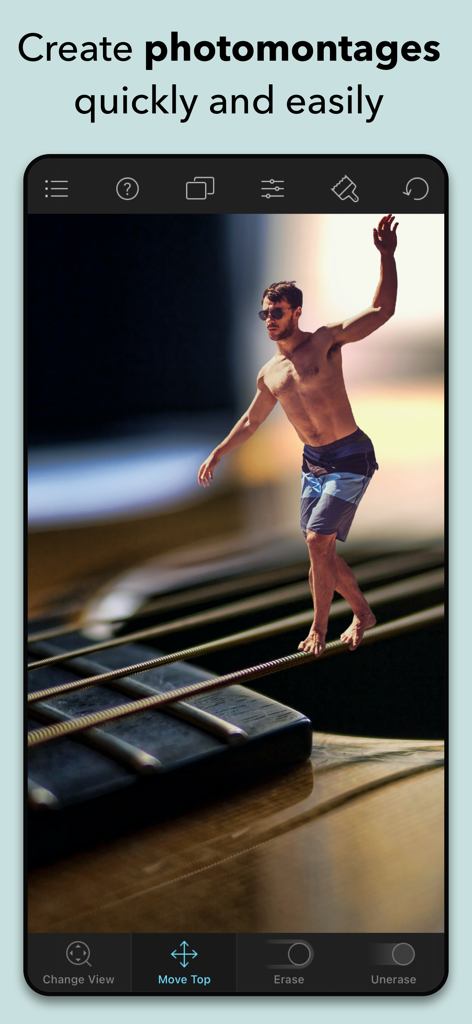
Juxtaposer 앱으로 만든 기타 줄 위를 걷는 남자의 초현실적인 사진 몽타주
Juxtaposer 앱으로 만든 기타 줄 위를 걷는 남자의 초현실적인 사진 몽타주

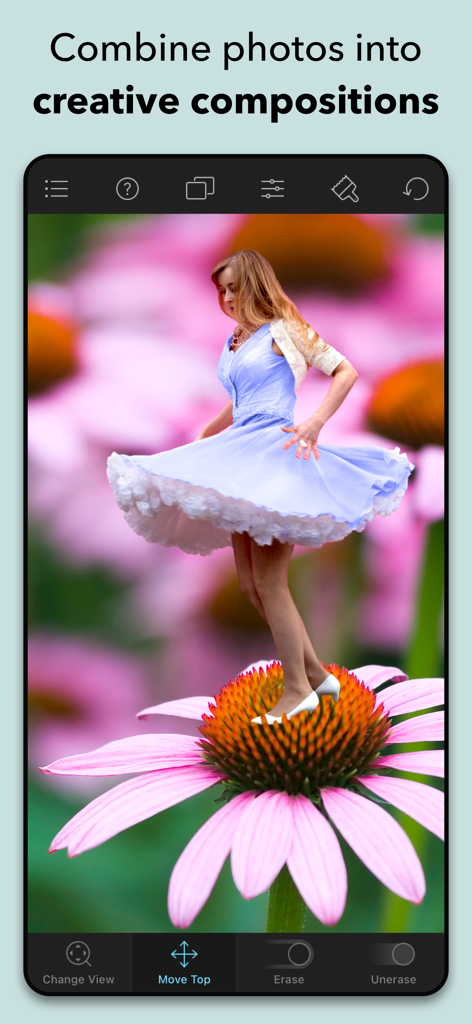
Juxtaposer 앱을 사용하여 핑크색 꽃 위에서 춤추는 파란 드레스의 여성
Juxtaposer 앱을 사용하여 핑크색 꽃 위에서 춤추는 파란 드레스의 여성

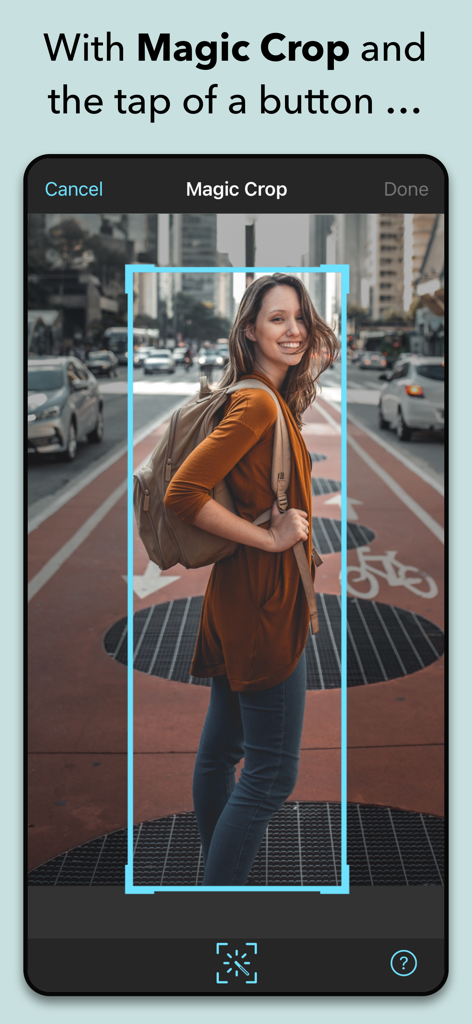
Juxtaposer 앱 인터페이스에 매직 컷 도구가 거리 사진에서 여성의 인물을 자동으로 선택하여 잘라내는 모습
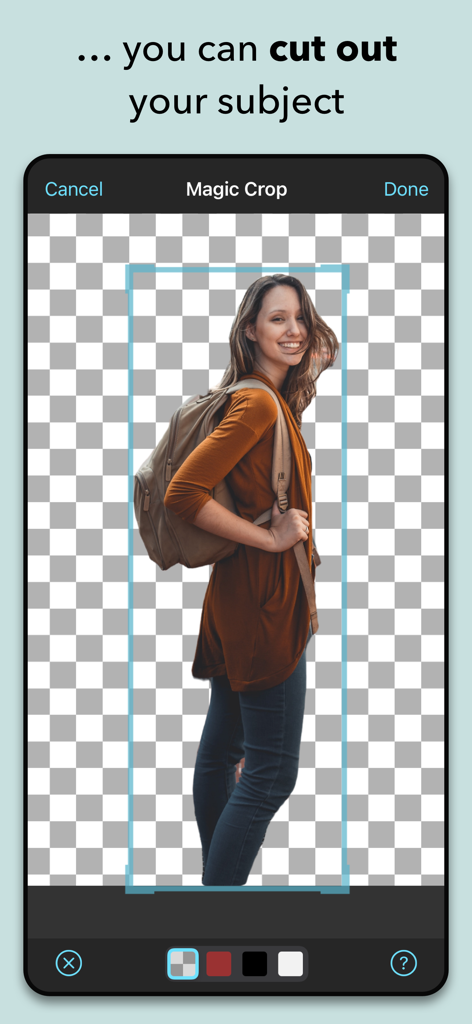
Juxtaposer 앱 인터페이스에 매직 컷 도구가 거리 사진에서 여성의 인물을 자동으로 선택하여 잘라내는 모습

Juxtaposer 앱 매직 컷 기능으로 사진에서 사람을 잘라내는 모습
Juxtaposer 앱 매직 컷 기능으로 사진에서 사람을 잘라내는 모습

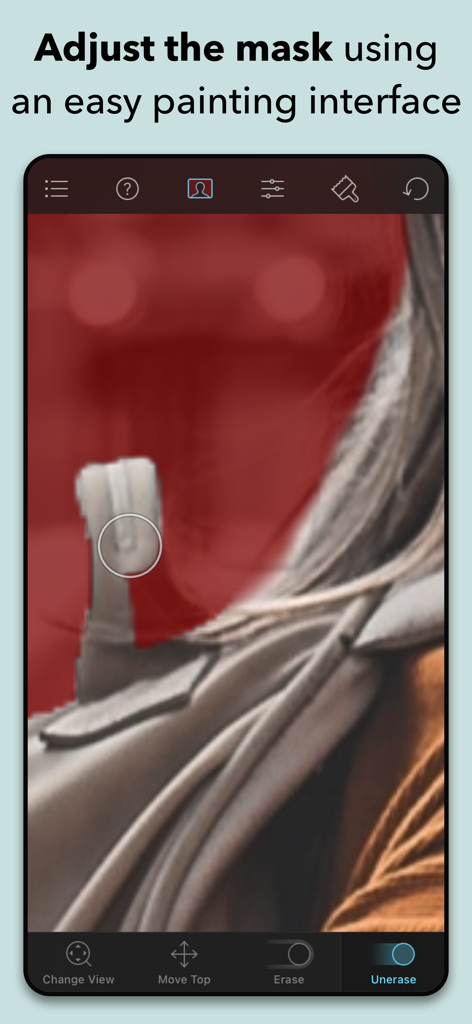
Juxtaposer 페인팅 인터페이스로 사진 선택 마스크 조정 중
Juxtaposer 페인팅 인터페이스로 사진 선택 마스크 조정 중

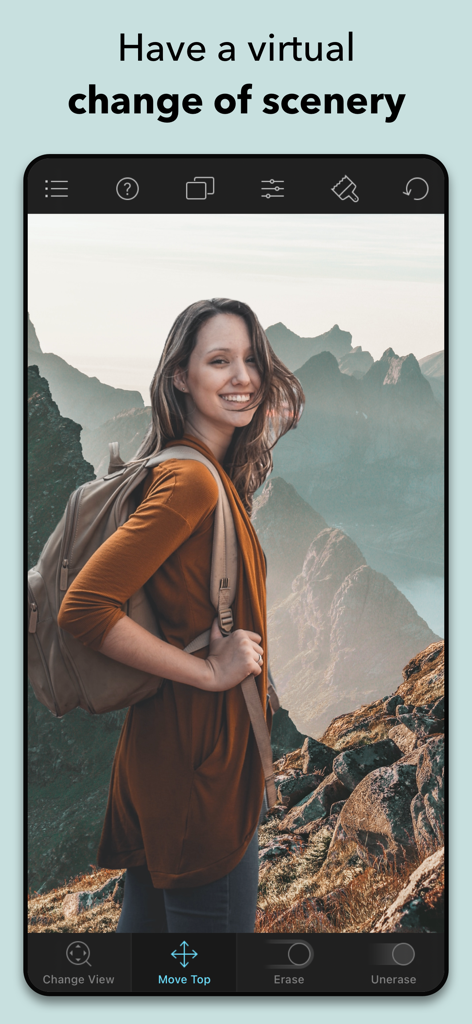
Juxtaposer 모바일 앱 화면으로 여성 등산객이 산악 풍경 배경에 편집된 모습
Juxtaposer 모바일 앱 화면으로 여성 등산객이 산악 풍경 배경에 편집된 모습

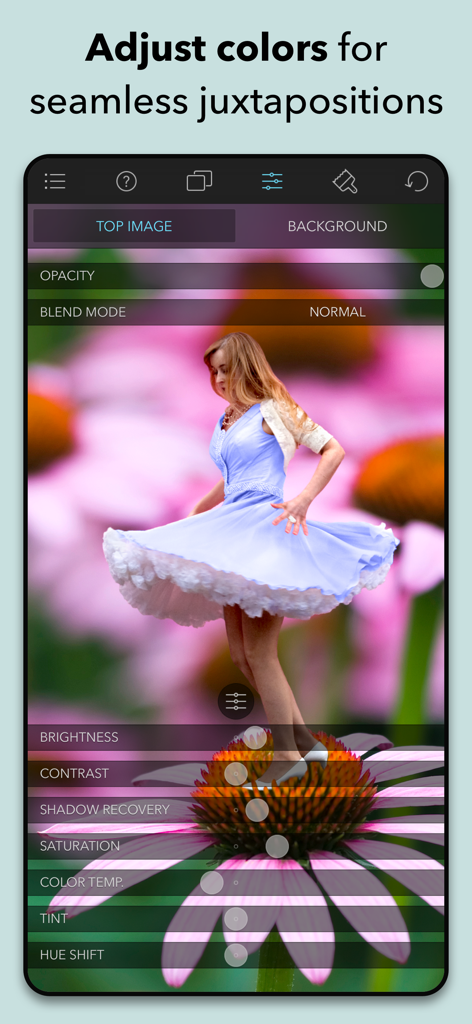
사진 몽타주에 대한 색상 및 조명 조정 도구를 보여주는 Juxtaposer 앱 스크린샷
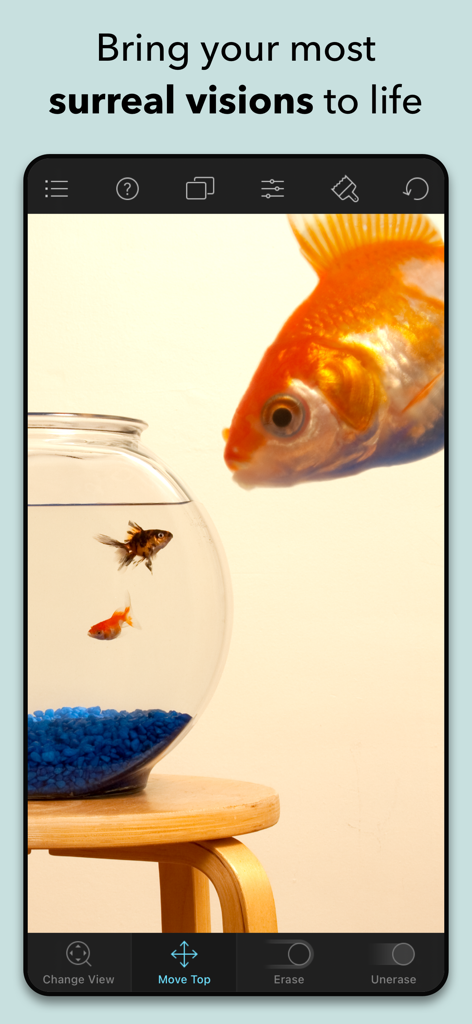
사진 몽타주에 대한 색상 및 조명 조정 도구를 보여주는 Juxtaposer 앱 스크린샷

Juxtaposer 앱 인터페이스를 사용하여 만든 거대한 금붕어가 어항을 들여다보는 초현실적인 사진 몽타주

Juxtaposer 앱 인터페이스를 사용하여 만든 거대한 금붕어가 어항을 들여다보는 초현실적인 사진 몽타주

몇 초 만에 불가능을 만드세요

이 앱을 돋보이게 하는 도구, 436K+ 명의 사용자가 선택.

🪄

AI 기반 매직 컷

지루한 추적은 건너뛰세요. 당사의 머신러닝 모델은 피사체를 즉시 식별하고 잘라내어 리믹스에 집중할 수 있도록 합니다.

🔍

전문가급 픽셀 정밀도

레드 마스크 투명도와 줌 레벨 정확도로 40MP 이상의 해상도에서 작업하세요. 가장 큰 화면에서도 작품은 선명하게 유지됩니다.

📁

나만의 스탬프 라이브러리

최고의 잘라낸 부분을 재사용 가능한 스탬프로 저장하세요. 새로운 프로젝트에 리믹스하거나 투명 PNG로 공유할 요소를 컬렉션으로 만드세요.

앱 소개

에 대해 알아야 할 모든 것 Juxtaposer: cut, combine, edit.

설명

Juxtaposer lets you combine multiple pictures into creative and fun photomontages quickly and easily. Take any element from one picture and add it to another. Remix your pets into a mythical creature, swap a statue's head with your friend's, or combine photos into surreal and beautiful works of art. Juxtaposer has the power and features of a professional creative tool, but is simple to use and just as importantly, it's fun! Features: - Short tutorial videos will turn you into a photomontage artist in no time. - The new Magic Crop feature makes it super fast and easy to cut something out of your top image, thanks to a powerful Machine Learning model. - Your composite images are exported at the full resolution of the background image, even if it's huge (40 MP+)! - The image adjustment tools let you match your images' color and lighting, and fine-tune the look of your creation. - Zoom in to work on fine details with pixel-level accuracy. - Add elements from as many photos as you like to your background image. - Load photos from your iPhone photo library, Unsplash, Dropbox or Flickr, . - Email your photomontages to friends, share them on Flickr or save them to your Dropbox. - Save your cutout images in the Stamp Manager for later use. You can also share these "stamps" with friends or export them as transparent PNGs. - Undo any edit. Experiment safely, you can always get back to where you started. - 20 blend modes (like Multiply, Screen and Overlay) let advanced users create unique effects. - The "red mask" view mode shows you just the top image with the erased parts in red. It is helpful when precisely cutting out an element. * WhatsOnIphone.com: "The application works incredibly well and makes an otherwise challenging process simple and fun. It blows my mind that you can do such things on an iPhone." * IphoneAppReviews: "Pretty much everyone, at some point in time, has had the uncontrollable urge to take a friend’s photo and do something truly evil with it. Juxtaposer is an awesome photo-editing tool that can make that dream a reality!"

최신 버전

4.5.1

크기

107.8 MB

출시일

2008년 10월 7일

불가능을 만들 준비가 되셨나요?

400,000명 이상의 크리에이터와 함께 픽셀 단위 정밀도와 AI 파워를 사용하여 평범한 사진을 특별한 예술 작품으로 바꾸세요. 지금 Juxtaposer를 다운로드하고 당신의 현실을 리믹스하세요.

다운로드: App Store

App information, icons, screenshots, and descriptions displayed on this page are sourced from the Apple App Store and are the property of their respective developers. Download estimates and rankings are based on MWM's proprietary models and may not reflect actual figures. This page is provided for informational and analytical purposes only.

Believe this page infringes your intellectual property? File a dispute