Superimpose X

Superimpose X

다운로드: App Store
로고: Superimpose X

Superimpose X: 손끝에서 펼쳐지는 전문가 수준의 합성

모바일을 위한 궁극의 레이어 기반 편집기로 창의력을 발휘하세요. AI 기반 마스킹부터 24개의 레이어, PSD 내보내기까지, 언제 어디서든 멋진 디지털 아트와 초현실적인 구성을 만들 수 있는 데스크톱 소프트웨어의 힘을 얻으세요.

개발사

Pankaj Goswami

카테고리

Photo & Video

다운로드

549K+

사용자 평점

4.7/5

총 평가 수

4K+

지원 언어

9

전문가의 힘, 시각화되다

이 인터페이스를 사용하는 549K+ 명의 사용자.

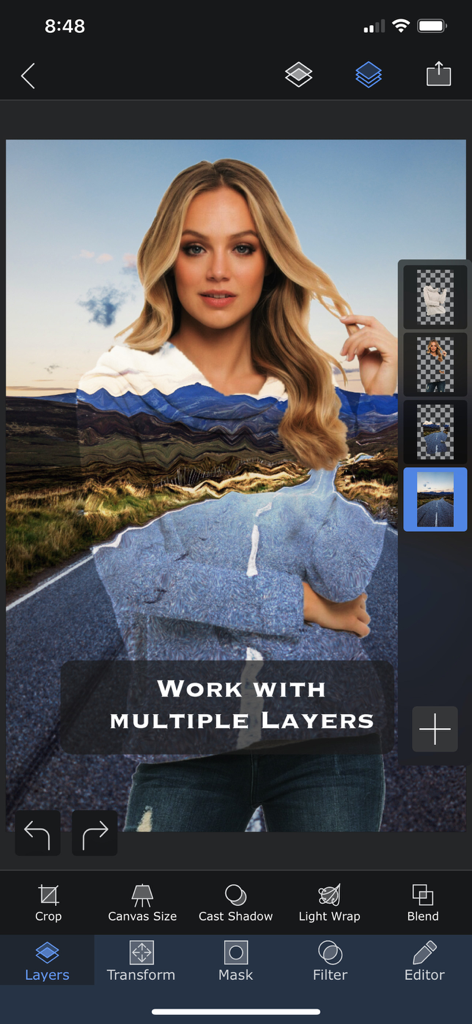
Superimpose X 앱 인터페이스에서 여러 레이어와 블렌딩 도구를 사용하여 편집 중인 사진을 보여줍니다.
Superimpose X 앱 인터페이스에서 여러 레이어와 블렌딩 도구를 사용하여 편집 중인 사진을 보여줍니다.

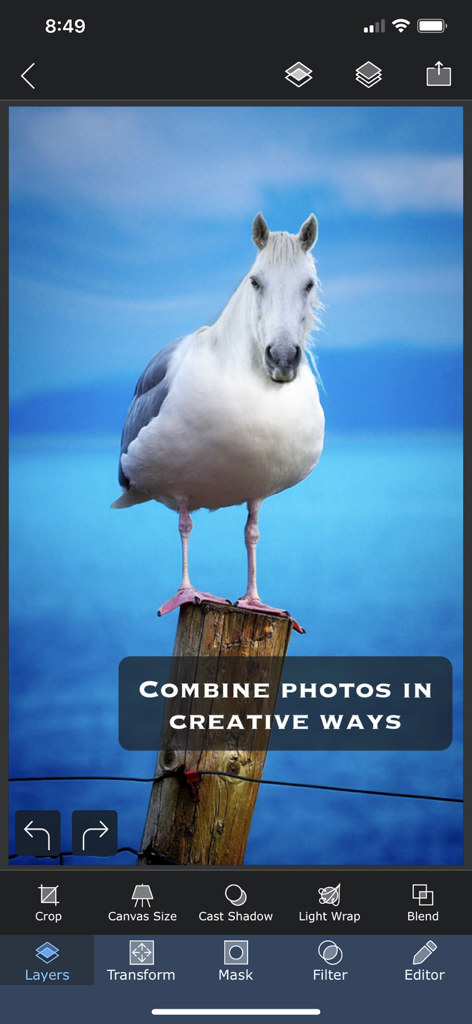
Superimpose X 모바일 앱 인터페이스에서 말머리에 새 몸이 합성된 초현실적인 사진 합성.
Superimpose X 모바일 앱 인터페이스에서 말머리에 새 몸이 합성된 초현실적인 사진 합성.

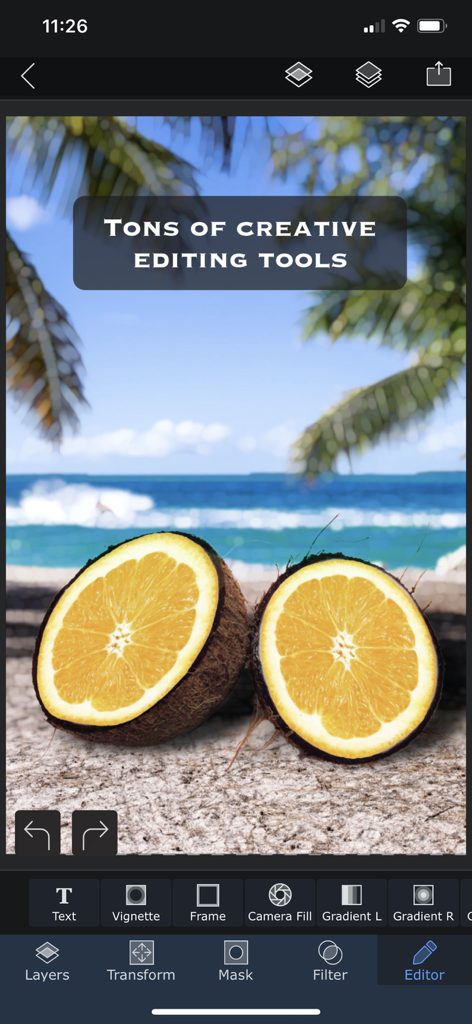
Superimpose X 앱 인터페이스에서 코코넛 오렌지 하이브리드가 있는 초현실적인 해변 구성을 보여주는 창의적인 사진 편집 도구.
Superimpose X 앱 인터페이스에서 코코넛 오렌지 하이브리드가 있는 초현실적인 해변 구성을 보여주는 창의적인 사진 편집 도구.

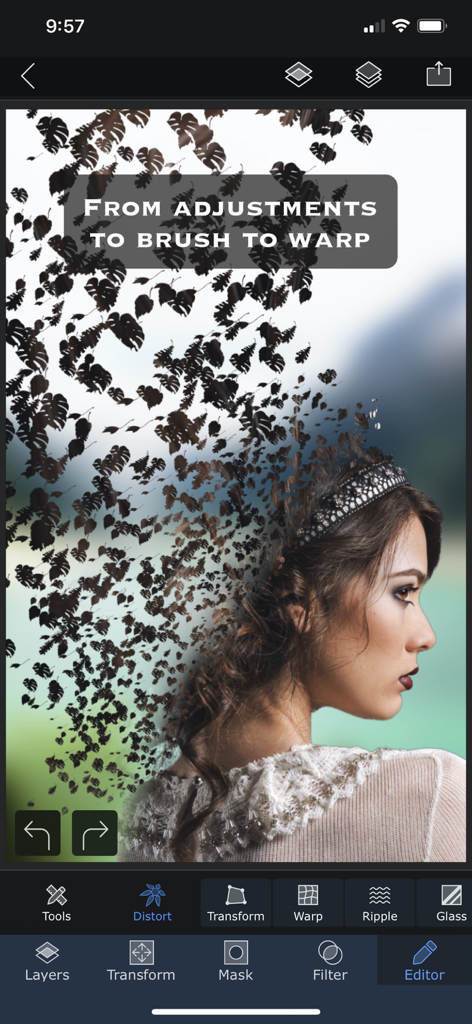
Superimpose X 워프 및 왜곡 도구를 사용하여 잎 모양으로 녹아내리는 여성 프로필의 초현실적인 사진 편집.
Superimpose X 워프 및 왜곡 도구를 사용하여 잎 모양으로 녹아내리는 여성 프로필의 초현실적인 사진 편집.

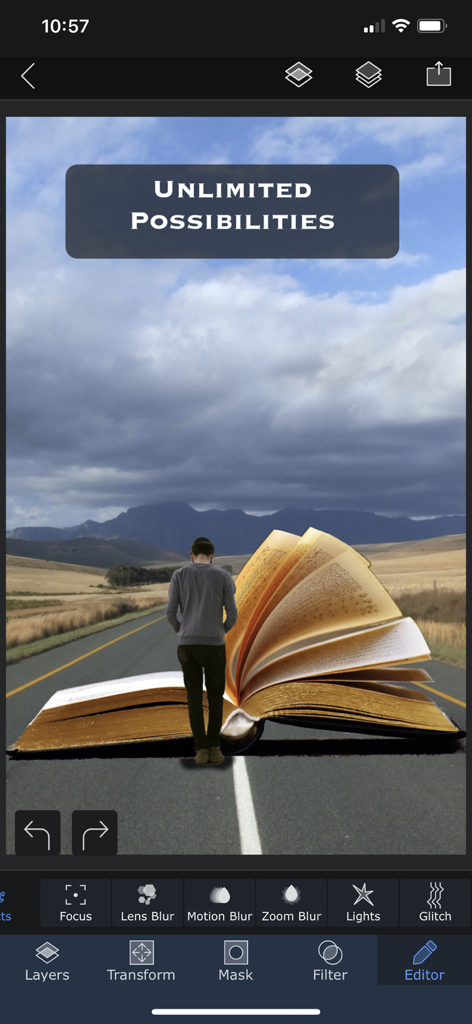
Superimpose X의 창의적인 편집 기능을 보여주는 산길의 거대한 열린 책을 향해 걸어가는 사람의 초현실적인 디지털 아트워크.
Superimpose X의 창의적인 편집 기능을 보여주는 산길의 거대한 열린 책을 향해 걸어가는 사람의 초현실적인 디지털 아트워크.

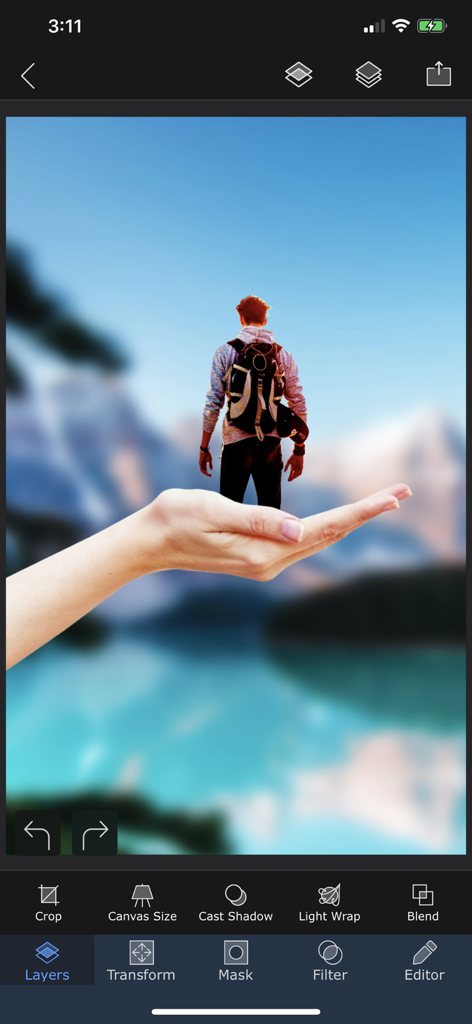
Superimpose X 앱 인터페이스에서 레이어를 사용하여 손 위에 서 있는 작은 사람과 함께 초현실적인 사진 합성을 보여줍니다.
Superimpose X 앱 인터페이스에서 레이어를 사용하여 손 위에 서 있는 작은 사람과 함께 초현실적인 사진 합성을 보여줍니다.

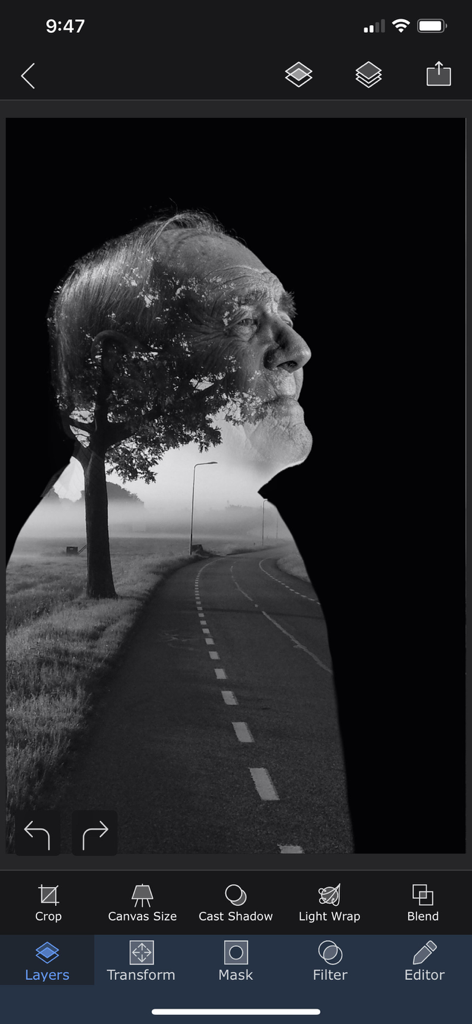
Superimpose X 앱에서 편집 중인 짙은 안개 낀 도로 풍경과 결합된 노인의 프로필 흑백 이중 노출 효과.
Superimpose X 앱에서 편집 중인 짙은 안개 낀 도로 풍경과 결합된 노인의 프로필 흑백 이중 노출 효과.

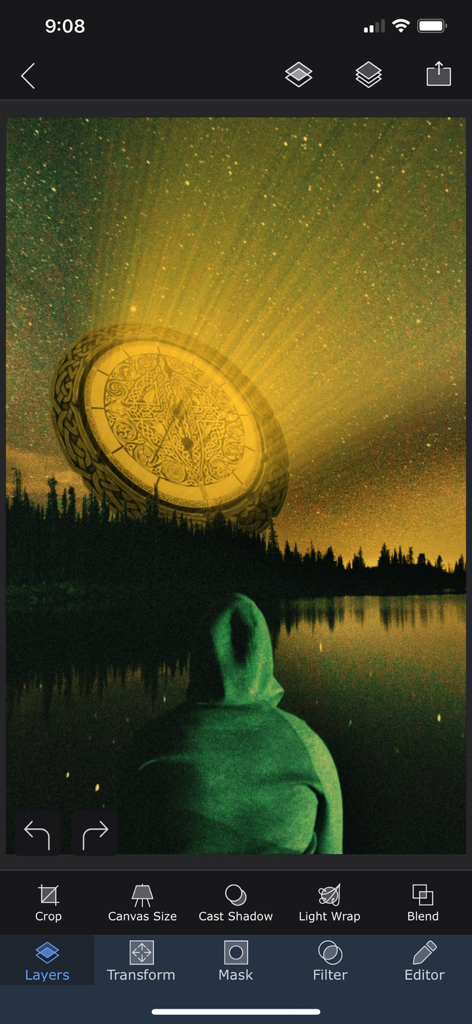
Superimpose X 앱에서 편집 중인 초현실적인 사진 합성으로, 호수 위의 별이 빛나는 밤하늘에 빛나는 황금 디스크를 보여줍니다.
Superimpose X 앱에서 편집 중인 초현실적인 사진 합성으로, 호수 위의 별이 빛나는 밤하늘에 빛나는 황금 디스크를 보여줍니다.

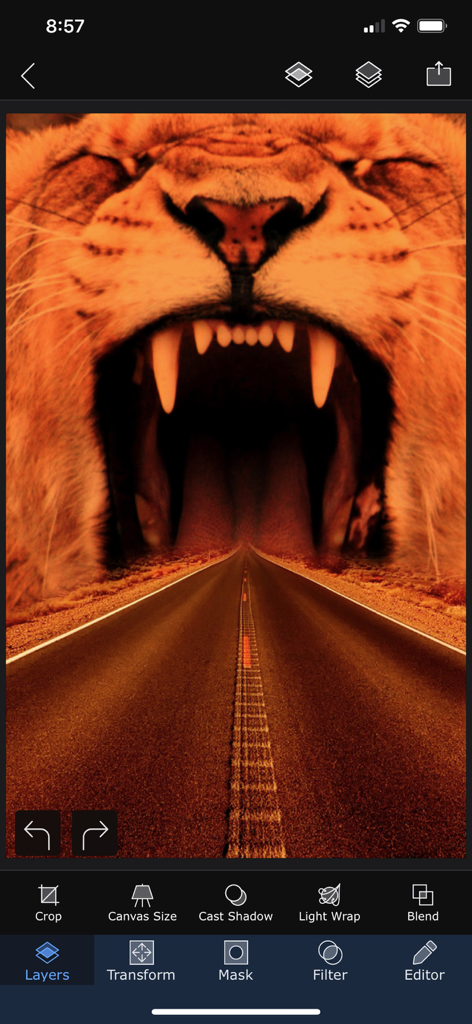
Superimpose X 앱에서 포효하는 사자의 입으로 이어지는 고속도로를 보여주는 초현실적인 사진 편집.
Superimpose X 앱에서 포효하는 사자의 입으로 이어지는 고속도로를 보여주는 초현실적인 사진 편집.

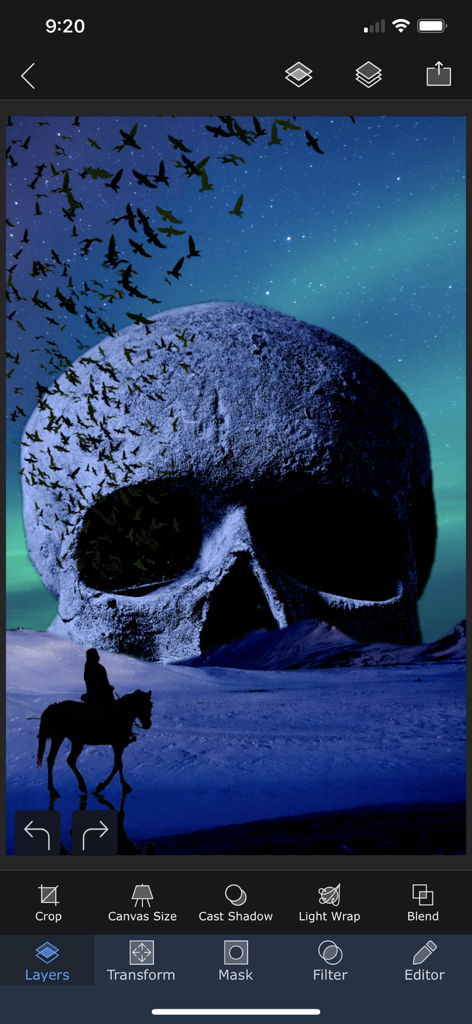
Superimpose X 모바일 앱 인터페이스에서 거대한 해골과 전문적인 편집 도구를 갖춘 초현실주의 사진 합성을 보여줍니다.

Superimpose X 모바일 앱 인터페이스에서 거대한 해골과 전문적인 편집 도구를 갖춘 초현실주의 사진 합성을 보여줍니다.

제한 없이 창조하는 데 필요한 모든 것

이 앱을 돋보이게 하는 도구, 549K+ 명의 사용자가 선택.

AI 기반 정밀 마스킹

번거로운 작업을 건너뛰세요. AI로 사람을 자동으로 분리하거나 Magic Lasso와 같은 고급 도구를 사용하여 몇 초 만에 완벽한 컷아웃을 만드세요.

🎨

데스크톱 수준의 멀티 레이어링

18가지 블렌딩 모드와 비파괴 편집 기능을 갖춘 최대 24개의 레이어를 쌓아 이동 중에 복잡하고 전문적인 구성을 만드세요.

📲

전문가 수준의 워크플로우 및 내보내기

어디서든 당신의 창의적 스튜디오. 프로젝트를 세션 라이브러리에 저장하고 레이어화된 PSD를 내보내 포토샵으로 원활하게 전환하세요.

앱 소개

에 대해 알아야 할 모든 것 Superimpose X.

설명

Turn your ideas into beautiful works of art using Superimpose X, the new version of the Superimpose app. If you can imagine it, Superimpose X will provide the tools to do it. Packed with wide range of editing capabilities from multiple layers, blending modes, masking, adjustment layers, brushes, smudge, warp, effects, clarity to casting shadows, Superimpose X is a modern tool for creating your photo contents. Whether you are a professional or an amateur, you will be amazed by the power Superimpose X gives to your fingertips. Composing images with multiple layers, double exposure, superimposing is easier than ever. All your projects are saved in beautifully designed session area. So, you do not have to lose your current project if you want to move to another one in the middle. And of course Superimpose X comes with Masking Library, where you can save all your masked images, like stickers for later use. And all of this, packed in a beautifully designed interface that does not intimidate you, despite the amount of capabilities it comes with. To list out a few features... • Multiple layers (up to 24). • 16 different adjustment layers. • Blending modes, 18 of them. • Opacity control. • Numerous masking tools. From Magic Wand to Magic Lasso to predefined shapes. • Automatically mask out people from photos using AI. • Filling of a layer directly from camera, with real time rendering with its mask and blending modes. • Built-in shadow creation tool. • Built-in Light Wrap tool. • Masking Library to store your masked images. • Session Library, that automatically stores all your projects. • Non destructive adjustments and layer blur. • Non destructive beautiful photo effects (63 of them). • An amazing Clarity tool. • Advanced adjustment tools. • Tools like Text, Curved Text, Selective Blur, Motion, Zoom and Spin Blur, Lens Blur, Gradient and more. • Number of distorting tools like Warp, Perspective transform and more. • Numerous paint and effect brushes and option to customize them. • Smudge brush • Clone stamp brush • Brush for Darkening, Lightening, Desaturating etc. • Option to export PSD with layers. • Access to more than a million royalty free stock photos. ...and more. And if you are already using the classic Superimpose app, you can seamlessly transfer all your masks into the new Superimpose X. This is how you could transfer the masks... 1. Open the original Superimpose app. 2. Press the "?" button on the top right corner of the "Home" screen. 3. There you should see an option called "Transfer masks to Superimpose X". 4. Press that and your masks should be available in Superimpose X. Terms of use: https://www.superimposeapp.com/superimposex_terms_of_use.html Privacy Policy: https://www.superimposeapp.com/privacy2.html

최신 버전

5.3.1

크기

351.8 MB

출시일

2017년 12월 16일

당신의 모바일 스튜디오가 기다립니다

전문가 수준의 레이어링, AI 마스킹, 이동 중에도 완전한 창의적 자유를 위해 데스크톱을 포기한 50만 명 이상의 디지털 크리에이터와 함께하세요.

다운로드: App Store

App information, icons, screenshots, and descriptions displayed on this page are sourced from the Apple App Store and are the property of their respective developers. Download estimates and rankings are based on MWM's proprietary models and may not reflect actual figures. This page is provided for informational and analytical purposes only.

Believe this page infringes your intellectual property? File a dispute