
이 페이지는 앱이나 개발자의 공식 페이지가 아니며, 정보 제공 및 논평을 목적으로 작성된 독립 편집 간행물입니다. 명시적으로 달리 언급되지 않는 한, 해당 앱이나 개발자는 MWM, Apple, Google Play, 앱 퍼블리셔 또는 앱 개발자와 제휴, 보증, 후원, 승인 또는 공식적으로 연결되어 있지 않으며, 이 페이지의 어떤 내용도 해당 앱이 MWM의 서비스를 사용하여 개발되었음을 의미하지 않습니다. 모든 상표, 로고, 스크린샷 및 기타 콘텐츠는 해당 소유자의 자산입니다.


Linearity Curve Graphic Design
아이패드와 아이폰에서 작업하는 전문가의 능력을 증폭시킵니다. Linearity Curve는 모바일 기기에서 정밀한 벡터 아트와 그래픽 디자인을 가능하게 하는 강력한 도구로 확인됩니다.
다운로드
5M+사용자 평점
총 평가 수
41.1K개발사
카테고리
Graphics & Design지원 언어
13최신 버전
6.9.1크기
682.4 MB출시일
2017년 5월 24일모바일 환경에 최적화된 벡터 그래픽 디자인 앱의 핵심 기능 평가
Linearity Curve Graphic Design 심층 분석
AI 기반 자동 추적
이 앱은 스케치, 사진, 일러스트레이션 또는 스캔한 아트를 편집 가능한 벡터 경로로 즉시 변환하여 사용자가 빠르고 효율적으로 작업할 수 있게 해줍니다.
전문적인 벡터 드로잉 도구
이 도구는 베지어 펜, 노드 도구, 스마트 가이드 및 사용자 정의 가능한 그리드를 제공하여 모든 규모에서 매끄럽고 픽셀 단위로 정확한 벡터 아트를 생성하도록 지원합니다.
모바일 환경에 최적화된 사용성
이 앱은 Apple Pencil의 압력 감지 기능을 완벽하게 지원하여 자연스러운 드로잉 경험을 제공하며, iPad 및 iPhone 환경에 최적화된 터치 기반 인터페이스로 유연한 모바일 작업을 가능하게 합니다.
유연한 클라우드 동기화 및 오프라인 작업
사용자의 프로젝트는 iPad, iPhone, Mac 장치 간에 클라우드를 통해 자동으로 동기화되어 항상 최신 상태를 유지하며, 인터넷 연결 없이도 오프라인으로 작업할 수 있는 유연성을 제공합니다.
광범위한 파일 형식 호환성
이 앱은 .ai, SVG, PDF, PNG, JPG, TIFF 등 다양한 산업 표준 파일 형식을 가져오고 내보낼 수 있어, 기존 워크플로우와의 원활한 통합 및 협업을 보장합니다.
강력한 레이어 관리 기능
혼합 모드, 불투명도 및 마스킹 기능을 포함하는 포괄적인 레이어 시스템을 통해 사용자는 복잡하고 다층적인 그래픽 디자인과 일러스트레이션을 정교하게 구성할 수 있습니다.
풍부한 템플릿 및 에셋 라이브러리
이 도구는 전문적으로 디자인된 수천 개의 템플릿과 Unsplash 통합 스톡 사진 라이브러리를 제공하여, 사용자가 로고, 소셜 미디어 게시물 등을 빠르고 효율적으로 시작하고 제작할 수 있도록 돕습니다.
맞춤형 벡터 브러시
이 앱은 사용자가 자신만의 고유한 스타일과 일관성을 위해 맞춤형 벡터 브러시를 생성하고 관리할 수 있도록 지원하여 창의적인 표현의 폭을 넓힙니다.
효율적인 도형 구성 도구
이 기능은 부울 연산 및 셰이프 빌더 도구를 통해 여러 도형을 정밀하게 결합, 빼기 또는 교차하여 복잡한 그래픽 구성 요소를 효율적으로 생성할 수 있게 해줍니다.
창의적인 텍스트 온 패스
이 앱은 곡선형 헤드라인이나 독특한 텍스트 배치를 위해 패스 위에 텍스트를 배치하는 기능을 제공하여, 사용자가 창의적인 타이포그래피 디자인을 구현할 수 있도록 돕습니다.
자주 묻는 질문
에 대해 알아야 할 모든 것 Linearity Curve Graphic Design
What is Linearity Curve Graphic Design software?
Linearity Curve is a professional vector drawing app for iPad and iPhone. It provides tools for creating vector art, illustrations, logos, and graphic designs, optimized for desktop creativity and precision Bezier tools.
Can I use Linearity Curve on my iPhone, iPad, and Mac?
Yes, Linearity Curve Graphic Design is designed for use across multiple Apple devices. It is available on iPad, iPhone, and Mac, with cloud sync to keep projects updated across all platforms.
Does Linearity Curve offer automatic image vectorization?
Yes, Linearity Curve features an 'Auto Trace' tool. It instantly vectorizes sketches, photos, illustrations, or scanned artwork into editable paths, converting any image into clean, organized SVG files using AI.
What file formats does Linearity Curve Graphic Design support for import and export?
Linearity Curve supports importing and exporting industry formats such as .ai, SVG, PDF, PNG, JPG, and TIFF. It also opens projects directly from Illustrator, Figma, and Sketch.
Does Linearity Curve provide a background removal tool?
Yes, Linearity Curve includes AI-powered 'Background Removal' functionality. This feature isolates subjects in one click, simplifying image editing and allowing for quick adjustments to your designs.
Is Linearity Curve Graphic Design optimized for macOS performance?
Yes, Linearity Curve is built for macOS. It offers native Apple Silicon performance with hardware acceleration, full keyboard shortcut support, trackpad gestures, and a Liquid Glass interface for Mac users.
Can teams collaborate in real-time using Linearity Curve?
Yes, Linearity Curve supports real-time collaboration. It provides shared workspaces where teams can see changes instantly and seamlessly hand off projects between members on Mac, iPad, and iPhone.
Does Linearity Curve allow for custom vector brushes?
Yes, Linearity Curve allows users to create custom vector brushes. This feature helps artists develop a unique and consistent style for their digital art, offering flexibility in design.
Who is Linearity Curve Graphic Design intended for?
Linearity Curve is built for logo designers, illustrators, digital art creators, marketing teams, UX/UI designers working on icons and design systems, and print designers preparing various materials.
What can I create with Linearity Curve Graphic Design?
Linearity Curve is a professional vector art and graphic design software. It allows users to create stunning vector art, design complex illustrations, vectorize photos, and develop logos and brand systems.
다음 스크린샷과 설명은 앱의 공식 스토어 목록에서 직접 가져온 것이며 앱 개발자의 자산입니다.
앱 스토어
스크린샷
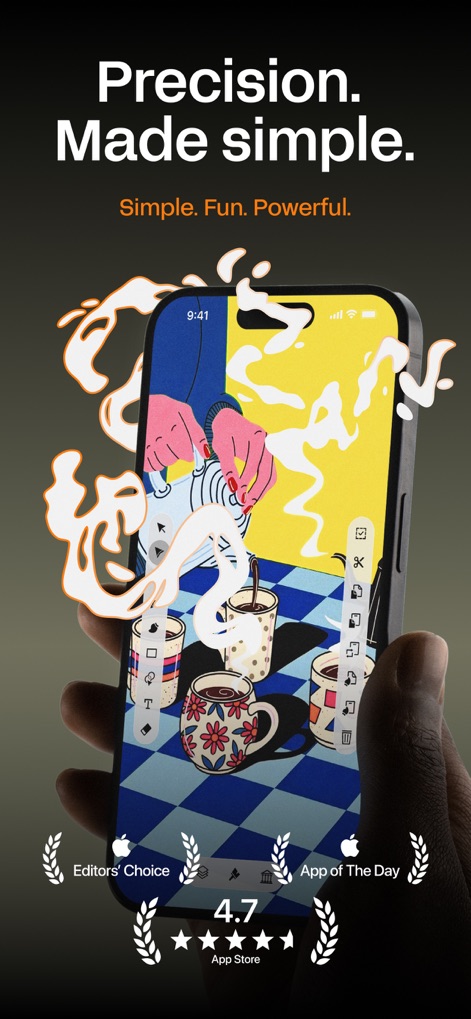
이 앱은 사용자가 복잡한 커피 테마 벡터 일러스트레이션을 아이폰 화면에서 정밀하게 작업하고, 화면 우측에 정렬된 직관적인 디자인 도구를 활용하여 창의적인 아이디어를 구현할 수 있도록 지원합니다.
정밀한 벡터 작업
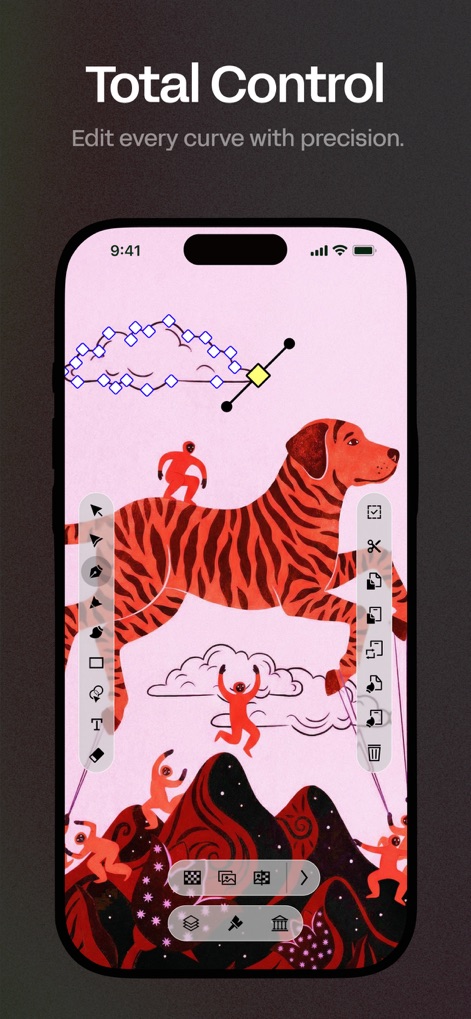
사용자는 이 도구를 통해 벡터 일러스트레이션의 복잡한 베지어 곡선 노드를 정밀하게 조정하고, 화면 하단과 우측에 배열된 다양한 편집 도구로 디자인의 모든 요소를 완벽하게 제어할 수 있습니다.
곡선 완벽 제어
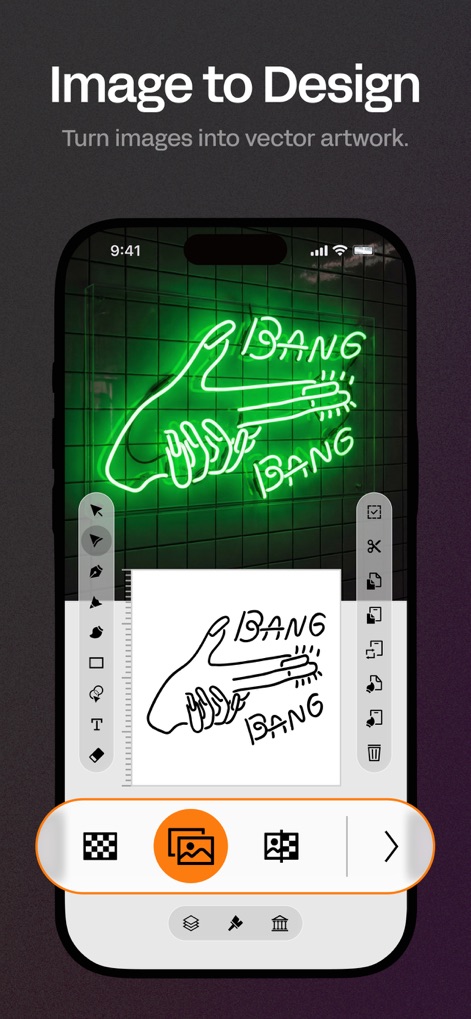
이 앱은 실생활의 네온사인 이미지를 깔끔한 벡터 아트로 즉시 변환하며, 화면 하단의 자동 추적 기능 아이콘을 활용하여 원본 이미지를 편집 가능한 벡터 경로로 손쉽게 바꿀 수 있도록 돕습니다.
이미지 벡터 변환
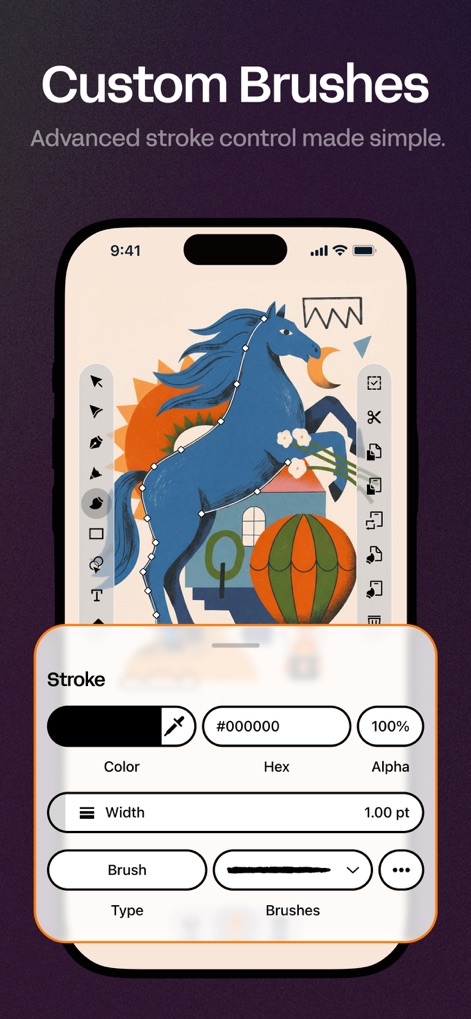
사용자는 이 도구의 하단 패널에서 맞춤형 브러시를 설정하여 독특한 스타일을 적용하고, 스트로크 너비 및 색상과 같은 다양한 속성을 정밀하게 조정하여 개성 있는 벡터 아트를 완성할 수 있습니다.
맞춤형 브러시 생성
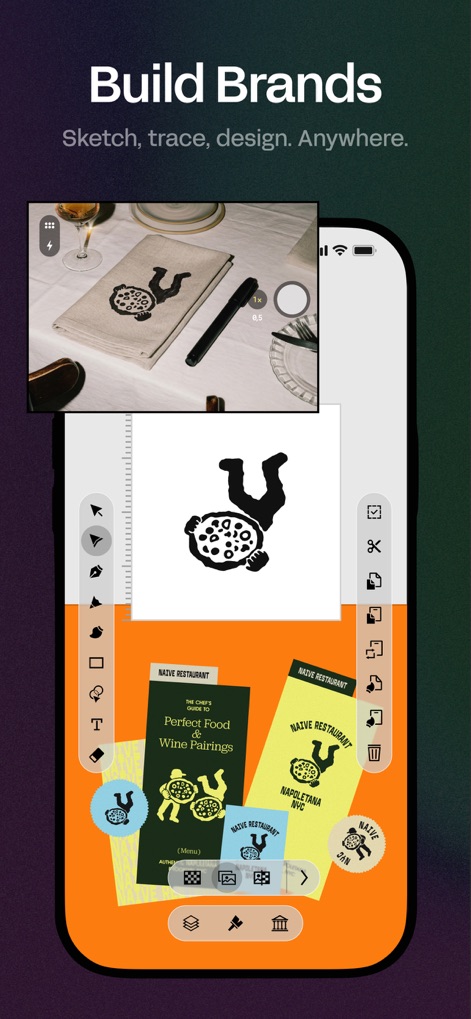
이 앱은 여러 아트보드를 활용하여 'NAIVE RESTAURANT'의 메뉴판과 같은 다양한 브랜드 요소를 한눈에 관리하고, 직관적인 인터페이스를 통해 브랜드 로고 디자인 및 아이덴티티 구축 작업을 효율적으로 수행할 수 있게 합니다.
브랜드 디자인 통합
설명
Download
비슷한 앱
유사한 기능과 사용자 경험을 가진 앱

Sketchbook®
Sketchbook, Inc.

Mental Canvas Draw
Mental Canvas, Inc.

ibis Paint
ibis inc.

ibis Paint X
ibis inc.

Paper: Sketch, Draw & Create
Evernote Corporation

Adobe Fresco: Draw & Paint App
Adobe Inc.

Art Set 4
Lofopi Ltd

MediBang Paint – Drawing & Art
MediBang inc.

Tayasui Sketches
SKETCHES SRL
이 페이지는 앱이나 개발자의 공식 페이지가 아니며, 정보 제공 및 논평을 목적으로 작성된 독립 편집 간행물입니다. 명시적으로 달리 언급되지 않는 한, 해당 앱이나 개발자는 MWM, Apple, Google Play, 앱 퍼블리셔 또는 앱 개발자와 제휴, 보증, 후원, 승인 또는 공식적으로 연결되어 있지 않으며, 이 페이지의 어떤 내용도 해당 앱이 MWM의 서비스를 사용하여 개발되었음을 의미하지 않습니다. 모든 상표, 로고, 스크린샷 및 기타 콘텐츠는 해당 소유자의 자산입니다.