LumaBooth Event Photo Booth

LumaBooth Event Photo Booth

다운로드: App Store
로고: LumaBooth Event Photo Booth

LumaBooth: 올인원 전문 포토 및 360 부스 소프트웨어

iPad 또는 Mac을 하이엔드 이벤트 파워하우스로 변신시키세요. 기업가와 이벤트 전문가를 위해 제작된 가장 안정적인 소프트웨어로 멋진 360 비디오, 240fps 슬로우 모션 및 AI 기반 포토 레이아웃을 제공합니다.

다운로드: App Store

개발사

Lumasoft LLC

카테고리

Photo & Video

다운로드

425K+

사용자 평점

4.5/5

총 평가 수

1K+

지원 언어

6

마법의 순간을 확인하세요

이 인터페이스를 사용하는 425K+ 명의 사용자.

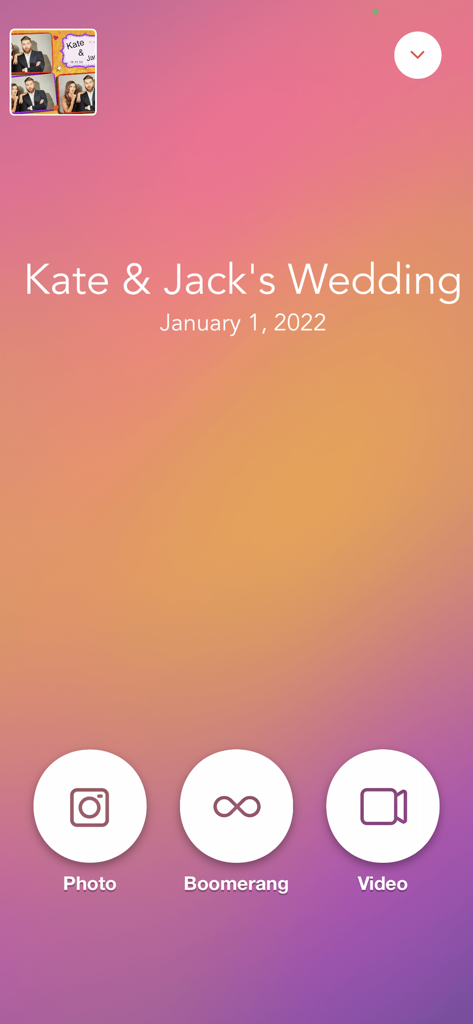
사진, 부메랑, 비디오 캡처 옵션을 보여주는 웨딩용 LumaBooth 앱 인터페이스
사진, 부메랑, 비디오 캡처 옵션을 보여주는 웨딩용 LumaBooth 앱 인터페이스

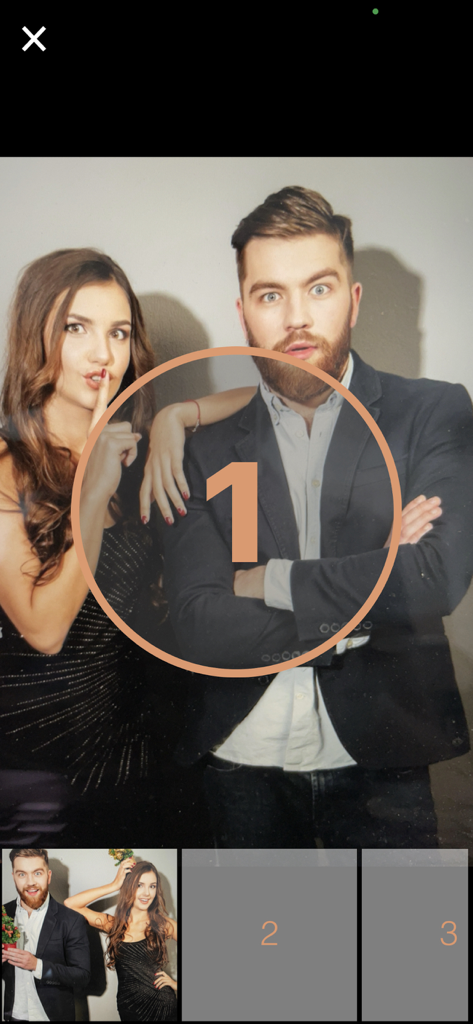
카운트다운 타이머와 함께 사진 포즈를 취하는 게스트들을 보여주는 LumaBooth 앱 인터페이스
카운트다운 타이머와 함께 사진 포즈를 취하는 게스트들을 보여주는 LumaBooth 앱 인터페이스

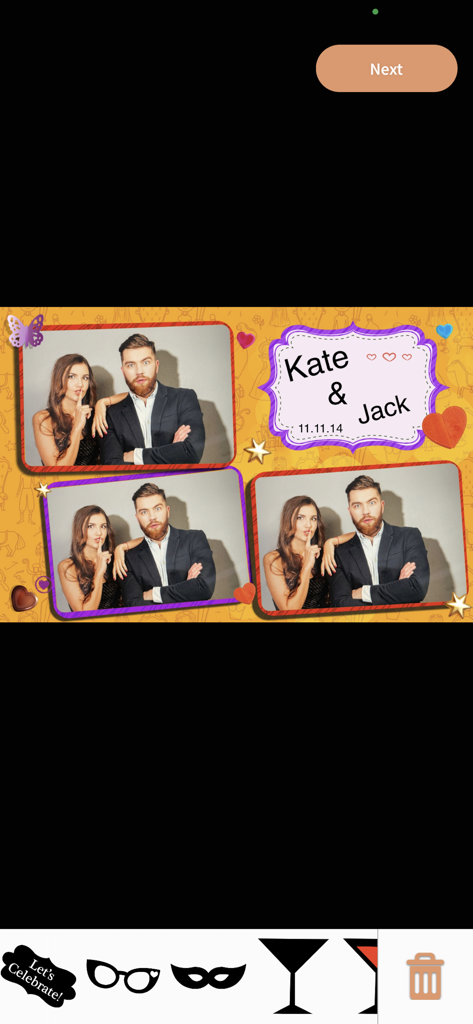
디지털 스티커와 개인화된 테마가 적용된 LumaBooth의 커스텀 웨딩 포토 부스 레이아웃
디지털 스티커와 개인화된 테마가 적용된 LumaBooth의 커스텀 웨딩 포토 부스 레이아웃

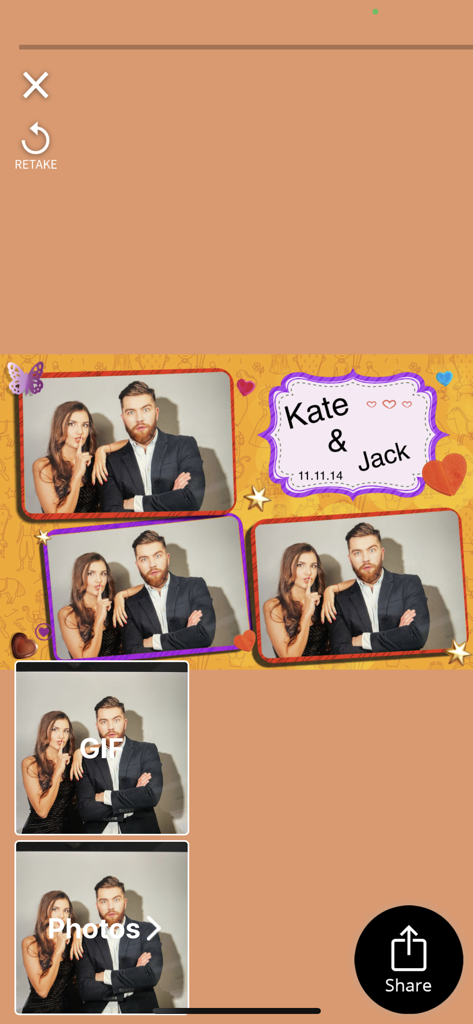
공유 및 다시 찍기 옵션과 함께 Jack과 Kate를 위해 개인화된 웨딩 포토 부스 레이아웃을 표시하는 LumaBooth 앱 인터페이스.
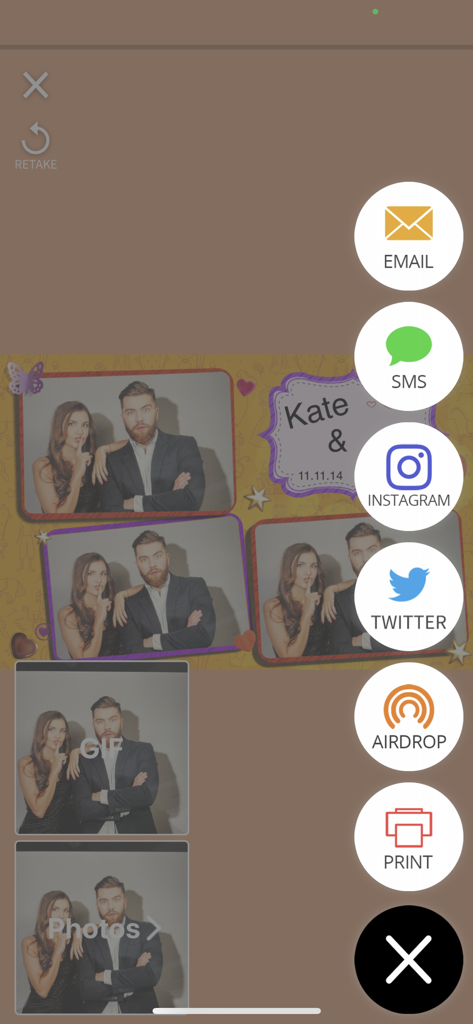
공유 및 다시 찍기 옵션과 함께 Jack과 Kate를 위해 개인화된 웨딩 포토 부스 레이아웃을 표시하는 LumaBooth 앱 인터페이스.

사진 공유 및 인쇄 아이콘이 있는 LumaBooth 앱 화면
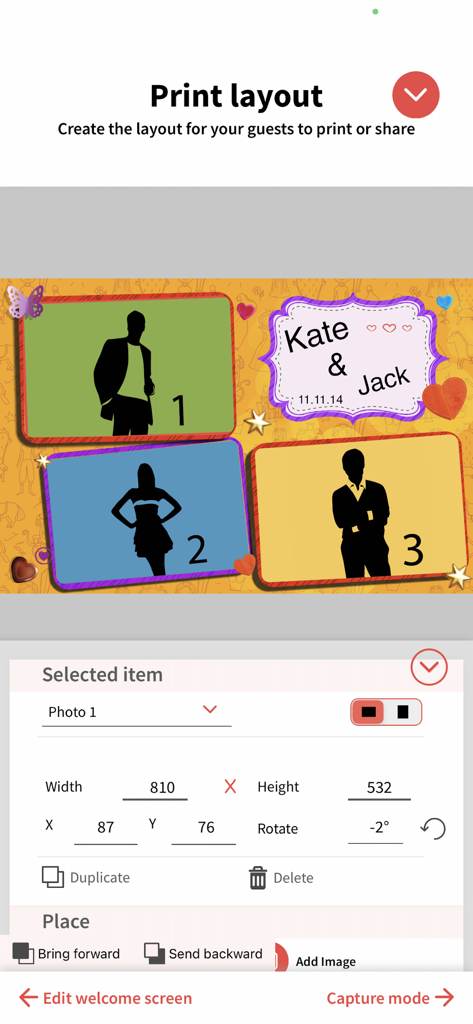
사진 공유 및 인쇄 아이콘이 있는 LumaBooth 앱 화면

여러 사진 플레이스홀더와 개인화된 텍스트가 있는 포토 부스 인쇄 레이아웃을 사용자 정의하기 위한 인터페이스
여러 사진 플레이스홀더와 개인화된 텍스트가 있는 포토 부스 인쇄 레이아웃을 사용자 정의하기 위한 인터페이스

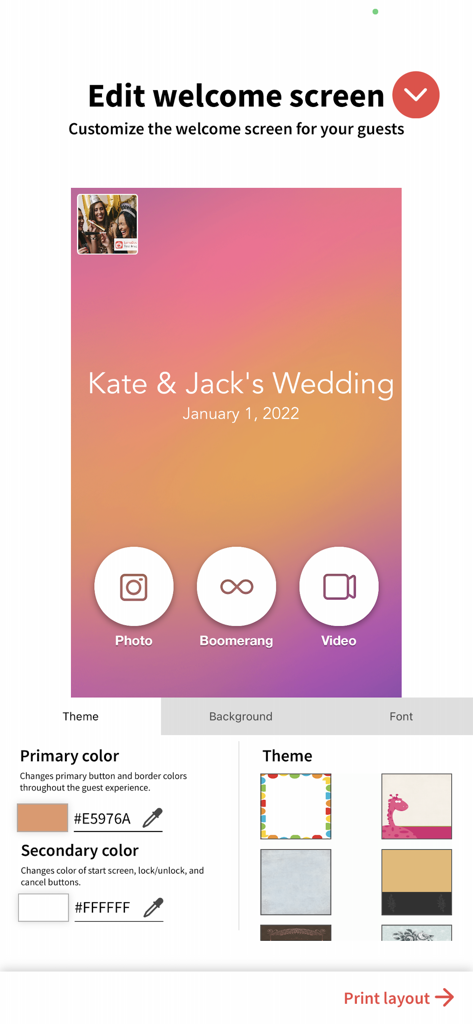
웨딩 테마 옵션으로 포토 부스 웰컴 스크린을 사용자 정의하기 위한 인터페이스
웨딩 테마 옵션으로 포토 부스 웰컴 스크린을 사용자 정의하기 위한 인터페이스

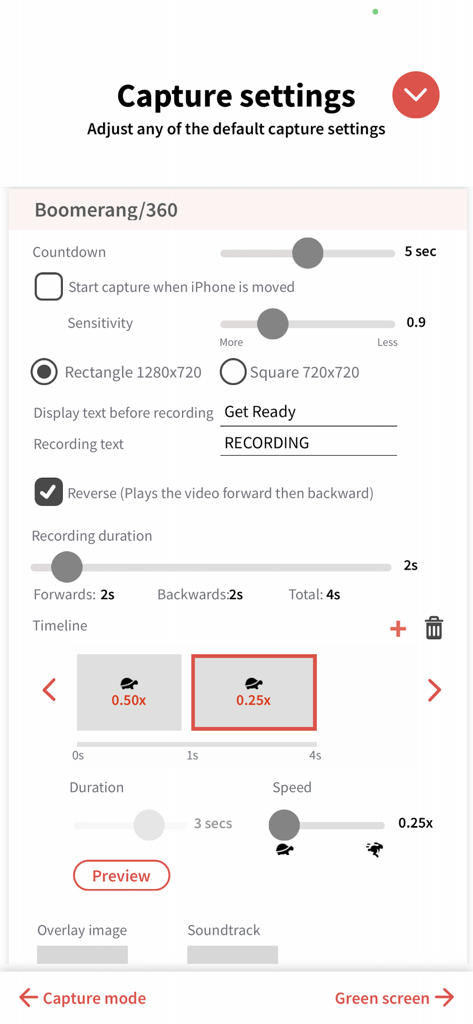
녹화 시간 및 슬로우 모션 속도를 포함한 360 비디오 및 부메랑 캡처 설정을 조정하기 위한 LumaBooth 앱 인터페이스.
녹화 시간 및 슬로우 모션 속도를 포함한 360 비디오 및 부메랑 캡처 설정을 조정하기 위한 LumaBooth 앱 인터페이스.

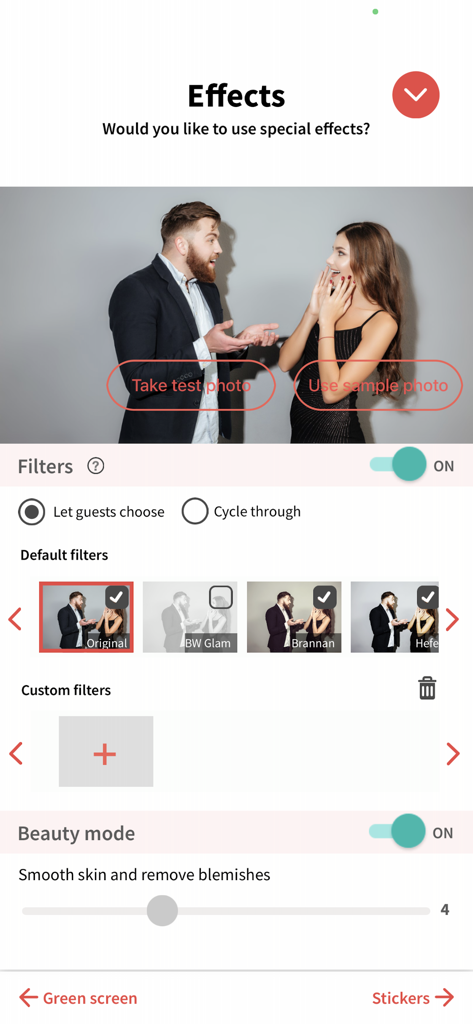
사진 필터 및 뷰티 모드 설정 구성을 보여주는 LumaBooth 앱 인터페이스
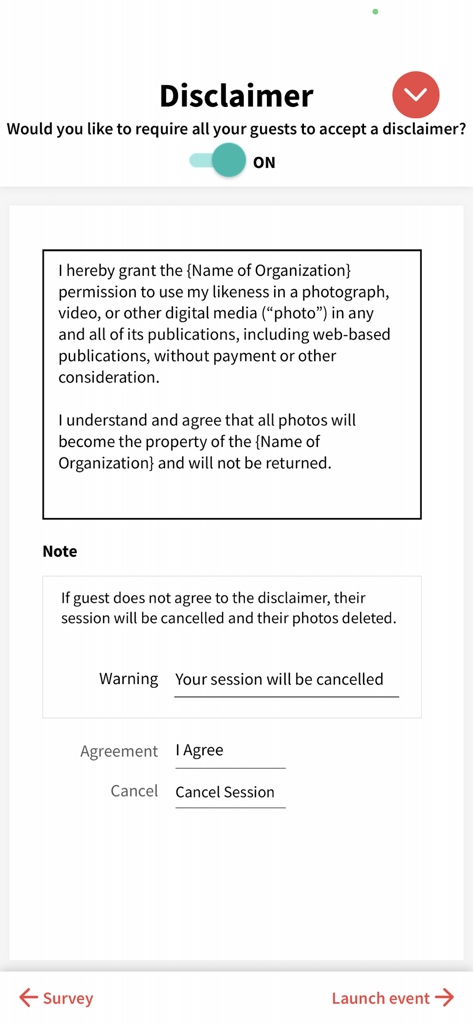
사진 필터 및 뷰티 모드 설정 구성을 보여주는 LumaBooth 앱 인터페이스

LumaBooth의 게스트 고지 사항 및 사진 공개 동의서 설정 화면

LumaBooth의 게스트 고지 사항 및 사진 공개 동의서 설정 화면

다음 이벤트를 위한 전문 도구

이 앱을 돋보이게 하는 도구, 425K+ 명의 사용자가 선택.

🎥

360 및 슬로우 모션 마스터

프리미엄 렌탈 요금을 받을 수 있는 고프레임 레이트 비디오 안정화 및 영화 같은 효과로 차별화하세요.

매끄러운 즉시 공유

행사장 Wi-Fi 없이도 작동하는 초고속 SMS, QR, 이메일 공유로 참여도를 높이세요.

🤖

AI 기반 배경

그린 스크린 없이 배경을 즉시 교체하여 어떤 홍보 행사에서도 맞춤형 테마를 제공할 수 있습니다.

앱 소개

에 대해 알아야 할 모든 것 LumaBooth Event Photo Booth.

설명

From the creators of dslrBooth, LumaBooth is the leading professional photo booth software for iPad, iPhone, and Mac. Perfect for easily running a professional-grade photo booth and video/360 booth at weddings, birthdays, company parties, and more. Easily run a professional-grade photo booth and video/360 booth. Photo Booth: • Custom Layouts and Editing: Use LumaBooth's user-friendly editor to craft personalized photo layouts. Incorporate images, logos, and text effortlessly. • Stickers and Filters: Engage your guests with a wide array of stickers, filters, and LUTs allowing them to personalize their photos for a truly interactive experience. • Versatile Printing Options: Enjoy the flexibility of printing with any AirPrint-compatible printer or connect to professional photo printers through the LumaBooth Assistant app. Exclusive support for DNP printers via the DNP WPS Pro print server enhances your printing capabilities. 360/Video Booth: • Capture high-quality videos and slow-motion using built-in or professional cameras. • Customize videos by adding image overlays, animated video overlays, pre-roll and post-roll videos, and a backing soundtrack to fit your event. • Speed up or slow down sections of the recorded video. • Using the high frame-rate cameras in recent iPads and iPhone, you can shoot at 240fps perfect for slow-mo effects. • Video stabilization to ensure that your slow-motion video is captured with the utmost clarity and smoothness. • Optionally start a session by moving the iPad or iPhone. Key Features: • Camera Support: Capture seamlessly with built-in cameras and offers advanced compatibility with Canon, Sony and Nikon professional cameras. Optionally setup custom camera settings such as: exposure, white balance, and video stabilization. • Live background removal: Remove your background using AI Removal or green screen, your photos and videos will be as unique as your event. • Guest Interaction: Guide guests through the photo booth experience using video and audio prompts. • Surveys and Disclaimers: Turn on surveys for data collection and require a disclaimer if needed. • Start Screen Customization: Fully customize the start screen with beautiful built-in themes. • Professional Online Gallery: Your photos and videos are hosted in a microsite per event which you can customize to fit your event theme. • Optionally trigger using a wireless remote. Sharing Features: • Fully customize the start screen with beautiful built-in themes, and allow your guests to share using e-mail, SMS, Airdrop, QR code, WhatsApp, and Instagram whether online of offline. • Streamline your photo booth by letting guests view and share photos, prints, and GIFs on another iPad using our companion LumaShare iPad app. Also run a live photo or video slideshow. LumaBooth requires a subscription which offers unlimited events with no watermark, sharing using SMS, E-mail, Facebook, and Twitter: • The LumaBooth monthly renewable subscription costs $19.99 USD. • Payment will be charged to iTunes Account at confirmation of purchase. • Subscription automatically renews unless auto-renew is turned off at least 24-hours before the end of the current period • Account will be charged for renewal within 24-hours prior to the end of the current period, and identify the cost of the renewal • Subscriptions may be managed by the user and auto-renewal may be turned off by going to the user's Account Settings after purchase • No cancellation of the current subscription is allowed during active subscription period • Please go to dslrbooth.com/terms-of-service/ and dslrbooth.com/privacy-policy for more information.

최신 버전

4.6.4

크기

224.9 MB

출시일

2016년 10월 28일

전문 이벤트 비즈니스를 시작할 준비가 되셨나요?

고급 웨딩, 기업 홍보 행사, 바이럴 360 비디오 경험을 위해 LumaBooth를 신뢰하는 425,000명 이상의 전문가와 함께하세요. 오늘 첫 이벤트를 시작하세요.

다운로드: App Store
FAQ

자주 묻는 질문

에 대해 알아야 할 모든 것 LumaBooth Event Photo Booth

LumaBooth 이벤트 사진 부스의 월별 비용은 얼마인가요?

LumaBooth 이벤트 사진 부스의 월별 갱신 구독 비용은 19.99달러입니다. 이 구독에는 무제한 이벤트 및 SMS, 이메일, Facebook, Twitter를 통한 워터마크 없는 공유 기능이 제공됩니다.

LumaBooth 소프트웨어는 어떤 종류의 부스를 지원하나요?

LumaBooth는 전문가 수준의 사진 부스, 비디오 부스 및 360 부스를 지원합니다. 이벤트용 iPad, iPhone 및 Mac 장치에서 작동합니다.

사용자는 LumaBooth에서 사진 레이아웃을 사용자 정의할 수 있나요?

예, LumaBooth에는 개인화된 사진 레이아웃을 만드는 사용자 친화적인 편집기가 있습니다. 사용자는 이미지, 로고 및 텍스트를 디자인에 통합합니다.

LumaBooth 이벤트 사진 부스에는 어떤 인쇄 옵션을 사용할 수 있나요?

LumaBooth는 AirPrint 호환 프린터로 인쇄를 지원합니다. 또한 LumaBooth Assistant 앱을 통해 전문 사진 프린터에 연결되며 DNP WPS Pro 인쇄 서버를 통해 DNP 프린터만 지원합니다.

LumaBooth는 사진 및 비디오에 대한 배경 제거 기능을 제공하나요?

예, LumaBooth는 AI 제거 또는 그린 스크린 기술을 사용하여 실시간 배경 제거 기능을 제공합니다. 이 기능을 통해 독특하고 맞춤화된 사진 및 비디오 제작이 가능합니다.

LumaBooth 이벤트 사진 부스와 호환되는 전문 카메라에는 어떤 것이 있나요?

LumaBooth는 Canon, Sony 및 Nikon 전문 카메라와 고급 호환성을 제공합니다. 사용자는 또한 노출, 화이트 밸런스 및 비디오 안정화와 같은 사용자 지정 카메라 설정을 할 수 있습니다.

게스트는 LumaBooth 이벤트에서 사진과 비디오를 어떻게 공유할 수 있나요?

게스트는 이메일, SMS, Airdrop, QR 코드, WhatsApp 및 Instagram을 통해 사진과 비디오를 공유합니다. 공유는 온라인 및 오프라인 모두에서 가능합니다.

LumaBooth는 슬로우 모션 비디오를 만들 수 있나요?

예, LumaBooth는 고품질 비디오 및 슬로우 모션 푸티지를 캡처합니다. 효과적인 슬로우 모션 효과를 위해 최신 iPad 및 iPhone에서 240fps로 촬영할 수 있으며 비디오 안정화 기능이 포함되어 있습니다.

LumaBooth는 게스트가 참여하기 전에 면책 조항을 수락하도록 요구할 수 있나요?

예, LumaBooth는 사용자가 면책 조항 요구 사항을 켤 수 있도록 허용합니다. 게스트는 면책 조항을 수락해야 하며, 그렇지 않으면 세션이 취소되고 사진이 삭제됩니다.

LumaBooth 이벤트 사진 부스의 시작 화면을 사용자 정의할 수 있나요?

예, 사용자는 LumaBooth 시작 화면을 완벽하게 사용자 정의할 수 있습니다. 개인화된 게스트 경험을 위해 내장 테마와 색상, 배경 및 글꼴을 조정하는 옵션을 제공합니다.

App information, icons, screenshots, and descriptions displayed on this page are sourced from the Apple App Store and are the property of their respective developers. Download estimates and rankings are based on MWM's proprietary models and may not reflect actual figures. This page is provided for informational and analytical purposes only.

Believe this page infringes your intellectual property? File a dispute