Manikin

Manikin

다운로드: App Store
로고: Manikin

Manikin: 디지털 아티스트를 위한 궁극의 3D 포징 도구

직관적인 3D 모델로 해부학, 투시, 조명을 마스터하세요. 몇 초 만에 캐릭터 포즈를 취하고 배경이 없는 스크린샷을 Procreate, Photoshop 또는 즐겨 사용하는 드로잉 앱으로 직접 내보낼 수 있습니다.

개발사

UNSH VOF

카테고리

Utilities

다운로드

650K+

사용자 평점

4.6/5

총 평가 수

4K+

지원 언어

32

모든 각도 마스터

이 인터페이스를 사용하는 650K+ 명의 사용자.

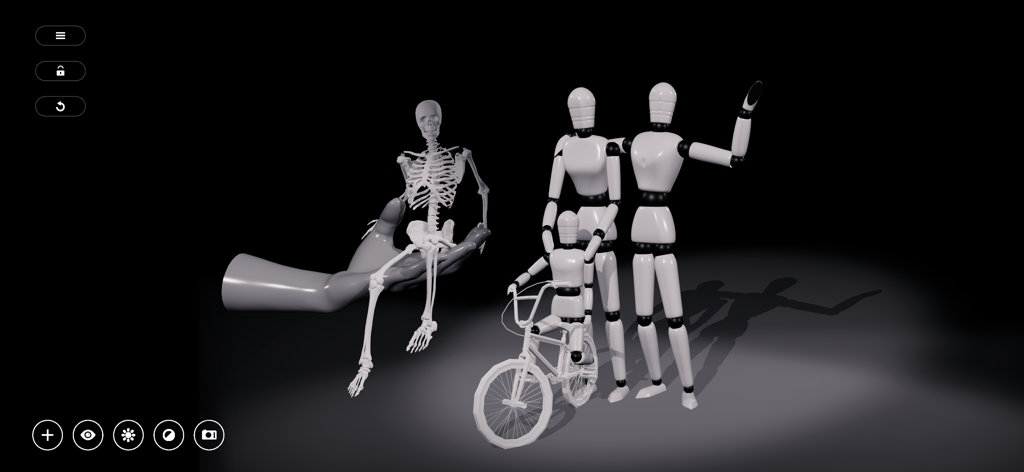
해부학 참조를 위한 해골 및 인체 피규어 3D 모델이 포함된 Manikin 앱 인터페이스
해부학 참조를 위한 해골 및 인체 피규어 3D 모델이 포함된 Manikin 앱 인터페이스

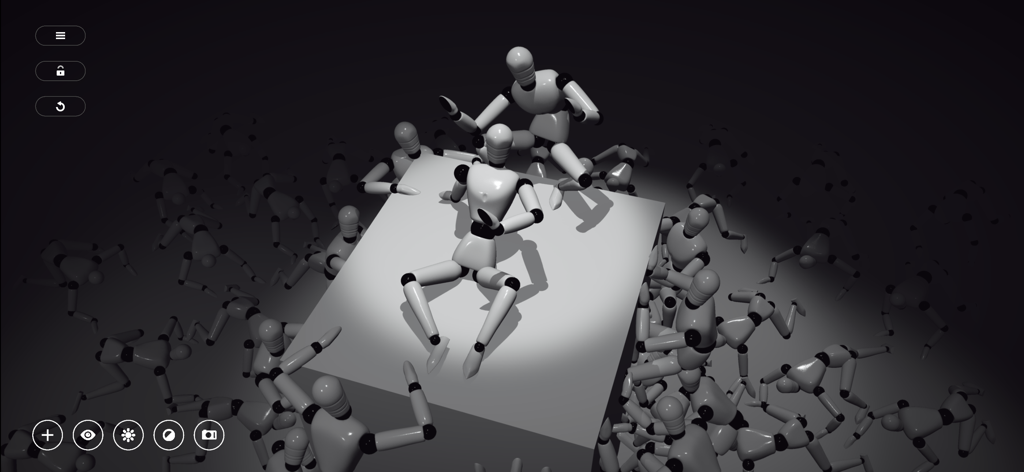
해부학 및 조명 참조를 위해 스포트라이트 아래 다양한 포즈를 취하고 있는 여러 3D 마네킹 장면
해부학 및 조명 참조를 위해 스포트라이트 아래 다양한 포즈를 취하고 있는 여러 3D 마네킹 장면

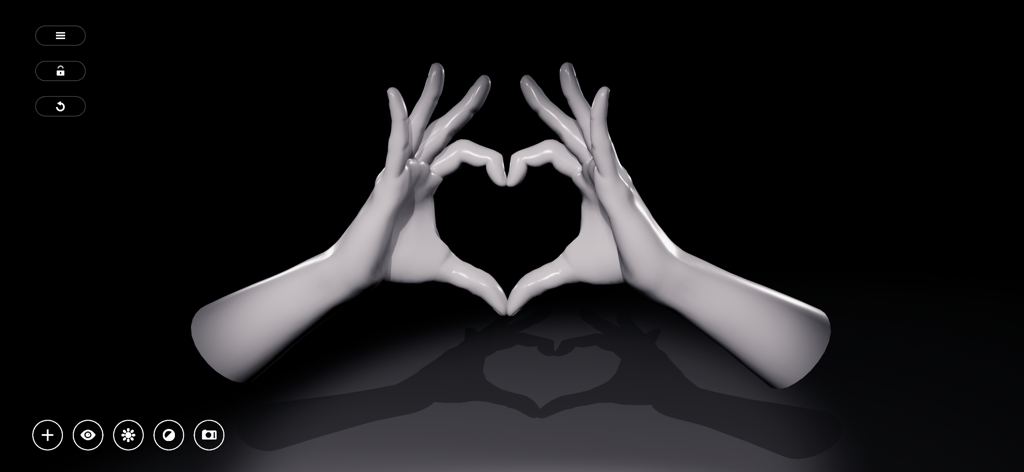
사실적인 조명과 그림자가 있는 하트 모양을 만드는 두 개의 3D 마네킹 손
사실적인 조명과 그림자가 있는 하트 모양을 만드는 두 개의 3D 마네킹 손

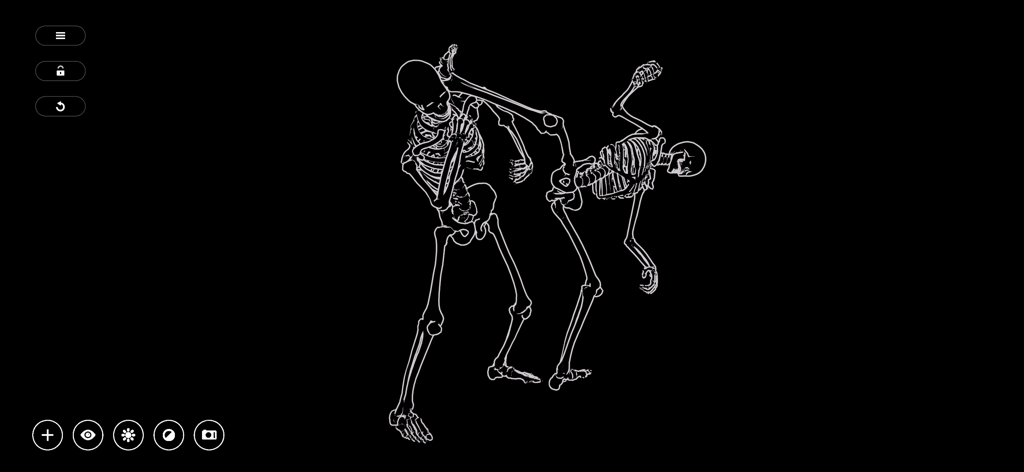
검은색 배경에 역동적인 전투 포즈를 취하고 있는 흰색 윤곽선의 해골 두 개
검은색 배경에 역동적인 전투 포즈를 취하고 있는 흰색 윤곽선의 해골 두 개

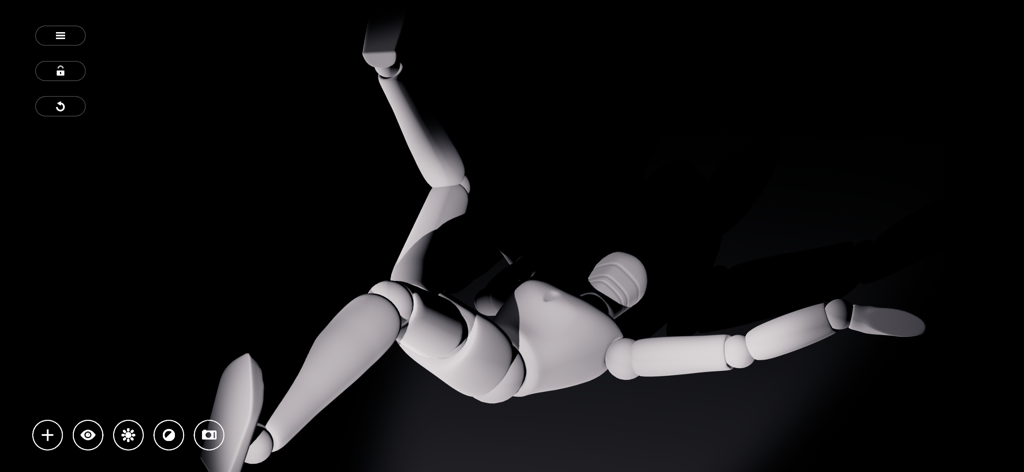
미술 참조를 위해 극적인 조명이 적용된 역동적인 포즈의 3D 마네킹

미술 참조를 위해 극적인 조명이 적용된 역동적인 포즈의 3D 마네킹

모든 포즈와 투시 마스터

이 앱을 돋보이게 하는 도구, 650K+ 명의 사용자가 선택.

🧍

직관적인 3D 해부학

복잡한 단축법(foreshortening)을 손쉽게 마스터하세요. 간단하고 유동적인 컨트롤로 모델의 포즈를 취해 스케치를 위한 완벽한 해부학 레퍼런스를 얻으세요.

💡

다이내믹 라이트 스튜디오

4개의 조절 가능한 광원으로 분위기와 깊이를 시각화하세요. 그림자가 어디에 떨어지는지 정확히 확인하여 분위기 있는 렌더링 수준을 높이세요.

✂️

Procreate 즉시 내보내기

지루한 편집 과정을 생략하세요. 투명 배경의 고품질 컷아웃 스크린샷을 디지털 페인팅 워크플로우로 직접 내보낼 수 있습니다.

전 세계 사용자들에게 사랑받는 앱

Trusted by 650K+ 명이 이 앱을 사랑합니다.

"

"Manikin은 제 나무 데스크탑 마네킹과 복잡한 3D 소프트웨어를 완전히 대체했습니다. 조명 시스템은 제 Procreate 작업 흐름에 있어 혁신적입니다. 4개의 광원을 설정하고 배경 없는 스크린샷을 몇 초 만에 내보낼 수 있습니다. 복잡한 캐릭터 디자인에서 그림자가 어디에 떨어질지 추측하는 시간을 몇 시간이나 단축해 줍니다."

Sarah K., 프리랜서 캐릭터 디자이너
"

"단축법과 투시 때문에 항상 고생했던 웹툰 작가 지망생으로서, 이 앱은 구세주와 같습니다. 튜토리얼 없이도 바로 캐릭터 포즈를 취할 수 있을 만큼 직관적입니다. 360도 카메라와 애니메이션 라이브러리 덕분에 컷의 움직임을 시각화하기가 훨씬 쉬워졌습니다."

Leo M., 디지털 아티스트 & 학생

앱 소개

에 대해 알아야 할 모든 것 Manikin.

설명

Sketch fast with MANIKIN a 3D posing tool containing a collection of models and tools aimed to help professional artists and amateurs alike in drawing anatomically correct figures with respect to light & perspective. Create scenes with multiple characters or manipulate simple 3D shapes to quickly visualize the outlines of your sketches, generate storyboards with screenshots or frame your comic book illustrations and mangas. ARTISTS MANNEQUIN The mannequin was born out of the need for an interactive human anatomy reference to tackle problems like foreshortening, proportion and depth. We expand upon the wooden mannequin for figure drawing with various 3D models and tools to help you with shape recognition, shading, perspective and stance. POSE FAST Moving things in 3D often involves a lot of interaction for even the simplest of goals. This is why we wanted posing to be as intuitive and simple as possible with a bare minimum in menu diving and without losing complexity. A straightforward and intuitive design keeps all functionality close without drowning you in options. Our goal is to let you spend more time drawing and less time preparing. APPLY ANIMATIONS Even for the most hardened artists it’s not easy to imagine how the body moves. In MANIKIN all animations can be viewed in detail. Use them to get faster to your desired stance or as use them as a figure study for motion. CAMERA & LIGHT We also give full control over camera & light. Use 360 mode to work and use "point of view mode" to get the exact camera angle you had in mind. To ease your shading needs you have up to 4 fully adjustable lights at your disposal to create dynamic drop shadows and realistic depth. SCREENSHOTS FOR DIGITAL PAINTERS MANIKIN also features cutout screenshots so you can immediately use them in Photoshop, Coreldraw, Procreate, Paper or whatever digital drawing software you use. No more hassle with editing screenshots. FEATURES * View character animations in detail. * A straightforward and intuitive design. * Various tools and effects such as outline, cut-out, grid, ... * Dynamic light with up to 4 fully adjustable lights * Freelook camera * Screenshots without background. * Share your creations on any platform and much more …

최신 버전

2.4.5

크기

222.4 MB

출시일

2019년 1월 10일

몇 초 만에 해부학과 조명을 마스터하세요

65만 명 이상의 제작자와 함께 작업 흐름을 간소화하세요. 지금 Manikin을 다운로드하여 완벽한 배경 제거 레퍼런스를 Procreate 또는 Photoshop으로 직접 내보내세요.

다운로드: App Store