
이 페이지는 앱이나 개발자의 공식 페이지가 아니며, 정보 제공 및 논평을 목적으로 작성된 독립 편집 간행물입니다. 명시적으로 달리 언급되지 않는 한, 해당 앱이나 개발자는 MWM, Apple, Google Play, 앱 퍼블리셔 또는 앱 개발자와 제휴, 보증, 후원, 승인 또는 공식적으로 연결되어 있지 않으며, 이 페이지의 어떤 내용도 해당 앱이 MWM의 서비스를 사용하여 개발되었음을 의미하지 않습니다. 모든 상표, 로고, 스크린샷 및 기타 콘텐츠는 해당 소유자의 자산입니다.

Moblo - 3D furniture modeling
메이커와 주택 소유자를 위해 제작된 직관적인 3D 디자인 도구. 나만의 가구를 만들고, 부품 목록을 생성하고, AR을 사용하여 제작 전에 공간에서 디자인을 확인해 보세요.
다운로드
662K+사용자 평점
총 평가 수
1K+개발사
카테고리
Graphics & Design지원 언어
1최신 버전
25.12.1크기
258.5 MB출시일
2021년 2월 17일3D로 꿈에 그리던 가구 디자인하기
DIY 애호가를 위한 가장 직관적인 도구로, 디지털 컨셉부터 실제 현실까지 맞춤 가구 프로젝트를 모델링, 시각화, 제작할 수 있습니다.
직관적인 3D 조립
복잡한 전문 CAD 소프트웨어의 학습 곡선 없이 드래그, 드롭, 크기 조절만으로 책상, 선반, 주방 등을 모델링할 수 있습니다.
실제 AR 시각화
증강현실을 사용하여 제작을 시작하기 전에 디자인이 방에 어떻게 맞는지 정확히 확인할 수 있어 구매 후 후회를 없앨 수 있습니다.
자주 묻는 질문
에 대해 알아야 할 모든 것 Moblo - 3D furniture modeling
Moblo - 3D 가구 모델링은 무엇에 사용되나요?
Moblo는 맞춤형 가구를 제작하고 인테리어 디자인을 구상하기 위한 3D 모델링 도구입니다. 증강 현실 기능을 통해 자신의 집에 제작물을 시각화할 수 있습니다.
Moblo는 증강 현실 기능을 제공하나요?
네, Moblo는 증강 현실 시각화를 지원합니다. 휴대폰 카메라를 사용하여 실제 집 환경에서 3D 가구 디자인을 미리 볼 수 있습니다.
Moblo에서 3D 디자인을 내보낼 수 있나요?
네, Moblo는 3D 프로젝트 내보내기를 허용합니다. 디자인을 .stl 또는 .obj 메시 파일로 내보내 Sketchup 또는 Blender와 같은 다른 3D 도구에서 사용할 수 있습니다.
Moblo에서 어떤 종류의 재료를 사용하고 사용자 정의할 수 있나요?
Moblo는 페인트, 나무, 금속, 유리 등 다양한 재료 라이브러리를 제공합니다. 또한 색상, 질감 및 기타 속성을 조정할 수 있는 간단한 편집기를 사용하여 사용자 정의 재료를 만들 수 있습니다.
Moblo - 3D 가구 모델링은 초보자가 사용하기 쉬운가요?
네, Moblo는 초보자에게 적합합니다. 직관적인 인터페이스는 터치스크린과 마우스 사용 모두를 위해 설계되어 누구나 3D 모델링을 쉽게 이용할 수 있습니다.
Moblo는 프로젝트의 부품 목록을 내보낼 수 있나요?
네, Moblo는 프로젝트의 부품 목록을 .csv 형식으로 내보낼 수 있는 프리미엄 기능을 제공합니다. 이 파일은 Excel 또는 Google Sheets와 같은 프로그램과 호환됩니다.
Moblo - 3D 가구 모델링은 어떤 프리미엄 기능을 제공하나요?
Moblo의 프리미엄 기능에는 여러 프로젝트 작업, 무제한 부품, 모든 부품 모양 및 재료에 대한 액세스, 선택 항목 저장, 프로젝트 가져오기, 3D 모델 및 부품 목록 내보내기 등이 포함됩니다.
Moblo는 디자인 및 목공 전문가에게 적합한가요?
네, Moblo는 목수, 주방 디자이너, 인테리어 디자이너와 같은 전문가들이 사용합니다. 커뮤니티에서 아이디어와 창작물을 공유하여 전문적인 유용성을 보여줍니다.
Moblo는 생산 전에 가구 시각화를 어떻게 도와주나요?
Moblo는 사용자가 증강 현실을 사용하여 자신의 집에 3D 창작물을 배치할 수 있도록 하여 가구 시각화를 돕습니다. 물리적 생산이 시작되기 전에 실제적인 맥락을 제공합니다.
Moblo를 사용하면 디자인에 사용자 정의 재료를 만들 수 있나요?
네, Moblo를 사용하면 자신만의 사용자 정의 재료를 만들 수 있습니다. 색상, 질감, 광택, 반사 및 불투명도를 조정하기 위한 전용 편집기가 포함되어 있습니다.
다음 스크린샷과 설명은 앱의 공식 스토어 목록에서 직접 가져온 것이며 앱 개발자의 자산입니다.
앱 스토어
스크린샷
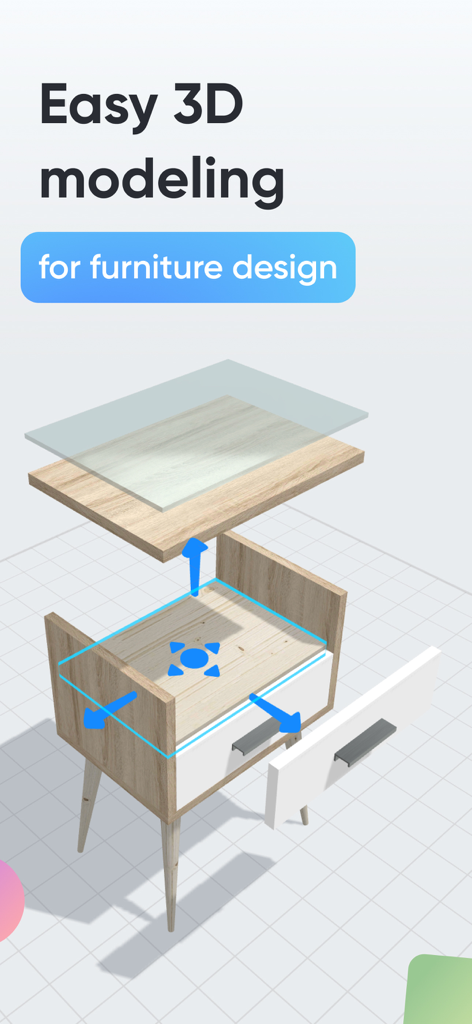
Moblo 앱에서 디자인 중인 나무 협탁의 폭발된 3D 모델 뷰
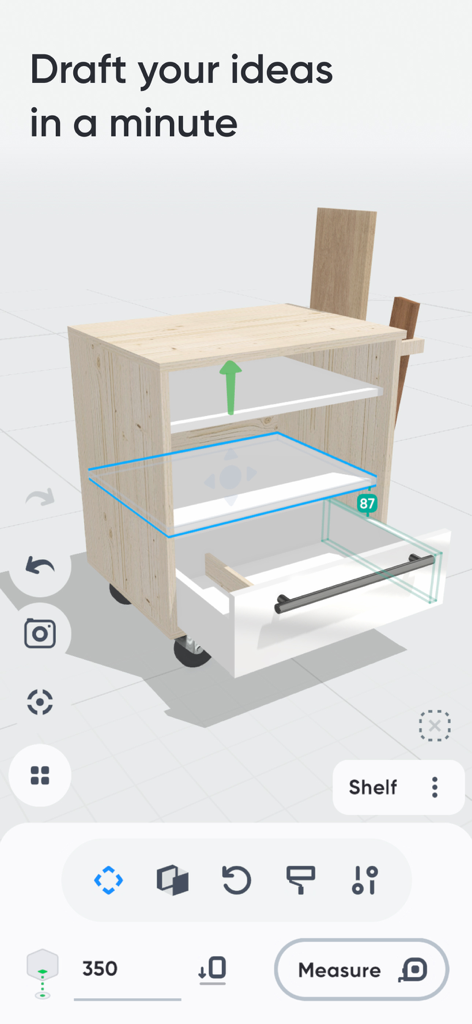
Moblo 앱 인터페이스에 서랍이 있는 캐비닛의 3D 가구 모델이 디자인되고 있음
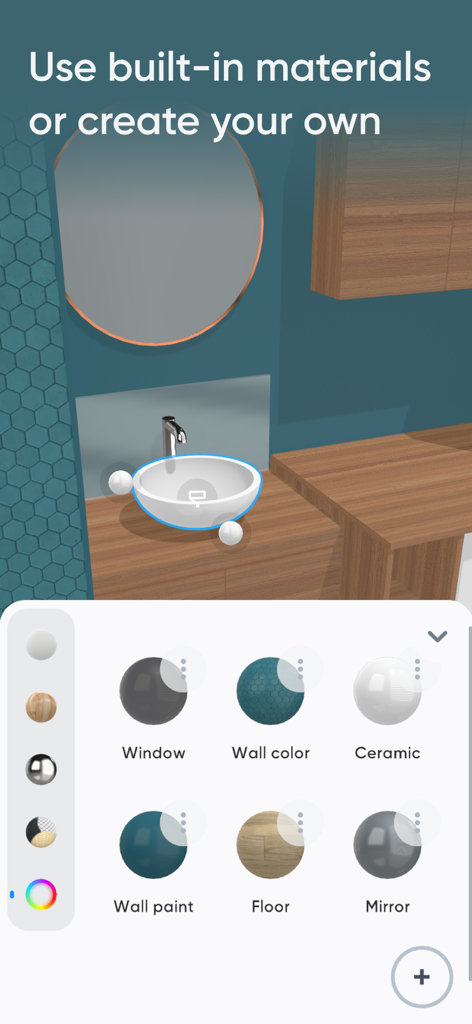
Moblo 앱 인터페이스에 가정용 디자인을 위한 3D 가구 재료 선택 옵션 표시
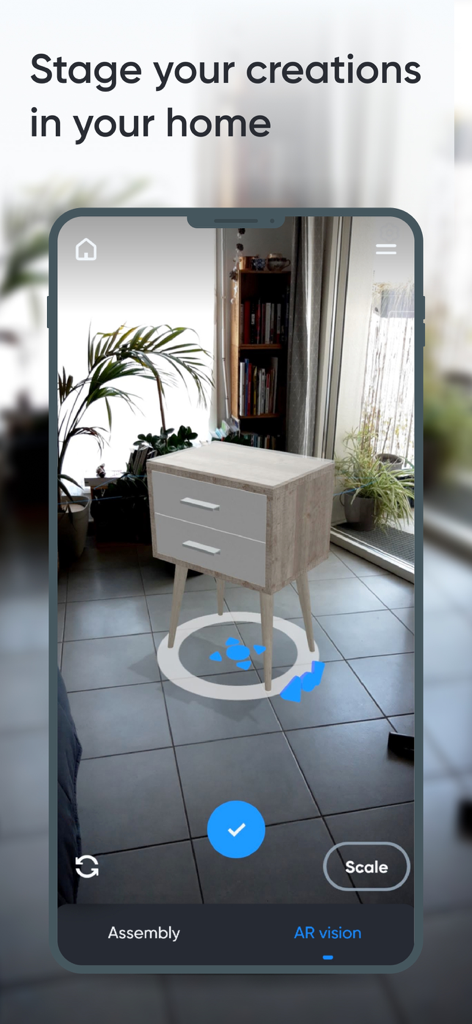
증강현실을 사용하여 실제 가정 환경에 배치된 3D 가구 모델
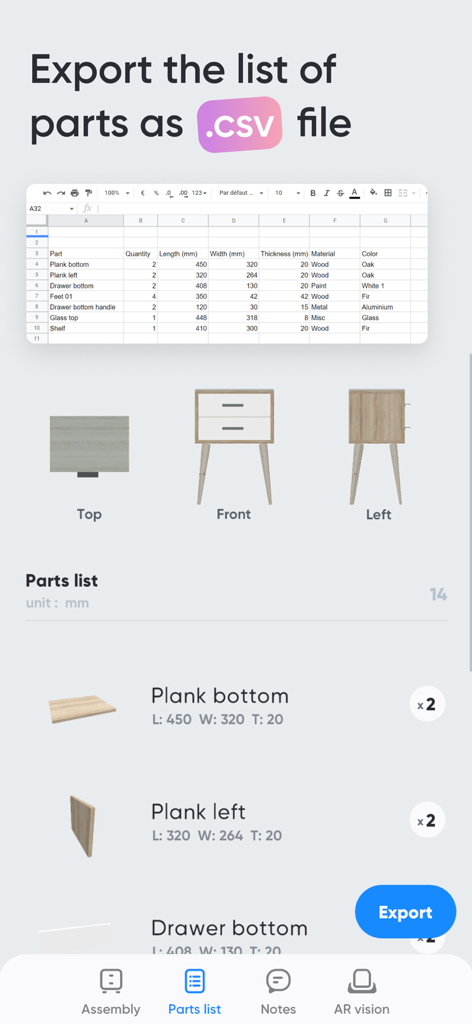
치수가 포함된 가구 부품 목록과 CSV 파일로 내보낼 수 있는 옵션을 보여주는 Moblo 앱 인터페이스
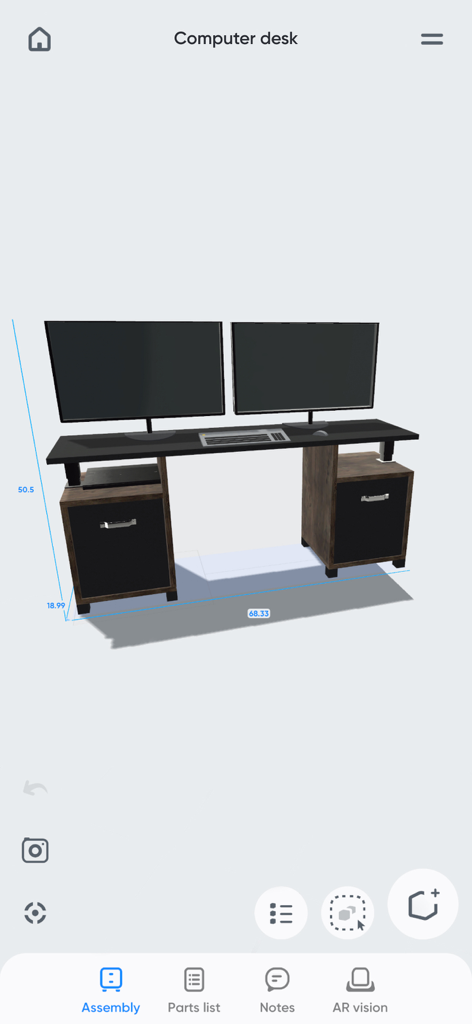
Moblo 가구 디자인 앱에서 치수가 표시된 맞춤형 컴퓨터 책상 3D 모델
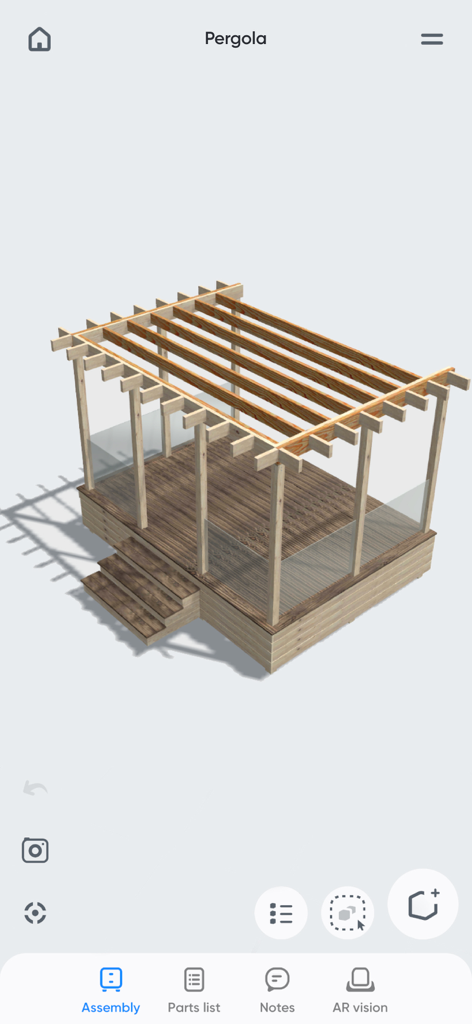
Moblo 가구 모델링 앱의 3D 나무 퍼걸러 디자인
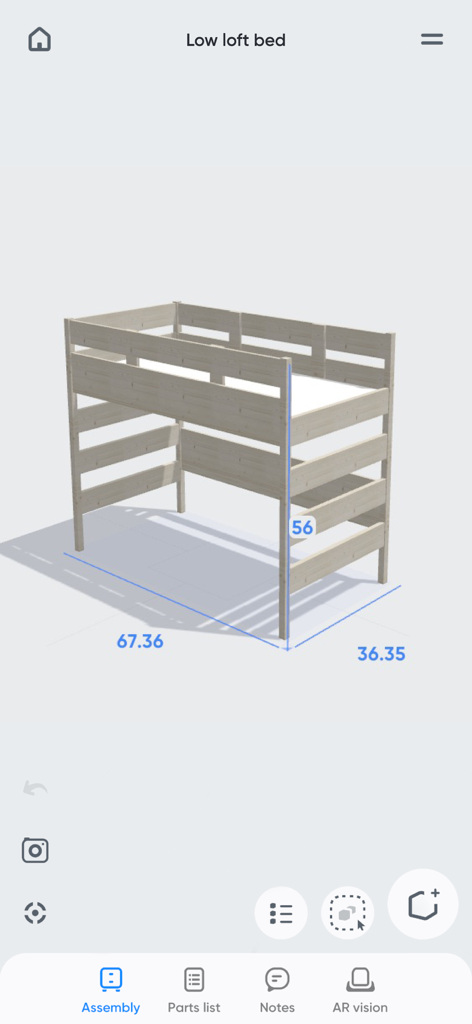
Moblo 가구 디자인 앱에 치수가 표시된 나무 로우 로프트 침대 3D 모델
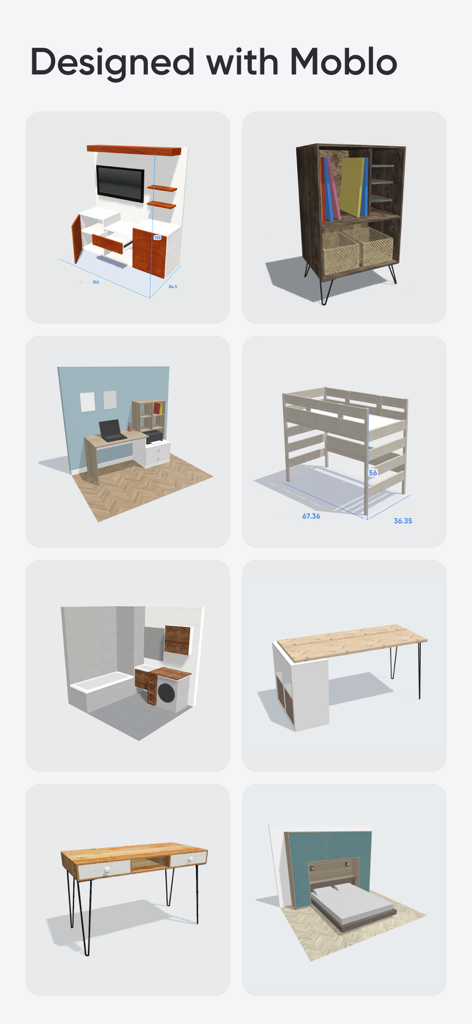
Moblo로 만든 다양한 3D 가구 모델 및 방 레이아웃 그리드
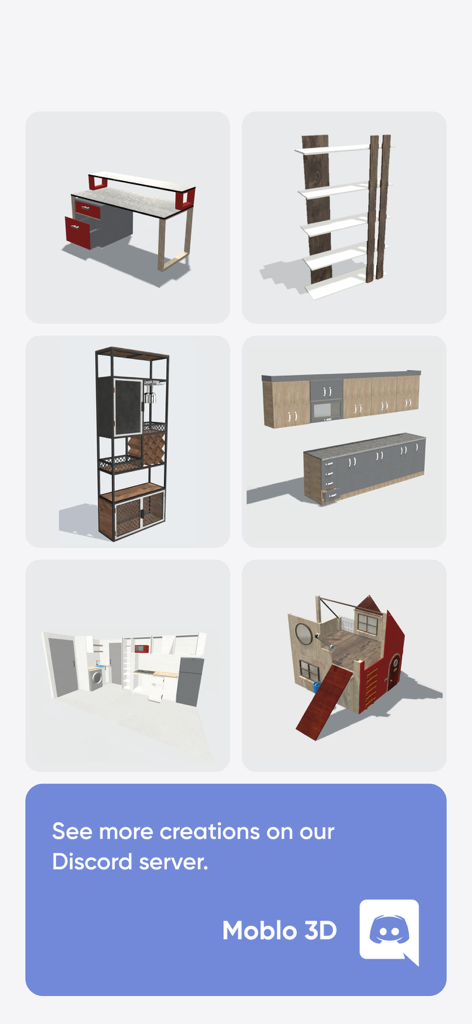
Moblo로 만든 책상 책장 및 주방 레이아웃을 포함한 다양한 3D 가구 디자인
설명
Download
비슷한 앱
유사한 기능과 사용자 경험을 가진 앱

Handy Art Reference Tool
Scott McKie

Previs Pro - Storyboard Fast
Ghostwheel LLC

Head Model Studio - Art Study
Wes Castain

Manikin
UNSH VOF

Magic Poser - Art Pose Tool
Wombat Studio, Inc.

ArtPose
shawn ogle

ArtPose Female Edition
shawn ogle

Pose Croquis
Kazuaki Matsuda

Easy Pose -Best Posing App
Park Kiyoung
이 페이지는 앱이나 개발자의 공식 페이지가 아니며, 정보 제공 및 논평을 목적으로 작성된 독립 편집 간행물입니다. 명시적으로 달리 언급되지 않는 한, 해당 앱이나 개발자는 MWM, Apple, Google Play, 앱 퍼블리셔 또는 앱 개발자와 제휴, 보증, 후원, 승인 또는 공식적으로 연결되어 있지 않으며, 이 페이지의 어떤 내용도 해당 앱이 MWM의 서비스를 사용하여 개발되었음을 의미하지 않습니다. 모든 상표, 로고, 스크린샷 및 기타 콘텐츠는 해당 소유자의 자산입니다.