Mobile PDF Scanner – Scan Docs
다운로드: App Store

이 페이지는 앱이나 개발자의 공식 페이지가 아니며, 정보 제공 및 논평을 목적으로 작성된 독립 편집 간행물입니다. 명시적으로 달리 언급되지 않는 한, 해당 앱이나 개발자는 MWM, Apple, Google Play, 앱 퍼블리셔 또는 앱 개발자와 제휴, 보증, 후원, 승인 또는 공식적으로 연결되어 있지 않으며, 이 페이지의 어떤 내용도 해당 앱이 MWM의 서비스를 사용하여 개발되었음을 의미하지 않습니다. 모든 상표, 로고, 스크린샷 및 기타 콘텐츠는 해당 소유자의 자산입니다.

로고: Mobile PDF Scanner – Scan Docs
다운로드: App Store

Mobile PDF Scanner – Scan Docs

스마트 텍스트 감지로 계약서, 영수증 및 메모를 쉽게 디지털화하세요. 현대적인 페이퍼리스 전문가를 위해 디자인된 워터마크 없는 PDF를 몇 초 안에 향상, 재정렬 및 내보내세요.

주요 수치

다운로드

1K+

사용자 평점

4.8/5

총 평가 수

0

개발사

RETICODE SC

카테고리

Utilities

지원 언어

23

최신 버전

3.0

크기

48.3 MB

출시일

2021년 9월 2일
기능

모바일 생산성 향상

iPhone 또는 iPad를 강력한 휴대용 오피스로 바꾸세요. 업무에 필요한 곳 어디든 몇 초 만에 전문적인 문서를 스캔, 편집 및 공유하세요.

스마트 텍스트 향상

고급 감지 및 품질 향상 도구를 통해 모든 스캔이 선명하고 깨끗하며 전문적인 사용 준비가 되었는지 확인합니다.

유연한 페이지 관리

페이지를 쉽게 재정렬하고, 이미지를 자르고, 여러 스캔을 즉석에서 하나의 완성된 PDF 문서로 병합하세요.

다음 스크린샷과 설명은 앱의 공식 스토어 목록에서 직접 가져온 것이며 앱 개발자의 자산입니다.

앱 스토어

스크린샷
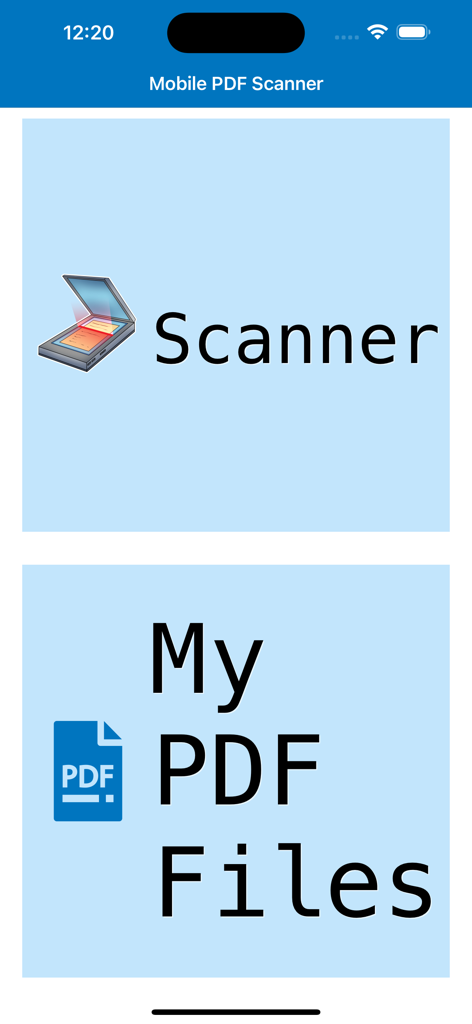
Mobile PDF Scanner – Scan Docs - 모바일 PDF 스캐너 앱의 홈 화면, 스캐너 및 내 PDF 파일 옵션 표시
모바일 PDF 스캐너 앱의 홈 화면, 스캐너 및 내 PDF 파일 옵션 표시

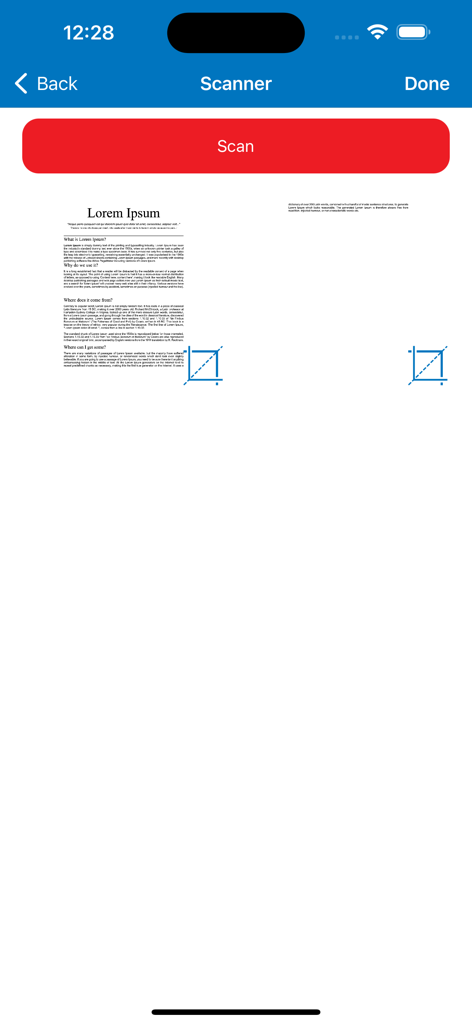
Mobile PDF Scanner – Scan Docs - 모바일 PDF 스캐너 앱 화면, 미리 보기가 있는 문서 스캔 인터페이스 표시.
모바일 PDF 스캐너 앱 화면, 미리 보기가 있는 문서 스캔 인터페이스 표시.

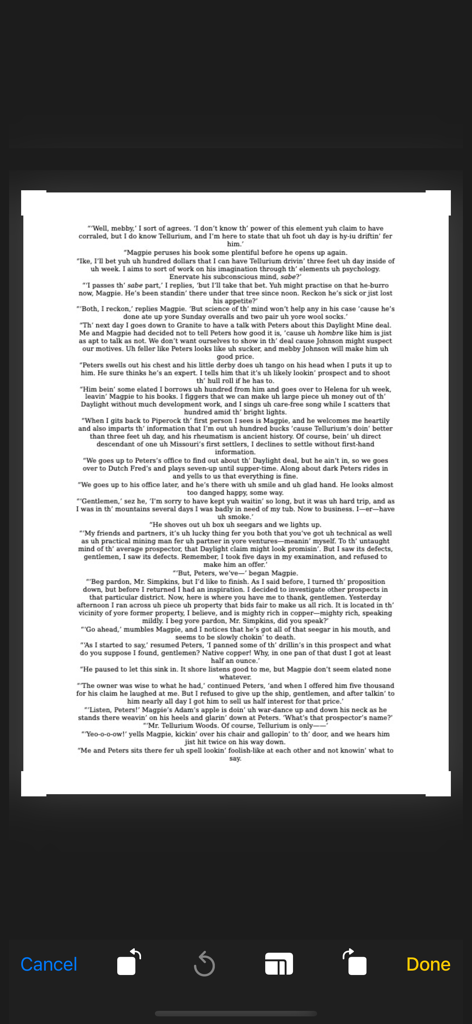
Mobile PDF Scanner – Scan Docs - 스캔 후 문서 자르기 및 편집을 보여주는 모바일 앱 인터페이스

스캔 후 문서 자르기 및 편집을 보여주는 모바일 앱 인터페이스

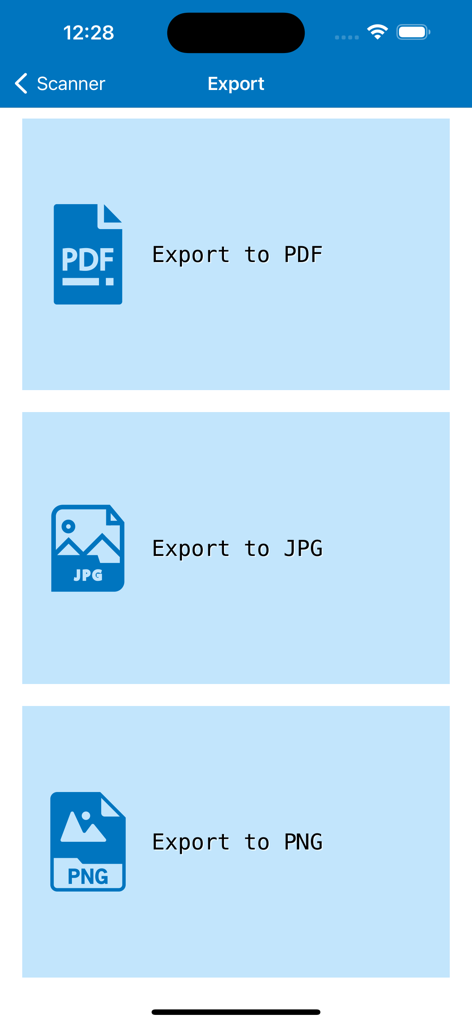
Mobile PDF Scanner – Scan Docs - PDF JPG PNG 옵션이 있는 모바일 PDF 스캐너 앱 내보내기 화면
PDF JPG PNG 옵션이 있는 모바일 PDF 스캐너 앱 내보내기 화면

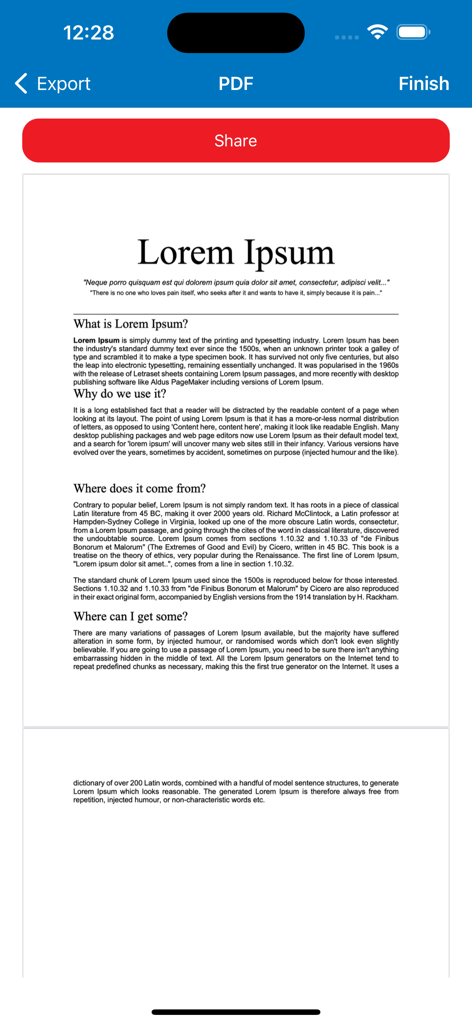
Mobile PDF Scanner – Scan Docs - 모바일 PDF 스캐너 앱에서 빨간색 공유 버튼이 있는 스캔된 문서 미리 보기
모바일 PDF 스캐너 앱에서 빨간색 공유 버튼이 있는 스캔된 문서 미리 보기

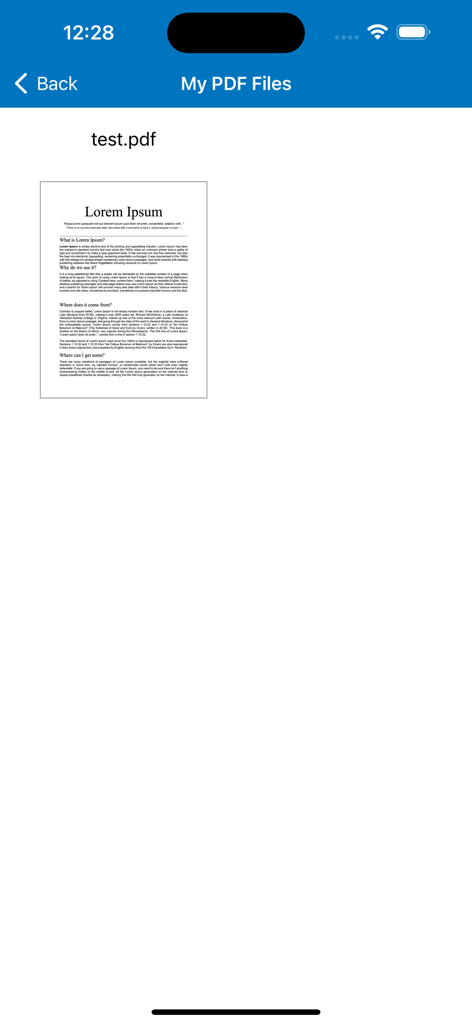
Mobile PDF Scanner – Scan Docs - 모바일 PDF 스캐너 앱의 인터페이스, 스캔된 PDF 문서 목록 표시

모바일 PDF 스캐너 앱의 인터페이스, 스캔된 PDF 문서 목록 표시

설명

Do you need to scan any documents or images using your phone? With this app, you can scan everything you need in a simple and professional way. Main features: - Scan all the pages you need: Using your phone’s camera, you can scan all the documents you need. - Scan professionally: Our app includes a text detection system that helps you adjust the size of the document you want to scan with your phone. - Export to different formats: Once you have taken all the photos you need, you can export your scans as PDF, PNG, OR JPG. You decide! - Keep your scanned documents at hand: You can easily access all your creations from the main menu of the app so you can download or review them instantly. Premium features: - Create multi-page PDF documents from your scanned photos. - Remove all advertisements for a clean and distraction-free experience. - Reorder scanned pages within a PDF document easily. - Edit scanned images: crop, adjust, enhance, and improve quality. - Export documents without watermarks. This app works as a complete PDF scanner and photo to PDF converter. You can scan documents or photos, convert images to PDF, and create high-quality PDF files directly from pictures taken with your phone. It supports converting JPG, PNG, and other image formats into PDF documents, making it easy to turn photos into PDFs in just a few taps. Whether you need a simple document scanner, a photo scanner, or an image to PDF converter, this app helps you scan, convert, and manage your PDF documents quickly and easily. Service Terms: https://reticode.com/terms/terms-of-service-pdfscanner.html Privacy Policy: https://reticode.com/privacy-policy/

Download

다운로드: App Store

이 페이지는 앱이나 개발자의 공식 페이지가 아니며, 정보 제공 및 논평을 목적으로 작성된 독립 편집 간행물입니다. 명시적으로 달리 언급되지 않는 한, 해당 앱이나 개발자는 MWM, Apple, Google Play, 앱 퍼블리셔 또는 앱 개발자와 제휴, 보증, 후원, 승인 또는 공식적으로 연결되어 있지 않으며, 이 페이지의 어떤 내용도 해당 앱이 MWM의 서비스를 사용하여 개발되었음을 의미하지 않습니다. 모든 상표, 로고, 스크린샷 및 기타 콘텐츠는 해당 소유자의 자산입니다.