이 페이지는 앱이나 개발자의 공식 페이지가 아니며, 정보 제공 및 논평을 목적으로 작성된 독립 편집 간행물입니다. 명시적으로 달리 언급되지 않는 한, 해당 앱이나 개발자는 MWM, Apple, Google Play, 앱 퍼블리셔 또는 앱 개발자와 제휴, 보증, 후원, 승인 또는 공식적으로 연결되어 있지 않으며, 이 페이지의 어떤 내용도 해당 앱이 MWM의 서비스를 사용하여 개발되었음을 의미하지 않습니다. 모든 상표, 로고, 스크린샷 및 기타 콘텐츠는 해당 소유자의 자산입니다.
Mobile Print:Scanner & Printer
10,000개 이상의 프린터 브랜드로 문서, 사진, PDF를 즉시 인쇄하세요. 케이블도, 드라이버도 필요 없이 집이나 사무실에서 완벽한 무선 인쇄와 전문가 수준의 스캔을 경험하세요.
인쇄 및 스캔 요구 사항을 위한 최고의 모바일 제어 센터입니다. 케이블이나 여러 브랜드별 앱의 번거로움 없이 효율성을 요구하는 현대 전문가를 위해 설계되었습니다.
보편적인 호환성
HP, Canon, Brother를 포함한 10,000개 이상의 프린터 모델에 원활하게 연결하세요. 앱 간 전환을 멈추고 하나의 통합 인터페이스에서 모든 것을 관리하세요.
통합 모바일 스캐너
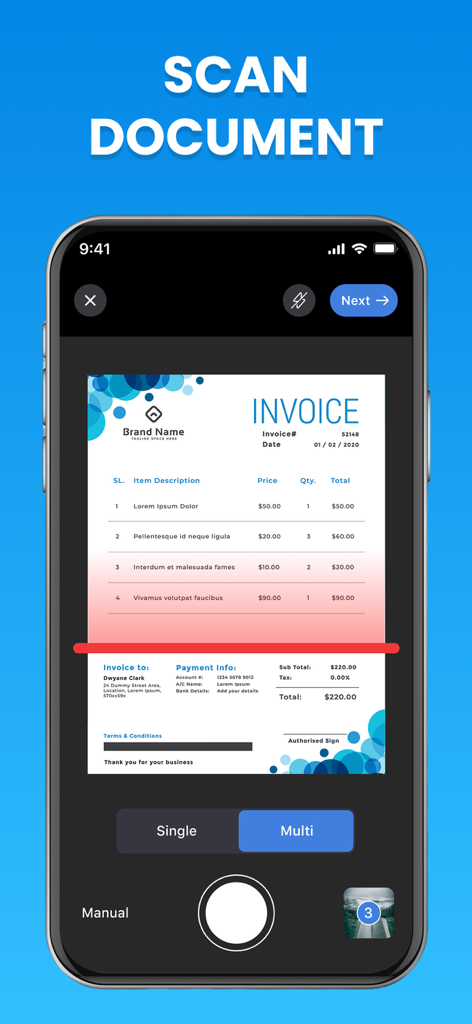
iPhone 또는 iPad를 고화질 스캐너로 바꾸세요. 문서를 디지털 서명하고 전문적인 PDF로 변환하고 방 어디서든 즉시 인쇄하세요.
다음 스크린샷과 설명은 앱의 공식 스토어 목록에서 직접 가져온 것이며 앱 개발자의 자산입니다.
앱 스토어
스크린샷
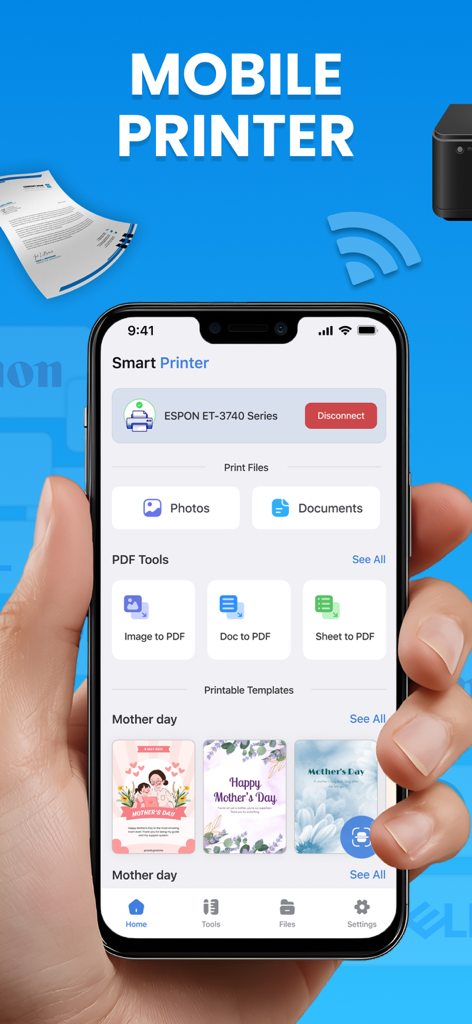
한 손으로 사진 및 문서의 무선 인쇄 옵션이 표시된 모바일 프린트 앱 대시보드를 보여주는 iPhone을 들고 있는 모습.
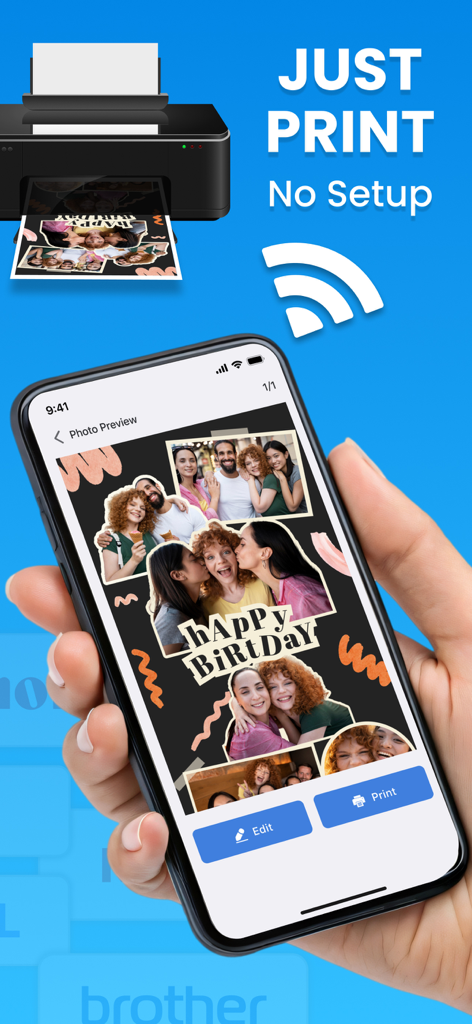
모바일 프린트 앱을 사용하여 생일 사진 콜라주를 무선으로 인쇄하기 위해 iPhone을 사용하는 사람.
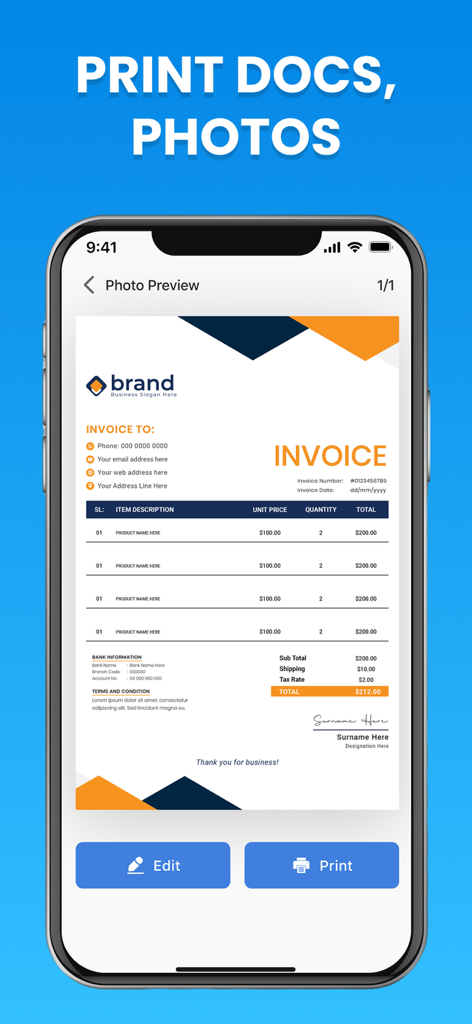
수정 및 인쇄 버튼과 함께 모바일 프린트 앱 내에서 송장 문서 미리보기를 보여주는 iPhone 화면
iPhone 화면에서 송장이 스캔되는 것을 보여주는 모바일 프린트 앱 인터페이스
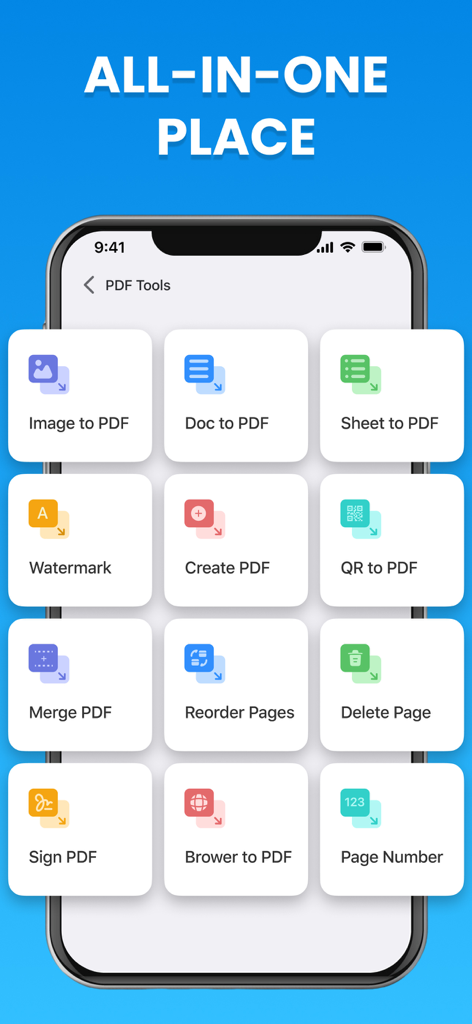
이미지를 PDF로, PDF 병합, PDF 서명과 같은 다양한 PDF 도구를 보여주는 모바일 프린트 앱 인터페이스.
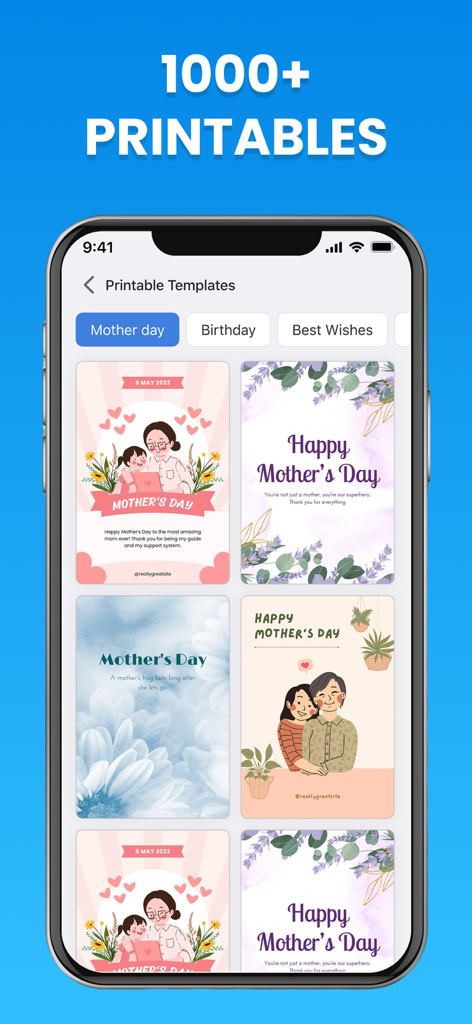
다양한 인쇄 가능한 어머니날 인사말 카드 템플릿을 보여주는 모바일 앱 화면
설명
Meet the Smart Printer App – your all-in-one printing and scanning solution for iPhone and iPad users! Whether you need to print photos, documents, or PDFs, this app makes the process simple, fast, and wireless. Say goodbye to cables and drivers — just connect wirelessly and start printing with ease.
Key Features:
Connect wirelessly and print instantly.
Supports 10,000 printer brands across models.
Get connect with Wi-Fi in seconds – no cables needed.
Works perfectly as a Photo Printer, Document Printer, and PDF printer.
Easy-to-use interface for everyone.
Manage print jobs and check printer status in real time.
Fast, secure, and optimized for iOS devices.
The Smart Printer App is designed to work seamlessly with almost every printer model out there. It supports 10,000 printer brands, including HP, Canon, Epson, Brother, Samsung, and many more. No complex setup is required — you can get connect with Wi-Fi in seconds and start printing right from your phone or tablet.
This Mobile Printer tool offers complete flexibility for both personal and professional use. Whether you’re printing at home, in the office, or on the go, you can rely on your Mobile Printer to handle photos, PDFs, and documents effortlessly. It’s perfect for students, business professionals, and anyone who values productivity and speed.
With the Smart Printer App, you can:
Print directly from your iPhone or iPad.
Scan and save documents as PDF or image files.
Connect wirelessly to your printer using Wi-Fi.
Choose paper size, quality, and orientation before printing.
Adjust color settings and preview prints before sending.
Save and reprint documents anytime.
The app acts as a complete Photo Printer, allowing you to print your favorite memories in stunning quality. Choose from multiple photo sizes, layouts, and paper types to make your photos look perfect every time. It also functions as a Document Printer, ensuring your reports, contracts, or notes are printed professionally in seconds.
If you often work with PDF files, the built-in PDF printer function lets you print or save PDFs easily. Whether it’s invoices, receipts, or study material — this app helps you get the job done without hassle.
The Smart Printer App is built to give you control and convenience in one place. It’s more than just a Mobile Printer — it’s your personal print assistant. From scanning to sharing, everything is designed to save you time and effort.
Whether you’re printing school assignments, office reports, or personal photos, the Smart Printer App is your ultimate printing solution. With multi-format support, lightning-fast connection, and compatibility with thousands of printers, you’ll never need another app to print again.
Download the Smart Printer App today and experience the power of wireless printing. Turn your iPhone or iPad into a professional Mobile Printer and enjoy high-quality prints anytime, anywhere!
Subscription Information
• Payment will be charged to iTunes Account at confirmation of purchase
• Subscription automatically renews unless auto-renew is turned off at least 24-hours before the end of the current period
• Account will be charged for renewal within 24-hours prior to the end of the current period, and identify the cost of the renewal
• Subscriptions may be managed by the user and auto-renewal may be turned off by going to the user's Account Settings after purchase
• Any unused portion of a free trial period, if offered, will be forfeited when the user purchases a subscription to that publication, where applicable
Terms & Conditions: https://smartprinterandscannerapp.blogspot.com/p/terms-conditions-october-27-2025-terms.html
Privacy Policy: https://smartprinterandscannerapp.blogspot.com/p/privacy-policy-october-06-2025-privacy.html
이 페이지는 앱이나 개발자의 공식 페이지가 아니며, 정보 제공 및 논평을 목적으로 작성된 독립 편집 간행물입니다. 명시적으로 달리 언급되지 않는 한, 해당 앱이나 개발자는 MWM, Apple, Google Play, 앱 퍼블리셔 또는 앱 개발자와 제휴, 보증, 후원, 승인 또는 공식적으로 연결되어 있지 않으며, 이 페이지의 어떤 내용도 해당 앱이 MWM의 서비스를 사용하여 개발되었음을 의미하지 않습니다. 모든 상표, 로고, 스크린샷 및 기타 콘텐츠는 해당 소유자의 자산입니다.