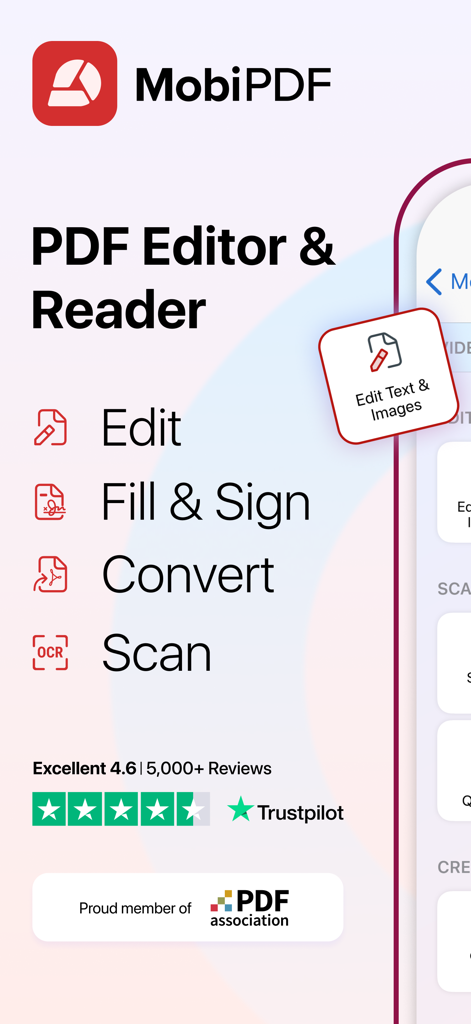
MobiPDF 앱은 높은 Trustpilot 평점과 함께 편집, 채우기, 서명, 변환 및 스캔과 같은 주요 기능을 강조합니다.
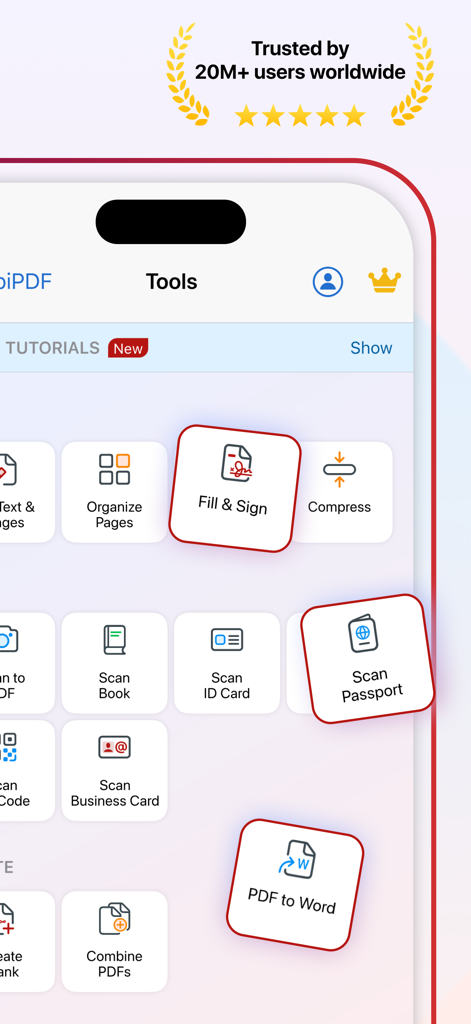
MobiPDF 앱 인터페이스는 채우기 및 서명, 스캔, 여권, PDF를 Word로 변환을 포함한 생산성 도구를 표시합니다.
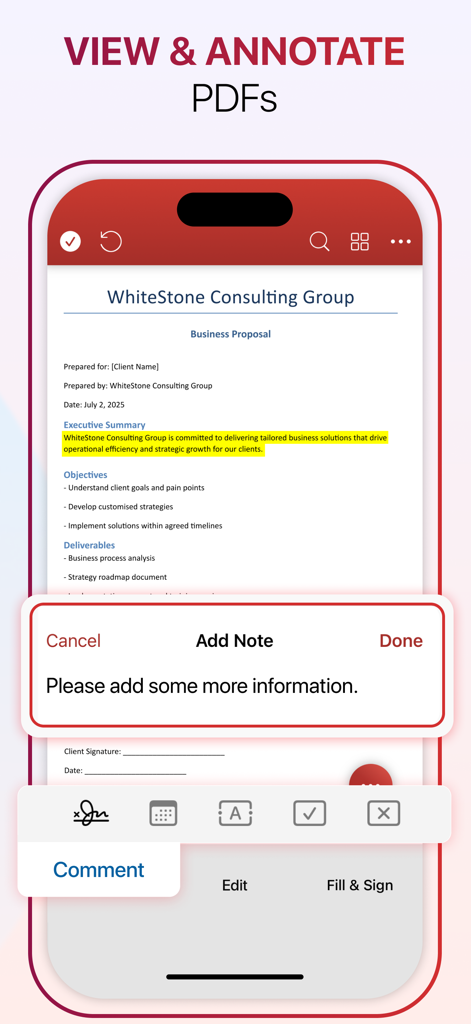
MobiPDF 모바일 앱 인터페이스는 비즈니스 제안서를 보고 하이라이트와 메모로 주석을 다는 방법을 보여줍니다.
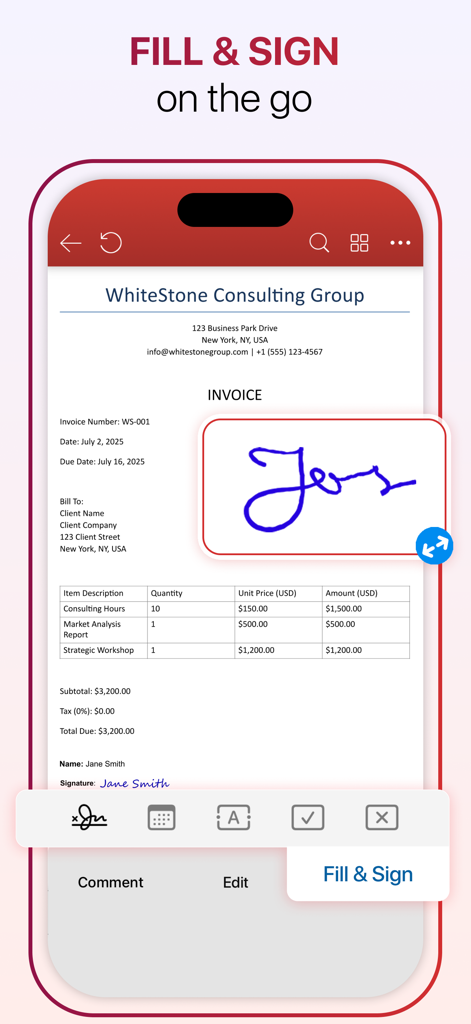
MobiPDF 앱 인터페이스는 모바일 화면에서 전문 송장에 디지털 서명을 추가하는 과정을 보여줍니다.
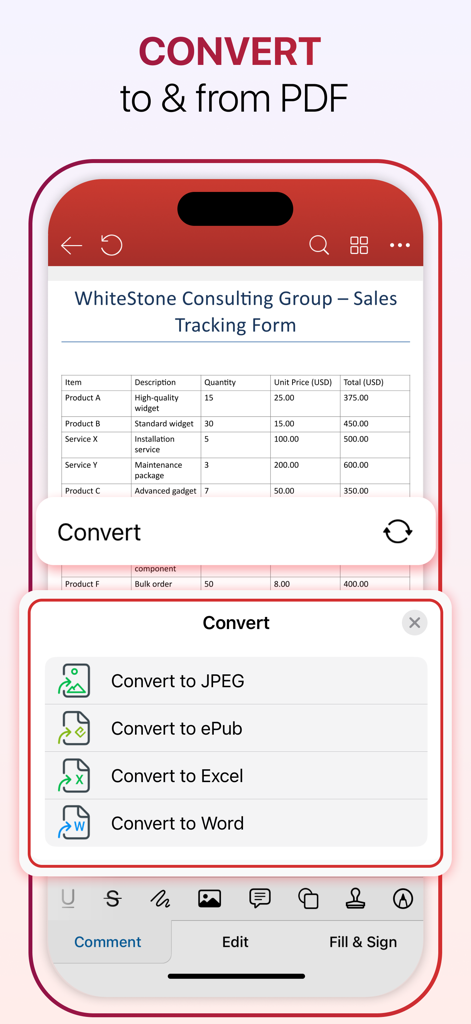
MobiPDF 앱 인터페이스는 PDF 문서를 Word, Excel, JPEG 및 ePub 형식으로 변환하는 옵션을 보여줍니다.
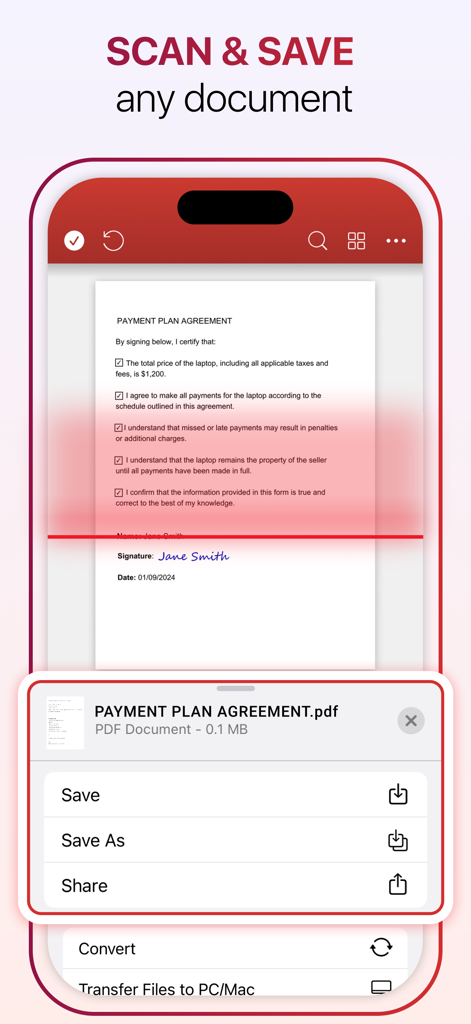
MobiPDF 모바일 앱 인터페이스는 결제 계획 계약서와 함께 스캔 및 저장 기능을 보여줍니다.
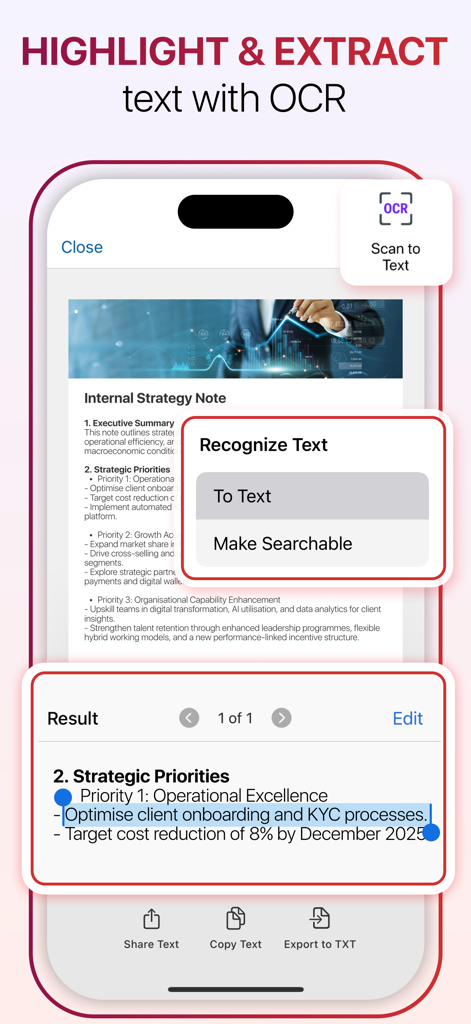
MobiPDF 앱 화면은 OCR을 사용하여 문서에서 텍스트를 강조 표시하고 추출하는 방법을 보여줍니다.
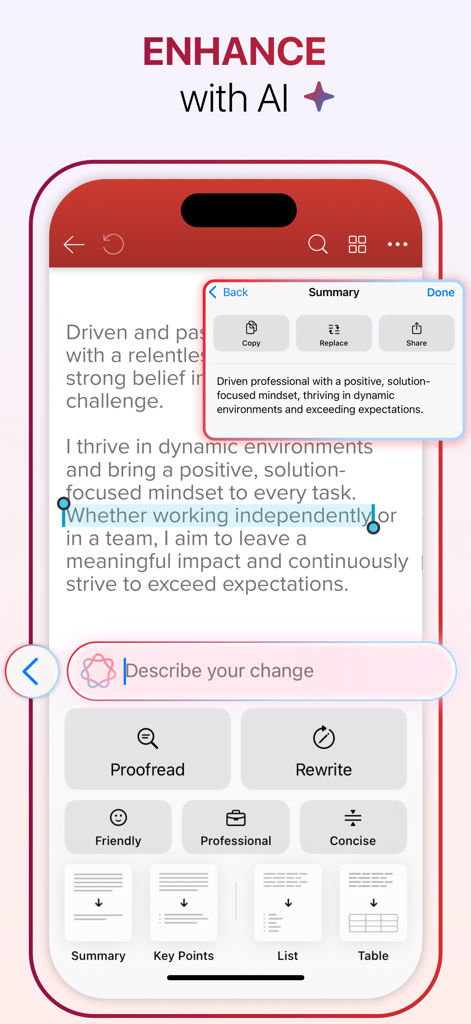
MobiPDF AI 기능을 사용하여 문서 텍스트를 요약하고 다시 작성하는 스마트폰 화면.
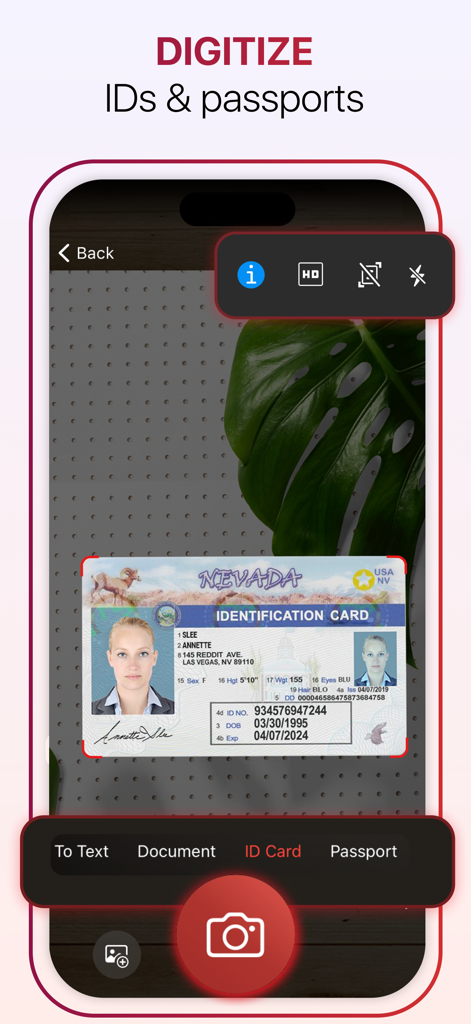
MobiPDF를 사용하여 네바다 신분증을 스캔하고 디지털화하는 스마트폰.
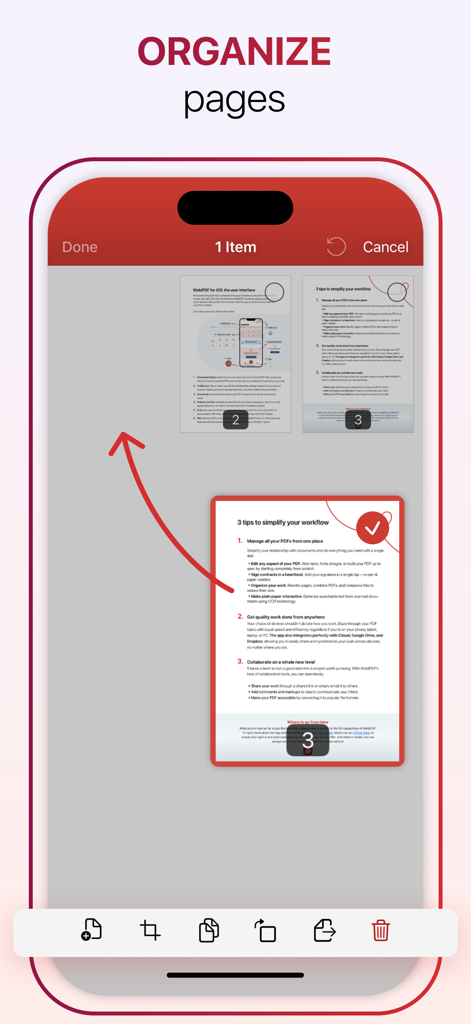
MobiPDF 앱 인터페이스는 모바일 장치에서 PDF 페이지를 구성하고 재정렬하는 방법을 보여줍니다.
모바일 워크플로우를 위한 전문가용 PDF 도구
이 앱을 돋보이게 하는 도구, 2M+ 명의 사용자가 선택.
✍️
완벽한 모바일 편집
컴퓨터에서와 동일한 제어 기능으로 장치에서 직접 텍스트, 이미지 및 레이아웃을 수정하세요.
📸
스마트 스캔 및 OCR
고정밀 텍스트 인식을 사용하여 물리적인 서류를 즉시 검색 및 편집 가능한 디지털 자산으로 변환하세요.
🔒
안전한 서명 및 보호
업계 최고의 암호화를 사용하여 전문적인 전자 서명으로 계약을 체결하고 민감한 데이터를 보호하세요.
앱 소개
에 대해 알아야 할 모든 것 MobiPDF・PDF Text Editor・Reader.
설명
MobiPDF Editor and Scanner gives you a powerful collection of expert tools and features to quickly and easily view, review, edit, create, and secure PDFs on your phone, wherever you are.
MobiPDF is a proud member of the PDF Association.
SCAN TO PDF
Capture clear scans of your paper documents and convert them into editable PDF files. With MobiPDF, you can scan a variety of documents: from receipts, contracts, invoices, notes, certificates, and reports to IDs, passports, books and business cards.
RECOGNIZE TEXT (OCR)
Utilize OCR technology to recognize text from scans and images and easily share the recognized text by email, messaging apps, or upload it to the cloud.
EDIT PDF FILES
Access one of the most advanced mobile PDF editors on the market and edit PDFs, create blank PDFs, and insert, remove, or modify various document aspects including text, pictures, signatures, comments, drawings, certificates, and more.
FILL AND SIGN
Fill out and share forms and eSign documents, and contracts on the go with advanced support for fillable PDFs, enabling you to draw your signature directly on documents or reuse saved electronic signatures while making all the changes you need.
PRINT PDFs
Print PDF documents wirelessly straight from your phone.
CONVERT PDFs
Convert PDFs to Word, Excel, PowerPoint, or ePub formats while preserving the original layout and formatting, and save Word, Excel, PowerPoint, and ePub files as PDFs for easy sharing. Enjoy reliable conversion of PNG and JPEG images into editable PDF files or use the free PNG and JPEG converter within MobiPDF to easily turn PDF documents into images.
PROTECT PDFs
Protect your sensitive documents with passwords to lock, encrypt, and restrict user access and utilize digital certificates for authenticity validation.
BACK-UP YOUR SCANS AND PDFs
Log into your account to access 5GB of free cloud storage on MobiDrive. Upgrade to MobiPDF Premium for an additional 50GB of storage.
VIEW AND COMMENT
Enhance your reading experience with MobiPDF's advanced PDF viewer and easily switch different page modes or enable Read More for distraction-free reading. Easily add comments, use drawing tools, highlight and markup text, insert stamps, or attach files to your PDF.
ORGANIZE PAGES IN PDFs
Enjoy full control over your PDF documents: view, rearrange, insert, delete, extract, duplicate, and rotate pages or merge PDFs into one to create your perfectly organized PDF layout.
PRICING & SUBSCRIPTIONS
MobiPDF offers auto-renewable subscriptions.
● Your free trial subscription will automatically renew to a paid subscription unless you cancel at least 24 hours before the end of the free trial period.
● Any unused portion of a free trial period (if offered) will be forfeited when you purchase a premium subscription.
● You can cancel a free trial or subscription anytime through your iTunes account settings. This must be done 24 hours before the end of a free trial or subscription period to avoid being charged. The cancellation will take effect the day after the last day of the current subscription period, and you will be downgraded to the free service.
Help Centre: https://support.mobisystems.com/hc/en-us/sections/20794399449757-iOS
Privacy Policy: https://mobisystems.com/en-us/terms-of-use
Terms of Use: https://mobisystems.com/en-us/privacy-policy
최신 버전
6.1
크기
235.0 MB
출시일
2021년 1월 19일
이동 중에 문서를 마스터할 준비가 되셨나요?
MobiPDF를 사용하여 전문가 수준의 정밀도로 문서를 스캔, 편집 및 서명하는 2백만 명 이상의 전문가와 함께하세요. 언제 어디서나 가능합니다.
FAQ
자주 묻는 질문
에 대해 알아야 할 모든 것 MobiPDF・PDF Text Editor・Reader
MobiPDF는 무엇인가요?
MobiPDF는 모바일 PDF 편집기 및 스캐너입니다. 휴대폰에서 직접 PDF 파일을 보고, 검토하고, 편집하고, 만들고, 보안을 유지할 수 있는 전문가 도구를 제공하여 포괄적인 PDF 관리 솔루션을 제공합니다.
MobiPDF를 사용하여 PDF 파일의 텍스트와 이미지를 편집할 수 있나요?
네, MobiPDF를 사용하여 PDF 파일을 편집할 수 있습니다. 고급 모바일 PDF 편집기를 사용하여 텍스트, 사진, 서명, 주석, 그림 및 인증서와 같은 다양한 문서 요소를 삽입, 제거 또는 수정할 수 있습니다.
MobiPDF에 OCR 기술이 포함되어 있나요?
네, MobiPDF는 OCR(광학 문자 인식) 기술을 통합합니다. 이 기능을 통해 스캔 및 이미지에서 텍스트를 인식하여 이메일, 메시징 앱 또는 클라우드 업로드를 통해 인식된 텍스트를 쉽게 공유할 수 있습니다.
MobiPDF로 문서를 서명하려면 어떻게 해야 하나요?
MobiPDF는 양식을 작성하고 이동 중에 계약서에 전자 서명할 수 있는 "채우기 및 서명" 기능을 제공합니다. 문서에 직접 서명을 그리거나 저장된 전자 서명을 재사용할 수 있습니다.
MobiPDF는 PDF 파일을 다른 형식으로 변환할 수 있나요?
네, MobiPDF는 원본 레이아웃을 유지하면서 PDF를 Word, Excel, PowerPoint 및 ePub으로 변환합니다. 또한 Word, Excel, PowerPoint 및 ePub 파일을 PDF로 변환하고 PNG/JPEG 이미지를 편집 가능한 PDF로 변환하거나 PDF를 이미지로 만듭니다.
MobiPDF는 클라우드 스토리지를 제공하나요?
네, 계정에 로그인하면 MobiDrive에서 5GB의 무료 클라우드 스토리지를 제공합니다. MobiPDF Premium으로 업그레이드하면 추가 50GB의 클라우드 스토리지를 사용할 수 있습니다.
MobiPDF 구독은 어떻게 작동하나요?
MobiPDF는 자동 갱신 구독을 제공합니다. 무료 평가판은 기간 종료 24시간 전에 취소하지 않으면 유료 구독으로 자동 전환되며, iTunes 계정 설정을 통해 관리할 수 있습니다.
MobiPDF로 실제 문서를 스캔할 수 있나요?
네, MobiPDF를 사용하면 영수증, 계약서, 송장, 신분증, 여권, 책과 같은 종이 문서를 선명하게 스캔하여 편집 가능한 PDF 파일로 변환할 수 있습니다.
MobiPDF에서 PDF 페이지를 구성할 수 있나요?
네, MobiPDF는 PDF 페이지 구성에 대한 완전한 제어를 제공합니다. 사용자는 페이지를 보거나, 재정렬하거나, 삽입, 삭제, 추출, 복제, 회전하거나, 여러 PDF를 하나의 문서로 병합할 수 있습니다.
MobiPDF로 PDF 문서를 보호할 수 있나요?
네, MobiPDF를 사용하면 비밀번호로 민감한 문서를 보호하여 잠그고, 암호화하고, 사용자 액세스를 제한할 수 있습니다. 또한 진위 확인을 위한 디지털 인증서 사용도 지원합니다.
MobiPDF는 어떤 주석 기능을 제공하나요?
MobiPDF의 고급 뷰어는 주석, 그리기 도구, 강조 표시, 텍스트 마크업, 스탬프 및 파일 첨부 파일로 독서를 향상시킵니다. 방해 없는 독서를 위한 다양한 페이지 모드도 지원합니다.
MobiPDF는 PDF 협회 회원인가요?
네, MobiPDF는 PDF 협회의 자랑스러운 회원으로서 PDF 기술의 산업 표준 및 모범 사례에 대한 노력을 보여줍니다.
MobiPDF 무료 평가판을 어떻게 취소하나요?
MobiPDF 무료 평가판을 취소하려면 요금이 청구되는 것을 방지하기 위해 무료 평가판 기간이 끝나기 최소 24시간 전에 iTunes 계정 설정을 통해 취소해야 합니다.
MobiPDF는 AI 기능을 사용하나요?
네, MobiPDF는 AI 기능을 사용하여 문서를 향상시킵니다. 여기에는 교정, 다시 작성, 텍스트 요약, 핵심 포인트, 목록 및 테이블 생성과 같은 기능이 문서 내에서 직접 제공됩니다.
App information, icons, screenshots, and descriptions displayed on this page are sourced from the Apple App Store and are the property of their respective developers. Download estimates and rankings are based on MWM's proprietary models and may not reflect actual figures. This page is provided for informational and analytical purposes only.
Believe this page infringes your intellectual property? File a dispute