Moment Pro Camera II

Moment Pro Camera II

다운로드: App Store
로고: Moment Pro Camera II

Moment Pro Camera II: 진지한 크리에이터를 위한 전문가 수준의 제어

현대 영화 제작자와 사진 작가를 위해 설계된 수동 노출, Apple Log 비디오 및 정밀 모니터링 도구를 사용하여 iPhone의 잠재력을 최대한 발휘하세요.

개발사

Moment Inc.

카테고리

Photo & Video

다운로드

19K+

사용자 평점

4.1/5

총 평가 수

100

지원 언어

1

모든 프레임을 마스터하세요

이 인터페이스를 사용하는 19K+ 명의 사용자.

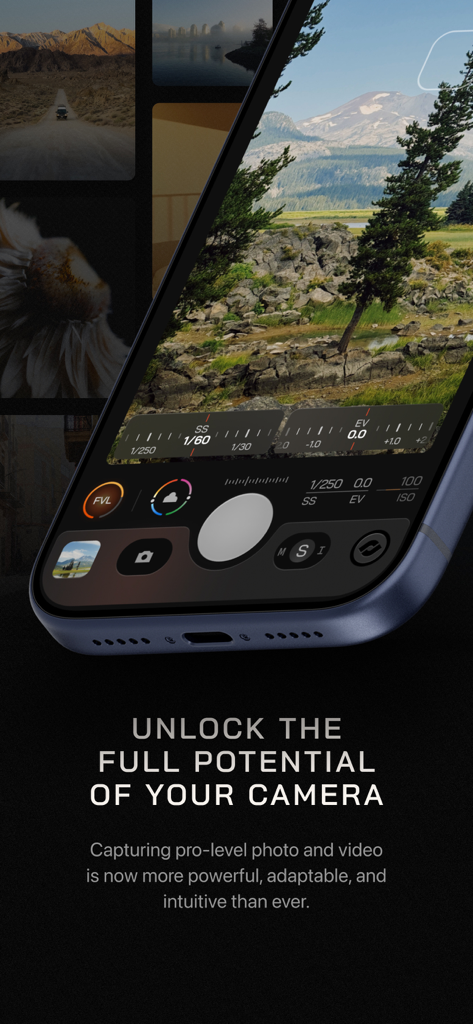
Moment Pro Camera II 앱 인터페이스, iPhone에서 수동 노출 및 셔터 속도 제어를 보여줌
Moment Pro Camera II 앱 인터페이스, iPhone에서 수동 노출 및 셔터 속도 제어를 보여줌

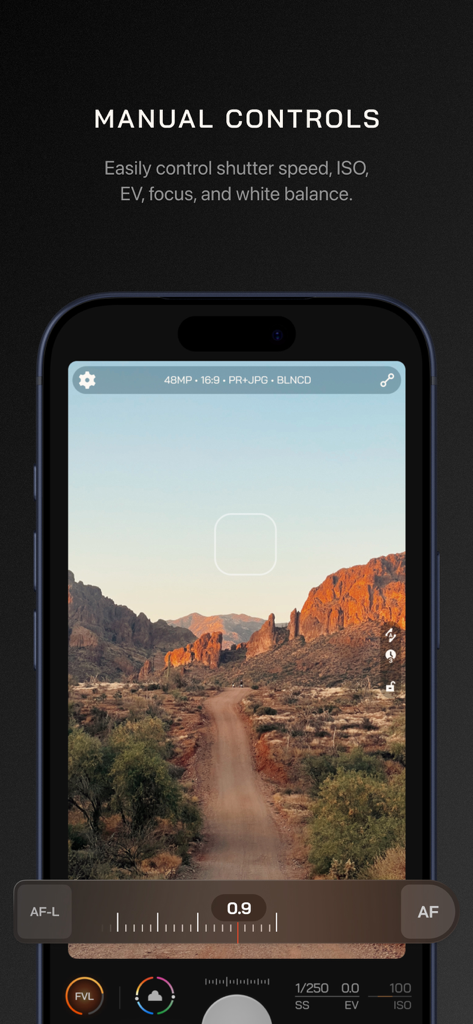
Moment Pro Camera II 앱의 수동 카메라 제어 인터페이스, 풍경 사진 위에 셔터 속도 ISO 및 초점 조정 표시
Moment Pro Camera II 앱의 수동 카메라 제어 인터페이스, 풍경 사진 위에 셔터 속도 ISO 및 초점 조정 표시

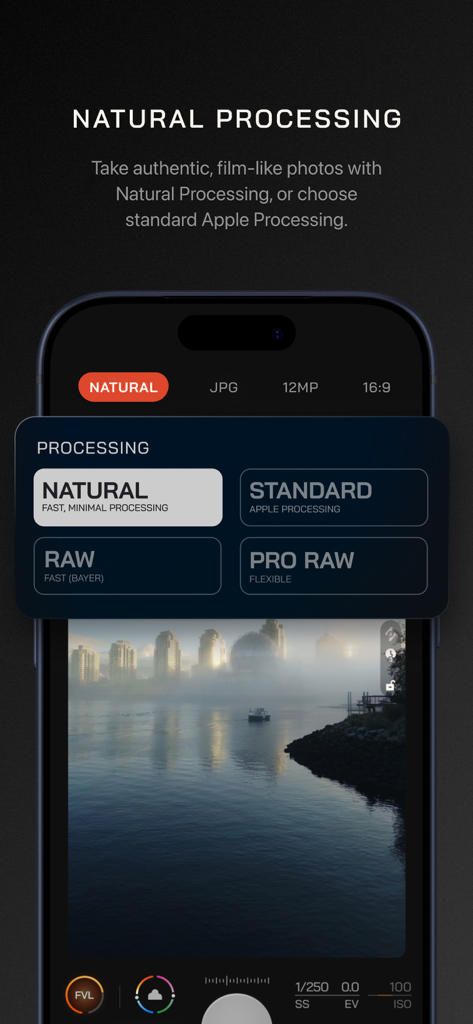
Moment Pro Camera II 인터페이스, 자연 및 RAW 사진 처리 옵션을 보여줌.
Moment Pro Camera II 인터페이스, 자연 및 RAW 사진 처리 옵션을 보여줌.

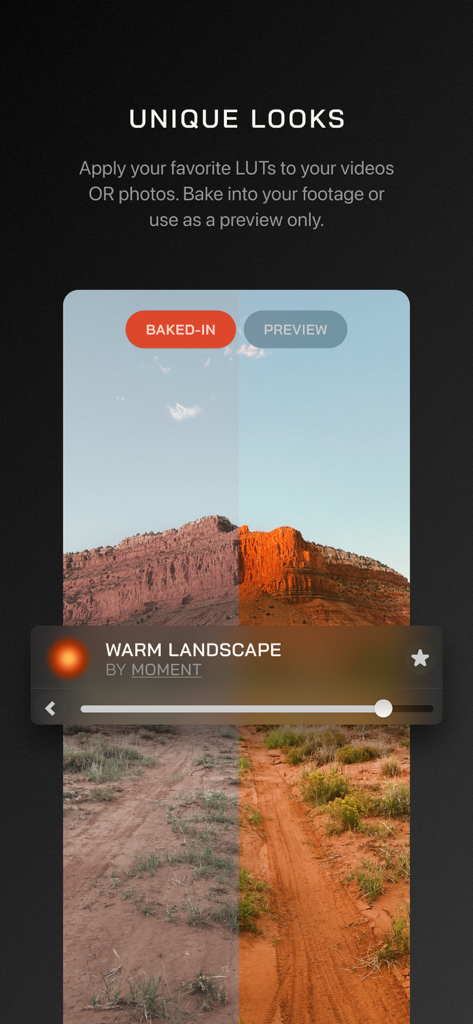
Moment Pro Camera II 앱에서 따뜻한 풍경 LUT를 적용하기 전후의 사막 풍경 사진을 분할 화면으로 비교
Moment Pro Camera II 앱에서 따뜻한 풍경 LUT를 적용하기 전후의 사막 풍경 사진을 분할 화면으로 비교

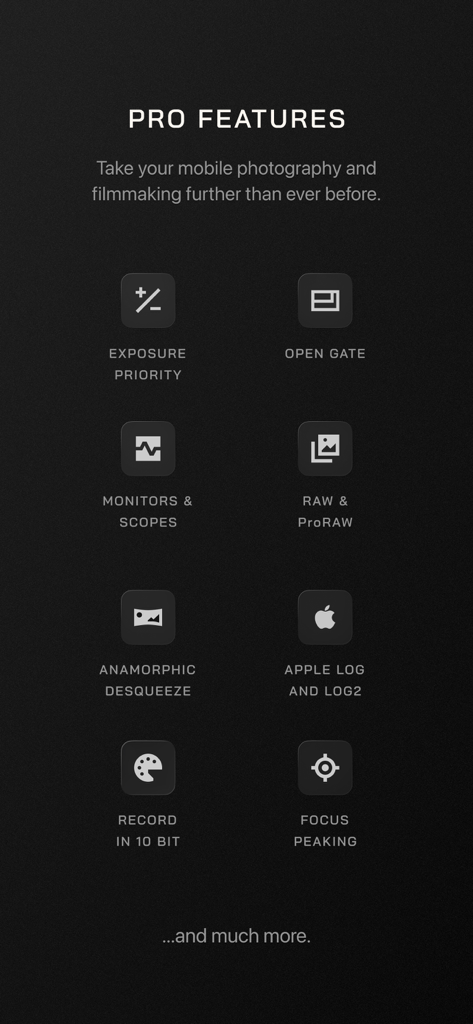
Moment Pro Camera II 앱의 전문가 기능 목록, 수동 노출, Apple Log, RAW 지원, 초점 피킹 포함
Moment Pro Camera II 앱의 전문가 기능 목록, 수동 노출, Apple Log, RAW 지원, 초점 피킹 포함

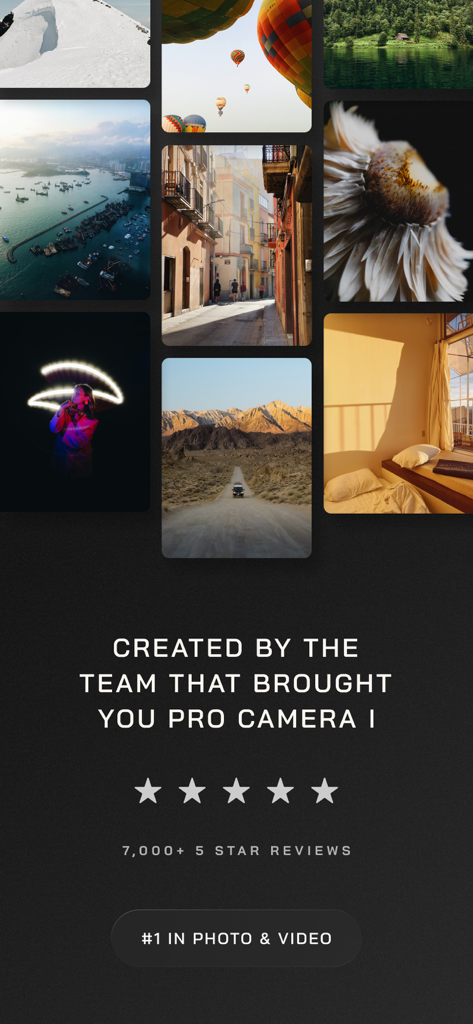
Moment Pro Camera II 앱에 대한 별점 5개와 1위 랭킹 배지가 표시된 전문 사진 결과물을 보여주는 사진 갤러리.

Moment Pro Camera II 앱에 대한 별점 5개와 1위 랭킹 배지가 표시된 전문 사진 결과물을 보여주는 사진 갤러리.

디지털 스토리텔러를 위한 전문가 도구

이 앱을 돋보이게 하는 도구, 19K+ 명의 사용자가 선택.

⚙️

완전한 수동 제어

ISO, 셔터 속도 및 화이트 밸런스를 완전히 제어하여 과도하게 처리된 AI 룩을 제거하고 당신이 보는 것을 그대로 포착하세요.

🎥

이동 중에도 방송 품질의 영상을 위해 실시간 파형 및 히스토그램과 함께 Apple Log, ProRes 및 10비트 색상으로 촬영하세요.

🔍

정밀 렌즈 통합

전문가용 광학 장치를 위해 설계된 아나모픽 디스퀴즈 및 유체 줌 컨트롤로 Moment 에코시스템에 최적화되었습니다.

앱 소개

에 대해 알아야 할 모든 것 Moment Pro Camera II.

설명

Your Camera, Your Looks, Your Way. Moment Pro Camera II turns your phone into your favorite camera for photography and filmmaking. Shoot like a pro with full manual controls, creative looks, and an upgraded interface – all in one intuitive app. What’s New in Pro Camera II? Our first pro camera app has been the #1 rated camera app for years. Now, it’s time for the next chapter. We’ve re-engineered Pro Camera II from the ground up to give you better performance, advanced controls, and new customizable interfaces and shooting modes. Key Features: • Pro-Level Exposure Control – Our smart exposure system allows you to take control with Shutter Priority, ISO Priority, Manual, and Auto exposure modes, including the ability to limit Auto ISO to a specific range. • Upgraded White Balance – Beyond auto white balance, you can manually configure temperature and tint, choose a preset, or calibrate via a gray card. • Advanced Photo Options – Control the level of processing and HDR applied to your photos. Shoot in RAW, ProRAW, TIFF, HEIF, or JPG. • Cinematic Video Tools – Apple Log, Open Gate, ProRes, 10-bit recording, and more. Adjust the resolution, color space, frame rate, codec, bitrate, and chroma subsampling for total creative freedom. • Precision Monitoring – Get pro-level feedback with Waveform, RGB Histograms, and audio meters — normally reserved for cinema cameras. • Aspect Ratio – Frame your shot within your favorite aspect ratio (4:3, 16:9, 3:2, 5:4, 1:1) • Designed for All Creators – A beautiful, intuitive interface that adapts to how you shoot. Swipe, tap, and adjust anything immediately with one hand (including a dedicated left-handed layout), or go distraction-free with Zen Mode. Works natively in landscape orientation. • Looks, Your Way – Apply creative Looks or import your own LUTs to video and photos. Preview them live, bake them into your footage, or adjust intensity on the fly. • Focus Tools That Just Work – Separate reticles for exposure and focus with a tap, or dial in the shot with Manual Focus and Focus Peaking. • Quick Actions, Faster Shooting – One swipe to reach your most used tools: flash, stabilization, zebras, focus peaking, grids, and more. • Intuitive Lens Control – Remove the guesswork of which lens you are using and eliminate surprises with our Optic Controls. Say goodbye to shaky zoom with our fluid zoom control. • Hardware-Ready – Optimized for every iPhone, with seamless integration for external mics and Moment’s entire lens + case ecosystem. Upcoming Feature Releases • Look Store: purchase creator color grades and film emulations • Slow Shutter and Timelapse modes • Advanced Profile sharing and collaboration tools • Extended hardware integration partnerships We love hearing from our community. For feature requests, ideas, or support, email us at hello@shopmoment.com or message us @momentprocamera on social media. Fully Compatible with iPhone and Moment's complete ecosystem of lenses, cases, and accessories.

최신 버전

1.0.3

크기

28.4 MB

출시일

2025년 11월 14일

iPhone을 전문가용 제작 장비로 바꾸세요

알고리즘이 당신의 룩을 결정하게 두지 마세요. Moment Pro Camera II로 완전한 수동 제어를 되찾고 Apple Log, ProRAW 및 시네마틱 모니터링을 활용하세요.

다운로드: App Store
FAQ

자주 묻는 질문

에 대해 알아야 할 모든 것 Moment Pro Camera II

Moment Pro Camera II는 무엇인가요?

Moment Pro Camera II는 휴대폰을 사진 및 영화 촬영을 위한 전문가용 카메라로 바꿔줍니다. 완전한 수동 제어, 창의적인 룩, 그리고 고급 촬영을 위한 향상된 직관적인 인터페이스를 제공합니다.

Moment Pro Camera II는 수동 제어를 제공하나요?

네, Moment Pro Camera II는 광범위한 수동 제어를 제공합니다. 사용자는 노출(셔터 우선, ISO 우선, 수동, 자동), 화이트 밸런스, 초점 및 다양한 사진 및 비디오 설정을 조정할 수 있습니다.

Moment Pro Camera II로 RAW로 촬영할 수 있나요?

네, Moment Pro Camera II는 RAW 촬영을 지원합니다. 또한 ProRAW, TIFF, HEIF 및 JPG와 같은 다른 고급 사진 옵션을 제공하여 처리 및 HDR을 제어할 수 있습니다.

Moment Pro Camera II에는 어떤 비디오 기능이 포함되어 있나요?

Moment Pro Camera II에는 Apple Log, Open Gate, ProRes 및 10비트 녹화와 같은 영화 같은 비디오 도구가 포함되어 있습니다. 사용자는 해상도, 색 공간, 프레임 속도, 코덱 및 비트 전송률을 조정할 수 있습니다.

Moment Pro Camera II는 비디오 모니터링을 어떻게 도와주나요?

Moment Pro Camera II는 비디오를 위한 정밀 모니터링 도구를 제공합니다. 여기에는 일반적으로 시네마 카메라에서 볼 수 있는 파형, RGB 히스토그램 및 오디오 미터를 사용한 전문가 수준의 피드백이 포함됩니다.

Moment Pro Camera II는 LUT를 지원하나요?

네, Moment Pro Camera II는 LUT를 지원합니다. 사용자는 창의적인 룩을 적용하거나 자신만의 LUT를 비디오 및 사진에 가져와 실시간으로 미리 보거나 푸티지에 구울 수 있습니다.

Moment Pro Camera II는 특정 하드웨어에 최적화되어 있나요?

네, Moment Pro Camera II는 모든 iPhone에 최적화되어 있습니다. 외부 마이크 및 Moment의 전체 렌즈 및 케이스 생태계와 원활하게 통합됩니다.

Moment Pro Camera II에 대한 지원은 어떻게 받을 수 있나요?

Moment Pro Camera II에 대한 기능 요청, 아이디어 또는 지원이 필요한 경우 hello@shopmoment.com으로 이메일을 보내거나 소셜 미디어에서 @momentprocamera로 메시지를 보낼 수 있습니다.

Moment Pro Camera II의 예정된 기능은 무엇인가요?

Moment Pro Camera II의 예정된 기능에는 크리에이터 색 보정을 위한 룩 스토어, 저속 셔터 및 타임랩스 모드, 고급 프로필 공유 및 확장된 하드웨어 통합이 포함됩니다.

App information, icons, screenshots, and descriptions displayed on this page are sourced from the Apple App Store and are the property of their respective developers. Download estimates and rankings are based on MWM's proprietary models and may not reflect actual figures. This page is provided for informational and analytical purposes only.

Believe this page infringes your intellectual property? File a dispute