
이 페이지는 앱이나 개발자의 공식 페이지가 아니며, 정보 제공 및 논평을 목적으로 작성된 독립 편집 간행물입니다. 명시적으로 달리 언급되지 않는 한, 해당 앱이나 개발자는 MWM, Apple, Google Play, 앱 퍼블리셔 또는 앱 개발자와 제휴, 보증, 후원, 승인 또는 공식적으로 연결되어 있지 않으며, 이 페이지의 어떤 내용도 해당 앱이 MWM의 서비스를 사용하여 개발되었음을 의미하지 않습니다. 모든 상표, 로고, 스크린샷 및 기타 콘텐츠는 해당 소유자의 자산입니다.


MP3 Converter - Audio Trimmer
이 앱은 사용자에게 평범한 오디오를 개인화된 마스터피스로 만들 수 있는 절대적인 통제권을 부여합니다. 더 이상 음악 플랫폼의 제약에 갇히지 않습니다.
다운로드
500k+사용자 평점
총 평가 수
28.1K개발사
카테고리
Music지원 언어
22최신 버전
1.3.6크기
131.8 MB출시일
2024년 12월 13일테크 분석가가 평가한 디지털 미디어 개인화 및 관리 도구의 핵심 기능
MP3 Converter - Audio Trimmer 앱 분석: 주요 기능
벨소리 메이커
이 앱은 TikTok, YouTube, Instagram 등 주요 플랫폼의 동영상에서 오디오를 추출하여 벨소리로 만들 수 있게 해줍니다. 사용자가 좋아하는 노래를 다운로드하고 특정 부분을 다듬어 자신만의 독특한 벨소리를 제작할 수 있도록 지원합니다.
MP3 변환기
이 도구는 모든 오디오 또는 비디오 파일을 고품질 MP3 형식으로 쉽게 변환할 수 있는 기능을 갖추고 있습니다. 사용자는 비트 전송률, 샘플 속도, 오디오 품질 등을 사용자 정의하여 필요에 맞게 조정할 수 있습니다.
오프라인 음악 재생
이 앱은 인터넷 연결 없이도 언제 어디서든 오프라인으로 음악을 즐길 수 있도록 지원합니다. 사용자가 트랙을 다운로드하여 중단 없이 음악을 감상할 수 있습니다.
무료 음악 라이브러리
이 앱은 구독이나 숨겨진 비용 없이 광범위한 무료 음악 트랙에 접근할 수 있는 기회를 제공합니다. 사용자는 다양한 장르를 탐색하고 새로운 곡을 발견할 수 있습니다.
MP3 커터/트리머
이 앱은 MP3 파일을 편집하고 다듬는 올인원 솔루션을 제공합니다. 사용자는 MP3 파일의 특정 구간을 잘라내어 맞춤형 벨소리, 알람 및 음악 클립을 만들 수 있으며, 시작점과 끝점 조정, 페이드 인/아웃 효과, 일괄 처리 기능도 지원합니다.
고급 음악 편집기
이 도구는 피치, 템포 조절 및 다양한 효과 적용을 포함하여 음악 파일을 정교하게 편집할 수 있는 강력한 기능을 제공합니다. 사용자는 여러 트랙을 결합하여 하나의 매끄러운 곡을 만들 수도 있습니다.
음악 검색 및 발견
이 앱은 전 세계의 무료 음악, 팟캐스트, 오디오북을 검색하고 발견하며 재생할 수 있게 해줍니다.
다양한 오디오 형식 변환
이 도구는 MP3 오디오 파일을 WAV를 포함한 다른 인기 오디오 파일 형식으로 변환할 수 있는 기능을 갖추고 있습니다.
자주 묻는 질문
에 대해 알아야 할 모든 것 MP3 Converter - Audio Trimmer
What is the MP3 Converter - Audio Trimmer app?
The MP3 Converter - Audio Trimmer is an all-in-one audio tool for converting MP3s, creating custom ringtones, and editing audio. It efficiently manages various audio and video files.
What audio formats does the MP3 Converter - Audio Trimmer app support for conversion?
The MP3 Converter - Audio Trimmer app supports conversion from formats like AAC, MP2, AC3, OGV, FLAC, WAV, WMA, MAV, OGG, and M4A to MP3.
Can users convert video files to MP3 format using the MP3 Converter - Audio Trimmer app?
Yes, the MP3 Converter - Audio Trimmer app converts video files to MP3 audio. It supports MP4, AVI, and MOV video formats for audio extraction.
How does the MP3 Converter - Audio Trimmer app facilitate ringtone creation?
The MP3 Converter - Audio Trimmer app allows users to extract audio from videos or trim favorite songs to create custom ringtones. Users can refine exact parts for ringtones.
Does the MP3 Converter - Audio Trimmer app provide access to free music tracks?
Yes, the MP3 Converter - Audio Trimmer app offers access to a wide range of free music tracks without subscriptions or hidden fees. Users can browse various genres.
Does the MP3 Converter - Audio Trimmer app include audio editing capabilities?
Yes, the MP3 Converter - Audio Trimmer app includes an advanced audio editor. Users can adjust volume, trim sections, apply filters, and combine multiple tracks.
Is offline music playback supported by MP3 Converter - Audio Trimmer?
Yes, the MP3 Converter - Audio Trimmer app supports offline music playback. Users can download tracks and listen without an internet connection.
Can users cut or trim MP3 files using the MP3 Converter - Audio Trimmer app?
Yes, the MP3 Converter - Audio Trimmer app functions as an MP3 cutter and trimmer. It allows users to extract segments and create custom clips with adjustable start/end points.
What types of video files can MP3 Converter - Audio Trimmer convert to MP3?
The MP3 Converter - Audio Trimmer app converts MP4, AVI, and MOV video files into MP3 audio. This allows users to extract audio from their favorite video clips.
Where is the Privacy Policy located for the MP3 Converter - Audio Trimmer app?
The Privacy Policy for the MP3 Converter - Audio Trimmer app is available at http://markwatermark.com/mp3_privacy.html.
다음 스크린샷과 설명은 앱의 공식 스토어 목록에서 직접 가져온 것이며 앱 개발자의 자산입니다.
앱 스토어
스크린샷

이 앱은 AAC, FLAC와 같은 다양한 오디오 형식을 MP3로 손쉽게 변환할 수 있으며, 하단에는 재생 중인 미디어 파일의 시각적 파형이 표시됩니다.
모든 형식 변환
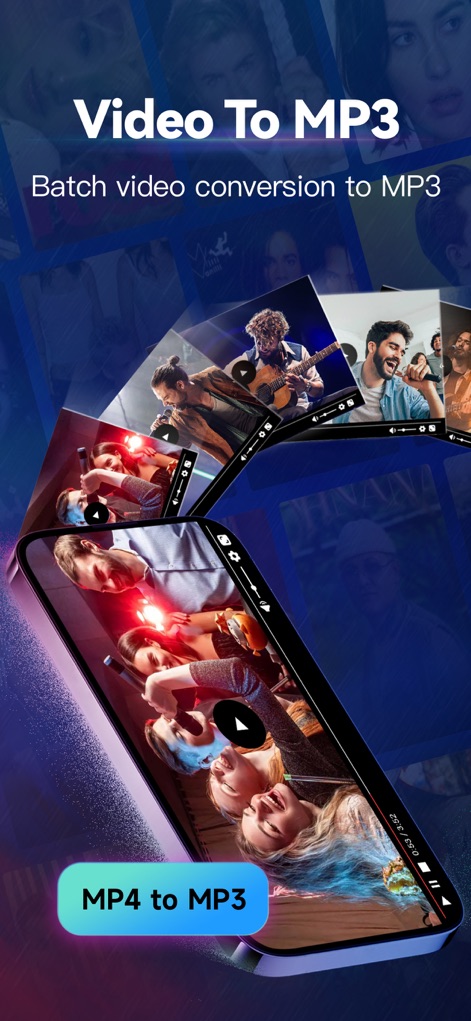
사용자는 여러 개의 비디오 파일을 MP3로 일괄 변환할 수 있으며, 하단에는 'MP4 to MP3' 버튼을 통해 MP4 파일을 손쉽게 오디오로 바꿀 수 있습니다.
비디오 MP3 변환
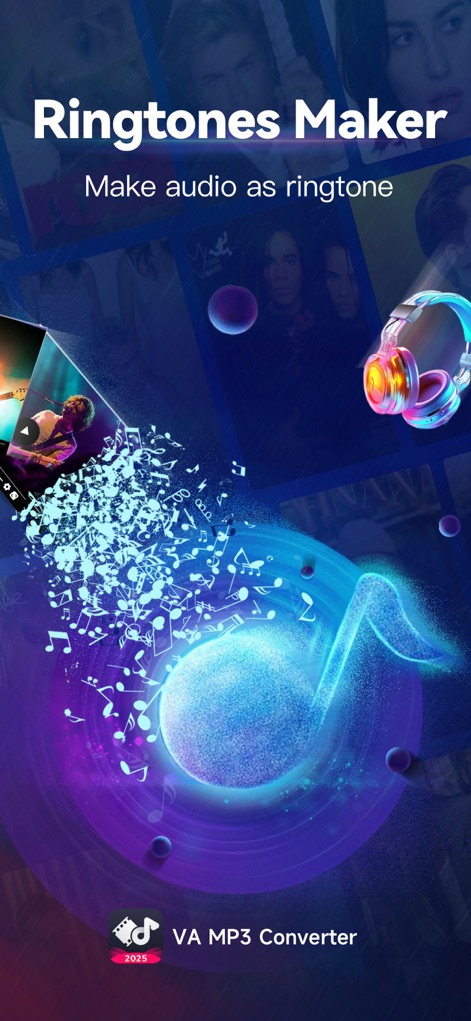
이 앱을 통해 사용자는 좋아하는 오디오를 벨소리로 만들 수 있으며, TikTok 로고와 같은 소셜 미디어 플랫폼의 콘텐츠를 활용하여 독특한 벨소리를 제작할 수 있습니다.
나만의 벨소리
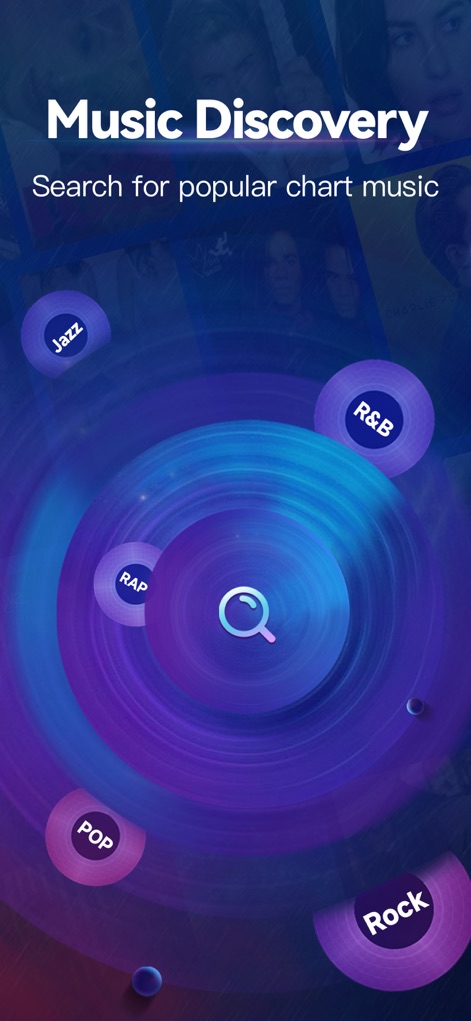
사용자는 이 기능을 통해 재즈, 록과 같은 다양한 장르별 음악을 탐색할 수 있으며, 중앙의 검색 아이콘을 사용하여 인기 차트 음악을 쉽게 찾아낼 수 있습니다.
음악 탐색 기능
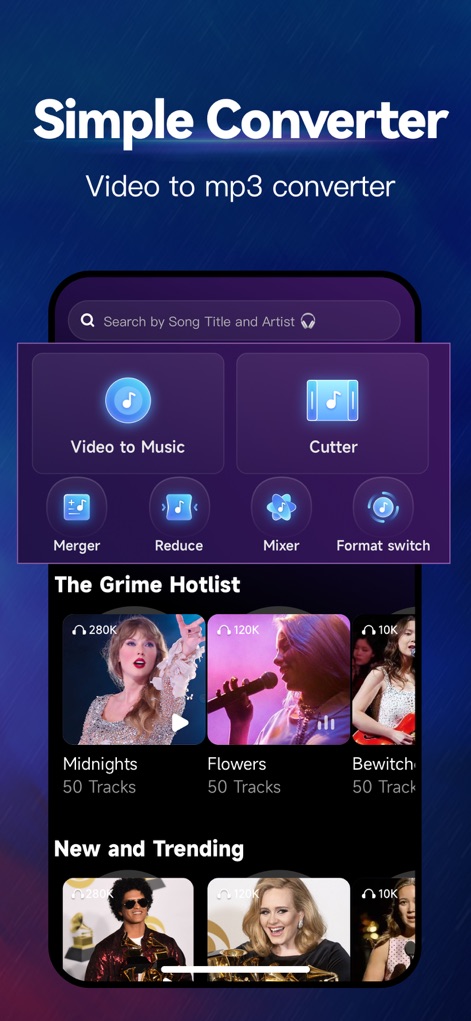
이 앱은 'Cutter' 및 'Merger'와 같은 다양한 오디오 편집 도구를 제공하며, 사용자는 'The Grime Hotlist'와 같은 섹션에서 인기 있는 음악 트랙을 발견할 수 있습니다.
올인원 오디오 도구
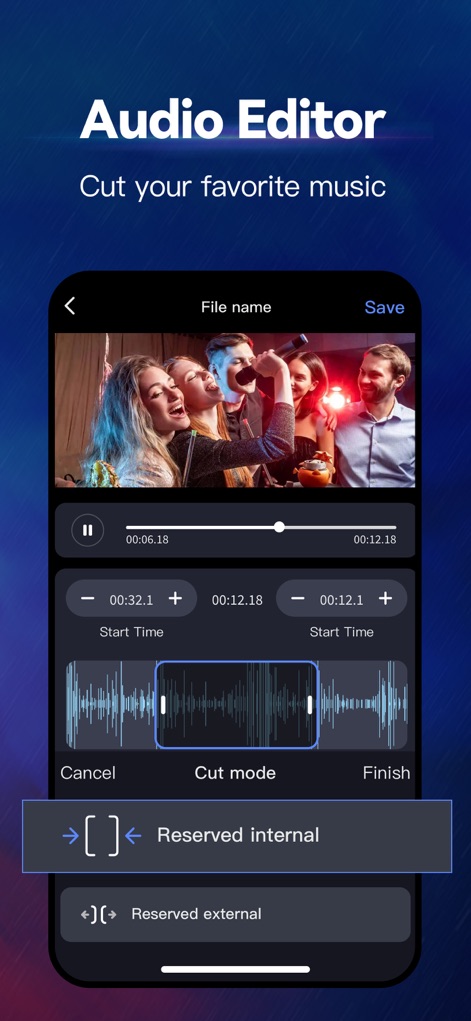
사용자는 오디오 파형을 시각적으로 확인하며 특정 시작점과 끝점을 정확하게 지정하여 오디오를 편집할 수 있으며, 'Cut mode'를 통해 원하는 부분을 정밀하게 잘라낼 수 있습니다.
정밀 오디오 편집
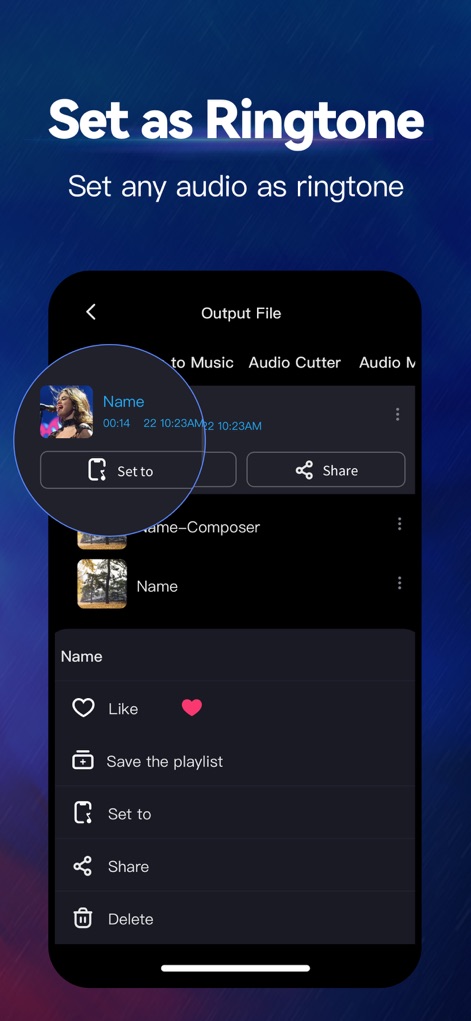
사용자는 편집된 오디오 파일을 'Set to' 버튼을 사용하여 쉽게 벨소리로 설정할 수 있으며, 완성된 결과물을 'Share' 기능을 통해 다른 사람들과 공유할 수 있습니다.
벨소리 간편 설정
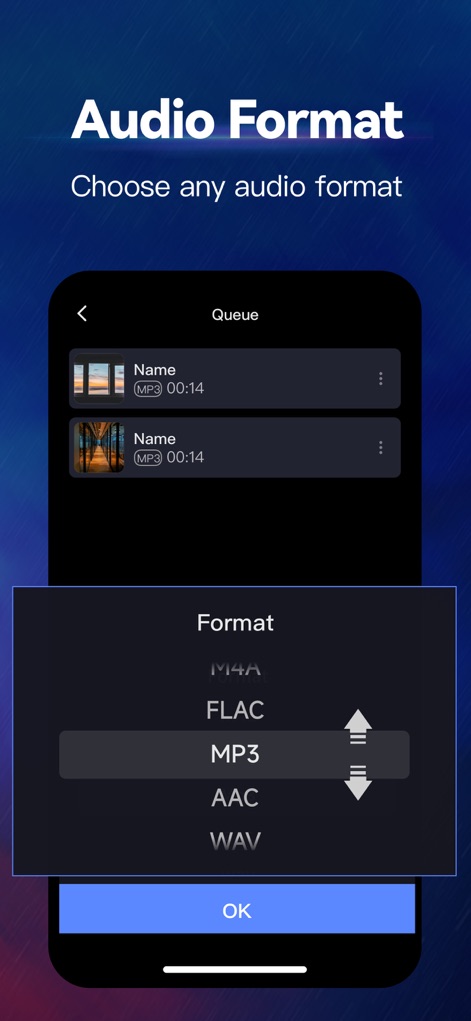
이 앱은 M4A, FLAC를 포함한 다양한 오디오 출력 형식을 지원하며, 사용자는 목록에서 원하는 형식을 선택하여 파일을 변환할 수 있습니다.
다양한 오디오 형식
설명
Download
비슷한 앱
유사한 기능과 사용자 경험을 가진 앱

MP3 Converter -Audio Extractor
妍 岳

Audio Editor - Music Mixer
妍 岳

MP3 Converter: Video to Audio
Fitness Labs SRL

Audio Editor: MP3 Converter
ZHN Co., Ltd.

MP3 Converter - video2mp3
ZHN Co., Ltd.

EZAudioCut - Audio Editor Lite
龙刚 李

Audio Extractor-Audio Editing
正军 刘

Audio Editor & Music Mixer
Wuhan Net Power Technology Co., Ltd

Audio Converter&Ringtone Maker
俊鹏 位
이 페이지는 앱이나 개발자의 공식 페이지가 아니며, 정보 제공 및 논평을 목적으로 작성된 독립 편집 간행물입니다. 명시적으로 달리 언급되지 않는 한, 해당 앱이나 개발자는 MWM, Apple, Google Play, 앱 퍼블리셔 또는 앱 개발자와 제휴, 보증, 후원, 승인 또는 공식적으로 연결되어 있지 않으며, 이 페이지의 어떤 내용도 해당 앱이 MWM의 서비스를 사용하여 개발되었음을 의미하지 않습니다. 모든 상표, 로고, 스크린샷 및 기타 콘텐츠는 해당 소유자의 자산입니다.