
이 페이지는 앱이나 개발자의 공식 페이지가 아니며, 정보 제공 및 논평을 목적으로 작성된 독립 편집 간행물입니다. 명시적으로 달리 언급되지 않는 한, 해당 앱이나 개발자는 MWM, Apple, Google Play, 앱 퍼블리셔 또는 앱 개발자와 제휴, 보증, 후원, 승인 또는 공식적으로 연결되어 있지 않으며, 이 페이지의 어떤 내용도 해당 앱이 MWM의 서비스를 사용하여 개발되었음을 의미하지 않습니다. 모든 상표, 로고, 스크린샷 및 기타 콘텐츠는 해당 소유자의 자산입니다.


Multifactor
비밀번호는 고대 유물입니다. Multifactor는 당신에게 디지털 왕국을 잠그고 해제할 수 있는 힘을 부여합니다. 두 번의 탭으로 당신의 데이터를 철통같이 지키십시오. 당신은 이제 보안의 마스터입니다.
다운로드
250k+사용자 평점
총 평가 수
292개발사
카테고리
Utilities지원 언어
2최신 버전
1.7.3크기
40.1 MB출시일
2020년 11월 20일강력한 보안과 사용자 편의성을 동시에 제공하는 다단계 인증 솔루션
Multifactor 앱 심층 분석
간편한 2단계 인증
이 앱은 단 두 번의 터치만으로 다단계 인증을 수행할 수 있게 하여, 보안을 유지하면서도 사용자 경험을 간소화하고 일상적인 업무 흐름의 효율성을 크게 향상시킵니다.
Push 알림 기반 인증
이 앱은 사용자에게 푸시 알림을 전송하여 편리하고 신속하게 인증 절차를 완료할 수 있도록 지원합니다. 이는 수동으로 코드를 입력하는 번거로움을 없애 직원의 생산성을 높입니다.
전용 다단계 인증 서비스 연동
이 도구는 특정 다단계 인증 서비스(multifactor.ru)와 연동되어 안정적이고 전문적인 보안 솔루션을 제공합니다. 이는 조직의 기존 보안 인프라와의 통합을 용이하게 합니다.
QR 코드 스캔을 통한 계정 활성화
사용자는 카메라를 이용해 QR 코드를 스캔하여 계정을 쉽게 활성화할 수 있어, 새로운 직원의 온보딩이나 계정 초기 설정 과정을 효율적으로 만듭니다.
자주 묻는 질문
에 대해 알아야 할 모든 것 Multifactor
What is the primary function of the Multifactor app?
The Multifactor app functions in conjunction with the multifactor.ru multi-factor authentication service. It provides simple two-tap authentication by receiving push notifications.
How are accounts activated in the Multifactor app?
Multifactor accounts can be activated by scanning QR codes or by manually entering a code. The app requests camera access specifically for QR code scanning during activation.
Does the Multifactor app use push notifications for authentication?
Yes, the Multifactor application receives push notifications. These notifications enable a simple two-tap authentication process for users.
Does the Multifactor app require camera access?
Multifactor requests camera access exclusively for scanning QR codes when activating accounts. Users can also activate accounts using alternative methods, avoiding camera use.
Can I use FaceID with the Multifactor app?
Yes, the Multifactor app supports FaceID. Users can enable FaceID from the app's settings menu for enhanced local security.
How does the Multifactor app confirm a login request?
The Multifactor app confirms login requests by presenting a pop-up with connection details. Users can then confirm or reject the attempt with a single tap.
Does the Multifactor app use a PIN or passcode for local access?
Yes, the Multifactor app includes a numeric keypad for login. This feature ensures local access security for the application.
다음 스크린샷과 설명은 앱의 공식 스토어 목록에서 직접 가져온 것이며 앱 개발자의 자산입니다.
앱 스토어
스크린샷
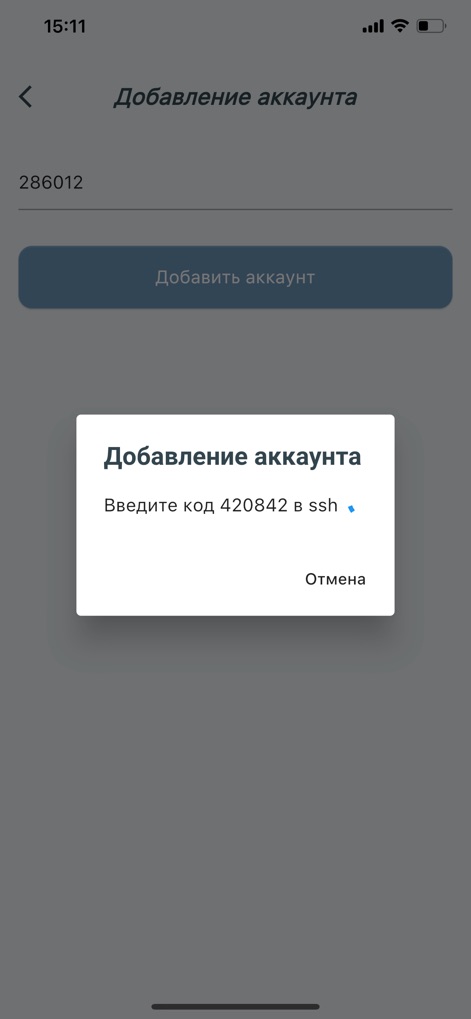
이 앱에서 사용자는 '계정 추가' 팝업을 통해 SSH 코드를 수동으로 입력하여 계정을 활성화하며, 특정 숫자 코드(420842)와 입력 필드(286012)를 직접 확인할 수 있습니다.
계정 활성화 코드

'계정 추가' 메뉴를 통해 사용자는 새로운 계정을 손쉽게 통합할 수 있으며, QR 코드 스캔 또는 수동 코드 입력이라는 두 가지 활성화 방법을 선택적으로 사용할 수 있습니다.
간편한 계정 추가

이 도구는 상단에 녹색 배너로 'Multifactor로부터의 접근 요청'을 즉시 표시하여 사용자에게 인증 필요성을 알리고, 하단에는 등록된 다양한 계정 목록을 체계적으로 배열합니다.
실시간 접근 요청
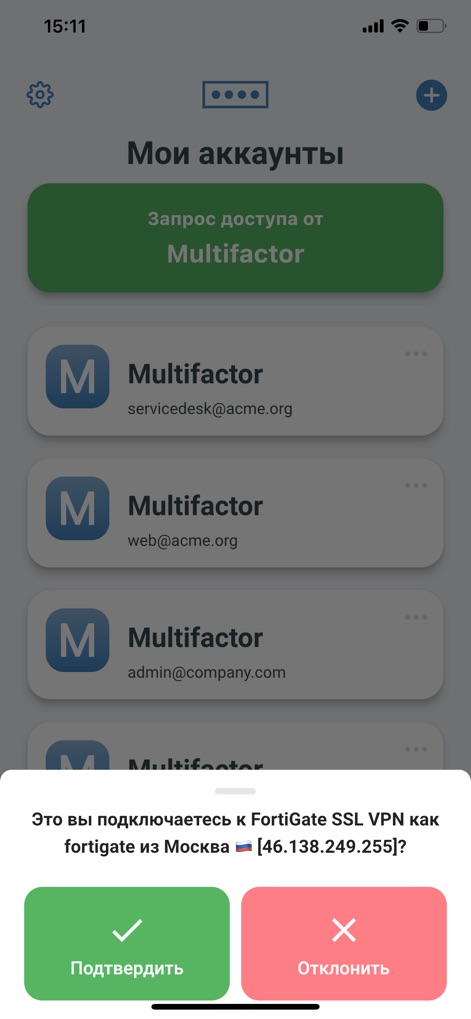
이 앱은 'FortiGate SSL VPN' 연결 시도를 사용자에게 명확히 확인 요청하며, '모스크바에서 46.138.249.255'와 같은 접속 위치 및 IP 주소 정보를 제공하여 보안 승인 또는 거절을 유도합니다.
안전한 로그인 확인
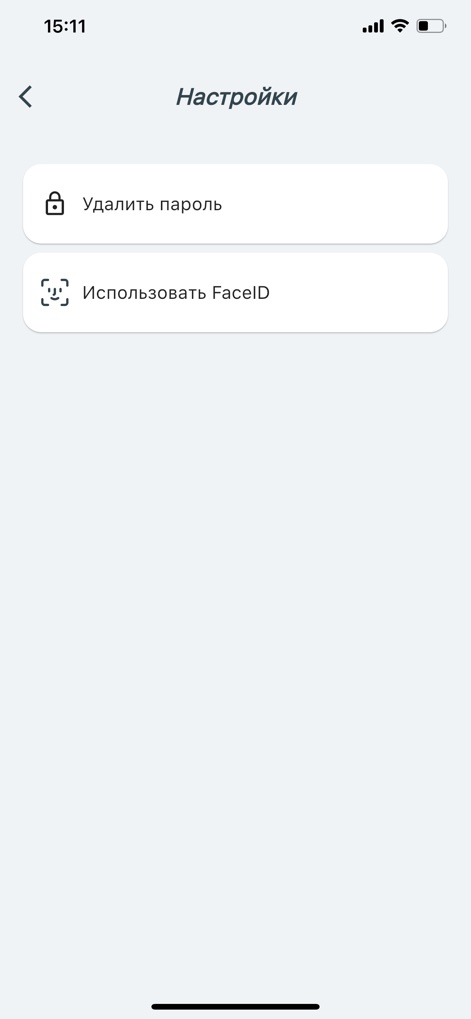
사용자는 '설정' 화면에서 'FaceID 사용' 옵션을 통해 생체 인식 인증을 활성화하고, '암호 삭제' 기능을 활용하여 개인의 보안 선호도에 맞춰 인증 방식을 유연하게 관리할 수 있습니다.
보안 설정 맞춤화
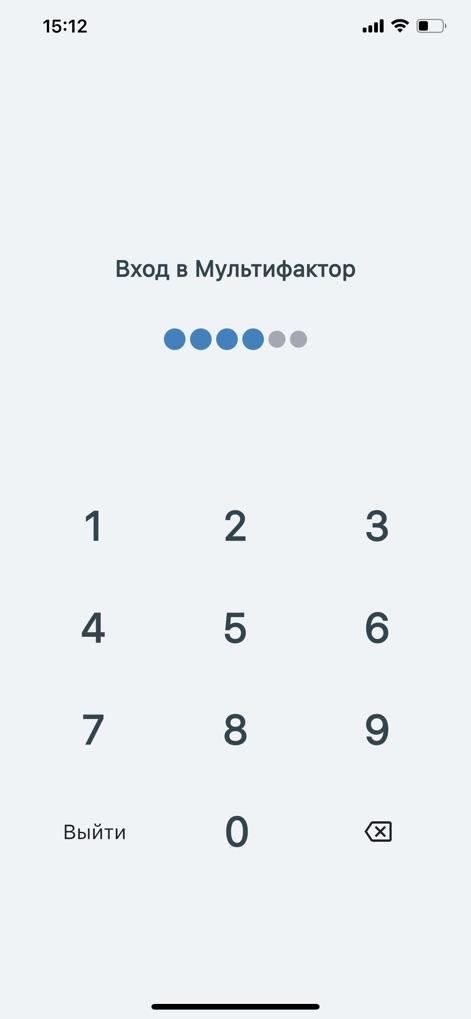
'Multifactor 로그인' 화면은 사용자가 개인 식별 번호(PIN)를 안전하게 입력하도록 안내하며, 직관적인 숫자 키패드와 PIN 입력 진행 상황을 시각적으로 나타내는 상단 점들로 구성되어 있습니다.
PIN 코드 인증
설명
Download
비슷한 앱
유사한 기능과 사용자 경험을 가진 앱

WatchGuard AuthPoint
WatchGuard Technologies Inc.

Kavach Authentication
Tirender Wig

Aladdin 2FA
Aladdin R.D. ZAO

RSA Authenticator (SecurID)
RSA Security

TrustBuilder Authenticator
In-Webo Technologies

Google Smart Lock
Google LLC

FortiToken Mobile
Fortinet, Inc
Entrust Identity
Entrust Inc.

X5 Ключ
Closed Joint Stock Company"Trade House"Perekrestok
이 페이지는 앱이나 개발자의 공식 페이지가 아니며, 정보 제공 및 논평을 목적으로 작성된 독립 편집 간행물입니다. 명시적으로 달리 언급되지 않는 한, 해당 앱이나 개발자는 MWM, Apple, Google Play, 앱 퍼블리셔 또는 앱 개발자와 제휴, 보증, 후원, 승인 또는 공식적으로 연결되어 있지 않으며, 이 페이지의 어떤 내용도 해당 앱이 MWM의 서비스를 사용하여 개발되었음을 의미하지 않습니다. 모든 상표, 로고, 스크린샷 및 기타 콘텐츠는 해당 소유자의 자산입니다.