
이 페이지는 앱이나 개발자의 공식 페이지가 아니며, 정보 제공 및 논평을 목적으로 작성된 독립 편집 간행물입니다. 명시적으로 달리 언급되지 않는 한, 해당 앱이나 개발자는 MWM, Apple, Google Play, 앱 퍼블리셔 또는 앱 개발자와 제휴, 보증, 후원, 승인 또는 공식적으로 연결되어 있지 않으며, 이 페이지의 어떤 내용도 해당 앱이 MWM의 서비스를 사용하여 개발되었음을 의미하지 않습니다. 모든 상표, 로고, 스크린샷 및 기타 콘텐츠는 해당 소유자의 자산입니다.


myMail box: email client app
당신은 산산조각 난 디지털 삶을 살고 있는가? 이 앱은 당신의 이메일 혼돈을 정복할 수단으로 나타난다. 모든 계정을 한 곳에 묶어, 혼란을 잠재운다.
다운로드
7.5M+사용자 평점
총 평가 수
71.9K개발사
카테고리
Productivity지원 언어
23최신 버전
15.11.0크기
271.7 MB출시일
2013년 11월 5일통합된 디지털 커뮤니케이션을 위한 핵심 기능 평가
myMail box: 이메일 클라이언트 앱 기술 분석
통합 메일함 관리
이 앱은 Gmail, Hotmail, Outlook, Yahoo 등 다양한 서비스의 여러 이메일 계정을 한곳에서 통합하여 관리할 수 있도록 지원합니다. 사용자는 IMAP 및 POP3 지원을 통해 모든 이메일을 한눈에 볼 수 있습니다.
맞춤형 푸시 알림
이 도구는 사용자의 업무 및 생활 패턴에 맞춰 새로운 메시지에 대한 즉각적인 알림을 제공합니다. 계정별 알림 온/오프, 폴더, 도메인, 이메일 주소 기반 필터링 및 '방해 금지 시간' 설정 기능을 갖추고 있어 효율적인 시간 관리가 가능합니다.
강화된 보안 기능
이 앱은 PIN 잠금, Touch ID 지원 및 모든 통신 데이터 암호화를 통해 사용자의 이메일 정보를 안전하게 보호합니다. 고급 보안 프로토콜을 활용하여 데이터 무결성과 개인 정보 보호를 보장합니다.
빠르고 효율적인 모바일 환경
이 앱은 네이티브 코드로 개발되었으며, 혁신적인 데이터 압축 기술을 사용하여 대역폭을 절약하고 빠르고 가벼운 성능을 제공합니다. 사용자는 모바일 기기에서 원활하게 이메일을 주고받을 수 있습니다.
스마트한 검색 기능
이 도구는 모든 메시지에 대한 빠른 검색 기능을 제공하며, 검색 필터를 사용하여 결과를 좁힐 수 있습니다. 검색 문구 및 연락처 제안 기능을 통해 사용자가 더욱 신속하게 원하는 이메일을 찾을 수 있도록 돕습니다.
직관적인 받은 편지함
이 앱은 친구의 아바타와 인기 서비스 아이콘을 통해 메시지 목록을 더 빠르게 탐색할 수 있게 하며, 메시지 미리보기 및 아바타 표시 설정으로 개인화된 받은 편지함 환경을 제공합니다. 스레드 보기는 대화 흐름을 한눈에 파악하는 데 유용합니다.
통합 연락처 관리
이 도구는 기기의 주소록과 모든 이메일 계정의 주소록에서 연락처를 가져와 통합 관리합니다. 자주 사용하는 연락처 제안 기능은 사용자가 이메일을 신속하게 보낼 수 있도록 돕습니다.
간편한 사진 공유
이 앱은 사용자가 사진 갤러리에서 여러 장의 사진을 한 번에 선택하여 이메일에 첨부하고 공유할 수 있도록 지원합니다.
다음 스크린샷과 설명은 앱의 공식 스토어 목록에서 직접 가져온 것이며 앱 개발자의 자산입니다.
앱 스토어
스크린샷

이 앱은 여러 이메일 계정을 효율적으로 관리할 수 있도록 지원하며, 사용자는 간단한 탭으로 계정 프로필과 세부 정보를 확인할 수 있습니다.
쉬운 계정 전환

사용자는 하나의 앱에서 야후 메일, Gmail 등 여러 인기 이메일 서비스 계정을 통합하여 관리할 수 있어 편리합니다.
다양한 서비스 통합
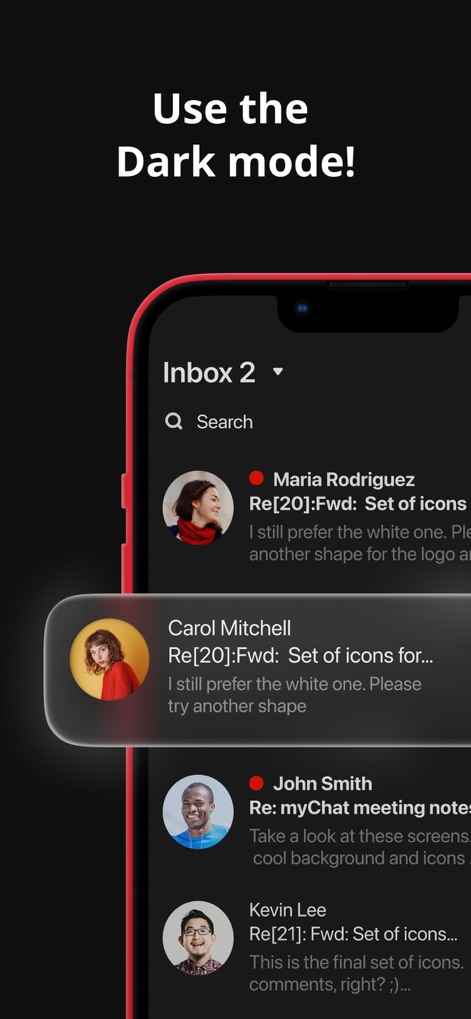
눈의 피로를 줄여주는 다크 모드를 제공하여, 메시지 목록과 대화 버블 등 모든 인터페이스를 편안하게 사용할 수 있습니다.
시크한 다크 모드
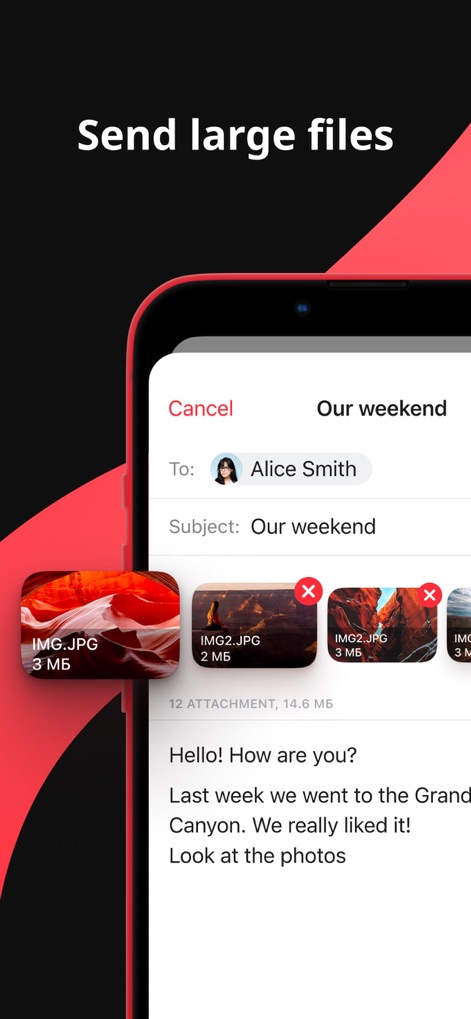
이 앱을 통해 사용자는 여러 장의 이미지 파일을 첨부하여 한 번에 대용량 파일을 손쉽게 공유할 수 있습니다.
대용량 파일 첨부

사용자는 받은 편지함에서 '읽지 않음' 메시지나 '첨부 파일 있는' 이메일 등 다양한 필터 옵션을 활용하여 필요한 메일을 빠르게 찾을 수 있습니다.
편리한 필터링 기능

사용자는 특정 날짜와 시간 선택기를 활용하여 이메일을 예약 발송할 수 있어, 중요한 메시지를 원하는 시점에 보낼 수 있습니다.
메시지 예약 발송

사용자는 '업무', '개인' 등 다양한 맞춤형 폴더를 생성하여 이메일을 분류하고, 손쉽게 중요한 메시지를 관리할 수 있습니다.
효율적인 폴더 정리

이 도구는 스와이프 제스처를 통해 이메일을 손쉽게 관리할 수 있도록 지원하며, 특정 메시지를 삭제하거나 플래그를 지정하는 등 빠른 작업을 수행할 수 있습니다.
간편한 스와이프 관리
설명
Download
비슷한 앱
유사한 기능과 사용자 경험을 가진 앱

Microsoft Outlook
Microsoft Corporation

Mail: Email, Cloud, Calendar
V Kontakte OOO

Yandex Mail: Email & Cloud
DIRECT CURSUS COMPUTER SYSTEMS TRADING LLC

Gmail - Email by Google
Google LLC

Yahoo Mail
Yahoo Inc.

Proton Mail - Encrypted Email
Proton AG

Email - Edison Mail
Edison Software Inc.

Zoho Mail - Email and Calendar
Zoho Corporation

GMX - Mail & Cloud
1&1 Mail & Media GmbH
이 페이지는 앱이나 개발자의 공식 페이지가 아니며, 정보 제공 및 논평을 목적으로 작성된 독립 편집 간행물입니다. 명시적으로 달리 언급되지 않는 한, 해당 앱이나 개발자는 MWM, Apple, Google Play, 앱 퍼블리셔 또는 앱 개발자와 제휴, 보증, 후원, 승인 또는 공식적으로 연결되어 있지 않으며, 이 페이지의 어떤 내용도 해당 앱이 MWM의 서비스를 사용하여 개발되었음을 의미하지 않습니다. 모든 상표, 로고, 스크린샷 및 기타 콘텐츠는 해당 소유자의 자산입니다.