Norton Family Parental Control
다운로드: App Store

이 페이지는 앱이나 개발자의 공식 페이지가 아니며, 정보 제공 및 논평을 목적으로 작성된 독립 편집 간행물입니다. 명시적으로 달리 언급되지 않는 한, 해당 앱이나 개발자는 MWM, Apple, Google Play, 앱 퍼블리셔 또는 앱 개발자와 제휴, 보증, 후원, 승인 또는 공식적으로 연결되어 있지 않으며, 이 페이지의 어떤 내용도 해당 앱이 MWM의 서비스를 사용하여 개발되었음을 의미하지 않습니다. 모든 상표, 로고, 스크린샷 및 기타 콘텐츠는 해당 소유자의 자산입니다.


로고: Norton Family Parental Control
다운로드: App Store

Norton Family Parental Control

스크린 타임 관리, 학업 시간 중 방해 요소 차단, 위치 추적 기능으로 연결 상태 유지 — 이 모든 것을 하나의 신뢰할 수 있는 앱에서 누리세요.

주요 수치

다운로드

10K+

사용자 평점

3.9/5

총 평가 수

3K+

개발사

Gen Digital Inc.

카테고리

Utilities

지원 언어

23

최신 버전

1.18.0

크기

74.5 MB

출시일

2019년 1월 8일
기능

현대적인 육아를 위한 스마트 도구

Norton Family는 건강한 디지털 습관을 육성하는 데 필요한 통찰력과 제어 기능을 제공하여 자녀가 학업에 집중하고 온라인 탐색 시 안전을 유지하도록 보장합니다.

학업 시간으로 집중력 극대화

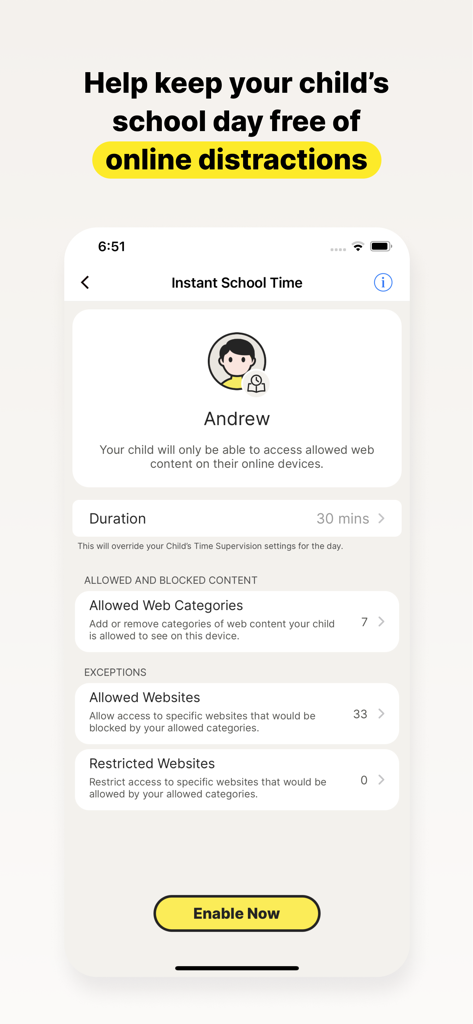
방해되는 소셜 미디어 및 게임을 차단하면서 교육 웹사이트에 대한 액세스를 관리하여 원격 학습 중 자녀가 과제에 집중하도록 하세요.

현실 세계에서의 안심

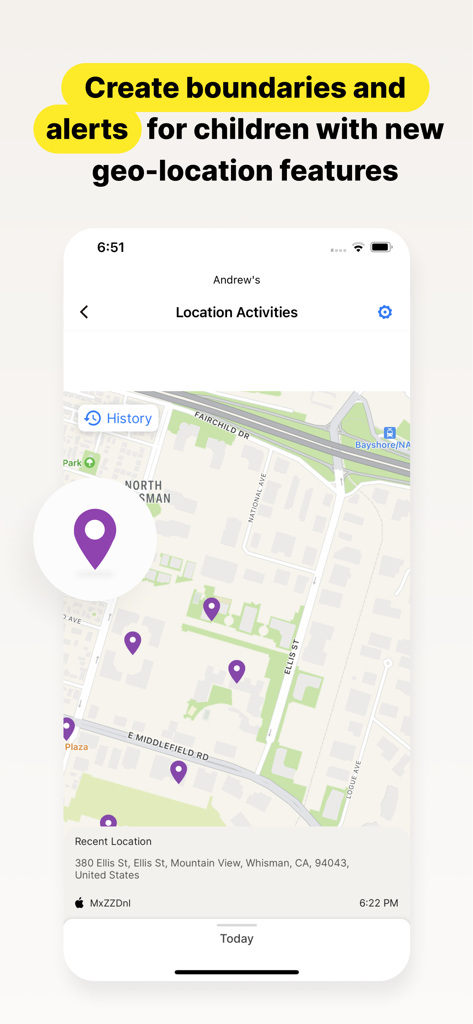
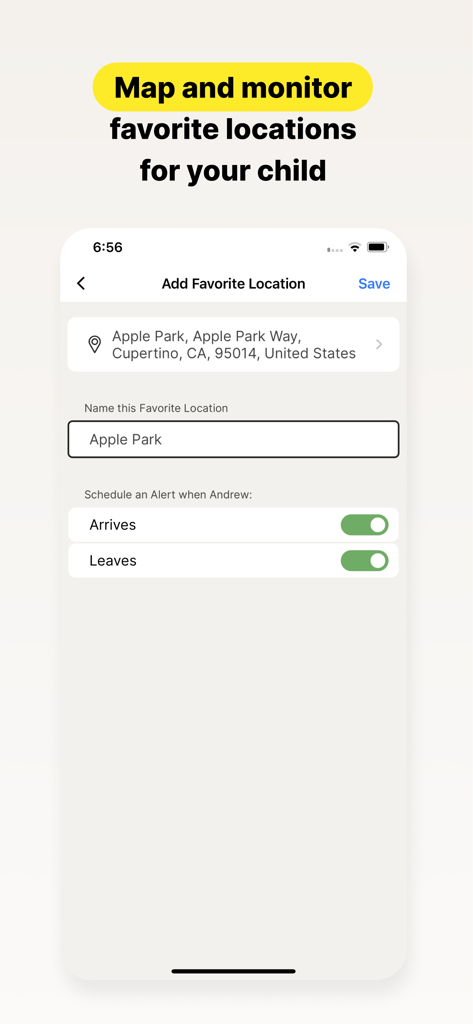
자녀가 학교나 방과 후 활동에 안전하게 도착하면 알려주는 지오펜싱 알림으로 자녀의 실제 위치를 파악하세요.

다음 스크린샷과 설명은 앱의 공식 스토어 목록에서 직접 가져온 것이며 앱 개발자의 자산입니다.

앱 스토어

스크린샷
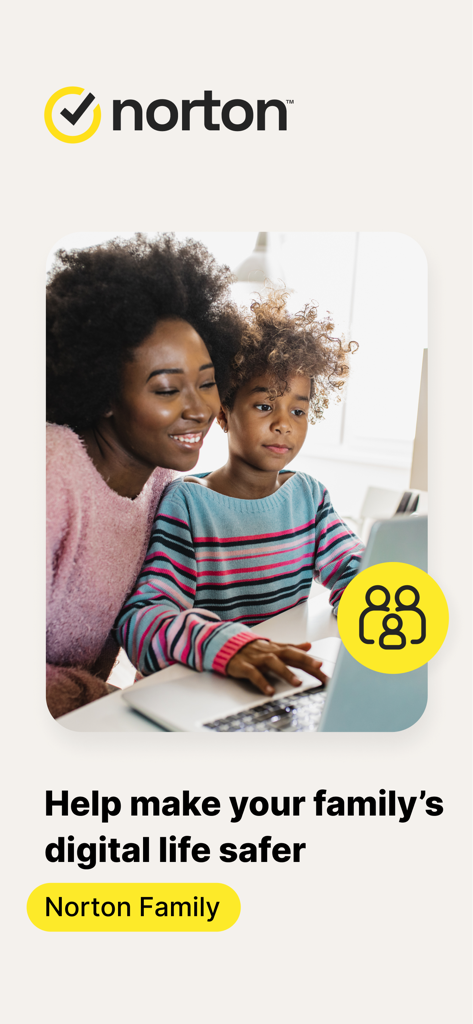
Norton Family Parental Control - 어머니와 아이가 노트북을 함께 보며 Norton Family 앱 브랜드가 표시됨
어머니와 아이가 노트북을 함께 보며 Norton Family 앱 브랜드가 표시됨

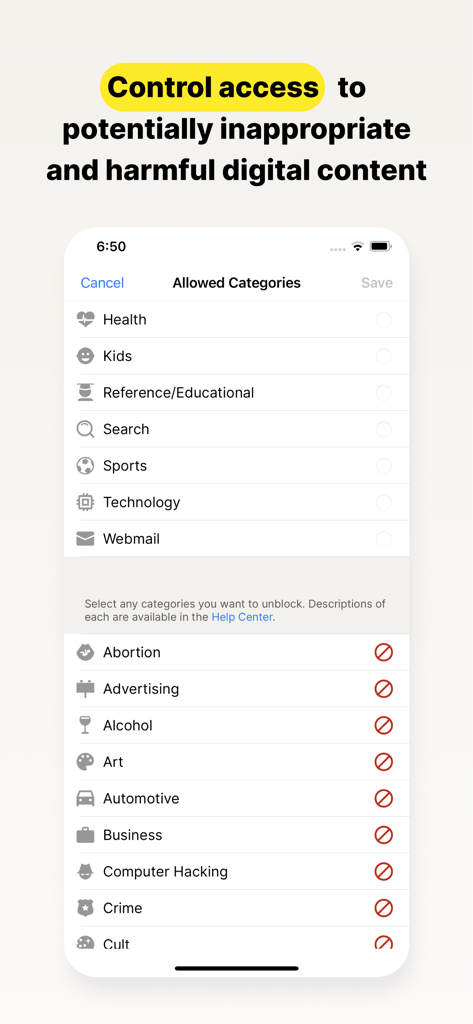
Norton Family Parental Control - 디지털 콘텐츠 카테고리 액세스를 제어하기 위한 Norton Family 앱 화면
디지털 콘텐츠 카테고리 액세스를 제어하기 위한 Norton Family 앱 화면

Norton Family Parental Control - Norton Family 앱 스크린샷으로, 학업 시간 중 온라인 방해 요소를 차단하는 즉시 학업 시간 설정 표시
Norton Family 앱 스크린샷으로, 학업 시간 중 온라인 방해 요소를 차단하는 즉시 학업 시간 설정 표시

Norton Family Parental Control - 지도에 표시된 자녀의 위치 기록 및 최근 활동을 보여주는 Norton Family 앱 인터페이스
지도에 표시된 자녀의 위치 기록 및 최근 활동을 보여주는 Norton Family 앱 인터페이스

Norton Family Parental Control - 자녀를 위한 도착 및 출발 알림과 함께 즐겨찾는 장소 추가 설정을 보여주는 Norton Family 앱 인터페이스
자녀를 위한 도착 및 출발 알림과 함께 즐겨찾는 장소 추가 설정을 보여주는 Norton Family 앱 인터페이스

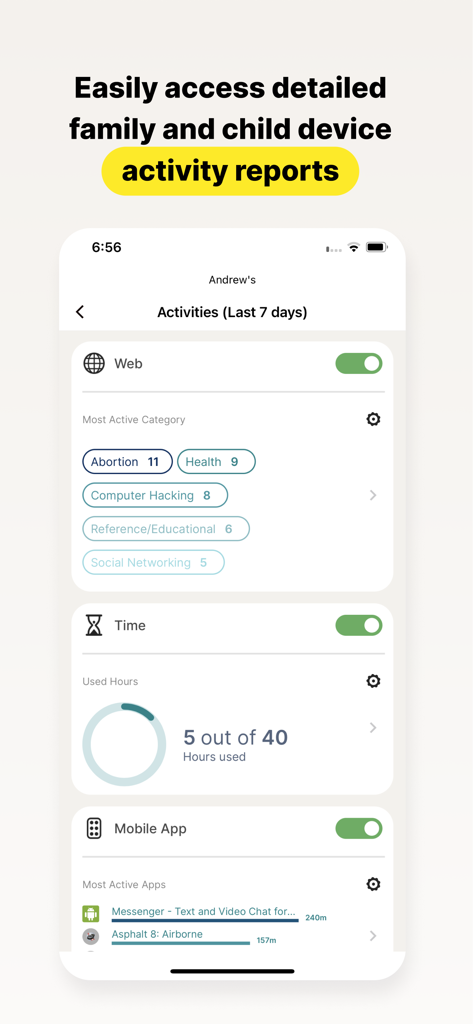
Norton Family Parental Control - 웹 카테고리, 스크린 타임 및 앱 사용량을 보여주는 Norton Family 앱의 상세 자녀 활동 보고서

웹 카테고리, 스크린 타임 및 앱 사용량을 보여주는 Norton Family 앱의 상세 자녀 활동 보고서

설명

Norton Family provides tools that teach safe, smart, and healthy online habits. It also provides insights that help you foster a healthy online/offline balance for your children and their devices. At home, attending school, or on the go, Norton Family helps keep children focused on what’s most important. Norton Family empowers parents to keep track of their child’s online behavior. • Monitor the sites and content your child views Make the Web safer for your kids to explore — by keeping you informed of which sites your kids are visiting, and letting you block potentially harmful and inappropriate sites.‡ Norton Family also provides insights into the search terms and videos (3) that interest your kids and flags unsafe behavior so you can discuss online safety, as a family.‡ • Set limits on your child’s internet access Help your kids balance time spent online by scheduling screen time limits for their device usage.‡ This can helps you focus your child on schoolwork and avoid online distractions while remote learning or at bedtime.‡ • Stay informed about your child’s physical location Use geo-location features in the app to track your child’s location (4). Plus, receive alerts if you’re your child arrives in or goes beyond areas of interest established by you, using geo-location tools. • Access weekly/monthly reports Get detailed reports on what your kids are doing online, right in your Inbox or on the Parent Portal.‡ You can use these reports to foster dialog with your child about online safety. Here are some of the Norton Family features parents can use to help protect their child’s online activities. • School Time Remote learning requires the internet, so pausing the internet on your child’s device is not an option. Manage content access to relevant categories and websites to help your child maintain focus while school’s in session. • Favorite Locations This helps you establish approved boundaries for your child’s physical locations. When turned on, this feature will alert you when your child arrives in or goes beyond the permissible area or location established by you.1,2. • Web Supervision Let your kids explore the Web freely, with tools that help you block unsuitable websites while keeping you in the know about which sites they’re visiting. • Search Supervision See the words, terms, and phrases your kids are searching for to gain insights into their interests and help protect them from inappropriate content. ‡‡ Requires your device to have an Internet/data plan and be turned on. 1 Mobile app must be downloaded separately. However, parents can sign in to my.Norton.com or family.Norton.com and select Parental Control to view their child’s activity and manage settings from any supported browser on any device. 2 Location Supervision features are NOT available in all countries. Visit the feature support page here for details. To work, the child’s device must have Norton Family installed and be turned on. 3 Video Supervision monitors videos that your kids view on YouTube.com. It does not monitor or track YouTube videos that have been embedded in other websites or blogs. 4 Location Supervision requires parent activation before use. 5 Mobile app must be downloaded separately. Some features not available with in all countries. Privacy Statement Gen Digital respects your privacy and is dedicated to safeguarding your personal data. See https://www.gendigital.com/privacy​ for more information. No one can prevent all cybercrime or identity theft

Download

다운로드: App Store

이 페이지는 앱이나 개발자의 공식 페이지가 아니며, 정보 제공 및 논평을 목적으로 작성된 독립 편집 간행물입니다. 명시적으로 달리 언급되지 않는 한, 해당 앱이나 개발자는 MWM, Apple, Google Play, 앱 퍼블리셔 또는 앱 개발자와 제휴, 보증, 후원, 승인 또는 공식적으로 연결되어 있지 않으며, 이 페이지의 어떤 내용도 해당 앱이 MWM의 서비스를 사용하여 개발되었음을 의미하지 않습니다. 모든 상표, 로고, 스크린샷 및 기타 콘텐츠는 해당 소유자의 자산입니다.








