Notehot - notes&voice text
다운로드: App Store

이 페이지는 앱이나 개발자의 공식 페이지가 아니며, 정보 제공 및 논평을 목적으로 작성된 독립 편집 간행물입니다. 명시적으로 달리 언급되지 않는 한, 해당 앱이나 개발자는 MWM, Apple, Google Play, 앱 퍼블리셔 또는 앱 개발자와 제휴, 보증, 후원, 승인 또는 공식적으로 연결되어 있지 않으며, 이 페이지의 어떤 내용도 해당 앱이 MWM의 서비스를 사용하여 개발되었음을 의미하지 않습니다. 모든 상표, 로고, 스크린샷 및 기타 콘텐츠는 해당 소유자의 자산입니다.

로고: Notehot - notes&voice text
다운로드: App Store

Notehot - notes&voice text

음성-텍스트로 강의와 회의를 녹음하고, OCR로 콘텐츠를 추출하고, 아름다운 레이아웃을 디자인하세요. 성과가 뛰어난 학생과 전문가를 위한 완벽한 페이퍼리스 동반자입니다.

주요 수치

다운로드

219K+

사용자 평점

4.6/5

총 평가 수

2K+

개발사

Shenzhen Play Era Technology Co., Ltd.

카테고리

Productivity

지원 언어

4

최신 버전

4.3.8

크기

134.5 MB

출시일

2019년 12월 17일
기능

디지털 두 번째 뇌로 워크플로우를 마스터하세요

Notehot은 AI 기반 텍스트 변환, 창의적인 유연성, 고급 구성을 결합하여 학생과 전문가가 아이디어를 행동으로 옮기도록 돕습니다.

스마트 AI 텍스트 변환

강의나 회의를 녹음하고 실시간으로 음성을 텍스트로 변환하여 타이핑 대신 대화에 집중할 수 있습니다.

완벽한 창의적 자유

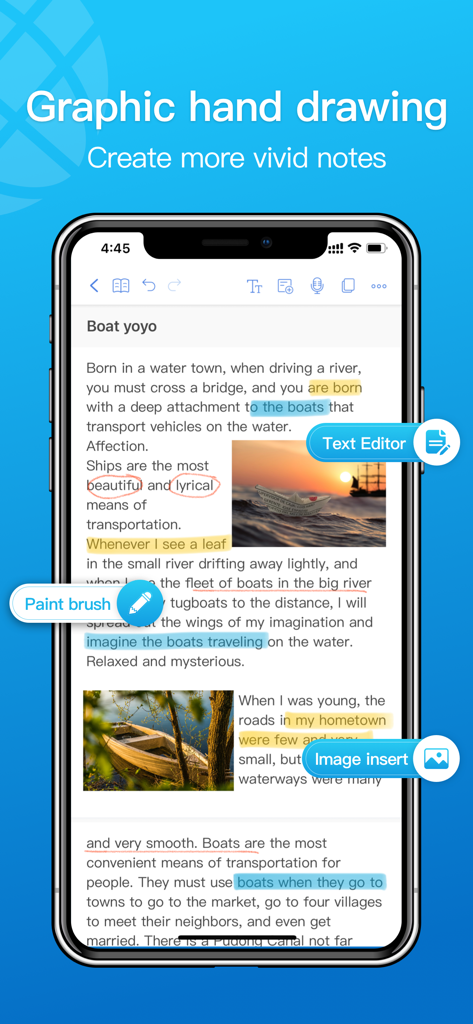
자유로운 타이포그래피와 필기로 딱딱한 레이아웃에서 벗어나세요. 텍스트와 이미지를 어디든 이동하여 아름답고 미적인 노트를 만드세요.

다음 스크린샷과 설명은 앱의 공식 스토어 목록에서 직접 가져온 것이며 앱 개발자의 자산입니다.

앱 스토어

스크린샷
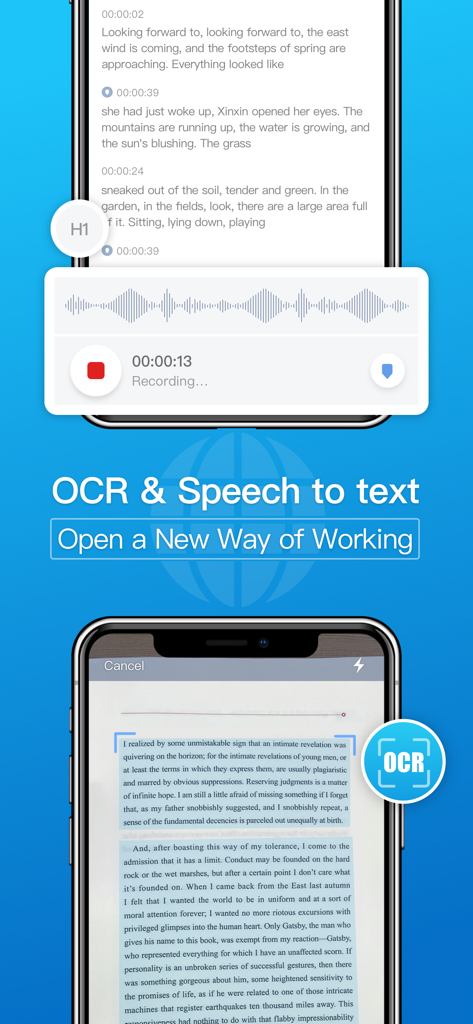
Notehot - notes&voice text - Notehot 앱 스크린샷: 두 대의 아이폰에서 음성-텍스트 녹음 및 OCR 문서 스캔 기능 표시
Notehot 앱 스크린샷: 두 대의 아이폰에서 음성-텍스트 녹음 및 OCR 문서 스캔 기능 표시

Notehot - notes&voice text - Notehot 앱 인터페이스: 텍스트 편집, 필기, 이미지 삽입 기능 표시하여 생생한 노트 제작
Notehot 앱 인터페이스: 텍스트 편집, 필기, 이미지 삽입 기능 표시하여 생생한 노트 제작

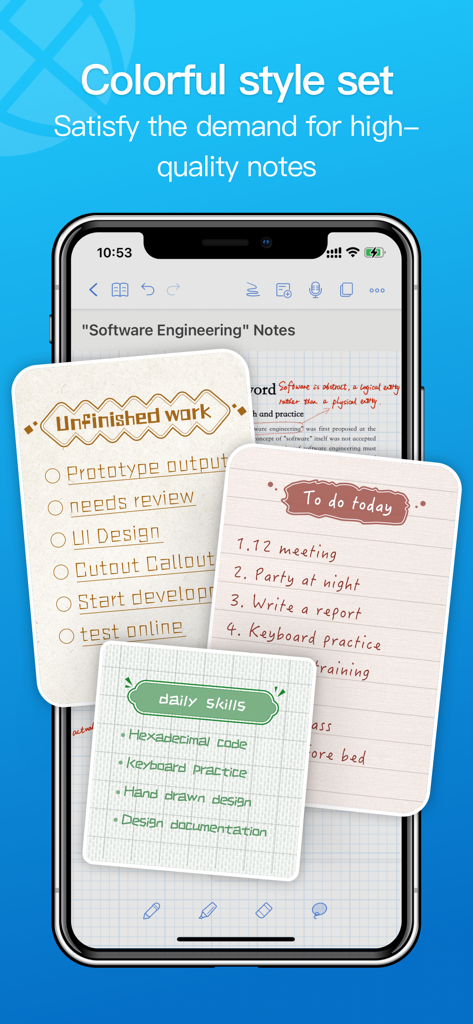
Notehot - notes&voice text - Notehot 앱 인터페이스: 스마트폰에서 다채로운 미적 노트 템플릿 및 사용자 정의 할 일 목록 표시
Notehot 앱 인터페이스: 스마트폰에서 다채로운 미적 노트 템플릿 및 사용자 정의 할 일 목록 표시

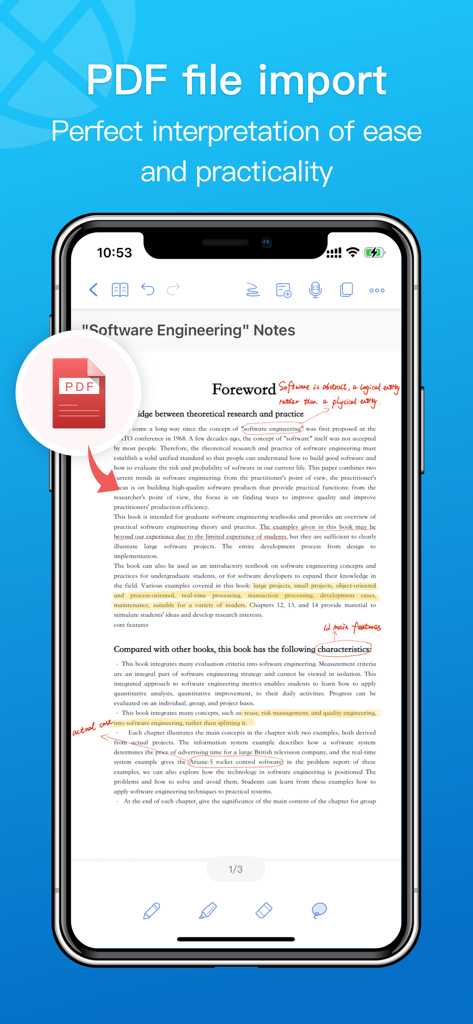
Notehot - notes&voice text - 아이폰 화면: 소프트웨어 엔지니어링 노트에 필기 주석이 포함된 PDF 파일 가져오기 기능이 있는 Notehot 앱 표시
아이폰 화면: 소프트웨어 엔지니어링 노트에 필기 주석이 포함된 PDF 파일 가져오기 기능이 있는 Notehot 앱 표시

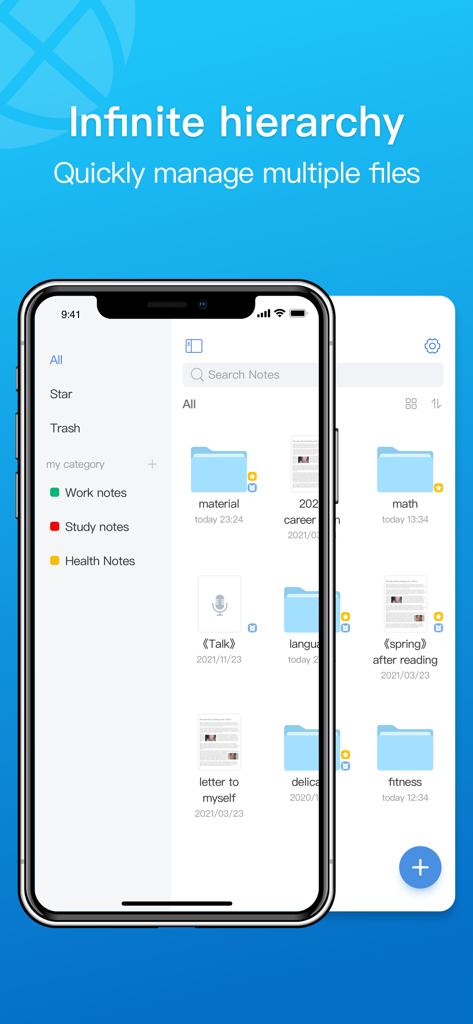
Notehot - notes&voice text - Notehot 앱 인터페이스: 학습 및 업무 노트를 관리하기 위한 폴더 구성 및 파일 계층 구조 표시
Notehot 앱 인터페이스: 학습 및 업무 노트를 관리하기 위한 폴더 구성 및 파일 계층 구조 표시

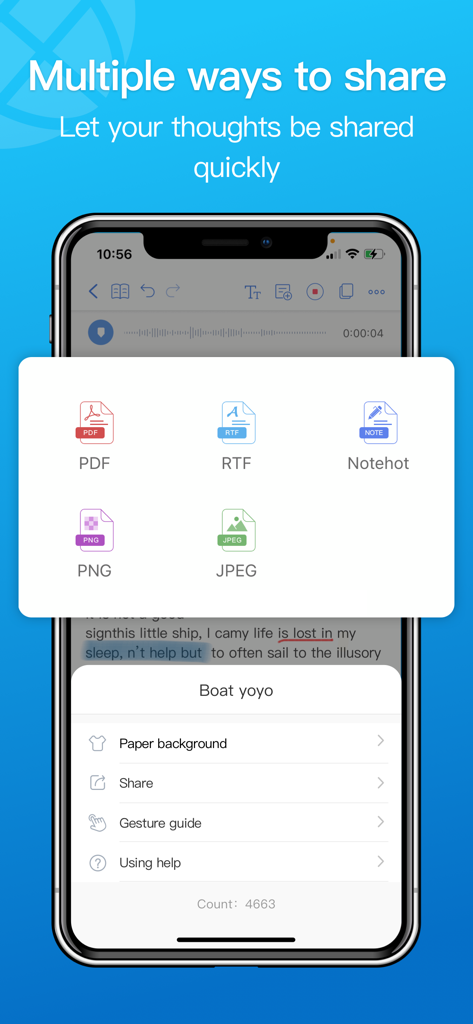
Notehot - notes&voice text - Notehot 앱 스크린샷: PDF, RTF, PNG, JPEG를 포함한 다양한 파일 내보내기 형식 표시
Notehot 앱 스크린샷: PDF, RTF, PNG, JPEG를 포함한 다양한 파일 내보내기 형식 표시

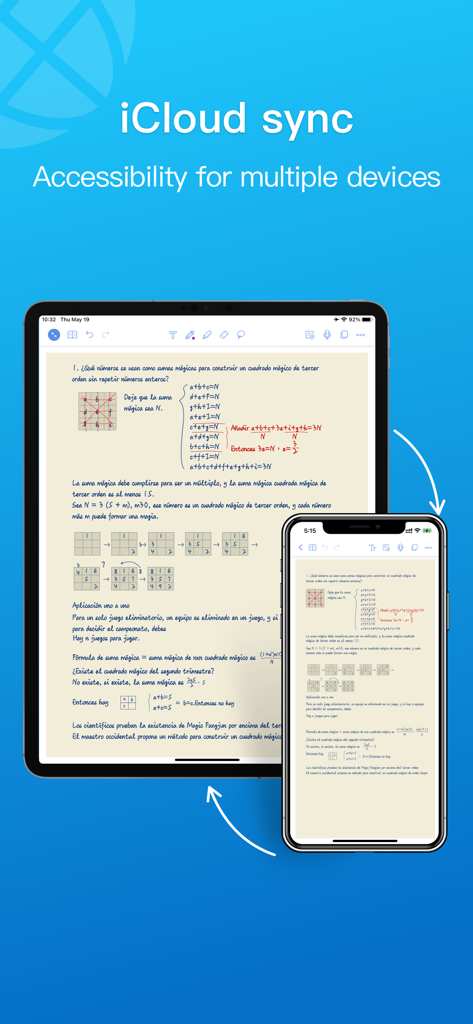
Notehot - notes&voice text - Notehot 앱: iPad 및 iPhone 장치 간 iCloud 동기화 시연

Notehot 앱: iPad 및 iPhone 장치 간 iCloud 동기화 시연

설명

Notehot is a simple and practical paperless note-taking application, which integrates text, hand-painting, audio, and photography. .   Product main function: Multi-form recording - supports text, hand-drawn, audio, and photo recording methods to meet your needs for scene creation Custom style - custom adjustment of detailed parameters such as text, pictures, hand-painted, etc. to make your notes colorful Free typography - support text wrapping, free movement, page style as you want Conference recording - recording of long-term conferences, with voice key mark, listen wherever you want Speech Recognition - Real-time conversion of speech to text, organize meeting minutes with less effort Hierarchical management - supports multi-layer folder classification and organization to meet daily induction requirements Timed reminders - set reminders for important notes, just for you ocr text extraction - picture to text, only between the fingers Export and share - support to export notes to pdf, png, jpeg and other formats, share your ideas with others Recover Notes - Supports recovery of note content deleted within 30 days Private Notes - Private note space, add a lock to your important documents iCloud synchronization - multi-device iCloud synchronization, allowing you to access notes anytime, anywhere If you like Notehot or have any other comments, please take a moment to write your review, or send an email to our email playeratech@gmail.com, this will help us to continuously improve the product and provide you with a better experience!  About subscription: Prices may vary in different regions. Fees will be charged to the credit card associated with your iTunes account, and the paid account will automatically renew when it expires. To cancel a renewal, you can do so 24 hours before the end of the current billing period. Once a paid account is activated, it cannot be cancelled. Renewals may be managed in Account Settings after purchase. About Terms: Privacy Policy: https://notehot.com/privacypolicy.html Terms of Service: https://notehot.com/termsofservice.html

Download

다운로드: App Store

이 페이지는 앱이나 개발자의 공식 페이지가 아니며, 정보 제공 및 논평을 목적으로 작성된 독립 편집 간행물입니다. 명시적으로 달리 언급되지 않는 한, 해당 앱이나 개발자는 MWM, Apple, Google Play, 앱 퍼블리셔 또는 앱 개발자와 제휴, 보증, 후원, 승인 또는 공식적으로 연결되어 있지 않으며, 이 페이지의 어떤 내용도 해당 앱이 MWM의 서비스를 사용하여 개발되었음을 의미하지 않습니다. 모든 상표, 로고, 스크린샷 및 기타 콘텐츠는 해당 소유자의 자산입니다.








