이 페이지는 앱이나 개발자의 공식 페이지가 아니며, 정보 제공 및 논평을 목적으로 작성된 독립 편집 간행물입니다. 명시적으로 달리 언급되지 않는 한, 해당 앱이나 개발자는 MWM, Apple, Google Play, 앱 퍼블리셔 또는 앱 개발자와 제휴, 보증, 후원, 승인 또는 공식적으로 연결되어 있지 않으며, 이 페이지의 어떤 내용도 해당 앱이 MWM의 서비스를 사용하여 개발되었음을 의미하지 않습니다. 모든 상표, 로고, 스크린샷 및 기타 콘텐츠는 해당 소유자의 자산입니다.
nPlayer Plus
모든 비디오 형식에 대한 기본 지원으로 고음질 DTS 및 Dolby 오디오를 경험하세요. 로컬 저장 공간을 희생하지 않고 NAS, 클라우드 또는 FTP에서 전체 라이브러리를 스트리밍하세요.
미디어 애호가를 위한 궁극의 파워 툴입니다. 전문적인 성능과 제한 없는 형식으로 모든 세부 정보를 스트리밍, 재생 및 사용자 정의하여 라이브러리를 관리하세요.
변환 없는 보편적인 재생
변환 도구는 잊으세요. 부드러운 하드웨어 가속 및 전체 HDR 지원으로 MKV, AVI, WMV 등을 완벽하게 재생하세요.
나만의 프라이빗 미디어 클라우드
기기 저장 공간을 절약하세요. NAS, FTP, SMB 또는 Dropbox 및 Google Drive와 같은 클라우드 서비스에서 4K 콘텐츠를 직접 스트리밍하세요.
다음 스크린샷과 설명은 앱의 공식 스토어 목록에서 직접 가져온 것이며 앱 개발자의 자산입니다.
앱 스토어
스크린샷
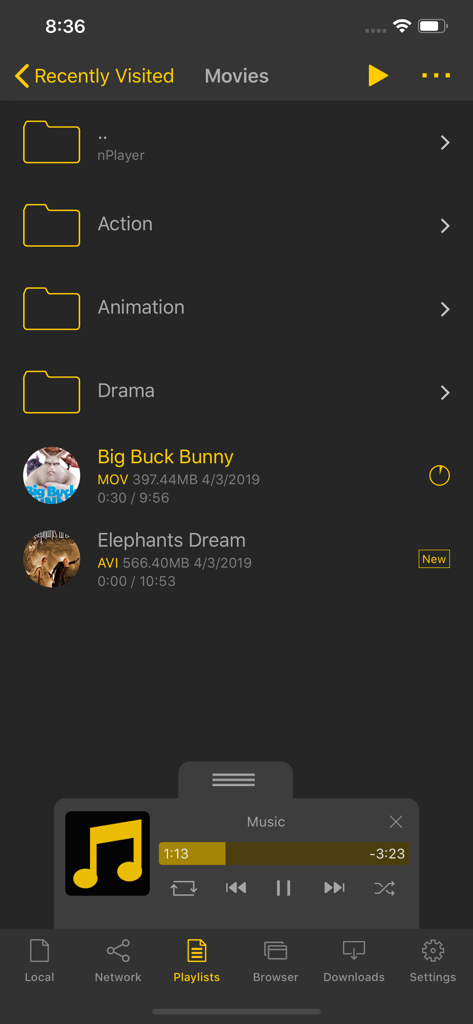
nPlayer Plus 미디어 라이브러리 인터페이스에 영화 폴더와 미니 음악 플레이어 제어판이 표시됩니다.
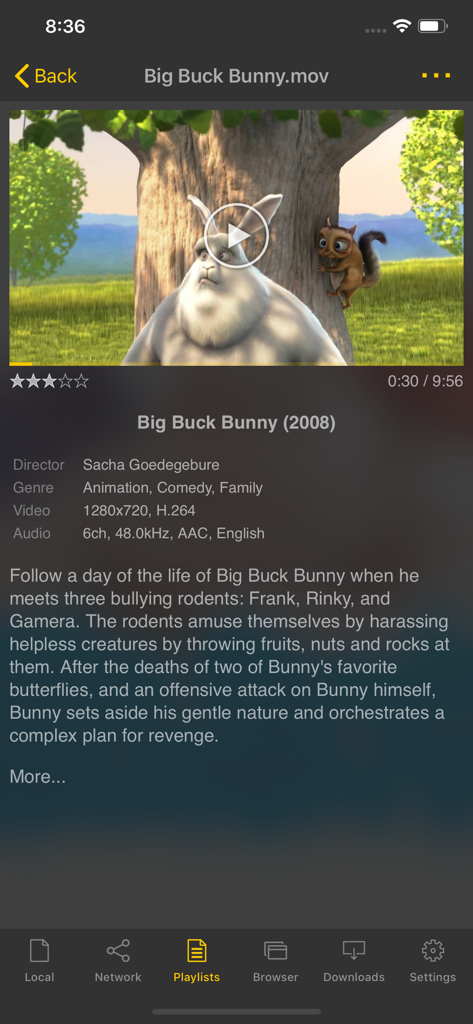
nPlayer Plus 앱의 인터페이스에 영화 정보와 비디오 파일의 기술 사양이 표시됩니다.
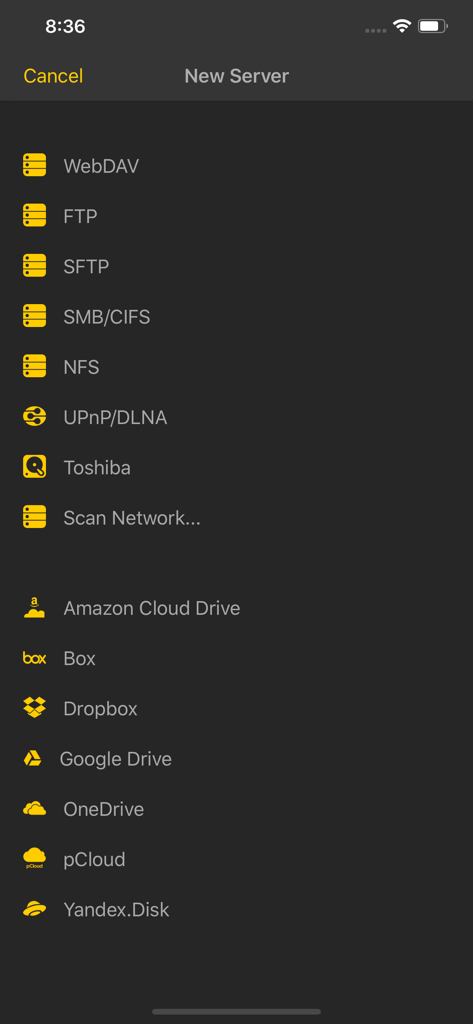
nPlayer Plus의 스크린샷에 네트워크 서버 및 클라우드 저장소 연결 옵션이 표시됩니다.
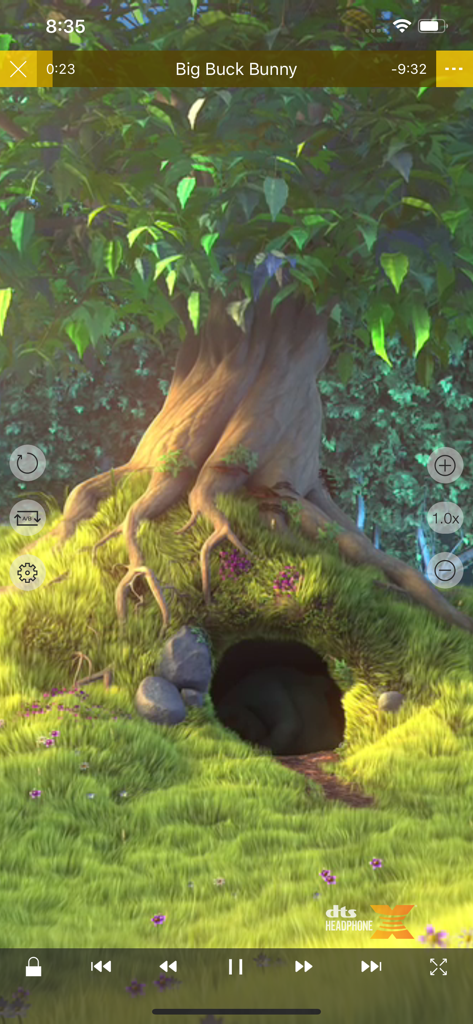
nPlayer Plus 모바일 앱 비디오 재생 인터페이스에 DTS Headphone X 로고와 재생 컨트롤이 표시됩니다.
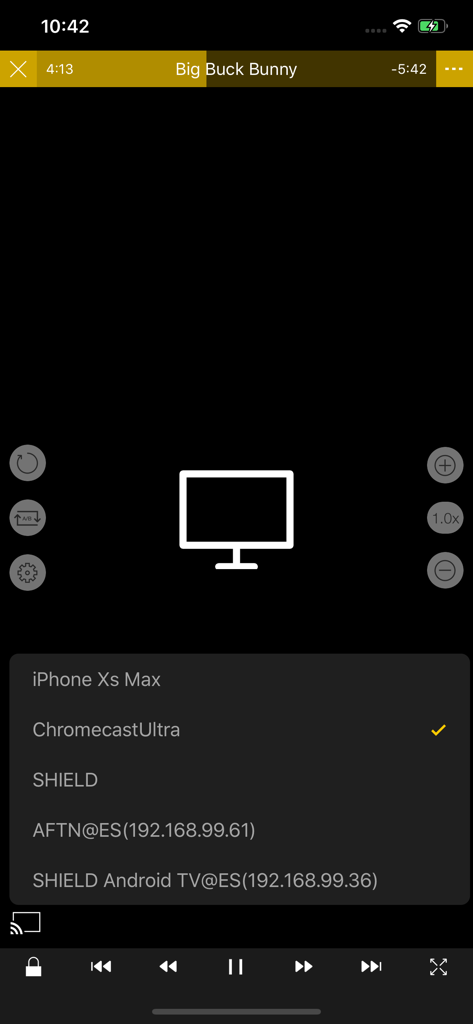
nPlayer Plus 앱에서 비디오 캐스팅을 위해 Chromecast Ultra 기기를 선택하는 화면입니다.
설명
** nPlayer officially supports DTS (DTS HD ), DTS Headphone:X, Dolby (AC3, E-AC3).
** nPlayer is the universal app. You can install it in any other iOS device without additional purchase.
** nPlayer Plus officially supports Dolby Audio codec and Dolby Sound Effect. But if you don't mind using Dolby Audio codec embedded in iOS, please update your iOS to 9.3 version or later and purchase nPlayer in the lower price.
- You don't need to convert video files to MP4 to play them in your mobile device. nPlayer enable you to play all kinds of video formats and codecs without file converting efforts.
- You don't need to store video files in your device with limited storage space. nPlayer's powerful and various network technologies will help you to stream them from remote devices.
- With your finger tip, you can adjust playback position, move to previous and next subtitle position, adjust location and font size of subtitles, control volume and brightness.
- Experience nPlayer, thousands of users recommendations.
* Features
- Supports officially DTS audio codec (DTS HD)
- Supports officially Dolby audio codec (AC3, E-AC3)
- Supports Dolby Mobile Surround Sound
- Supports iXpand Drive
- Supports Chromecast
- Supports video cast for Smart TV
- Supports HDMI output
- Supports video files : MP4, MOV, MKV, AVI, WMV, ASF, FLV, OGV, RMVB, TP etc.
- Supports audio files : MP3, WAV, WMA, FLAC, APE etc.
- Supports subtitle files : SMI, SRT, SSA, IDX, SUB, LRC, SUP, MLP2 etc.
- Supports image files : JPG, PNG, BMP, GIF, TIFF etc.
- Supports playlist files : CUE, M3U, PLS
- Supports WebDAV, FTP, SFTP, HTTP, SMB/CIFS, NFS
- Supports UPnP/DLNA (supports subtitles if DLNA server provides subtitles information.)
- Supports cloud service (Box, Dropbox, OneDrive, Yandex.Disk)
- Supports in-app web browser
- Supports iTunes video/audio play (except for DRM contents)
- Supports videos and pictures in Album
- Playback speed control : 0.5x ~ 4.0x
- Resume playback
- AB repeat(specific section repetition)
- Screen lock
- Supports AV1/HEVC/H.264/MPEG4 Hardware acceleration
- Supports 3D video mode
- Screen flip horizontally, vertically. brightness and saturation control
- Aspect ratio : Default, 1:1, 3:2, 4:3, 5:3, 16:9, 1.85:1 etc
- Supports multi-track audio
- Supports audio boost
- Supports audio sync
- Supports lyrics display
- Supports Dolby, DTS HDMI Bitstream (Passthru)
- Supports embedded subtitles
- Supports multi-track subtitles
- Supports user’s selection of subtitle files
- Supports addition of optional subtitle files while playback
- Supports subtitles font, color, shadow, outline customization
- Supports subtitles sync
- Supports external subtitle fonts
- Supports SAMI(SMI) tag
- Supports SSA/ASS with full styling, embedded subtitles
- File management : Delete, Move, Rename, Create a folder
- Playlist management : Add, Delete, Modify
- Supports recently played list
- Folder lock
- Supports Open-in
- Supports UI theme
* Gesture Features
- Tap : Menu
- Double tap : Pop-up play
- Drag horizontally : Playback position adjustment
- Drag vertically on right half of the screen : Volume control
- Drag vertically on left half of the screen : Brightness control
- Pinch on the screen : Screen size adjustment
- Drag horizontally on subtitle text : Move to previous/next subtitle text
- Drag vertically on subtitle text : Subtitle position adjustment
- Pinch on subtitle text : Subtitle font size adjustment
- Supports finger gesture customization
이 페이지는 앱이나 개발자의 공식 페이지가 아니며, 정보 제공 및 논평을 목적으로 작성된 독립 편집 간행물입니다. 명시적으로 달리 언급되지 않는 한, 해당 앱이나 개발자는 MWM, Apple, Google Play, 앱 퍼블리셔 또는 앱 개발자와 제휴, 보증, 후원, 승인 또는 공식적으로 연결되어 있지 않으며, 이 페이지의 어떤 내용도 해당 앱이 MWM의 서비스를 사용하여 개발되었음을 의미하지 않습니다. 모든 상표, 로고, 스크린샷 및 기타 콘텐츠는 해당 소유자의 자산입니다.