Office Word: Edit Word Docs

Office Word: Edit Word Docs

다운로드: App Store
로고: Office Word: Edit Word Docs

Office Word: 문서 편집 – 이동 중에도 생성, 편집 및 변환

iPhone을 강력한 모바일 워크스테이션으로 바꾸세요. 프리랜서, 학생 또는 전문가이든 관계없이 전문 템플릿과 원활한 PDF 변환을 통해 워크플로우를 간소화하세요. 단 몇 초 만에 가능합니다.

개발사

Current Transmission Limited

카테고리

Business

다운로드

400K+

사용자 평점

4.6/5

총 평가 수

5K+

지원 언어

16

이동 중에도 전문성을 유지하세요

이 인터페이스를 사용하는 400K+ 명의 사용자.

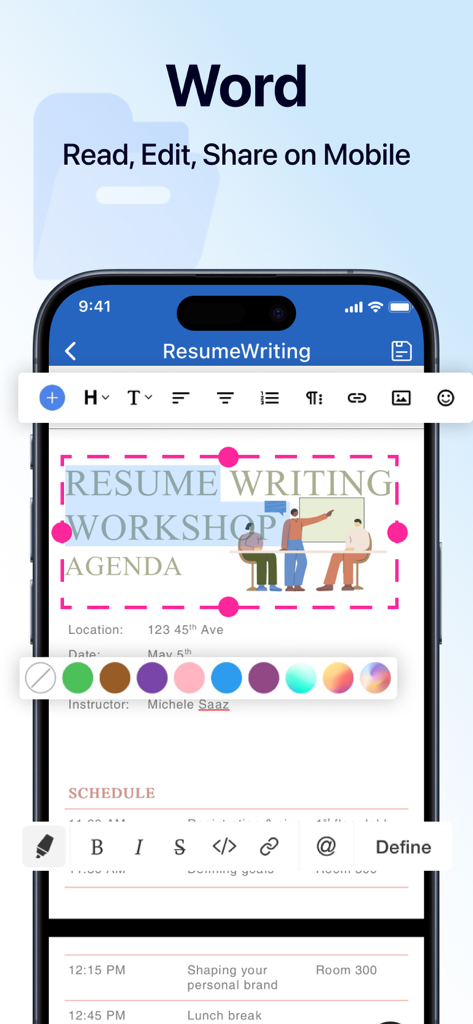
Office Word 앱의 모바일 인터페이스. iPhone 화면에 전문 문서 편집 및 서식 도구가 표시됩니다.

Office Word 앱의 모바일 인터페이스. iPhone 화면에 전문 문서 편집 및 서식 도구가 표시됩니다.

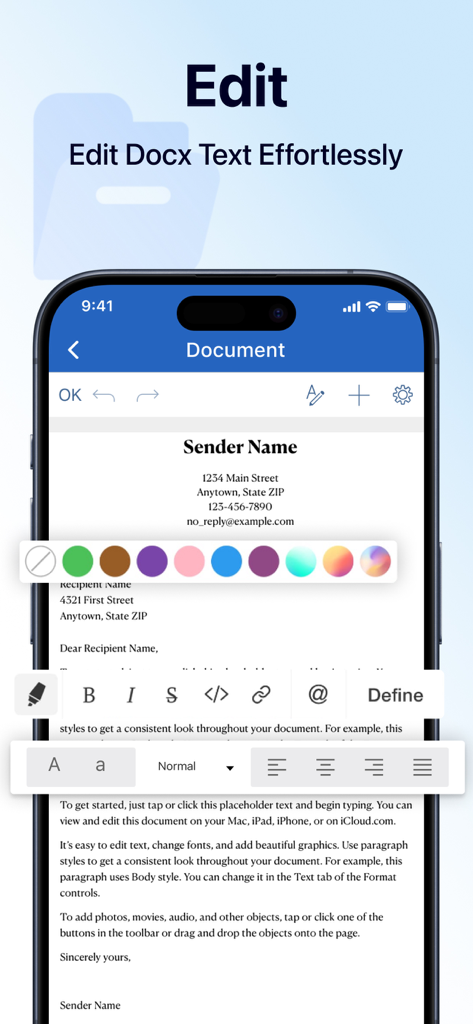
iPhone 스크린샷. 사용자가 Office Word 앱에서 서식 도구를 사용하여 문서를 편집하는 모습.

iPhone 스크린샷. 사용자가 Office Word 앱에서 서식 도구를 사용하여 문서를 편집하는 모습.

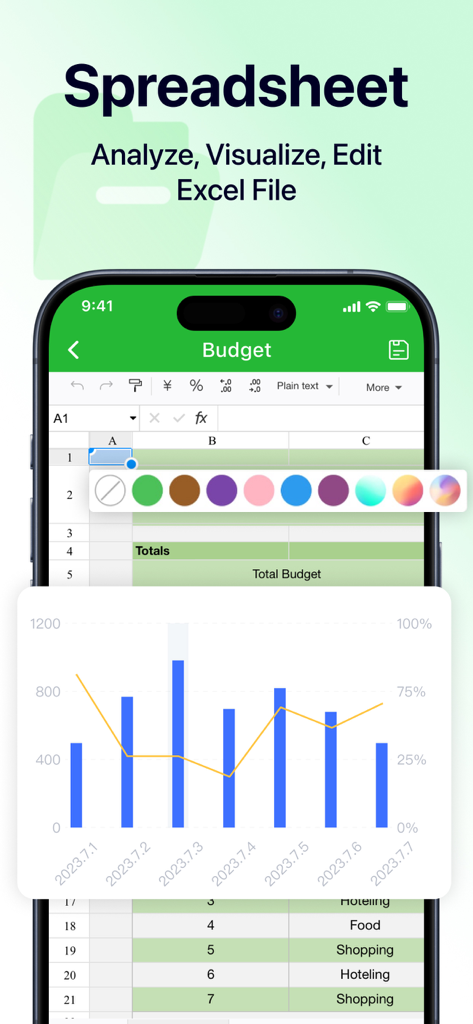
iPhone 화면. 예산 표와 막대 차트가 있는 모바일 스프레드시트 편집기가 표시됩니다.

iPhone 화면. 예산 표와 막대 차트가 있는 모바일 스프레드시트 편집기가 표시됩니다.

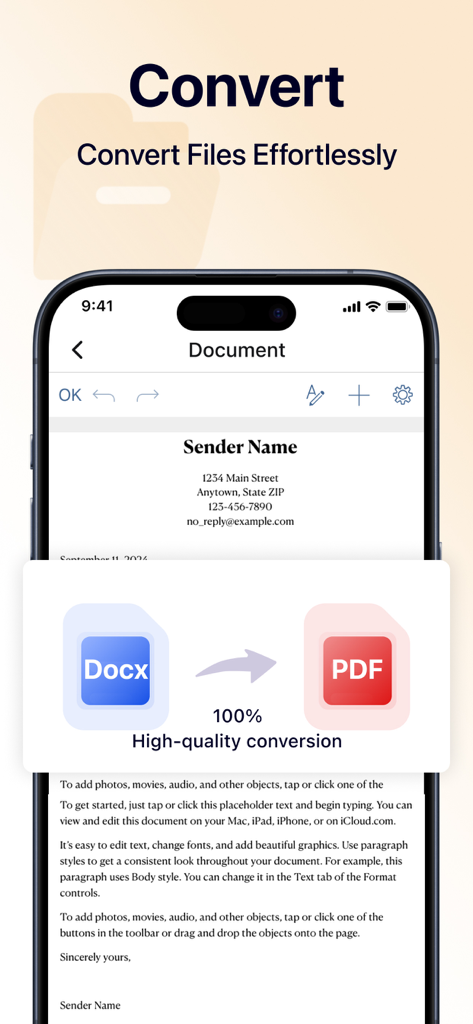
스마트폰 화면. Word 문서가 손쉽게 PDF 파일로 변환되는 모습.

스마트폰 화면. Word 문서가 손쉽게 PDF 파일로 변환되는 모습.

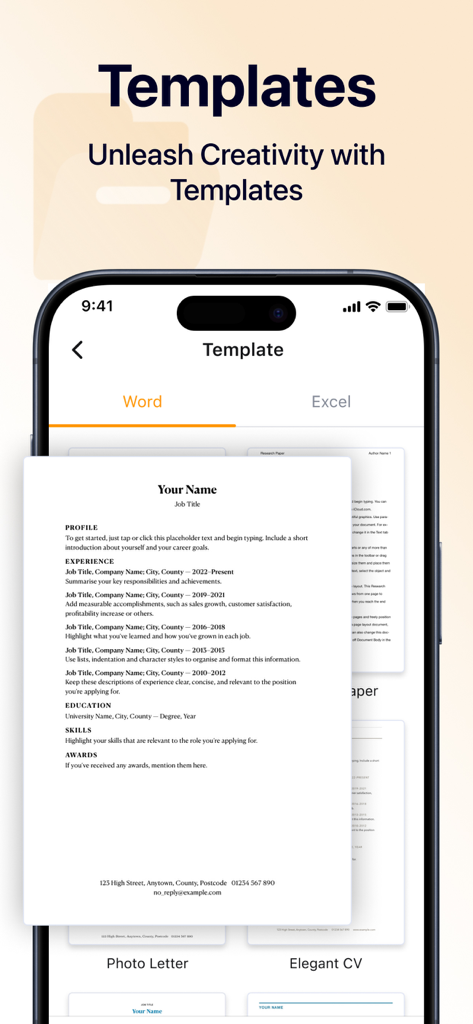
iPhone 화면. Office Word 앱의 전문 이력서 및 문서 템플릿이 표시됩니다.

iPhone 화면. Office Word 앱의 전문 이력서 및 문서 템플릿이 표시됩니다.

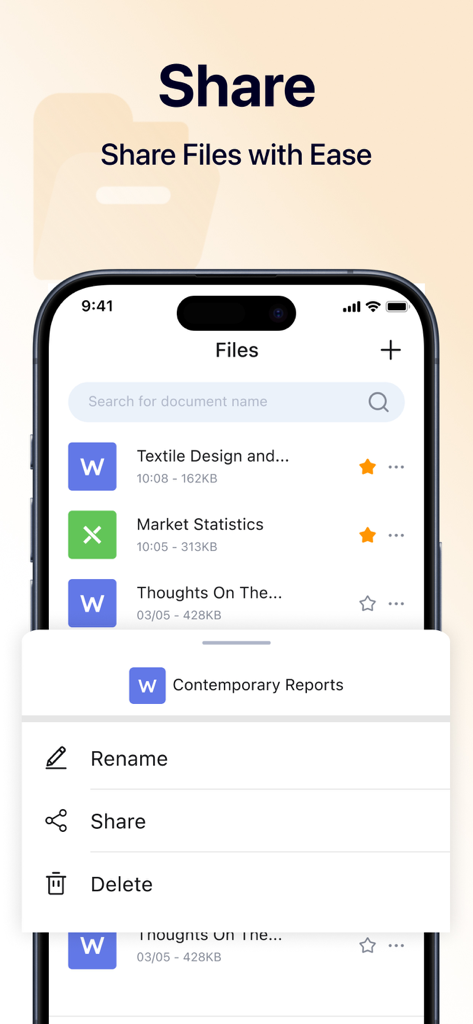
iPhone에서 문서를 관리하고 공유하기 위한 Office Word 앱 인터페이스.

iPhone에서 문서를 관리하고 공유하기 위한 Office Word 앱 인터페이스.

재정의된 나만의 모바일 오피스

이 앱을 돋보이게 하는 도구, 400K+ 명의 사용자가 선택.

📝

원활한 모바일 편집

이동 중에 계약서 수정, 보고서 업데이트 또는 아이디어 초안 작성. 속도와 정확성을 위해 설계된 기본 인터페이스를 사용하세요.

🔄

즉각적인 PDF 변환

Word 문서 또는 이미지를 고품질 PDF로 변환하세요. 단 몇 초 만에 가능합니다. 송장 및 서명된 계약서를 즉시 공유하는 데 완벽합니다.

전문가 수준의 템플릿

빈 페이지는 잊으세요. 전문적으로 디자인된 템플릿 라이브러리를 사용하여 몇 분 안에 완성도 높은 문서 및 이력서를 만드세요.

앱 소개

에 대해 알아야 할 모든 것 Office Word: Edit Word Docs.

설명

Document editor is a powerful application that allows you to create, edit, and manage your documents on the go,which is designed to enhance your productivity and streamline your workflow. Whether you need to convert Word documents or images to PDF, or customize your work using a variety of templates, our app is your all-in-one solution for document management. Create Documents With our document editor app, creating new documents has never been easier.You can quickly input text, insert images, and organize your content just as you want. Start crafting your ideas into professional-looking documents right on your mobile device! Edit Documents Editing documents on the go is simple and efficient using document editor. You can open existing files, make modifications, and save changes seamlessly. Our app supports a variety of editing options, such as formatting text, adjusting font styles, and adding bullet points or numbered lists. File Format Conversion Our app supports a wide range of conversions, allowing you to effortlessly convert Word files and images into high-quality PDF documents, which ensures your files can be shared and viewed without formatting issues. Extensive Template Library We offers a diverse range of professionally designed templates to suit your needs. You can save time by customizing these templates, ensuring you create visually appealing documents without starting from scratch. By opting for a paid subscription, you can unlock all the premium features of our app.Enjoy a seamless and powerful user experience, free from limitations, as you enhance your productivity and take full advantage of everything our app has to offer! About Subscription Auto-renewable subscription $6.99 per week for a weekly subscription $12.99 per month for a monthly subscrition $39.99 per year for a yearly subscription $39.99 per year for a yearly subscription with 3-day trial Get in Touch with us: support@currenttrans.com Terms of Use:https://www.currenttrans.com/documentsterms.html Privacy Policy:https://www.currenttrans.com/documentsprivacy.html

최신 버전

1.6

크기

43.6 MB

출시일

2024년 10월 16일

iPhone을 강력한 오피스로 바꿀 준비가 되셨나요?

전문 템플릿과 원활한 PDF 변환으로 워크플로우를 간소화하는 400,000명 이상의 전문가 및 프리랜서와 함께하세요. 언제 어디서든 가능합니다.

다운로드: App Store
FAQ

자주 묻는 질문

에 대해 알아야 할 모든 것 Office Word: Edit Word Docs

Office Word: Edit Word Docs는 무엇인가요?

Office Word: Edit Word Docs는 문서를 생성, 편집 및 관리하기 위한 강력한 모바일 애플리케이션입니다. 이동 중 문서 관리를 위한 생산성을 향상하고 워크플로우를 간소화합니다.

Office Word: Edit Word Docs에서 파일을 PDF로 변환할 수 있나요?

예, Office Word: Edit Word Docs는 Word 문서 및 이미지를 고품질 PDF 문서로 변환하는 것을 지원합니다. 이를 통해 형식 문제 없이 파일을 공유하고 볼 수 있습니다.

Office Word: Edit Word Docs를 사용하여 새 문서를 어떻게 만들 수 있나요?

Office Word: Edit Word Docs에서 새 문서를 만들려면 사용자는 텍스트를 빠르게 입력하고, 이미지를 삽입하고, 콘텐츠를 구성할 수 있습니다. 이를 통해 모바일 장치에서 전문적으로 보이는 문서를 만들 수 있습니다.

Office Word: Edit Word Docs는 어떤 편집 기능을 제공하나요?

Office Word: Edit Word Docs는 기존 파일을 열고, 수정을 하고, 변경 사항을 저장하는 기능을 제공합니다. 텍스트 서식을 지정하고, 글꼴 스타일을 조정하고, 글머리 기호 또는 번호 매기기 목록을 추가하는 것을 지원합니다.

Office Word: Edit Word Docs에서 문서 템플릿을 제공하나요?

예, Office Word: Edit Word Docs는 전문적으로 디자인된 템플릿의 광범위한 라이브러리를 제공합니다. 사용자는 이러한 템플릿을 사용자 정의하여 시각적으로 매력적인 문서를 효율적으로 만들 수 있습니다.

Office Word: Edit Word Docs에서 프리미엄 기능에 어떻게 액세스할 수 있나요?

사용자는 유료 구독을 선택하여 Office Word: Edit Word Docs에서 프리미엄 기능에 액세스할 수 있습니다. 구독은 제한 없이 원활하고 강력한 사용자 경험을 제공합니다.

Office Word: Edit Word Docs의 구독 옵션은 무엇인가요?

Office Word: Edit Word Docs는 주당 6.99달러, 월 12.99달러 또는 연 39.99달러의 자동 갱신 구독을 제공합니다. 3일 무료 체험 기간이 포함된 연간 구독도 39.99달러에 이용 가능합니다.

Office Word: Edit Word Docs에 무료 체험 기간이 있나요?

예, Office Word: Edit Word Docs는 연간 39.99달러 구독 옵션과 함께 3일 무료 체험 기간을 제공합니다. 이 체험 기간을 통해 사용자는 구독하기 전에 프리미엄 기능을 경험할 수 있습니다.

Office Word: Edit Word Docs의 이용 약관은 어디에서 찾을 수 있나요?

Office Word: Edit Word Docs의 이용 약관은 https://www.currenttrans.com/documentsterms.html 에서 확인할 수 있습니다. 이 링크는 사용자에게 중요한 법적 정보를 제공합니다.

Office Word: Edit Word Docs의 개인정보처리방침은 어디에서 찾을 수 있나요?

Office Word: Edit Word Docs의 개인정보처리방침은 https://www.currenttrans.com/documentsprivacy.html 에 있습니다. 이 정책은 애플리케이션이 사용자 데이터를 수집, 사용 및 보호하는 방법을 설명합니다.

Office Word: Edit Word Docs에 스프레드시트 편집 기능이 포함되어 있나요?

예, Office Word: Edit Word Docs에는 Excel 스프레드시트를 편집하는 기능이 포함되어 있습니다. 스크린샷 #3은 Excel 파일을 분석, 시각화 및 편집하는 옵션이 있는 '스프레드시트' 인터페이스를 보여줍니다.

Office Word: Edit Word Docs로 만든 문서를 어떻게 공유할 수 있나요?

Office Word: Edit Word Docs를 사용하면 사용자는 파일을 쉽게 공유할 수 있습니다. 인터페이스에는 파일 목록에서 직접 문서를 관리하고 공유하는 옵션이 포함되어 있습니다.

App information, icons, screenshots, and descriptions displayed on this page are sourced from the Apple App Store and are the property of their respective developers. Download estimates and rankings are based on MWM's proprietary models and may not reflect actual figures. This page is provided for informational and analytical purposes only.

Believe this page infringes your intellectual property? File a dispute