
이 페이지는 앱이나 개발자의 공식 페이지가 아니며, 정보 제공 및 논평을 목적으로 작성된 독립 편집 간행물입니다. 명시적으로 달리 언급되지 않는 한, 해당 앱이나 개발자는 MWM, Apple, Google Play, 앱 퍼블리셔 또는 앱 개발자와 제휴, 보증, 후원, 승인 또는 공식적으로 연결되어 있지 않으며, 이 페이지의 어떤 내용도 해당 앱이 MWM의 서비스를 사용하여 개발되었음을 의미하지 않습니다. 모든 상표, 로고, 스크린샷 및 기타 콘텐츠는 해당 소유자의 자산입니다.

Paletteer Colors
수동 .xcassets 작업에 시간을 낭비하지 마세요. SwiftUI 또는 UIKit 프로젝트에 직접 내보낼 수 있는 전문적인 적응형 색상 팔레트와 다크 모드 변형을 생성하세요.
다운로드
200사용자 평점
총 평가 수
0개발사
카테고리
Developer Tools지원 언어
1최신 버전
1.2.1크기
2.1 MB출시일
2025년 1월 9일더 빠르게 디자인하고, 더 스마트하게 코딩하세요
Paletteer Colors는 자동화된 색상 관리를 통해 디자인 비전과 Xcode 구현 간의 격차를 해소하여 UI 개발을 간소화합니다.
원클릭 Xcode 내보내기
수동 16진수 입력을 제거하고 개발 워크플로우를 최고 속도로 유지하기 위해 .xcassets 파일을 즉시 생성하세요.
자동 다크 모드
모든 테마에서 앱이 Apple의 접근성 표준을 충족하도록 보장하기 위해 고대비 적응형 색상 변형을 손쉽게 생성하세요.
자주 묻는 질문
에 대해 알아야 할 모든 것 Paletteer Colors
Paleteer Colors는 Xcode 프로젝트에 어떤 도움을 주나요?
Paleteer Colors는 .xcassets 파일을 생성하여 Xcode 프로젝트에 사용자 정의 색상 팔레트 통합을 간소화합니다. 이를 통해 개발 워크플로우의 일관성과 효율성을 보장합니다.
Paleteer Colors는 다크 테마에 대한 색상 변형을 생성하나요?
예, Paleteer Colors는 모든 색조에 대해 자동으로 다크 테마 변형을 생성합니다. 이는 애플리케이션의 사용자 경험과 접근성을 향상시킵니다.
Paleteer Colors는 여러 Apple 기기와 호환되나요?
예, Paleteer Colors는 다중 기기 사용을 지원합니다. 사용자는 iPhone, iPad 또는 Mac에서 앱을 사용하여 다양한 화면에서 색상 팔레트를 디자인하고 볼 수 있습니다.
Paleteer Colors는 색상 팔레트에 대한 iCloud 동기화를 제공하나요?
예, Paleteer Colors에는 iCloud 동기화 기능이 포함되어 있습니다. 이 기능은 모든 Apple 기기에서 색상 팔레트가 원활하게 동기화되어 일관된 액세스와 편의성을 제공합니다.
Paleteer Colors의 주요 기능은 무엇인가요?
Paleteer Colors의 주요 기능에는 손쉬운 .xcassets 생성, 유연한 색상 변형, 다크 테마 호환성, 색상 팔레트를 효율적으로 관리하기 위한 정리된 워크플로우가 있습니다.
Paleteer Colors는 색상에 대해 여러 음영을 생성할 수 있나요?
예, Paleteer Colors는 유연한 색상 변형을 위해 여러 음영을 생성합니다. 이는 프로젝트 내에서 부드러운 그라데이션과 일관된 디자인 요소를 용이하게 합니다.
Paleteer Colors에서 색상 팔레트를 공유하려면 어떻게 해야 하나요?
Paleteer Colors를 사용하면 기기 간에 팔레트를 원활하게 공유할 수 있습니다. 사용자는 Xcode로 직접 내보내거나 백업 또는 팀 협업을 위해 색상 구성표를 복사하여 붙여넣을 수도 있습니다.
다음 스크린샷과 설명은 앱의 공식 스토어 목록에서 직접 가져온 것이며 앱 개발자의 자산입니다.
앱 스토어
스크린샷
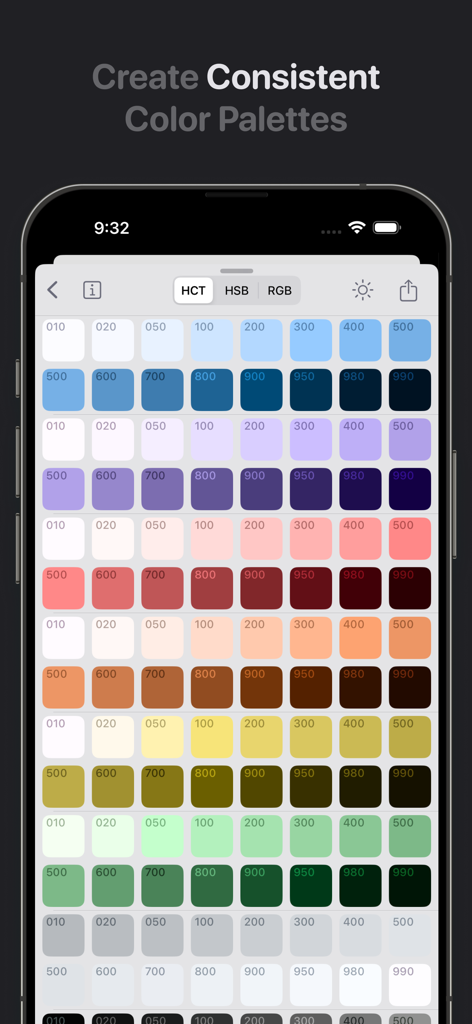
Paletteer Colors 앱 인터페이스는 다양한 색조의 일관된 색상 팔레트 그리드를 보여줍니다
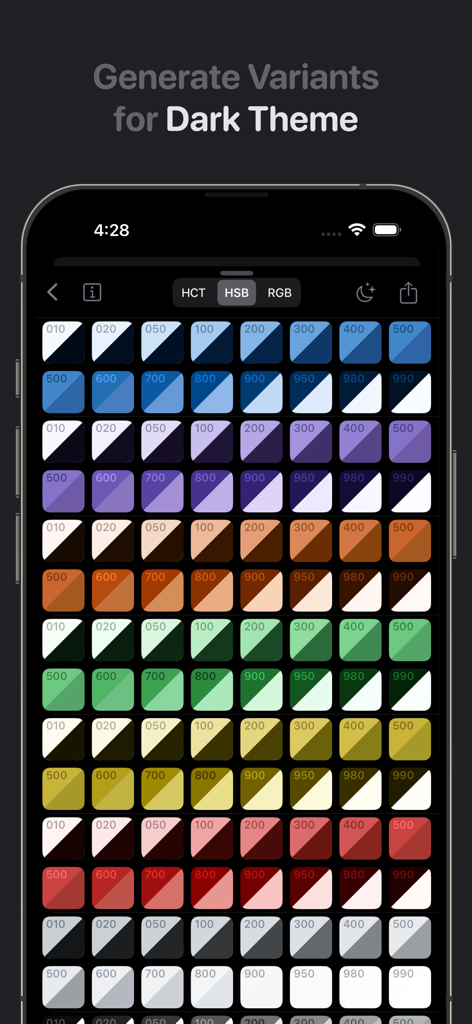
Paletteer Colors 앱에서 다크 테마 변형이 있는 다양한 색조 그리드를 표시하는 모바일 인터페이스
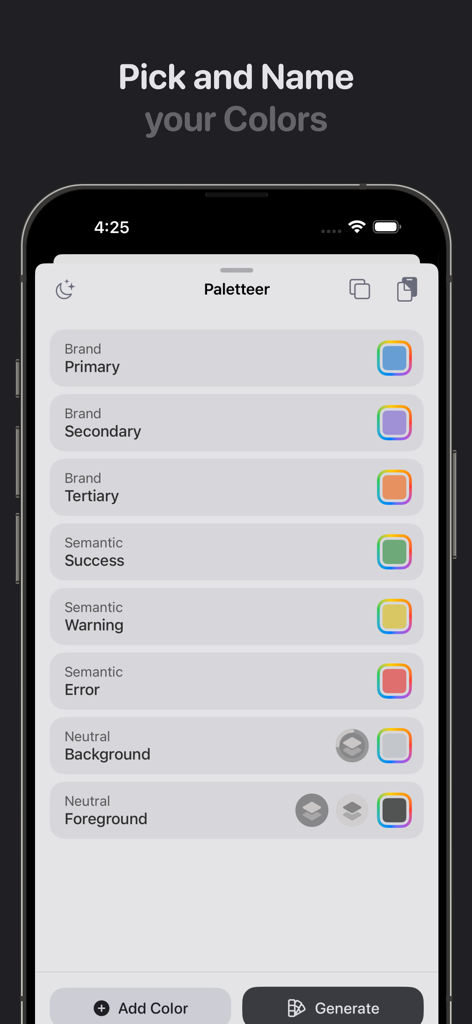
iPhone에서 브랜드 및 시맨틱 UI 색상 이름을 지정하는 Paletteer Colors 앱 인터페이스
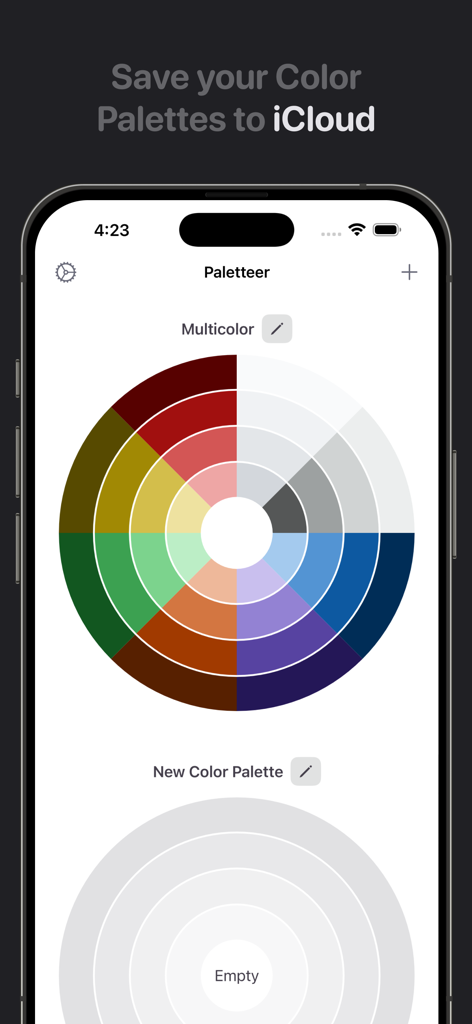
Paletteer Colors 앱 인터페이스는 iPhone에서 다색 팔레트 휠과 iCloud 동기화 기능을 보여줍니다
설명
Download
비슷한 앱
같은 카테고리의 상위 앱

TestFlight
Apple Inc.

Replit: Vibe Code Apps
Replit, Inc

GitHub
GitHub

O-KAM Pro
Shenzhen VeePai IoT Intelligent Technology LLC

Apple Developer
Apple Inc.

Expo Go
650 Industries, Inc.

Scriptable
Simon Stovring

Stream - Network Debug Tool
Stream Lab Inc.

App Store Connect
Apple Inc.
이 페이지는 앱이나 개발자의 공식 페이지가 아니며, 정보 제공 및 논평을 목적으로 작성된 독립 편집 간행물입니다. 명시적으로 달리 언급되지 않는 한, 해당 앱이나 개발자는 MWM, Apple, Google Play, 앱 퍼블리셔 또는 앱 개발자와 제휴, 보증, 후원, 승인 또는 공식적으로 연결되어 있지 않으며, 이 페이지의 어떤 내용도 해당 앱이 MWM의 서비스를 사용하여 개발되었음을 의미하지 않습니다. 모든 상표, 로고, 스크린샷 및 기타 콘텐츠는 해당 소유자의 자산입니다.