PDF Converter ©
PDF Converter ©
다운로드: App Store

이 페이지는 앱이나 개발자의 공식 페이지가 아니며, 정보 제공 및 논평을 목적으로 작성된 독립 편집 간행물입니다. 명시적으로 달리 언급되지 않는 한, 해당 앱이나 개발자는 MWM, Apple, Google Play, 앱 퍼블리셔 또는 앱 개발자와 제휴, 보증, 후원, 승인 또는 공식적으로 연결되어 있지 않으며, 이 페이지의 어떤 내용도 해당 앱이 MWM의 서비스를 사용하여 개발되었음을 의미하지 않습니다. 모든 상표, 로고, 스크린샷 및 기타 콘텐츠는 해당 소유자의 자산입니다.

로고: PDF Converter ©
다운로드: App Store

PDF Converter ©

사진, Word 문서, 송장을 즉시 전문적인 PDF로 변환하세요. 바탕화면 없이도 어디서든 가장 중요한 파일을 편집, 서명 및 공유할 수 있습니다.

주요 수치

다운로드

757K+

사용자 평점

4.4/5

총 평가 수

4K+

개발사

Greysh Co., Ltd.

카테고리

Productivity

지원 언어

8

최신 버전

2.8.0

크기

48.8 MB

출시일

2023년 1월 28일
기능

이동 중에도 생산성을 극대화하세요

속도와 효율성을 중시하는 전문가를 위해 설계된 올인원 문서 툴킷입니다. 노트북을 열지 않고도 파일을 변환, 서명 및 관리할 수 있습니다.

즉각적인 전문가 수준의 변환

긴급한 마감일을 위한 완벽한, 사진, Word 문서, 이력서 및 송장을 몇 초 만에 고품질 PDF로 변환하세요.

모바일 서명 및 편집

iPhone에서 바로 계약서에 법적 효력이 있는 서명을 추가하고 주석을 달 수 있습니다. 전 세계 어디서든 더 빠르게 거래를 성사시키세요.

다음 스크린샷과 설명은 앱의 공식 스토어 목록에서 직접 가져온 것이며 앱 개발자의 자산입니다.

앱 스토어

스크린샷
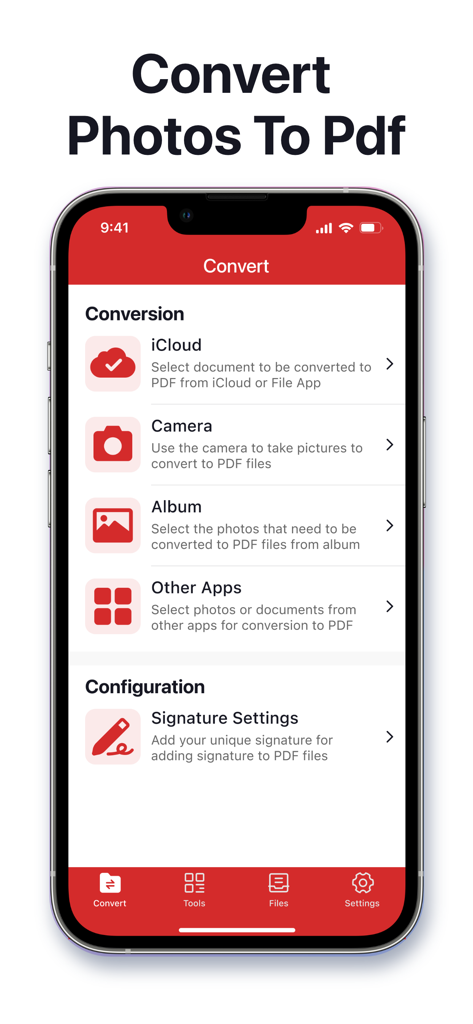
PDF Converter © - PDF 변환기 모바일 앱 화면에 사진과 문서를 PDF로 변환하는 옵션이 표시됩니다.
PDF 변환기 모바일 앱 화면에 사진과 문서를 PDF로 변환하는 옵션이 표시됩니다.

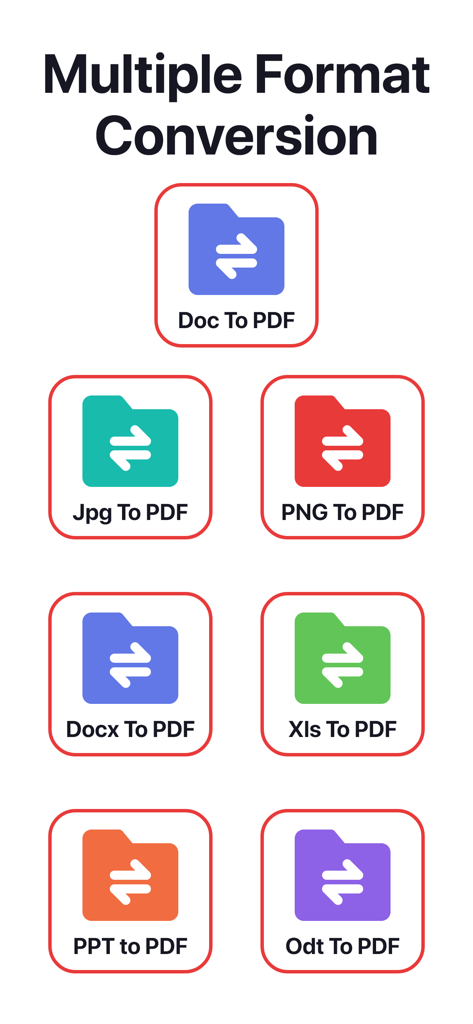
PDF Converter © - Word, JPG, Excel과 같은 다양한 파일 형식이 PDF로 변환되는 과정을 보여주는 그래픽
Word, JPG, Excel과 같은 다양한 파일 형식이 PDF로 변환되는 과정을 보여주는 그래픽

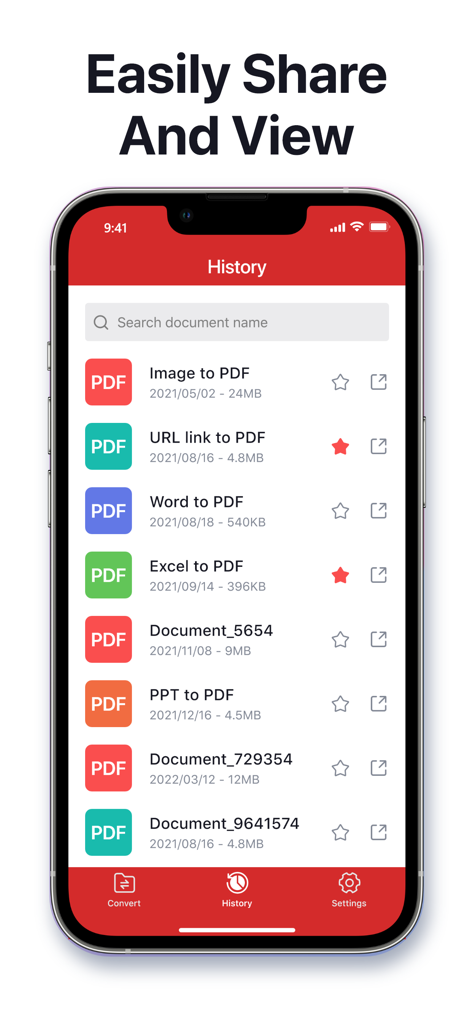
PDF Converter © - Word 및 Excel과 같은 다양한 파일 형식의 변환된 PDF 문서 기록 목록을 보여주는 스마트폰 화면
Word 및 Excel과 같은 다양한 파일 형식의 변환된 PDF 문서 기록 목록을 보여주는 스마트폰 화면

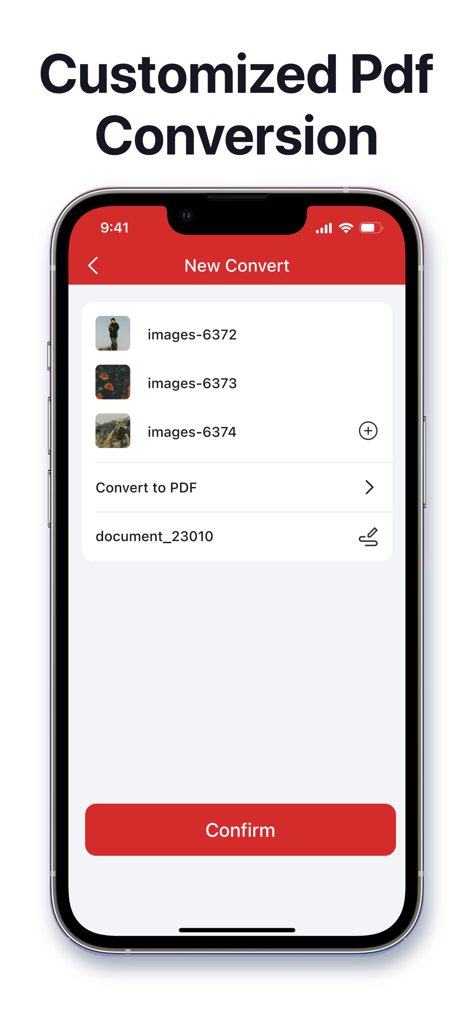
PDF Converter © - PDF 파일로 변환할 이미지를 선택하는 인터페이스를 보여주는 PDF 변환기 앱 스크린샷

PDF 파일로 변환할 이미지를 선택하는 인터페이스를 보여주는 PDF 변환기 앱 스크린샷

설명

PDF Converter © is a powerful and easy-to-use PDF tool that helps you convert, edit, and manage your PDF files—all in one place. Whether for work, study, or daily use, this app makes handling PDFs simple and efficient. Key Features: - PDF Conversion Made Easy: Convert anything to PDF in seconds. From Word documents, images, photos, and invoices to resumes, reports, and web pages—everything is just a tap away. • Convert photos to PDF • Image to PDF in seconds • Convert Word files to PDF • DOC to PDF made easy • Turn resumes into PDFs • Convert invoices to PDF • Create PDFs from almost anything - PDF Editing: Add signatures, insert pages, annotate text, and make changes directly within our app. - Text & Image Recognition: Extract text from images or documents and recognize content instantly for editing or saving. - Merge & Link: Combine multiple files into a single PDF and insert clickable links or URLs effortlessly. - Edit, Convert & Share Instantly: From simple edits to full conversions and file sharing, do it all seamlessly in one app. - Supports a Wide Range of Formats: Compatible with PDF, JPG, PNG, DOC, DOCX, RTF, PPT, PPTX, XLS, XLSX, TXT, HEIC, XPS, ODT, and more. About payment Auto-rewable subscription $6.99 per week for a weekly subscripotion $6.99 per week for a weekly subscripotion with 3-Day free trial $14.99 per month for a monthly subscription $39.99 per year for a yearly subscrioption $39.99 for a lifetime subscription Subscription renewal terms: * Payment will be charged to iTunes Account at confirmation of purchases. * Account will be charged for renewal within 24-hours prior to the end of the current period, and identify the cost of the renewal. * Subscription automatically renews unless auto-renew is turned off at least 24 hours before the end of the current period. * Subscriptions may be managed by the user and auto-renewal may be turned off by going to the user's Account Settings after purchase. Terms & Privacy - Terms of Use: https://www.greyshapps.com/terms.html - Privacy Policy: https://www.greyshapps.com/privacy.html Support You can help us by reporting bugs and requesting features via Email:support@greyshapps.com

Download

다운로드: App Store

이 페이지는 앱이나 개발자의 공식 페이지가 아니며, 정보 제공 및 논평을 목적으로 작성된 독립 편집 간행물입니다. 명시적으로 달리 언급되지 않는 한, 해당 앱이나 개발자는 MWM, Apple, Google Play, 앱 퍼블리셔 또는 앱 개발자와 제휴, 보증, 후원, 승인 또는 공식적으로 연결되어 있지 않으며, 이 페이지의 어떤 내용도 해당 앱이 MWM의 서비스를 사용하여 개발되었음을 의미하지 않습니다. 모든 상표, 로고, 스크린샷 및 기타 콘텐츠는 해당 소유자의 자산입니다.








