PDF Document Scanner App °

PDF Document Scanner App °

다운로드: App Store
로고: PDF Document Scanner App °

PDF Document Scanner App °: 몇 초 만에 문서 스캔, 서명 및 팩스 발송

iPhone을 강력한 모바일 사무실로 변환하세요. 1백만 명에 가까운 전문가들이 저희를 신뢰하고 이동 중에 계약서를 디지털화하고, 영수증을 관리하고, 안전하게 전자 서명합니다.

개발사

Relentless Consulting, Inc

카테고리

Business

다운로드

954K+

사용자 평점

4.6/5

총 평가 수

32K+

지원 언어

7

주머니 속의 사무실

이 인터페이스를 사용하는 954K+ 명의 사용자.

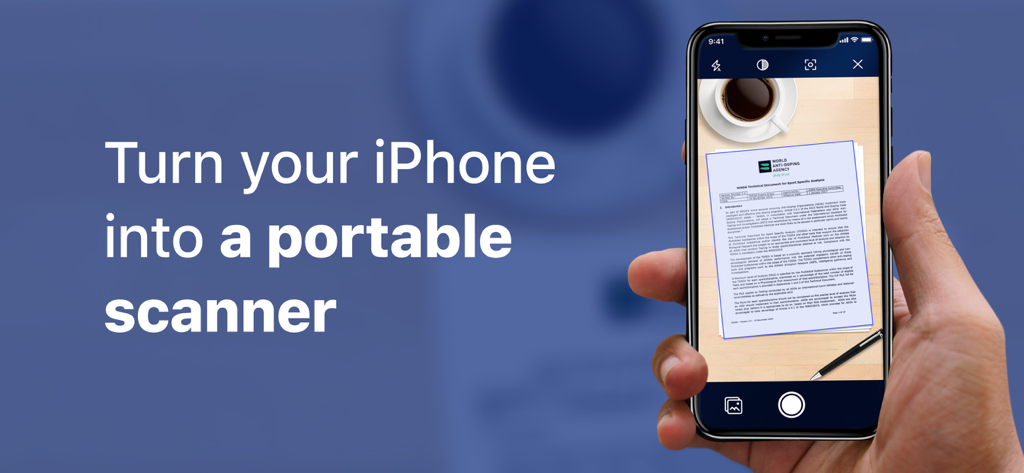
커피잔 옆 테이블에 있는 문서를 스캔하기 위해 PDF Document Scanner 앱을 사용하는 iPhone을 들고 있는 손

커피잔 옆 테이블에 있는 문서를 스캔하기 위해 PDF Document Scanner 앱을 사용하는 iPhone을 들고 있는 손

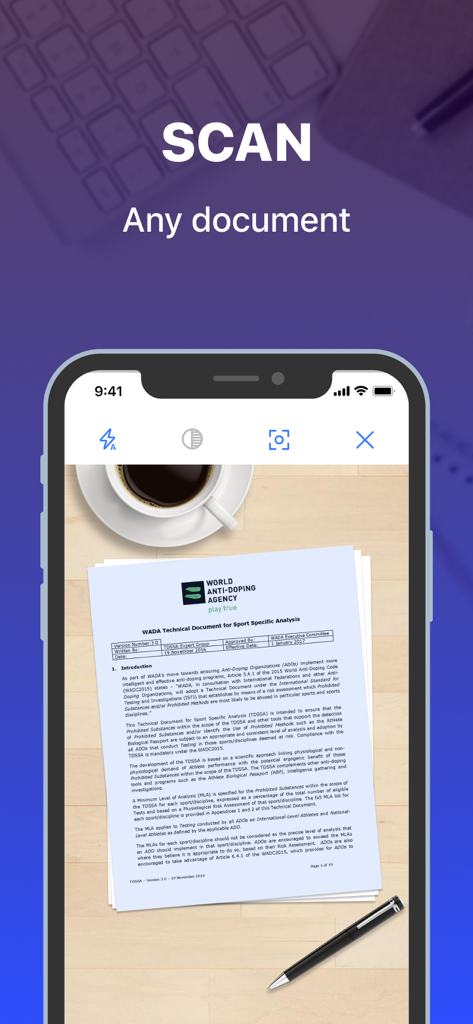
커피잔과 펜 옆 나무 책상에 있는 종이 문서를 스캔하는 PDF Document Scanner 앱을 보여주는 iPhone 화면

커피잔과 펜 옆 나무 책상에 있는 종이 문서를 스캔하는 PDF Document Scanner 앱을 보여주는 iPhone 화면

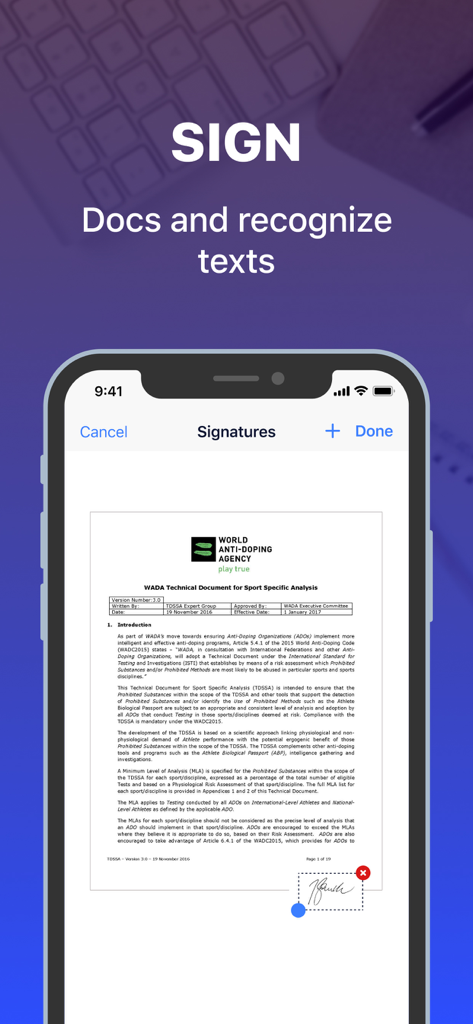
스캐너 앱 인터페이스를 사용하여 스캔된 PDF 문서에 디지털 서명을 추가하는 사용자를 보여주는 iPhone 화면

스캐너 앱 인터페이스를 사용하여 스캔된 PDF 문서에 디지털 서명을 추가하는 사용자를 보여주는 iPhone 화면

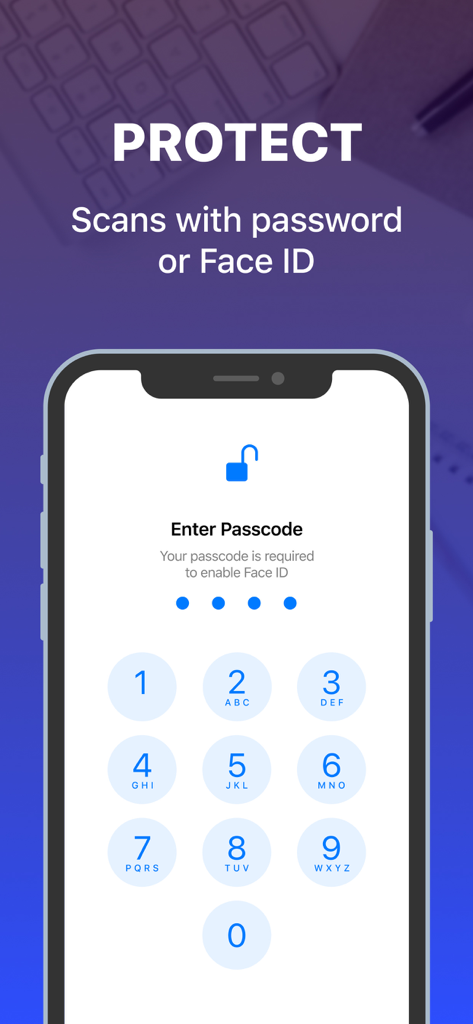
암호 또는 Face ID로 스캔된 문서를 보호하기 위한 암호 입력 기능을 보여주는 iPhone 화면

암호 또는 Face ID로 스캔된 문서를 보호하기 위한 암호 입력 기능을 보여주는 iPhone 화면

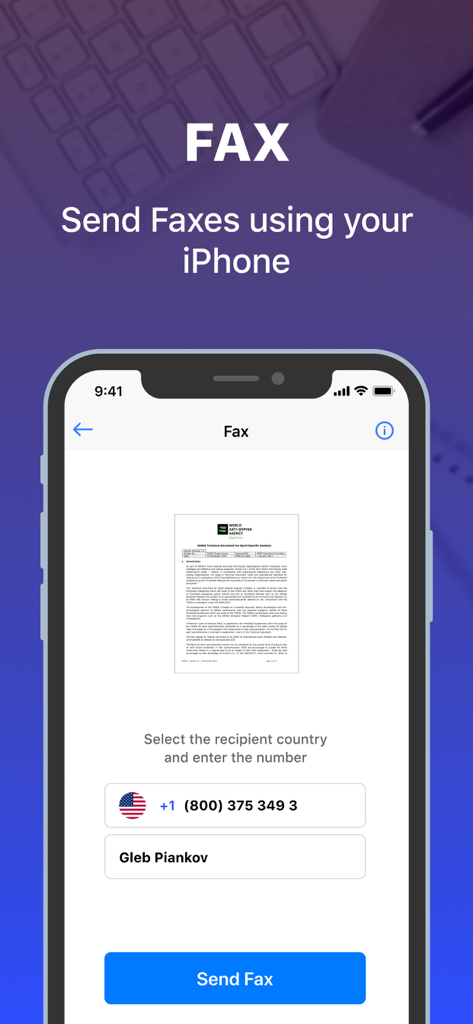
문서를 보내기 위한 PDF 스캐너 앱의 팩스 기능을 표시하는 스마트폰 화면

문서를 보내기 위한 PDF 스캐너 앱의 팩스 기능을 표시하는 스마트폰 화면

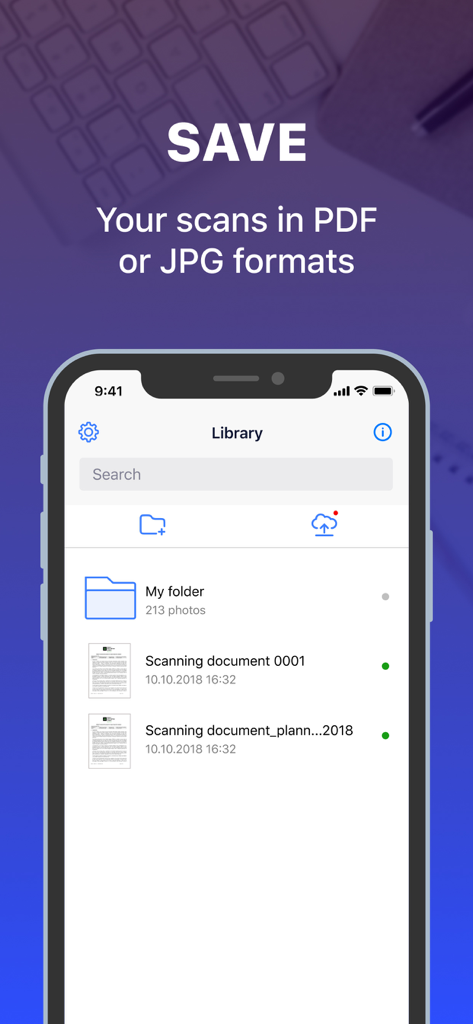
PDF 및 JPG 형식으로 저장된 문서를 보여주는 PDF Document Scanner 앱 라이브러리의 iPhone 스크린샷

PDF 및 JPG 형식으로 저장된 문서를 보여주는 PDF Document Scanner 앱 라이브러리의 iPhone 스크린샷

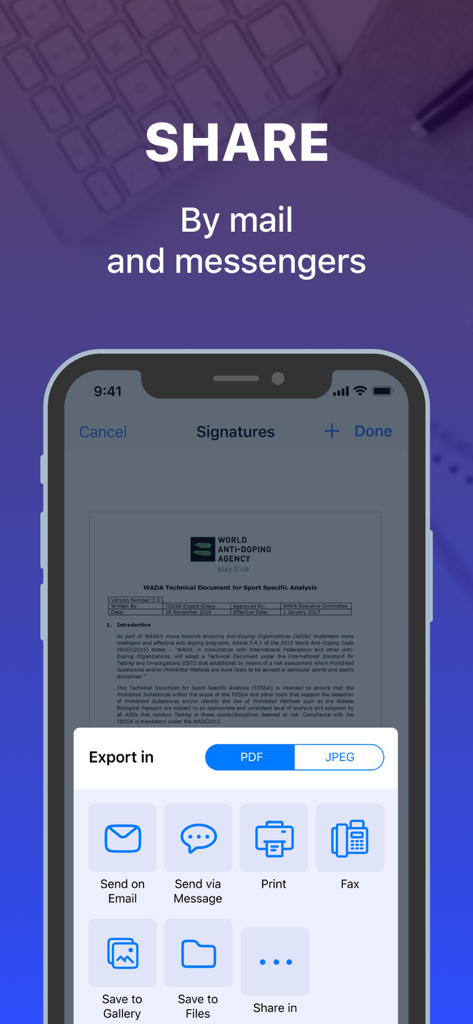
이메일 메시지 및 팩스와 같은 문서 공유 옵션을 보여주는 PDF Document Scanner 앱의 인터페이스

이메일 메시지 및 팩스와 같은 문서 공유 옵션을 보여주는 PDF Document Scanner 앱의 인터페이스

주머니 속의 올인원 사무실

이 앱을 돋보이게 하는 도구, 954K+ 명의 사용자가 선택.

📸

스마트 HD 스캔

자동 가장자리 감지로 모든 종이, 영수증 또는 명함을 고품질 PDF 또는 JPG로 즉시 변환합니다.

🖋️

전자 서명 및 모바일 팩스

내장된 디지털 서명으로 계약서를 즉석에서 마무리하고, 하드웨어 없이도 사무실 어디든 직접 팩스를 보낼 수 있습니다.

🗂️

전문적인 구성

중요 문서를 안전한 폴더에 그룹화하고 저장하여 비즈니스 및 개인 생활을 완벽하게 정리합니다.

리뷰 분석

사용자 리뷰 인사이트.

감정 점수

31%
부정적

요약

This app receives overwhelmingly negative feedback, primarily due to its aggressive and often misleading subscription model, with many users feeling forced to pay high weekly or monthly fees before accessing core features. While a few users find its PDF scanning capabilities effective for document handling, a significant number report that the app either fails to convert documents as advertised, offers limited functionality comparable to a phone's camera, or is plagued by bugs post-payment. Users also frequently express frustration over difficulties with canceling subscriptions and obtaining refunds, leading many to label it a 'scam' and advise against downloading.

주요 테마

Pricing Model(17)
Refund & Cancellation Issues(10)
Scanning Functionality(8)
App Performance/Bugs(8)
Misleading Advertising(4)
Value for Money(3)

앱 소개

에 대해 알아야 할 모든 것 PDF Document Scanner App °.

설명

Scanner is a convenient and easy-to-use application for scanning text documents. With this app you can easily scan, save and share docs. You can scan any text information. Contracts, business cards, receipts, paper notes, articles, book pages - all this will be saved on your phone in PG format, and you can combine these images into PDF files. Scanner Features: - fast scanning of documents; - storage of documents; - the ability to group documents; - editing documents; - the ability to sign documents; - creation of multipage pdf files; - sending fax from your iPhone; - the ability to share documents; - printing of documents. Information about subscription: - Price is based on the U.S. Dollar and price may vary in countries other than the U.S. and are subject to change without notice. - If the package has a trial period, then subscription starts after 3(three) days of a free trial and will automatically renew each month, if not, the payment will be paid immediately. - Any unused portion of a free trial period, if offered, will be forfeited when the user purchases a subscription to that publication, where applicable. - Prices for subscriptions depends on which package you choose and will be seen in payment screen. - Payment will be charged to iTunes Account at confirmation of purchase. - Subscription automatically renews unless auto-renew is turned off at least 24-hours before the end of the current period. - Account will be charged for renewal within 24-hours prior to the end of the current period. - You can cancel your subscription via this url: https://support.apple.com/en-us/HT202039 - Subscription may be managed by the user and auto-renewal may be turned off by going to the user's Account Settings after purchase. Pages: - Privacy policy: https://amazing-truck-21b.notion.site/PDF-Scanner-Privacy-Policy-1f27cd28ef40809db1f2e3842fbde2f2?pvs=4 - Term of use: https://amazing-truck-21b.notion.site/PDF-Scanner-Terms-of-Use-1f27cd28ef40805e98c9fcb91d5b8c2a?pvs=4 - About: https://amazing-truck-21b.notion.site/PDF-Scanner-About-Us-1f27cd28ef408057a60dd04b68017ade?pvs=4 Support: You can write about anything to support@pdfscannerpro.com

최신 버전

2.31

크기

75.4 MB

출시일

2019년 2월 21일

iPhone을 강력한 모바일 사무실로 변환하세요

이동 중에 문서를 스캔, 서명 및 팩스 발송하는 950,000명 이상의 전문가와 함께하세요. 지금 무료 평가판을 시작하고 더 이상 물리적 스캐너를 찾지 마세요.

다운로드: App Store
FAQ

자주 묻는 질문

에 대해 알아야 할 모든 것 PDF Document Scanner App °

PDF Document Scanner 앱으로 어떤 종류의 문서를 스캔할 수 있나요?

PDF Document Scanner 앱은 계약서, 명함, 영수증, 메모, 기사, 책 페이지 등 다양한 텍스트 문서를 스캔합니다.

PDF Document Scanner 앱으로 문서를 서명할 수 있나요?

예, PDF Document Scanner 앱을 사용하면 앱 내에서 직접 문서를 서명할 수 있으며 스캔된 콘텐츠에 대한 텍스트 인식도 지원합니다.

PDF Document Scanner 앱에서 스캔한 문서를 보호할 수 있나요?

예, PDF Document Scanner 앱을 사용하면 암호나 Face ID로 스캔한 문서를 보호하여 보안을 강화할 수 있습니다.

PDF Document Scanner 앱은 아이폰에서 팩스를 보낼 수 있나요?

예, PDF Document Scanner 앱은 아이폰에서 직접 팩스를 보낼 수 있는 기능을 제공합니다. 앱에는 팩스 발신을 위한 인터페이스가 포함되어 있습니다.

PDF Document Scanner 앱에서 스캔을 저장하기 위해 어떤 파일 형식이 지원되나요?

PDF Document Scanner 앱은 PDF 및 JPG (JPEG) 파일 형식 모두에서 스캔한 문서를 저장하는 것을 지원하여 저장 및 공유에 유연성을 제공합니다.

PDF Document Scanner 앱에서 문서를 공유하려면 어떻게 해야 하나요?

PDF Document Scanner 앱은 이메일, 메시지, 인쇄, 팩스 등 다양한 공유 옵션을 제공합니다. 사용자는 문서를 갤러리나 파일에 저장할 수도 있습니다.

PDF Document Scanner 앱에 무료 평가판이 제공되나요?

예, PDF Document Scanner 앱은 무료 평가 기간을 제공합니다. 패키지에 평가판이 포함된 경우, 취소하지 않으면 3일 후 구독이 시작되고 매월 갱신됩니다.

PDF Document Scanner 앱 구독을 취소하려면 어떻게 해야 하나요?

사용자는 iTunes 계정 설정을 통해 또는 앱 설명에 제공된 Apple 지원 URL을 방문하여 PDF Document Scanner 앱 구독을 취소할 수 있습니다.

PDF Document Scanner 앱 구독에 자동 갱신이 활성화되어 있나요?

예, PDF Document Scanner 앱 구독은 자동으로 갱신됩니다. 요금이 청구되는 것을 방지하려면 사용자는 현재 기간이 종료되기 최소 24시간 전에 자동 갱신을 해제해야 합니다.

PDF Document Scanner 앱의 개인 정보 보호 정책은 어디에서 찾을 수 있나요?

PDF Document Scanner 앱의 개인 정보 보호 정책은 앱 스토어 설명에 링크된 전용 페이지에서 확인할 수 있습니다.

App information, icons, screenshots, and descriptions displayed on this page are sourced from the Apple App Store and are the property of their respective developers. Download estimates and rankings are based on MWM's proprietary models and may not reflect actual figures. This page is provided for informational and analytical purposes only.

Believe this page infringes your intellectual property? File a dispute