PDF Editor: Edit Everything

PDF Editor: Edit Everything


다운로드: App Store다운로드: Google Play
로고: PDF Editor: Edit Everything
PDF 편집기: 모든 것을 편집하세요 - AI 기반 문서 처리 방식

변경할 수 없는 파일에 갇히지 마세요. 세계에서 가장 쉬운 모바일 편집기로 휴대폰에서 즉시 텍스트를 편집하고, 계약을 서명하고, PDF를 변환하세요.

개발사

Desygner Pty Ltd

카테고리

Business

다운로드

307K+

사용자 평점

4.3/5

총 평가 수

1K+

지원 언어

24

제한 없이 편집하세요

이 인터페이스를 사용하는 307K+ 명의 사용자.

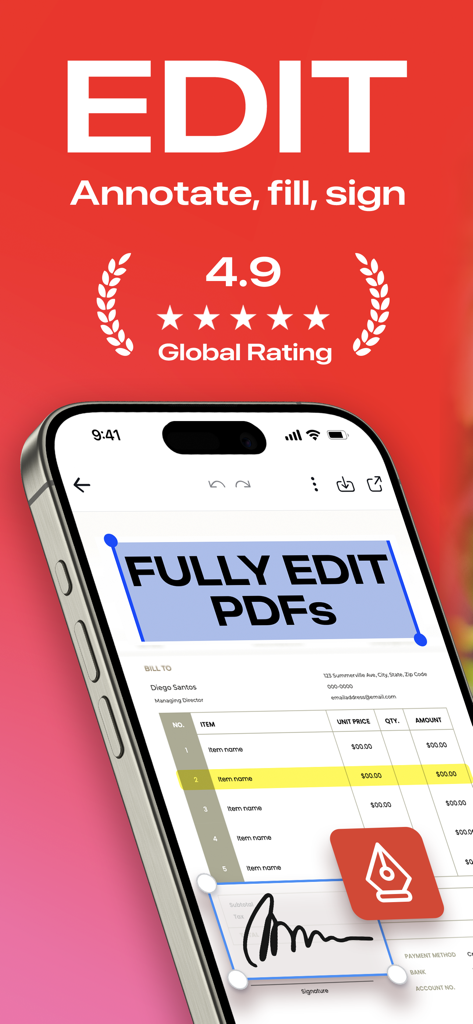
문서 편집 및 디지털 서명 추가 기능을 갖춘 PDF 편집기 앱을 보여주는 아이폰 화면

문서 편집 및 디지털 서명 추가 기능을 갖춘 PDF 편집기 앱을 보여주는 아이폰 화면

5성 사용자 리뷰와 7백만 다운로드 배지가 있는 PDF 편집기 모바일 앱을 사용하는 젊은 전문 여성

5성 사용자 리뷰와 7백만 다운로드 배지가 있는 PDF 편집기 모바일 앱을 사용하는 젊은 전문 여성

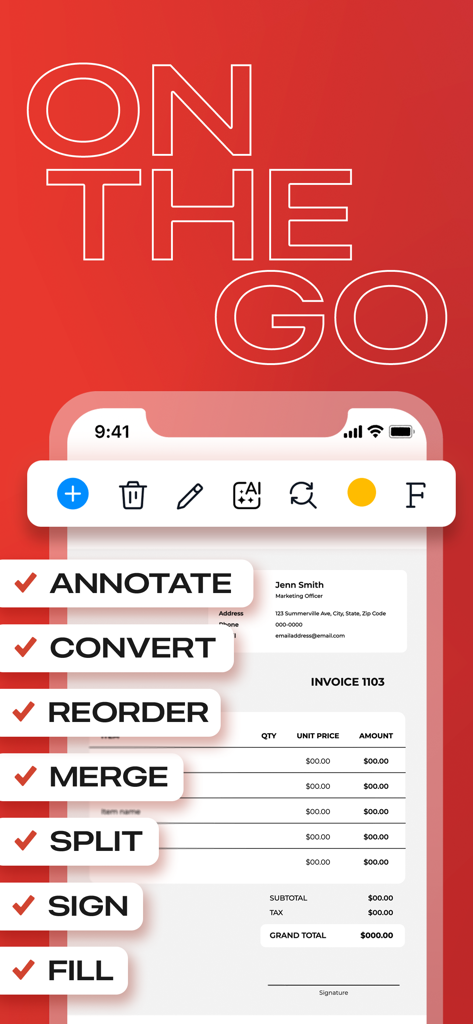
송장의 주석, 변환 및 서명과 같은 문서 편집 기능을 보여주는 PDF 편집기 앱의 모바일 인터페이스

송장의 주석, 변환 및 서명과 같은 문서 편집 기능을 보여주는 PDF 편집기 앱의 모바일 인터페이스

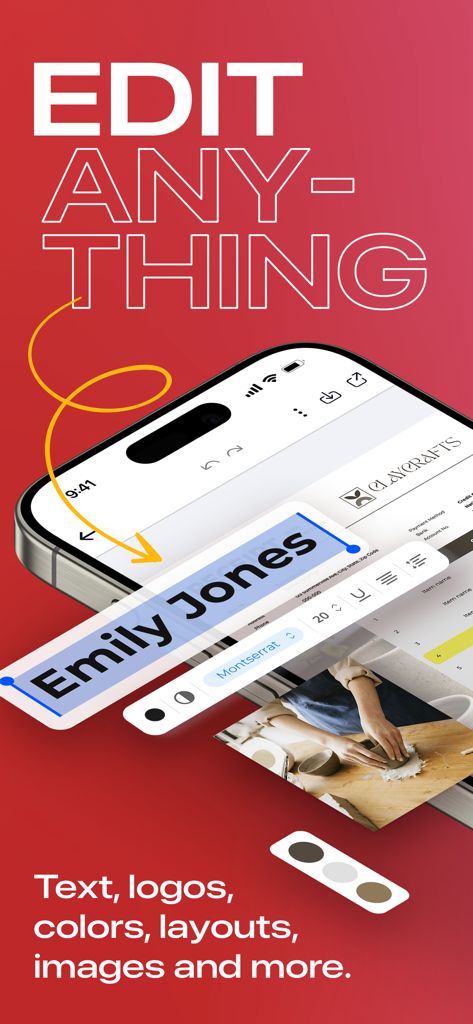
PDF 편집기 앱에서 PDF 텍스트 편집 기능을 표시하는 휴대폰

PDF 편집기 앱에서 PDF 텍스트 편집 기능을 표시하는 휴대폰

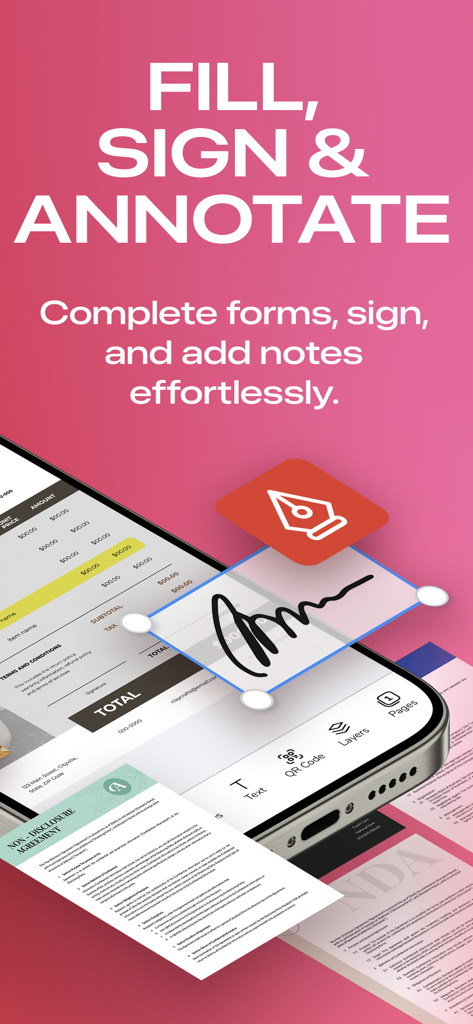
PDF 편집기 모바일 애플리케이션의 채우기, 서명 및 주석 기능 화면을 보여주는 스마트폰 화면

PDF 편집기 모바일 애플리케이션의 채우기, 서명 및 주석 기능 화면을 보여주는 스마트폰 화면

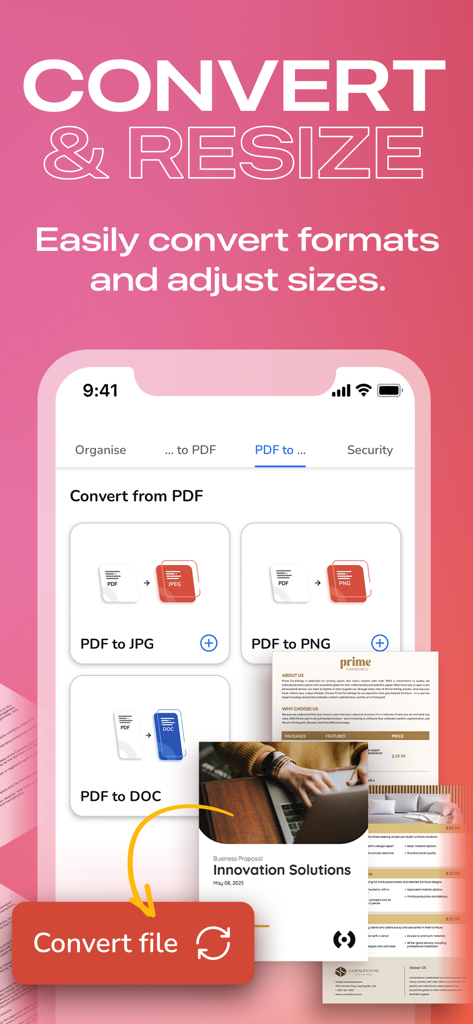
PDF 파일을 JPG, PNG 및 DOC 형식으로 변환하는 옵션을 보여주는 모바일 앱 인터페이스

PDF 파일을 JPG, PNG 및 DOC 형식으로 변환하는 옵션을 보여주는 모바일 앱 인터페이스

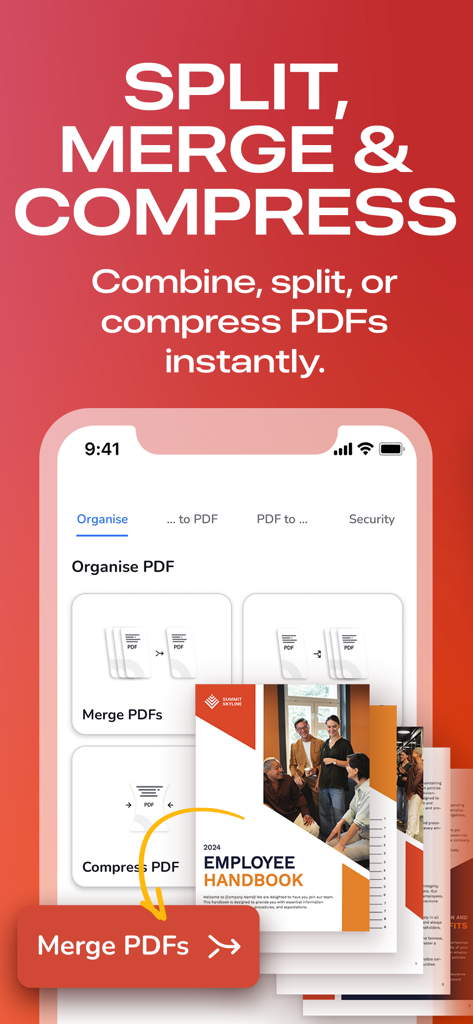
PDF 문서를 분할, 병합 및 압축하는 옵션을 보여주는 모바일 앱 인터페이스

PDF 문서를 분할, 병합 및 압축하는 옵션을 보여주는 모바일 앱 인터페이스

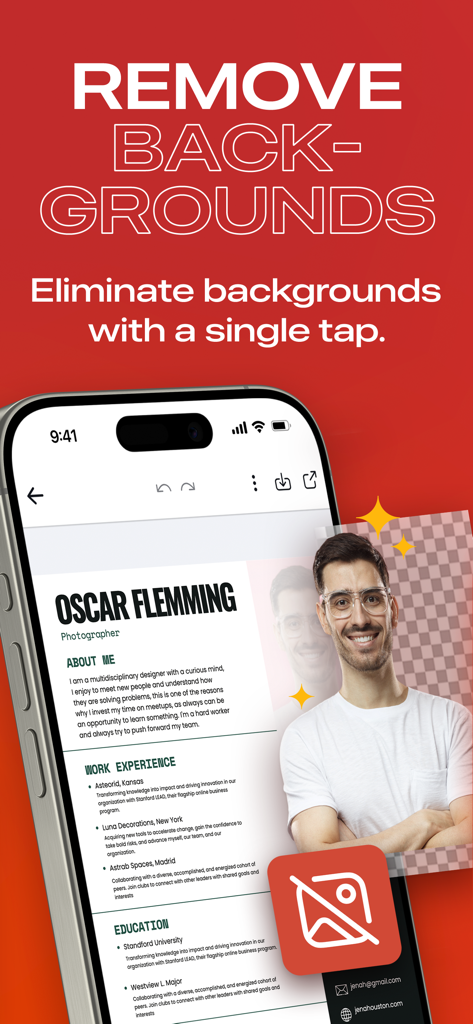
배경 제거 도구를 사용하여 편집 중인 인물 사진이 있는 전문 이력서를 보여주는 모바일 앱 화면

배경 제거 도구를 사용하여 편집 중인 인물 사진이 있는 전문 이력서를 보여주는 모바일 앱 화면

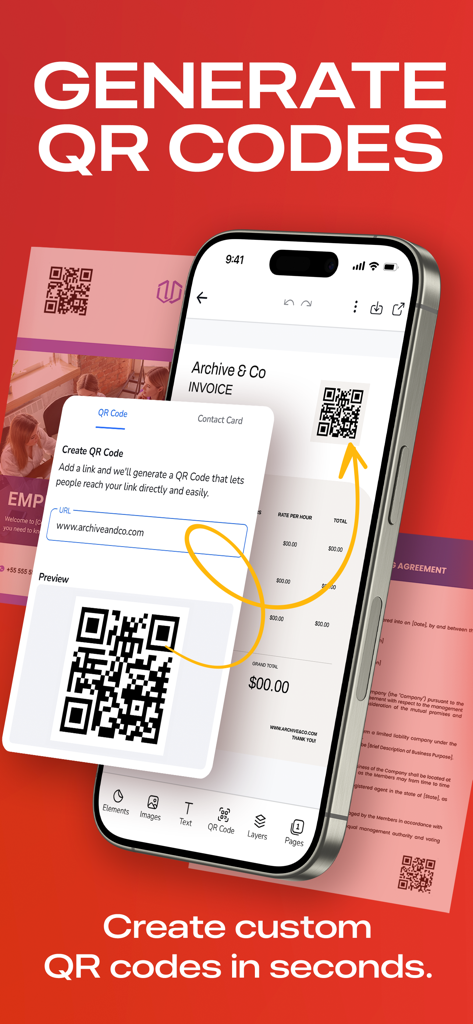
PDF 문서용 맞춤형 QR 코드 생성을 보여주는 모바일 인터페이스

PDF 문서용 맞춤형 QR 코드 생성을 보여주는 모바일 인터페이스

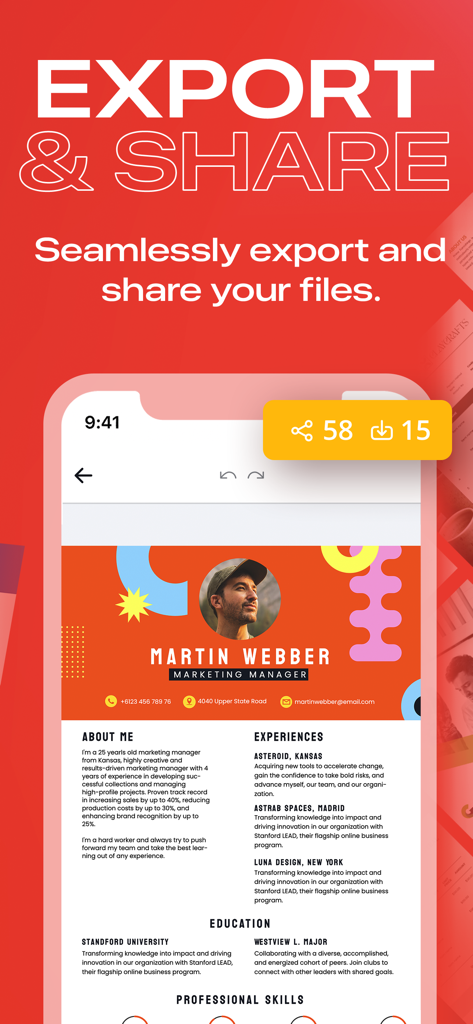
PDF 편집기 앱에서 전문 이력서의 내보내기 및 공유 옵션을 보여주는 인터페이스

PDF 편집기 앱에서 전문 이력서의 내보내기 및 공유 옵션을 보여주는 인터페이스

어디서든 문서를 마스터하세요

이 앱을 돋보이게 하는 도구, 307K+ 명의 사용자가 선택.

✏️

AI 기반 모바일 편집

휴대폰에서 직접 오타를 수정하거나, 이미지를 바꾸거나, 글꼴을 업데이트하세요. 직관적인 인터페이스는 복잡한 편집을 문자 메시지 보내는 것처럼 간단하게 만듭니다.

🖋️

즉각적인 디지털 서명

이동 중에 거래를 성사시키세요. 인쇄, 스캔 또는 데스크톱 없이 몇 초 만에 양식을 작성하고 서명을 추가하세요. 전문 계약서에 필요합니다.

🔁

전문가 수준의 변환

PDF를 편집 가능한 Word 문서, PPT 프레젠테이션 또는 고해상도 이미지로 원활하게 변환하세요. 품질이나 서식을 잃지 않고 업무 흐름을 계속 진행하세요.

앱 소개

에 대해 알아야 할 모든 것 PDF Editor: Edit Everything.

설명

“THE BEST & EASIEST PDF EDITING APP” Stuck With A PDF File You Can’t Edit? Discover the ultimate PDF Editor – your all-in-one solution for efficient PDF Editing. Try it for free! HOW IT WORKS: 1. PDF Reader & Viewer: It's completely free, offline and doesn’t need an account! Annotate your PDFs, fill out digital forms, add highlights and signatures, draw and organise pages, save and export, split and merge. 2. The PDF Editor: Edit Everything! Create an account to try its full power for 7 days. Afterwards, subscribe to keep editing. With PDF Editor powered by AI, you have freedom to edit any element in your PDF. Effortlessly edit any image, text or even sign. You can even merge and convert your PDF files into other types of documents easily. Whether you're a student, professional, or simply need to work with PDFs, we've got you covered. Experience hassle-free editing with our user-friendly interface. Streamline your PDF workflow today! WHY USE PDF EDITOR • Edit Text and Images: Make quick and precise edits to your PDF documents. Change text, fonts and images as needed. • Convert and Export in Multiple Formats: Save PDFs as Word, PPT or image files for versatile sharing and editing options. • Resize any PDF: Click on resize and choose your new format in order to easily resize it to fit anywhere with the best quality. • Merge PDFs: Combine multiple PDF files into a single document, perfect for reports, presentations and more. • Annotation Tools: Highlight, underline or add comments to important sections. Enhance collaboration and communication. • Secure Your PDFs: Protect sensitive data with password encryption. Keep your documents safe and confidential. • Sign a document by hand: Fill out, save and send PDF forms. • Customize PDFs: Add watermarks, headers and footers for a professional touch. • Organize Pages: Reorder, rotate and delete pages to structure your PDF exactly how you want it. • Cloud Integration: Seamlessly access and save PDFs from popular cloud storage services like Google Drive, OneDrive and Dropbox. • Optimized Performance: Enjoy fast loading and smooth navigation through your PDFs, even with large files. • User-Friendly Interface: Navigate our app with ease, thanks to an intuitive design and user-friendly controls. • Boost Productivity: Simplify your PDF workflow and save time on document management tasks. • Millions of premium and royalty-free extra resources. • One click Background Remover. USE PDF EDITOR TO CONVERT DOCUMENTS • Convert PDF to high-resolution print or small web PDF files. • Convert PDF to JPG and PNG. • Convert PDF to Word. • Convert any image to PDF. • Convert Word to PDF. • Convert PowerPoint to PDF. • Convert Adobe Illustrator to PDF. USE PDF TEMPLATES FOR YOUR NEW PROJECTS • Documents • Invoices • Presentations • Letters • Resumes • Flyers, business cards & more! FREE YOURSELF TO EDIT ANY PDF PDF Editor is your trusted partner for all your document editing needs. Get organized, collaborate effectively and present professionally with our powerful yet easy-to-use app. Download now and unlock the full potential of your PDF files! Experience the future of PDF editing. Get it today! The PRO annual subscription is auto-renewable and it’s charged to your iTunes account and renewed for the same amount within 24 hours prior to the end of the current period. You'll be automatically charged at the end of your trial unless you cancel prior. Auto-renewal may be turned off at any time by going to your settings in the iTunes Store after purchase. Any unused portion of a free trial period will be forfeited after your purchase. We make no warranties or representations that any of its services will continue to be available for any period of time, and you acknowledge and agree that the services could change or terminate at any time in the future. View Terms & Privacy Policy for details. https://desygner.com/legal/terms-of-service / https://desygner.com/legal/privacy-policy

최신 버전

5.4.7

크기

179.9 MB

출시일

2018년 4월 22일

막히는 것을 멈추고 어디서든 편집을 시작하세요

업무 흐름을 간소화한 30만 명 이상의 전문가와 함께하세요. 오늘날 가장 쉬운 AI 기반 PDF 편집기를 다운로드하고 7일 무료 체험판으로 완전한 창의적 자유를 누리세요.

다운로드: App Store다운로드: Google Play

App information, icons, screenshots, and descriptions displayed on this page are sourced from the Apple App Store and are the property of their respective developers. Download estimates and rankings are based on MWM's proprietary models and may not reflect actual figures. This page is provided for informational and analytical purposes only.

Believe this page infringes your intellectual property? File a dispute