PDF PRO Files - Quick & Easy

PDF PRO Files - Quick & Easy

다운로드: App Store
로고: PDF PRO Files - Quick & Easy

PDF PRO Files: 올인원 AI 문서 파워하우스

가장 스마트한 리더 및 편집기로 생산성을 극대화하세요. AI 어시스턴트를 활용하여 문서를 요약하고, 완벽한 Apple Pencil 정밀도로 서명하고, 안전한 클라우드 동기화 폴더로 전문 라이브러리를 정리하세요.

다운로드: App Store

개발사

Kairoos Solutions S.L.

카테고리

Business

다운로드

48K+

사용자 평점

4.6/5

총 평가 수

0

지원 언어

10

한눈에 보는 정밀도

이 인터페이스를 사용하는 48K+ 명의 사용자.

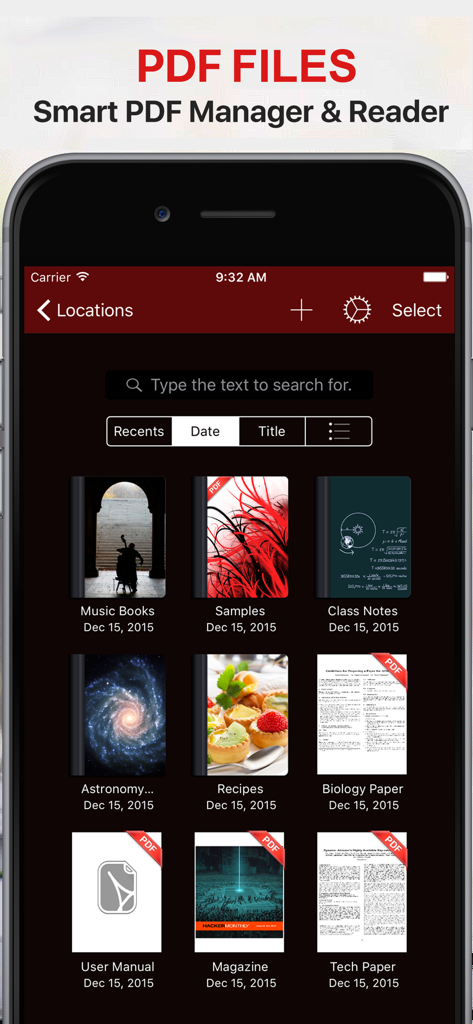
PDF PRO Files 앱 문서 관리자 인터페이스에 다크 모드로 PDF 라이브러리가 표시됨

PDF PRO Files 앱 문서 관리자 인터페이스에 다크 모드로 PDF 라이브러리가 표시됨

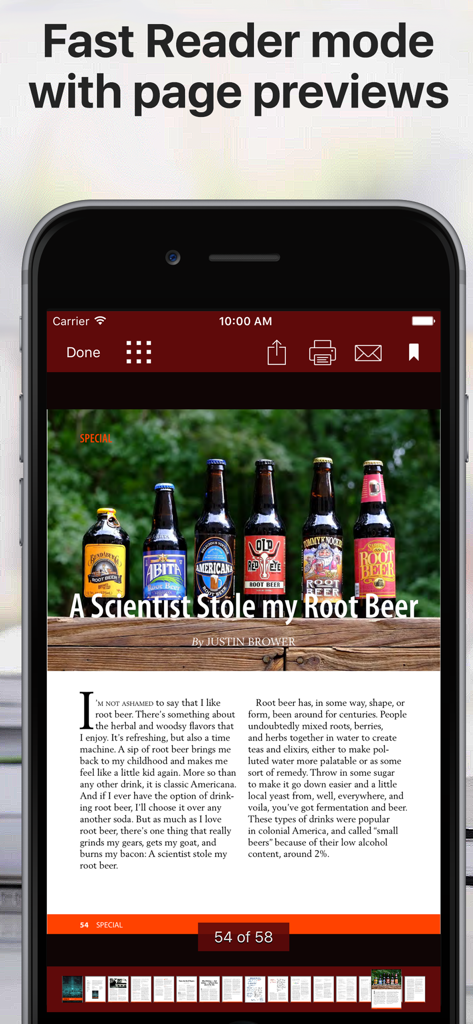
하단에 페이지 미리 보기가 있는 빠른 리더 모드에서 문서를 보여주는 PDF 리더 앱의 모바일 인터페이스

하단에 페이지 미리 보기가 있는 빠른 리더 모드에서 문서를 보여주는 PDF 리더 앱의 모바일 인터페이스

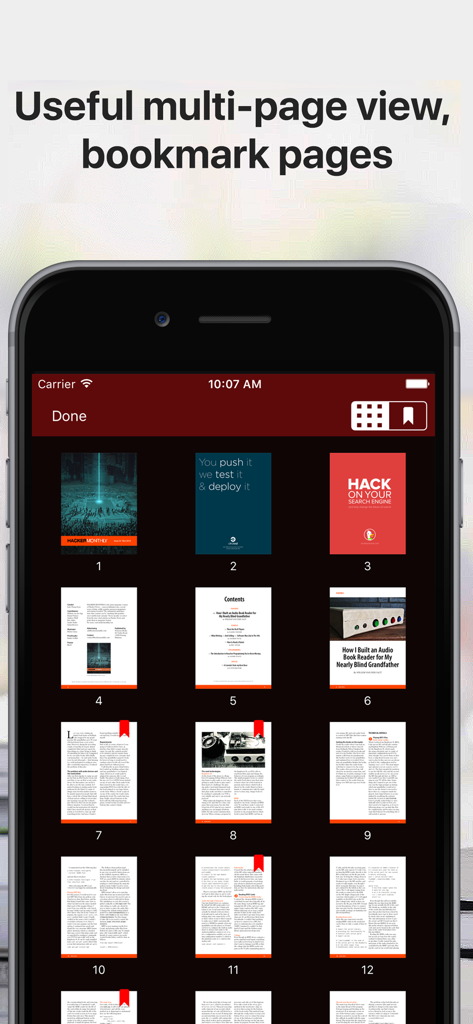
다크 모드에서 책갈피가 있는 PDF 문서의 다중 페이지 그리드 보기

다크 모드에서 책갈피가 있는 PDF 문서의 다중 페이지 그리드 보기

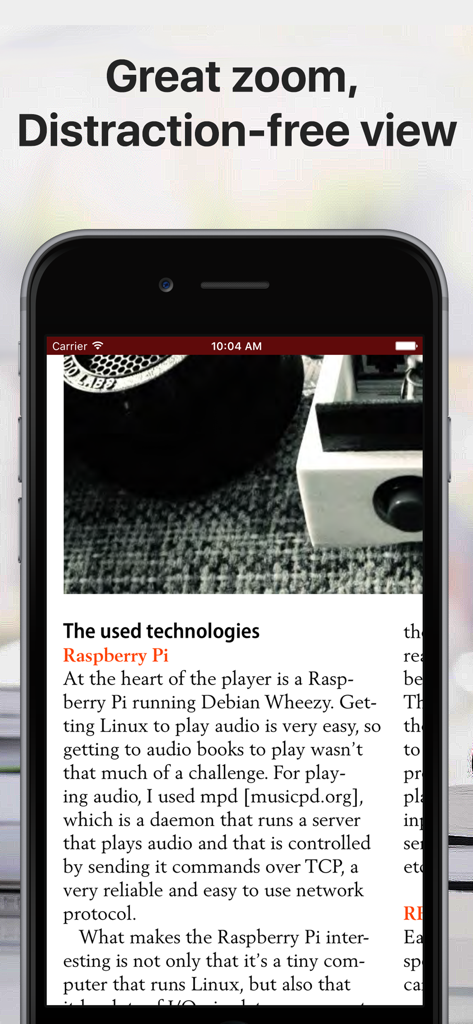
깔끔한 인터페이스로 방해 없이 PDF 문서를 보여주는 iPhone 화면.

깔끔한 인터페이스로 방해 없이 PDF 문서를 보여주는 iPhone 화면.

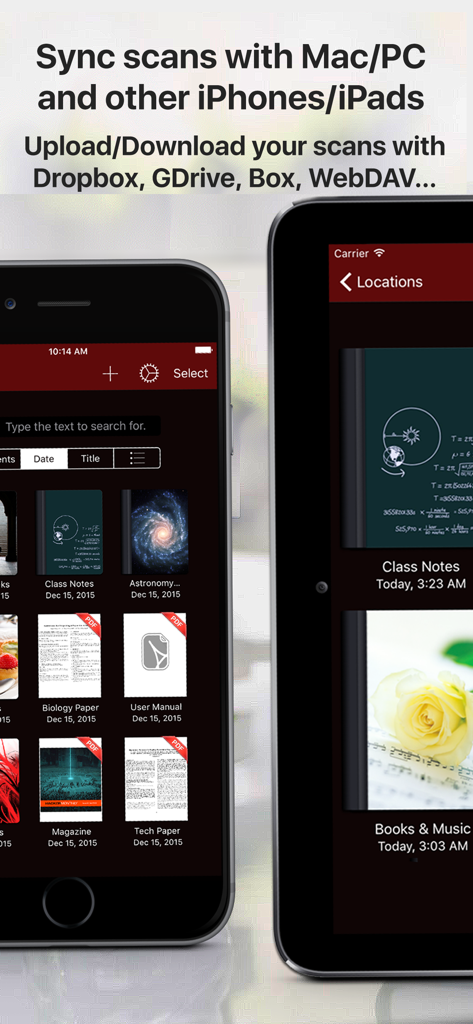
PDF PRO Files 앱 라이브러리에 모바일 장치의 문서 동기화 및 클라우드 저장 기능 표시

PDF PRO Files 앱 라이브러리에 모바일 장치의 문서 동기화 및 클라우드 저장 기능 표시

AI 기반 정밀도로 문서를 마스터하세요

이 앱을 돋보이게 하는 도구, 48K+ 명의 사용자가 선택.

🤖

지능형 AI 어시스턴트

PDF와 직접 채팅하여 긴 보고서를 요약하고, 텍스트를 즉시 번역하고, 복잡한 용어에 대한 명확한 설명을 몇 초 만에 얻으세요.

🖋️

픽셀 단위의 완벽한 주석

기울기 및 압력 감지 기능을 갖춘 완전한 Apple Pencil 지원으로 필기의 최고 수준을 경험하고 자연스러운 서명 및 메모 작성을 하세요.

📂

전문가 수준의 파일 관리

무제한 폴더를 사용자 지정 표지로 구성하고, 모든 클라우드 서비스와 원활하게 동기화하고, 암호 보호 기능으로 민감한 문서를 안전하게 보관하세요.

앱 소개

에 대해 알아야 할 모든 것 PDF PRO Files - Quick & Easy.

설명

PDF Files is a smart and powerful but easy to use PDF reader, editor and file manager. Organize your libraries and collections of PDF in unlimited folders and subfolders. You can also convert Microsoft Office, iWork, and other documents to PDF and annotate them! With PDF Files you can: + Annotate, fill in, sign and highlight PDFs: lets you feel the ink and paper thanks to the intuitive, fast and pixel-perfect precise control of your Apple Pencil with useful tilt and pressure sensitivity, and support for palm rejection. Leap forward into the future of PDFs with an optional AI Assistant that is designed to assist you: + Aid in understanding: What’s that word? Allow the AI Assistant to explain. Need a brief? Ask it to summarize. Language barrier? Request for a translation. Your assistant is ready to lend a hand. Chat with the AI Assistant about your PDF! + Use the iOS camera to scan documents then edit and annotate them. + Organize small or huge collections of PDFs files + Powerful document browser integrated with Files app and any cloud services like iCloud, Dropbox, Box, GDrive, oneDrive, etc. to import, export and sync your files. + Powerful PDF Text to Speech read aloud. + File and documents manager. Customize the cover of folders and subfolders with your own images. + Quickly find your documents: List of most recent opened documents, order by date or by title and search by file name. + You can use your iPad and Apple Pencil (and other supported styluses) to write by hand in any text field in the PDF or in your own rich text boxes, like the search field in Safari or a text field in Mail. + Protect your PDF documents with a security passcode + Open PDF email attachments and store them in PDF Files + Bookmark pages in your documents like in an actual book + Zoom pages and read them in a distraction-free user interface + Reader mode interface for distraction free moments. + Dark mode supported. Ready for aviation use. Privacy Policy http://www.noteswriter.com/Kairoos_Privacy_Policy.html EULA https://www.apple.com/legal/internet-services/itunes/dev/stdeula/

최신 버전

4.4.0

크기

271.2 MB

출시일

2015년 12월 17일

AI 기반 정밀도로 문서를 마스터하세요

48,000명 이상의 파워 유저와 함께하세요. iPad 및 iPhone을 위한 최고의 전문가용 PDF 도구로 몇 초 만에 모든 것을 스캔, 서명 및 요약하세요.

다운로드: App Store

App information, icons, screenshots, and descriptions displayed on this page are sourced from the Apple App Store and are the property of their respective developers. Download estimates and rankings are based on MWM's proprietary models and may not reflect actual figures. This page is provided for informational and analytical purposes only.

Believe this page infringes your intellectual property? File a dispute