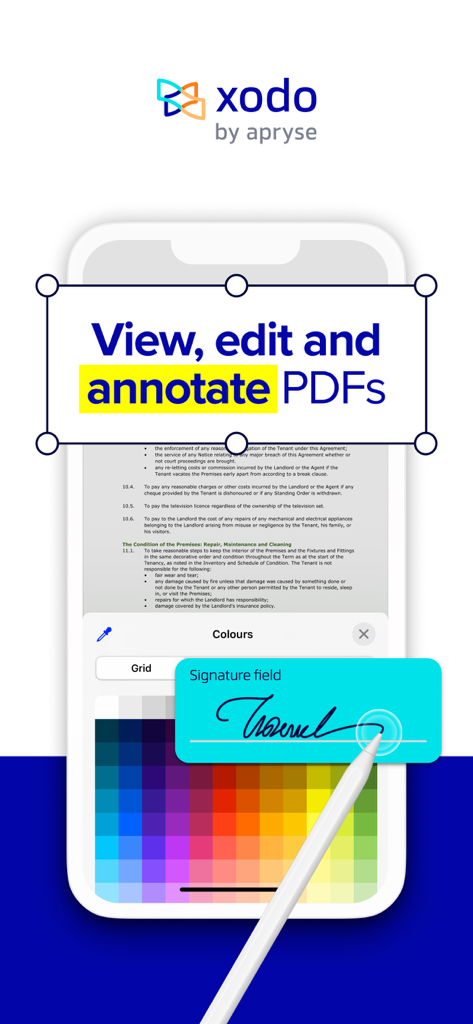
Xodo 모바일 앱 인터페이스가 스타일러스와 함께 PDF 문서 편집 및 디지털 서명을 보여줍니다.
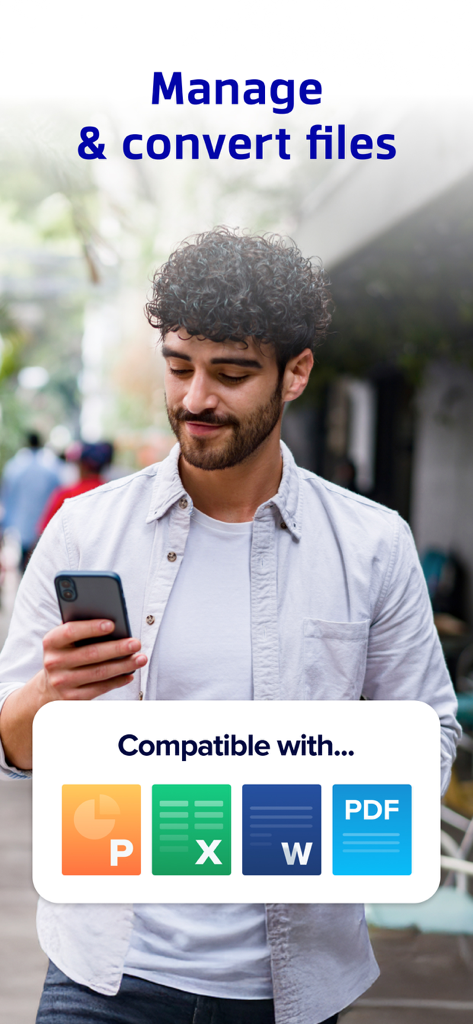
스마트폰에서 Xodo를 사용하여 Word Excel PowerPoint 및 PDF 파일을 관리하고 변환하는 사람
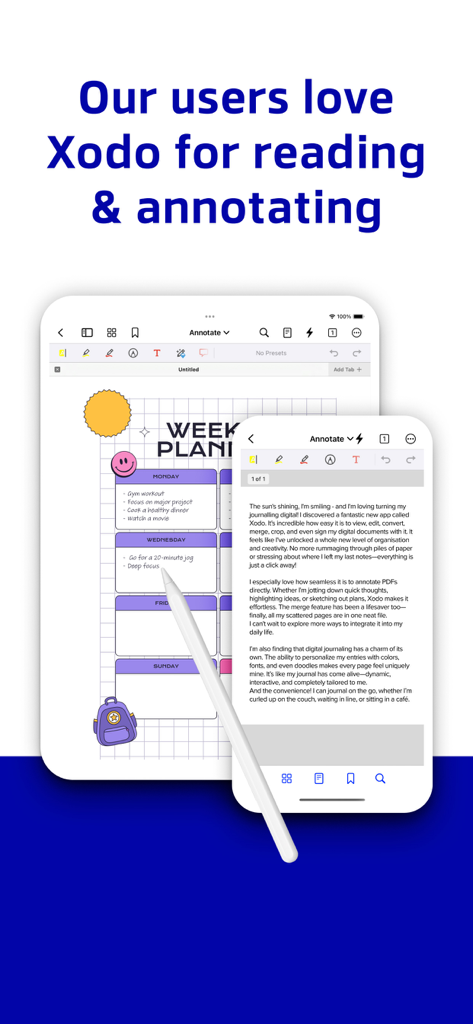
디지털 주간 플래너와 함께 Xodo PDF 리더 및 주석 도구를 표시하는 iPad 및 iPhone
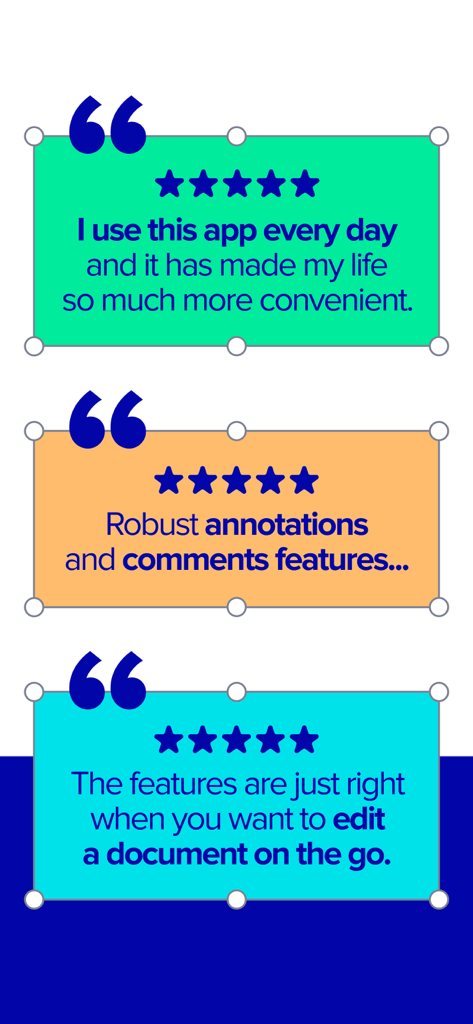
Xodo PDF 리더 및 편집기 모바일 앱에 대한 긍정적인 사용자 리뷰 및 별점 5개
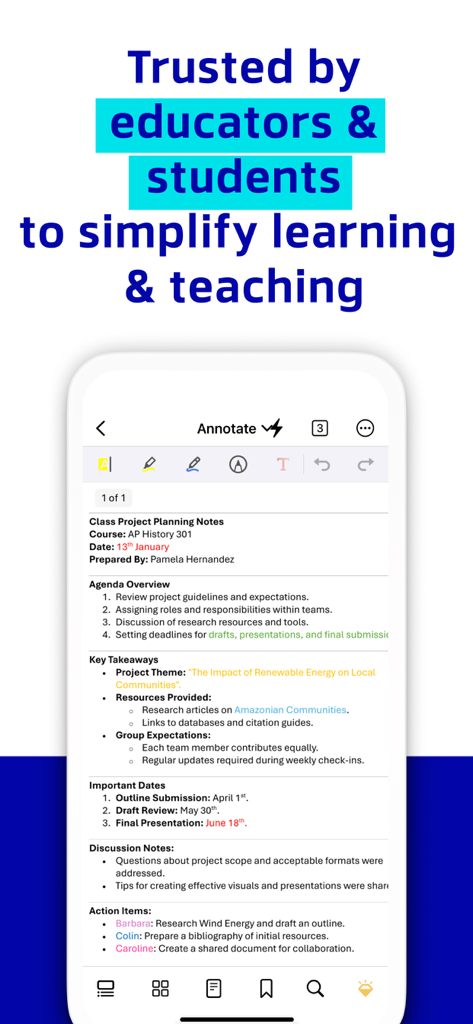
Xodo 앱 인터페이스가 학생 및 교육자를 위한 주석이 달린 수업 프로젝트 계획 노트를 표시합니다.
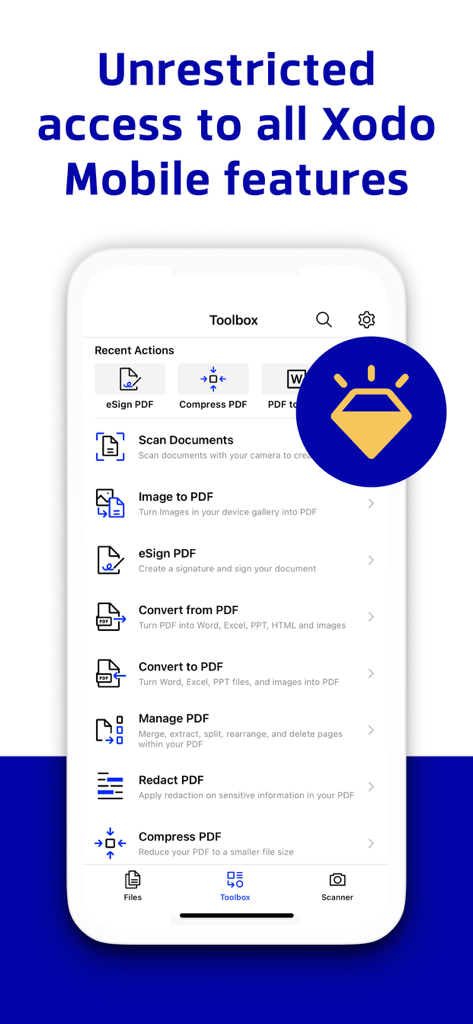
Xodo 모바일 앱 툴박스 메뉴에 다양한 PDF 편집 및 문서 관리 도구가 표시됩니다.
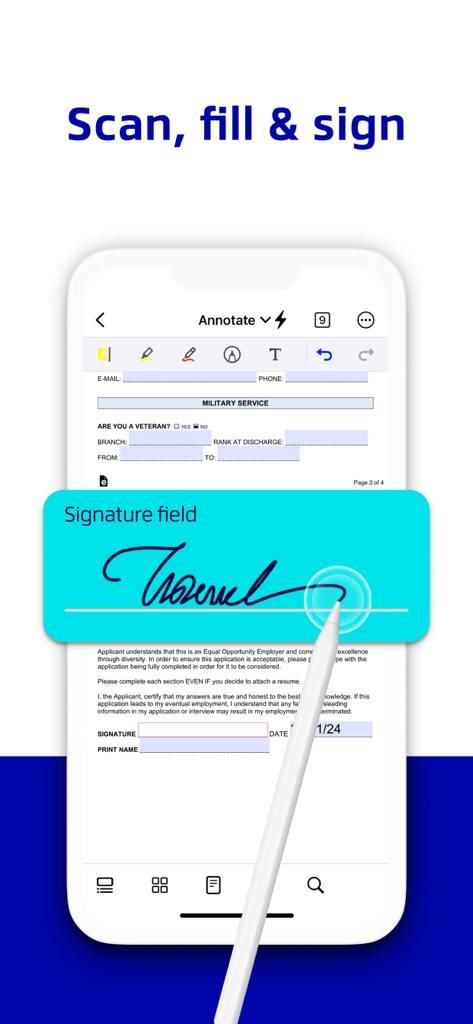
Xodo PDF 앱 서명 필드 내에서 스타일러스로 디지털 문서에 서명하는 손
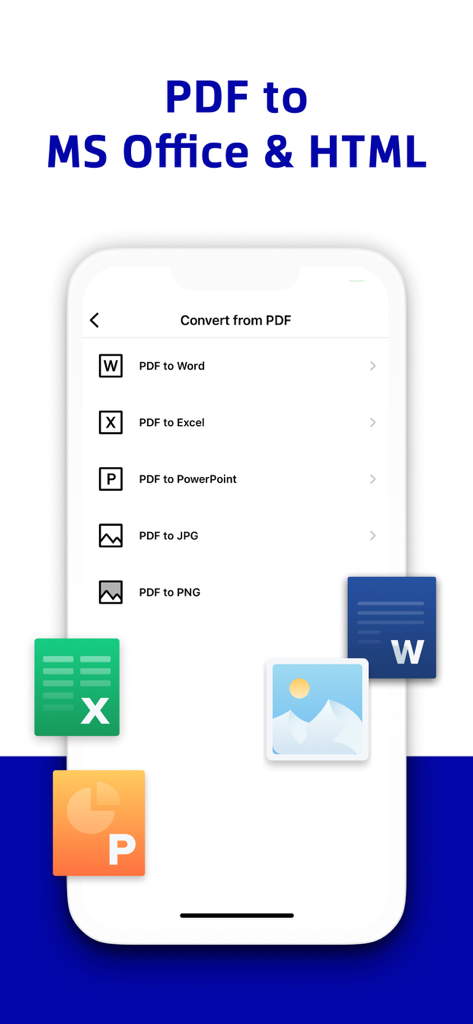
Xodo 앱 인터페이스가 Word Excel 및 PowerPoint로의 PDF 변환 옵션을 표시합니다.
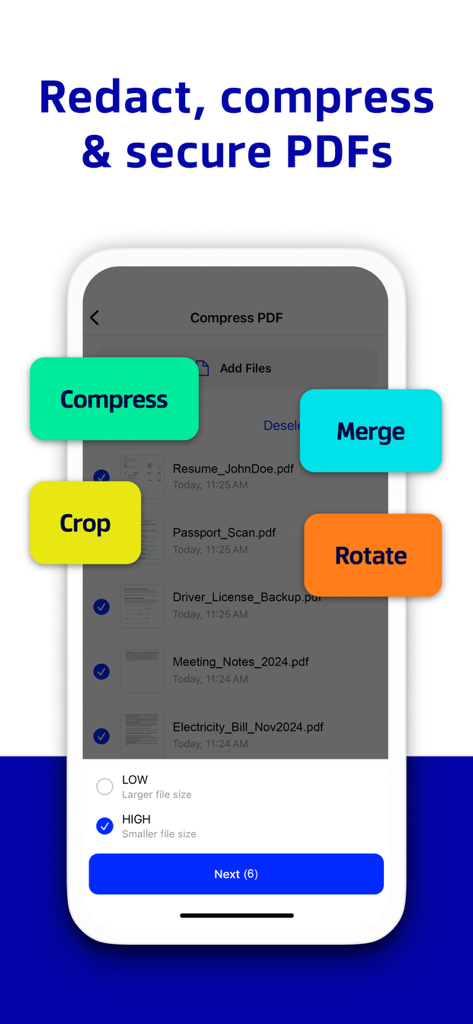
Xodo 앱 인터페이스가 PDF 문서를 압축, 병합, 자르기 및 회전하는 도구를 표시합니다.
야외에서 스마트폰으로 Xodo 앱을 사용하여 PDF 문서를 편집하는 여성
종이 없는 워크플로우 마스터하기
이 앱을 돋보이게 하는 도구, 1M+ 명의 사용자가 선택.
✏️
프로 수준의 편집 및 주석
PDF에 직접 하이라이트, 댓글, 편집하세요. Apple Pencil에 최적화되어 메모 및 문서 검토가 자연스럽고 정확하게 느껴집니다.
✍️
안전한 전자 서명 및 양식 작성
계약서를 즉시 완료하세요. 프린터나 스캐너 없이도 몇 초 안에 디지털 서명을 만들어 PDF 양식에 서명하고 작성할 수 있습니다.
🔄
즉시 변환 및 클라우드 동기화
Office 문서를 PDF로 즉시 변환하고 파일을 정리하세요. iCloud, Google Drive, OneDrive와 자동으로 동기화하여 어디서든 작업할 수 있습니다.
리뷰 분석
사용자 리뷰 인사이트.
감정 점수
29%
부정적
요약
The mobile app receives predominantly negative feedback, with a global sentiment score of 29/100. Users are highly frustrated by persistent critical bugs such as disappearing annotations, unsaved changes, and frequent app crashes, with many noting a significant degradation in performance following recent updates. The aggressive monetization strategy, including constant upgrade prompts, paywalled basic functionalities, and high subscription costs, is also a major point of contention, leading some to label the app a "scam" due to a poor user experience and refusal of refunds. While a few users appreciate its core PDF reading and basic annotation capabilities, as well as its general cross-platform functionality for these tasks, these positive aspects are largely overshadowed by widespread issues regarding reliability and value.
주요 테마
Overall User Experience(5)
PDF Reading(4)
Annotation Tools(3)
App Stability(2)
Pricing Model(1)
Cross-Platform Functionality(1)
앱 소개
에 대해 알아야 할 모든 것 PDF Reader & Editor | Xodo.
설명
Transform your PDFs. Get your work done quickly with Xodo's all-in-one PDF editor and reader with 30+ features - all available on your iPhone or iPad. Safely store and sync your files on your iCloud, OneDrive, Google Drive and Dropbox so you can easily view, edit, convert, e-sign and compress your files anytime, anywhere on your device.
Edit PDFs:
Intuitive, easy-to-use PDF editor for any user in mind.
• Compress PDF: Quickly reduce PDF file size for ease of sharing
• Flatten PDF: All annotations in PDF like fillable forms will be locked and merged into a single layer for protection
• Rotate & crop PDF: Add, remove, rearrange, rotate, crop PDF pages with ease
• Split & extract PDF: Instantly split PDF or extract pages to a new PDF file
• Create new PDF: Create PDFs from scratch or use one of our ready-made templates and edit file
Scan PDFs:
Seamlessly scan images and save as PDFs.
• PDF scanner: Scan image with your camera or open an existing image or file and save as a new PDF
• Edit scanned PDF: Edit, annotate, send your documents to iCloud, share via AirDrop, or any available app on your device
Fill & Sign PDF Forms:
Fill out, sign, and share your PDF forms.
• Create your e-signature: E-sign your documents by hand or type in your signature, and save to reuse for later
• Stylus-friendly: Supports Apple Pencil
Convert PDFs:
Convert files to PDF in seconds.
• PDF converter: Convert any MS Office (Word, Excel, PowerPoint) to PDF, iWork (Pages, Numbers, Keynote) to PDF
• Additional file formats: Convert JPG to PDF, PNG to PDF, PDF to JPG, PDF to PNG
View & print PDFs:
Quick and convenient PDF reader for e-books, reports, digital planner.
• Viewing mode: View in light, dark, and sepia color modes for comfort reading
• Bookmark feature: Tag your favorite PDF pages
• Multiple tabs: Use tabs to work across multiple PDF documents
• Print PDFs directly from your device
• Fully searchable text: Search text within PDF to save time
Annotate & Draw PDFs:
Utilize Xodo's annotation tools configured to you.
• Fully-featured mark-up tools: Add images, links, stamp or highlight text directly on PDF documents
• Arrange pages: Thumbnail browser for deleting pages, extracting, and inserting pages
• Scrolling mode: See all annotations at a glance with the touch of your finger
Store & Manage Files Securely:
Integrate with popular cloud apps and safely store your important files so you can pick up where you left off.
• Built-in file manager: Rename, copy, move, or delete docs and folders locally
• Cloud integration: Sync your files directly on iCloud, OneDrive, Google Drive and Dropbox to view in multiple devices
• Protected features: Protect your PDF files with password encryption and unlock your protected PDF with PDF password remover tool
Upgrade to Xodo Mobile Subscription:
Get unlimited access to all 30+ tools with custom toolbar for quick access.
• Free trial available in supported regions
• Convert PDF to MS Office (Word, Excel, PowerPoint)
• Remove sensitive content with PDF Redaction tool
• High compression file size
• Easily merge multiple documents to a single PDF
• Create fillable PDF forms to fill out and sign while you're on the go
• Support Smart pen to streamline and enhance note taking experience
• Annotate in Reader mode - When viewing a PDF in reader mode, you can highlight, underline and strikeout text.
• View and manage files with nesting layers - PDFs that include multi-level layers can be viewed individually
• Scanned images can save as PDFs with searchable text (OCR) option
• Flexible monthly and annual subscription options
• Cancel anytime
For Support and Feedback:
support@xodo.com
Visit Homepage:
xodo.com
Xodo is powered by Apryse | https://apryse.com
최신 버전
9.10.1
크기
121.1 MB
출시일
2014년 1월 30일
어디서든 워크플로우를 마스터하세요.
iPhone 및 iPad에서 더 빠르고 스마트하며 완벽하게 종이 없는 PDF 경험을 위해 Xodo를 신뢰하는 1백만 명 이상의 전문가와 학생들과 함께하세요.
FAQ
자주 묻는 질문
에 대해 알아야 할 모든 것 PDF Reader & Editor | Xodo
Xodo는 무엇이며 어떤 기능을 하나요?
Xodo는 iPhone 및 iPad용 포괄적인 PDF 편집기 및 뷰어로, 30가지 이상의 기능을 제공합니다. 사용자는 PDF 파일을 효율적으로 보고, 편집하고, 변환하고, 전자 서명하고, 압축할 수 있습니다.
Xodo는 클라우드 스토리지 통합을 지원하나요?
예, Xodo는 iCloud, OneDrive, Google Drive 및 Dropbox와 통합됩니다. 이를 통해 사용자는 여러 장치에서 파일을 안전하게 저장, 동기화 및 액세스할 수 있습니다.
Xodo는 어떤 PDF 편집 기능을 제공하나요?
Xodo는 강력한 PDF 편집 기능을 제공합니다. 사용자는 페이지를 압축, 평탄화, 회전, 자르기, 분할 및 추출할 수 있습니다. 또한 처음부터 또는 템플릿을 사용하여 새 PDF를 만들 수 있습니다.
Xodo를 사용하여 문서를 전자 서명할 수 있나요?
예, Xodo를 사용하면 손으로 쓰거나 타이핑하여 전자 서명을 만들 수 있습니다. 이러한 서명은 향후 재사용을 위해 저장됩니다. 이 앱은 Apple Pencil을 포함한 스타일러스 지원도 제공합니다.
Xodo는 어떤 파일 형식을 PDF로 변환하고 그 반대로 변환할 수 있나요?
Xodo는 MS Office 및 iWork 문서를 PDF로 변환합니다. 또한 JPG 및 PNG 이미지를 PDF로 변환하고 PDF 파일을 JPG 또는 PNG 형식으로 변환하는 것을 지원합니다.
Xodo의 모든 기능에 어떻게 액세스하나요?
Xodo의 30가지 이상의 모든 기능은 Xodo 모바일 구독을 통해 액세스할 수 있습니다. 이 구독은 유연한 월별 또는 연간 결제 옵션을 제공하며 언제든지 취소할 수 있습니다.
Xodo는 스캔된 PDF에 대한 OCR 기능을 제공하나요?
예, Xodo 모바일 구독에는 OCR 옵션이 포함되어 있습니다. 이를 통해 사용자는 검색 가능한 텍스트가 포함된 PDF로 스캔된 이미지를 저장하여 문서 사용성을 향상시킬 수 있습니다.
App information, icons, screenshots, and descriptions displayed on this page are sourced from the Apple App Store and are the property of their respective developers. Download estimates and rankings are based on MWM's proprietary models and may not reflect actual figures. This page is provided for informational and analytical purposes only.
Believe this page infringes your intellectual property? File a dispute