PDF Reader Pro: Scan & Convert

PDF Reader Pro: Scan & Convert

다운로드: App Store
로고: PDF Reader Pro: Scan & Convert

PDF Reader Pro: 스캔 및 변환 – 모바일 워크플로우를 위한 올인원 파워하우스

번개처럼 빠른 보기, 전문가 수준의 스캔 및 안전한 온디바이스 편집으로 문서를 마스터하세요. 속도, 개인 정보 보호 및 정확성을 요구하는 iPhone 및 iPad의 전문가 및 학생들을 위해 제작되었습니다.

개발사

thuy nguyen thi thu

카테고리

Utilities

다운로드

1M+

사용자 평점

4.4/5

총 평가 수

2K+

지원 언어

27

실행 중인 효율성

이 인터페이스를 사용하는 1M+ 명의 사용자.

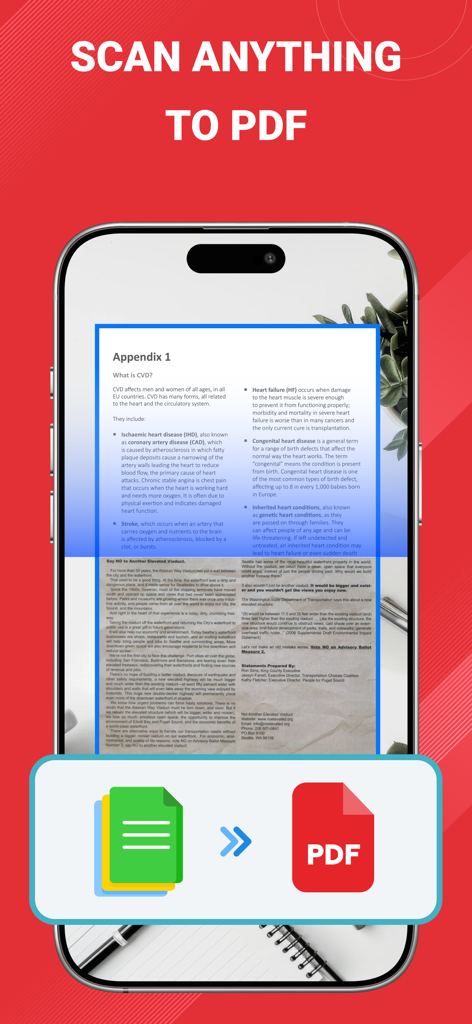
종이 문서를 스캔하여 디지털 PDF 파일로 변환하는 휴대폰

종이 문서를 스캔하여 디지털 PDF 파일로 변환하는 휴대폰

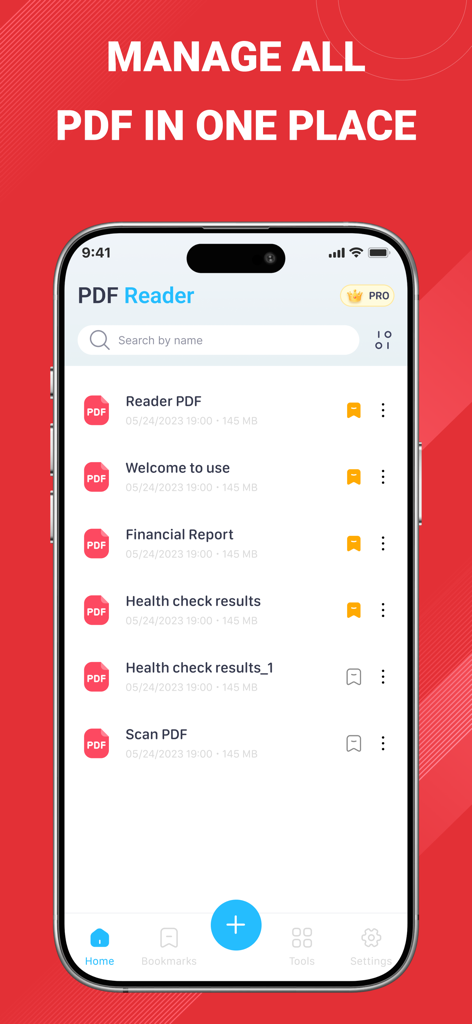
iPhone 인터페이스에서 정리된 PDF 문서 목록을 보여주는 PDF Reader Pro 앱 홈 화면

iPhone 인터페이스에서 정리된 PDF 문서 목록을 보여주는 PDF Reader Pro 앱 홈 화면

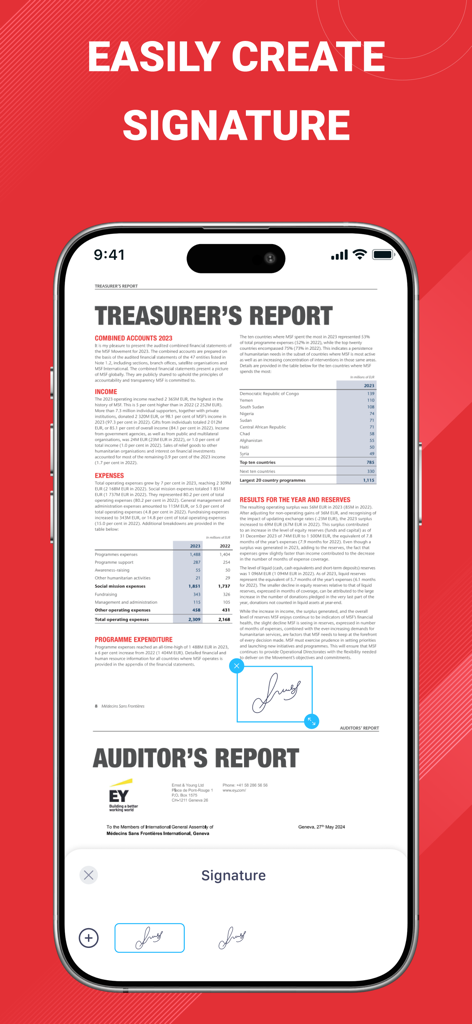
iPhone에서 PDF 문서에 디지털 서명을 생성하고 추가하는 방법을 보여주는 PDF Reader Pro 앱 인터페이스

iPhone에서 PDF 문서에 디지털 서명을 생성하고 추가하는 방법을 보여주는 PDF Reader Pro 앱 인터페이스

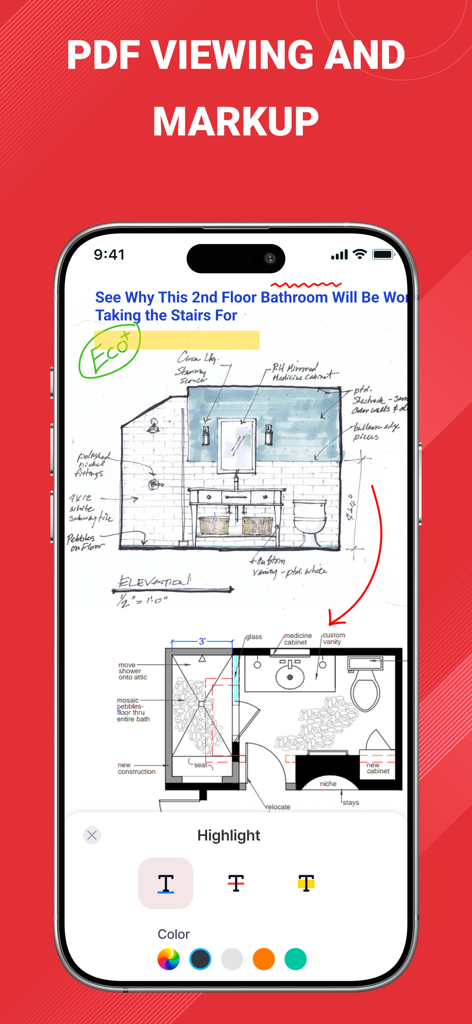
건축 청사진에 사용되는 PDF 보기 및 마크업 도구를 보여주는 iPhone 화면

건축 청사진에 사용되는 PDF 보기 및 마크업 도구를 보여주는 iPhone 화면

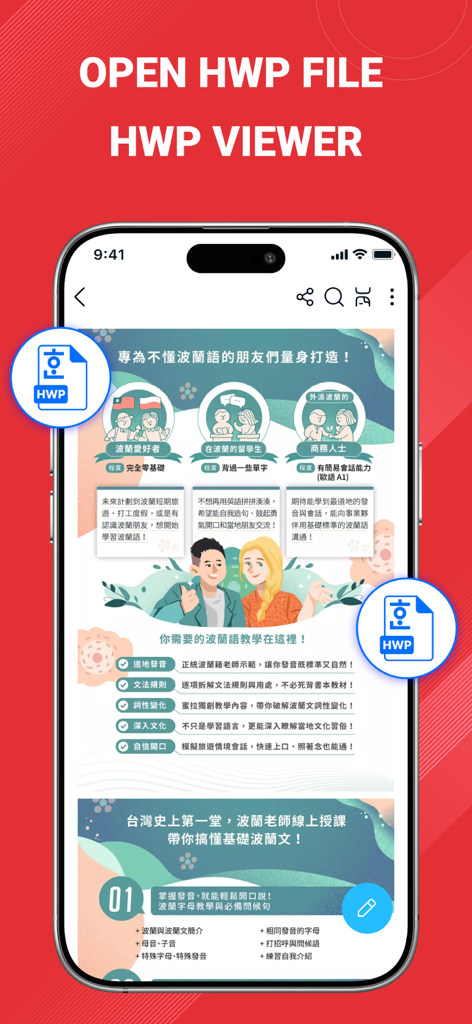
PDF Reader Pro 앱의 HWP 파일 뷰어 기능을 보여주는 스마트폰 화면.

PDF Reader Pro 앱의 HWP 파일 뷰어 기능을 보여주는 스마트폰 화면.

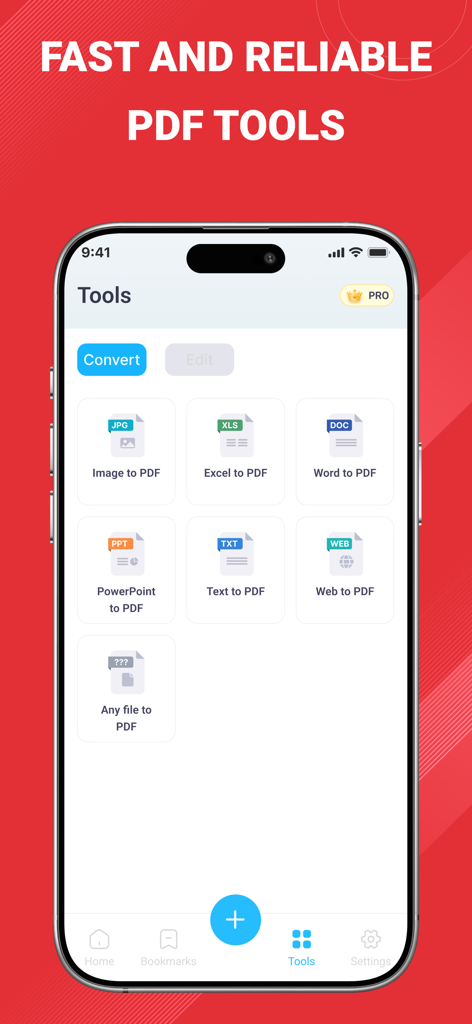
이미지, 워드, 엑셀을 PDF로 변환하는 변환 도구를 보여주는 PDF Reader Pro 앱 화면

이미지, 워드, 엑셀을 PDF로 변환하는 변환 도구를 보여주는 PDF Reader Pro 앱 화면

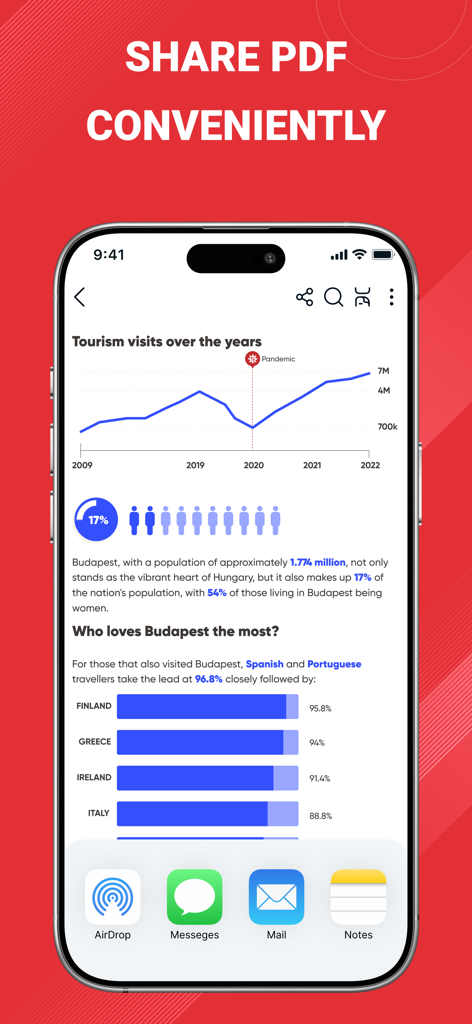
iPhone 화면에서 AirDrop 및 Mail과 같은 다양한 문서 공유 옵션을 보여주는 PDF Reader Pro 모바일 앱 인터페이스

iPhone 화면에서 AirDrop 및 Mail과 같은 다양한 문서 공유 옵션을 보여주는 PDF Reader Pro 모바일 앱 인터페이스

페이퍼리스를 위한 모든 것

이 앱을 돋보이게 하는 도구, 1M+ 명의 사용자가 선택.

📄

고급 모바일 스캐닝

자동 가장자리 감지로 선명한 다중 페이지 PDF를 캡처하고 고정밀 OCR로 이미지를 검색 가능한 텍스트로 변환합니다.

✍️

정밀 편집 및 서명

Apple Pencil 전체 지원으로 문서를 마크업하거나 모바일 오피스에서 몇 초 만에 계약에 전문가 수준의 디지털 서명을 적용합니다.

🛡️

개인 정보 보호 우선 보안

생체 인식 FaceID 잠금으로 전체 파일을 온디바이스에서 처리하여 민감한 데이터가 손을 벗어나거나 클라우드에 도달하지 않도록 합니다.

앱 소개

에 대해 알아야 할 모든 것 PDF Reader Pro: Scan & Convert.

설명

PDF Reader Pro: Scan & Convert - The ultimate PDF solution for iPhone and iPad. Experience lightning-fast PDF viewing, professional document scanning, and powerful file conversion in one comprehensive app. Whether you need to read large PDF files, scan documents to PDF, or convert files to multiple formats, PDF Reader Pro delivers exceptional performance with an intuitive interface. CORE FEATURES FAST PDF READER & VIEWER - Open PDF files instantly, even large documents - Smooth scrolling and zooming with gesture controls - Bookmarks and search text within documents HWP FILE READER & VIEWER - Open and view HWP files quickly on your phone - Easy viewing documents created with Hangul Word Processor ADVANCED DOCUMENT SCANNER - High-quality scanning with automatic edge detection - Multi-page PDF creation from camera or photo library - Smart cropping and perspective correction - Batch scanning for multiple documents - OCR text recognition for searchable PDFs POWERFUL PDF CONVERTER - Merge multiple PDFs into single document - Split large PDFs into smaller files - Compress PDF files to reduce size - Convert images and documents to PDF format PROFESSIONAL PDF EDITOR - Annotate PDFs with highlights, notes, and comments - Add digital signatures and stamps - Insert text boxes and shapes - Draw freehand with Apple Pencil support - Password protect sensitive documents SMART FILE MANAGER - Organize PDFs in custom folders and categories - Tag and label documents for easy searching - Recently viewed and favorites for quick access - Sort files by name, date, size, or type - Secure document storage with biometric lock SEAMLESS CLOUD INTEGRATION - Share documents via email, messages, or AirDrop - Print wirelessly to any AirPrint-enabled printer WHY CHOOSE PDF READER PRO? - SPEED & PERFORMANCE: Optimized for iOS with native performance. Open 100MB+ PDF files in seconds. - PRIVACY FOCUSED: All processing happens on your device. No data uploaded to external servers. Your documents stay completely private. - PROFESSIONAL QUALITY: Trusted by millions of users worldwide, from students to business professionals. Regular updates with new features. - UNIVERSAL COMPATIBILITY: Works perfectly on iPhone, iPad, and supports all PDF standards. Optimized for latest iOS versions and devices. PERFECT FOR: - Students reading textbooks and research papers - Business professionals reviewing contracts and reports - Teachers grading assignments and creating materials - Lawyers managing legal documents and case files - Researchers organizing academic publications - Anyone who works with PDF documents daily OPTIMIZED FOR ALL DEVICES Designed specifically for iOS with support for iPhone SE to iPhone 15 Pro Max, and all iPad models. Take advantage of large iPad screens for enhanced productivity. FREE WITH PREMIUM OPTIONS Download and start using essential PDF features immediately. Upgrade to unlock advanced editing tools, unlimited cloud storage, and priority support. Transform how you work with PDF documents. Download PDF Reader Pro: Scan & Convert today and experience professional-grade tools in your daily workflow. Rate us 5 stars if you love the app! Your feedback helps us continue improving. Privacy policy: https://sites.google.com/view/pdfpro-scanedit-privacypolicy/ Terms and Conditions: https://sites.google.com/view/pdf-pro-scan-edit-tnc

최신 버전

5.4

크기

46.8 MB

출시일

2025년 3월 3일

워크플로우를 혁신할 준비가 되셨습니까?

이동 중에도 번개처럼 빠른 스캔, 안전한 편집 및 쉬운 파일 변환을 위해 PDF Reader Pro를 신뢰하는 1백만 명 이상의 학생 및 전문가 커뮤니티에 참여하세요.

다운로드: App Store
FAQ

자주 묻는 질문

에 대해 알아야 할 모든 것 PDF Reader Pro: Scan & Convert

PDF Reader Pro: Scan & Convert란 무엇인가요?

PDF Reader Pro: Scan & Convert는 iPhone 및 iPad용 종합 iOS 앱입니다. 직관적인 인터페이스로 빠른 PDF 보기, 전문적인 문서 스캔, 강력한 파일 변환 기능을 제공하며 대용량 문서를 처리합니다.

PDF Reader Pro: Scan & Convert는 HWP 파일을 지원하나요?

네, PDF Reader Pro: Scan & Convert는 HWP 파일을 지원합니다. 사용자는 iPhone 또는 iPad에서 HWP 파일을 빠르게 열고 볼 수 있어 한글 워드 프로세서로 생성된 문서에 쉽게 액세스할 수 있습니다.

PDF Reader Pro: Scan & Convert로 실제 문서를 스캔할 수 있나요?

네, PDF Reader Pro: Scan & Convert에는 고급 문서 스캐너가 포함되어 있습니다. 고품질 스캔, 자동 가장자리 감지, 여러 페이지 PDF 생성, 스마트 자르기 및 일괄 스캔 기능을 제공합니다.

PDF Reader Pro: Scan & Convert는 어떤 파일 형식을 PDF로 변환할 수 있나요?

PDF Reader Pro: Scan & Convert는 이미지, Excel, Word, PowerPoint, 텍스트, 웹 파일 등 다양한 형식을 PDF로 변환합니다. 또한 PDF 병합, 분할 및 압축 기능도 제공합니다.

PDF Reader Pro: Scan & Convert는 PDF 주석 및 편집을 허용하나요?

네, PDF Reader Pro: Scan & Convert는 전문적인 PDF 편집 기능을 제공합니다. 형광펜, 메모, 댓글로 주석을 달고, 디지털 서명, 스탬프, 텍스트 상자, 도형을 추가하고, Apple Pencil로 자유롭게 그릴 수 있습니다.

PDF Reader Pro: Scan & Convert는 문서 개인 정보를 어떻게 보장하나요?

PDF Reader Pro: Scan & Convert는 모든 문서를 장치에서 직접 처리하여 개인 정보를 보장합니다. 외부 서버로 데이터를 업로드하지 않으므로 문서가 완전히 비공개이고 안전하게 유지됩니다.

PDF Reader Pro: Scan & Convert는 무료 앱인가요?

네, PDF Reader Pro: Scan & Convert는 필수 PDF 기능을 무료로 다운로드하여 사용할 수 있습니다. 고급 편집 도구, 무제한 클라우드 저장 공간 및 우선 지원을 잠금 해제하기 위한 프리미엄 옵션도 제공됩니다.

PDF Reader Pro: Scan & Convert 내에서 PDF를 관리하고 정리할 수 있나요?

네, PDF Reader Pro: Scan & Convert에는 스마트 파일 관리자가 있습니다. 사용자 정의 폴더에 PDF를 정리하고, 문서를 태그하고, 파일을 정렬할 수 있습니다. 최근에 본 파일 및 즐겨찾기를 통해 빠르게 액세스하는 기능도 지원합니다.

PDF Reader Pro: Scan & Convert는 OCR 기능을 가지고 있나요?

네, PDF Reader Pro: Scan & Convert에는 OCR 텍스트 인식 기능이 포함되어 있습니다. 이 기능을 통해 스캔한 문서에서 검색 가능한 PDF를 생성하여 문서의 유용성과 접근성을 향상시킬 수 있습니다.

PDF Reader Pro: Scan & Convert로 문서에 암호를 설정할 수 있나요?

네, PDF Reader Pro: Scan & Convert를 사용하면 민감한 문서에 암호를 설정할 수 있습니다. 또한 향상된 보안 및 개인 정보를 위해 생체 인식 잠금 기능을 제공하는 안전한 문서 저장 기능을 제공합니다.

App information, icons, screenshots, and descriptions displayed on this page are sourced from the Apple App Store and are the property of their respective developers. Download estimates and rankings are based on MWM's proprietary models and may not reflect actual figures. This page is provided for informational and analytical purposes only.

Believe this page infringes your intellectual property? File a dispute