PDF Scanner AI: Scan Documents

PDF Scanner AI: Scan Documents

다운로드: App Store
로고: PDF Scanner AI: Scan Documents

PDF 스캐너 AI: 문서 스캔: 당신의 AI 기반 포켓 오피스

초당 워크플로우를 디지털화하는 3백만 명 이상의 전문가들과 함께하세요. 업계 최고의 OCR 정확도로 검색 가능한 고품질 디지털 파일로 모든 문서, ID 또는 책을 스캔, 편집 및 변환하세요.

개발사

CACAO MOBILE SP Z O O

카테고리

Business

다운로드

3M+

사용자 평점

4.7/5

총 평가 수

13K+

지원 언어

17

한눈에 보는 효율성

이 인터페이스를 사용하는 3M+ 명의 사용자.

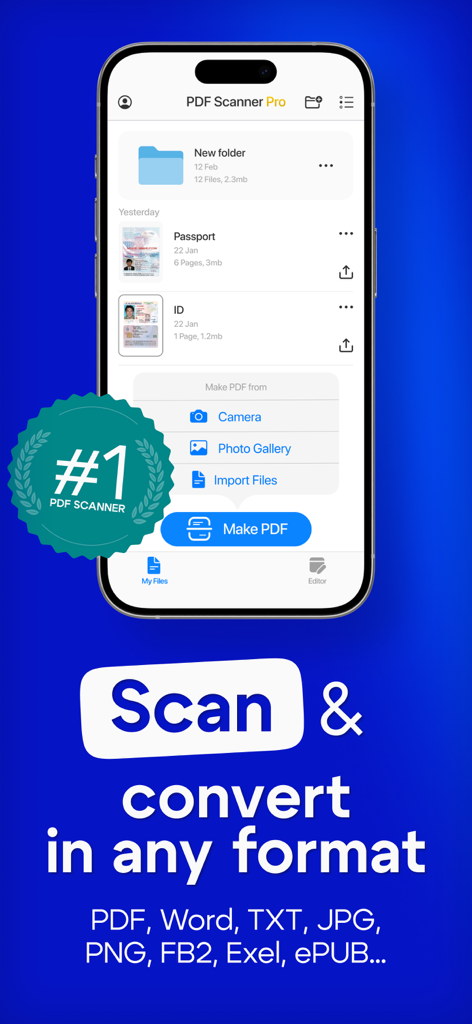
PDF 스캐너 AI 앱이 스마트폰 화면에 표시되어 문서 스캔 및 변환 기능을 보여줍니다

PDF 스캐너 AI 앱이 스마트폰 화면에 표시되어 문서 스캔 및 변환 기능을 보여줍니다

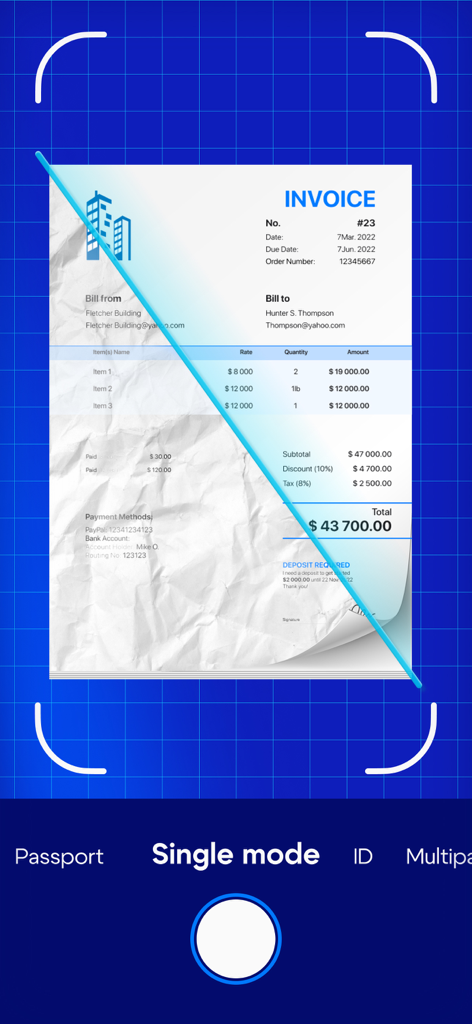
PDF 스캐너 AI 앱 인터페이스가 물리적 송장을 스캔하고 디지털 방식으로 개선하는 것을 보여줍니다

PDF 스캐너 AI 앱 인터페이스가 물리적 송장을 스캔하고 디지털 방식으로 개선하는 것을 보여줍니다

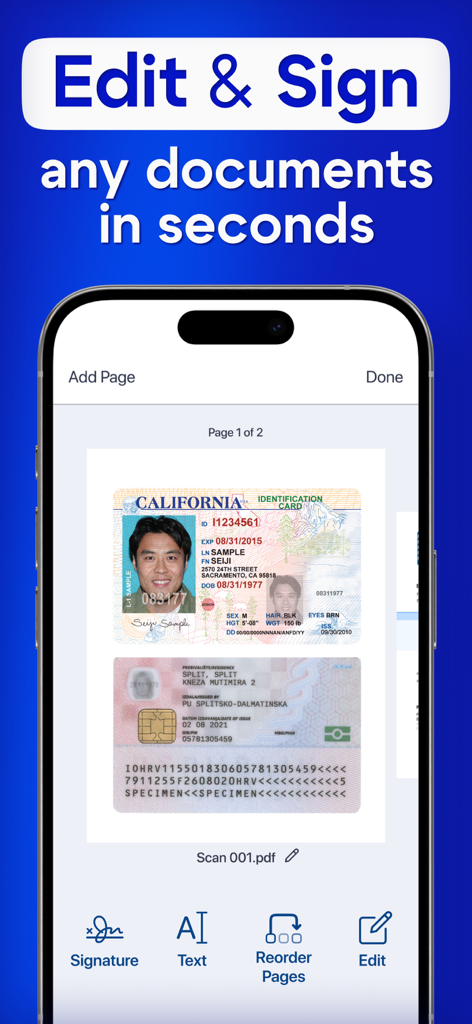
PDF 스캐너 AI 앱의 스마트폰 인터페이스에 스캔된 신분증 편집 및 서명 기능이 표시됩니다

PDF 스캐너 AI 앱의 스마트폰 인터페이스에 스캔된 신분증 편집 및 서명 기능이 표시됩니다

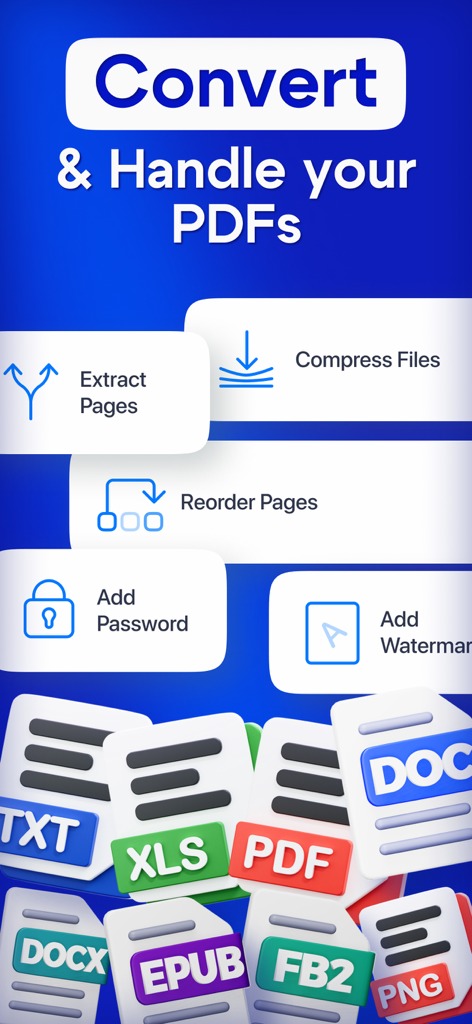
변환 압축 및 보안 도구가 포함된 PDF 관리 화면

변환 압축 및 보안 도구가 포함된 PDF 관리 화면

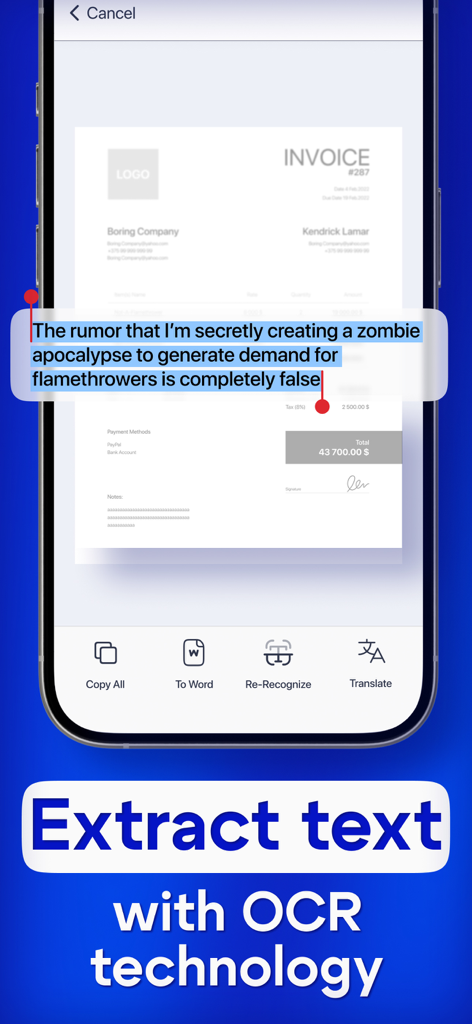
PDF 스캐너 AI 앱의 OCR 텍스트 인식 기능을 보여주는 스마트폰 화면

PDF 스캐너 AI 앱의 OCR 텍스트 인식 기능을 보여주는 스마트폰 화면

주머니 크기의 전문 오피스

이 앱을 돋보이게 하는 도구, 3M+ 명의 사용자가 선택.

🤖

스마트 AI 텍스트 인식

고급 OCR을 사용하여 이미지를 즉시 편집 가능한 텍스트로 변환하여 메모, 교과서 및 계약서 디지털화에 완벽합니다.

📸

HD 문서 디지털화

자동 가장자리 감지 및 품질 향상을 통해 ID, 여권 및 여러 페이지의 책을 선명하게 스캔하세요.

🔒

안전한 워크플로우 및 내보내기

민감한 데이터를 보호하면서 파일을 PDF, Word 또는 JPG로 원활하게 내보내 어디서든 전문적으로 사용할 수 있습니다.

앱 소개

에 대해 알아야 할 모든 것 PDF Scanner AI: Scan Documents.

설명

Turn your device into powerful portable scanner, that recognizes text and have rich editor tools. Trusted by millions users. PDF Scanner can scan PDF files, ID Photo and books for recognition. After processing the file, get the result. Fast and easy HD scanning! Highly accurately recognizes different materials, scan identity documents, accurately prepares the sources, exports to office formats. PDF scanning app allows you to create, edit and view PDFs, work with content, convert, improve the quality of content and work with scanner. Just in one click! File formats Images: jpg, jpeg, png Multi-page documents: pdf Functions: * Camera scanner allows recognition of scanned files and photos that contain text * Formatting paper and PDF multiple documents into editable formats * Doc scanner & OCR - Online document editing by and retrieving Printed Text * Quickly scan - Easy and convenient interface * Genius scanner has features of Multilanguage, fast text recognition and unlimited requests * Data protection. * Conversion of scanned works, recognition of different formats and data editing Do you have a textbook or any magazine you want to get the text from, but don't have time to print the text? Recognizing Text has never been easier. With PDF scanner document all you need is to scan or photograph the text, then select the file and upload it to our text recognition service. If the image with the text was accurate enough, then you will receive recognized and readable text. What can be done by scannerpro: PDF scan & photo scanner easily scans all documents. ID scanner - simply take a photo of the document, just as you usually photograph food, cats or yourself. It also can scan ID cards, passports, driving licenses, visas, and other identity documents. Isn't it cool? Scan Book, your favorite books and literature also can be scanned. Scan novels, magazines to PDF by using our document edge recognition system in the section of document scan or OCR. Scan Photo and save your favorite pictures by using a pro photo scanner app and OCR scanner. Program for scanning documents, allows you to recognize and identify texts and images, digitize materials, convert them and much more. The PDF format allows you to preserve formatting, regardless of which screen and in which program the file is viewed. In addition, printing documents becomes more convenient, all elements of the document in picture scanner will remain in place, the text will not be able to go beyond the boundaries of the sheet, and the pagination of the text will remain exactly as it is on the device screen. PDF scanner application differs in a set of useful functions, advanced features and settings. Utilities with additional options, intelligent components and high-quality work algorithms are available. Easily analyzes and recognizes and scans documents, files and photos thanks to an intelligent system, also exports recognized material for correction and editing. Terms of use: https://pdfscanner.xyz/termsofuse Privacy policy https://pdfscanner.xyz/privacy

최신 버전

2.7.111

크기

182.4 MB

출시일

2021년 5월 14일

종이 서류는 이제 그만!

기기를 강력한 AI 기반 포켓 오피스로 변환한 3백만 명 이상의 전문가들과 함께하세요. 초당 스캔, 편집 및 구성 작업을 시작하세요.

다운로드: App Store
FAQ

자주 묻는 질문

에 대해 알아야 할 모든 것 PDF Scanner AI: Scan Documents

PDF Scanner AI: Scan Documents는 무엇인가요?

PDF Scanner AI: Scan Documents는 장치를 휴대용 스캐너로 바꿔줍니다. 텍스트를 인식하고, 풍부한 편집 도구를 제공하며, 인식 및 변환을 위해 PDF, ID, 책과 같은 다양한 문서 유형을 스캔합니다.

PDF Scanner AI: Scan Documents는 스캔한 문서에서 텍스트를 인식할 수 있나요?

예, PDF Scanner AI: Scan Documents는 OCR(광학 문자 인식) 기술을 특징으로 합니다. 스캔한 파일, 사진 및 문서에서 텍스트를 인식하여 편집 가능한 형식과 텍스트 추출을 허용합니다.

PDF Scanner AI: Scan Documents는 어떤 종류의 문서를 스캔할 수 있나요?

PDF Scanner AI: Scan Documents는 PDF 파일, ID 사진, 책, 송장, 여권, 운전 면허증 및 기타 신분증을 스캔합니다. 또한 종이와 PDF를 편집 가능한 형식으로 변환합니다.

PDF Scanner AI: Scan Documents는 스캔한 문서를 편집할 수 있나요?

예, PDF Scanner AI: Scan Documents는 풍부한 편집기 도구를 제공합니다. 사용자는 스캔한 문서를 편집하고, 서명을 추가하고, 페이지 순서를 변경하고, 인식된 자료를 변환하여 추가 수정 및 편집을 할 수 있습니다.

PDF Scanner AI: Scan Documents는 어떤 파일 형식을 내보낼 수 있나요?

PDF Scanner AI: Scan Documents는 이미지(jpg, jpeg, png) 및 여러 페이지 문서(pdf)에 대해 다양한 파일 형식을 지원합니다. 또한 Word, TXT, JPG, PNG, FB2, Exel 및 ePUB와 같은 형식으로 변환 및 내보낼 수 있습니다.

PDF Scanner AI: Scan Documents를 사용할 때 내 데이터가 보호되나요?

예, PDF Scanner AI: Scan Documents에는 데이터 보호 기능이 포함되어 있습니다. 이 앱은 사용자 데이터가 어떻게 처리되는지를 설명하는 개인정보 보호 정책을 제공하여 사용자 정보를 안전하게 보호합니다.

PDF Scanner AI: Scan Documents를 사용하여 PDF 문서에 비밀번호를 추가할 수 있나요?

예, PDF Scanner AI: Scan Documents는 사용자가 PDF 문서에 비밀번호를 추가할 수 있도록 합니다. 이 기능은 PDF를 처리하고 보안하는 고급 도구의 일부입니다.

PDF Scanner AI: Scan Documents는 텍스트 번역을 지원하나요?

예, PDF Scanner AI: Scan Documents는 텍스트 번역을 지원합니다. OCR 기술로 텍스트를 추출한 후 사용자는 인식된 텍스트를 번역할 수 있습니다.

PDF Scanner AI: Scan Documents의 텍스트 인식 정확도는 얼마나 되나요?

PDF Scanner AI: Scan Documents는 매우 정확한 인식 기술을 사용합니다. 문서를 지능적으로 분석, 인식 및 스캔하고 사진을 정밀한 텍스트 인식으로 처리합니다.

PDF Scanner AI: Scan Documents를 사용하여 PDF 내에서 페이지 순서를 변경할 수 있나요?

예, PDF Scanner AI: Scan Documents는 사용자가 문서 내에서 페이지 순서를 변경할 수 있도록 합니다. 이 기능은 편집 및 PDF 처리 도구에서 사용할 수 있습니다.

App information, icons, screenshots, and descriptions displayed on this page are sourced from the Apple App Store and are the property of their respective developers. Download estimates and rankings are based on MWM's proprietary models and may not reflect actual figures. This page is provided for informational and analytical purposes only.

Believe this page infringes your intellectual property? File a dispute