PDF Scanner App - Scan to Docs

PDF Scanner App - Scan to Docs

다운로드: App Store
로고: PDF Scanner App - Scan to Docs

PDF 스캐너 앱 - 문서로 스캔: 구독료 없는 프로 스캐너

문서를 즉시 스캔, 변환 및 보호하세요. 100% 기기 내 처리로 무제한 스캔과 완벽한 개인 정보를 즐기세요. 인터넷이나 월별 요금이 필요하지 않습니다.

다운로드: App Store

개발사

RHO DEVELOPERS LLC

카테고리

Business

다운로드

68K+

사용자 평점

4.5/5

총 평가 수

400

지원 언어

5

실행 중인 무서류 사무실

이 인터페이스를 사용하는 68K+ 명의 사용자.

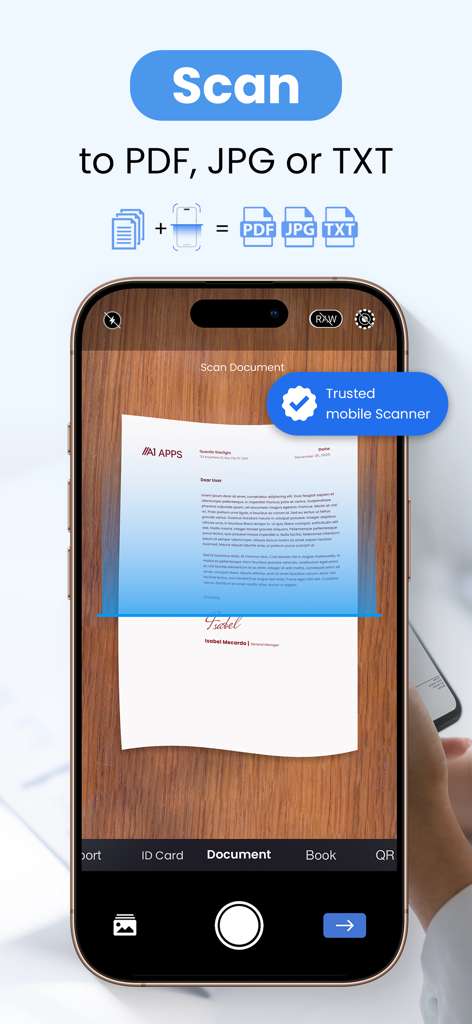
테이블 위의 종이 문서를 스캔하여 PDF, JPG 또는 TXT 형식으로 변환하는 스마트폰.

테이블 위의 종이 문서를 스캔하여 PDF, JPG 또는 TXT 형식으로 변환하는 스마트폰.

높은 사용자 평가 및 스캔 횟수가 표시된 PDF 스캐너 앱을 사용하는 웃는 여성

높은 사용자 평가 및 스캔 횟수가 표시된 PDF 스캐너 앱을 사용하는 웃는 여성

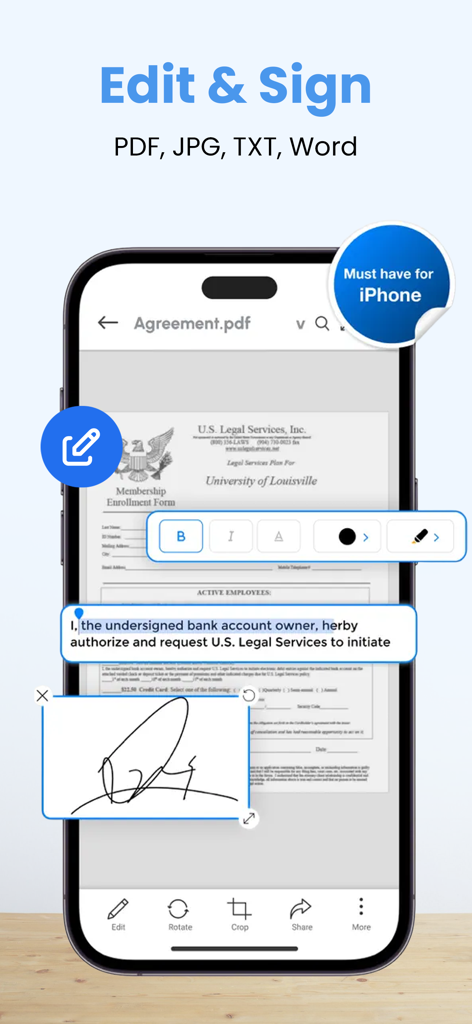
iPhone에서 디지털 문서의 텍스트를 편집하고 서명을 추가하는 방법을 보여주는 PDF 스캐너 앱의 인터페이스

iPhone에서 디지털 문서의 텍스트를 편집하고 서명을 추가하는 방법을 보여주는 PDF 스캐너 앱의 인터페이스

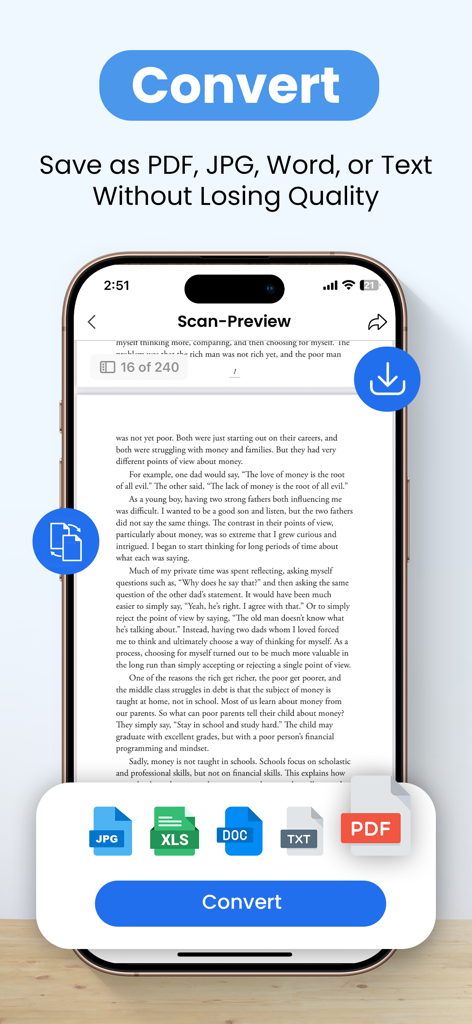
품질 손실 없이 스캔된 문서를 PDF, JPG, Word 및 텍스트 형식으로 변환하는 옵션을 보여주는 모바일 앱 인터페이스

품질 손실 없이 스캔된 문서를 PDF, JPG, Word 및 텍스트 형식으로 변환하는 옵션을 보여주는 모바일 앱 인터페이스

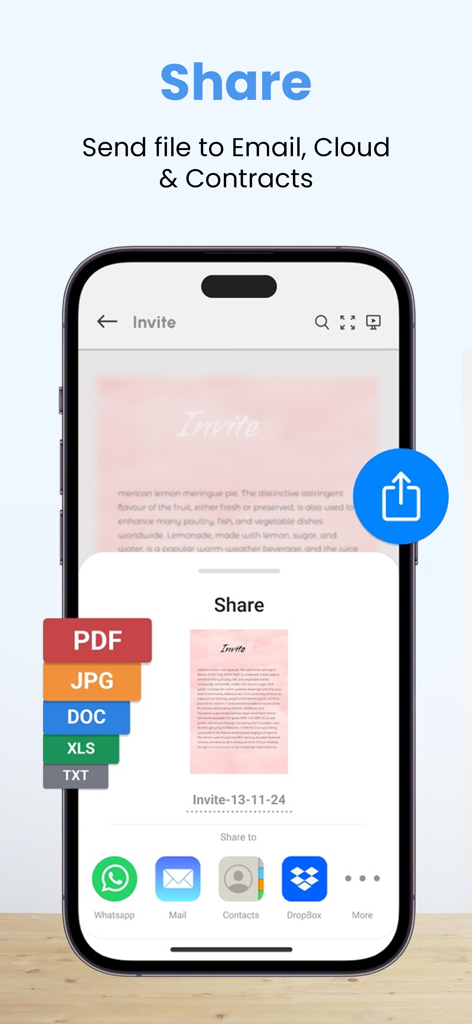
PDF, JPG 또는 DOC로 내보내고 이메일 또는 클라우드 서비스를 통해 보내는 옵션이 있는 PDF 스캐너 앱의 공유 메뉴를 보여주는 스마트폰 화면

PDF, JPG 또는 DOC로 내보내고 이메일 또는 클라우드 서비스를 통해 보내는 옵션이 있는 PDF 스캐너 앱의 공유 메뉴를 보여주는 스마트폰 화면

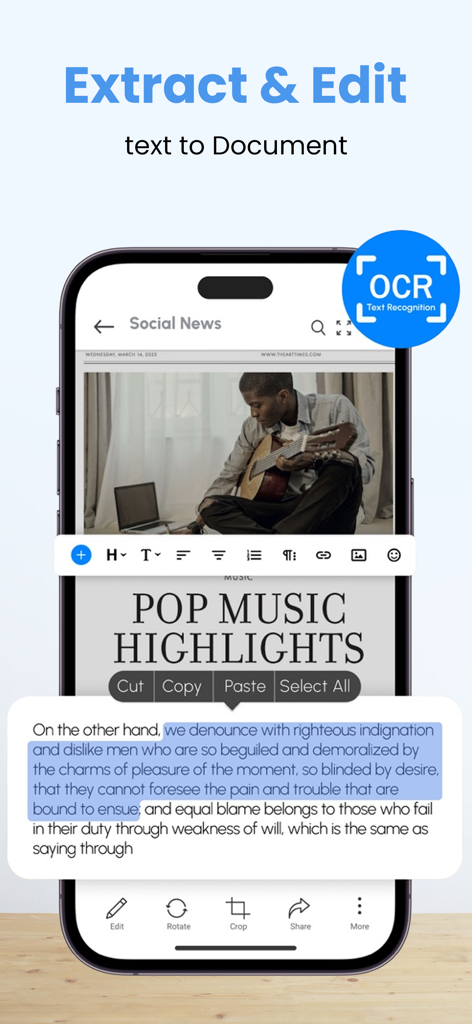
OCR 텍스트 인식 및 스캔된 문서의 텍스트 편집을 보여주는 모바일 앱 인터페이스

OCR 텍스트 인식 및 스캔된 문서의 텍스트 편집을 보여주는 모바일 앱 인터페이스

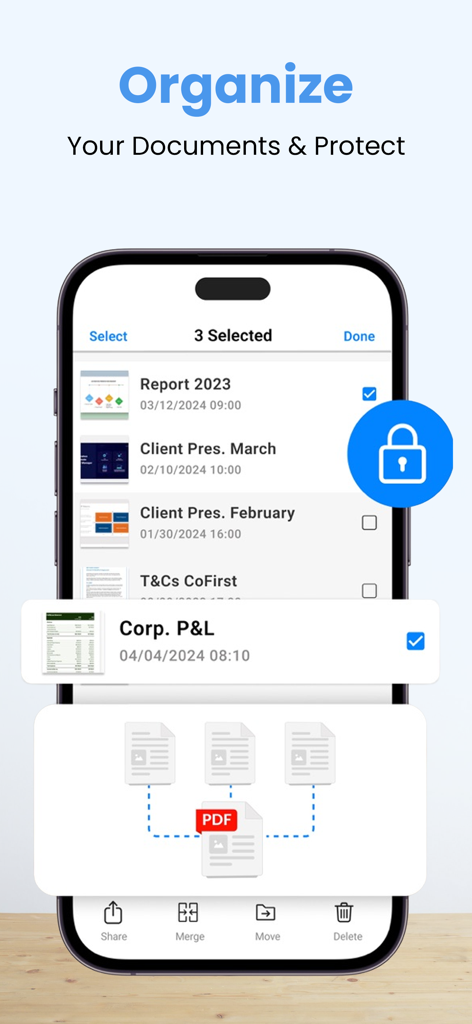
PDF 파일을 병합하고 보호하는 옵션으로 문서 구성 및 보호 기능을 보여주는 모바일 앱 인터페이스.

PDF 파일을 병합하고 보호하는 옵션으로 문서 구성 및 보호 기능을 보여주는 모바일 앱 인터페이스.

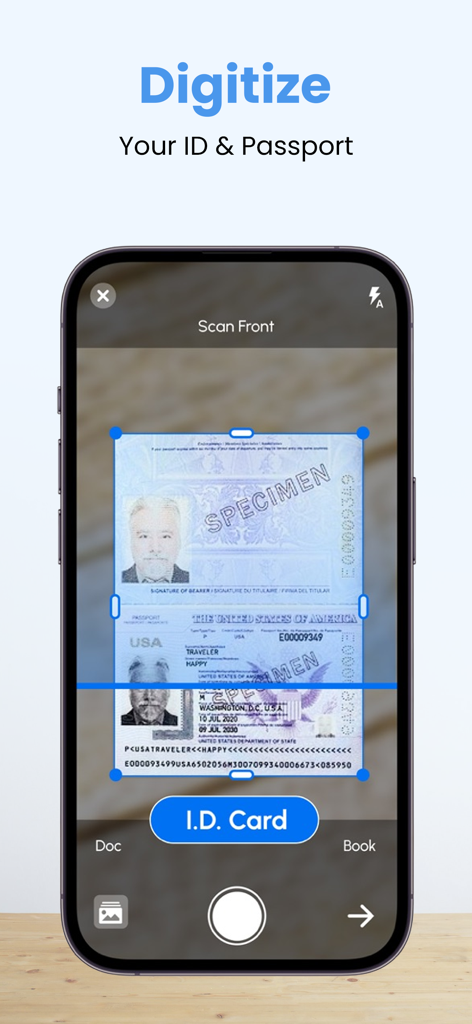
PDF 스캐너 앱을 사용하여 디지털 문서 저장을 위해 여권을 스캔하는 iPhone 화면.

PDF 스캐너 앱을 사용하여 디지털 문서 저장을 위해 여권을 스캔하는 iPhone 화면.

가격표 없는 전문 스캔

이 앱을 돋보이게 하는 도구, 68K+ 명의 사용자가 선택.

💸

무제한 스캔, 제로 수수료

기본 도구에 대한 월별 구독료 지불을 중단하세요. 모든 프로 기능이 무료로 잠금 해제된 상태에서 무제한 스캔과 고품질 내보내기를 즐기세요.

🔒

개인 정보 보호 및 완전 오프라인

귀하의 문서는 귀하의 기기를 절대 떠나지 않습니다. 인터넷 연결 없이 스캔을 처리하고 민감한 데이터를 안전하고 100% 개인 정보 보호 상태로 유지하세요.

📑

전문 문서 도구 상자

단순한 스캐너 그 이상입니다. Excel을 PDF로 변환하고, 사용자 지정 워터마크를 추가하고, 파일에 암호를 설정하여 안전하고 전문적인 수준의 공유를 하세요.

앱 소개

에 대해 알아야 할 모든 것 PDF Scanner App - Scan to Docs.

설명

PDF Scanner - Camera Scanner, is a powerful Cam and Document Scanner application for scanning documents anywhere and anytime. You can scan, save, archive, and share the documents. PDF Scanner or Document Scanner is the Best Indian Camera scanner app. It turns your phone camera into a PDF Scanner or PDF Maker. You can easily share scanned files as PDF or JPG. Easy to use PDF converter app. PDF Scanner, The Camera Scanner App is the best Doc Scanner & a must-have application for those people who are always traveling for business purposes. They can easily send scanned documents while being on the move. In this Document Scanner, PDF Conversion is completely offline and requires no internet connection. Using this Pdf Maker, save your PDF file in history and in the list of recently used documents. The documents scanned in Camera Scanner or Document scanner are not uploaded to any server for any processing. Document recognition in the photos after scanning is done on the device. Scan almost anything with the Camera scanner or Document scanner or pdf scanner. How to scan documents with PDF Scanner App – 1. Just click on the create new pdf tab and start scanning your document. 2. You can also select an image or a document from your gallery to scan. 3. Crop the edges according to your requirement. 4. Free filters for your documents and also you can use a brush to add your own colors. 5. You can compress your file according to the size you need in our PDF Scanner 6. You can choose the page type e.g A4, Legal, Ledger, etc 7. You can add your watermark to the document you are scanning. 8. After you have scanned your document, you can send and share it via email, WhatsApp, etc Features of Documents Scanner or PDF Scanner 1. Unlimited scans of documents & pdf allowed. 2. Completely free with no subscriptions whatsoever 3. No internet is needed to scan the documents or pdf. 4. PDF Maker: Select images to make a single pdf, Also use pdf converter 5. PDF reader, Additional pdf converter features added recently e.g text to pdf, excel to pdf, images to pdf. You can create a password-protected pdf file also. 6. Remove the duplicate pages easily from the pdf 7. Easily open the pdf with any pdf viewer. Privacy policy - https://blog.a1apps.co/privacy-policy-for-pdf-scanner/ Terms of Use - https://blog.a1apps.co/terms-of-use-a1-pdf-scanner/

최신 버전

1.0.31

크기

169.4 MB

출시일

2022년 10월 7일

스캔 비용 지불을 중단하세요. 프로 도구를 무료로 받으세요.

구독 없이 문서를 스캔, 서명 및 보호하는 68,000명 이상의 현명한 사용자와 함께하세요. 데이터는 귀하의 기기에, 정확히 있어야 할 곳에 유지됩니다.

다운로드: App Store

App information, icons, screenshots, and descriptions displayed on this page are sourced from the Apple App Store and are the property of their respective developers. Download estimates and rankings are based on MWM's proprietary models and may not reflect actual figures. This page is provided for informational and analytical purposes only.

Believe this page infringes your intellectual property? File a dispute