pdf scanner-cam scan app

pdf scanner-cam scan app


다운로드: App Store다운로드: Google Play
로고: pdf scanner-cam scan app
pdf scanner-cam scan app: 완벽한 PDF를 위한 전문가 수준의 모바일 스캐너

iPhone을 강력한 휴대용 사무실로 변환하세요. AI 기반 그림자 제거, OCR 텍스트 추출, 원활한 클라우드 공유로 문서, 영수증, 메모를 쉽게 스캔하여 생산성을 극대화하세요.

개발사

Xiamen Worldscan Information Technology Co., Ltd.

카테고리

Business

다운로드

3M+

사용자 평점

4.8/5

총 평가 수

76K+

지원 언어

9

모든 스캔의 정밀함

이 인터페이스를 사용하는 3M+ 명의 사용자.

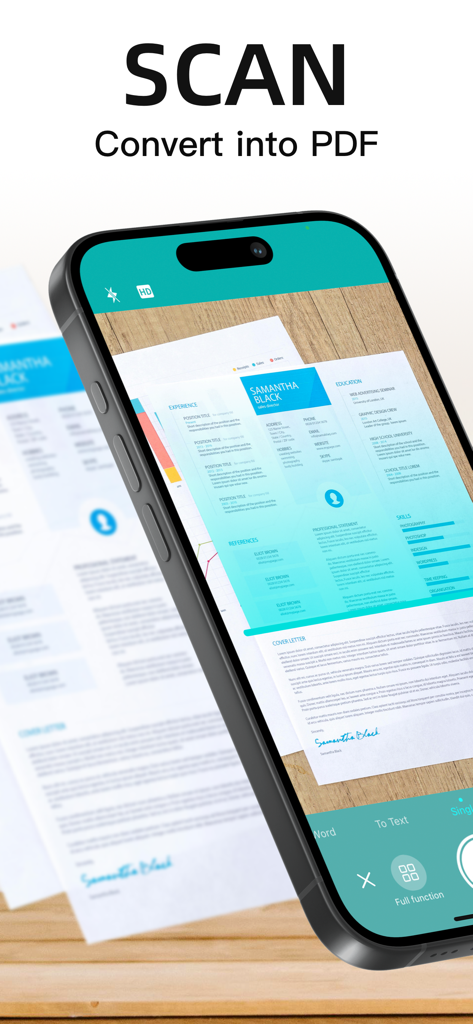
종이 문서를 스캔하여 PDF로 변환하는 모바일 앱

종이 문서를 스캔하여 PDF로 변환하는 모바일 앱

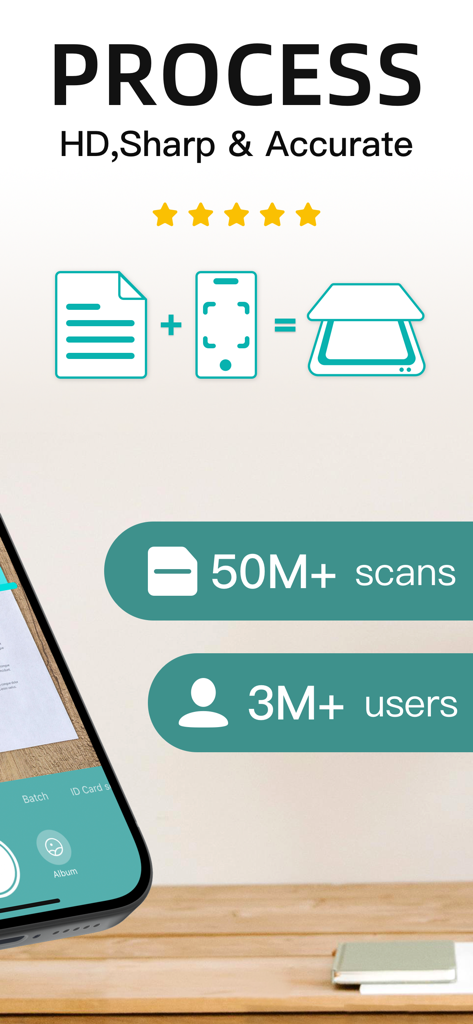
PDF 스캐너 앱의 HD 스캔 처리 및 사용자 통계를 보여주는 모바일 앱 그래픽

PDF 스캐너 앱의 HD 스캔 처리 및 사용자 통계를 보여주는 모바일 앱 그래픽

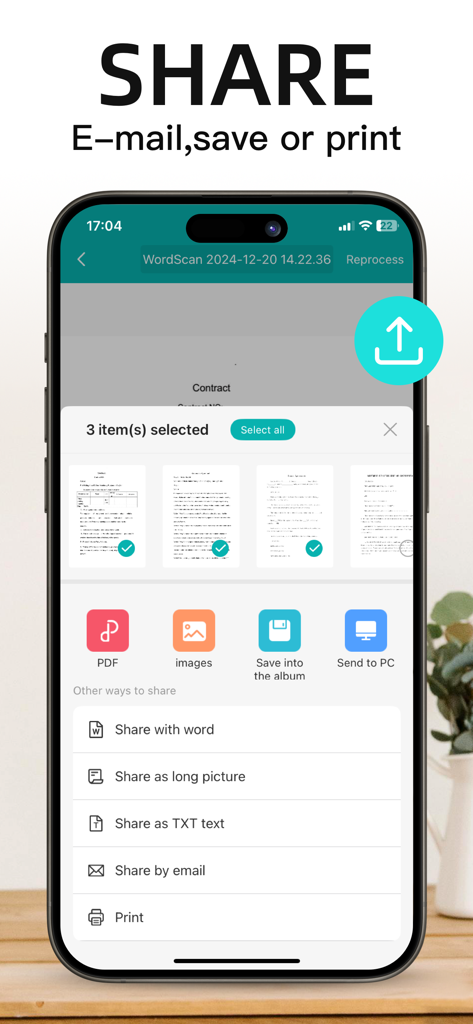
PDF, 이미지, 이메일, 인쇄 등 문서 공유 옵션을 보여주는 모바일 앱 인터페이스

PDF, 이미지, 이메일, 인쇄 등 문서 공유 옵션을 보여주는 모바일 앱 인터페이스

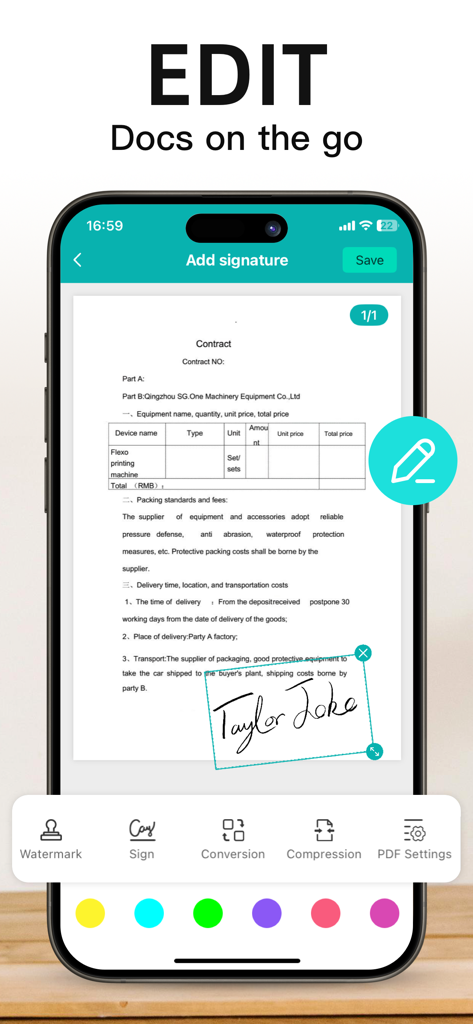
스마트폰에서 계약서에 디지털 서명을 추가하는 PDF 스캐너 앱 인터페이스

스마트폰에서 계약서에 디지털 서명을 추가하는 PDF 스캐너 앱 인터페이스

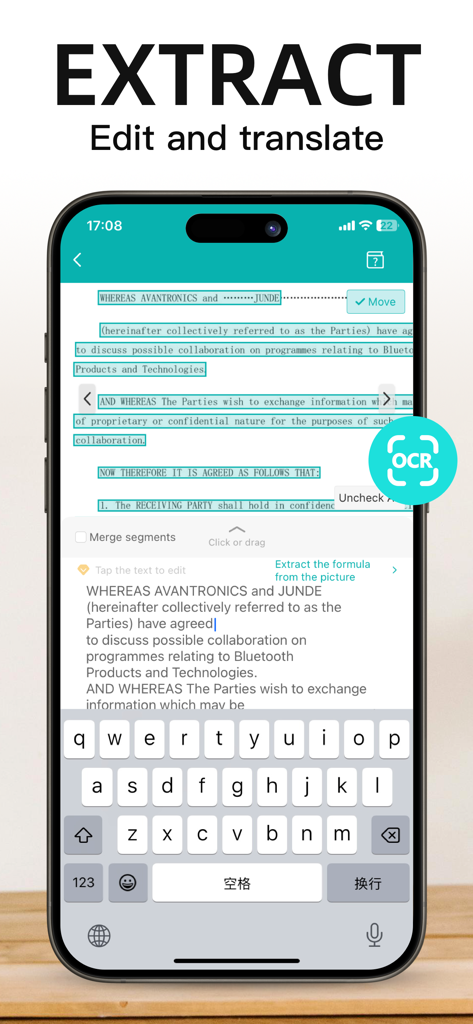
OCR 기능을 사용하여 문서에서 텍스트를 추출하고 편집하는 모바일 장치

OCR 기능을 사용하여 문서에서 텍스트를 추출하고 편집하는 모바일 장치

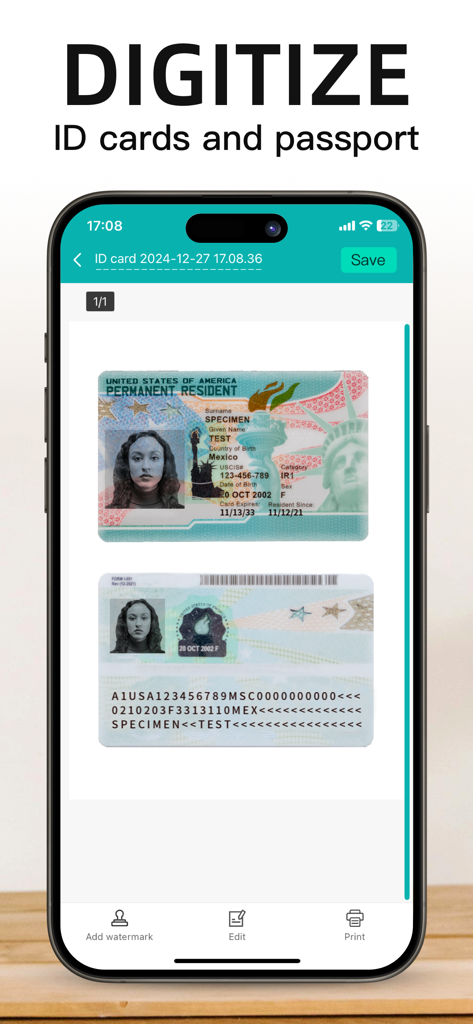
PDF 스캐너 앱을 사용하여 신분증 및 여권을 디지털화하는 모바일 앱 화면

PDF 스캐너 앱을 사용하여 신분증 및 여권을 디지털화하는 모바일 앱 화면

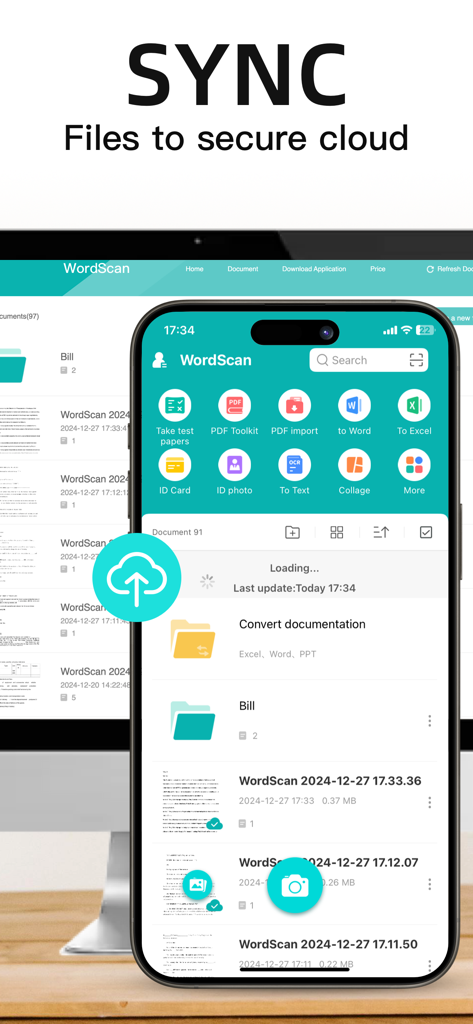
WordScan 앱 인터페이스가 모바일 및 데스크톱 장치 전반에 걸쳐 안전한 클라우드 파일 동기화를 보여줍니다.

WordScan 앱 인터페이스가 모바일 및 데스크톱 장치 전반에 걸쳐 안전한 클라우드 파일 동기화를 보여줍니다.

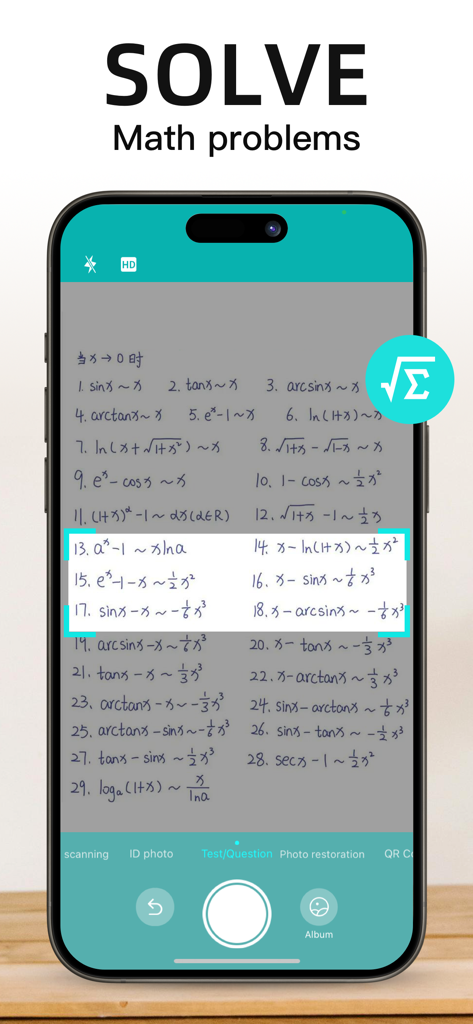
필기 수학 문제를 스캔하고 해결하는 모바일 앱 인터페이스

필기 수학 문제를 스캔하고 해결하는 모바일 앱 인터페이스

작업 흐름을 단순화하는 강력한 도구

이 앱을 돋보이게 하는 도구, 3M+ 명의 사용자가 선택.

전문가 수준의 일괄 스캔

단 몇 초 만에 여러 페이지 문서 캡처. 고급 알고리즘이 그림자를 자동으로 제거하고 원근감을 수정하여 선명하고 전문적인 PDF를 만듭니다.

🔍

스마트 텍스트 인식 (OCR)

이미지를 즉시 편집 가능한 텍스트로 변환. 영수증, 메모 또는 계약서에서 데이터를 추출하여 수동 입력 및 데이터 입력 시간을 절약하세요.

📂

즉시 정리 및 공유

사용자 지정 태그로 스캔을 분류하고 클라우드에 동기화하세요. 디지털 사무실을 깔끔하게 유지하고 탭 한 번으로 이메일을 통해 문서를 보내세요.

앱 소개

에 대해 알아야 할 모든 것 pdf scanner-cam scan app.

설명

Scanner App Scan ererything into clear & sharp image/PDF. With Scanner app, you can rapidly scan documents, and convert them into PDF format, as well as save them or send them by email, Print and save to cloud. * Scan documents, photos, receipts, or just about anything. * Batch mode combines multiple scans into a single PDF. *Adopting advanced and fast algorithm, Scanner App use Advanced color processing algorithms remove shadows, correct perspective and distortion, making your scans as readable as possible. *With powerful and easily operated interface, Scanner app can fast and simply adjust brightness, rotation and color through one click on one page. Scanner app features: 1. Mobile Scanner ----scan and manage your document that may include multipage. 2. Fast scan in batch----scan continuously in batch without process waiting, which is fast and convenient. 3. Automatic side cut----utilize professional image processing algorithm to automatically help you cut the images. 4. Image enhancement----ensure document is clear and readable. 5. Text Recognition (OCR) ---- OCR (optical character recognition) feature extracts texts from single page for further editing or sharing. 6. Multi-sized PDFs----more than 10 PDF sizes are available (Letter,A4,B5, etc).You can customize the size or use self-adaption mode. 7. Save image to image library----conveniently process images so as to save them to image library. 8. Email----send your documents (PDF) or processed images by email. 9. Add Header----seach page of document may add headers, which can be searched. 10. Custom category----set custom category for your document to achieve convenient management and search. 11. Multiple browse modes----support browse modes, such as list and document-categorization. 12. Copy----support function of document copy to achieve convenient document management. 13. Search----Fast locate documents by searching document headers, page headers, etc. Scanning tips: make sure your document is smooth and sensitive to light. Background of dead color may help to achieve the best detection result of document edge. *********************************************************** VIP Subscription Instructions: 1. Subscription cycle: 1 quarter, 1 month, 6 months,1 year,1 week 2. Subscription price: ¥58 for continuous quarterly subscription, ¥28 for continuous monthly subscription,¥9 for continuous weekly subscription, ¥68 for continuous every 6 months subscription,and ¥198 for continuous annual subscription 3. 24 hours before the expiration of the VIP privilege, the fee will be automatically deducted from the iTunes account and the renewal fee will be determined. 4. Cancel automatic renewal: If you need to cancel automatic renewal, please manually turn off the automatic renewal function in iTunes/Apple ID settings management 24 hours before expiration. This subscription will automatically renew if not turned off at least 24 hours before expiration. 5. If a free trial period is offered, any unused portion will be forfeited when the user purchases a subscription to that publication (if applicable) 6. Privacy Policy: https://www.wordscan.net/ps/ws_privacy 7. Terms of use: https://www.wordscan.net/ps/ws_service

최신 버전

5.12.36

크기

176.4 MB

출시일

2012년 6월 15일

페이퍼리스로 전환하고 생산성을 높일 준비가 되셨나요?

3백만 명 이상의 전문가와 학생들과 함께하세요. 고속 스캐너를 사용하여 어떤 문서든 몇 초 안에 선명한 PDF로 변환하세요. 지금 다운로드하고 주머니에 전문가 사무실을 휴대하세요.

다운로드: App Store다운로드: Google Play
FAQ

자주 묻는 질문

에 대해 알아야 할 모든 것 pdf scanner-cam scan app

Scanner App의 주요 기능은 무엇인가요?

Scanner App은 문서, 사진, 영수증 및 기타 항목을 선명하고 또렷한 이미지/PDF 형식으로 변환합니다. 사용자는 스캔한 문서를 저장, 이메일 발송, 인쇄 및 클라우드에 저장할 수 있습니다.

pdf scanner-cam 앱은 여러 문서를 한 번에 처리할 수 있나요?

네, pdf scanner-cam 앱은 일괄 모드 기능을 지원합니다. 이 모드는 여러 스캔을 대기 없이 단일 PDF로 결합하여 스캔을 빠르고 편리하게 만듭니다.

Scanner App은 텍스트 인식(OCR) 기능을 제공하나요?

네, Scanner App에는 OCR(광학 문자 인식) 기능이 포함되어 있습니다. 단일 페이지에서 텍스트를 추출하여 추가 편집하거나 공유할 수 있습니다.

pdf scanner-cam 앱은 어떤 파일 형식으로 내보내거나 공유할 수 있나요?

pdf scanner-cam 앱은 문서를 PDF 또는 처리된 이미지로 내보낼 수 있습니다. 공유 옵션에는 이메일, 이미지 라이브러리 저장 및 앱에 표시되는 다양한 공유 방법이 있습니다.

pdf scanner-cam 앱 내에서 스캔한 문서를 편집할 수 있나요?

네, pdf scanner-cam 앱은 스캔한 문서에 대한 편집 기능을 제공합니다. 사용자는 워터마크 추가, 문서 서명, 파일 압축 및 PDF 설정 조정을 할 수 있습니다.

Scanner App은 신분증 및 여권 스캔을 지원하나요?

네, Scanner App은 신분증 및 여권 디지털화를 지원합니다. 사용자는 이 문서를 애플리케이션 내에서 직접 스캔하고 저장할 수 있습니다.

Scanner App은 스캔 품질을 어떻게 향상시키나요?

Scanner App은 고급 색상 처리 알고리즘을 사용하여 그림자, 원근 왜곡 및 왜곡을 제거합니다. 이 기술은 스캔한 문서를 가능한 한 읽기 쉽게 만듭니다.

사용자는 pdf scanner-cam 앱에서 PDF 크기를 사용자 정의할 수 있나요?

네, pdf scanner-cam 앱은 다중 크기 PDF 옵션을 제공합니다. 10가지 이상의 PDF 크기를 사용할 수 있으며, 사용자는 크기를 사용자 정의하거나 자체 적응 모드를 사용할 수 있습니다.

Scanner App은 문서 가장자리를 자동으로 자르나요?

네, Scanner App에는 자동 가장자리 자르기 기능이 있습니다. 전문적인 이미지 처리 알고리즘을 사용하여 스캔 이미지의 가장자리를 자동으로 잘라냅니다.

pdf scanner-cam 앱은 스캔한 파일에 대한 클라우드 동기화를 제공하나요?

네, pdf scanner-cam 앱은 클라우드 동기화를 지원합니다. 사용자는 스캔한 파일을 안전한 클라우드에 동기화하여 저장하고 액세스할 수 있습니다.

Scanner App에서 사용할 수 있는 구독 옵션은 무엇인가요?

Scanner App은 1주, 1개월, 1분기, 6개월, 1년의 VIP 구독 주기를 제공합니다. 각 주기마다 자동 갱신 가격이 있습니다.

Scanner App VIP 구독의 자동 갱신을 어떻게 취소하나요?

Scanner App VIP 구독의 자동 갱신을 취소하려면, 현재 구독이 만료되기 최소 24시간 전에 iTunes/Apple ID 설정 관리에서 자동 갱신 기능을 수동으로 해제해야 합니다.

pdf scanner-cam 앱의 VIP 구독에 대한 무료 평가판을 사용할 수 있나요?

네, 무료 평가판 기간이 제공될 수 있습니다. 사용자가 구독을 구매하면 무료 평가판의 사용되지 않은 부분은 소멸됩니다.

pdf scanner-cam 앱의 개인정보 처리방침은 어디서 찾을 수 있나요?

pdf scanner-cam 앱의 개인정보 처리방침은 다음 URL에서 확인할 수 있습니다: https://www.wordscan.net/ps/ws_privacy. 이 링크는 앱 설명에 나와 있습니다.

App information, icons, screenshots, and descriptions displayed on this page are sourced from the Apple App Store and are the property of their respective developers. Download estimates and rankings are based on MWM's proprietary models and may not reflect actual figures. This page is provided for informational and analytical purposes only.

Believe this page infringes your intellectual property? File a dispute