PDFMaker : Scanner Converter

PDFMaker : Scanner Converter

다운로드: App Store
로고: PDFMaker : Scanner Converter

PDFMaker: 스캐너 변환기 – 100% 무료 올인원 PDF 파워하우스

구독, 숨겨진 수수료, 클라우드 업로드 없이. 클릭 한 번으로 파일을 스캔, 병합, 변환하는 궁극의 문서 도구로 학생 및 프리랜서에게 적합합니다.

개발사

Yuenhe Innovations Co., Ltd.

카테고리

Business

다운로드

834K+

사용자 평점

4.1/5

총 평가 수

3K+

지원 언어

1

한눈에 보는 효율성

이 인터페이스를 사용하는 834K+ 명의 사용자.

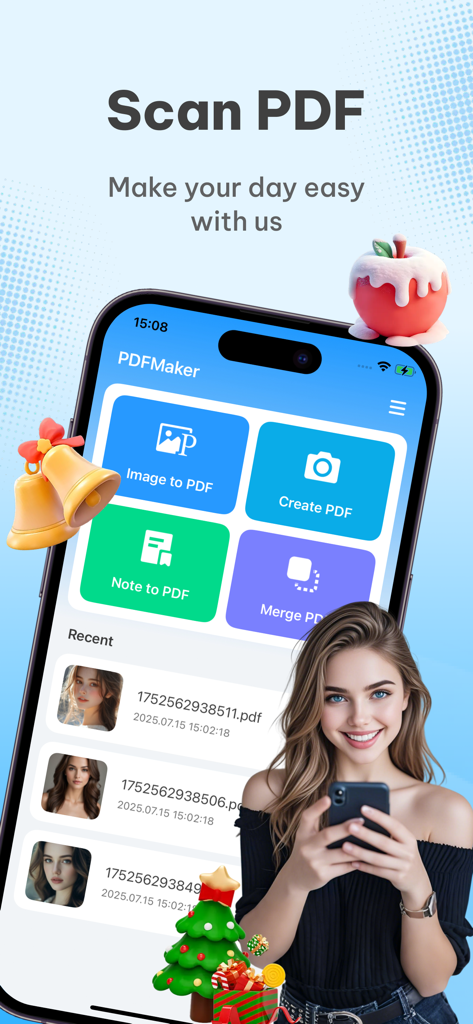
PDFMaker 모바일 앱 홈 화면, PDF 스캔 및 문서 변환 기능 표시

PDFMaker 모바일 앱 홈 화면, PDF 스캔 및 문서 변환 기능 표시

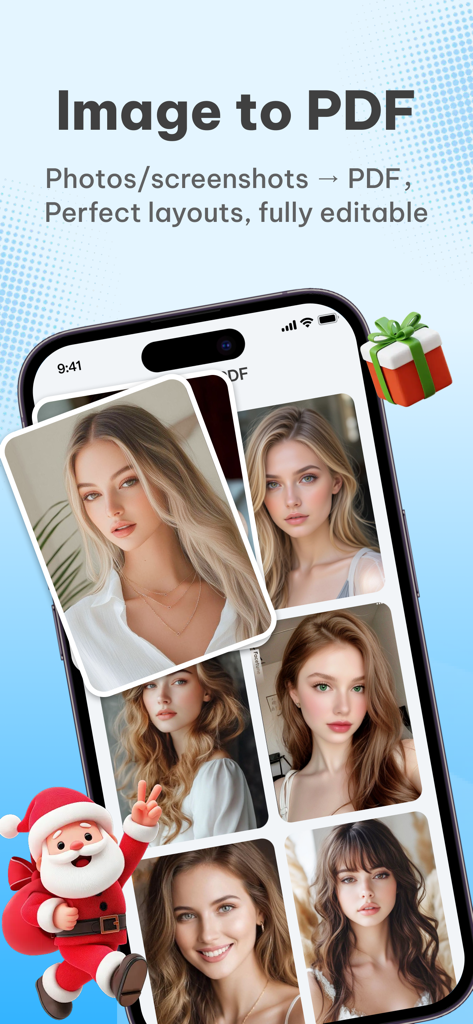
PDFMaker 앱 스크린샷, 이미지-PDF 변환 기능과 사진 갤러리, 축제 산타클로스 일러스트 표시

PDFMaker 앱 스크린샷, 이미지-PDF 변환 기능과 사진 갤러리, 축제 산타클로스 일러스트 표시

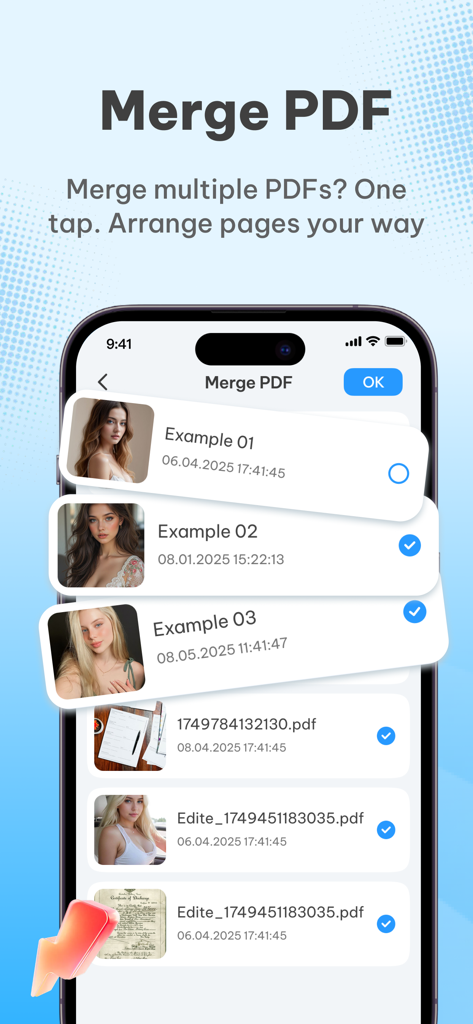
모바일 앱 인터페이스, 단일 PDF로 병합할 문서 목록 선택 표시

모바일 앱 인터페이스, 단일 PDF로 병합할 문서 목록 선택 표시

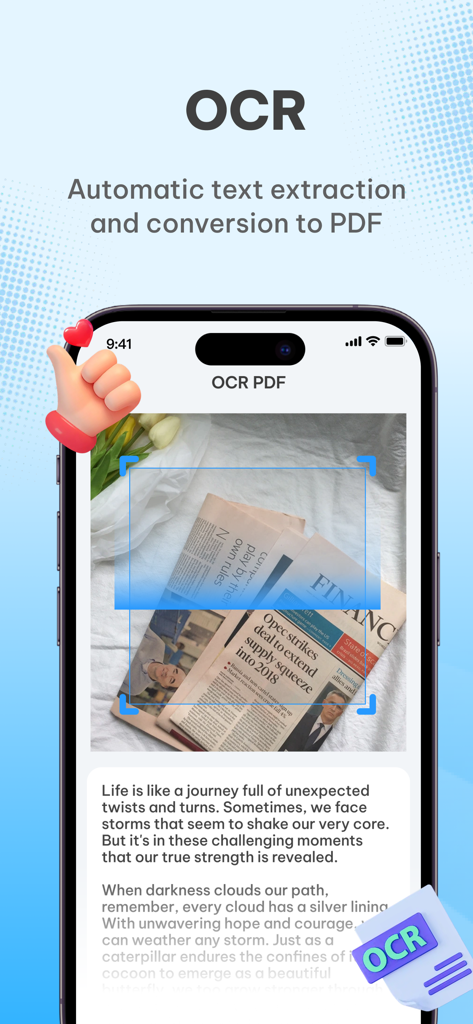
신문에서 텍스트를 추출하여 PDF 문서로 변환하는 PDFMaker OCR 기능 표시 스마트폰 인터페이스.

신문에서 텍스트를 추출하여 PDF 문서로 변환하는 PDFMaker OCR 기능 표시 스마트폰 인터페이스.

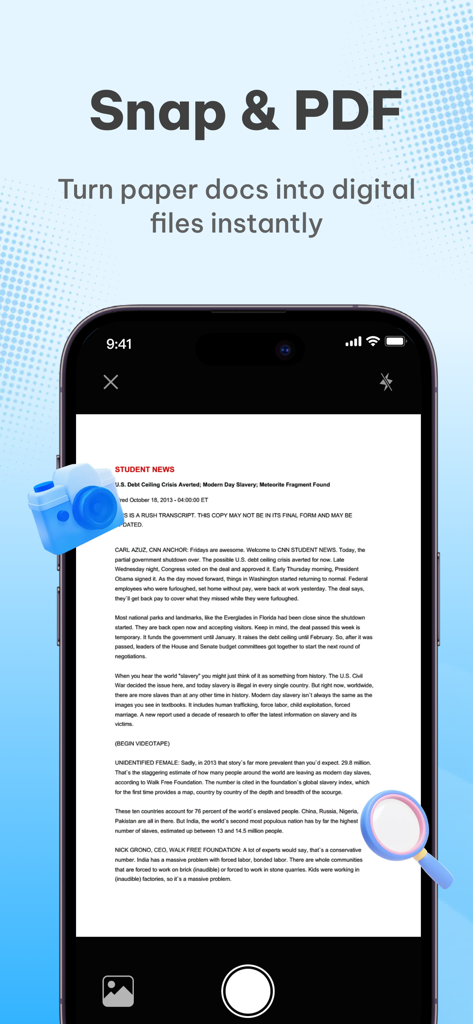
종이 문서를 디지털 파일로 변환하는 스냅 및 PDF 기능 표시 스마트폰 화면.

종이 문서를 디지털 파일로 변환하는 스냅 및 PDF 기능 표시 스마트폰 화면.

완벽한 PDF를 위한 모든 것

이 앱을 돋보이게 하는 도구, 834K+ 명의 사용자가 선택.

📸

즉시 스캔 및 변환

스마트한 자르기와 텍스트 강화 기능으로 노트, 책 또는 영수증 사진을 고화질 PDF로 변환하세요.

📂

파일 병합 및 정리

여러 이미지 또는 문서를 하나의 전문적인 PDF로 결합하세요. 페이지를 쉽게 재정렬하여 작업을 깔끔하게 유지하세요.

🔒

100% 무료 및 개인 정보 보호

구독 또는 숨겨진 수수료가 없습니다. 모든 처리는 기기에서 이루어지므로 민감한 데이터가 휴대폰을 절대 떠나지 않습니다.

리뷰 분석

사용자 리뷰 인사이트.

감정 점수

26%
부정적

요약

This mobile app receives overwhelmingly negative feedback from users, with many uninstalling it due to a frustrating experience. The most significant and frequently cited issue is the excessive number of advertisements, which often render the app unusable. Many users also report the app as a 'scam' or containing 'false advertising,' leading to disappointment and immediate deletion. While there are a couple of positive ratings, these reviews lack specific praise for the app's features or functionality.

주요 테마

Excessive Advertisements(8)
Scam/Misleading Content(7)
Poor User Experience(5)
Download Difficulty(1)
Positive Feedback(1)

앱 소개

에 대해 알아야 할 모든 것 PDFMaker : Scanner Converter.

설명

PDFMaker - a free and all-around PDF conversion tool that can handle all document needs in one click! Easily create, convert, and merge PDFs, a must-have for efficient office and study! Whether you are a student, office worker, or freelancer, PDF Maker can be your right-hand man! No complicated operations are required, and your mobile phone can quickly complete various PDF processing, completely free! Core function highlights: Photo to PDF: Take pictures of class notes, contracts, and books, intelligently optimize the image quality, generate high-definition PDFs with one click, support automatic cropping, and enhance text clarity! Image to PDF: Supports merging multiple photos into PDF, freely adjusting the order and direction, and convenient for storage and sharing! Text to PDF: Directly enter text content to generate professional PDF documents, suitable for resumes, reports and other scenarios! Merge multiple files: Merge multiple files into one PDF to organize materials more efficiently! Why choose PDFMaker? Completely free - no subscription, no in-app purchase, all functions are free! Easy operation - complete the conversion in three steps, even novices can easily get started! Have problems? Contact us: yuanheinnovations@163.com Privacy and security commitment: All file processing is completed locally, not uploaded to the server, to protect your data security! Download PDFMaker now to make document processing simpler and more efficient!

최신 버전

1.1.1

크기

12.8 MB

출시일

2025년 7월 16일

PDF 도구에 돈 쓰는 것을 멈추고 현명하게 일하세요.

수십만 명의 사용자와 함께하세요. 비싼 구독료 대신 100% 무료, 안전하며 올인원 스캐너를 선택했습니다. 숨겨진 수수료나 데이터 업로드 없이 주머니 속에서 생산성을 높이세요.

다운로드: App Store
FAQ

자주 묻는 질문

에 대해 알아야 할 모든 것 PDFMaker : Scanner Converter

PDFMaker 앱은 무료로 사용할 수 있나요?

네, PDFMaker는 완전히 무료입니다. 구독이나 인앱 구매가 필요 없으며 모든 기능을 비용 없이 사용할 수 있습니다.

PDFMaker는 어떤 유형의 문서를 변환할 수 있나요?

PDFMaker는 사진, 이미지, 텍스트 콘텐츠를 PDF 문서로 변환합니다. 또한 메모에서 새 PDF를 생성하고 여러 파일을 하나의 PDF로 병합하는 기능도 지원합니다.

PDFMaker는 사용자 데이터와 개인 정보를 어떻게 보호하나요?

PDFMaker는 모든 파일 변환을 기기에서 로컬로 처리하여 데이터 개인 정보를 보장합니다. 사용자 파일은 어떤 서버에도 업로드되지 않습니다.

PDFMaker는 여러 이미지를 단일 PDF 파일로 병합할 수 있나요?

네, PDFMaker를 사용하면 여러 사진이나 스크린샷을 하나의 PDF로 병합할 수 있습니다. 또한 이러한 이미지의 순서와 방향을 조정하는 기능도 지원합니다.

PDFMaker에 기존 PDF 문서를 병합하는 기능이 포함되어 있나요?

네, PDFMaker를 사용하면 여러 기존 PDF 파일을 하나의 PDF 문서로 병합할 수 있습니다. 이 기능은 한 번의 탭으로 액세스할 수 있습니다.

PDFMaker에 광학 문자 인식(OCR) 기능이 포함되어 있나요?

네, PDFMaker에는 OCR(광학 문자 인식) 기술이 탑재되어 있습니다. 이를 통해 문서에서 텍스트를 자동으로 추출하고 후속적으로 PDF 형식으로 변환할 수 있습니다.

PDFMaker는 사진을 PDF로 변환하기 위해 어떤 기능을 제공하나요?

PDFMaker는 클릭 한 번으로 사진을 고화질 PDF로 변환합니다. 이미지 품질을 최적화하고 자동 자르기를 지원하며 결과 PDF의 텍스트 선명도를 향상시킵니다.

App information, icons, screenshots, and descriptions displayed on this page are sourced from the Apple App Store and are the property of their respective developers. Download estimates and rankings are based on MWM's proprietary models and may not reflect actual figures. This page is provided for informational and analytical purposes only.

Believe this page infringes your intellectual property? File a dispute