Penjo: Pencil Journal, Planner

Penjo: Pencil Journal, Planner

다운로드: App Store
로고: Penjo: Pencil Journal, Planner

Penjo: 올인원 연필 저널 및 디지털 플래너

마음챙김 계획을 위한 최고의 디지털 안식처. Apple Pencil의 힘으로 캘린더를 손쉽게 동기화하고, 손글씨를 검색하고, 아름다운 일일 스프레드를 디자인하세요.

개발사

Zafer ARICAN

카테고리

Productivity

다운로드

58K+

사용자 평점

4.6/5

총 평가 수

500

지원 언어

12

당신의 삶을 위한 캔버스

이 인터페이스를 사용하는 58K+ 명의 사용자.

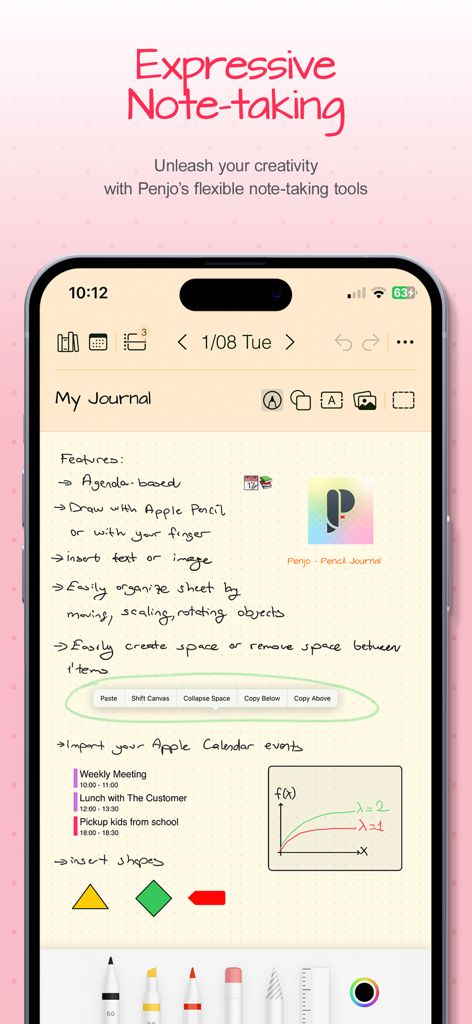
스마트폰 화면에 창의적인 노트 작성 도구와 통합된 캘린더 이벤트가 있는 손글씨 디지털 저널 항목이 표시됩니다.
스마트폰 화면에 창의적인 노트 작성 도구와 통합된 캘린더 이벤트가 있는 손글씨 디지털 저널 항목이 표시됩니다.

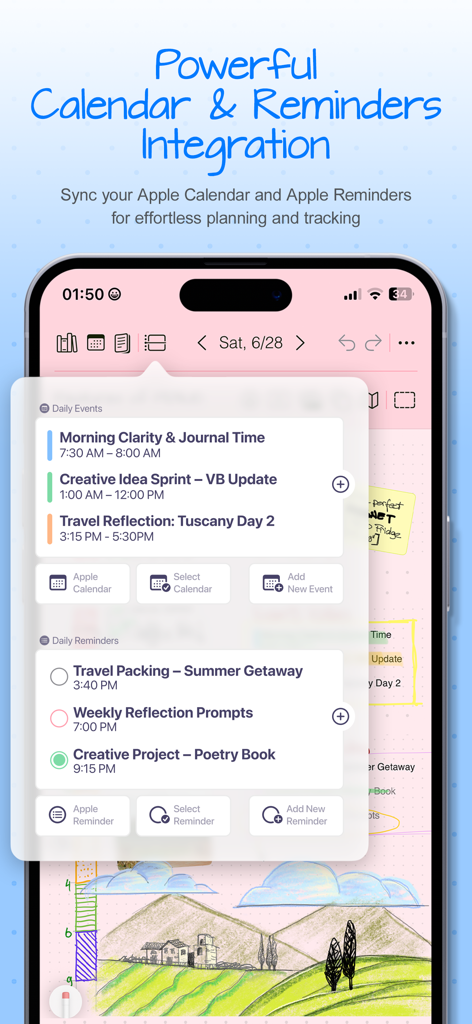
Penjo 앱의 스크린샷으로, 디지털 저널 인터페이스 내에서 Apple 캘린더 이벤트 및 Apple 미리 알림 통합을 보여줍니다.
Penjo 앱의 스크린샷으로, 디지털 저널 인터페이스 내에서 Apple 캘린더 이벤트 및 Apple 미리 알림 통합을 보여줍니다.

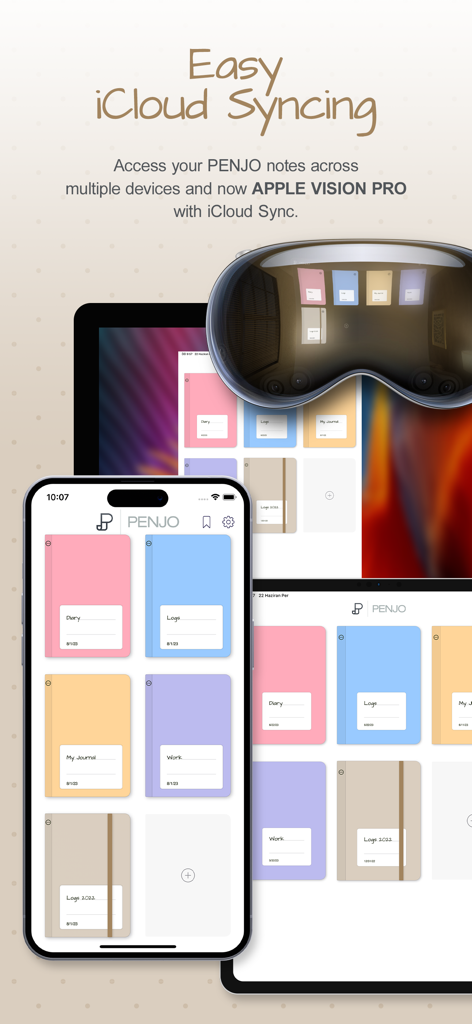
Penjo 앱 인터페이스로, iPhone, iPad 및 Apple Vision Pro 전반에 걸쳐 미학적인 디지털 저널 표지와 함께 원활한 iCloud 동기화를 보여줍니다.
Penjo 앱 인터페이스로, iPhone, iPad 및 Apple Vision Pro 전반에 걸쳐 미학적인 디지털 저널 표지와 함께 원활한 iCloud 동기화를 보여줍니다.

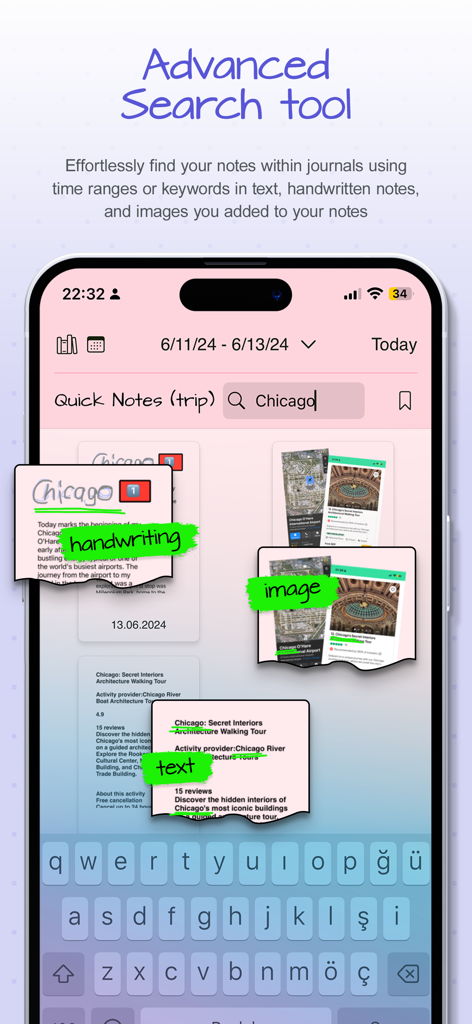
Penjo 앱 인터페이스로, 손글씨 메모, 이미지 및 텍스트 전체에서 키워드 시카고에 대한 고급 검색 결과를 보여줍니다.
Penjo 앱 인터페이스로, 손글씨 메모, 이미지 및 텍스트 전체에서 키워드 시카고에 대한 고급 검색 결과를 보여줍니다.

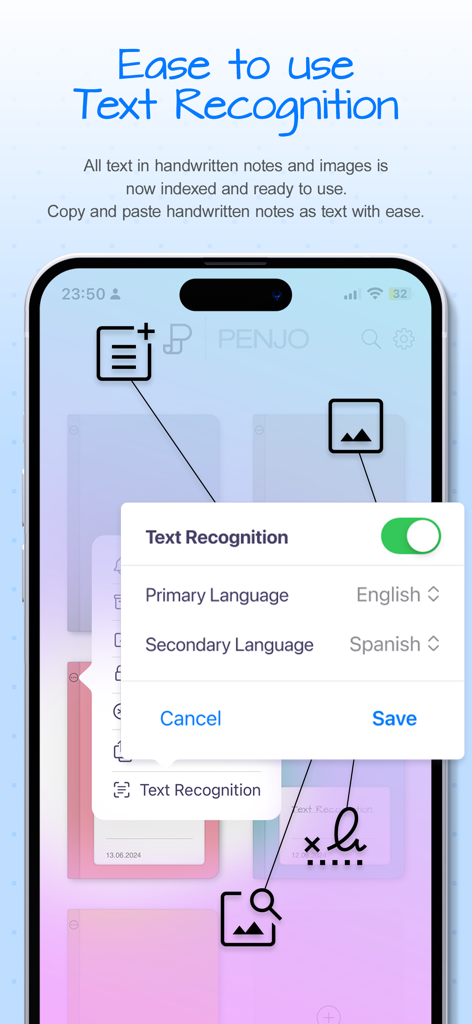
Penjo 앱의 인터페이스로, 언어 선택과 함께 손글씨 및 이미지 텍스트 인식 설정을 보여줍니다.
Penjo 앱의 인터페이스로, 언어 선택과 함께 손글씨 및 이미지 텍스트 인식 설정을 보여줍니다.

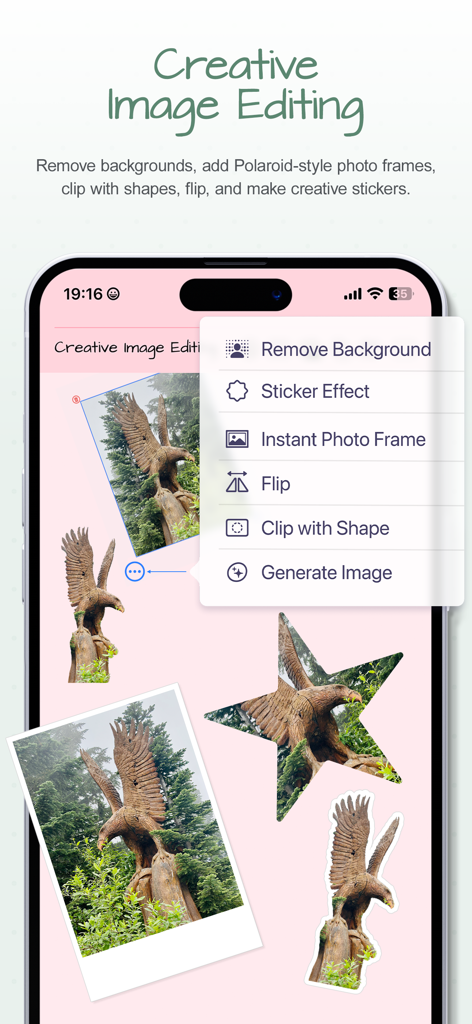
디지털 저널 페이지에 배경 제거 및 스티커 효과를 보여주는 Penjo 앱의 창의적인 이미지 편집 메뉴
디지털 저널 페이지에 배경 제거 및 스티커 효과를 보여주는 Penjo 앱의 창의적인 이미지 편집 메뉴

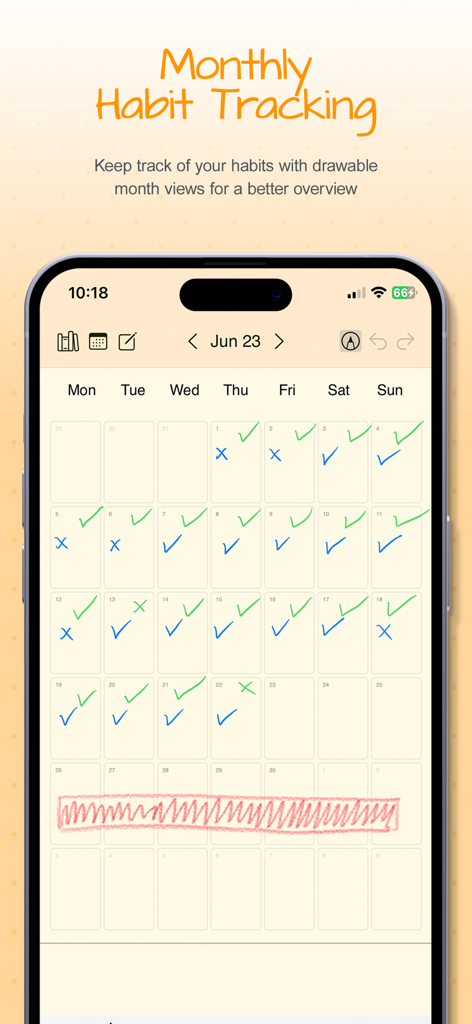
Penjo 앱의 월별 캘린더 보기로, 파란색과 녹색 체크 표시가 있는 손글씨 습관 추적을 보여줍니다.
Penjo 앱의 월별 캘린더 보기로, 파란색과 녹색 체크 표시가 있는 손글씨 습관 추적을 보여줍니다.

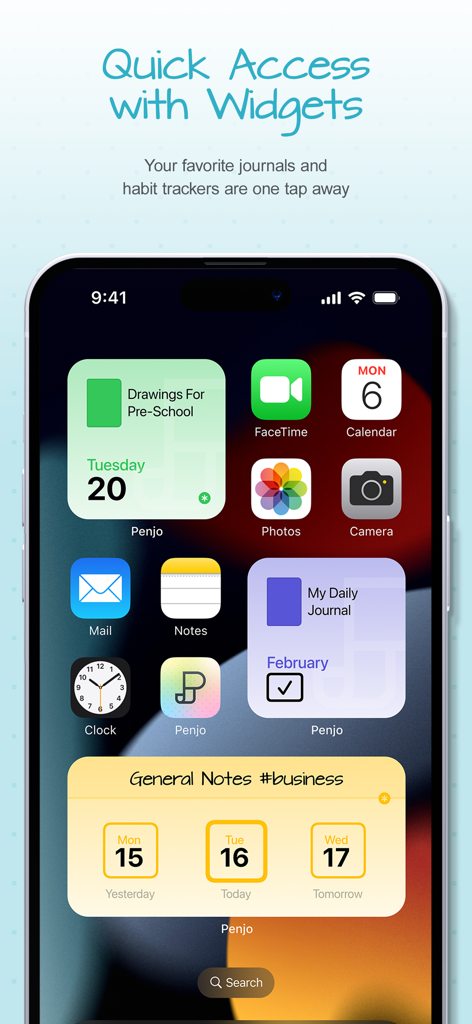
일일 저널 및 습관 추적을 위한 다양한 Penjo 위젯을 보여주는 iPhone 홈 화면
일일 저널 및 습관 추적을 위한 다양한 Penjo 위젯을 보여주는 iPhone 홈 화면

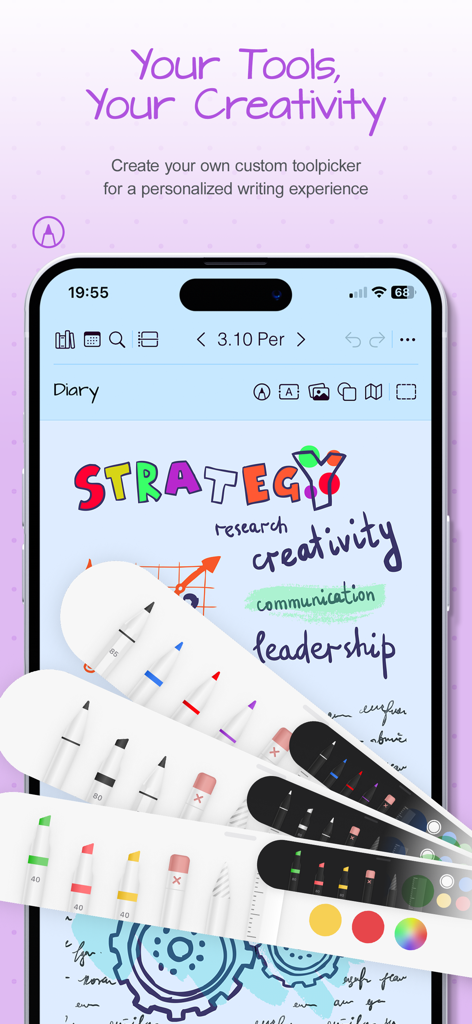
Penjo 저널 앱의 맞춤 설정 가능한 디지털 펜 및 형광펜
Penjo 저널 앱의 맞춤 설정 가능한 디지털 펜 및 형광펜

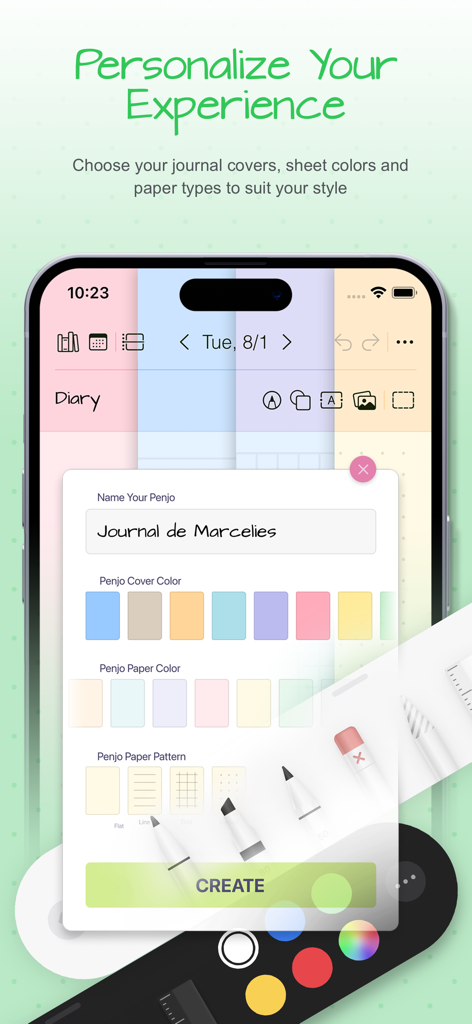
Penjo 앱의 화면으로, 저널 이름, 표지 색상, 용지 색상 및 용지 패턴을 사용자 지정하는 옵션을 보여줍니다.

Penjo 앱의 화면으로, 저널 이름, 표지 색상, 용지 색상 및 용지 패턴을 사용자 지정하는 옵션을 보여줍니다.

나만의 방식으로 하루를 디자인하세요

이 앱을 돋보이게 하는 도구, 58K+ 명의 사용자가 선택.

창의적인 자유

맞춤 커버, 스티커, AI 기반 이미지 도구(배경 제거 등)를 사용하여 손쉬운 디지털 스크랩북킹을 위한 공간을 개인화하세요.

🔍

스마트 손글씨 검색

생각을 놓치지 마세요. 장치 내 인식 기능으로 몇 달 전의 메모도 몇 초 안에 찾아보세요. 손글씨가 입력된 텍스트만큼 검색 가능합니다.

📅

원활한 삶의 통합

Apple 캘린더 및 미리 알림과 동기화하여 전문적인 일정과 개인적인 마음챙김 성찰 사이의 간극을 메우세요.

앱 소개

에 대해 알아야 할 모든 것 Penjo: Pencil Journal, Planner.

설명

Plan forward. Reflect backward. Create freely. A fresh start for the new year: Penjo helps you set goals, plan ahead, and keep a clear, organized journal you’ll enjoy returning to every day. Penjo is a Pencil-first journal and daily planner with Apple Calendar & Reminders, iCloud sync, and secure Face/Touch ID. Each day opens as a clean sheet for your notes, with powerful on-device handwriting search and creative image tools like background removal, stickers, and instant frames. Why Penjo PLAN & ORGANIZE • All in one: Journal, planner, daily notes, and habit logs together. • Calendar & Reminders: Check today at a glance, add tasks, and stay on schedule. (Also supports Google Calendar and Exchange.) • Views that fit your routine: Day, Week, and Month for planning; List & Reader for fast, distraction free browsing of past entries. • Day vs. List modes: In Day Mode, the next item is the next date and journals open on today’s sheet. In List Mode, the next item is the next nonempty day and journals open to the List/Reader view. • Sync: iCloud keeps iPad, iPhone, Mac, and visionOS up to date. • Privacy: Lock private journals with Face ID or Touch ID. CREATE • Pencil first: Write, sketch, annotate. Add text, images, shapes, and map cards. • Personalized tool picker: Create your own set of pens and pencils, reorder tools, and switch fast. • Scribble text entry: Write with Apple Pencil to enter typed text quickly in text fields. • Auto-straighten lines: Draw a line and make a tiny cross-mark. Penjo instantly straightens it for cleaner diagrams, arrows, and layouts. • Create as you go: Background removal, clip with shapes, flip, stickers, instant frames (Image Playground supported where available). FIND & REUSE • Find and reuse: On device text recognition lets you search handwriting and text in images, and Copy as Text converts selected handwriting to typed text on your clipboard. • Flexible pages: Add or remove pages automatically, insert or collapse space; choose dot, grid, or lined paper. • Copy or move sheet: Duplicate or move any sheet to another day or journal, perfect for reusing templates. PERSONALIZE & ACCESS • Personalize: Custom names, covers, and colors; drag & drop to reorder journals. • Color Bookmarks: Mark day notes with colored bookmarks and filter your journal by color to quickly find related notes, themes, or topics. • Widgets: Jump to today’s notes and trackers from your Home Screen. • Export and share: Export pages or full journals as PDF to archive, print, or share. Penjo Unlimited Unlock unlimited journals & pages, full iCloud sync, enhanced Calendar & Reminders, and protected journals. Family Sharing available on monthly plans. Roadmap highlights Apple Journaling Suggestions • Collections • Custom Covers and more Support penjoapp.com • support@penjoapp.com Privacy Policy: https://penjoapp.com/penjoappprivacy Terms of Use: https://www.apple.com/legal/internet-services/itunes/dev/stdeula/

최신 버전

3.6.12

크기

17.6 MB

출시일

2023년 3월 27일

가장 체계적인 챕터를 작성할 준비가 되셨나요?

디지털 정리의 힘과 손글씨의 촉감적 즐거움을 경험하세요. Penjo와 함께 매일 계획하고, 만들고, 성찰하는 58,000명 이상의 마음챙김 성취자들과 함께하세요.

다운로드: App Store

App information, icons, screenshots, and descriptions displayed on this page are sourced from the Apple App Store and are the property of their respective developers. Download estimates and rankings are based on MWM's proprietary models and may not reflect actual figures. This page is provided for informational and analytical purposes only.

Believe this page infringes your intellectual property? File a dispute