
이 페이지는 앱이나 개발자의 공식 페이지가 아니며, 정보 제공 및 논평을 목적으로 작성된 독립 편집 간행물입니다. 명시적으로 달리 언급되지 않는 한, 해당 앱이나 개발자는 MWM, Apple, Google Play, 앱 퍼블리셔 또는 앱 개발자와 제휴, 보증, 후원, 승인 또는 공식적으로 연결되어 있지 않으며, 이 페이지의 어떤 내용도 해당 앱이 MWM의 서비스를 사용하여 개발되었음을 의미하지 않습니다. 모든 상표, 로고, 스크린샷 및 기타 콘텐츠는 해당 소유자의 자산입니다.


Planner for iPad
당신에게 맞춰지는 캔버스 위에서 손글씨의 촉각적인 즐거움을 경험하세요. 스탬프, 마스킹 테이프, 맞춤형 리필을 사용하여 당신의 일정을 창의적인 안식처로 만드세요.
다운로드
1M+사용자 평점
총 평가 수
10K+개발사
카테고리
Productivity지원 언어
8최신 버전
1.6.64크기
61.5 MB출시일
2020년 1월 28일당신의 삶을 정리하는 창의적인 방법
iPad의 무한한 유연성과 함께 종이 플래너의 촉각적인 즐거움을 경험하세요. 생산성을 예술 형태로 여기는 사람들을 위해 디자인되었습니다.
생각을 자연스럽게 기록하세요
Apple Pencil로 낙서하고, 스케치하고, 계획하세요. 물리적인 종이의 한계 없이 손글씨의 두뇌-손 연결을 되찾으세요.
아름다운 맞춤 설정
디지털 스탬프, 마스킹 테이프, 맞춤형 리필로 당신의 일정을 바꾸세요. 온라인 문구점에 접속하여 당신의 플래너를 진정으로 당신답게 만드세요.
자주 묻는 질문
에 대해 알아야 할 모든 것 Planner for iPad
iPad용 플래너는 무엇인가요?
iPad용 플래너는 종이 플래너처럼 작동하도록 설계된 유연한 디지털 플래닝 애플리케이션으로, iPad 사용에 최적화되어 있습니다. 다양한 달력 보기와 광범위한 개인화 옵션을 제공합니다.
iPad용 플래너는 Apple Pencil 필기를 지원하나요?
네, iPad용 플래너를 사용하면 Apple Pencil을 사용하여 달력 인터페이스에 직접 쓸 수 있습니다. 이 기능은 디지털 플래닝의 촉각적 경험을 향상시킵니다.
iPad용 플래너는 Google Calendar와 동기화되나요?
네, iPad용 플래너는 Google Calendar를 포함한 다른 달력의 일정을 표시할 수 있습니다. 이 기능을 통해 사용자는 외부 이벤트를 플래너 앱 보기에 통합할 수 있습니다.
iPad용 플래너는 어떤 달력 보기를 제공하나요?
iPad용 플래너는 월별, 주별(세로 및 가로), 일별 달력 보기를 제공합니다. 사용자는 또한 주의 시작 요일과 요일의 시작/종료 시간을 사용자 지정할 수 있습니다.
사용자는 iPad용 플래너 달력을 어떻게 개인화할 수 있나요?
사용자는 스탬프, 리필, 마스킹 테이프, 할 일 목록과 같은 자료로 iPad용 플래너 달력을 개인화할 수 있습니다. 온라인 문구점에서 새로운 스타일 시트도 사용할 수 있습니다.
iPad용 플래너에는 클라우드 저장 공간이 포함되어 있나요?
네, iPad용 플래너에는 클라우드 저장 공간 서비스가 포함되어 있습니다. 기본 요금제는 5GB를 제공하고, 플러스 요금제는 데이터, 사진 및 기타 항목을 자동으로 저장하기 위해 10GB를 제공합니다.
iPad용 플래너의 클라우드 저장 공간 구독은 어떻게 청구되나요?
iPad용 플래너의 클라우드 저장 공간 서비스는 매월 자동으로 갱신됩니다. 이 구독에 대한 사용자 요금은 iTunes 계정으로 직접 청구됩니다.
플래너 앱의 클라우드 저장 공간에 대한 자동 갱신을 어떻게 취소하나요?
플래너 앱의 클라우드 저장 공간에 대한 자동 갱신을 취소하려면 iTunes의 구독 관리 페이지로 이동하거나 자동 갱신을 끄십시오. 자동 갱신 기간 최소 24시간 전에 수행해야 합니다.
iPad용 플래너 내에서 저장 공간 요금제를 변경할 수 있나요?
네, 플래너 앱의 저장 공간 요금제를 변경할 수 있습니다. 이는 플래너 앱 설정 내에서 직접 또는 iTunes의 구독 관리 페이지를 통해 수행할 수 있습니다.
iPad용 플래너에는 다른 스타일이 있나요?
네, iPad용 플래너에는 사전 설치된 흰색 및 검은색 스타일 시트가 제공됩니다. 사용자는 온라인 문구점에서 새로운 스타일 시트를 구매하여 플래닝 경험을 개인화할 수도 있습니다.
iPad용 플래너를 비즈니스 및 개인 플래닝 모두에 사용할 수 있나요?
네, iPad용 플래너는 할 일 목록, 일기, 노트 등 여러 플래너 유형을 지원합니다. 이를 통해 비즈니스 및 개인 용도 모두에 대해 다양한 플래닝 요구에 적합합니다.
다음 스크린샷과 설명은 앱의 공식 스토어 목록에서 직접 가져온 것이며 앱 개발자의 자산입니다.
앱 스토어
스크린샷
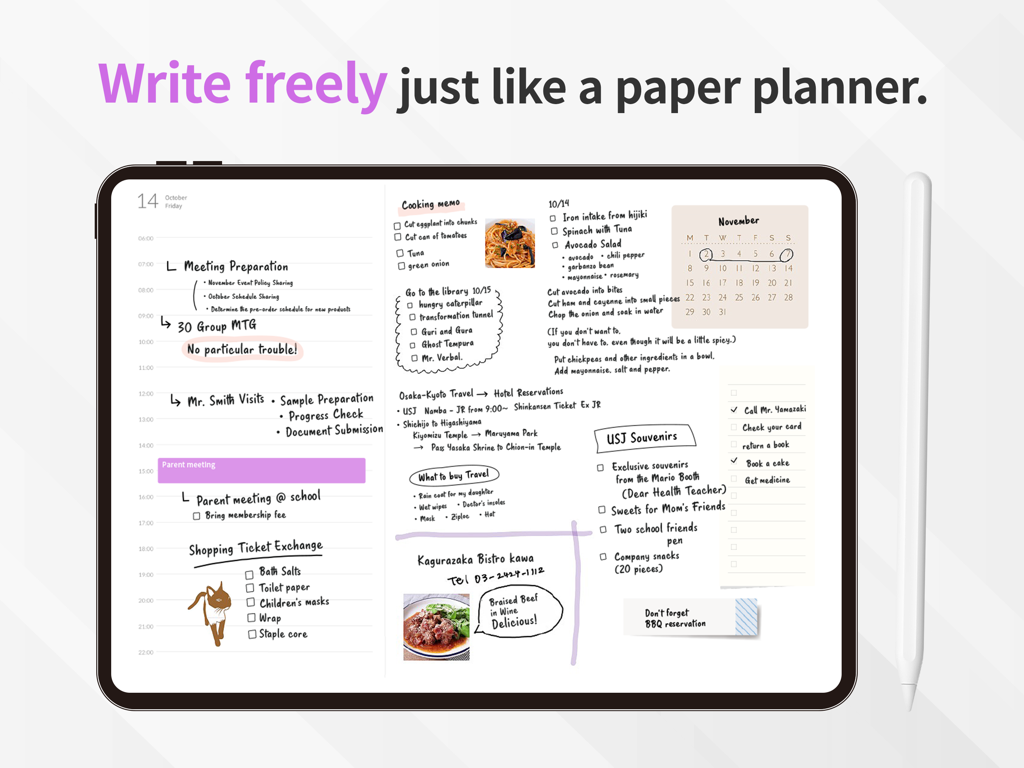
Apple Pencil 옆에 손글씨 메모, 스케치, 일일 일정이 표시된 디지털 플래너가 있는 iPad 화면
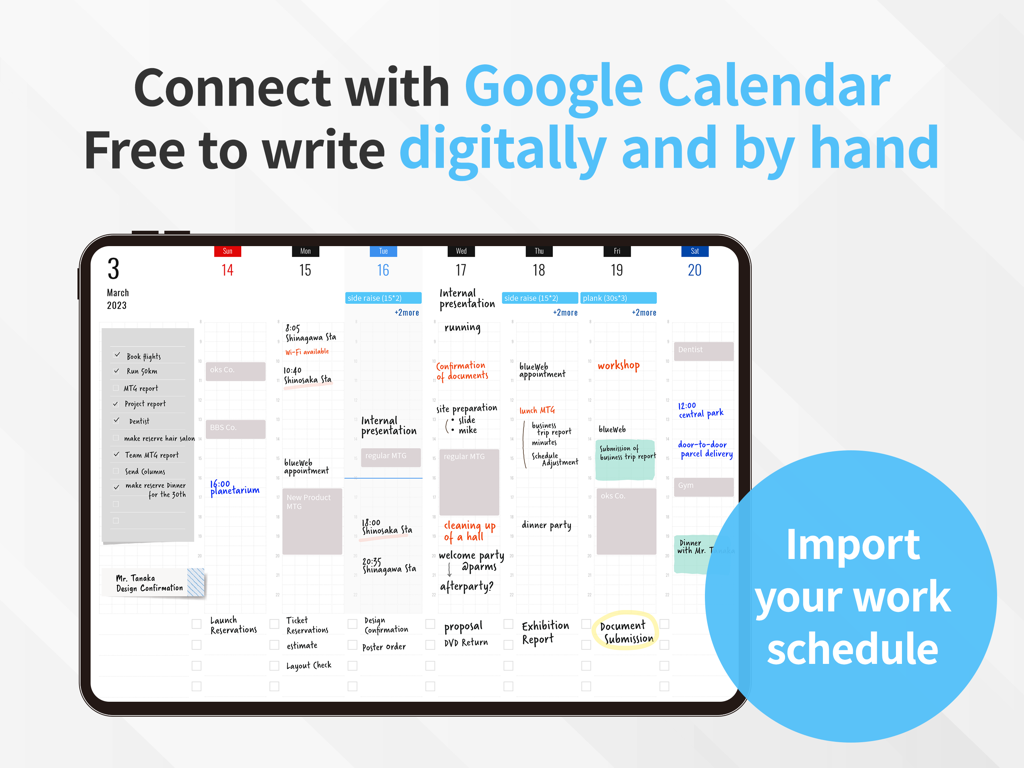
손글씨 메모와 통합된 Google 캘린더 일정이 표시된 iPad의 주간 디지털 플래너 화면
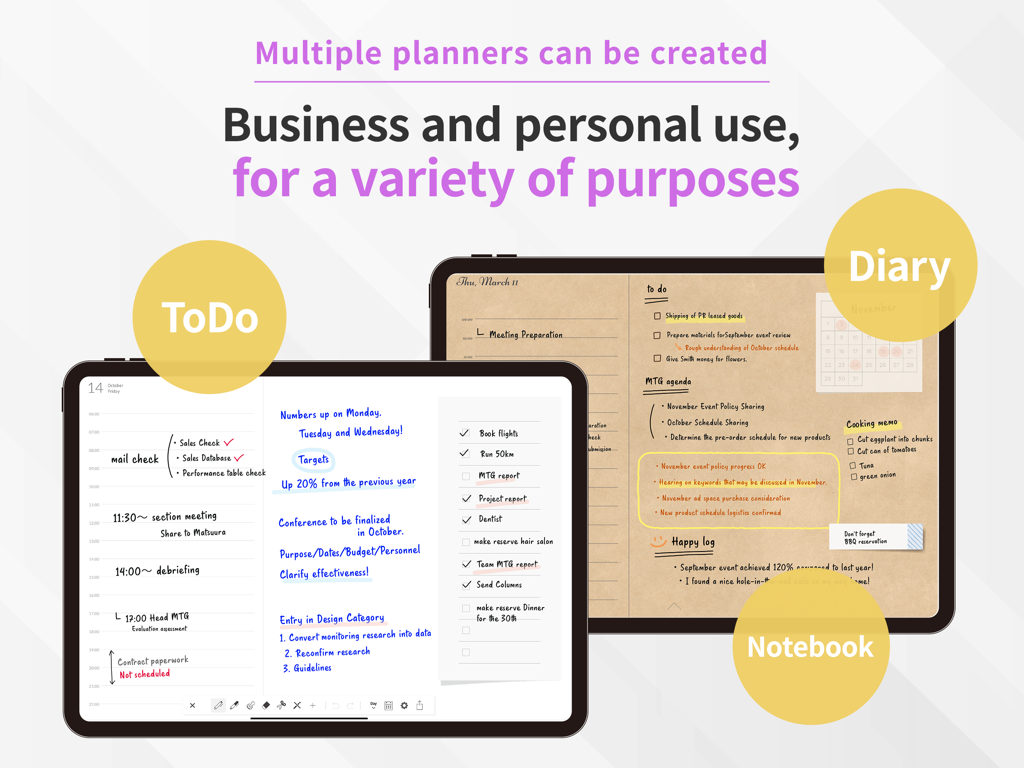
할 일 목록, 일기, 공책을 위한 다재다능한 디지털 플래너 레이아웃을 보여주는 두 대의 iPad
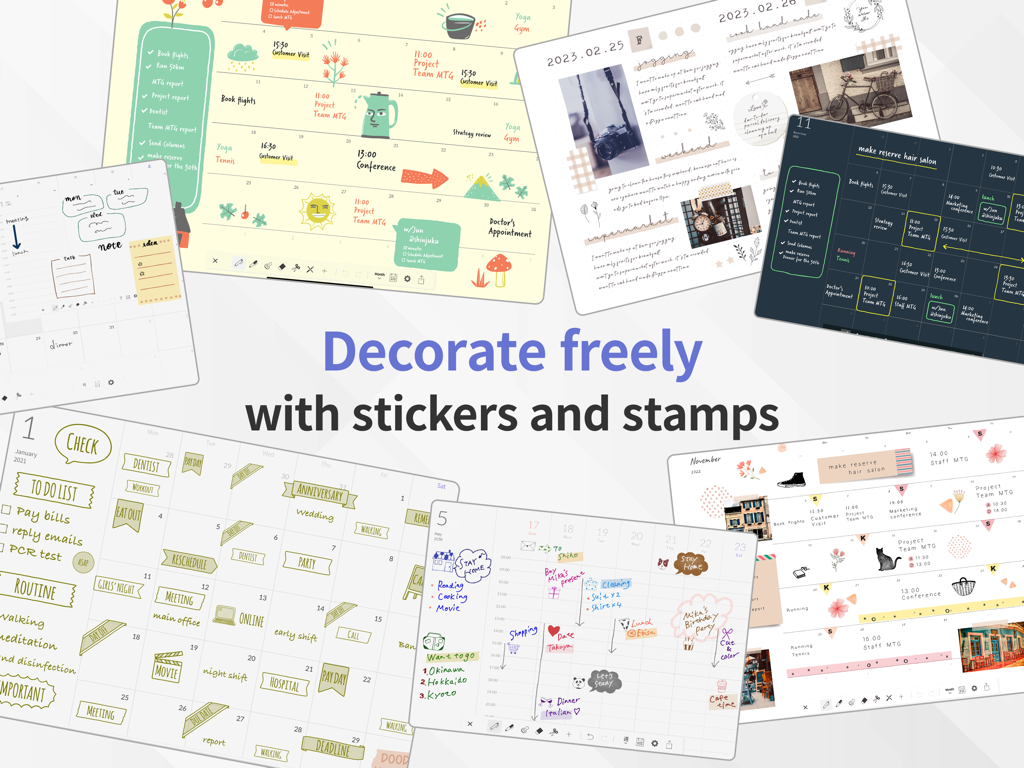
다채로운 스티커와 스탬프로 장식된 iPad의 디지털 플래너 레이아웃 콜라주
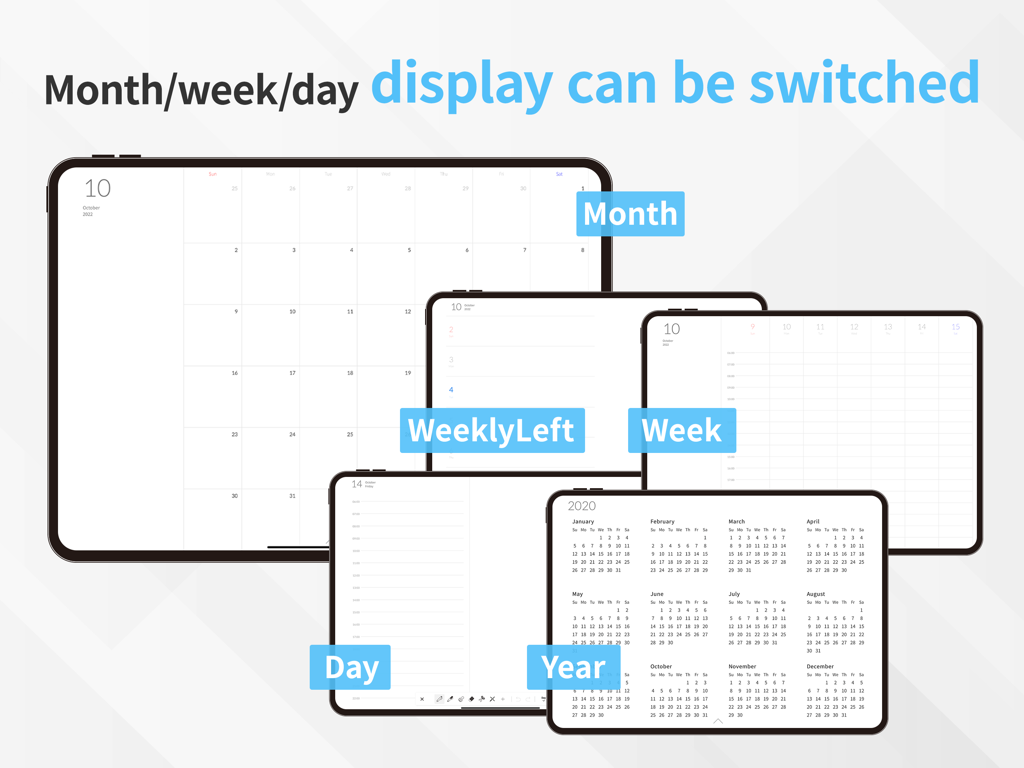
iPad에서 월, 주, 일 레이아웃을 포함한 다양한 캘린더 표시 화면
설명
Download
비슷한 앱
유사한 기능과 사용자 경험을 가진 앱
Planner, Journal, To Do List
jinal alagiya

2026 Planner & Agenda - Floret
Akash Jain
todo mate: tasks & routines
todo mate
Cute Calendar : Agenda Planner
VU HO NGOC

Cahoカレンダー 人気の可愛い手帳かれんだー
LAN CHEN

Write memos for fun
James Smith
CalenDraw: Calendar Notes
DataBeNice LLC

DAYOL : Journal, Calendar
SEUNGAH JO
Penjo: Pencil Journal, Planner
Zafer ARICAN
이 페이지는 앱이나 개발자의 공식 페이지가 아니며, 정보 제공 및 논평을 목적으로 작성된 독립 편집 간행물입니다. 명시적으로 달리 언급되지 않는 한, 해당 앱이나 개발자는 MWM, Apple, Google Play, 앱 퍼블리셔 또는 앱 개발자와 제휴, 보증, 후원, 승인 또는 공식적으로 연결되어 있지 않으며, 이 페이지의 어떤 내용도 해당 앱이 MWM의 서비스를 사용하여 개발되었음을 의미하지 않습니다. 모든 상표, 로고, 스크린샷 및 기타 콘텐츠는 해당 소유자의 자산입니다.