
이 페이지는 앱이나 개발자의 공식 페이지가 아니며, 정보 제공 및 논평을 목적으로 작성된 독립 편집 간행물입니다. 명시적으로 달리 언급되지 않는 한, 해당 앱이나 개발자는 MWM, Apple, Google Play, 앱 퍼블리셔 또는 앱 개발자와 제휴, 보증, 후원, 승인 또는 공식적으로 연결되어 있지 않으며, 이 페이지의 어떤 내용도 해당 앱이 MWM의 서비스를 사용하여 개발되었음을 의미하지 않습니다. 모든 상표, 로고, 스크린샷 및 기타 콘텐츠는 해당 소유자의 자산입니다.


다운로드
25M+사용자 평점
총 평가 수
241.9K개발사
카테고리
Photo & Video지원 언어
12최신 버전
2.120크기
492.3 MB출시일
2017년 7월 6일Photoleap: AI Photo Generator 주요 기능 분석
인공지능 기반의 강력한 사진 편집 및 아트 생성 도구 분석
AI 이미지 생성
사용자가 상상하는 어떤 이미지든 인공지능의 도움을 받아 손쉽게 생성할 수 있게 해줍니다.
전문가용 편집 기능
이 앱은 RAW 이미지 지원, 16비트 이미지 심도, 작업 자동 저장 기능 등 전문가 수준의 편집 환경을 제공합니다.
AI 디지털 아트 도구
이 도구는 사용자가 아이디어를 텍스트로 입력하는 것만으로 놀라운 디지털 아트 작품을 만들 수 있게 해줍니다.
고급 사진 편집
이 앱은 레이어, 블렌딩 모드, 필터, 브러시, 글꼴 등 다양한 고급 편집 도구를 제공하여 이미지를 세밀하게 조정할 수 있게 합니다.
사진 합성 및 이중 노출
이 앱은 여러 이미지를 합성하거나 이중 노출 효과를 생성하여 초현실적인 예술 작품을 만들 수 있는 고급 사진 혼합 기능을 갖추고 있습니다.
움직이는 사진 및 3D 효과
이 앱은 사진에 움직임을 추가하고 3D 효과를 적용하여 정적인 이미지를 생동감 넘치는 라이브 사진으로 변환할 수 있게 해줍니다.
이미지 보정 및 향상
이 도구는 마스킹, 색조 및 색상 제어, 잡티 제거 등 포괄적인 이미지 보정 및 향상 기능을 제공하여 사진의 완성도를 높입니다.
소셜 미디어 콘텐츠 제작
이 앱은 사용자가 비즈니스 또는 개인 용도로 전문적인 소셜 미디어 게시물, 전단지 또는 포스터를 제작할 수 있도록 돕습니다.
자주 묻는 질문
에 대해 알아야 할 모든 것 Photoleap: AI Photo Generator
What is Photoleap?
Photoleap is a powerful photo editing app that transforms images using AI tools. It offers features like AI image generation, motion effects, advanced editing, and creative combinations for digital art.
Can Photoleap generate images from text?
Yes, Photoleap includes an AI image generator. Users can create astounding digital art by typing the idea they are imagining directly into the app.
Does Photoleap allow users to blend photos?
Yes, Photoleap allows for superior photo mixing. Users can superimpose images, create double exposures, and adjust blending modes, transparency, and transform images.
Can I change the background of a photo in Photoleap?
Yes, Photoleap enables users to change the background of their photos with fingertips. It includes tools for automatic cutting, erasing, and restoring background elements.
What kind of AI tools does Photoleap offer for editing?
Photoleap offers AI tools for image generation, creating digital art from text, and speeding up editing with AI baseline creation. It also uses AI for background changes and object removal.
Does Photoleap support photo collages?
Yes, Photoleap includes a collage maker. Users can combine multiple photos to tell a story or create professional-looking social media posts, flyers, or posters.
Can Photoleap remove objects from photos?
Yes, Photoleap features a quick blemish/object remover. This tool allows users to easily get rid of defects or unwanted elements from their images using spot and clone functions.
Does Photoleap allow adding motion to pictures?
Yes, Photoleap allows users to add motion to their photos. It includes photo animator tools to create live photos with 3D effects and make images come alive.
What advanced editing features are available in Photoleap?
Photoleap offers advanced features including layers, blending modes, photo filters, brushes, tonal adjustments, and RAW support. It also supports 16-bit image depth for high-quality adjustments.
Where can I find the terms of use for Photoleap?
The terms of use for Photoleap are available at the following link: https://static.lightricks.com/legal/terms-of-use.pdf.
Does Photoleap offer privacy policy information?
Yes, Photoleap provides a privacy policy. You can access the full policy document at this link: https://static.lightricks.com/legal/privacy-policy.pdf.
다음 스크린샷과 설명은 앱의 공식 스토어 목록에서 직접 가져온 것이며 앱 개발자의 자산입니다.
앱 스토어
스크린샷

사진 합성 마법
이 앱은 여러 이미지를 예술적으로 결합하여 독특한 이중 노출 효과를 생성합니다. 인물과 풍경의 조화로운 블렌딩, 그리고 하단에 제공되는 다양한 블렌딩 모드 옵션을 확인해 보세요.

인물 사진 변신
사용자는 이 도구를 사용하여 인물 사진을 전문적인 수준으로 향상시킬 수 있습니다. 원본 이미지와 비교하여 의류 스타일의 변화, 그리고 여러 직업군 테마 필터를 통해 새로운 분위기를 연출할 수 있습니다.
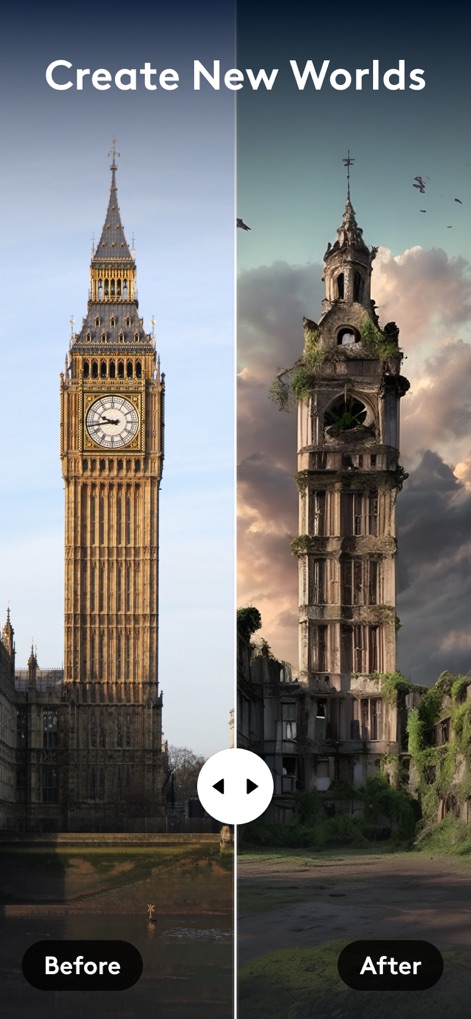
환상적인 세계 창조
이 앱은 현실의 풍경을 상상 속의 장면으로 탈바꿈시킵니다. 런던의 빅벤이 황폐하고 신비로운 고대 유적처럼 변한 모습과, 'Before'와 'After' 슬라이더를 사용하여 변화를 즉시 비교할 수 있습니다.
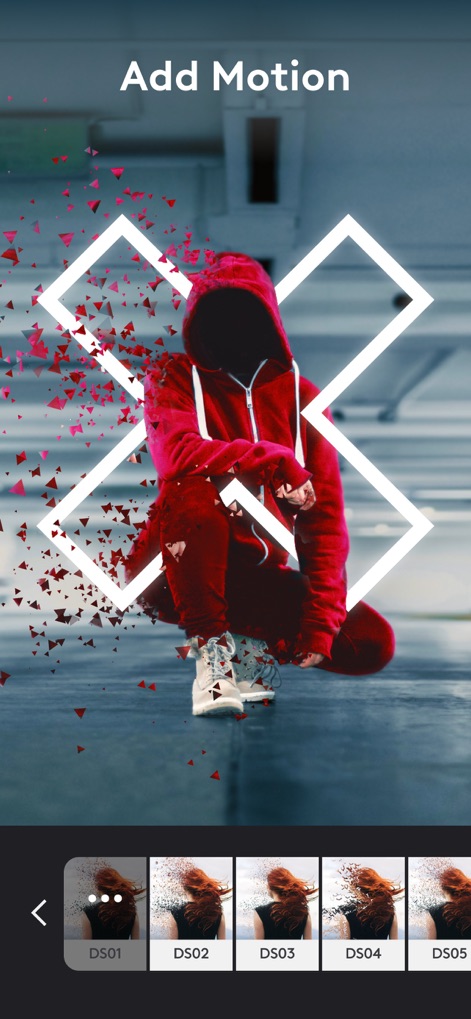
사진에 생동감 추가
사용자는 이 기능을 통해 정적인 사진에 역동적인 움직임을 불어넣을 수 있습니다. 인물 주변으로 파편이 흩어지는 듯한 효과와, 하단의 다양한 모션 프리셋을 적용하여 독특한 시각적 효과를 연출할 수 있습니다.
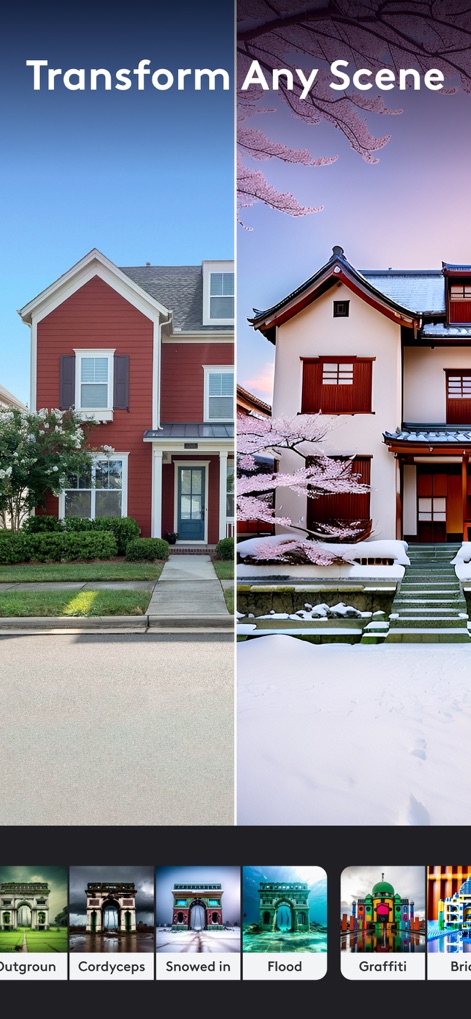
풍경 무한 변환
이 앱은 평범한 풍경을 완전히 다른 분위기로 전환하는 강력한 기능을 제공합니다. 일반적인 주택이 눈 내리는 일본식 정원으로 바뀐 모습과, 다양한 스타일의 장면 변환 필터들을 탐색할 수 있습니다.
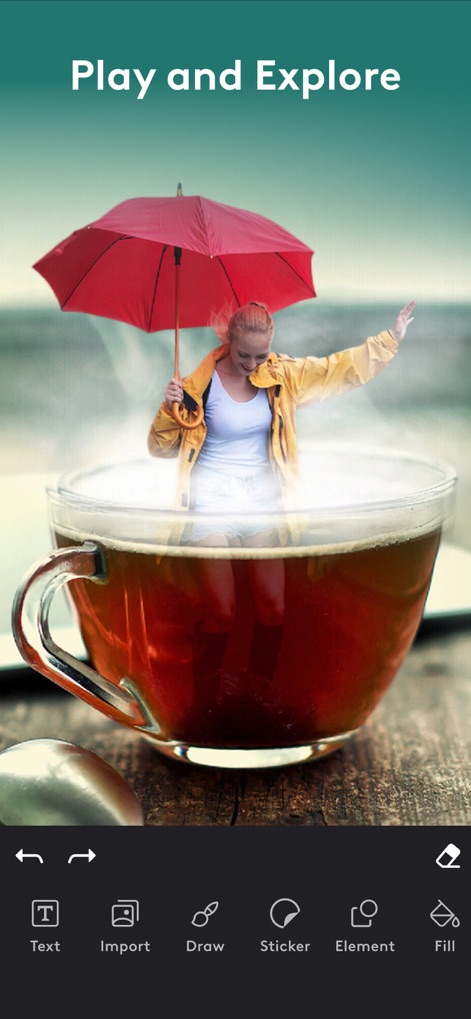
창의적인 합성 놀이
사용자는 이 앱으로 자유로운 상상력을 발휘하여 재미있는 이미지를 만들 수 있습니다. 찻잔 속에 사람이 들어있는 초현실적인 합성 이미지와, 텍스트 추가 및 스티커와 같은 다양한 편집 도구들을 활용할 수 있습니다.
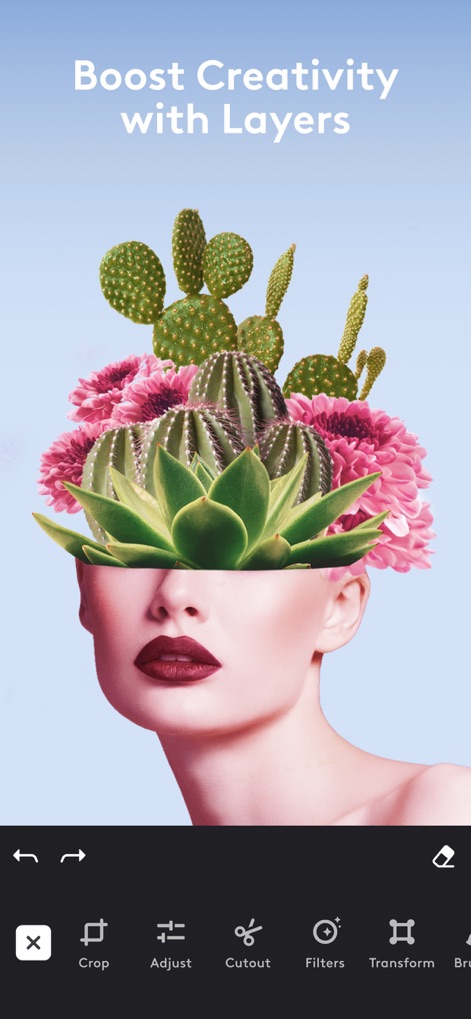
레이어로 창의력 증폭
이 앱은 레이어 기능을 통해 복잡한 이미지 합성을 가능하게 합니다. 인물 얼굴 위에 선인장과 꽃이 조화롭게 배치된 합성 이미지, 그리고 자르기 및 필터 적용 등 정교한 레이어 편집 도구들을 볼 수 있습니다.
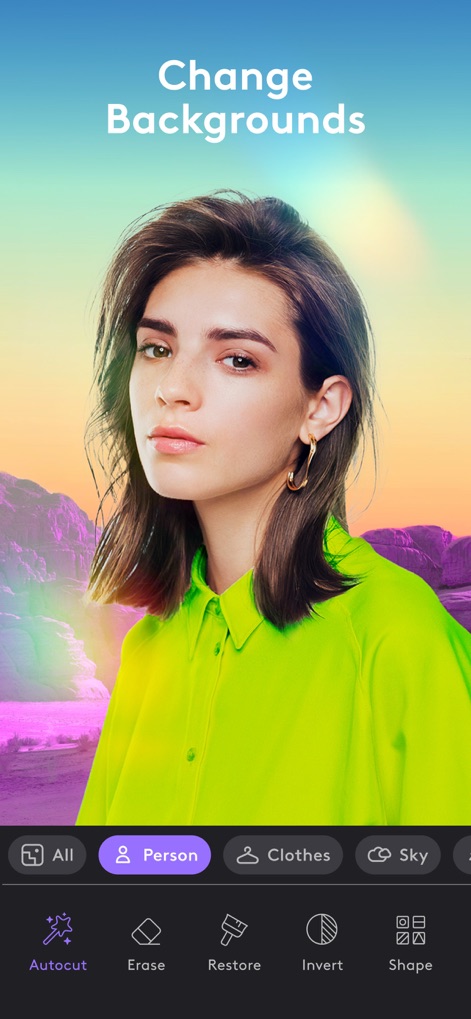
배경 손쉽게 변경
사용자는 이 도구를 활용하여 사진의 배경을 손쉽게 바꿀 수 있습니다. 인물의 배경이 단순한 색상에서 신비로운 풍경으로 바뀐 모습과, 인물, 의류, 하늘 등 자동 선택 기능을 통해 정교하게 영역을 구분할 수 있습니다.
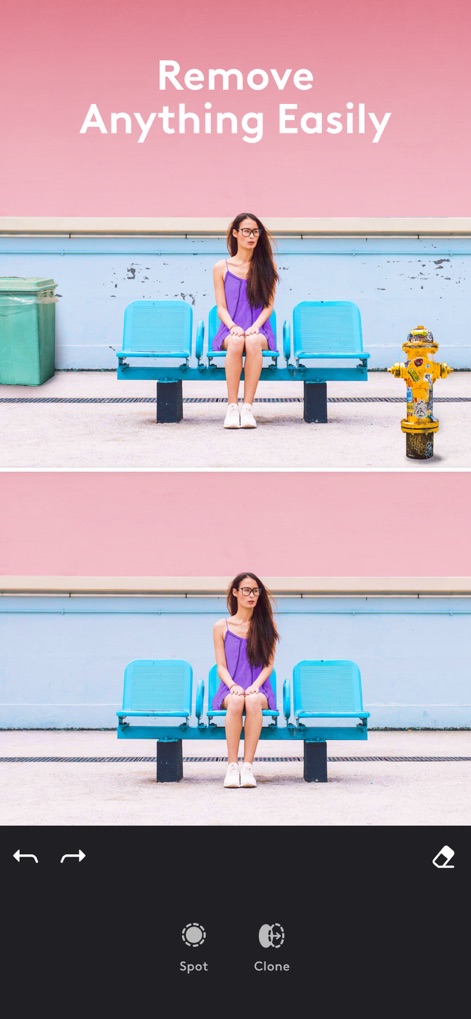
불필요한 요소 제거
이 앱은 사진 속 불필요한 객체를 깔끔하게 지울 수 있는 기능을 제공합니다. 하단의 원본 이미지에서 소화전이 사라진 것을 확인할 수 있으며, 'Spot' 및 'Clone' 도구를 사용하여 정교한 제거 작업을 수행할 수 있습니다.

콜라주로 이야기 구성
사용자는 여러 장의 사진을 조합하여 시각적인 이야기를 만들 수 있습니다. 해변과 바다, 건물 사진을 한 장의 콜라주로 구성한 모습과, 다양한 레이아웃 옵션을 통해 자신만의 독특한 구성을 만들 수 있습니다.
설명
Download
비슷한 앱
유사한 기능과 사용자 경험을 가진 앱

ElevenLabs: AI Voice Generator
Eleven Labs Inc.

Viggle AI: Meme Maker
WarpEngine Canada Inc.

可灵AI - AI图片&视频创作工具
Beijing Kwai Technology Co., Ltd.

Leonardo.Ai - Image Generator
Leonardo Interactive Pty Ltd

Reface: Face Swap AI Photo App
NEOCORTEXT, INC.

Shedevrum
DIRECT CURSUS COMPUTER SYSTEMS TRADING LLC

Remove Objects
TAPUNIVERSE LLC

Zaps Collages
Turnip Media Private Limited

Carat - Create Anything
Paradot Corp.
이 페이지는 앱이나 개발자의 공식 페이지가 아니며, 정보 제공 및 논평을 목적으로 작성된 독립 편집 간행물입니다. 명시적으로 달리 언급되지 않는 한, 해당 앱이나 개발자는 MWM, Apple, Google Play, 앱 퍼블리셔 또는 앱 개발자와 제휴, 보증, 후원, 승인 또는 공식적으로 연결되어 있지 않으며, 이 페이지의 어떤 내용도 해당 앱이 MWM의 서비스를 사용하여 개발되었음을 의미하지 않습니다. 모든 상표, 로고, 스크린샷 및 기타 콘텐츠는 해당 소유자의 자산입니다.