
이 페이지는 앱이나 개발자의 공식 페이지가 아니며, 정보 제공 및 논평을 목적으로 작성된 독립 편집 간행물입니다. 명시적으로 달리 언급되지 않는 한, 해당 앱이나 개발자는 MWM, Apple, Google Play, 앱 퍼블리셔 또는 앱 개발자와 제휴, 보증, 후원, 승인 또는 공식적으로 연결되어 있지 않으며, 이 페이지의 어떤 내용도 해당 앱이 MWM의 서비스를 사용하여 개발되었음을 의미하지 않습니다. 모든 상표, 로고, 스크린샷 및 기타 콘텐츠는 해당 소유자의 자산입니다.


Pic Stitch:stitch long image
조각난 스크린샷 공유는 이제 그만. 전체 채팅 스레드, 긴 웹 페이지, 소셜 피드를 하나의 완벽한 이미지로 손쉽게 캡처하세요. 전문적인 '영수증', 개인 정보 보호, 스타일리시한 전화기 프레임을 원탭으로 제작하려는 크리에이터를 위해 설계되었습니다.
다운로드
339K+사용자 평점
총 평가 수
6K+개발사
카테고리
Photo & Video지원 언어
9최신 버전
1.1.3크기
88.9 MB출시일
2023년 1월 20일전체 스토리를 매끄럽게 캡처하세요
수십 개의 개별 스크린샷으로 갤러리를 어지럽히지 마세요. 바이럴 채팅 스레드부터 긴 형식의 기사까지, Pic Stitch는 몇 초 안에 완벽하고 고해상도의 긴 이미지를 만듭니다.
매끄러운 채팅 스플라이싱
긴 iMessage 또는 WhatsApp 대화를 완벽한 '영수증'으로 바꾸세요. AI가 채팅 기록을 자동으로 인식하고 정렬하여 깔끔하고 끊김 없는 뷰를 제공합니다.
전체 페이지 웹 캡처
수동 스크롤 없이 전체 기사 또는 긴 소셜 스레드를 저장하세요. URL을 붙여넣기만 하면 원탭으로 고품질 세로 스크린샷을 생성할 수 있습니다.
다음 스크린샷과 설명은 앱의 공식 스토어 목록에서 직접 가져온 것이며 앱 개발자의 자산입니다.
앱 스토어
스크린샷
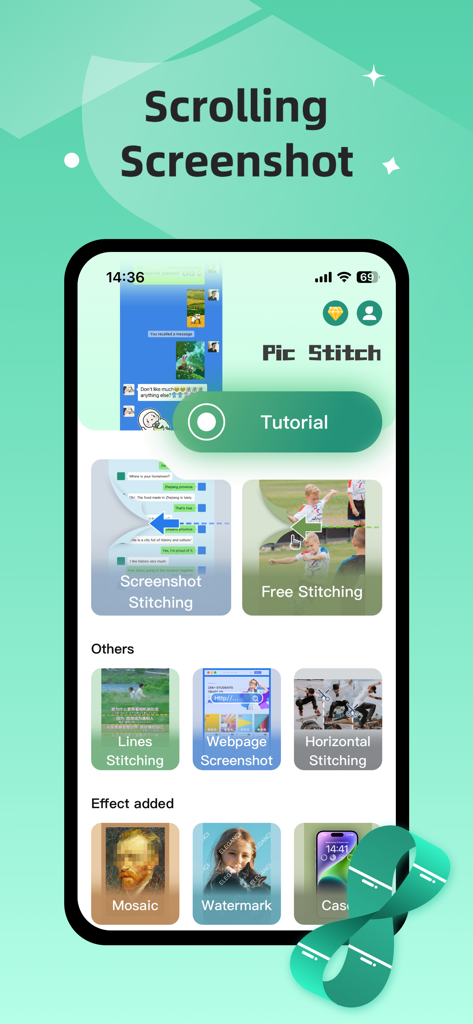
Pic Stitch 앱 인터페이스가 스크롤 스크린샷 및 이미지 스티칭 기능을 보여줍니다.
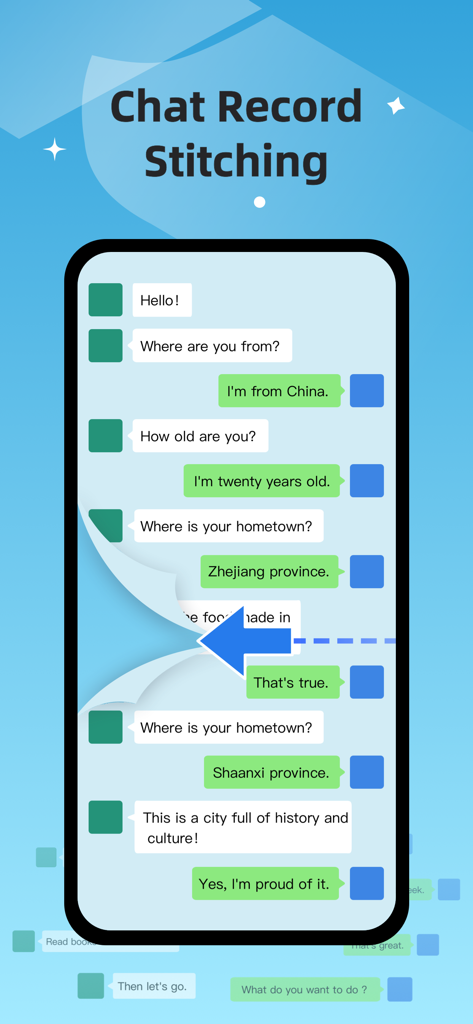
텍스트 대화의 긴 스크린샷을 만들기 위한 채팅 기록 스티칭 기능을 보여주는 인터페이스
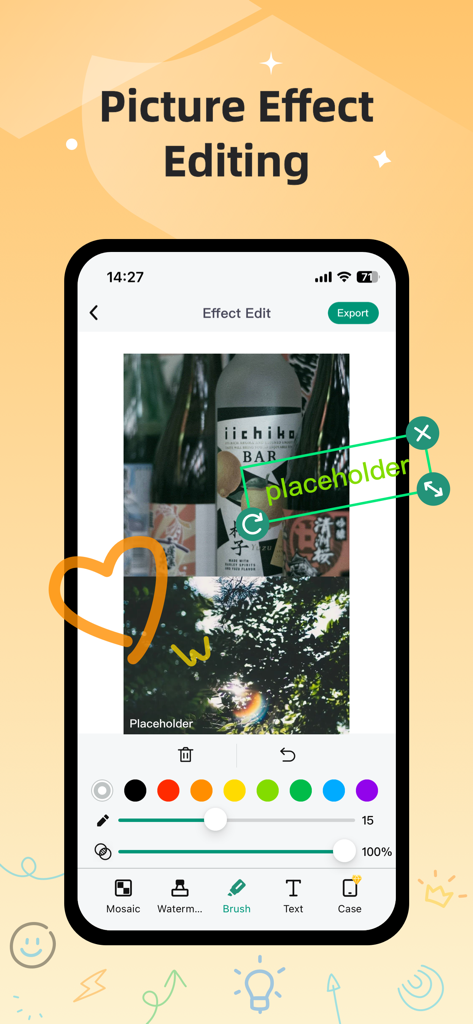
Pic Stitch 앱 인터페이스에 브러시 및 텍스트를 포함한 사진 효과 편집 도구가 표시됩니다.
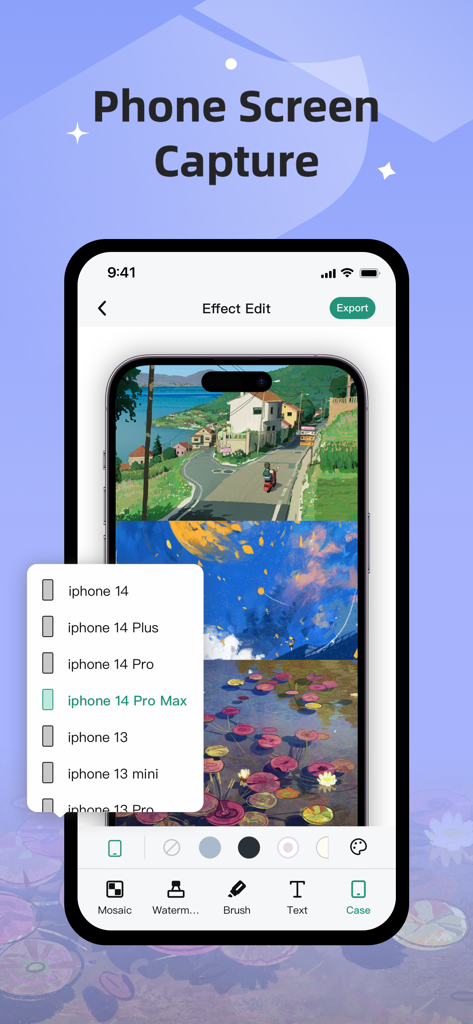
Pic Stitch 앱 인터페이스에서 스티칭된 긴 스크린샷에 iPhone 프레임을 추가하는 방법을 보여줍니다.
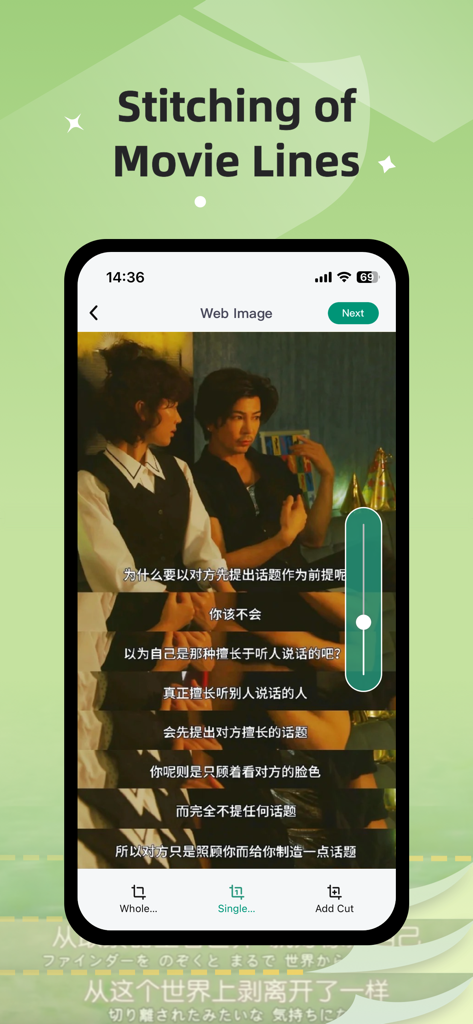
Pic Stitch 앱에서 여러 줄의 자막을 하나의 세로 이미지로 결합하는 영화 라인 스티칭 기능 시연.
설명
Download
비슷한 앱
유사한 기능과 사용자 경험을 가진 앱

Picsew - Scrollshot & Collage
Yojio, Ltd.

Photo Stitch!
Thanh Hai Le

StitchPics-Stitch Screenshots
磊 马

ScreenShot-Webpage Snapshoot
潇 罗

Frame Grabber
Appcano LLC

Castly+
HONGKONG BLUE WHALE AND OCEAN TECHNOLOGY CO., LIMITED

Panorama 360 Camera
松滔 袁

Auto Screenshots Stitch Tailor
Xiamen Dehui Chengzhen Network Technology Co., Ltd.

Tailor - Screenshot Stitching
Foundry 63, LLC
이 페이지는 앱이나 개발자의 공식 페이지가 아니며, 정보 제공 및 논평을 목적으로 작성된 독립 편집 간행물입니다. 명시적으로 달리 언급되지 않는 한, 해당 앱이나 개발자는 MWM, Apple, Google Play, 앱 퍼블리셔 또는 앱 개발자와 제휴, 보증, 후원, 승인 또는 공식적으로 연결되어 있지 않으며, 이 페이지의 어떤 내용도 해당 앱이 MWM의 서비스를 사용하여 개발되었음을 의미하지 않습니다. 모든 상표, 로고, 스크린샷 및 기타 콘텐츠는 해당 소유자의 자산입니다.