Pofi Brush - Sketch & Paint

Pofi Brush - Sketch & Paint

다운로드: App Store
로고: Pofi Brush - Sketch & Paint

Pofi Brush - 스케치 및 페인트: 전문가용 모바일 일러스트레이션 스튜디오

강력한 2D 엔진, 4K 캔버스, 캐릭터 아티스트 및 만화 제작자를 위해 설계된 사용자 지정 가능한 브러시로 창의력을 발휘하세요. iPad 및 iPhone에서 전문 스튜디오의 정밀도를 경험하세요.

다운로드: App Store

개발사

Pofi Entertainment Shenzhen Network Technology Co.,Ltd

카테고리

Graphics & Design

다운로드

366K+

사용자 평점

3.2/5

총 평가 수

700

지원 언어

9

위대함의 엿보기

이 인터페이스를 사용하는 366K+ 명의 사용자.

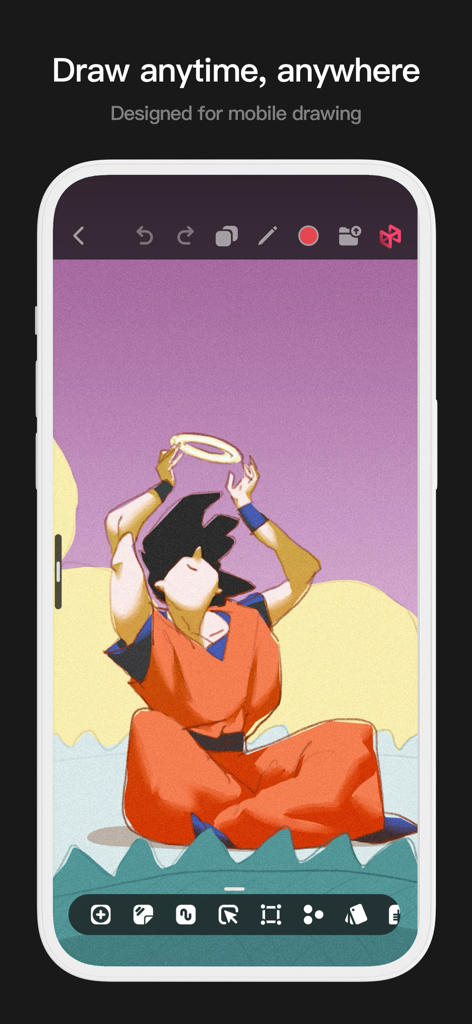
애니메이션 일러스트레이션과 드로잉 도구가 포함된 Pofi Brush 앱의 모바일 인터페이스.
애니메이션 일러스트레이션과 드로잉 도구가 포함된 Pofi Brush 앱의 모바일 인터페이스.

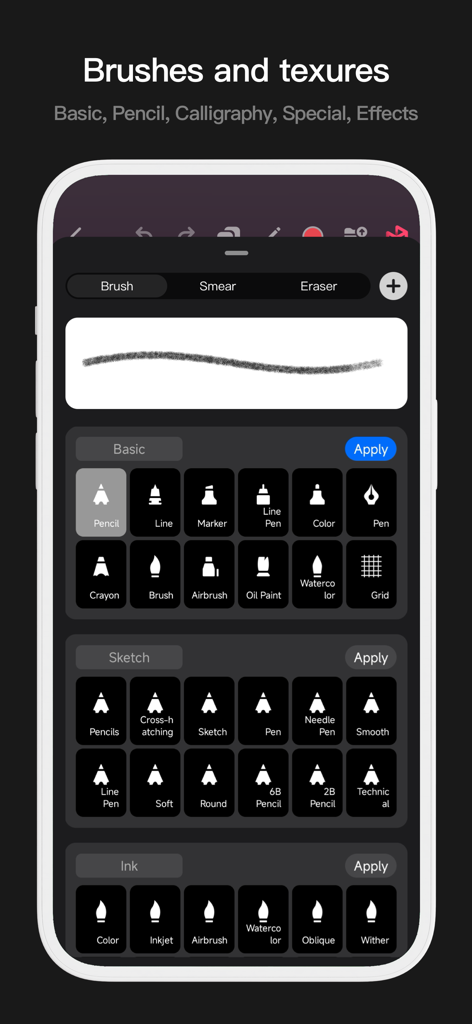
연필, 잉크, 수채화 도구를 포함한 다양한 디지털 아트 브러시 라이브러리를 보여주는 Pofi Brush의 모바일 인터페이스.
연필, 잉크, 수채화 도구를 포함한 다양한 디지털 아트 브러시 라이브러리를 보여주는 Pofi Brush의 모바일 인터페이스.

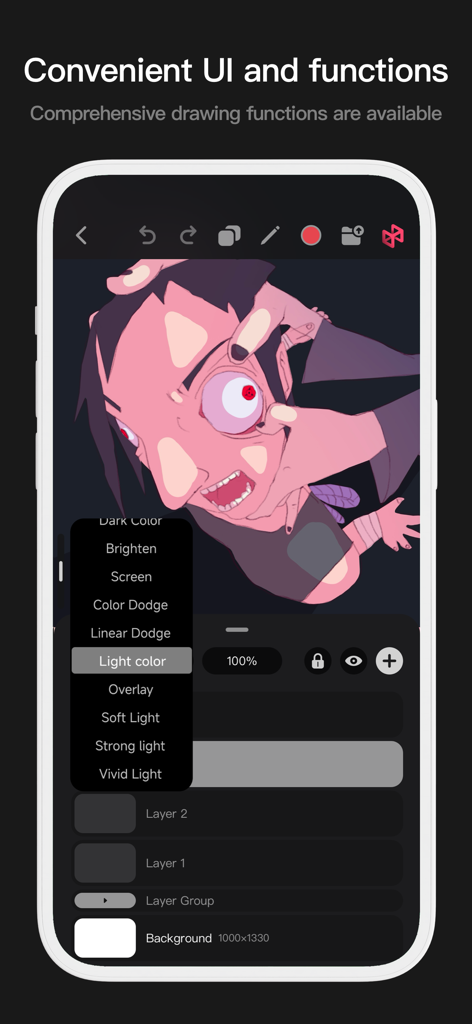
레이어 블렌딩 옵션과 스타일화된 캐릭터 아트를 보여주는 Pofi Brush 모바일 인터페이스
레이어 블렌딩 옵션과 스타일화된 캐릭터 아트를 보여주는 Pofi Brush 모바일 인터페이스

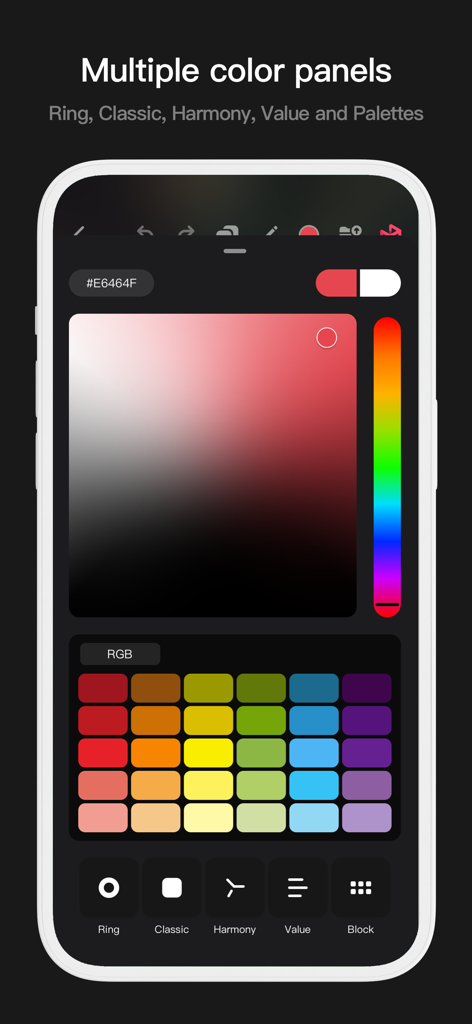
클래식한 그라디언트 및 색상 견본을 포함한 여러 색상 선택 패널을 보여주는 Pofi Brush 앱 인터페이스.
클래식한 그라디언트 및 색상 견본을 포함한 여러 색상 선택 패널을 보여주는 Pofi Brush 앱 인터페이스.

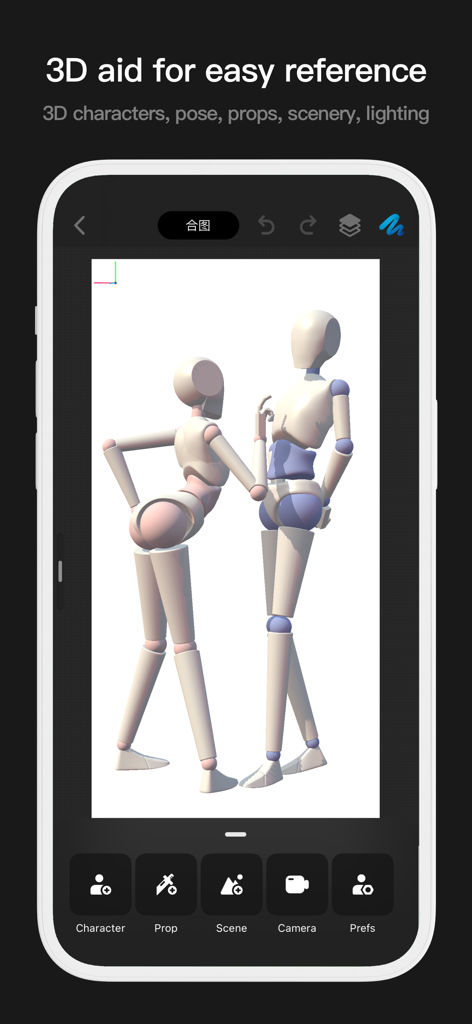
두 개의 3D 마네킹을 사용하여 그림 포즈 참조를 보여주는 Pofi Brush 앱 인터페이스
두 개의 3D 마네킹을 사용하여 그림 포즈 참조를 보여주는 Pofi Brush 앱 인터페이스

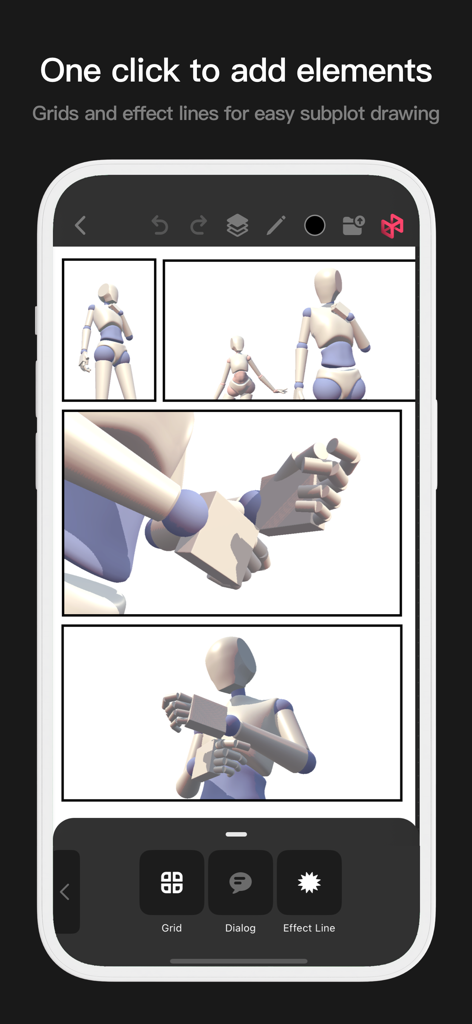
그리드 및 효과 선이 있는 Pofi Brush 만화 레이아웃 도구
그리드 및 효과 선이 있는 Pofi Brush 만화 레이아웃 도구

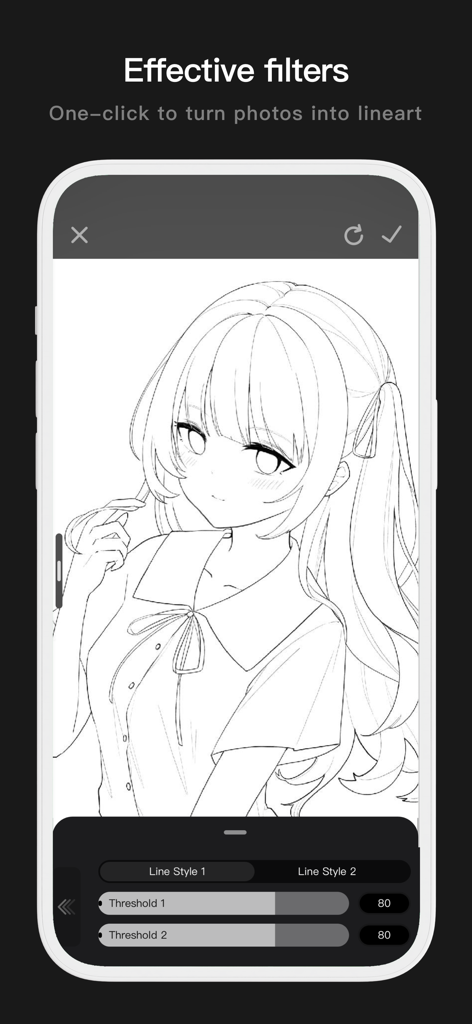
사진을 조정 가능한 임계값 설정으로 깔끔한 애니메이션 라인 아트로 변환한 Pofi Brush의 모바일 인터페이스.
사진을 조정 가능한 임계값 설정으로 깔끔한 애니메이션 라인 아트로 변환한 Pofi Brush의 모바일 인터페이스.

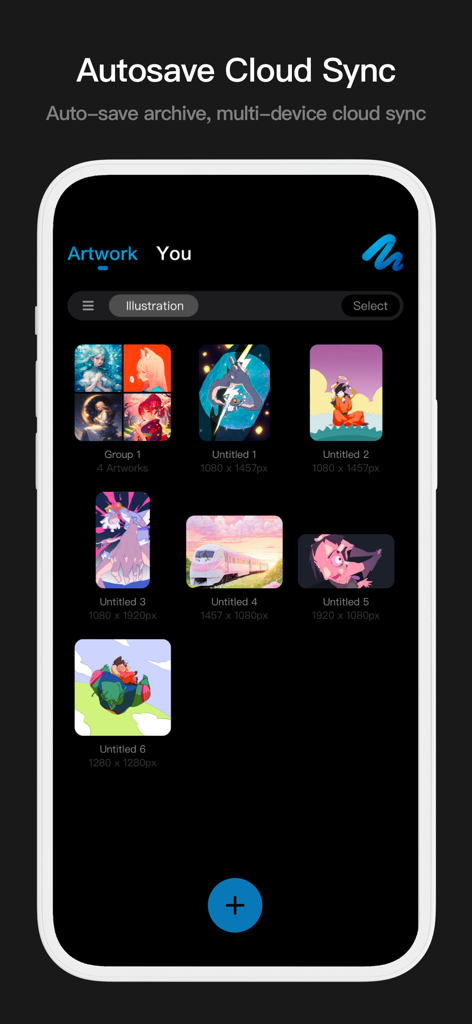
클라우드 동기화 및 자동 저장 기능이 포함된 디지털 일러스트레이션을 보여주는 Pofi Brush 아트워크 갤러리 인터페이스

클라우드 동기화 및 자동 저장 기능이 포함된 디지털 일러스트레이션을 보여주는 Pofi Brush 아트워크 갤러리 인터페이스

창의력 잠재력 발휘

이 앱을 돋보이게 하는 도구, 366K+ 명의 사용자가 선택.

🖋️

전문 브러시 마스터리

Apple Pencil의 압력 및 기울기에 완벽하게 최적화된 40개 이상의 사용자 지정 설정을 통해 플러터 방지 안정화 기능으로 완벽한 라인 아트를 만드세요.

🚀

4K 캔버스에서의 데스크탑 파워

거대한 4K x 4K 캔버스에서 지연 없이 페인팅하세요. 64비트 멀티코어 엔진은 복잡한 구성 및 고해상도 세부 정보를 관리할 때도 원활한 성능을 보장합니다.

27가지 블렌딩 모드, 알파 잠금, 정교한 레이어 그룹화를 통해 전문적인 기법을 잠금 해제하여 업계 표준 캐릭터 디자인에 필요한 총체적인 제어 기능을 제공합니다.

전 세계 사용자들에게 사랑받는 앱

Trusted by 366K+ 명이 이 앱을 사랑합니다.

"

"애니메이션 학생으로서 저는 시중에 나와 있는 모든 드로잉 앱을 사용해 봤지만, Pofi Brush는 놀라운 필압 감지 기능과 브러시 편집기의 깊이로 인해 단연 돋보입니다. iPad에서 지연 없이 4K 캔버스에서 작업할 수 있다는 것은 제 캐릭터 디자인 워크플로를 완전히 바꿔 놓았습니다."

Chloe Rivera
"

"플러터 방지 스트로크와 다양한 블렌딩 모드는 제 디지털 일러스트레이션에 꼭 필요했던 것입니다. 거친 스케치에서 소셜 미디어 피드를 위한 완성된 작품까지 절반의 시간 안에 완료할 수 있습니다. 정말 주머니 속의 전문 아트 스튜디오 같은 느낌입니다!"

Marcus Chen

앱 소개

에 대해 알아야 할 모든 것 Pofi Brush - Sketch & Paint.

설명

Pofi Brush delivers nearly 10 exquisitely crafted brushes, full-featured layer and color tools, an elegant interface, and a smooth yet powerful 2D Artistic Engine—unlocking a professional art studio experience on your device. Whether you're sketching your first draft or crafting professional illustrations, Pofi Brush empowers artists to create stunning comics, animations, and concept art on mobile or tablet. Unleash your creativity anytime, anywhere. Powerful 2D Artistic Engine The powerful 2D Artistic Engine is developed by the Pofi team and is optimized for 64-bit multi-core processors. It is compatible with multiple platforms and supports large HD canvases and multiple layers. It is optimized for smooth speed to ensure you get the best painting experience. - Canvas up to 4k × 4k px, making your artwork clear and lifelike. - Easy-to-use interface for mobile painting. - Optimised for 64-bit multicore processors for smooth drawing speeds. - Use the Apple Pencil for smooth, realistic, low-latency strokes. - Auto-save and save on exit. - All features supported on phones and tablets. Professional Brush Editor Pofi Brush presets dozens of creative brushes of various types, each with over 40 custom settings, allowing you to adjust the brush editor according to your personal preferences and creative needs, or design your own custom brushes for more personalized creations. - Built-in dozens of well-designed creative brushes for sketching, inking, texture, art, specialties and more! - Each brush has three modes: Brush, Eraser, and Smudge. - Each brush has over 40 customizable settings and a library of preset nib shapes and textures. - Comb, sort, and create brushes by groups for better management of your brushes. - Anti-flutter brush strokes can be set to give your brush more flow. - Finger-painting simulates pressure, so you can use your finger to paint with the sharpness and fineness of a real paintbrush. - Take full advantage of the Apple Pencil's features, combining the speed, tilt and pressure of the brush to experience a realistic brush touch. Advanced Multi-layer System Pofi Brush offers a multi-layer system with grouping, layer effects, and layer adjustments, giving you precise control over each layer to create stunning artwork. - Quickly preview and find the layer you need with the Layer Preview. - Support drag-and-drop grouping, merging, and deleting of multiple layers to conveniently manage your layers. - 20 layer functions: drag sort, show/hide, lock/unlock, transparency, multi-select, grouping/ungrouping, merge, fill, new, clear, copy, delete, rename, alpha lock, invert color, color markup, background color. - 27 layer blending modes: Standard, Darken, Positive Blend, Color Deepen, Linear Deepen, Darken, Brighten, Filter, Color Lighten, Linear Lighten, Lighten, Overlay, Soft Light, Highlight, Bright Light, Linear Light, Spot Light, Solid Blend, Difference, Exclude, Subtract, Divide, Color and other modes. Full-featured Color Tools Provides various color tool panels and styles needed by painters, allowing you to get the colors you need easily and quickly. - 4 kinds of color panels: circular color palette, square color palette, HSB numeric color value, grouping color matching color blocks - 2 kinds of color picking methods: input hexadecimal color code, long press to suck color - 6 color block functions: color block group, group rename, group sort, color block sort, overlay color block, delete color block More Highlights - Cell phone interface view supports half-screen and full-screen expanding interface. - Tablet PC supports large interface expansion and small interface drag and drop. - Support canvas rotation and zoom - Auto archive, return to save - Support exporting Png and Jpg image files. > Twitter/X: @ Pofi Brush > Instagram: @pofibrush > Email: brush@pofiart.com Privacy Policy: https://brush.pofiapp.com/privacy

최신 버전

3.10.1

크기

1.1 GB

출시일

2020년 8월 6일

어디서든 나만의 전문 아트 스튜디오

모바일에서 가장 반응성이 뛰어난 브러시 엔진으로 4K 명작을 만드는 수천 명의 아티스트와 함께하세요. 다음 아이디어를 스케치할 준비가 되셨나요?

다운로드: App Store