ProCam - Capture ProRAW photos

ProCam - Capture ProRAW photos

다운로드: App Store
로고: ProCam - Capture ProRAW photos

ProCam: ProRAW 사진가를 위한 전문가 수준의 수동 제어

ISO, 셔터, 초점을 위한 직관적인 한 손 제어로 iPhone을 강력한 DSLR로 바꿔보세요. 구독 없이 일회성 구매만으로 멋진 ProRAW 사진과 장노출을 촬영하세요.

다운로드: App Store

개발사

Ashutosh Billa

카테고리

Photo & Video

다운로드

422K+

사용자 평점

4.6/5

총 평가 수

4K+

지원 언어

4

손끝의 정밀함

이 인터페이스를 사용하는 422K+ 명의 사용자.

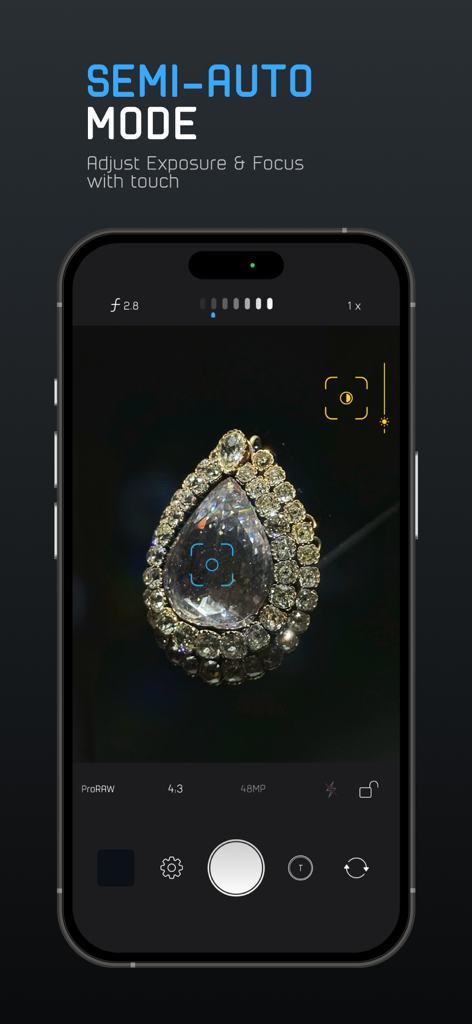
ProCam 앱 인터페이스는 iPhone에서 노출 및 초점 터치 컨트롤을 보여주는 세미 자동 모드를 시연합니다.
ProCam 앱 인터페이스는 iPhone에서 노출 및 초점 터치 컨트롤을 보여주는 세미 자동 모드를 시연합니다.

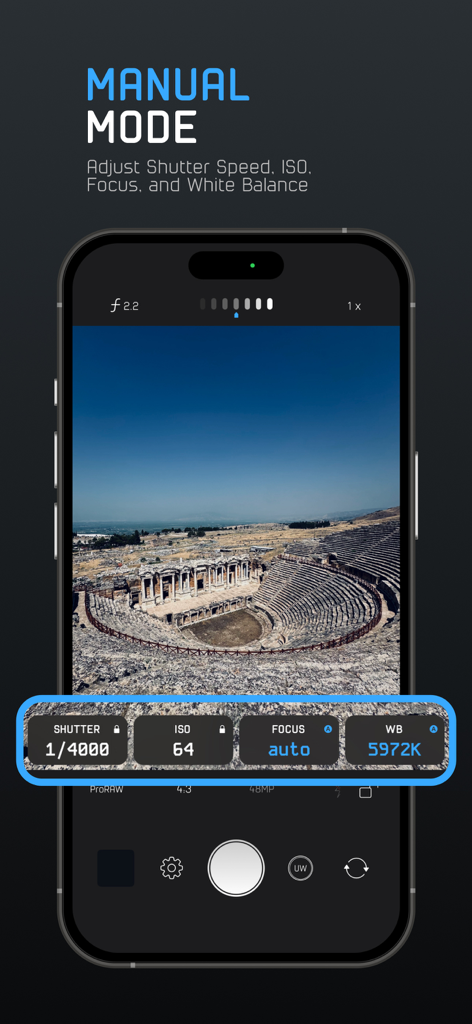
ProCam 앱 수동 모드 인터페이스는 풍경 사진 위에 셔터 속도 ISO 초점 및 화이트 밸런스 컨트롤을 보여줍니다.
ProCam 앱 수동 모드 인터페이스는 풍경 사진 위에 셔터 속도 ISO 초점 및 화이트 밸런스 컨트롤을 보여줍니다.

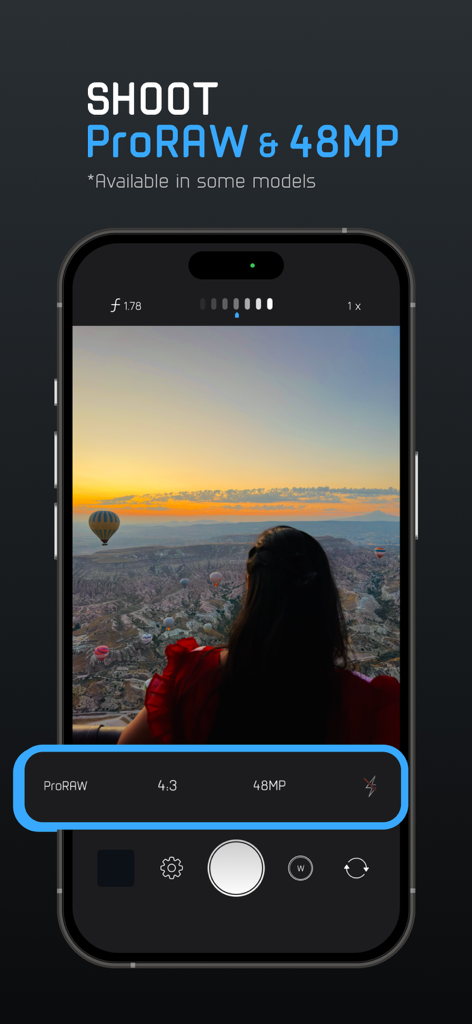
ProCam 앱 인터페이스는 iPhone에서 ProRAW 및 48MP 사진 캡처 설정을 보여줍니다.
ProCam 앱 인터페이스는 iPhone에서 ProRAW 및 48MP 사진 캡처 설정을 보여줍니다.

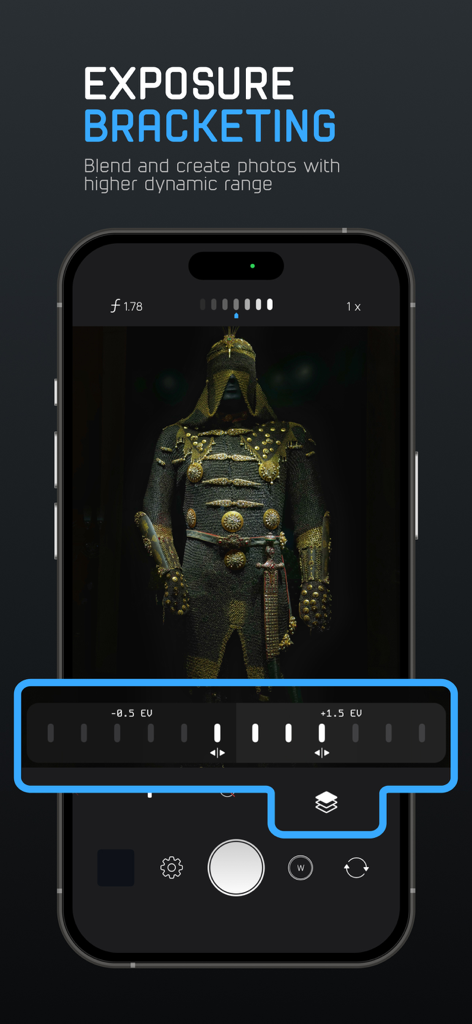
ProCam 앱 인터페이스는 더 높은 다이나믹 레인지 사진을 캡처하기 위한 노출 브라케팅 컨트롤을 보여줍니다.
ProCam 앱 인터페이스는 더 높은 다이나믹 레인지 사진을 캡처하기 위한 노출 브라케팅 컨트롤을 보여줍니다.

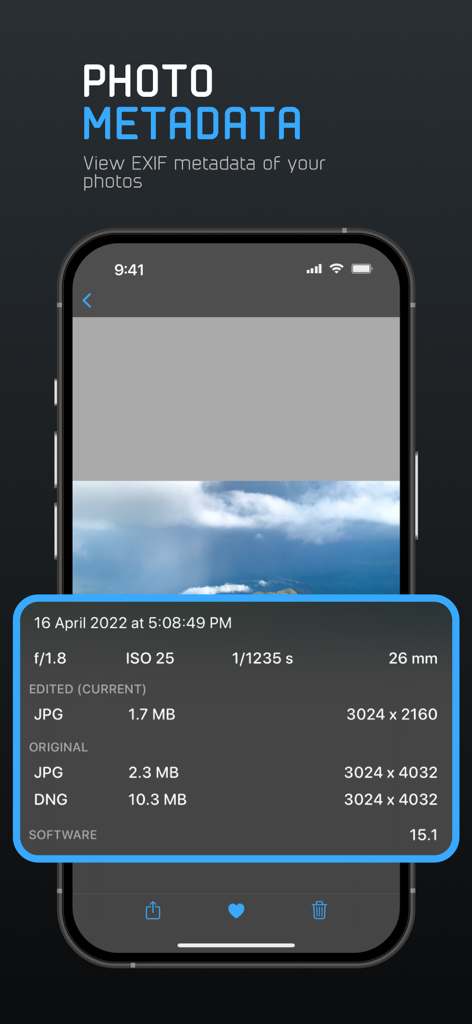
ProCam 앱 스크린샷으로 ISO, 셔터 속도, 파일 형식과 같은 사진의 상세 EXIF 메타데이터를 표시합니다.
ProCam 앱 스크린샷으로 ISO, 셔터 속도, 파일 형식과 같은 사진의 상세 EXIF 메타데이터를 표시합니다.

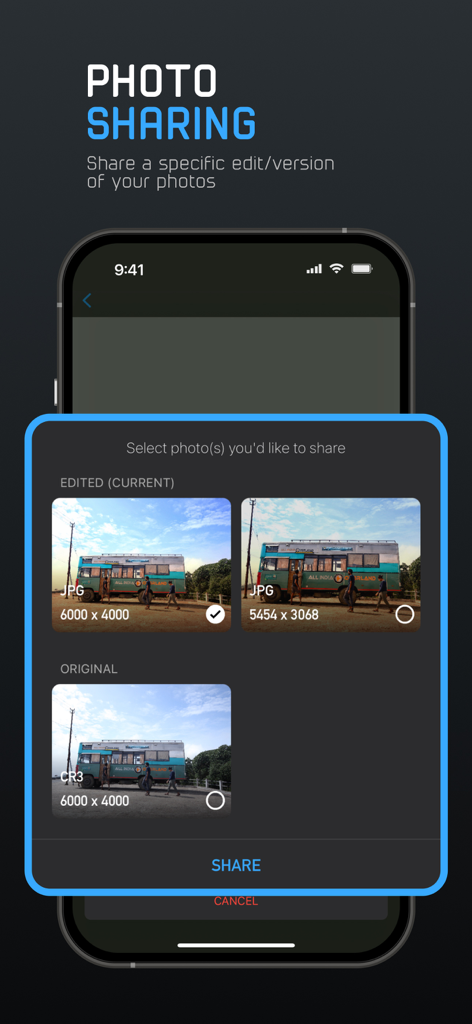
ProCam 앱 인터페이스는 RAW 및 JPG와 같은 다양한 형식으로 사진의 원본 또는 편집된 버전을 공유하는 옵션을 보여줍니다.
ProCam 앱 인터페이스는 RAW 및 JPG와 같은 다양한 형식으로 사진의 원본 또는 편집된 버전을 공유하는 옵션을 보여줍니다.

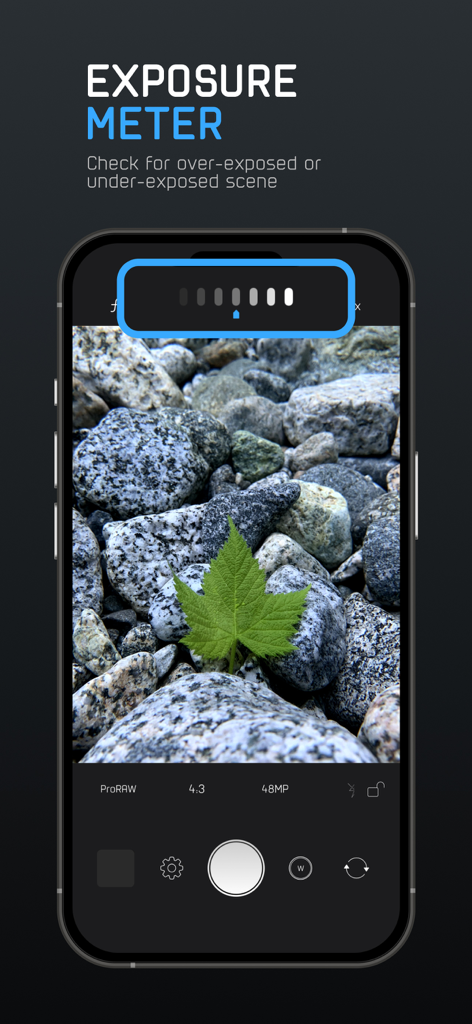
ProCam 앱 스크린샷으로 수동 사진 촬영을 위한 노출계 도구를 보여줍니다.
ProCam 앱 스크린샷으로 수동 사진 촬영을 위한 노출계 도구를 보여줍니다.

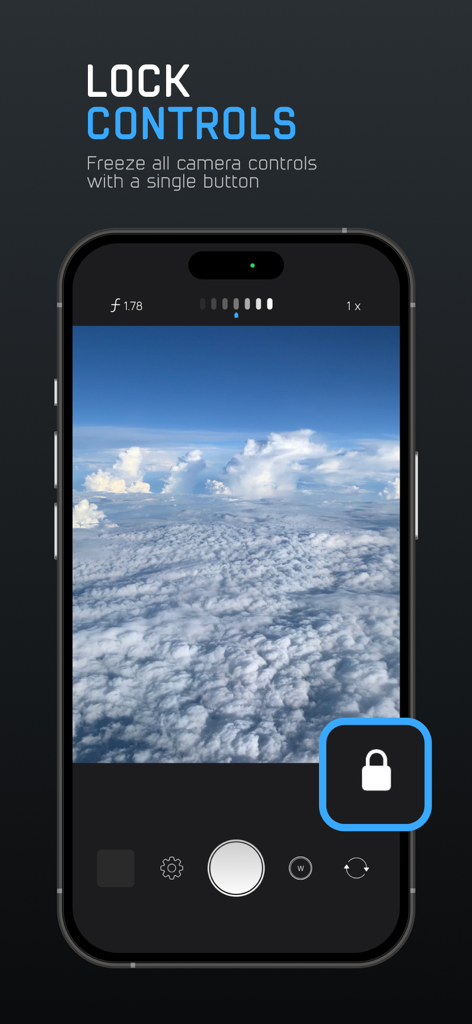
ProCam 앱 잠금 컨트롤 기능으로 수동 카메라 설정을 고정하는 스마트폰 화면.
ProCam 앱 잠금 컨트롤 기능으로 수동 카메라 설정을 고정하는 스마트폰 화면.

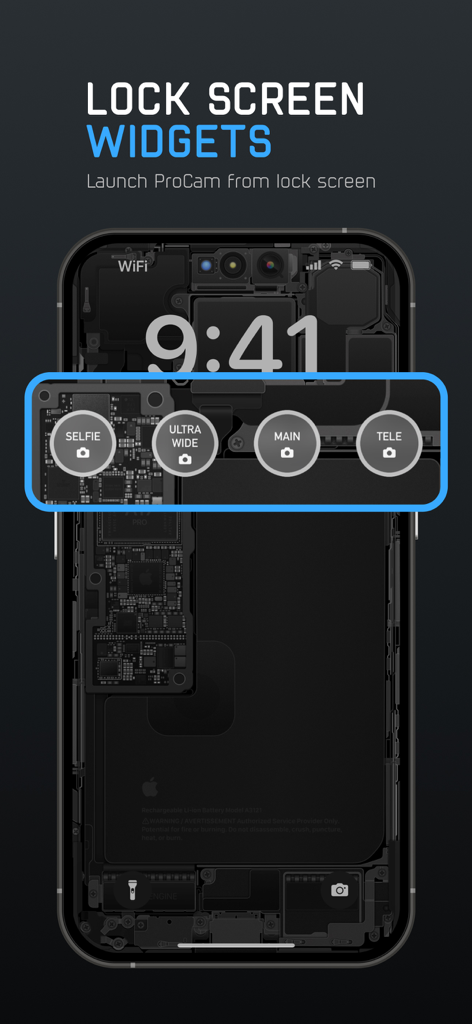
iPhone 잠금 화면에는 셀카, 초광각, 메인 및 망원 카메라 모드를 빠르게 실행하기 위한 ProCam 위젯이 표시됩니다.
iPhone 잠금 화면에는 셀카, 초광각, 메인 및 망원 카메라 모드를 빠르게 실행하기 위한 ProCam 위젯이 표시됩니다.

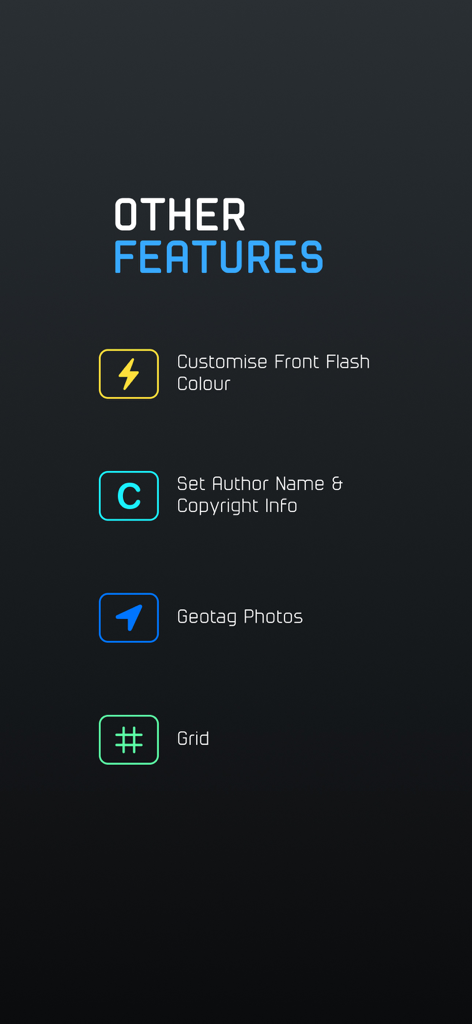
ProCam 앱 화면은 사용자 정의 플래시 색상, 저작권 설정, 지오태깅 및 구성 그리드를 포함한 추가 사진 기능을 보여줍니다.

ProCam 앱 화면은 사용자 정의 플래시 색상, 저작권 설정, 지오태깅 및 구성 그리드를 포함한 추가 사진 기능을 보여줍니다.

전문적인 제어, 간편하게.

이 앱을 돋보이게 하는 도구, 422K+ 명의 사용자가 선택.

🎛️

완벽한 수동 제어

직관적인 스와이프 컨트롤로 ISO, 셔터 속도, 초점을 완벽하게 제어하여 컴퓨테이셔널 프로세싱을 우회하고 원하는 분위기를 정확하게 포착할 수 있습니다.

🖼️

ProRAW 및 RAW 워크플로우

센서의 최대 다이나믹 레인지를 활용하세요. Lightroom 또는 Darkroom에서 마스터피스를 미세 조정할 때 최고의 유연성을 위해 압축되지 않은 데이터를 캡처하세요.

☝️

인체공학적 한 손 UI

엄지손가락을 위해 디자인된 전문가 인터페이스로 순간을 놓치지 마세요. 즉각적으로 반응하고 촬영해야 하는 거리 사진가 및 크리에이터에게 완벽하게 최적화되었습니다.

앱 소개

에 대해 알아야 할 모든 것 ProCam - Capture ProRAW photos.

설명

Note: ProCam is not free, try the first 10 shots for free and upgrade with a one-time purchase for unlimited access. ProCam only supports photos and does not support shooting videos. ProCam is the ultimate manual camera app for the iPhone with a camera design where simplicity meets functional design. ProCam brings the controls of a professional DSLR camera to your iPhone camera. It has a very simple and intuitive camera design to help you easily manage all the controls with just one hand (read: thumb). ProCam has two modes of shooting: ► Manual Mode For professional photographers who want a camera with finer control over shutter, ISO, focus & white balance. Adjust the controls by swiping horizontally on the respective controls. ► Semi Auto Mode For people who want a quick and easy point(tap)-and-shoot camera*. Tap on the camera display to set exposure and focus. *You can hide the manual controls by swiping down on the camera display. Features: → Manual Controls: Independent control and lock over shutter, ISO, focus and white balance. Swipe on the control to lock and double-tap to reset. → Supported Image Formats: Capture photos in JPEG, HEIF, RAW, RAW+JPEG, ProRAW and ProRAW+JPEG. RAW/ProRAW format offers you finer control over the editing process. → Lock Controls: ProCam lets you freeze all the controls (shutter, ISO, focus and white balance) with the tap of a single button after you arrive at the correct settings for your shot. This feature is particularly useful if you want to avoid accidentally changing your camera settings. → Personalise: With ProCam you can personalise your camera to suit your preferences. → Torch Mode: Torch mode lets you turn on the flashlight for as long as you need it. Torch mode comes in handy while shooting in dark environments when you’re unaware of the position of your subject in the dark. → Long Exposures: Enabling long exposures allows you to access longer shutter speeds (below 1/15s). → Front Flash Color: You can customise the colour of the front flash to capture better selfies in low-light conditions. This also lets you capture selfies with a colour-tint effect. → Exposure Bracketing: Bracketing control allows you to capture three photos with varying levels of exposure that you choose. You can either blend parts of each photo to create a perfect photo or use the photo that has a better exposure. → Exposure Meter: The exposure meter lets you know if your shot is over-exposed or under-exposed. Use the meter to adjust the exposure of your shot to get the perfect photo. → Capture Preview: Get a quick-look at the captured photo(s). → Volume Button Shutter: Enable the volume button shutter to capture photos using the volume buttons or with a remote bluetooth shutter. → Grid: Use grid to better compose your shots. ProCam provides you with two types of grids, rule of thirds and golden ratio. → Self Timer: ProCam provides you with two times of 3s and 10s. → Zoom: You can zoom up to 20x using ProCam. → View EXIF Metadata: ProCam displays the metadata of a photo like the EXIF data, file size, dimensions of the photo & other information of all the versions (eg. edits like crop, filter, etc.) attached to a photo. → Customise Author Name & Copyright Info: ProCam lets you add information like “Author Name” and “Copyright Info” to your photos. This must be done before capturing the photo. → Share Photo Versions (Edits & Different Formats): You can share the original and/or the edited version, alternate version (RAW/ProRAW image) of a photo using ProCam. → Geotagging: ProCam allows you to tag your current location to the photos you capture. → Favourite Settings: ProCam lets you choose up to 3 favourite setting options for quick access. → Photo Recovery: In a rare case when the app fails to capture/save your photo to the Photo Library, you can access the recovered photos in the settings. If you have any feature requests, ideas or feedback please email me at appsbyab@gmail.com.

최신 버전

4.9

크기

19.0 MB

출시일

2021년 6월 22일

iPhone의 모든 창의적인 제어를 손안에

엄지손가락에 최적화된 전문적인 수동 사진 촬영을 경험해 보세요. 구독 없이 일회성 구매만으로 최고의 RAW 워크플로우를 누리세요. 처음 10장의 사진은 무료로 체험하세요.

다운로드: App Store
FAQ

자주 묻는 질문

에 대해 알아야 할 모든 것 ProCam - Capture ProRAW photos

ProCam은 무료 앱인가요?

아니요, ProCam은 10장의 사진에 대한 무료 체험을 제공합니다. 무제한 액세스에는 앱 내에서 일회성 구매가 필요합니다.

ProCam은 비디오 녹화를 지원하나요?

아니요, ProCam은 사진 촬영 전용으로 설계되었습니다. 사진 촬영만 지원하며 비디오 녹화 기능은 포함되어 있지 않습니다.

ProCam은 어떤 촬영 모드를 제공하나요?

ProCam은 두 가지 주요 촬영 모드를 제공합니다: 설정에 대한 정밀 제어를 위한 수동 모드와 빠른 탭 촬영 사진을 위한 반자동 모드입니다.

ProCam의 수동 모드는 어떻게 작동하나요?

ProCam의 수동 모드를 통해 전문 사진가는 셔터, ISO, 초점 및 화이트 밸런스를 정밀하게 제어할 수 있습니다. 사용자는 가로로 스와이프하여 이러한 컨트롤을 조정합니다.

ProCam의 반자동 모드는 어떻게 작동하나요?

ProCam의 반자동 모드를 통해 빠른 점사 사진 촬영이 가능합니다. 사용자는 카메라 디스플레이를 탭하여 노출 및 초점을 설정하고 수동 컨트롤을 숨길 수 있습니다.

ProCam은 사진 촬영을 위해 어떤 이미지 형식을 지원하나요?

ProCam은 JPEG, HEIF, RAW, RAW+JPEG, ProRAW 및 ProRAW+JPEG 형식으로 사진을 촬영하는 것을 지원합니다. RAW 및 ProRAW는 더 나은 편집 제어를 제공합니다.

ProCam에서 카메라 컨트롤을 잠글 수 있나요?

예, ProCam은 사용자가 설정을 완료한 후 버튼을 한 번 탭하여 셔터, ISO, 초점 및 화이트 밸런스를 포함한 모든 카메라 컨트롤을 고정할 수 있습니다.

ProCam에 노출 브래킷이 포함되어 있나요?

예, ProCam은 노출 브래킷 기능을 제공합니다. 이 기능은 서로 다른 노출 수준에서 세 장의 사진을 촬영합니다. 사용자는 최상의 노출 이미지를 혼합하거나 선택할 수 있습니다.

ProCam에서 노출계는 어떻게 작동하나요?

ProCam의 노출계는 촬영이 과다 노출되었는지 또는 부족 노출되었는지를 나타냅니다. 사용자는 이 측정기를 사용하여 최적의 사진 품질을 위해 노출을 조정합니다.

ProCam으로 촬영한 사진의 메타데이터를 볼 수 있나요?

예, ProCam은 EXIF 데이터, 파일 크기, 치수 및 모든 버전(예: 자르기 또는 필터와 같은 편집)에 대한 정보를 포함한 사진 메타데이터를 표시합니다.

ProCam을 잠금 화면에서 직접 실행할 수 있나요?

예, ProCam은 잠금 화면 위젯을 제공하여 사용자가 잠금 화면에서 앱을 빠르게 실행하여 사진을 직접 촬영할 수 있도록 합니다.

ProCam은 사진 복구 기능을 제공하나요?

예, 드물게 캡처 또는 저장 실패가 발생한 경우 ProCam 사용자는 앱의 설정 섹션에서 복구된 사진에 액세스할 수 있습니다.

ProCam에서 사진에 작성자 및 저작권 정보를 추가할 수 있나요?

예, ProCam은 사용자가 사진에 대한 작성자 이름 및 저작권 정보를 사용자 정의할 수 있도록 합니다. 이 사용자 정의는 사진 촬영 전에 완료되어야 합니다.

ProCam은 다른 사진 버전을 공유하는 방법을 어떻게 처리하나요?

ProCam은 원본, 편집된 버전 또는 RAW/ProRAW 이미지와 같은 다른 버전의 사진을 공유할 수 있도록 합니다. 사용자는 공유할 버전을 선택할 수 있습니다.

App information, icons, screenshots, and descriptions displayed on this page are sourced from the Apple App Store and are the property of their respective developers. Download estimates and rankings are based on MWM's proprietary models and may not reflect actual figures. This page is provided for informational and analytical purposes only.

Believe this page infringes your intellectual property? File a dispute